
When looking to buy a Linux VPS, performance is the most important consideration.
Linux VPS hosting is now so popular that too many companies offer nearly identical packages.
It will describe the differences between a powerful Linux VPS and an overpriced container. Explain what hardware and network specifications are important for hosting websites, which operating system options are available, whether there are setup fees, and which hosting company BuyVPS is best for (AMD EPYC servers with a cap on the amount of memory which can be assigned to a VPS). See also: Linux VPS hosting.
Additionally, A non-oversold architecture with KVM isolation by means of full root access, from two locations: Amsterdam and New York). It will help you choose the best Linux VPS hosting company for your specific needs. Related: KVM virtualization.
For example, you might be looking for a server to host production workloads and need one with sufficient CPU cores and disk space that is very stable and will function well and not crash at inopportune moments. Alternatively, you may be looking for a low-latency server located in Europe or US East Coast. Developers working on small projects often prioritize cost-effectiveness and simplicity, seeking configurations that provide adequate resources without unnecessary overhead or complexity. See also: managed VPS hosting.
Location matters significantly when selecting a provider, as proximity to your target audience or a strategically positioned data center can reduce latency by 50 milliseconds or more. As your project matures and traffic patterns evolve, the ability to upgrade CPU allocation or memory capacity in place, without migrating to a new provider becomes essential for maintaining performance.
Finally, you might want a full root privileges Linux VPS hosting company offering KVM-isolated VPSes, running in complete isolation from all other VPSes on the same server, with no chance of being affected by other users' activities on the same physical server.
For a complete overview, explore our buy linux VPS guide.
What you get when you buy Linux VPS hosting
A Linux VPS is a fully isolated slice of a physical server, running its own Linux kernel under KVM virtualization. That’s the main difference to shared hosting, and the lower price compared to a bare-metal server.
First month $1
Then the normal monthly price. One per customer. No setup fee, and a 30-day performance guarantee on your first order.
See the plans“Excellent experience from start to finish! The server was delivered promptly, and the service was reliable and efficient. I m very happy with the results and would definitely recommend them.”
Once the server is yours, most people start with containers; our Docker VPS guide has the install on Ubuntu 24.04 and Debian 13 and the sizing per number of services.
What a Linux operating system VPS actually is
A Virtual Private Server (VPS) is a virtual machine, i.e.
Every Linux VPS we create here at BuyVPS is provisioned on the best possible hardware. We use high end AMD EPYC servers and each VPS is hosted on NVMe RAID10 storage for the ultimate in performance. Each VPS is created from scratch with a clean install of the Linux OS of your choice (Ubuntu, Debian, AlmaLinux, Rocky Linux and many others). superuser access is provided from the word go.
Our Debian images are regularly updated with the latest security patches, ensuring a stable foundation for production environments. Many administrators prefer Ubuntu for its straightforward package management and extensive community documentation, making it an excellent choice for both beginners and experienced users. Each server location is housed in a tier-3 or higher data center with redundant power, cooling, and network connectivity to ensure maximum uptime.
Linux VPS web hosting vs. Shared and dedicated
VPS web hosting
it sits between shared hosting and dedicated servers on every dimension.
- Shared hosting: no isolation, pooled resources, no administrative root control.
- Linux VPS: isolated environment, dedicated resources, full control.
- Dedicated server: full hardware, higher cost, longer provisioning.
When a Linux VPS server makes sense
A Linux VPS server is usually the best choice when your application has outgrown shared web hosting but doesn't need a full dedicated server.
This is because In the event of a total failure of a VPS server on a given node (at the level of the hypervisor), only that single VPS server will fail. Redundant infrastructure and automated monitoring systems help minimize downtime from hardware failures, ensuring business continuity even when individual components experience issues. Modern VPS architectures are designed with high availability in mind, using clustered storage and network redundancy to maintain service continuity.
Clustering technologies handle failover and load balancing across multiple nodes, distributing traffic intelligently to prevent any single point of failure from impacting service availability. Geographic distribution across multiple data center locations further enhances resilience by protecting against regional outages or connectivity issues that could affect a single facility.
We run low node density by design, and hard memory caps prevent a single tenant from killing the others.
Linux VPS vs shared web hosting vs dedicated servers
Linux hosting has three main tiers.
What happens to Linux server resource isolation when a server fails
With shared web hosting you have dozens of accounts all competing for the same server resources. A Virtual Private Server on the other hand is guaranteed RAM, CPU, and NVMe storage for your specific workload.
Full root access and control
A VPS hosting plan allows you to have full OS-level control.
Dedicated servers and when to consider them
Dedicated servers are physical servers that you get to use in their entirety.
| Criterion | Shared hosting | Linux VPS | Bare metal |
|---|---|---|---|
| Resource isolation | None | Guaranteed per plan | Full physical |
| Root access | No | Yes | Yes |
| Scalability | Plan limits only | In-place upgrade, no IP change | Hardware swap required |
| Cost tier | Lowest | Mid-range | Highest |
| Best for | Static sites, low traffic | Apps, APIs, databases | Single-tenant, extreme I/O |
For most developers and businesses, a Linux VPS is the right choice.
Choosing a Linux VPS plan: CPU, RAM, and disk space
Choosing the right Linux VPS plan matters.
CPU, RAM, and operating system requirements
- Decide between Shared vCPUs and Pinned vCPUs (i.e. our Dedicated CPU offering). We typically recommend Shared vCPUs for developers, and low-traffic websites. But for sites where consistent processing power is required, even under load, we recommend Pinned cores for the dedicated resources they provide (i.e. no noisy-neighbor interference here).
- Size RAM to your peak memory usage. Check your current process footprint with
free -m. If your stack is memory-hungry (large databases, in-memory caches), our High Memory tier offers a 1:8 RAM ratio built for that profile.
Disk space and storage speed
- Match the disk space allocated to your data footprint. All of our plans are powered by NVMe RAID10 storage, and we have been able to achieve 122,959 4K read IOPS in our fio benchmarks. The slow I/O of databases and highly concurrent applications can cause other processes to stall.
Note: Don't size disk purely on today's usage.
Dedicated IP and network
- Verify the dedicated IP(s) that you have been allocated. Each plan comes with a dedicated IP ( IPv4 + IPv6 dual-stack ) per VPS, allowing for 100% control over your DNS, SSL & Mail Reputation from the off.
- Choose a region near your users, Amsterdam and New York run identical hardware and specs. Deploy in a few clicks using our self-service panel.
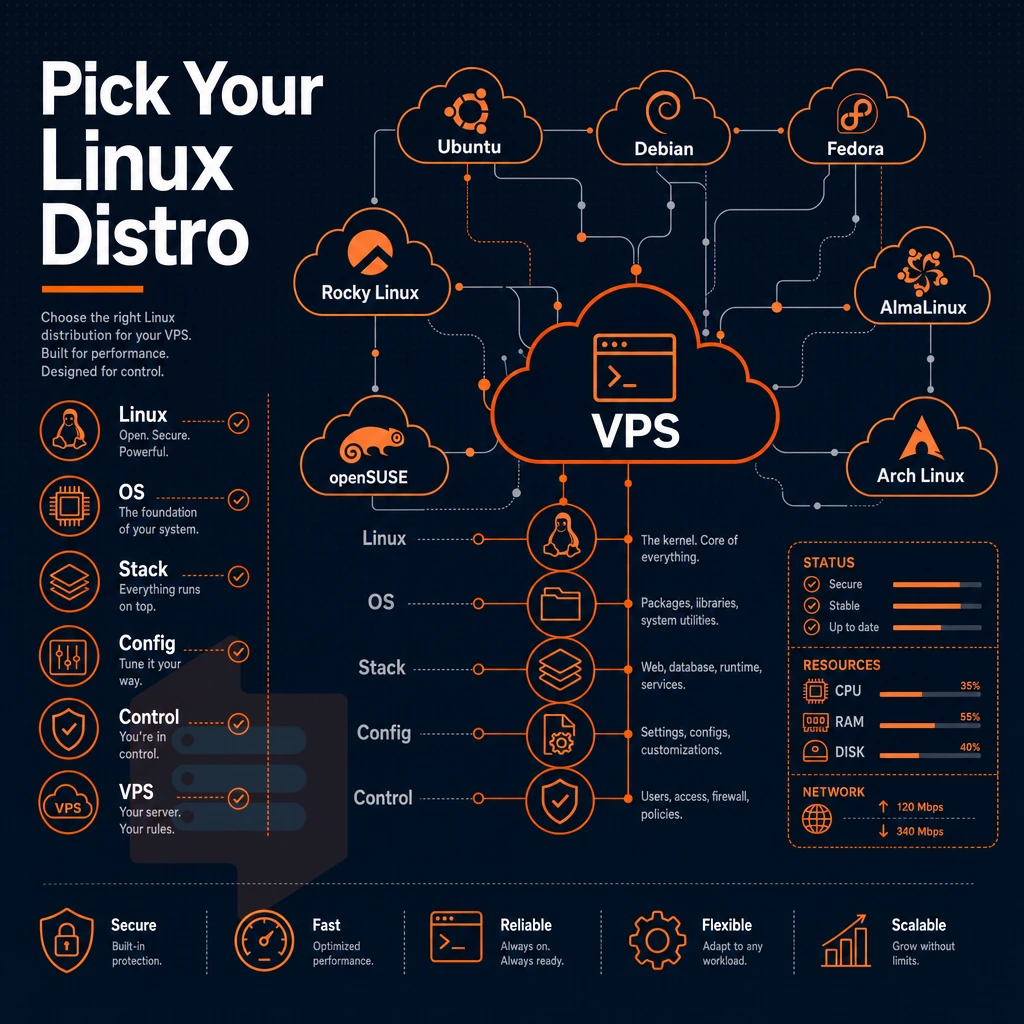
Once you've picked a plan and region, choose the operating system that will power your new online presence.
Linux distributions and full control over your server
With a Linux VPS you get to choose your OS, software stack and configuration. We support six Linux distributions out of the box and allow you to upload your own ISO for any other distribution you prefer to use. See Virtual private server on Wikipedia for background.
Linux distributions available at BuyVPS
We support Ubuntu, Debian, AlmaLinux, Rocky Linux, CentOS Stream and Fedora. All of these Linux distributions are fully functional for production use and include long term support releases. Rocky Linux OS and AlmaLinux distributions are binary compatible RHEL rebuilds. Ideal for teams using enterprise Linux tools and already standardized on RHEL based distributions.
With no setup fees or delays, you can upload your own ISO and immediately start booting off it, choosing any operating system you need, BSD variants, a hardened distro, or your own golden images.
Full control over your server environment
With full control of full sudo access, you can install any open source software, tweak kernel parameters, configure network settings, host web applications, set up mail transfer agents. This level of customization makes it ideal for hosting e commerce platforms that require specific security configurations and payment processing integrations.
You can configure mail servers to manage multiple domains and email accounts without the restrictions imposed by managed hosting environments. System administrators can create isolated user environments and manage permissions across multiple users, ensuring secure access control for development teams or client projects.
This contrasts with managed VPS hosting, where the provider limits package installs, kernel access, and configuration for your VPS to protect the shared environment.
Control panel and virtual environment access
BuyVPS offers you a self-service control panel with API access and in-browser VNC console to access your VPS instance. Also easily re-configure or re-install a distribution within minutes from your control panel. Your control panel only holds value if the underlying pricing is transparent.
How to find a cheap Linux VPS without hidden fees
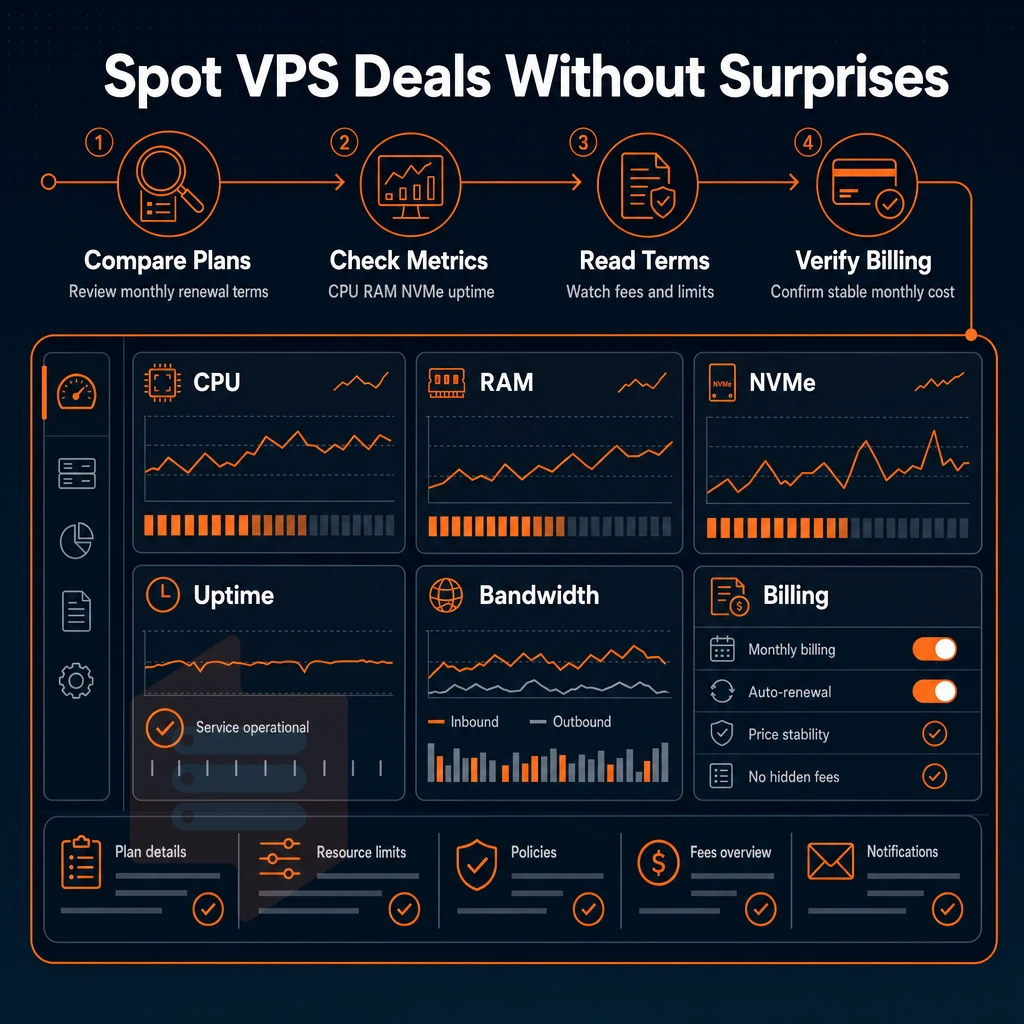
A very low intro rate is not worth paying for a VPS hosting service if the rate jumps up by month 3. Look into the details of any Linux VPS hosting provider you are considering to see what their renewal rate is.
Spotting hidden fees before you sign up
Many providers charge additional undisclosed charges and penalties that are buried in the fine print. For example, a provider may charge an activation fee at sign up, a penalty for going over bandwidth, extra costs for additional CPU cores, or charges for management tools such as the control panel or VNC console. If a provider is offering a “traffic unlimited” plan then be sure to read the acceptable-use policy as most providers will apply throttling once a soft cap has been reached.
What a cheap Linux VPS actually costs over time
Focus on the renewal cost of your hosting account, whether you manage VPS, shared, or dedicated plans, not the introductory promotional rate, and look for a service provider that publishes their consistent renewal costs and also offers billing term discounts (i.e. monthly. 1 year and 2 year terms) so you can weigh off flexibility of change vs. cost of service.
At BuyVPS we don't charge setup fees, and there are no renewal fees. So what you see advertised for a 2 year term, will still apply in year 4. Every server will have fixed numbers of CPU cores, amounts of RAM and amounts of storage per Tier, ie no 'downgrades' that you're not told about.
Best-value checklist for Linux VPS hosting
- Renewal price matches the signup price.
- No activation or setup process surcharges.
- Control panel and API access included in the price.
- Clear data transfer policy with no hidden overage charges.
Once you have confirmed the charges, including whether unlimited traffic is offered, you will need to review multiple websites across ecommerce sites and service providers to confirm which ones can actually deliver the quality hardware and support that you require.
Why choose BuyVPS for your Linux VPS hosting
BuyVPS delivers Linux VPS hosting built on verified hardware with no concealed costs. Every Linux VPS server runs on KVM with a separate kernel, a true isolated environment, not a shared slice. Our two data centers (Amsterdam and New York) run identical hardware, so your VPS plan performs the same on either continent.
- Full unrestricted shell access on every plan, complete control over your server, your operating system, and your software stack from first boot.
- No-oversell policy, hard memory caps and low node density deliver consistent performance even under load.
- NVMe RAID10 PCIe-direct storage, 122,959 4K read IOPS measured, not estimated.
- In-place upgrades, scale your Linux VPS as your business grows with no migration and no IP rotation.
- Engineer-led technical support, real engineers reply, not first-tier scripts.
Compare Linux VPS plans or reach out to our team at BuyVPS.com to find the right fit.
Buying a Linux VPS comes down to three decisions: the right number of CPU cores and resource tier for your workload, a distribution that matches your stack, and a provider that doesn't bury renewal fees in the fine print. Full root-level control and KVM isolation separate a real VPS from glorified shared server hosting, those two features alone determine whether you can run custom kernels, pin firewall rules, or deploy any Linux distro you choose.
surprise fees and oversold nodes are the most common ways a cheap Linux VPS stops being cheap.
BuyVPS offers KVM-isolated Linux virtual server plans on AMD EPYC hardware across Amsterdam and New York, no overselling, no hidden fees, and engineer-led support from day one. Browse the plans at BuyVPS.com and pick the tier that fits your workload.