
VPS hosting cost can vary more than most buyers expect when comparing different servers offered by providers. The price for a VPS server does not only depend on hidden fees that some providers may charge.
The main reason for the price differences among hosting providers are the different hardware, network architectures and models of how server resources are allocated across the different tiers they offer. Two plans offered by a provider for a same monthly price can offer very different real world performance.
Finally, a plan may use fast NVMe storage for the root volume and data disks while another plan may use slower spinning disk storage for the root volume and data disks.
Instead, it looks at the cost of VPS and the differences in specs that cost more.
BuyVPS publishes verified benchmarks to help you choose the right operating system and plan across all AMD EPYC servers in Amsterdam and New York, including Geekbench 6, fio and pgbench for all 3 tiers. When you choose linux as your operating system, you gain access to a mature ecosystem of open-source tools optimized for server environments.
What drives VPS server price: the key factors explained
The price for a VPS server is determined by several technical parameters. By understanding these, you will be able to book the right offer for your load and not pay for unused server capacity.
First month $1
Then the normal monthly price. One per customer. No setup fee, and a 30-day performance guarantee on your first order.
See the plans“Perfect and fast VPS with good support.”
For RAM-bound work such as Redis or a large Postgres buffer pool, the High Memory VPS page explains when the H-series beats a bigger Standard plan.
Vcpu type and RAM: the biggest cost drivers
The cost of your virtual private server (VPS) will be mostly determined by the tier of your VPS that you choose to sign up for for your instance. Shared vCPU plans will draw from a pool of available compute to service requests for the vCPUs allocated to your instance. On an unmanaged VPS, a pinned CPU plan will pin the specified number of cores to your instance, eliminating the possibility of noisy-neighbor contention in return for a higher cost.
Just like with disk space, the RAM allocation on a VPS follows a similar model to how the disk space is allocated. As opposed to the shared hosting environment where all of your tenant accounts are competing for the resources on the physical server (as well as the other tenant accounts).
A VPS comes with a fixed amount of RAM that has hard caps on it.
Web hosting storage, bandwidth, and billing terms
NVMe storage is significantly better than older forms of SSD storage in IOPS and latency.
One of the biggest billing term levers that most buyers of hosting providers do not pull is the length of time for billing terms in order to receive far greater discounts than they would receive by paying on a monthly basis. Month in and month out.
We offer our customers a chance to pay on a 1-year basis at a lower monthly rate, as well as a 2-year basis with a larger term discount. Customers who commit to longer billing cycles often receive great service benefits including priority support and faster response times from our team.
Data center region, operating system, and VPS resources
The virtual servers we deploy in Amsterdam and in New York are identical: powered by the latest AMD EPYC processors, using ultrafast NVMe storage, and all RAM resources are 100% dedicated on our no-oversell nodes.
With the key cost drivers identified, it is then possible to analyze the different VPS Tiers on cloud servers, and how each of the key cost drivers translate into different performance criteria for the customer. Understanding these cost-to-performance relationships enables businesses to select configurations that deliver high performance without overspending on unnecessary capacity or underprovisioning critical resources.
Types of virtual private servers: shared vCPU, dedicated CPU, and high memory
Each VPS hosting tier is typically designed for a specific type of workload and has its own requirements for CPU, RAM and latency. When choosing a tier for your VPS hosting, you run the risk of paying for features that you end up not using, or of hitting a ceiling on performance that you are unable to increase.
Applications such as video streaming require consistent bandwidth and processing power to maintain quality of service for end users. Selecting the appropriate web hosting plan requires careful evaluation of your current traffic patterns and anticipated growth over the next 12 to 24 months.
Virtual servers compared by workload
| Tier | CPU model | RAM | Best for |
|---|---|---|---|
| Standard (S-tier) | Shared vCPU, AMD EPYC Milan | 4 GB, 64 GB | Web hosting, staging, dev environments |
| Dedicated CPU (D-tier) | Pinned cores, AMD EPYC Genoa | 4 GB, 32 GB | Compute-intensive workloads, low-latency APIs |
| High Memory (H-tier) | Shared vCPU, AMD EPYC Milan | 64 GB, 192 GB | Database hosting store, ML inference, video processing |
How each tier handles processing power
Our Standard CPU Virtual Servers are created using vCPU time which is shared amongst all users on the server. The servers are ideal for providing a platform to host your websites, CMS platforms and dealing with moderate levels of traffic. As all our Virtual Servers are provisioned on Nodes, they have hard memory caps per Node to prevent the issue of noisy-neighbor RAM contention.
Each instance includes a user-friendly control panel that simplifies server management tasks such as reboots, monitoring resource usage, and configuring network settings. The control panel interface allows administrators to quickly create new instances, clone existing configurations, and deploy pre-configured application stacks without requiring command-line expertise. The control panel also enables administrators to schedule automated backups and create restore points before making significant configuration changes or software updates.
The reserved CPU tier at Pinkcube Server Hosts dedicates your chosen number of cores to your instance, and never shares them with other users and tenants. This means that there is no risk of CPU steal from multiple users sharing resources, which is a killer for web hosting applications that require maximum performance in real-time processing, CI/CD pipelines and other workloads highly sensitive to latency spikes, a key consideration in any serious server administration setup.
It is essentially a dedicated server experience, but without the typical single-tenant costs associated with them. Organizations demanding high performance for database operations or real-time analytics consistently choose this tier to eliminate variability in response times. This tier delivers the isolation and predictability typically associated with private servers while maintaining the cost efficiency and flexibility of virtualized infrastructure.
RAM exhaustion in these scenarios causes a chain of failures rather than slowing down.
Which tier fits your game servers use case
Start with Standard server for typical web hosting or shared hosting migrations. Then move to isolated CPU servers when you can start measuring CPU steal or latency becomes a requirement for your product. High Memory servers are for working with very large datasets that won’t fit into a server with less than 32 GB of RAM.
All servers come with NVMe RAID10 storage and ECC memory. Regular RAID10 configurations provide redundancy that protects against data loss in the event of drive failure. Many providers also include ddos protection as part of their infrastructure to safeguard against volumetric attacks that could otherwise saturate network bandwidth. Enterprise customers requiring high availability can use our infrastructure's redundant network paths and automatic failover mechanisms to minimize downtime during maintenance windows.
Choosing the correct tier is only half the battle and the real question is why choose a VPS over shared hosting in the first place. Understanding when to migrate from shared hosting to a virtual private server VPS depends on your application's growth trajectory and performance requirements. Organizations evaluating private servers must weigh the trade-offs between shared environments and isolated infrastructure that guarantees predictable performance for mission-critical applications.
More power when you need it: scalable resources and in-place upgrades
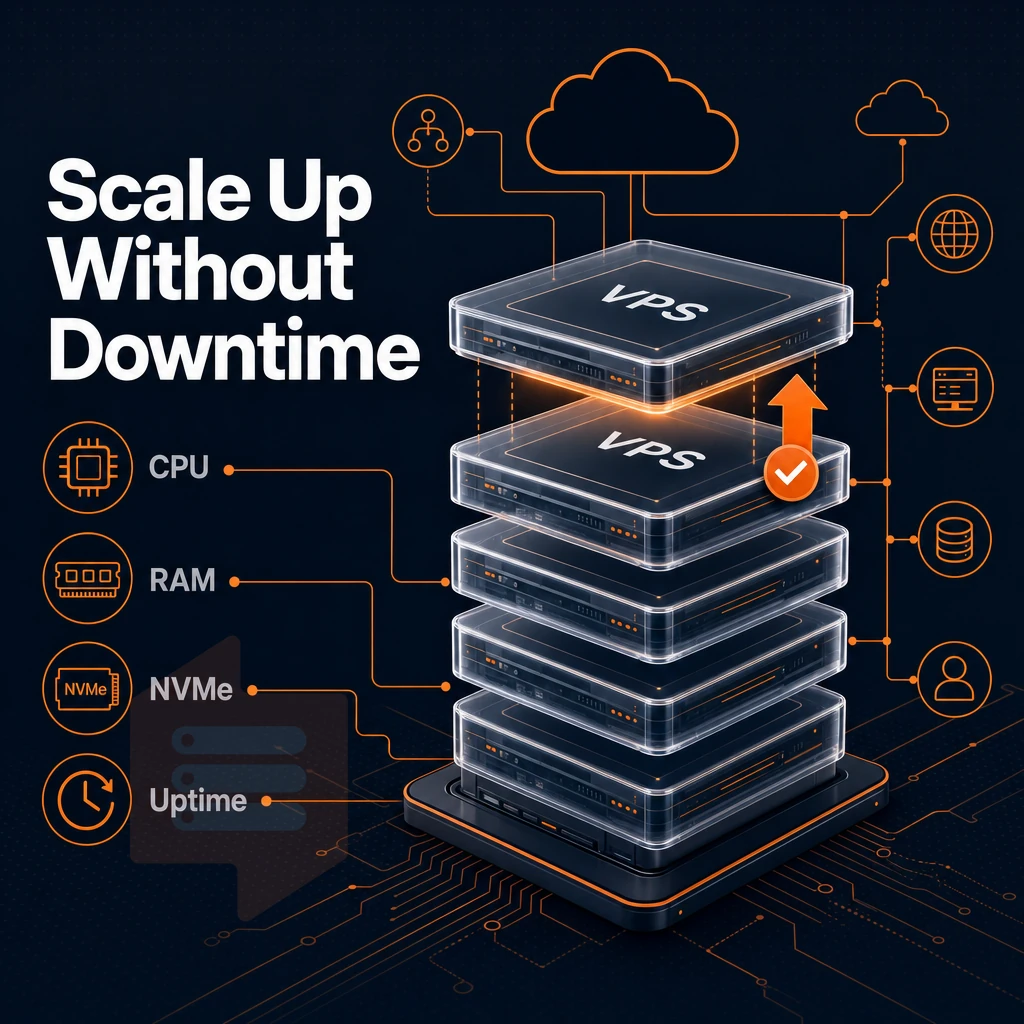
Shared hosting limits you to whatever is left on the server that you are sharing on. A VPS however removes that cap entirely. You have dedicated RAM, vCPU, and storage that scales as needed. Your IP is not affected and you don’t have to switch servers. Isolation from neighboring accounts also means better security, as vulnerabilities in one tenant's environment cannot compromise your instance. Isolation also provides protection against ddos attacks targeting other tenants, ensuring your services remain available even when neighboring accounts come under assault.
This isolation grants you full control over your environment, allowing you to install custom software, configure security policies, and optimize performance without restrictions imposed by shared infrastructure. Dedicated ip addresses ensure your domain reputation remains intact and email deliverability stays consistent regardless of activity from neighboring accounts. Organizations migrating from shared environments to private servers gain the ability to implement custom firewall rules and access controls tailored to their specific compliance requirements.
Web hosting storage and control panel built for throughput
We run our infrastructure on NVMe SSD storage in a RAID10 configuration with direct PCIe attachment to the server. We published the results of fio median testing for 4K read IOPS on this storage configuration: 122,959 IOPS. These are not estimates, but rather numbers that we were able to reproduce in a test environment.
For storage on private servers hosting websites and other services, fast NVMe is most important for applications that are database driven, high frequency logging and any other workload where disk latency is amplified by the thousands of operations per second that are issued.
High performance RAM and CPU matched to the workload
RAM is a hard capped resource per node.
CPU bound workloads such as video encoding, ML inference, and batch encoding require a consistent amount of CPU power to run quickly. Our Dedicated CPU plan locks the required amount of CPU cores to your VPS instance, removing the noisy-neighbor problem completely.
Upgrade your web hosting without disruption
Scalable resources when you need them, with minimal disruption to operations. Upgrades to NVMe storage, RAM and vCPU are all done from your control panel with minimal downtime, and without the need for a support ticket.
Even with Scalable Resources and Fast Storage, performance under normal load is one thing. The next consideration is what happens when your server comes under deliberate attack.
Data centers in amsterdam and new york: latency for european and US workloads
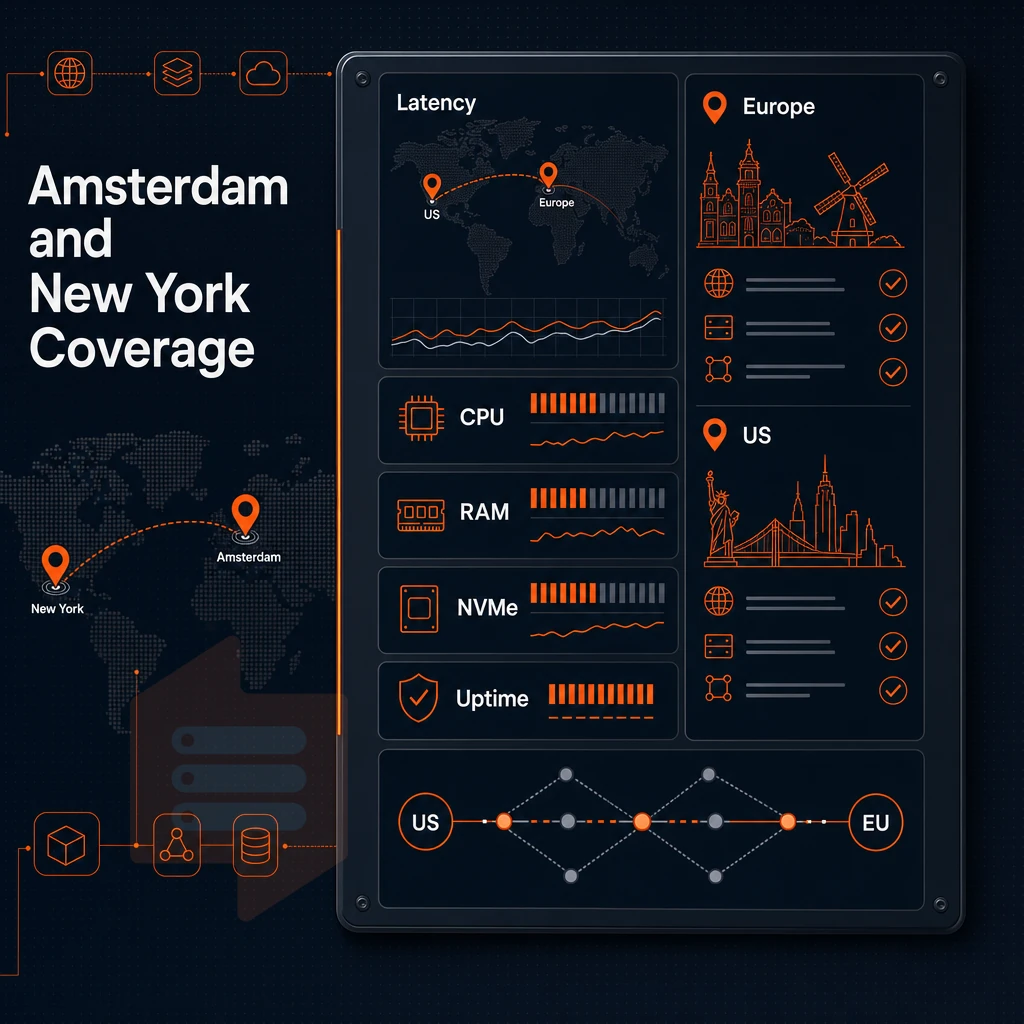
Where you host your Virtual Private Server (VPS) matters, and that’s because the physical location of the server is what will determine how fast content is delivered to end users. BuyVPS has two data centers in Amsterdam and New York, designed to deliver reliable performance with fast and dependable servers for European and US East Coast-based workloads, reaching users around the world with minimum round-trip time.
Data centers: amsterdam and new york
We have an Amsterdam location that services EU traffic, and a New York location that services US East Coast and transatlantic traffic. Both locations run identical hardware, same control plane, and same plan structure as each other. So choosing a server location is purely a routing decision and not a compromise on hardware.
Amsterdam is a primary region for compute intensive workloads with large numbers of users across Europe.
How proximity reduces low latency
Physics sets the floor for latency.
So a failure on one carrier will not take your route down.
Matching web hosting region to workload
Choosing an operating system is important, but choosing the right region is just as important. New York is great for US first deployments and for teams where other users on the East Coast will get sub-20 ms response times.
Amsterdam and New York datacenters run identical hardware (AMD EPYC processors), storage (NVMe based RAID10) and virtualization (KVM isolation). Migrating between datacenters later is therefore as simple as a DNS update without requiring to redesign the entire architecture.
With the right region selected the next question is, is BuyVPS the right provider to run your infrastructure on.
Why choose BuyVPS for VPS hosting price and performance
When virtual server pricing matters, value comes from what you actually get, not just the headline spec. BuyVPS delivers high performance VPS hosting with no-oversell architecture: hard memory caps per node mean your dedicated resources stay yours, even under load.
- KVM isolation, separate kernel per VPS, a true isolated environment, unlike shared hosting where other users compete for the same physical machine.
- Fast NVMe SSD storage, NVMe RAID10 PCIe direct, measured at 122,959 4K read IOPS. Compute intensive workloads and web applications get consistent performance.
- Full administrative access on every plan, choose your operating system, upload a custom ISO, and take complete control of your hosting environment.
- No hidden fees, transparent pricing. No hidden fees, no surprises.
- Amsterdam and New York data centers, identical hardware, low latency coverage across Europe and the US East Coast.
Technical support comes from engineers, not chatbots. BuyVPS has been founder-run since 2002. If you want to compare VPS plans or discuss the right server for your workload, reach out to our engineering team at info@buyvps.com.
VPS vs dedicated server: matching server resources to your workload
A Virtual Private Server (VPS) is worth its cost when your web site or other work outgrows shared server hosting (like the hosting provided with most web applications). For work such as database hosting, multiplayer game servers, video on demand, video encoding, and/or machine learning, your web site or other work needs dedicated resources and ddos protection for best results within an isolated and/or consistent environment.
For this type of work, VPS hosting is cost effective because it provides the full admin rights. The OS of your choice, and/or the flexible resources of a dedicated server, without the high cost of a dedicated server.
When deciding whether to switch to a VPS or not. There are two crucial things to take into account: the amount of processing power your application or service needs and your team’s level of technical expertise. If you require complete control over the server and want to have more headroom for growth without having to deal with the limits of a shared environment.
Then a VPS is the way to go. At BuyVPS, we can provide you with the necessary infrastructure for your application or service, such as NVMe SSD storage, pinned core’s and more. We are able to provide you with engineer-led technical support 24/7 from our data centers in Amsterdam and New York.
Frequently asked questions about web hosting
How do VPS and dedicated server costs with DDoS protection compare in a hosting plan?
VPS pricing varies widely based on CPU type, RAM, storage, and billing term.
Is a VPS with DDoS protection worth it over shared hosting?
Yes, for any workload beyond basic brochure sites, a VPS is the better investment. shared server puts dozens or hundreds of accounts on the same OS instance, so a noisy neighbor can degrade your performance with no recourse. A VPS gives you isolated resources, full superuser privileges, and a predictable environment you control.
What is the cheapest VPS vs dedicated server option available?
The most cost-effective VPS plans are shared vCPU tiers on modern AMD EPYC hardware, sitting below a dedicated server in cost while providers like BuyVPS offer these starting at the Standard CPU (S-tier) level with NVMe storage and dual-stack IPv4/IPv6 included. Locking in a two-year term delivers the lowest per-month rate without sacrificing features. Avoid ultra-cheap plans that achieve low prices through heavy overselling; hard memory caps and low node density matter more than the headline figure.
Can i host my own virtual private server VPS?
Technically yes, KVM and other hypervisors run on any capable Linux machine. In practice, self-hosting means you absorb the costs of hardware, power, cooling, redundant uplinks, and 24/7 maintenance yourself. For most teams, renting a VPS from a managed provider is far more cost-effective and reliable. Self-hosting makes sense only when regulatory requirements demand on-premises control or when you already operate your own data center infrastructure.
What is the difference between shared vCPU and dedicated CPU VPS?
A shared vCPU plan allocates virtual cores that multiple VPS instances in the same server environment can use simultaneously; your performance is good under normal load but can fluctuate when neighbors spike. A isolated core plan pins physical cores exclusively to your VPS, no other tenant touches them.
BuyVPS dedicated vCPU (D-tier) managed hosting plans use AMD EPYC Genoa with pinned cores, delivering consistent, low-latency compute regardless of what other nodes on the host are doing.
Does VPS web hosting protect against DDoS attacks?
Reputable VPS providers include baseline network-level filtering as part of their infrastructure. This handles volumetric attacks at the network edge before traffic reaches your VPS. For application-layer protection or mitigation of very large attacks, you may want to layer on a dedicated scrubbing service in front of your VPS.
What does full control with root access on a VPS actually mean?
Full system control means you have unrestricted superuser control over the platform, something you'd never get with shared web hosting, letting you install any software, modify kernel parameters, configure the firewall, and manage every file and process on the server. There is no provider-imposed software stack or control panel you are forced to use.
BuyVPS includes full unrestricted server access and custom ISO upload on every plan, so your technical team can deploy any supported Linux distribution or bring your own image.
VPS prices are based on real tradeoffs between CPU architecture, amount of RAM to allocate, type of storage, and whether you want full control over dedicated cores or are comfortable with shared vCPUs.
Furthermore, the isolation from ‘noisy neighbor’ type issues and the full server control to your instance are not add-ons at a premium price. Rather they are the basic functionality of a VPS that will allow you to run it in production.
If you're ready to match a plan to your workload, BuyVPS offers Standard CPU, reserved vCPU. Additionally, High Memory tiers, all running AMD EPYC on NVMe RAID10 storage, with in-place upgrades and no IP rotation when you scale. Start by reviewing the plan specs at BuyVPS.com or reach out to the engineering team directly at info@buyvps.com.