

While price is a factor in choosing a VPS web hosting account, more important is the quality of the VPS account and how it will perform when put to use. And, as with anything else these days, there is always the possibility that prices will increase when it comes time to renew your account.
It is also very important to choose a host that has quality support to help you when you need it. Responsive customer support becomes especially critical during server migrations, security incidents, or unexpected downtime when rapid troubleshooting can mean the difference between minutes and hours of service interruption.
Cut through the vendor hype with this guide, and find out which hardware and network features really matter. Learn which workloads need dedicated CPU cores, and which can make do with shared vCPU. Learn how to read the claims of potential cloud VPS hosting providers critically, including the uptime SLAs, storage IOPS, memory overcommit policies, and virtualization isolation features that actually matter for production work.
I list out a number of such providers, including some built on the power of AMD EPYC processors, with NVMe RAID10 storage. Additionally, Hard memory caps per node, like BuyVPS, who run KVM-isolated VPS infrastructure in Amsterdam and New York datacenters since 2002.
In the end, you can use this guide to evaluate which features define the best VPS hosting service for your needs, and match them against your own performance and reliability requirements. Geographic proximity between your users and the data center hosting your VPS can reduce latency by 20-50 milliseconds, directly improving page load times and API response rates.
What is VPS web hosting and how does it work?
Virtual Private Server (VPS) hosting falls between shared hosting and fully dedicated servers (VDS). A VPS provides a user with isolated resources on a server that is physically shared by others (usually on the same server as other VPSes). Usually with a fixed allocation of CPU power, RAM, and storage space. Providers typically allocate disk space using SSD or NVMe drives, with plans ranging from 20GB for basic sites to several hundred gigabytes for data-intensive applications.
First month $1
Then the normal monthly price. One per customer. No setup fee, and a 30-day performance guarantee on your first order.
See the plans“Good servers, thanks.”
It is the typical hosting option for sites that have outgrown low-cost shared hosting but are not ready for a full, dedicated server yet. Developers, small- to medium-sized businesses, and other growing web sites typically find VPS hosting to be the sweet spot. Choosing the right hosting solution at this stage requires balancing cost efficiency with the scalability and control that growing projects demand.
Evaluating whether VPS hosting good fits your project means assessing resource guarantees, isolation quality, and whether you need root-level customization for your stack. Accurately assessing your VPS hosting needs at this inflection point prevents both over-provisioning that wastes budget and under-provisioning that throttles growth.
How virtualization splits one machine into isolated instances
A hypervisor divides up a single physical server into a number of virtual servers, all of which are completely independent of each other. Each virtual server runs its own copy of an operating system, and its own kernel. Modern hypervisors support a wide range of operating systems, from various Linux distributions to Windows Server editions, giving administrators flexibility in choosing the platform that best matches their application requirements.
All instances are created from the physical server of your choice and run under their own separate kernel. Our instances are created with KVM virtualization and thus each BuyVPS VPS has its own separate kernel. This means that noisy neighbors on the same node will not be able to affect you.
What you specified in your plan for your instance is what it gets, under real load.
How do VPS plans differ from shared hosting?
All accounts on a shared server are competing for the same CPU cycles and RAM. One busy site will slow down all the other sites. There is no root access, no custom kernel, and no installing of additional software outside of the hosts approved stack.
In VPS hosting, your virtual instance is isolated from others at the hypervisor level. You have complete control over the Operating System and can install any package. You can even configure the server as your application needs it. While the underlying hardware is shared, the slice of hardware that you are given is guaranteed. Understanding these essential features helps you evaluate whether a provider's isolation guarantees and resource allocation model will meet your application's performance requirements.
Modern VPS solutions deliver this isolation through mature hypervisor technologies like KVM or VMware, ensuring predictable resource allocation even during peak traffic periods. Monitoring tools and resource dashboards provided by quality hosts enable you to track server performance metrics in real time, helping you identify bottlenecks before they impact end users. The ability to select and configure different operating systems gives technical teams the flexibility to optimize their stack for specific workloads, whether that means running the latest Ubuntu LTS, CentOS Stream, or specialized distributions.
- Shared plan: pooled resources, no OS control, limited configuration.
- VPS: dedicated allocation, full root access, custom OS and kernel.
- Dedicated server: entire physical machine, highest cost, no co-tenancy.
Choosing the right VPS server plans for your needs
VPS hosting plans often come in tiers based on things like CPU type and amount of RAM. If your workload is moderate with a lot of occasional visits then a shared vCPU plan should be able to handle it just fine. Entry-level plans typically start at 1 gb ram, while resource-intensive applications such as databases or content management systems often require 4 gb ram or more to maintain responsive performance under load.
Monitoring server performance metrics such as CPU utilization, memory usage, and disk I/O helps you determine when it's time to upgrade from a shared vCPU plan to a dedicated core configuration. Plans with adequate disk space ensure you can store application files, databases, logs, and backups without running into storage constraints that could halt operations.
BuyVPS offers both of these types of plans in both our Amsterdam and New York locations, and all plans come with NVMe RAID10 storage. A first order carries a 30-day performance guarantee, so you have a full month to test performance and compatibility: if it does not perform, you get a full refund with no administrative fee. Each data center location is equipped with redundant power, climate control, and network connectivity to ensure consistent uptime for your instances.
Many providers also include a free ssl certificate with their hosting plans, enabling secure HTTPS connections without additional cost or configuration complexity. Plans are configured with generous disk space allocations on high-performance NVMe drives, ensuring ample room for databases, application files, and log retention as your project scales.
Managed vs. Unmanaged VPS hosting: which do you need?
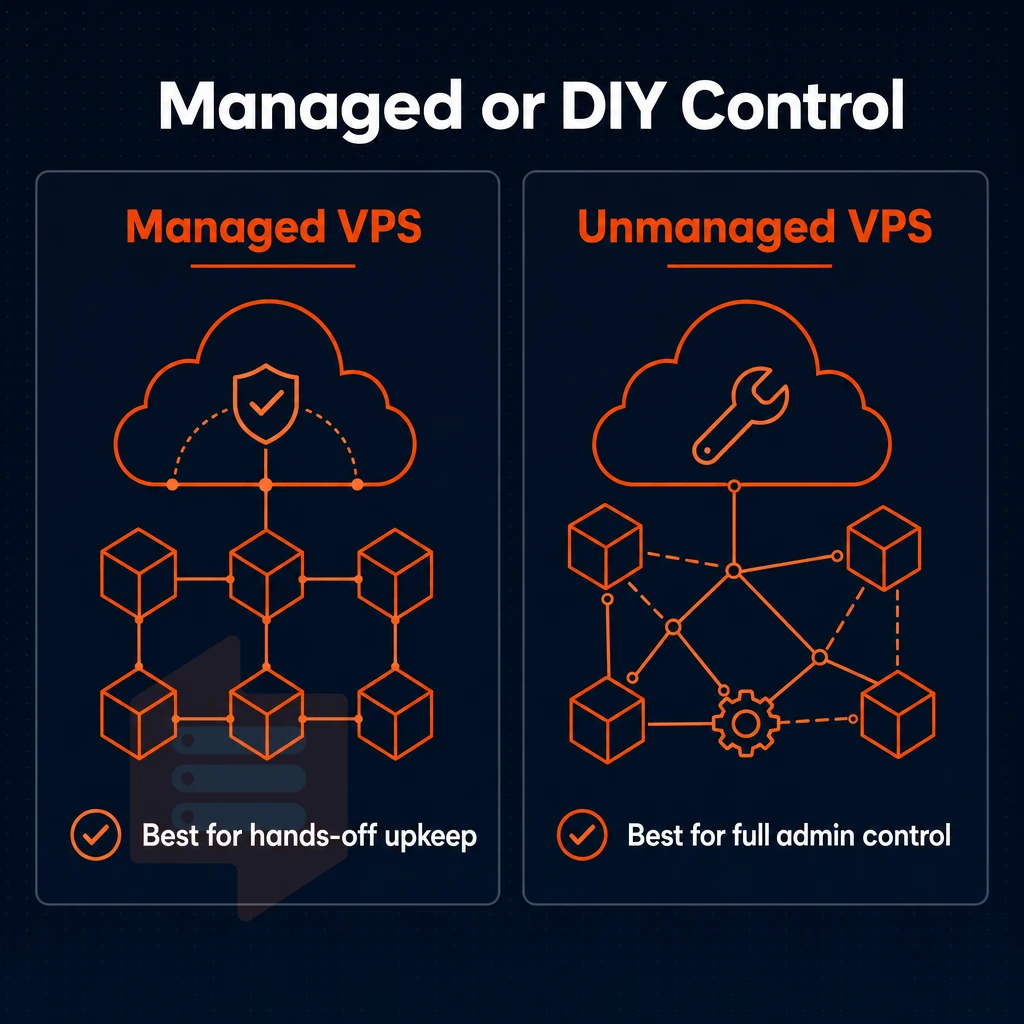
The decision between a managed and unmanaged VPS affects all of the subsequent operational decisions. Who is going to apply the security patches? How quickly will you be able to deploy a custom stack? Once you have a sense of the spectrum of VPS service models, you can choose the appropriate service model for your team. Many hosting providers now offer hybrid models that blend managed infrastructure monitoring with customer-controlled application layers, bridging the gap between fully managed and self-administered configurations.
Managed VPS plans: what the provider handles
Using a managed VPS, the provider can update the Operating System, apply security patches. Update the control panel and do general server administration, thus allowing your team to focus on your application and not the underlying host. Many managed providers also include a free ssl certificate with their plans, automating the installation and renewal process to ensure encrypted connections without manual intervention.
Agencies, e-commerce teams and small businesses can take advantage of models that guarantee high availability without requiring a full-time sysadmin. Selecting the best VPS hosting provider for these scenarios often hinges on transparent SLAs, responsive technical support, and proven infrastructure uptime metrics. Evaluating customer support responsiveness through trial periods or pre-sales inquiries helps ensure your team will receive timely assistance during critical incidents or scaling events.
Unmanaged VPS plans: full control, full responsibility
An unmanaged VPS is a bare KVM instance that you can set up with whatever OS you want. You can then set up the firewall, manage updates and tune the stack as required by your specific work load. There is no provider imposed control panel to get in the way of your management of the server and its kernel. This flexibility extends to choosing between Linux distributions, BSD variants, or even Windows Server operating systems depending on your application requirements and licensing.
BuyVPS is a provider that operates in this space of fully-unmanaged KVM VPS hosting, with every plan offering full root access, custom ISO upload and the full range of KVM isolation. This type of VPS hosting, offered by many VPS providers, is ideal for developers and other technical teams who require the maximum amount of control over their server, without the added overhead of any managed services.
Do i need technical skills to use an unmanaged VPS?
Yes, a basic amount of Linux command-line knowledge is needed. Most of the steps to provision a web server and set up a web application, harden the SSH access, set up a firewall. Additionally, scheduled maintenance can and should be done by the team members, if not by a sysadmin that the team hires or by evaluating managed hosting providers as an option.
Learning a new system to self-manage a VPS takes time but there is a finite learning curve. By the end of a few weeks, many developers are able to successfully manage their own VPS.
Choosing the best VPS hosting plans for your model
Use this table to figure out what kind of service tier you need based on your use case.
| Dimension | Managed VPS | Unmanaged VPS |
|---|---|---|
| Server administration | Provider-handled | Team-handled |
| OS flexibility | Provider's approved list | Any OS or custom ISO |
| Root access | Restricted or none | Full root access |
| Best for | Non-technical teams | Developers, DevOps, engineers |
| Cost model | Higher TCO for convenience | Lower TCO, labor is internal |
Among the many VPS hosting companies that target the technical buyer for hosting services, there is a simple decision to make: Does your team own the stack or is it your VPS hosting provider? If it's the former, then the rational choice among VPS providers for your needs is unmanaged KVM VPS hosting offered on dedicated or shared EPYC servers with no renewal rate increases and in-place upgrades.
I’d add “free VPS hosting” to the list of categories. I know of a few services that offer “free” VPS hosting, but it’s all limited by hard resource caps, and typically comes without a SLA. In other words, these services are only good for sandboxes to test code out on, and aren't a good basis for comparison to "real" hosting services with proper customer support, a day money back guarantee, and their performance under load.
Reliable customer support becomes critical when troubleshooting production issues, distinguishing professional hosting services from free-tier offerings that lack responsive technical assistance channels.
Key features to look for in the best VPS plans
Each VPS plan is different. These are the things that differentiate good, high-performance hosting from low-cost “commodity hosting” that has been oversold. Read about each of these before you buy. Adequate disk space allocation ensures your applications, databases, and logs have room to grow without hitting storage limits that trigger service degradation.
Virtual private server core compute and memory
- CPU allocation between shared and pinned cores. For most use cases, bursty workloads are fine on a shared vCPU but for a constant stream of data and consistent throughput. A Dedicated CPU VPS with pinned cores is better as it removes interference from other ‘noisy-neighbor’ VMs.
- RAM and memory caps. Are hard memory caps per node enforced by the provider? Without memory caps a single tenant can exhaust all available GB RAM of a host and thus degrade all other VPS on that host. No-oversell policies are good practice in VPS hosting, not a feature to be promoted.
- Storage type. There’s a huge difference between NVMe over PCIe and old-school SATA SSD for IOPS. We can measure this concretely: On our NVMe RAID10 (which also uses NVMe over PCIe) we get 122,959 4K read IOPS (fio median), numbers, not words.
Note: Always ask for published benchmark numbers. Vague "fast SSD" claims tell you nothing about real-world disk performance.
What does KVM virtualization mean for VPS performance?
Each VPS is assigned its own kernel and, much like plans offering unlimited bandwidth, each tenant avoids shared-layer constraints, enabling kernel-level tuning, custom modules, and independent security patches, all backed by dedicated customer support. Since BuyVPS runs KVM with a separate kernel per VPS, your VPS workload is completely isolated at the hypervisor level.
Network, IP, and operating systems options
- Network uplinks and DDoS protection. Multi-homed uplinks to prevent single points of failure. Edge filtering to deal with volumetric DDoS attacks before they reach your instance. Also check for unlimited bandwidth, i.e. no hard monthly caps, and note that even a ‘monthly cap’ can throttle at peak times.
- Dedicated IP address. Every BuyVPS plan includes a dedicated IP address. It is an IPv4 and IPv6 dual-stack address which is essential for mail delivery, for SSL activation and for reverse DNS control.
- Operating system and control access. This should include a wide range of operating systems (e.g. Ubuntu, Debian, AlmaLinux, Rocky Linux, CentOS Stream, Fedora) and support for custom ISOs. The ability to recover from misconfigurations in a self-service manner (without having to open a ticket and get support staff involved) is provided via a self-service panel (with API access) and in-browser VNC console.
- Upgrade path. We’re looking for in-place upgrades here with no IP rotation, meaning you get to scale without any reconfiguration. A free domain and day money back guarantee are nice to have as part of the offer as a headline offer. However, They pale in comparison to the upgrade path and the fact that your IP and data will be preserved.
Types of VPS hosting: shared vCPU, dedicated core, and high memory
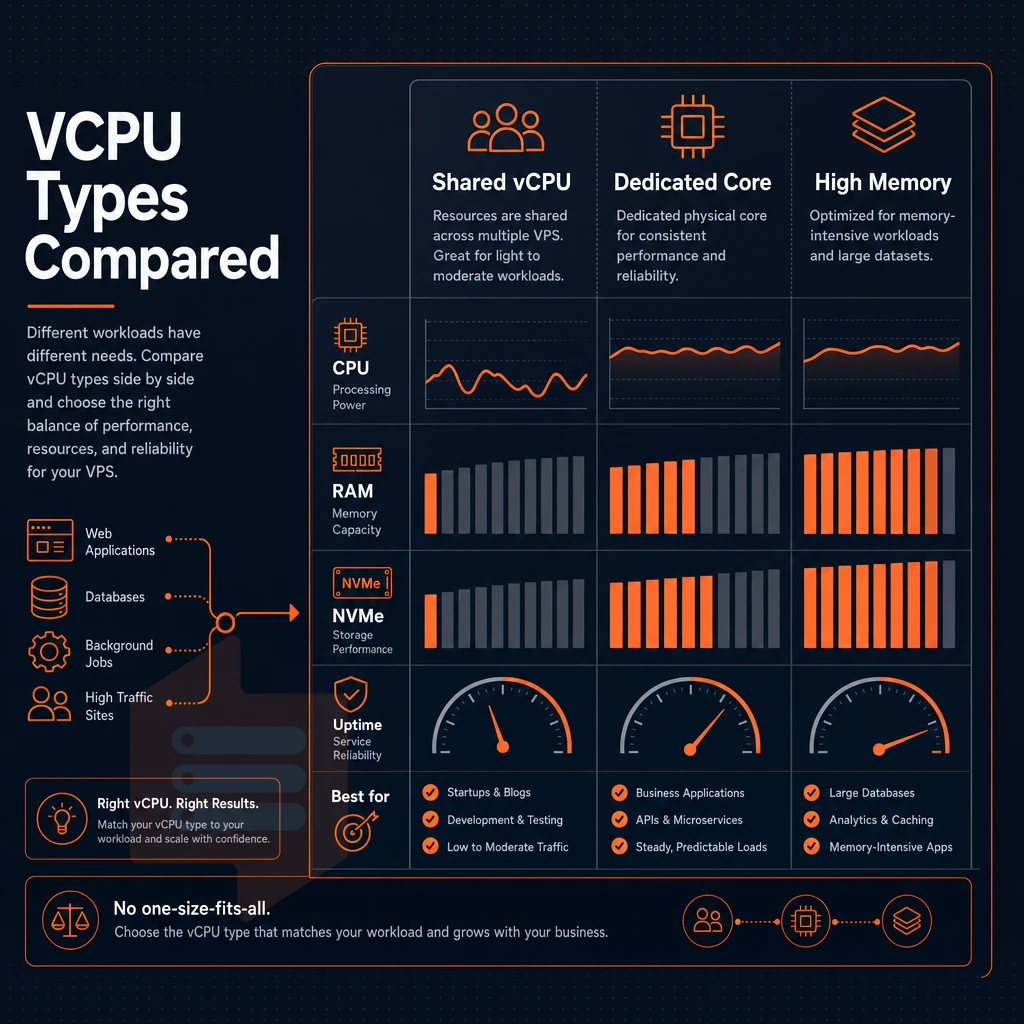
There are no two alike when it comes to VPS hosting requirements. Depending on the nature of your workloads (lightweight development servers, memory-intensive data processing or analytics servers), you will require different tiers of services from VPS providers and cloud hosting platforms. Below is a breakdown of three main types and what they do.
Shared vCPU VPS: cost-effective compute for growing teams
The Shared vCPU VPS uses virtual CPU threads from a pool on the physical server. Because all tenants share the same physical cores, there is burst headroom, but sustained CPU-intensive loads compete for CPU time.
This tier is for developers and small companies that have outgrown the shared hosting but do not yet need guaranteed CPU power. BuyVPS’s S-tier is offered on AMD EPYC Milan processors with DDR4 ECC RAM and NVMe RAID10 storage. Even the entry-level tier thus runs on very solid hardware.
Dedicated-core VPS: pinned performance for latency-sensitive workloads
Dedicated-core VPS ensures that you’re given specific CPU cores that no other tenant uses. A quality VPS hosting service delivers consistent low-jitter performance, critical for databases, APIs, and real-time applications, since a noisy neighbor would increase latency significantly.
The D-tier servers from BuyVPS are running on AMD EPYC (Genoa) CPUs with DDR5 ECC memory. Given the higher core density and the increased bandwidth with the newer DDR5 memory, Genoa is the more suitable substrate for this tier of servers. With managed VPS hosting, administering servers becomes a lot easier when you have a predictable performance baseline, as opposed to constantly accounting for variance in performance.
What are in-place VPS upgrades and why do they matter?
Upgrading in place (i.e. resizing your server) adds more RAM, more cores and more space without the hassle of moving to new hardware or IP addresses. All DNS records, firewall rules and all other settings for your server and your applications will be left untouched. All tiers are eligible for in place upgrades for server management to scale up without a hassle.
High-memory VPS services: ram-optimized for in-memory workloads
High-memory VPS configurations reverse typical CPU to RAM ratios.
H-tier now supports up to 192 GB RAM making it a very capable VPS hosting service for now heavy workloads that would typically require a full dedicated server.
If you are trying to decide on the best VPS hosting service then it is very important to match the service tier with your workload. In general, most web development work on a VPS hosting service is suitable for a shared vCPU server, some latency sensitive services are better off with pinned cores, while high memory machines are ideal for data intense pipelines of work.
BuyVPS provides 3 tiers of service in 2 locations (Amsterdam and New York) with identical hardware. Our control panel for the hosting service is 100% self-service.
VPS hosting comparison: what separates good providers from great ones
When it comes to VPS hosting, not all providers are created equal. The difference between a good hosting service and a great one can be measured by seven key criteria. We outline these criteria below, to help you better understand how a VPS will perform under real load.
The seven axes that separate good from great
The VPS Hosting Comparison Framework can be applied to any VPS hosting company. Often the only time you notice the difference between a weak default and a strong alternative is when your server fails at 2 AM.
| Criterion | Weak default | Strong alternative | BuyVPS |
|---|---|---|---|
| Virtualization type | OpenVZ (shared kernel) | KVM (isolated kernel) | KVM, separate kernel per VPS |
| Storage technology | Standard SSD or HDD | NVMe RAID10, PCIe direct | NVMe RAID10, 122,959 4K read IOPS measured |
| Memory policy | Oversold RAM, soft limits | Hard caps, low node density | Hard memory caps, no-oversell by design |
| Upgrade process | Migration required, new IP | In-place, no IP rotation | In-place upgrades, no migration, no IP change |
| Pricing transparency | Low intro rate, renewal hike | Stable, predictable pricing | Transparent flat pricing |
| Support model | First-tier chatbots or scripts | Engineers reply directly | Engineer-level support, no bots |
Even if the host allocates all that theoretical RAM to your instance.
How do i evaluate NVMe storage performance claims from VPS providers?
The term "NVMe" is usually published by web hosting providers without corresponding benchmark data. This label can cover a large spectrum of disks, such as slowly performing SATA disks relabeled as NVMe or direct PCIe arrays.
Request fio 4K random read IOPS at QD 32.
This is very important for database workloads that need both high speed and high durability.
Extras that look essential but rarely are
Most VPS hosting providers, including the ‘budget’ options, include a variety of ‘add-ons’ in their packages in a bid to create the perception of greater value. However, whilst a free domain name or free ssl certificates may be of use to you, they do not offset weak virtualization, memory overselling etc. DDoS protection and network speed are examples of infrastructure functionality that should be checked as part of your evaluation and not treated as a list of marketing ‘checkboxes’.
Ultimately the best VPS hosting provider for any particular workload will be the one that scores best across all 7 criteria above.
Common use cases for VPS hosting plans
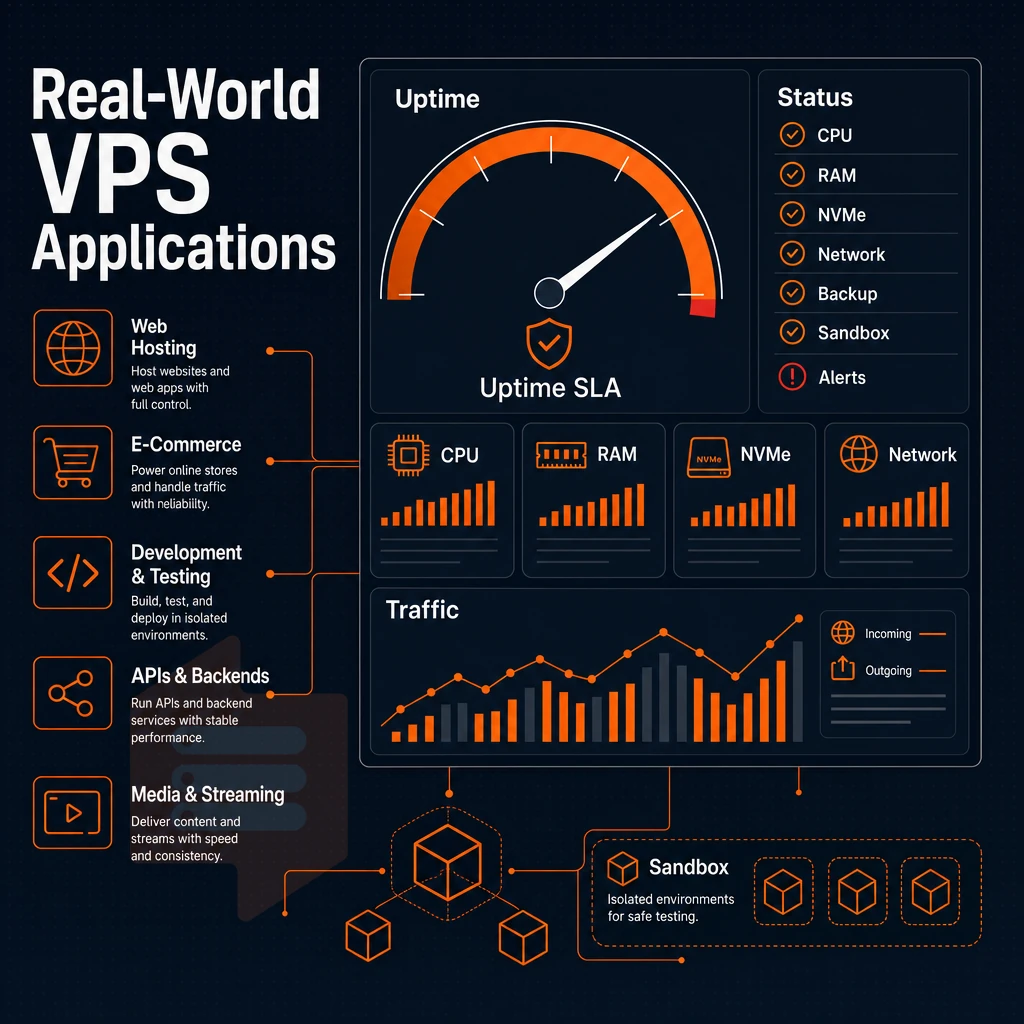
VPS hosting can support a variety of applications and workloads, including high traffic web sites and developer isolated sandbox environments. Understanding how to map the correct use case to the correct configuration will allow you to pick the correct plan from the start.
Host multiple websites and web applications
For teams hosting multiple websites as a single project, the isolation provided by a VPS is a huge benefit. Each website runs as a separate entity on the VPS, using its own portion of the server's resources as needed, which simplifies server management compared to competing for resources on a crowded shared server that most hosting providers offer. A single VPS, with the appropriate web server setup, can host multiple production sites without any kind of performance penalty.
Online shops need consistent response times for their checkout processes (payment processing etc.), inventory lookups etc. Shared hosting cannot guarantee this. A VPS with fast NVMe storage and strict hard memory limits, as enforced by design through the server management approach at BuyVPS, one of the more disciplined hosting providers, guarantees constant latencies even during peak loads.
Developer environments and custom OS configurations
Mirroring your production environment can often require a specific server setup. This may involve choosing a particular distribution, adjusting kernel parameters, or uploading an ISO image. All of our server configurations support Ubuntu, Debian, AlmaLinux, Rocky Linux, CentOS Stream and Fedora distributions. We also support upload of a custom ISO image on all server configurations. A hosting company should never lock you into a particular image when your application stack requires something specific.
With full root access, you have complete control over your hosting environment. Reputable VPS hosting companies give you the freedom to change server settings, install software packages, and configure network settings to your liking, without needing to contact support for every change.
What is IPv4 and IPv6 dual-stack on VPS plans?
Today, IPv4 is still by far the most used IP protocol on the Internet, but IPv6 adoption is picking up speed.
This means that, in the future, most networks will support IPv6 addresses, and that applications running on your managed VPS hosting environment should be able to reach clients on those networks using either protocol. On all of our plans in Amsterdam and New York, you get IPv4 and IPv6 dual-stack as standard, no add-on required.
Database servers, game servers, and customer support
A Database Load utilizes Pinned CPU Cores and Local Storage.
Requirements for game servers are similar to those of web servers, i.e. low latency, predictable CPU scheduling, and sufficient RAM to hold session data. Thus, a hosting company that offers dedicated cores and predictable scheduling is a great foundation for game operators. We cover player bases from European and US East Coast locations in Amsterdam and New York.
How to choose the best VPS hosting provider for your needs
Choosing the best VPS hosting solution from the many Web hosting providers can’t be determined by a simple price page comparison after listing the features of their VPS hosting solutions. Follow these 6 steps one after another. They will help you to narrow down the selection of potential candidates until you have ended up with the hosting service that best fits your needs.
Preparation: understand your data center workload and team
- Identify your workload type. CPU-intensive work such as compiling and transcoding can benefit from having your VPS set to use pinned cores. Memory-intensive applications and services such as large databases and in-memory data caches benefit from a high RAM-to-vCPU ratio. I/O-intensive applications are highly sensitive to storage I/O throughput and thus benefit from choosing the correct VPS package to avoid over-paying for resources that aren’t being fully utilized.
-
Decide managed vs. unmanaged. Managed hosting suits teams without a dedicated sysadmin. Unmanaged VPS solutions give full root access and lower overhead, the right choice if your team can handle OS patching and security hardening.
Note: Most developers underestimate the time cost of server management. Be honest about your team's bandwidth before choosing unmanaged.
Evaluation: match geography and hosting providers to your audience
- Choosing the right data center for your users and traffic can greatly impact your application’s performance and latency. Geo location is key to latency and traffic distribution. If you have a large audience base in the EU you can get the best latency from an Amsterdam data center. For US East Coast traffic New York is always the best route for the lowest latency. BuyVPS has data centers in both Amsterdam and New York, identical hardware, identical control plane, identical billing.
- Check pricing transparency. No renewal price hikes and clear billing cycles. A provider that quietly increases the price at renewal time can cost far more over two years than the ‘headline rate’ would suggest. Make sure the rate you are signing up for is the rate you will keep.
When should i upgrade from shared hosting to a VPS?
We generally recommend an upgrade from shared hosting to VPS hosting when shared hosting is no longer able to meet your needs (i.e. consistent traffic of above a few hundred concurrent users. Custom software that requires root access, etc., hard signals of needing to upgrade as opposed to just making a guess).
- Check for available benchmark results. A responsible VPS provider for example publishes results for Geekbench 6, fio, and pgbench in order to be held accountable for the numbers provided in contrast to pure marketing claims. By that, it is possible to really compare IOPS and CPU-performance in practical terms.
- Verify the upgrade path. In-place upgrades (without IP rotation) imply that there is no need to alter DNS and there is no downtime window for reconfiguration. BuyVPS supports in-place upgrades of all tiers. Your IP address, configuration, etc. will all remain unchanged; only resources will be added.
When VPS hosting is not the right choice
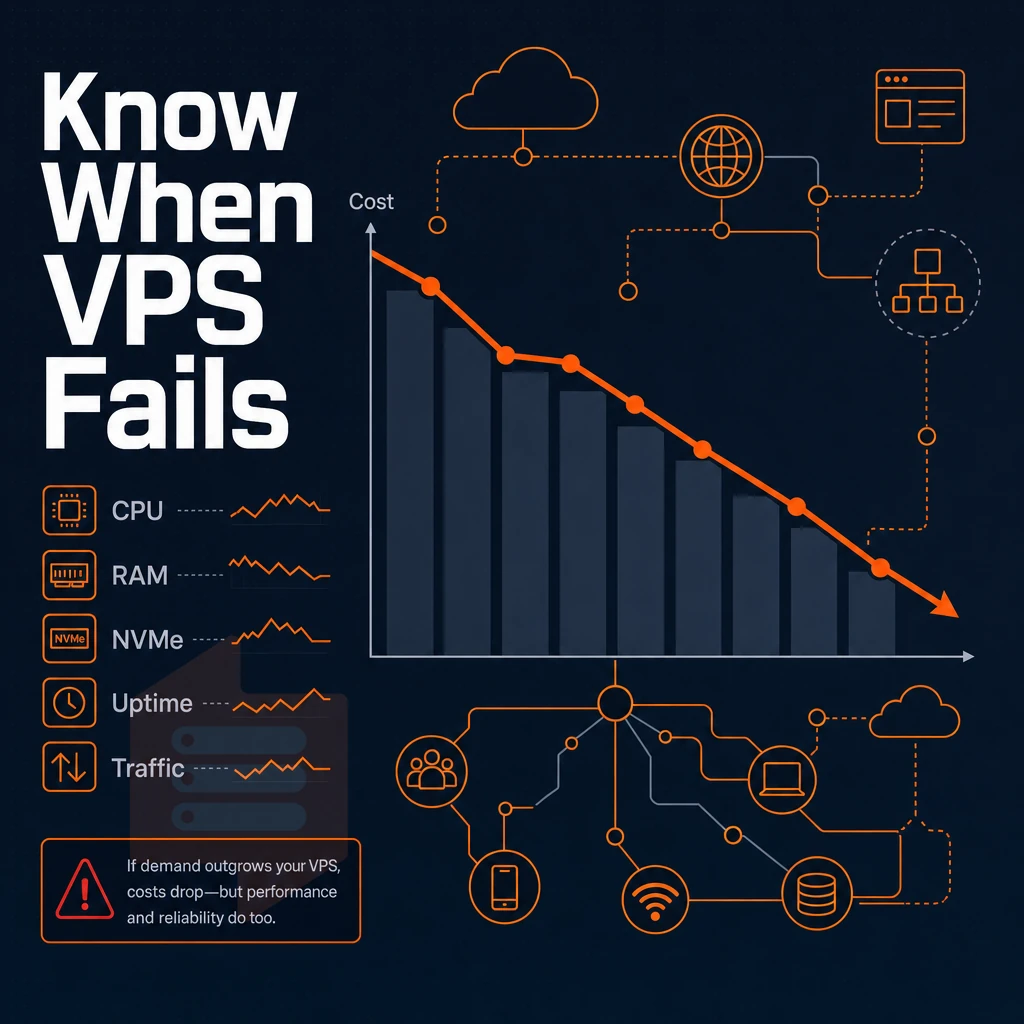
While VPS hosting is a strong default for most technical workloads, there are three scenarios where its limitations will become apparent. Knowing these scenarios will help you to make the right choice of infrastructure from the start.
No Linux experience and no time to learn
The only thing a VPS can provide is a root prompt.
For non-technical users, starting off with shared web hosting that includes a bundled control panel is the most practical solution. It takes care of package management, firewall rules, and service restarts for you. BuyVPS does not offer shared hosting services or managed WordPress offerings, this is an intentional decision rooted in our focus on delivering the best VPS hosting experience, not an oversight on our part.
A managed VPS is often offered as part of a web hosting service that includes cPanel or Plesk management. But even in managed VPS hosting, the owner of the server is still responsible for the server’s overall security. While patching, securing, and reviewing logs may not be in your skill set, there is hidden operational risk in any kind of managed hosting.
Bare-metal performance at scale
Virtualization via KVM adds a thin layer of overhead. Most applications (e.g. web apps, databases, CI builds) do not notice this overhead. Only very specific applications (e.g. financial, low-latency trading; high-frequency computing, where every CPU cycle is maximized) may benefit from bare-metal dedicated servers over what most VPS providers offer through cloud hosting, due to the absence of a hypervisor overhead.
BuyVPS only offers VPS services. If your work load is too large for virtualization, you will need to look at a completely different class of servers, which we do not offer.
Highly variable burst traffic and the control panel question
The key thing to note about a VPS is that it is allocated a fixed amount of resource (e.g. RAM, CPU power). While a cloud hosting platform could be set up to run a number of fixed-size servers, most are designed to take advantage of autoscaling.
I.e. to automatically spin up new cloud servers as demand increases and then shut them down again when things return to normal. The ability to handle unexpected spikes in traffic in this way is not something that a statically allocated server can hope to match.
If your traffic suddenly and dramatically jumps 20× and just as suddenly and dramatically returns to normal minutes later. Then cloud VPS hosting with horizontal autoscaling (as opposed to a fixed-resource VPS) is the better architectural choice.
Auto scaling platforms charge by the second or by resource which makes it very hard to predict a monthly cost. This is in contrast to fixed-size VPS plans which cost a predictable amount of money per month with no surprise fees. The choice depends on your traffic profile.
Why choose BuyVPS for best VPS web hosting
When buyers evaluate the top VPS hosting solutions options, the gap between providers usually comes down to four things: resource integrity, storage performance, pricing honesty, and customer support. BuyVPS is built around all three.
We have operated as a founder-run VPS hosting provider since 2002. Every plan ships with full root access, KVM isolation with a separate kernel per VPS, and dedicated resources backed by hard memory caps per node. Unlike shared hosting environments where a noisy neighbor can saturate your allocation, our no-oversell policy means the GB RAM you pay for is the GB RAM you get.
- No-oversell architecture: Hard memory caps and low node density by design, your server resources are never diluted.
- Dedicated CPU tier: Pinned AMD EPYC Genoa cores deliver predictable latency for database workloads and high-traffic sites.
- Proven NVMe RAID10 storage: PCIe-direct drives measured at 122,959 4K read IOPS (fio median), published, verifiable benchmarks, not marketing copy.
- In-place upgrades: Scale your VPS plan without migration or IP rotation. Your dedicated IP address stays put.
- Stable pricing, identical across regions: Transparent pricing with no hidden fees. Identical hardware and control panel in both Amsterdam and New York.
- Custom ISO + full root access on every plan: Complete control over your server environment, operating systems, and configuration from day one.
If you have outgrown shared hosting or need a best VPS hosting solution with verifiable performance, explore our VPS plans or reach out to our engineering team to discuss which hosting solution fits your workload.
VPS hosting faqs
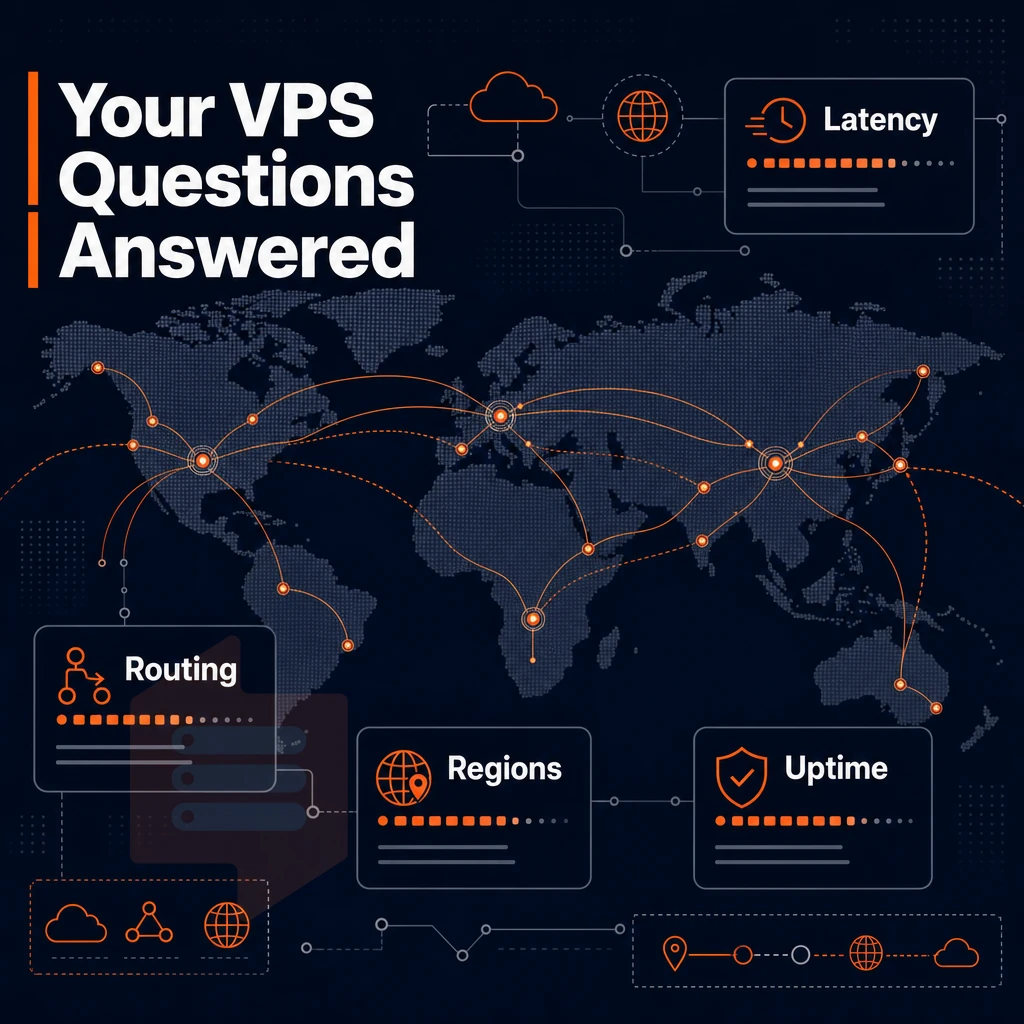
Get the answers to the common questions prospective buyers of VPS hosting ask before deciding on a plan. We've answered them using real example VPS configurations and real measurable specs, not marketing fluff.
How do VPS services differ from shared and dedicated hosting?
Most shared hosting accounts are set up on shared OS instances (like a Linux Shared Server), that have hundreds of websites running off of them. In such scenarios, noisy neighbors will hog your CPU & RAM, which ruins your experience. A Virtual Private Server (VPS) offers isolated resources like fixed amounts of RAM & dedicated vCPU time (just like a real server!). Plus, you get a root account and a dedicated IP address, which are not typical of shared hosting.
Unlike Full dedicated hosting, that can cost an arm and a leg, VPS hosting provides similar levels of isolation, for a fraction of the cost. Not only does the best VPS hosting service cost less, but it also provides much faster provisioning and in-place upgrades as needed, and for most applications, the isolation it provides is sufficient.
Does unmanaged VPS require Linux expertise?
Unmanaged VPS plans grant root access and nothing more. You are expected to install software, set up firewalls and update applications as needed. The basic skills for managing an self-managed VPS are Linux command-line skills (e.g. package management, SSH, systemd) to various degrees. If your team is not equipped to handle these aspects, look for providers that offer managed add-ons or very fast customer support response times.
BuyVPS engineers reply directly to tickets, rather than sending tickets to first-tier chatbots. When you hit an edge case at 2 a.m. (for example), that is important.
KVM vs. Container-based virtualization
For KVM Virtual Servers, each server runs its own separate kernel. For example, Containers run on top of the host’s kernel. KVM Virtual Servers run in complete isolation from other Virtual Servers on the same node.
A kernel panic on one Virtual Server would not affect other Virtual Servers on the same node for example. A flexible web hosting company lets you run any operating system the Hypervisor supports, including a custom ISO file, without being constrained by the host kernel.
What do in-place upgrades mean for live sites?
In-place upgrades in free VPS hosting and paid plans alike are live resizes of your VPS on the same node (or nodes), meaning that your IP addresses are left unchanged, as well as your DNS records, SSL certificates and application configurations. This is in contrast to upgrades that result in your VPS being migrated to new hardware, with your IP(s) changed with every plan change.
How to evaluate storage performance claims
Numbers are what matters.
What does best VPS dual-stack IPv4 + IPv6 mean in practice?
Dual-stack is included on all plans in Amsterdam and New York for BuyVPS.
The core differences between shared hosting and VPS hosting
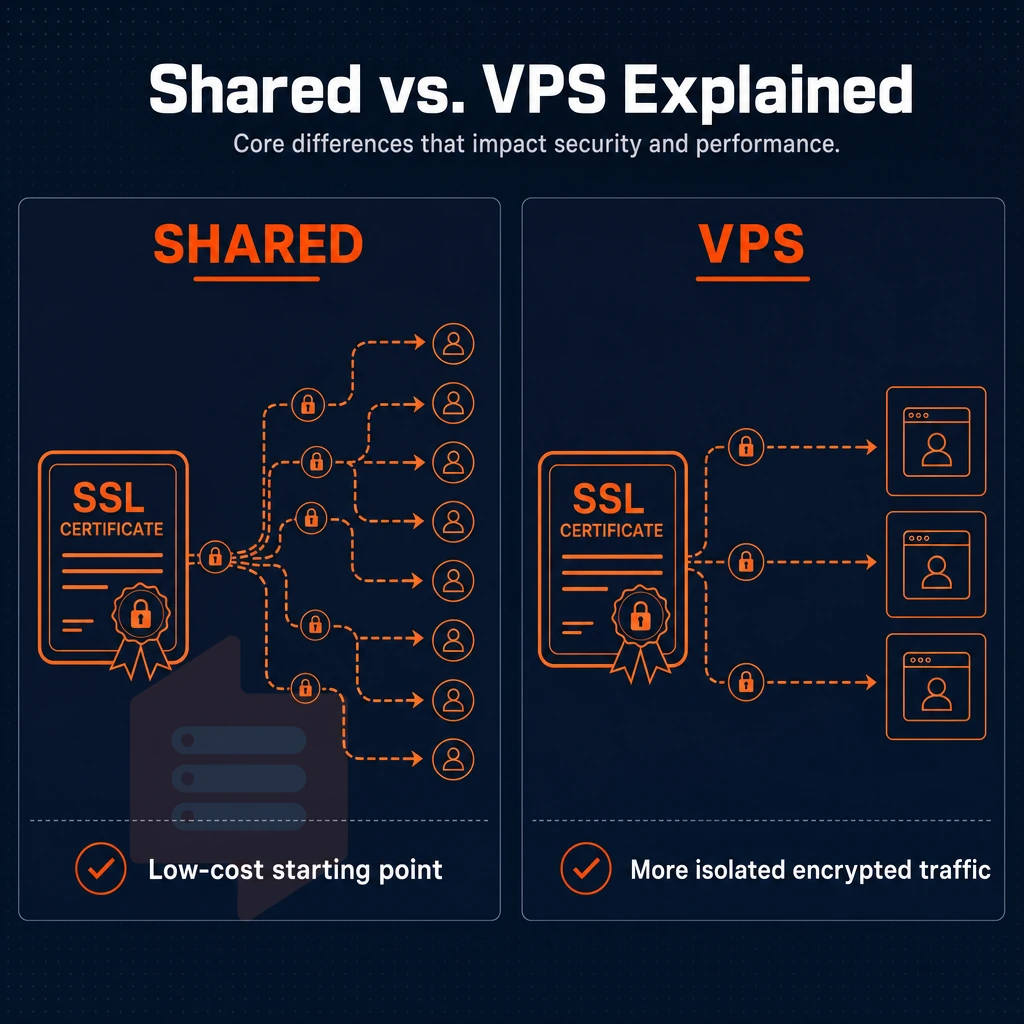
Shared hosting serves up server resources to hundreds of accounts. In time, your website will slow down due to a ‘noisy neighbor’. With a VPS server however, you draw a hard line around the server resources that are allocated to you. Unlike shared hosting for example, on a VPS server there is guaranteed RAM, CPU and storage space.
On a VPS server you have full control over the server environment. You can install any software packages you like. You can alter server settings as you like. And you can even reboot the server as you like, all without any impact on other users that may be hosted on the same server.
Moving from shared hosting to VPS web hosting is a step that can be taken quickly when your site outgrows shared hosting. On VPS hosting, you have root access, a dedicated IP address, and can scale the resources as you need them, all without having to move to a completely different hosting platform.
This leads to a number of benefits including predictable performance and the ability to manage your site as you see fit. For growing sites, ecommerce sites, and any other site or workload that requires consistency, VPS hosting is far superior to shared hosting due to the isolation, root access, and on-demand scalability that it provides.
The key advantages of choosing the best VPS hosting
VPS hosting delivers what shared server hosting cannot: dedicated resources, complete control of the server environment, and the ability to scale without having to start from scratch. So, what do the best VPS hosting plans look like? Typically, hosting providers include NVMe storage, isolated compute and a fixed price, unlike multi-tenant hosting, where the service can deteriorate as traffic increases. That’s the value of VPS hosting over shared web hosting.
Choosing the right VPS hosting provider means locking in those essential features from day one: full root access, stable, transparent pricing, and VPS services backed by engineers rather than automated queues. For a full breakdown of the top-ranked options and what separates them, the best VPS hosting guide covers every tier in detail.
For most workloads, a shared vCPU plan is going to be fine.
These are problems that should be solvable before you even sign up for the service.
BuyVPS runs KVM VPS on AMD EPYC hardware with hard memory caps, NVMe RAID10 storage, and engineer-led support across Amsterdam and New York. If the criteria in this guide matter to your deployment, explore BuyVPS plans and see how the specs hold up against your requirements.