
When renting a VPS you have full control of dedicated computer resources without the burden of a physical server. There are three simple things to consider when choosing a virtual private server VPS: the quality of the hardware, the reliability of the network, and last but not least the transparency of the pricing. All three of these things can be very costly if they are not done correctly.
But not all providers are created equal.
At BuyVPS, we do things a bit differently. We specialize in delivering reliable hosting services that prioritize transparency, performance guarantees, and customer control over infrastructure configurations. Our platform includes intuitive control panels that let you manage DNS records, deploy applications, and monitor resource usage without requiring command-line expertise. Related: Amsterdam and/or New York.
Dedicated-tier plans have pinned-cores to ensure that you get exactly what you paid for. This architecture guarantees consistent performance even during peak load periods, eliminating the resource contention issues common in virtualized environments. Pinned cores eliminate CPU steal and jitter, delivering maximum performance for latency-sensitive applications that demand predictable response times. For high-availability deployments, a load balancer can distribute incoming requests across multiple VPS instances to prevent any single node from becoming a bottleneck.
Additionally, Some of the typical hidden trade-offs that most VPS providers try to bury in the fine print.
What is VPS rental and how does it work?
By renting a VPS you lease a Virtual Private Server. This server is a part of a physical server that is partitioned in a logical way. This partition is granted a fixed share of the server’s CPU’s, memory (RAM) and storage.
First month $1
Then the normal monthly price. One per customer. No setup fee, and a 30-day performance guarantee on your first order.
See the plans“Good support, fast VPS. Thanks!”
Thus VPS’s are positioned on the infrastructure spectrum halfway between shared hosting and a fully dedicated server. Knowing how this partition is put together is important to select the correct package. For more context, see Destin-Fort Walton Beach Airport .
What a virtual server actually is and how it works
A virtual server is created by a hypervisor to form multiple virtual servers on one physical server. A hypervisor (virtualizer) divides the resources of a physical host to create completely isolated virtual servers. Each virtual server within a web hosting service can run its own operating system, kernel, and processes, completely isolated from other virtual servers on the same host. This isolation ensures that multiple users on the same physical hardware cannot interfere with each other's workloads or access each other's data.
KVM (Kernel-based Virtual Machine) is the standard within the field of hypervisors, allowing us to offer virtual servers. This virtualization technology enables VPS servers to deliver near-native performance while maintaining strong isolation between tenants on the same hardware.
How it differs from shared hosting
With shared hosting, dozens of accounts are running on the same OS, the same web server process and share the same resource pool. A spike from another tenant could cause your site to slow down. This does not happen with VPS hosting. Your dedicated resources (RAM, vCPU, NVMe storage) are hard-capped and not shared with other tenants.
Each tenant receives a guaranteed allocation of disk space on high-speed NVMe drives, ensuring predictable I/O performance for database operations and file storage. Many VPS providers also include unlimited traffic in their plans, removing concerns about bandwidth overages during traffic spikes or seasonal demand increases.
- Shared hosting: shared OS, shared process space, no resource guarantees.
- VPS hosting: isolated OS, guaranteed allocation, full root access.
- Dedicated server: entire physical machine, highest cost, no virtualization overhead.
What VPS hosting gives you in practice
On the other hand, with a VPS you have root access, the choice of Linux distribution you want, and the ability to install any software stack. So, VPS hosting is the sensible middle way between having your own bare metal server and the often inadequate facilities of a shared hosting account.
Selecting the right operating system for your workload, whether Ubuntu, Debian, CentOS, or another distribution, gives you the flexibility to match your infrastructure to your application's specific requirements. Modern VPS environments typically include intuitive control panels that simplify server management tasks such as monitoring resource usage, configuring firewall rules, and managing DNS records without requiring command-line expertise.
For most of us, VPS hosting will be the most sensible choice for their development, staging and production workloads, and the next section compare s this with shared hosting and dedicated servers in detail. Organizations frequently deploy separate VPS instances as test environments to validate code changes and configuration updates before promoting them to production.
VPS hosting vs shared hosting vs dedicated hosting servers
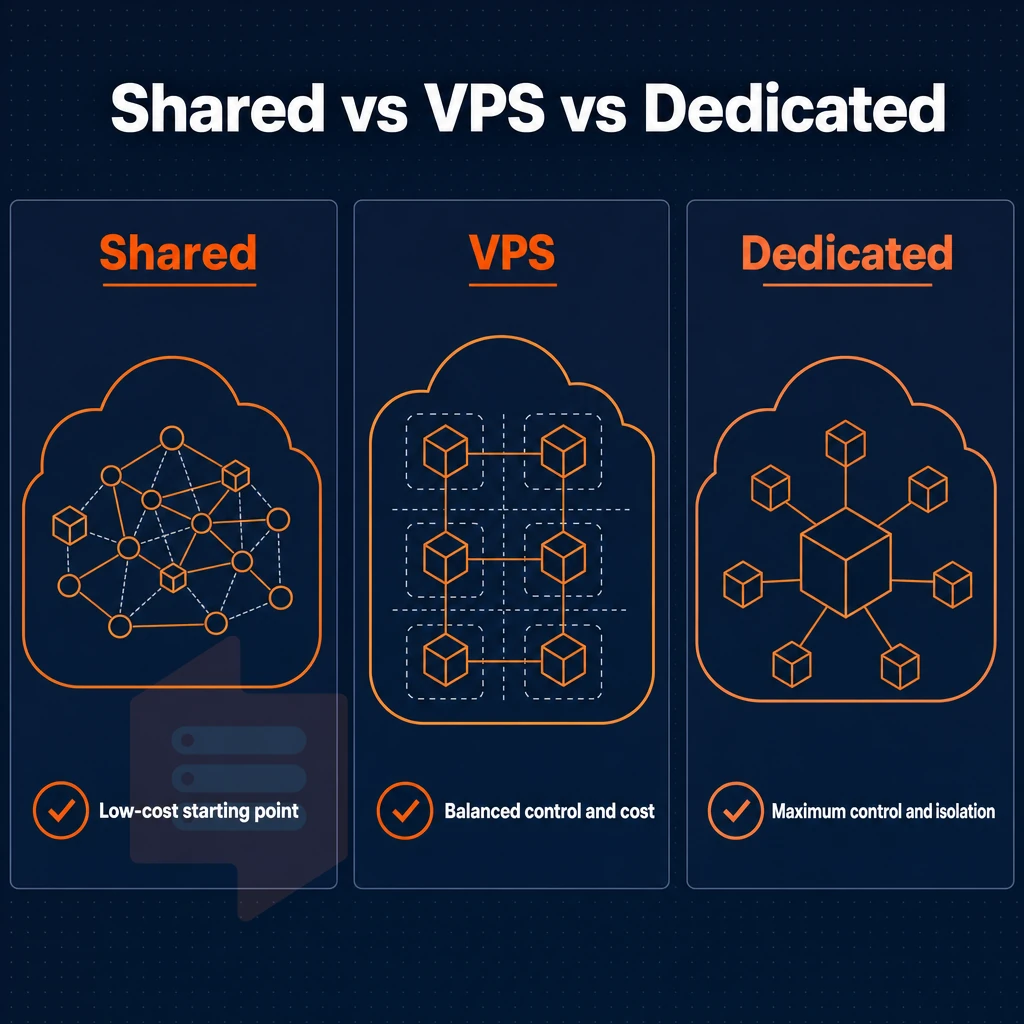
Understanding the merits of each is key to choosing the correct foundation for your site before you commit. Evaluating hosting services requires understanding how resource allocation, isolation, and control differ across shared, VPS, and dedicated infrastructure models.
How a load balancer divides resources
Shared web hosting puts dozens of websites on a single server. All tenants on that server are competing for the same CPU power and RAM. A single account gets hit with traffic and the rest of the server is impacted. Shared hosting does not provide account isolation, and you have no control over the server as a whole.
A Virtual Private Server (VPS) is a Virtual Machine (VM) that is hosted on shared servers but is allocated a fixed amount of resources (CPU Cores. RAM and NVMe Storage) that no other neighbor can use. You get root access to the server and can install a clean version of Linux and then configure as required. This level of complete control allows you to optimize performance and security according to your specific application requirements.
This architecture provides scalable resources that can be adjusted as your application grows, without the need to migrate to entirely new infrastructure. Many providers also offer intuitive control panels that simplify server management tasks, making it easier to monitor resource usage and deploy applications.
A dedicated server is a physical machine given to you in its entirety, no virtualization and no shared hardware. So, with dedicated hosting on private servers, you are still limited by the ceiling of that physical box for particularly demanding workloads (such as hundreds of concurrent threads) or even those that require a custom-kernel'd shared library. Dedicated servers are very expensive and take long to provision.
Side-by-side operating systems comparison
| Criterion | Shared hosting | VPS rental | Dedicated hosting |
|---|---|---|---|
| Resource isolation | None, pooled | Hard-allocated per instance | Full, entire machine |
| Root access | No | Yes | Yes |
| Scalability | Limited by plan tier | In-place upgrades, no IP rotation | Requires hardware migration |
| Typical use case | Brochure sites, low traffic | Apps, APIs, staging, databases | High-throughput, compliance workloads |
Which tier fits your workload
If you need more than a shared hosting account from your web hosting provider but a full rack of servers is too expensive for you then a VPS server is the middle ground. Many businesses find that modern hosting services offer flexible pricing tiers and scalable resource allocations that adapt to changing workload demands without requiring infrastructure migration.
BuyVPS offers private servers running on KVM virtualization, the servers have a hard cap on the amount of memory assigned to them and are powered by high performance EPYC processors from AMD. Once you have decided that a VPS is the right step up from a shared hosting solution, there are a number of key features you should check before making a purchase. Our support team is available around the clock to assist with provisioning, configuration questions, and troubleshooting to ensure your virtual environment runs smoothly.
When evaluating VPS solutions, prioritize providers that offer transparent resource allocation, modern virtualization platforms, and responsive technical support to match your infrastructure needs. Most VPS providers include intuitive control panels like cPanel or Plesk that simplify routine tasks such as domain management, email configuration, and SSL certificate installation without requiring command-line expertise.
Key features to look for in a VPS rental plan
Every VPS rental plan is not created equal. Verify a list of technical requirements before committing to a hosting plan. Migration to another plan can be costly later on. What to verify for any VPS hosting plan.
Storage, virtualization, and networking
- Make sure the VPS comes with NVMe SSD storage and not spinning disk storage. Although still available, plans with SSD storage are much inferior to those with NVMe SSD storage due to significantly lower latency and higher IOPS. BuyVPS’ NVMe RAID10 storage array scores 122,959 IOPS in 4K read tests. Also make sure to rule out plans that just list SSD storage without specifying NVMe.
- Choose KVM over container virtualization. KVM gives each VPS a separate kernel. Container-based hypervisors share a kernel, which limits what you can run and reduces isolation. Note: some providers advertise "VPS" but deliver containers, check the hypervisor type explicitly.
- Verify IPv4 + IPv6 dual-stack. An SSL connection and modern application stacks require native IPv6 support. Ensure that IPv4 + IPv6 dual-stack is included and not an add-on.
Install custom software and OS choice
- Full root access is required to install custom software, to compile from source and to change the kernel. If you don’t get root access then your VPS plan is not much better than the shared hosting.
- Check the operating systems supported. A quality provider will support multiple Linux distributions including Ubuntu, Debian, AlmaLinux, Rocky Linux, and many more. Also look for a provider that supports custom ISO uploads so you can use the operating system of your choice.
- When choosing a storage platform for file workloads, check for object storage compatibility to ensure that in addition to block storage, the platform can support object storage for scalable file storage.
Management, control panels, and SLA
- Evaluate the control interface for the ability to offer API access to automate deployment as well as recovery from a locked-out server from within the in-browser KVM console without requiring to open a support ticket.
- Unmanaged VPS hosting is generally cheaper, but requires more technical expertise to apply patches, to secure a server and to fine-tune performance. Managed VPS hosting adds a layer of overhead to the hosting provider. As BuyVPS is an unmanaged hosting provider, our engineers will answer your support tickets, but server OS administration is your responsibility.
- Confirm DDoS protection and uptime SLA. Edge filtering should be standard. Note: any uptime claim should be backed by a published SLA document, not marketing copy.
So you have a list of features that a VPS can offer, now you need to find out which applications will profit most from a VPS and why.
Common use cases for renting VPS servers
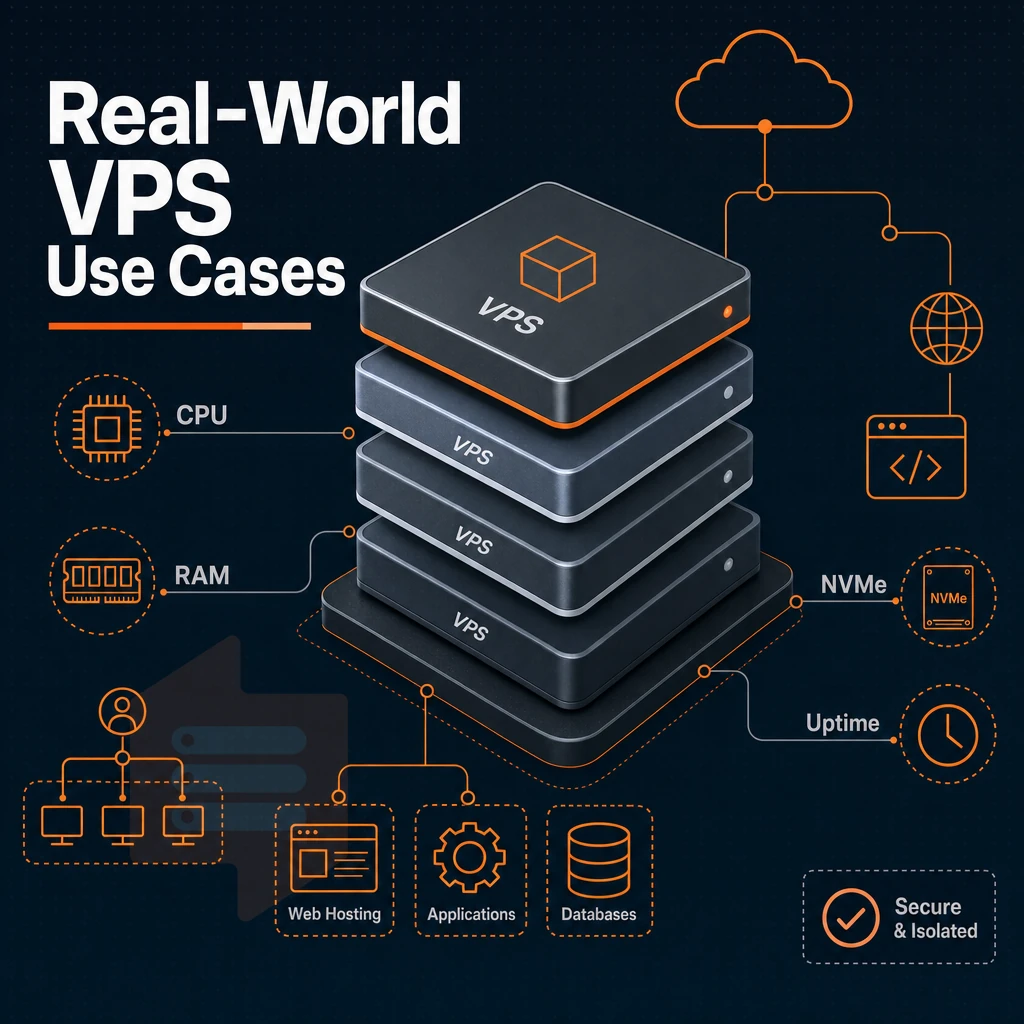
VPS hosting is suitable for a wide variety of production workloads. Each of these VPS solutions benefits from isolated server resources, root access, and the solid performance that a shared environment cannot provide, though some technical expertise is needed to make the most of it. Modern VPS platforms typically include intuitive control panels that simplify routine administrative tasks such as restarting services, monitoring resource usage, and managing backups.
VPS hosting and web applications
For running dynamic sites and web applications on your VPS you have full control over your stack (e.g. NGINX, PHP-FPM, Node.js, Python WSGI). You can adjust kernel parameters, increase open-file limits and install custom modules, in contrast to the restrictions shared web hosting imposes. Modern control panels like cPanel, Plesk, or DirectAdmin can be installed to simplify server management tasks, though many experienced administrators prefer command-line tools for greater precision and automation capabilities.
For e-commerce platforms and SaaS software products, the most important web hosting consideration is having dedicated hosting with a fast enough server to respond in time to every request within a certain time frame, regardless of load. Deploying a load balancer in front of multiple VPS instances allows you to distribute incoming requests across servers, ensuring high availability and consistent response times even during peak traffic periods.
Unlike cloud hosting, where all resources of all accounts are pooled together, VPS private servers keep accounts completely separate, meaning a huge traffic spike on a neighboring account does not affect your server performance. We at BuyVPS guarantee this with our NVMe RAID10 storage and with real hard memory limits per node.
Database hosting, store backends, and data-heavy workloads
A database hosting store is usually set up on a database hosting store setup like PostgreSQL, MySQL or MongoDB. This requires a store setup that supports low-latency I/O on disks and guaranteed RAM. A VPS allows for fine-tuning of for example the buffer pool size, the connection limit and replication setup. BuyVPS Dedicated CPU plans include pinning cores to instances to prevent the so-called “noisy-neighbor-effect” on latency for queries.
Workloads like AI tools and batch data processing require predictable CPU cycles to function correctly. Shared cloud hosting cannot provide this type of environment, a VPS can.
Virtual private server VPS for games, streaming, and private networks
For online games low-latency uplinks and stable CPU scheduling is required. For video streaming origin servers sustained disk read throughput is required. Both scenarios can be solved by running the respective servers on KVM-isolated servers in Amsterdam and/or New York.
This also applies to your development and staging environments. It is wise to mirror your production environment. So mirror it 100%, same OS, same kernel, same network config, and don’t play around with it as it affects your live servers. In-place upgrades on your development and staging servers are supported without IP address changes. Therefore your development, staging and production environments are always 100% in sync.
For private networks and VPN endpoints full root access and IPv4 + IPv6 dual-stack is beneficial. You then run WireGuard or OpenVPN, lock down the firewall rules on the OS level and manage the routing policy as you like. Knowing what to run on a VPS is already half the job, the other half are the operational responsibilities that you want to take on.
Managed vs unmanaged VPS hosting: which rental model fits you?
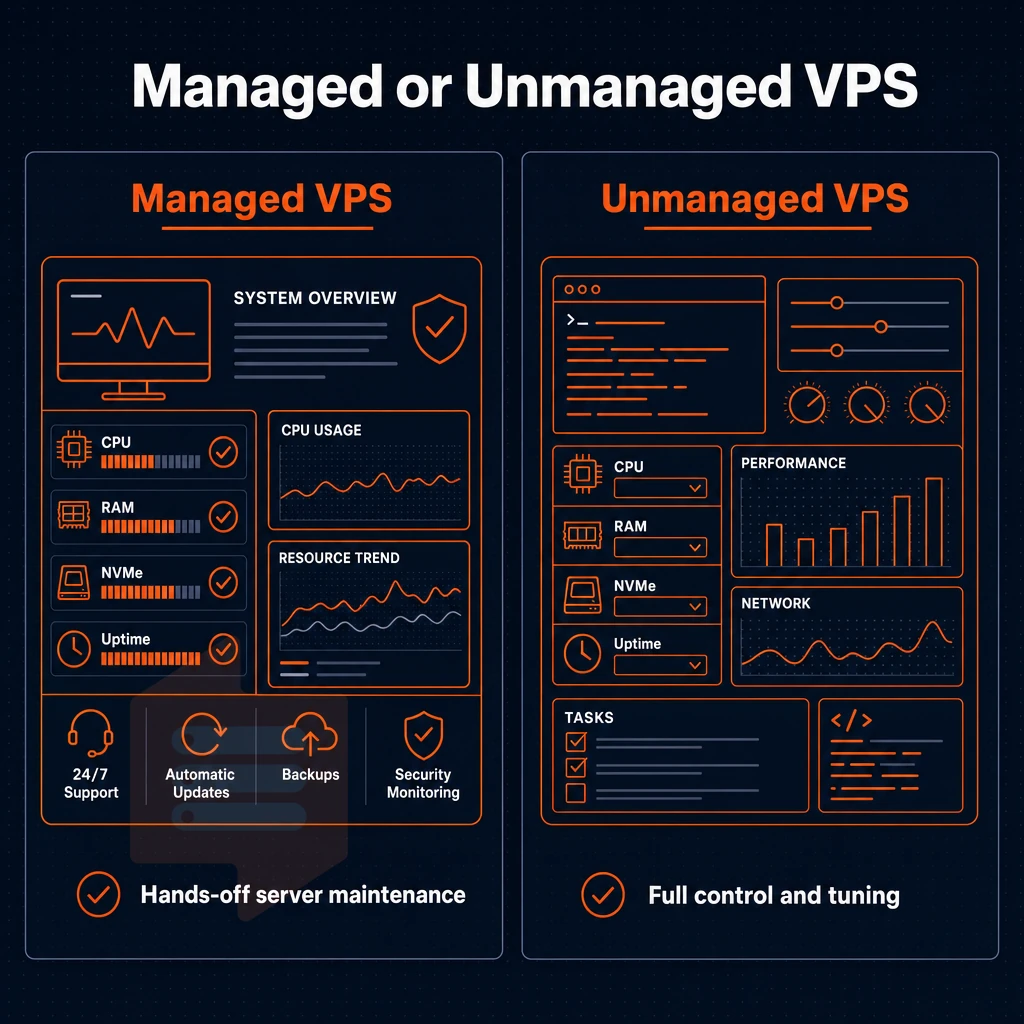
The virtual private server hosting decision comes down to two different ways to run a server.
Unmanaged VPS hosting: full control, full responsibility
Unmanaged hosting, on the other hand, provides root access to a completely bare OS, which is the point of unmanaged hosting. With it you are left to do OS hardening, perform kernel updates, set up your own firewall rules and log monitoring etc.
This model is for developers and sysadmins who want to run their own custom stack without a hosting provider touching it.
- Full root access to every layer of the stack.
- No restrictions on the software that can be installed, on kernel modules, and on the network configuration.
- Lower overhead, by replacing your management labor with yourself!
Managed VPS hosting: operations handed off
Managed VPS hosting transfers the server management to the service provider and includes patching, uptime monitoring and incident response. This is a great option for companies that do not have an in-house ops team. A SaaS company with 5 developers and no sysadmin would be a good candidate for this type of hosting. For community perspectives, see For many years, I spend a lot of money renting VPS & ....
The tradeoff here is less flexibility.
Where BuyVPS fits as a VPS hosting provider
We run an unmanaged KVM VPS environment with full root access on all our plans. Unlike many other providers that run their VPS environment with a bunch of scripts and then respond to issues at the application layer. Our support engineers respond to issues at the infrastructure layer (server, storage, network etc).
This makes us the perfect provider for people who want full server management control over their own VPS resources and need an experienced team to fall back on when things go wrong.
How to choose the right VPS plan for your workload
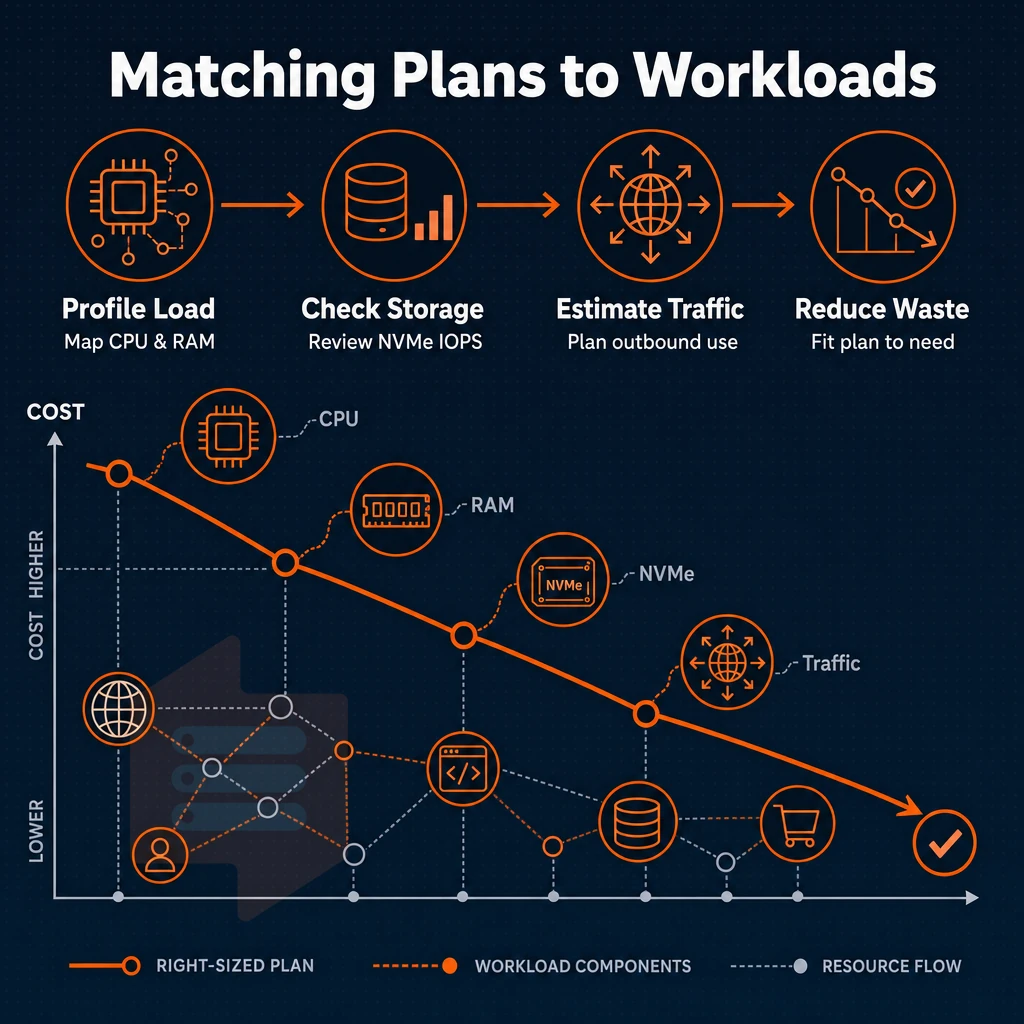
Choosing the right VPS plan is a matter of four parameters: amount of RAM, type of CPU, amount of IOPS of storage and amount of outbound traffic. The rest follows then.
Assess your resource profile first
Start with RAM. Most web applications and development environments can run just fine on 4GB to 16GB of RAM. However, applications that rely on databases (PostgreSQL, Redis, in-memory caches, etc.) can require much more RAM. A typical shared hosting account will not be able to handle applications that hold large amounts of data in memory. Instead, you will need a high-memory account or hosting solution that has the ability to scale your resources as your data grows.
Next up is CPU behavior. Bursty workloads like CI pipelines and low-traffic APIs can tolerate shared vCPU’s. But in VPS web hosting, latency-sensitive or always-on workloads (real-time processing, game servers, financial feeds) need to be pinned to cores to sustain their performance under load.
Match the tier to the workload
| Tier | CPU | RAM | Storage | Best for |
|---|---|---|---|---|
| Standard CPU (S-tier) | Shared vCPU, AMD EPYC Milan | 4-64 GB DDR4 ECC | NVMe RAID10 | Web apps, staging, dev environments |
| Dedicated CPU (D-tier) | Pinned cores, AMD EPYC Genoa, DDR5 ECC | 4-32 GB DDR5 ECC | NVMe RAID10 | Databases, real-time APIs, game servers |
| High Memory (H-tier) | Shared vCPU, AMD EPYC Milan | 64-192 GB DDR4 ECC (1:8 ratio) | NVMe RAID10, up to 480 GB | In-memory databases, large caches, analytics |
Storage and network considerations
That storage is all NVMe on RAID10, directly attached via PCIe.
On the network side, all plans are IPv4 + IPv6 dual-stack, include ddos protection, and a private network that can be enabled at will.
As a hosting company, we ensure all plans have plenty of processing power and network headroom, so choose the right CPU model for your latency needs and then the right tier for you. After that, the only remaining decision is which of our two data centers best geolocates to your users.
Server locations for european and US audiences
Choosing the correct region is the single fastest way to get latency improvement without even writing any code. BuyVPS has 2 data centers, Amsterdam (EU) and New York (US East Coast), which are running identical physical hardware, control plane etc. and thus same pricing.
Choose your region and operating systems
- Map your audience to a region. If your users are mostly in Europe then Amsterdam would be the best place to host your servers. For users on the US East Coast, New York would be best. In general, the closer your servers are to your users the lower the round-trip time will be. For example, a user in London connecting to a VPS in Amsterdam will get better latency than if they were connecting to a VPS in New York.
- No compromise is made between Amsterdam and New York hosting locations. They are on the same physical host class, same control panel, same API and same SLA. Therefore, hosting websites, an online store or a backend API in Amsterdam is identical in cost and performance to hosting in New York. The choice is purely geographical.
Note: Avoid splitting a single application across regions without a replication strategy. Latency between continents adds up fast inside a database connection.
Understand the network layer
- Rely on multi-homed uplinks. By having each location connected to multiple upstream providers, traffic will automatically reroute should one of the paths begin to degrade without any intervention.
- Edge filtering for malicious traffic. BuyVPS has DDoS protection at the edge for both sites where we host VPS. Volumetric attacks are absorbed before they ever hit your VPS so you can manage your instance as you see fit. There is no unlimited traffic guarantee, rather a fair-use bandwidth cap per plan.
Verify your private servers deployment
- Run a latency test after provisioning. Use
pingormtrfrom a representative client location to confirm round-trip times match expectations. If results look off, check that you provisioned in the correct region, in-place upgrades keep your IP, but a region change requires a new VPS.
After choosing the region and verifying the latency, here is what you can expect from BuyVPS in relation to your choices.
Why choose BuyVPS for VPS rental
BuyVPS has delivered VPS hosting since 2002, founder-run, with no private equity shortcuts. Our VPS platform is built on virtual private server infrastructure designed for workloads that demand consistent, predictable performance rather than best-effort shared resources.
- No-oversell policy: Hard memory caps and low node density mean your virtual server keeps its allocated RAM and processing power under real load, not just on paper.
- KVM isolation: Every VPS runs its own kernel. The isolated environment prevents noisy-neighbor interference common on shared physical hardware.
- NVMe RAID10 PCIe-direct storage: Our published benchmark measured 122,959 4K read IOPS. That matters for databases, web applications, and any I/O-intensive workload.
- Full root access on every plan: Choose your own operating system, deploy custom software, and manage server settings without restriction.
- In-place upgrades, no IP rotation: Scale your VPS plan without migrating data or updating DNS records.
- Amsterdam and New York data centers: Identical hardware, identical pricing, pick the region closest to your users.
Our support team is staffed by engineers, not chatbots. If you're evaluating VPS solutions or comparing hosting providers, explore our plans or reach out, we're happy to help you find the right fit. Ready to provision? The steps below walk you through the entire process from plan selection to first login.
Getting started: renting your first VPS
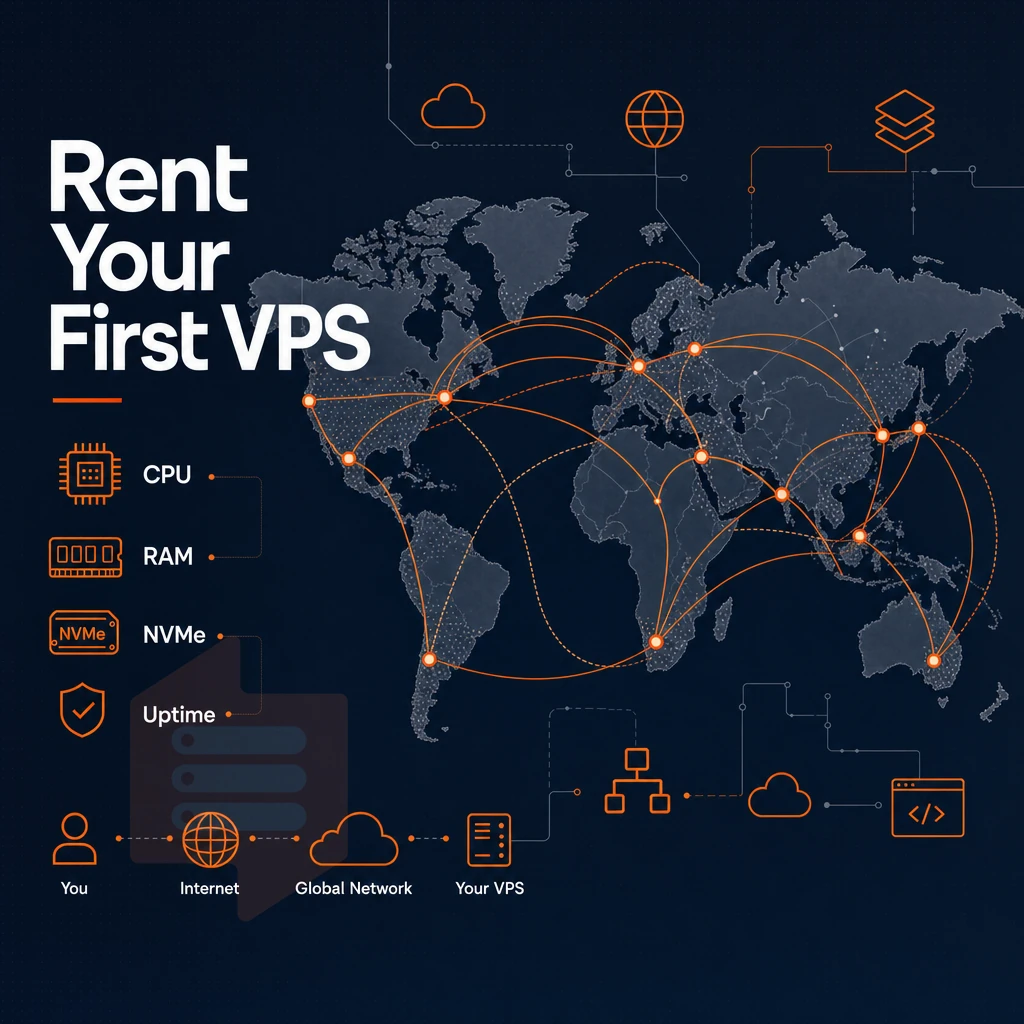
Renting a VPS is pretty easy if you pick the right sized package for your needs from the start.
Choose the right VPS web hosting plan
For most web sites, most web applications, and even most development environments, a Standard CPU (S-tier) VPS is sufficient for many users.
However, for workloads that involve a lot of sustained data processing (e.g. databases, analytics, etc., compile jobs also benefit from pinned cores), you should consider a Dedicated CPU (D-tier) VPS.
Next, you choose a data center for your load balanced servers.
Select your OS and configure server settings
We support Ubuntu, Debian, AlmaLinux, Rocky Linux, CentOS Stream, and Fedora. All these Operating Systems can be deployed in minutes from our self-service panel. If we haven’t listed your favorite Linux distribution yet, you can upload your own custom ISO to deploy as well.
Change the hostname, upload your SSH keys, open up ports in the firewall and increase disk space all from within the same self-service panel.
The in-browser KVM console, a common feature in hosting services, can be used for out-of-band access to a server, for example when locked out of a SSH session or in the middle of an install.
Install custom software and scale when ready
Full superuser access means you install custom applications without restrictions, no locked packages, no web hosting service guardrails. When needs grow, our in-place upgrade path moves you to a larger plan without IP rotation or migration downtime. Browse plans at BuyVPS.com and deploy in minutes.
The core advantages of VPS hosting over other hosting types
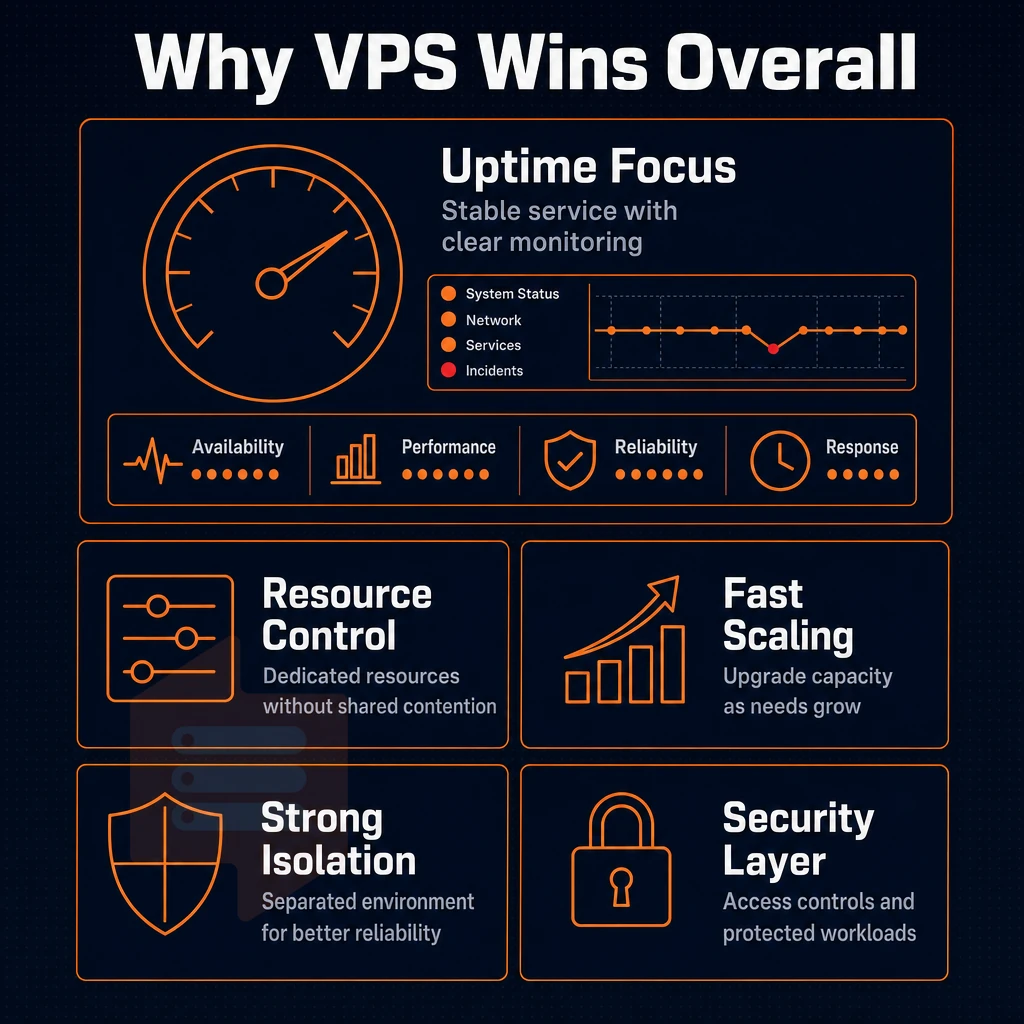
Our VPS hosting solutions provide you with a full set of dedicated resources, but without the costs of a fully dedicated server. Each Virtual Private Server is running in an isolated environment. This means your disk space, processing power and RAM resources are entirely at your disposal.
In contrast to shared hosting solutions, where several users are sharing resources on one server and server management is distributed across all accounts, a VPS does not experience the performance fluctuations that can happen from time to time on a shared hosting server.
Full admin-level access means you can configure the OS, install your own software as required and set up server components as needed. Scalable server resources, however, means you can run a Virtual Server as needed to handle increased workloads, Ideal for the Developer, Company & growing web site/applications. There, VPS service is a Mid Point between shared hosting & a Dedicated server, & as with everything else, only as good as the service provider and hardware they offer.
Choosing the right VPS hosting plan and provider
There are six key criteria that distinguish a VPS hosting provider who is capable of providing a great service from one who is not. These are: NVMe SSD storage, KVM virtualization, network quality with ddos protection, up front transparent pricing, engineer only support, and the data center location. Always evaluate all VPS hosting options against all of these six key criteria, rather than just their promoted 'key features'.
VPS solutions and private servers
that cut corners on any of these deliver inconsistent performance under real load. BuyVPS addresses each point directly with physical server hardware featuring NVMe RAID10 storage with published benchmarks, no-oversell web hosting with hard memory caps, and identical infrastructure across Amsterdam and New York. For straightforward virtual server rental backed by provable performance, explore BuyVPS plans here.
VPS subscription services provide their customers with dedicated resources, full root privileges to the server and stable performance. All this is achieved without the high costs of a typical bare-metal server. The main aspects that need to be taken into account when choosing the right VPS servers rental package are the degree of isolation required (shared vCPU or pinned dedicated cores), the choice of operating systems, and how much of the server stack the customer wants to manage.
Choosing the right items for these two variables will help a VPS scale cleanly with a user's growing needs.
BuyVPS offers Standard, Dedicated CPU, and High Memory private servers via VPS plans across Amsterdam and New York, all built on KVM with full server control, NVMe RAID10 storage, and a no-oversell infrastructure designed for reliable performance. Browse the plans at BuyVPS.com and pick the tier that matches your workload.