

The listed price for an AWS virtual server is typically not what you will pay after adding in data transfer charges, EBS storage, reserved instances, and the appropriate level of support for production workloads.
This guide explains how major cloud providers price VPS offerings and hide extra costs, then contrasts Lightsail charges with what specialized providers like BuyVPS charge for fully managed VPS servers with up to 320 GB of storage on KVM-isolated AMD EPYC hardware in Amsterdam, New York, and Asia Pacific datacenters.
Here we compare the total cost of ownership on plans offering up to 320 GB SSD storage against variable bandwidth charges, annual price hikes, and other cloud-hosting uncertainties.
What is Aws VPS hosting and how does its pricing work?
Instead, the closest experience to a VPS would be Amazon Lightsail, which is a simpler kind of compute service offered as a fixed set of monthly plans. For those that need more control of their instance, EC2 provides full raw compute capacity on a pay-as-you-go basis.
First month $1
Then the normal monthly price. One per customer. No setup fee, and a 30-day performance guarantee on your first order.
See the plans“Sjoerd helped me with the setup of my VPS, super helpful team, smooth onboarding, and overall a great experience, thanks again”
Amazon lightsail instances: from 512 mb to larger plans
Lightsail bundles together a virtual private server, disks, data transfer and a static IP address as a single, fixed price bundle. This service is geared towards developers and small companies who want easy access to servers without the complexity of the full EC2 service. This simplified approach makes Lightsail particularly attractive for small business owners who need reliable hosting without hiring dedicated infrastructure staff.
We offer a number of plans, each with different amounts of RAM, vCPUs, and transfer included.
Lightsail instances vs ec2 block storage key differences
Lightsail instances run on shared servers and are capped at certain resources. EC2 instances can run on a variety of instance families, have reserved capacity available. Organizations requiring orchestrated workloads can leverage container services on EC2 for dynamic scaling across multiple availability zones.
- Lightsail: fixed monthly plans, simpler console, limited configuration.
- EC2: on-demand, reserved, and Spot purchasing options; granular control.
Amazon lightsail pricing and free tier for lightsail customers
Note that the pricing of lightsail includes a free trial period for new customers to Lightsail of 3 months on the $3/month plan (and other free trials for other plans). Then, customers of lightsail will pay the standard monthly fee for their chosen plan tier after the trial period has ended. AWS also provides a tier that remains entirely cost-free for 12 months, allowing users to explore core services without financial commitment during their first year.
We go through what you get with each of the Lightsail plan tiers, and where the bundle model starts to cause you problems.
Why Amazon lightsail cheaper plans break down by tier
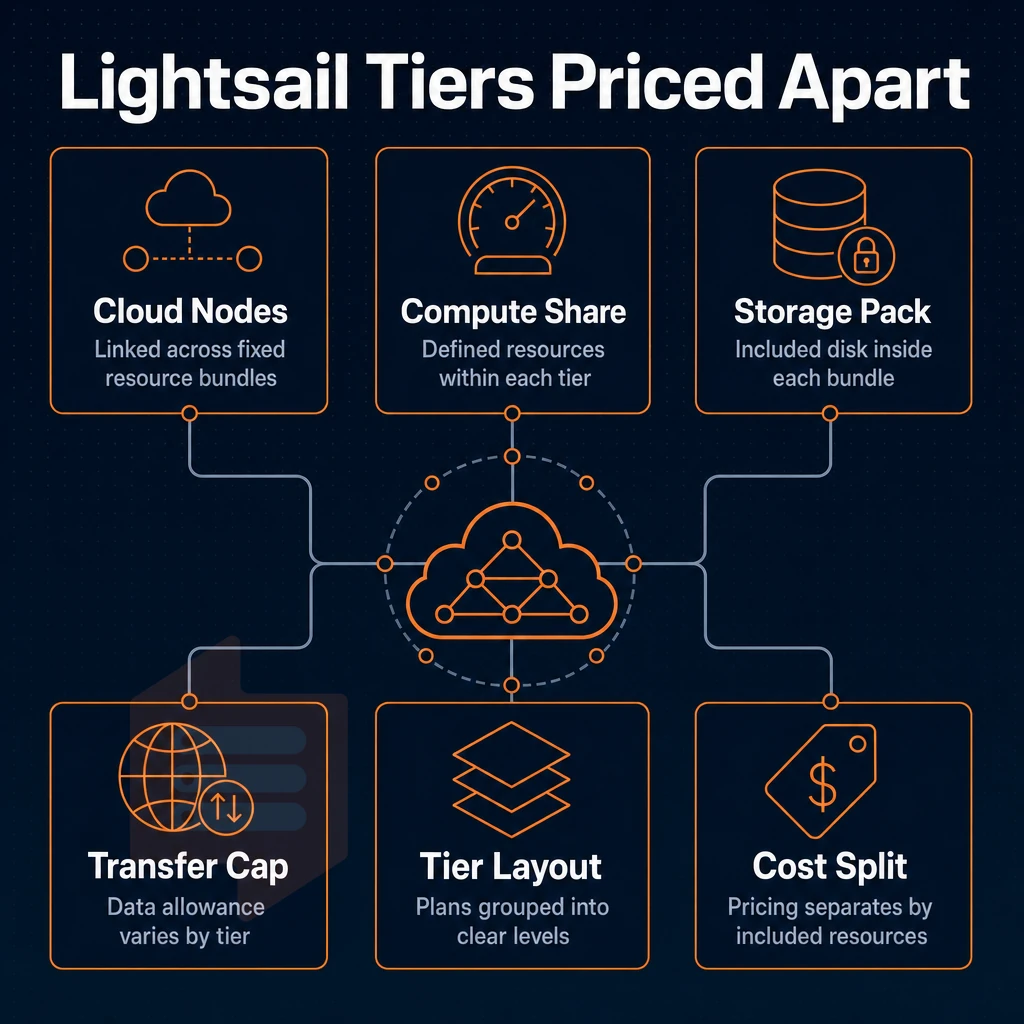
Amazon Lightsail offers VPS as a fixed set of bundles. Each Lightsail plans to include compute, storage, and data transfer. Those resources are charged at a fixed monthly amount, irrespective of actual usage. This predictable pricing model contrasts sharply with EC2's variable costs, where compute and transfer charges fluctuate based on actual resource consumption.
Linux unix instance tiers and storage
There are Lightsail bundles with 512MB RAM (the smallest amount) up to 1 GB, 2 GB, 4 GB, 8 GB and even 32 GB for larger workloads. Likewise, the storage scales with RAM and for the smaller plans it is 40 GB or 60 GB SSD. The mid-range configurations then have 80 GB and 160 GB of storage and the largest plans have 320 GB or 640 GB of storage. Organizations running databases or content management systems often find the 160 gb tier sufficient for moderate production workloads without requiring immediate migration to higher-capacity plans. The 512 mb ram 1 tier serves as the entry point for developers testing applications before scaling to production-grade configurations. The 640 gb configuration provides ample capacity for enterprises managing large media libraries or multi-tenant applications requiring substantial disk space for user-generated content. For specialized applications requiring intermediate capacity between standard tiers, some workloads benefit from configurations around 5 tb when migrating to dedicated infrastructure outside the Lightsail bundle constraints.
Enterprises with data-intensive applications requiring 6 TB or more must evaluate EC2's Elastic Block Store, as Lightsail's architecture cannot accommodate volumes beyond the 640 GB maximum. The 60 gb tier represents an intermediate option for small businesses running e-commerce platforms or blogs with moderate media libraries that exceed the 40 gb entry-level capacity. The 80 gb configuration bridges the gap between small-scale deployments and enterprise-grade infrastructure, offering sufficient capacity for growing SaaS applications that have outgrown entry-level tiers but don't yet require the 160 gb option. Relational databases running on mid-tier plans benefit from the 80 GB allocation, which accommodates typical transaction logs and indexed data without requiring immediate expansion to higher tiers. Configurations offering 1 tb of disk capacity fall outside Lightsail's bundle architecture entirely, requiring organizations to transition to EC2's Elastic Block Store for such intermediate-scale requirements. The 16 GB RAM tier offers a balanced configuration for medium-scale applications requiring substantial memory for caching layers or in-memory processing without reaching the maximum 32 GB allocation.
Does outbound data transfer count toward your allowance
The outbound data transfer for each tier of service includes a fixed amount of data transfer on a monthly basis. For the entry level plans this would be 1 TB of data transfer per month, with the upper tiers having 2 TB, 5 TB, and 6 TB of data transfer per month respectively. The 5 tb tier typically supports high-traffic web applications and content delivery platforms that serve thousands of concurrent users without triggering overage penalties.
Enterprise applications with sustained high bandwidth requirements often select the 6 tb transfer allocation to accommodate peak traffic periods while maintaining cost predictability. Entry-level plans with 1 tb monthly transfer quotas serve small business websites and blogs effectively, while mid-range options accommodate growing e-commerce platforms before requiring tier upgrades.
Any data transfer over the included amount is charged at the Lightsail charge per GB overage rate. This even includes instances that are “stopped” (i.e. idle), and so consume your budget even when you are not using them. Understanding lightsail pricing for overages is essential when planning capacity, as these per-GB charges can significantly impact budgets for applications with variable traffic patterns.
Networking extras and 4 GB vs 32 GB decision guide
Lightsail offers IPv4 only plans as well as IPv4/IPv6 and IPv6 only bundles with lower cost for IPv6 only plans. Static IP and DNS management are included within the platform at no additional charge for small projects.
For lightweight workloads, a single Lightsail plan can provide predictable costs for teams. However, as noted earlier, the bundle model doesn’t allow for independent scaling of compute, storage, or transfer. That's where BuyVPS can step in and provide container services alongside KVM VPS on AMD EPYC hardware in Amsterdam and New York datacenters with NVMe RAID10 storage for in-place upgrades without IP reassignment.
This allows full control of resources rather than a fixed-bundle ceiling, and reveals where additional costs of advertised plans get incurred, covered in the next section.
Ec2 vs lightsail: which Aws option fits your workload?
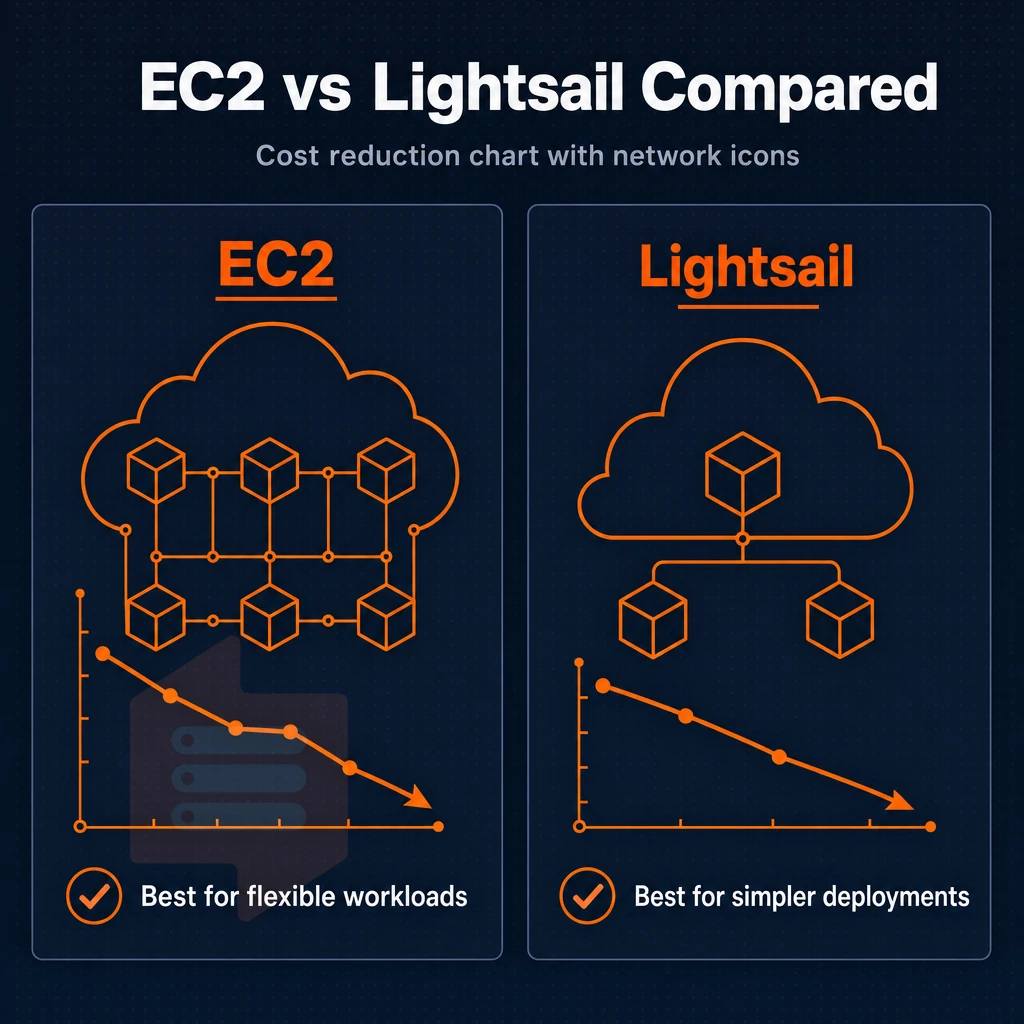
EC2 and Lightsail are both built on top of the same underlying infrastructure.
New lightsail customers get bundled simplicity for small workloads
Lightsail packages together compute resources, storage and a static IP address into a flat monthly charge for items such as a WordPress site. Note that storage on the larger high availability configurations is capped at 320GB and you will need to move to EC2 should you require more than the current bundle offers. The 640 gb ceiling represents the absolute maximum storage capacity available within Lightsail's bundle architecture, forcing enterprises with growing data requirements to plan their migration strategy to EC2 well in advance. Workloads requiring between 5 TB and larger volumes must transition to EC2's Elastic Block Store, which supports volumes up to 64 TB per instance. Applications requiring 6 TB or more must migrate to EC2, as Lightsail's architecture cannot accommodate such large-scale data requirements within its fixed bundle structure.
Mid-tier configurations typically offer 60 GB of disk space, which suffices for most small business applications and development environments before scaling becomes necessary. The 80 GB tier serves as a practical middle ground for growing applications that have outgrown entry-level configurations but do not yet require the maximum capacity. Organizations running relational databases or NoSQL workloads within these constraints must carefully monitor their data growth trajectory to avoid sudden migration pressure. For applications approaching the 1 TB threshold, teams should evaluate whether Lightsail's fixed bundle model remains cost-effective compared to EC2's flexible block volumes.
The ceiling is real. Currently there is no auto scaling, no integration with load balancers in other parts of the AWS universe, and no GPU instances are available. If traffic shoots up, it’s absorb or migrate.
Ec2: on-demand power for production workloads
EC2 offers the complete set of services in the AWS Compute Catalog. On-demand pricing enables immediate use of compute resources without any up-front or long-term commitments.
To reduce compute costs for sustained use cases, AWS offers Savings Plans that significantly cut costs for EC2, Lambda, and container services when committing to a total spend across instance families, without tying customers to specific instance types or regions. Customers can also combine multiple AWS services to build resilient architectures that span compute, database, and networking layers for comprehensive cloud solutions.
High availability architectures, such as multi-AZ setups with health check driven failover, are core to EC2. Lightsail cannot deliver these architectures without leaving the core product behind.
Linux unix instance pricing: where the gap widens
The cheapest tier of instances for Linux/Unix on both products is the baseline instances. The cost of these instances can drop even further for EC2 with reserved instances or a savings plan. On Lightsail, the bundle price is fixed regardless of actual usage and thus you pay for idle capacity as well as peak capacity.
Lightsail is a starting point not a destination. Even if you start with Lightsail with 320 GB of storage, you will eventually outgrow it or need more elastic compute to name two examples. Plan your transition to EC2 from day one.
A KVM VPS from BuyVPS can be a more control-oriented, less complex solution than AWS, with performance as predictable as a flat-rate VPS in Amsterdam or New York.
When Aws VPS pricing is not the right choice
The cost effectiveness of AWS is dependent on many factors and some workloads are better than others.
When fixed budgets collide with variable billing
AWS charges for compute, storage, data transfer and add-ons such as a load balancer.
For teams that require a single monthly price, a consumption-based model can be more of a hassle than it's worth.
Lightsail: aws's answer to simple VPS pricing
AWS Lightsail was built for small workloads, topping out at 32 GB RAM, packaging compute, storage, and data transfer into a single flat monthly price.
Although Lightsail offers real simplicity for hosting a WordPress site, limitations remain, there is no auto scaling, stopped instances continue to incur costs, and Asia Pacific region support is not as wide as US East.
Lightsail also severely restricts upgrade paths to standard EC2 instances.
Who should look elsewhere for block storage
While Lightsail and EC2 can provide root access, fixed pricing and isolation to developers, there are many limitations. Developers require root access, fixed monthly charges and KVM style virtualization without being locked into a cloud provider. A simple VPS from a provider that guarantees hard memory caps, offers NVMe storage and charges on a per-server basis (as opposed to per-resource) is typically far better suited to a developer’s requirements. We outline what such a VPS looks like in practice below.
Why choose BuyVPS as a transparent-pricing Aws alternative
Amazon Lightsail pricing looks simple until outbound data transfer charges, static IP fees, managed databases, and load balancer costs stack up beyond the advertised price.
- Predictable disk space: NVMe RAID10 with PCIe-direct access, 122,959 4K read IOPS measured. No separate charges for block data disk space add-ons.
- KVM isolation: A separate kernel per VPS. Your production workloads don't share kernel space with other instances.
- Dedicated-core option: D-tier VPS on AMD EPYC Genoa with pinned cores, consistent latency without auto-scaling surprises.
- In-place upgrades: Scale resources without IP rotation or migration downtime.
- Dual locations, identical hardware: Amsterdam (EU) and New York (US East Coast) run the same specs at the same price. Full IPv4 + IPv6 dual-stack on every plan.
Engineer-staffed support handles technical questions directly, no chatbots.
Frequently asked questions about Linux unix
How does 160 GB storage VPS pricing and extra costs compare to Aws for 32gb RAM?
Flat-rate VPS providers charge a fixed monthly amount regardless of usage, so your bill is predictable from day one.
For steady-state servers, a dedicated flat-rate VPS consistently delivers lower total cost of ownership than an equivalent AWS instance.
Does Aws offer a true VPS from 2 GB to 32 GB of RAM?
Its closest equivalents are EC2 (elastic compute instances) and Lightsail (a simplified, flat-rate bundle aimed at smaller workloads). Neither maps cleanly to the traditional VPS model: EC2 is metered and highly configurable, while Lightsail trades flexibility for simplicity. True VPS hosting with KVM isolation, full root access, up to 640 gb of storage, a fixed monthly rate, and in-place upgrades is a different product category from what AWS natively offers.
Aws virtual machine cost efficiency: monthly pricing breakdown
AWS does not publish a single flat monthly fee for virtual machines because EC2 billing across asia pacific and other regions depends on instance type, operating system, reserved vs. on-demand pricing, and attached resources. A small on-demand instance may appear inexpensive at the hourly rate, but data transfer fees, EBS persistent capacity costs, and snapshot charges add up fast. Reserved Instances reduce the hourly rate but require a one- or three-year upfront commitment.
What each lightsail plan includes and covers
Lightsail bundles a virtual machine, SSD block data disk space, a static IP address, and a monthly data transfer allowance into one flat price. It also includes DNS management and a simplified management console designed for developers who do not need the full AWS ecosystem.
The plans are tiered by vCPU count, RAM, and volume capacity, with bandwidth overages billed separately once you exceed the included allowance. Lightsail is intentionally limited, it does not expose the full EC2 feature set, and scaling beyond its largest plan means migrating to EC2.
Are there hidden costs in Aws lightsail pricing?
Lightsail's base price is flat, but several add-ons carry extra charges. Managed databases, load balancers, additional static IPs, and object disk allocation buckets are each priced separately. If you use Lightsail alongside other AWS services, CloudFront, Route 53, SES, those services bill independently under standard AWS rates.
When does Aws pricing become more expensive than a flat-rate VPS?
AWS costs typically exceed flat-rate VPS costs once a server runs continuously, transfers significant data, or requires persistent block data capacity. On-demand EC2 instances are priced for burst and flexibility, that premium is wasted on a server that runs 24/7.
Bandwidth is the biggest multiplier: AWS charges per gigabyte out, while most VPS providers include a multi-terabyte monthly allowance. If your workload is predictable and always-on, a web app, a database, a game server, a flat-rate VPS plan includes everything you need, and options like those from BuyVPS will almost always cost less over a 12-month period.
What is the Aws free tier for virtual servers?
AWS offers 750 hours per month of a small EC2 instance (t2.micro or t3.micro depending on region) free for the first 12 months of a new account.
That is enough to run one instance continuously for a single month, but the free tier does not cover data transfer beyond minimal thresholds, additional EBS drive space, or Elastic IP addresses held while stopped. After 12 months, all charges revert to standard on-demand rates. The free tier is useful for evaluation, not for running a production workload long-term.
Excessive data transfer, higher priced snapshot allocated space, expensive Elastic IPs, and the hidden EC2 complexity fee all add up quickly. At scale, the real monthly cost far exceeds the initial sticker price of the marketed plan. Although Lightsail offers fixed pricing for a time, the trade-off for that fixed cost is flexibility, which just isn’t worth it for production workloads.
Know your workload before signing up to anything. Variable, bursty traffic is best suited to pay-as-you-go pricing models. Steady, predictable traffic (databases, APIs, background processing etc) is usually cheaper and far easier to manage on a fixed-rate VPS with no hidden charges.
If predictable cost and consistent performance matter to your team, BuyVPS is worth a close look. AMD EPYC hardware, NVMe RAID10 disk resources starting at 160 gb, and no-oversell infrastructure in Amsterdam and New York, with pricing that stays flat from month one to year five. Compare the plans at BuyVPS.com.