

Google cloud VPS often tops hosting services shortlists, and for good reason: strong global infrastructure, mature managed services, and a well-known brand.
This guide cuts through the positioning and details what Google's VPS-like cloud VM products actually offer, which use cases their architecture suits best, and where a dedicated KVM VPS host (like BuyVPS, with AMD EPYC-powered servers in Amsterdam and New York) gives you more bang for your buck.
Along the way we’ll cover issues like root access, storage performance, the network and support. As well as the all-important matter of cost over time once you've moved past the demo environment and chosen a host to put your new cloud VM to work. We start with a basic description of Google’s cloud VM products.
Many providers publish transparent pricing calculators that let you generate cost estimates before committing to a configuration or billing cycle. Some providers also offer volume-based pricing tiers or promotional discounts for annual commitments, which can significantly reduce total cost of ownership.
What is Google VPS hosting and how does it work?
Search for “Google VPS hosting” and you will find that in reality Google does not offer any “VPS hosting” product under that name. What people looking for “Google virtual private server hosting” really want to find is a cloud virtual machine (a Compute Engine instance).
First month $1
Then the normal monthly price. One per customer. No setup fee, and a 30-day performance guarantee on your first order.
See the plans“Good servers, thanks.”
Virtual machines: the shared core memory idea
Cloud VMs and conventional VPS products are based on similar technology. Each instance has a fixed amount of CPU power, memory (RAM) and storage, which is not affected by other customers sharing the same servers.
Interact with your host instances like physical servers: full root access, a choice of OS, and the freedom to install any software stack.
How the operating system layer manages memory
Each VM runs its own OS off a separate image.
Cloud compute vs. Traditional VPS: what actually differs
The main difference in terms of control model is that cloud providers host available machine types with fixed numbers of vCPUs and amounts of RAM, and charge by the second. Web hosting on a VPS typically means fixed monthly charges for a set of resources, without second-by-second charges, and therefore without surprises.
In this practical sense, there are a number of trade-offs between cloud and VPS hosting to monitor, which I'll outline in the next section. It's important to acknowledge that consumption-based billing can optimize costs for variable workloads, but it requires careful monitoring to avoid unexpected expenses.
How Google cloud virtual machines compare to traditional VPS
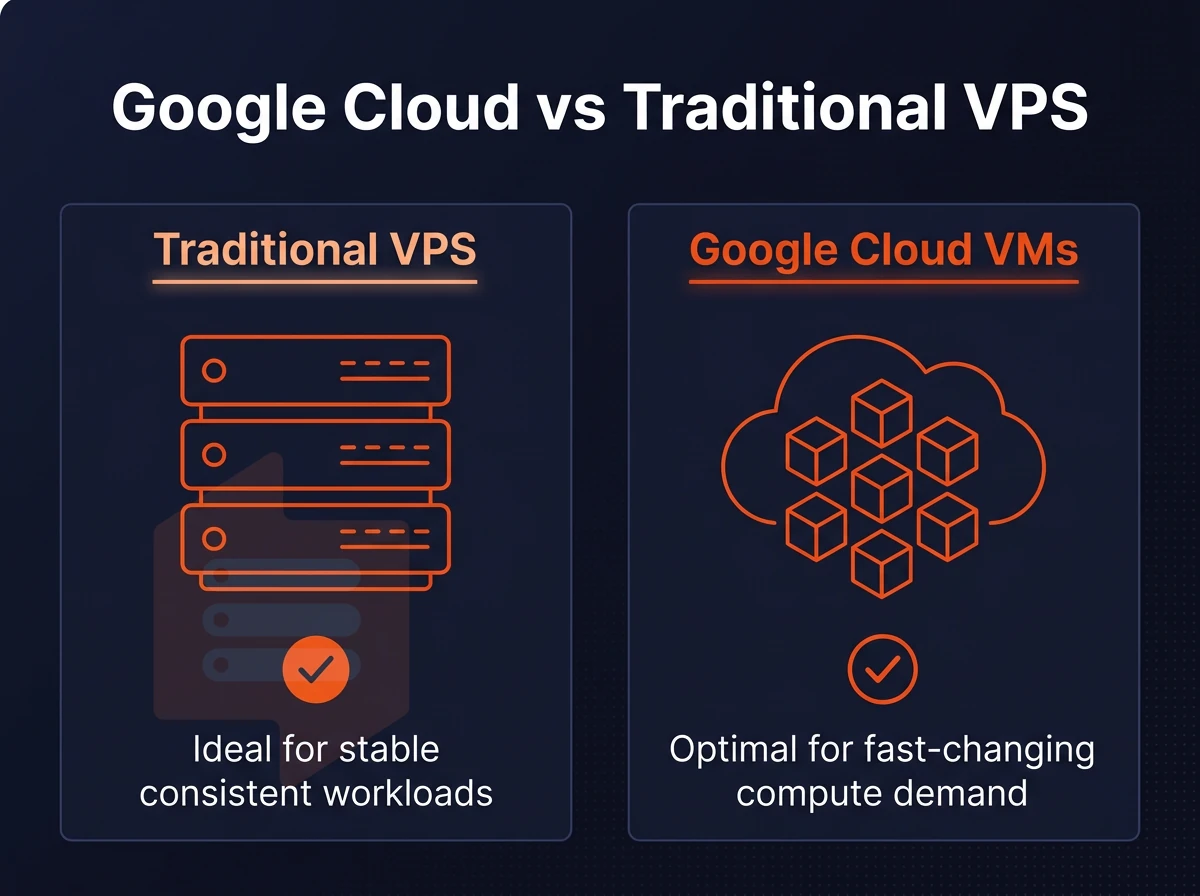
While both Google Cloud VMs and standard VPS hosting products are referred to by similar names, they follow very different design models. The first is optimized for cloud-style elastic and consumption-based infrastructure, whereas the second is optimized for fixed resources, for bill-to-grow pricing, and for ease of use and manageability. Understanding the underlying architecture of each model helps teams choose the right infrastructure for their specific deployment patterns and operational requirements.
Machine type configuration vs. Fixed-tier simplicity
With Google Cloud, you can create custom VM shapes with any number of vCPUs and any amount of RAM and pay by the second.
Cloud storage vs. Local NVMe data
The typical Cloud VM will connect to network-attached storage block devices.
Deployment model, operating system choice, and lock-in
Cloud platforms for deploy applications offer a bundle of orchestration, AI APIs and managed services even within a single vendor ecosystem tightly coupled to the platform.
| Dimension | Cloud VM | Traditional VPS (BuyVPS) |
|---|---|---|
| Billing | Per-second, variable | Fixed monthly, no renewal hike |
| Storage I/O | Network-attached block | NVMe RAID10, PCIe-direct |
| Uptime SLA | Varies by service tier | 99.8% |
| Vendor lock-in | High, proprietary APIs | None, full root, custom ISO |
VMs on the cloud are great for highly scalable workloads or for workloads that require deep integration with AI services. For workloads that require predictable costs, raw NVMe performance and full control, BuyVPS offers hosting in Amsterdam and New York. Abstract trade-offs are interesting to read about, but networking them against a simple list of pros and cons makes choosing so much easier.
Pros and cons: Google cloud vms vs. Traditional VPS hosting
Deciding between Google Cloud Compute Engine VMs and traditional VPS hosting for your workloads depends on a number of factors and has its pros and cons, which we will outline below.
Google cloud vms: strengths and weaknesses
- Massive scale and AI services. Google’s infrastructure is designed to distribute traffic throughout regions in real time, and also includes managed AI services. Suitable for very large and highly unpredictable workloads.
- Billing complexity. Per-second metering, egress fees, and add-on services stack up fast. Performance spikes translate directly into surprise invoices. Note: Teams new to cloud billing regularly underestimate monthly spend, audit your usage weekly at first.
- The complexity of IAM roles, VPC configuration and Google Console all require time to study each component in detail before you can start to deploy anything to production.
Traditional VPS web hosting: strengths and weaknesses
- Pricing is predictable. Our pricing is based on a fixed monthly charge. For example, BuyVPS charges the same rate every month regardless of whether you signed up in year one or year five.
- Full root access and simple setup. Create a KVM VPS on our AMD EPYC hardware in Amsterdam or New York. Install your favorite stack and you’re up and running without the management overhead of a managed service.
- Manual scaling is supported and vertical scaling of servers in a cluster includes no IP address changes. However, horizontal scaling of servers is still a manual process that requires custom tooling to manage. So, you must plan for adequate server capacity well in advance of anticipated spikes in demand.
Which model fits your memory and workload needs?
Auto-scaling a global app is a strength of Google Cloud. But a VPS offers the unique combination of consistent performance, root access and bill shock protection. And at BuyVPS we offer KVM isolated servers on fast NVMe RAID10 storage, managed by experienced sysadmins, without the complexity overhead that such a setup would otherwise incur. We match this up against a variety of typical workloads in the following section.
Common use cases: when to use Google cloud vs. A VPS
Whether Google Cloud or a VPS is best for you will likely depend on the shape of your workloads. But for workloads that need predictable resources, that you can root around in. Additionally, For which you need to know what your costs will be from one month to the next, a VPS is often a better choice.
Where Google cloud storage fits
For very large-scale enterprise workloads that require auto-scaling (e.g. a spike in global traffic or a distributed ML training pipeline), Google Cloud is a good fit. Teams whose users are already heavily relying on BigQuery, Vertex AI, or Kubernetes Engine will get real value out of running their workflow on managed services, the operational overhead is justified.
This category includes AI/ML inference and batch jobs.
Where a VPS fits your operating system needs
Most web applications, APIs and websites run just fine on a fixed-resource VPS.
Databases are improved by consistent and dedicated I/O. Our NVMe RAID10 storage on BuyVPS can host demanding workloads with 122,959 4K read IOPS, useful figures for Postgres or MySQL under load. When you host production databases on dedicated NVMe infrastructure, you eliminate the latency variability that network-attached block storage introduces during peak transaction periods. Before deploying production workloads, teams should conduct thorough performance testing to validate that IOPS and latency meet application requirements under realistic load conditions.
The set of use cases that need a stable IP, persistent processes, and root control include SSH bastion hosts, dev and testing environments, always-on bots, and game servers. A VPS allows you to achieve all of these without getting billed per second.
The deciding factor in machine configuration
If you have systems that scale to zero and burst across regions, a managed cloud host is your best option. On the other hand, if you have workloads that run constantly and you want complete control over the kernel, networking and security, a VPS is more practical. Managed cloud platforms handle burst traffic and regional failover automatically, while a VPS requires you to architect redundancy and scaling logic yourself. Cloud platforms provide native orchestration tools that automate deployment pipelines and container scheduling, whereas VPS environments require you to configure those workflows manually using third-party tools.
When applications are deployed on a VPS, teams retain full visibility into every layer of the stack, from kernel parameters to firewall rules, without navigating vendor-specific abstractions. Choosing between these models often depends on whether your architecture requires tightly integrated orchestration layers or prefers discrete, independently managed components. Comprehensive monitoring and observability become essential in either model, where centralized logging helps teams diagnose performance bottlenecks and security events across distributed workloads.
Frequently asked questions about virtual machines
Does Google host VPS services with reliable data storage options?
Google does not sell a product called "virtual server hosting." Its cloud platform offers virtual machine instances through a compute service, which function similarly to a cloud instance but are billed by the second and tied to a broader ecosystem of managed services. If you want a straightforward virtual node, fixed resources, predictable monthly cost, full root administrative rights, a dedicated VPS provider is a more direct fit than Google's consumption-based model.
How do VPS and cloud hosting differ in the way they handle data for users?
A virtual host gives you a fixed allocation of CPU, RAM, and storage on a single hypervisor node, with a predictable monthly cost and no surprise fees. Cloud hosting pools resources across many nodes, scales dynamically, and bills per unit consumed, which suits unpredictable traffic spikes but can produce variable invoices. Cloud platforms typically bill in sub-hour increments, which means even idle instances accrue charges unless explicitly stopped or deleted.
For workloads with stable, known resource requirements, a cloud server is simpler to budget and manage. For workloads that need to scale from zero to thousands of requests in seconds, a cloud platform's elasticity is the better trade-off.
Is Google cloud better than a traditional VPS for small projects handling data?
For most small projects, a traditional virtualized server is the better choice. Google Cloud's strength is elasticity and managed services, both of which add complexity and cost that a small project rarely needs. A private virtual server lets you host your workloads with full root control, a fixed resource allocation, and a flat monthly cost with no usage surprises. Once you provision your instance and configure your stack, you're ready to deploy without worrying about metered billing or platform lock-in.
Providers like BuyVPS run KVM-isolated virtual compute instance instances on AMD EPYC hardware with NVMe RAID10 storage in Amsterdam and New York, giving small projects solid, predictable performance without the overhead of a hyperscaler's billing model. Volume discounts and annual prepayment options further reduce the effective monthly rate for teams committing to longer-term deployments.
How do i create a VPS on Google cloud?
Log in to the Google Cloud Console, navigate to Compute Engine, and select "Create Instance." Choose a machine type, region, boot disk image (Debian, Ubuntu, and others are available), and configure networking before clicking "Create." Once the instance is running, connect via SSH using the browser-based shell or your own SSH client with the assigned external IP.
Keep in mind that this is a cloud VM, not a traditional cloud compute instance, costs are metered, and you will need to manage firewall rules, IAM permissions, and billing alerts separately. If you prefer a simpler setup, a virtual dedicated server from a provider like BuyVPS delivers root privileges, a static IPv4 and IPv6 address, and a self-service control panel without the surrounding cloud configuration overhead.
When it comes to problems that need to be solved with Virtual Machines on Google Cloud versus problems that need to be solved with virtual machine instance hosting. Google Cloud VMs are best for teams who need to scale up and down, distribute work across the globe and leverage the integration of other managed services.
However, these solutions can add significant billing complexity on top of the learning curves required to host and get work done on Google Cloud. Virtual servers with fixed resources and corresponding costs, with no surprise bills at month-end.
For the typical production workloads of web applications, databases, APIs and game servers, a dedicated-resource virtual private server provides consistent performance without the complexity of hyperscaler pricing. The only question is whether you need Google's ecosystem or a simply great, reliable, and high-performing host that behaves exactly the same way every day.
If predictable performance matters more than elastic auto-scaling, BuyVPS offers KVM cloud VM plans on AMD EPYC hardware with NVMe RAID10 storage, full root permissions, and no-oversell guarantees, deployed in Amsterdam and New York. Browse the plans and see which tier fits your workload.