

Before you know it, your growing application will outgrow the shared hosting environment. A Hosted VPS provides you with the control you need, without the associated capital expenditures to maintain the hardware.
Your decision isn’t just VPS or not.
As a cloud hosting company, BuyVPS publishes the benchmark numbers for our physical server hardware (Geekbench 6, fio, pgbench) because the numbers speak for themselves: AMD EPYC processors, NVMe RAID10 storage, 123,000 4K read IOPS. Additionally, Hard memory caps to prevent overselling and ensuing performance death on competing platforms. Our infrastructure spans multiple geographically distributed data centers, ensuring low-latency access and redundancy for mission-critical workloads.
These specifications combine to deliver reliable performance under sustained production loads, eliminating the variability that plagues oversold infrastructure. The NVMe SSD storage architecture delivers superior throughput and latency characteristics compared to legacy SATA configurations, particularly for database-intensive applications requiring high random I/O performance.
In this guide, we will define what sets a well-engineered managed virtual private server VPS apart from a commodity VPS, show you which workloads to use with which tiers of VPS. Understanding the distinctions between managed and unmanaged hosting services helps organizations select infrastructure that aligns with their technical capabilities and operational requirements.
What is VPS hosting and how does it work?
A hosted VPS (Virtual Private Server) is between a shared hosting account and a dedicated server. A VPS uses virtualization to create many virtual servers on a single physical server. This allows for the power of a dedicated server, without the high cost of a fully dedicated bare-metal server. Resources such as CPU, RAM and storage are dedicated to the Virtual Server. You also get to choose the Operating System, and have full Administrative Access to the Server.
First month $1
Then the normal monthly price. One per customer. No setup fee, and a 30-day performance guarantee on your first order.
See the plans“Great service! Everything was delivered quickly and worked exactly as expected. the process was smooth, reliable, and professional. Highly recommended!”
Virtual private server vs dedicated server for email server use
Each VPS runs as a virtual machine on shared hardware. We use a Hypervisor to split resources with strict boundaries of CPU, RAM and Storage per virtual machine instance. This tenant cannot use resources of the neighboring tenant. The hypervisor allocates a defined portion of the single physical server to each VPS, guaranteeing that resource limits remain enforced even during peak demand across all tenants. Modern virtualization technology enforces these boundaries through hardware-assisted isolation, preventing resource contention and ensuring predictable performance across all tenant workloads.
That way a noisy neighbor won’t be able to destroy your server, which in shared hosting environments can happen easily.
Your own operating system and root access
Virtual private server hosting provides a clean OS install on a VPS (Virtual Private Server) such as Ubuntu, Debian, AlmaLinux, Rocky Linux and a host of other Linux distributions. With VPS web hosting, you get full root access straight away on deployment, letting you install any packages, modify any kernel parameters, and set up custom firewalls as required.
No restrictions as you would find in a shared hosting environment. Selecting the right operating system during initial deployment ensures compatibility with your application stack and simplifies long-term maintenance workflows.
How VPS hosting compares to shared and dedicated hosting
- Shared hosting: multiple accounts share one virtual server and its resources, no isolation, no root control.
- VPS: isolated environment with guaranteed resources on a physical server.
- Dedicated: the entire physical machine is yours, higher cost, same control.
In the next section, I’ll compare and contrast VPS with other production tiers to highlight key differences.
Types of VPS hosting: managed vs unmanaged
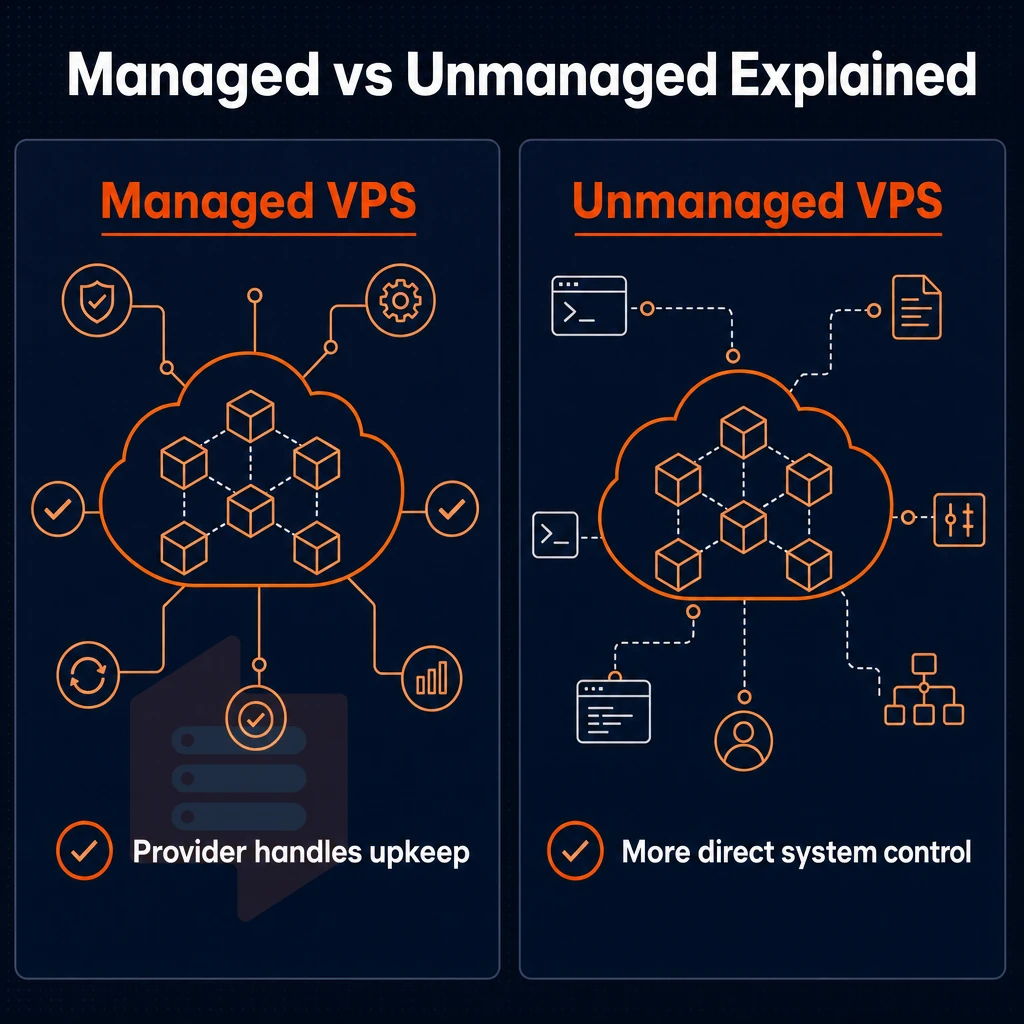
When selecting a VPS web hosting solution, the managed vs unmanaged option is typically the most important decision. The decision here, which VPS hosting providers typically help customers navigate, can lead to the hosting customer paying for unnecessary services, or on the other hand, having to deal with unnecessary operating system and operational overhead that their current staff is not able to handle.
Providers should assess your team's technical expertise to recommend the appropriate level of management, avoiding both overspending on unneeded services and operational gaps that exceed internal capabilities. Evaluating hosting services requires understanding both the technical capabilities of the infrastructure and the operational support model that aligns with your team's skill set.
Managed VPS web hosting
- When choosing a VPS hosting plan, determine what tasks your hosting provider will handle and keep yourself focused on running your applications. With a managed VPS hosting plan, the provider manages such key items as OS updates, security patches, and core server administration.
- Choose a Managed plan if you are: Agencies, Small to Medium Sized Businesses, Start-ups, etc. That have NO sysadmin on staff. In other words, if nobody on staff wants to be “on call” for kernel updates at 2 a.m. then a Managed web hosting service is right for you.
- Be very clear on the scope of work for your web hosting plan. Managed can mean just about everything these days, so confirm in fine detail which layers of the stack are covered by your Managed web hosting service (i.e. the OS, the Control Panel, Firewall Rules etc.).
Note: Managed does not mean unlimited support. Application-layer issues (your code, your database queries) typically remain your responsibility.
Unmanaged VPS web hosting service
- You have full root access right from the start with our unmanaged VPS hosting. This means you can do as you like at any time: you can for example install software packages. Change settings for your firewall, apply all required security patches and start up and shut down services as required.
- Unmanaged hosting delivers maximum flexibility at lower overhead. If your team can confidently manage a Linux server, then unmanaged hosting is a good fit for your development and sysadmin team members.
VPS hosting: choosing the right model
- Map workload to management model. Production apps with capable engineering teams are unmanaged. Client sites / lean teams without server expertise are managed. The web hosting provider’s role will shrink or grow as appropriate.
- Long term operational costs also need to be factored in. Initially unmanaged keeps the overhead low but uses up staff time. Managed offloads this time for you at a predictable monthly charge. It’s not universally cheaper than the other but it depends on the hourly value of your team members.
Ultimately, you choose the model that best fits your needs. In the following section, we go through the typical use cases for VPSes and explain why users choose to move away from a shared hosting solution to a VPS in the first place. Businesses that have outgrown shared hosting typically require dedicated resources, custom software installations, or the ability to handle traffic spikes without impacting neighboring accounts.
Common use cases: what people run on private servers
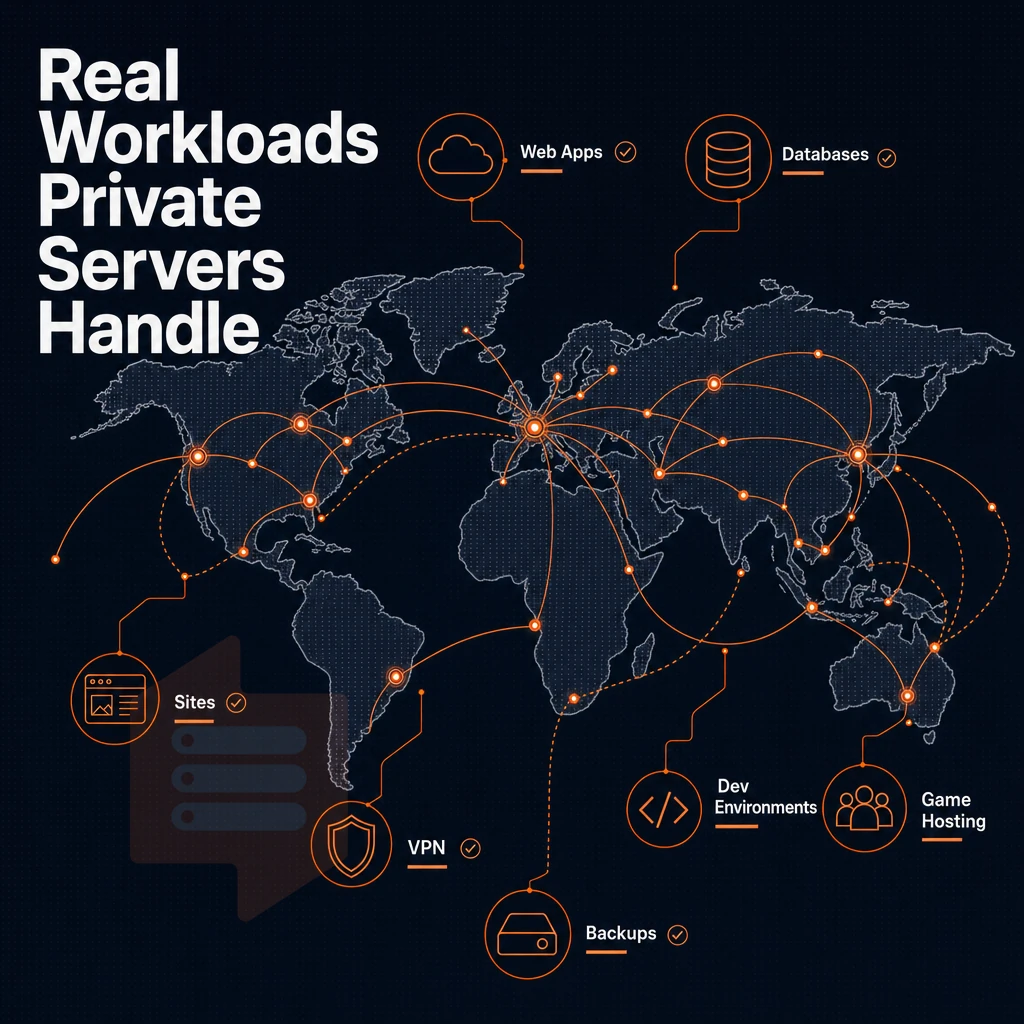
Looking for a “private server” usually means VPS (Virtual Private Server). VPS gives you complete control over dedicated hardware resources, usually fully isolated, with root access enabled so you can run whatever workload you have on it. Here are some typical use cases that tend to move people from shared web hosting to a VPS.
Workloads that outgrow shared hosting need VPS hosting
The resource contention that occurs on a shared hosting account, unlike with unmanaged VPS hosting, running on a Windows Server with many accounts sharing CPU and RAM quickly leads to a hard limitation in performance.
Even though traffic to other hosted accounts does not affect your website, a sudden increase of traffic to your own account in VPS hosting can consume resources across the entire physical server and degrade performance for other hosted accounts on it. When multiple accounts compete for resources on a single physical server, CPU steal time and memory pressure can spike unpredictably, causing latency spikes that impact user experience.
A VPS eliminates this problem by hard-capping all server resources for each VPS instance. Modern virtualization technology enforces these hard limits through hypervisor-level resource allocation, guaranteeing that each instance receives its designated CPU cycles, memory, and I/O bandwidth regardless of activity on neighboring instances. Organizations running latency-sensitive applications benefit from VPS servers that enforce strict resource boundaries, ensuring predictable response times even during traffic surges.
We see a lot of migrations of ecommerce sites, high-traffic web apps and email servers. All of these need persistent processes, custom configuration, or a combination of both, which is not possible with shared hosting. Migrating an email server to a VPS allows administrators to configure mail transfer agents, spam filters, and authentication protocols without the restrictions imposed by shared environments.
VPS servers and the workloads they handle best
In short, you need a clean server environment without noisy neighbors.
VPS is not like shared hosting.
Install custom software without restrictions
The ability to install custom software is often the deciding factor when looking for a VPS. With full root access you can choose the runtime, database engine, web server and security tools to best suit your needs. BuyVPS provide KVM isolated VPS's, each with its own separate kernel. This level of customization grants complete control over the entire software stack, from kernel modules to application dependencies. Developers and system administrators value this full control because it enables precise tuning of resource allocation, process scheduling, and network stack parameters that directly impact application behavior.
Fine-tuning server settings at the kernel level allows administrators to optimize TCP window sizes, adjust file descriptor limits, and configure memory allocation policies that align with specific application requirements. Running a dedicated email server on a VPS with root access allows administrators to configure mail transfer agents, implement custom spam filters, and maintain complete control over message routing and delivery policies.
This makes them ideal for compliance-sensitive applications and for people who need dedicated hosting for multiple websites with vastly different dependency stacks. Organizations managing projects for multiple users often require isolated environments where each user group can operate with different software versions and configurations without interference. Isolating environments prevents resource conflicts and ensures that actions taken by other users in their allocated space do not compromise system stability or data integrity.
The next section covers choosing the right plan for your workload.
How to choose the right VPS hosting plan
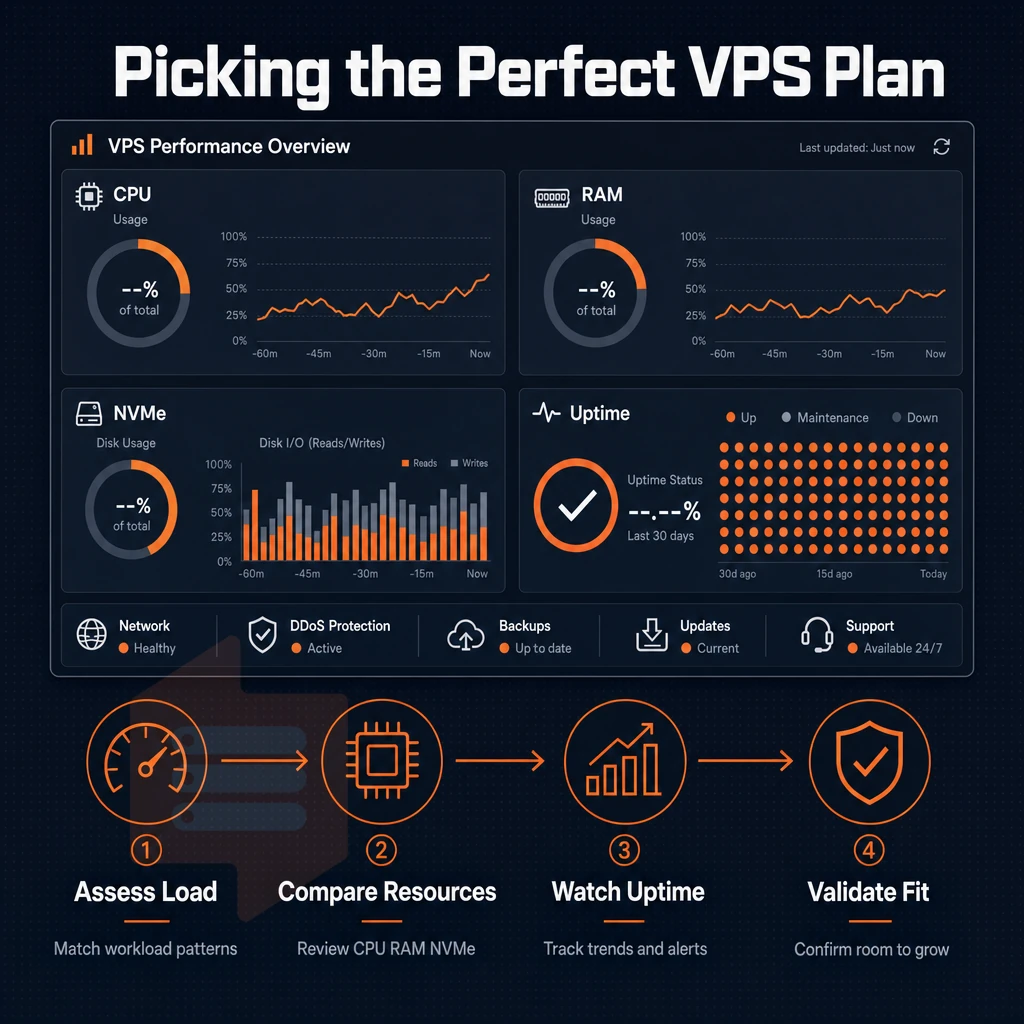
Choosing the right VPS plan means selecting the correct amount of resources for the specific needs of your workload. Modern VPS solutions typically offer tiered resource allocations that scale from entry-level shared vCPU instances to enterprise-grade dedicated core configurations, allowing precise matching of infrastructure to application demands. Understanding how VPS web hosting plans allocate CPU, memory, and storage helps prevent both over-provisioning that wastes budget and under-provisioning that throttles application performance during peak demand. When evaluating VPS servers for production workloads, consider how resource allocation models affect both baseline performance and burst capacity under sustained load conditions.
Monitoring your website's performance metrics after deployment reveals whether the selected resource tier adequately supports your traffic patterns and application behavior. Plans featuring NVMe SSD storage deliver significantly faster read/write operations compared to traditional SATA drives, reducing database query latency and improving overall application responsiveness. Evaluating hosting services requires comparing not only resource specifications but also the underlying virtualization technology and network infrastructure that determine real-world application performance.
How to choose VPS hosting for your workload
Start with CPU type. Shared vCPU plans are good for hosting websites, dev environments and low-traffic applications. For latency-sensitive workloads such as databases, real-time APIs, and anything in between where a noisy neighbor on a Windows Server could cause problems, dedicated server-grade pinned cores are the way to go.
Choosing dedicated cores over shared vCPU allocations directly impacts your website's performance by eliminating CPU contention and ensuring stable response times during concurrent request handling. Organizations evaluating hosting services should benchmark CPU allocation models against their specific workload patterns to avoid performance degradation during peak usage periods.
RAM sizes follow from CPU choices.
Storage, bandwidth, and virtual private servers
Then slower SATA storage will show under load. Modern VPS providers increasingly offer NVMe SSD storage as a standard option, delivering significantly lower latency and higher IOPS compared to traditional SATA drives for database-intensive workloads.
Upgrading VPS resources later on a per VM basis will result in in-place upgrades rather than IP rotation and migration.
OS and control panel selection
To get the most out of your virtual private server, it should be running with its own Operating System (OS). As it is with Virtualization, this will be a Linux distribution of your choice. We support mainstream distributions for all our VPS servers, and where a specific hosting offer is configured to use a different distribution, that distribution will be clearly specified.
- No GUI needed? Minimal server OS, SSH only.
- Need a control panel? Make sure we support it before you provision it.
- Custom stack? Look for custom ISO upload support.
BuyVPS supports all major Linux distributions and you can upload your own ISO for all plans.
VPS hosting solutions for european and US east coast audiences
Server location is the single biggest variable in end-user latency.
VPS solutions by region
Our European customers are hosted from our Amsterdam data center and our US East Coast customers are hosted from our New York data center. Both regions are hosted on identical AMD EPYC processors, NVMe RAID10 storage and the same control plane. There is no compromise between regions, you will receive the same performance and features.
Instead of a single physical server shared between multiple tenants without any form of isolation, each VPS runs on a KVM-based separate kernel. Mem-limit, low node-density, and thus no noisy-neighbor scenarios. The 99.8% uptime SLA applies to both locations.
| Dimension | Amsterdam | New York |
|---|---|---|
| Target audience | EU users | US East Coast users |
| Typical latency to region | <10 ms intra-EU | <15 ms US East |
| Hardware | AMD EPYC, NVMe RAID10 | Identical |
| Uptime SLA | 99.8% | 99.8% |
Consistent performance across both locations
Consistent hosting providers keep their hardware, pricing, and their server administration tooling the same across regions.
Choosing your VPS hosting region
I typically host European users in Amsterdam and US East Coast users in New York. Cloud hosting platforms tend to promote their proprietary lock-in products but BuyVPS gives you a full physical server equivalent. I.e. a full KVM VPS with root access, in any region that best serves your users, with no penalty. Here’s a look at what the above-mentioned infrastructure looks like.
Why choose BuyVPS for hosted VPS hosting?
BuyVPS has delivered virtual private server hosting since 2002. Every managed virtual server runs on KVM with a separate kernel, genuine isolation, not a shared server environment dressed up as one. Unlike shared hosting, your dedicated resources are never borrowed by other users on the same physical server.
- No-oversell guarantee: Hard memory caps and low node density mean your VPS plan performs under real load, not just in benchmarks.
- NVMe RAID10 PCIe-direct storage: Published fio results show 122,959 4K read IOPS, the kind of consistent performance that ecommerce sites and web apps depend on.
- Three tiers, one control plane: Standard CPU (shared vCPU), Dedicated CPU (pinned cores, predictable latency), and High Memory, each with full root access, your own operating system, and custom ISO support.
- In-place upgrades: Scale resources without migration or IP rotation. Your server environment stays stable.
- Transparent pricing: No surprises from your hosting provider.
- Amsterdam and New York: Identical hardware and cloud infrastructure in both locations, with IPv4 + IPv6 dual-stack on every virtual machine.
Engineer-staffed support backs every cloud-managed VPS plan. If you are comparing VPS hosting providers or ready to move beyond shared hosting, reach out to our team to discuss which tier fits your workload. Ready to spin one up? The steps below take you from zero to a running server in under ten minutes.
Getting started: deploying your first VPS hosting server
Setting up a fully managed VPS for the first time should take less than 10 minutes to complete. Below are the steps in detail, for choosing an Operating System, whether Linux or Windows Server, and setting up the first SSH connection, so you can immediately start to set up your Virtual Environment.
Choosing your OS and image
We offer support for Ubuntu, Debian, AlmaLinux, Rocky Linux, CentOS Stream and Fedora. Each distribution is offered as a minimal clean install image. If none of the above distributions fit your needs, you can upload your own custom ISO for install. This can be particularly useful for very niche distributions, or a dedicated hosting game server that needs a specific kernel build for a particular game.
For general use, Ubuntu LTS and Debian stable are the most common distributions to use.
Panel, API, and console access
The self-service panel also exposes a full API allowing for the ability to script and manage the full virtual server lifecycle, so server management plugs into your own tooling and the VPS's events and notifications.
If your server doesn't have SSH connectivity (ie. wrong firewall rule, or sshd misconfigured), your in-browser VNC console will connect directly to the KVM hypervisor layer (ie. no SSH dependency), and allow you to fix server management issues at the OS level, without having to raise a support ticket.
First login and upgrade path
Connecting as root, we Harden the server out, Disable password login, Setup the Firewall, and Update the box. This is Unmanaged Hosting, where all server management falls on you, including the OS, Packages, and Security Updates/patches for the software you install. This is a full unmanaged VPS. You have Full Autonomy, and therefore, Full Accountability.
BuyVPS Upgrades are available as your workload grows. No migration, no IP rotation is required as upgrades are between tiers and your IP and data will remain the same.
These are but a few of the advantages offered by VPS hosting compared to shared hosting environments. All will be summarized in the final section.
The core advantages of VPS hosting over shared hosting
VPS hosting gives you the guarantees of a physical server that traditional shared hosting cannot give, namely a fixed allocation of resources in isolated environments where you can even run your own OS. In contrast to shared server hosting, where the server resources are distributed unpredictably among all users, a VPS hosting environment keeps your fixed allocation of resources unaffected by noisy neighbors.
By isolation, we mean full superuser access to your isolated virtual private server for installation of any software, server environment tuning, and for achieving consistent performance under load. A VPS hosting plan is thus the ideal web hosting solution for serious web sites like web applications, email servers, and ecommerce sites, which require dedicated resources and full control of a web hosting service.
While hosted VPSs don’t offer the same resources or control as a bare-metal server, they do provide dedicated resources with root-level control and consistent performance. All at a price significantly lower than what you’d pay for a equivalent bare-metal server.
Where hosted VPSes differ from each other, and from dedicated hosting, is in terms of your application's needs and the resulting VPS plan that that application will require. Generally speaking, this means shared vCPU for typical web applications, pinned dedicated CPUs for extremely latency-sensitive work like a Windows Server operating system environment, and more RAM for really data-intensive work.
In managed hosting, you trade off control for convenience. Unmanaged hosting gives you the full stack to configure as you need. Most developers and teams with Linux experience are better served by unmanaged hosting and a good hosting provider that gets out of the way.
BuyVPS runs each virtual private server VPS on KVM-isolated AMD EPYC hardware across Amsterdam and New York, with no-oversell policies and in-place upgrades that never rotate your IP. If you know what your workload needs, browse the plans at BuyVPS.com and pick the tier that fits.