

Experienced engineers wouldn't commit to a VPS without testing it first. A trial for VPS services lets you stress the network and validate hardware performance under real workloads before any long-term spend.
Here’s what you can look for to tell if an offer for a trial of a VPS is any good or not.
This guide explains how VPS trials work and what to test during your evaluation window. See also: Linux VPS.
What is a free VPS trial and how does it work?
A VPS trial gives you temporary access to a virtual private server that you can test out and get a real feel for how it performs. In a VPS trial, you have full root access to a virtual private server. Additionally, You can use 100% of the server’s resources, as well as the full OS and all of the server’s configuration options. It’s essentially a production environment.
First month $1
Then the normal monthly price. One per customer. No setup fee, and a 30-day performance guarantee on your first order.
See the plans“Good servers, thanks.”
The two free trial models for VPS
Most free VPS hosting trial s fall into two categories. The first is for a limited time, usually 7-30 days. You can then deploy a Linux VPS and test it under real workloads. The second type uses a credit-based system. You are given a fixed amount of credit to your account and can then use this at your own pace.
In order to test out storage, network latency and also the various components of your stack before you have to start paying for resources, both models enable benchmarking of given resources. Related: VPS hosting.
Free tier Linux VPS hosting vs. Shared hosting
Free VPS hosting is different from a free shared hosting offer. While in the latter case you share CPU, RAM and hard disk space with dozens of other users. In a free VPS hosting offer you get to use isolated resources, a separate kernel and full root access. As a result, the test results you obtain during the trial, much like a credit card trial period, will be consistent with what you can expect to receive in the long run. compare our plans.
Day free trial access and cloud hosting context
Free trials are your hands-on introduction to cloud hosting. Questions? Email support@buyvps.com.
Trials are run on the same KVM VPS hosting that your production VPSs will be on. Whether you choose a managed or unmanaged linux VPS during your trial, the underlying virtualization technology remains identical to what paying customers receive in production environments.
But before you can decide on the best method for your trial, including what happens to any remaining credits or whether it requires a credit card at all, you need to understand the differences in the trial formats that are available.
Cloud services and infrastructure you should evaluate
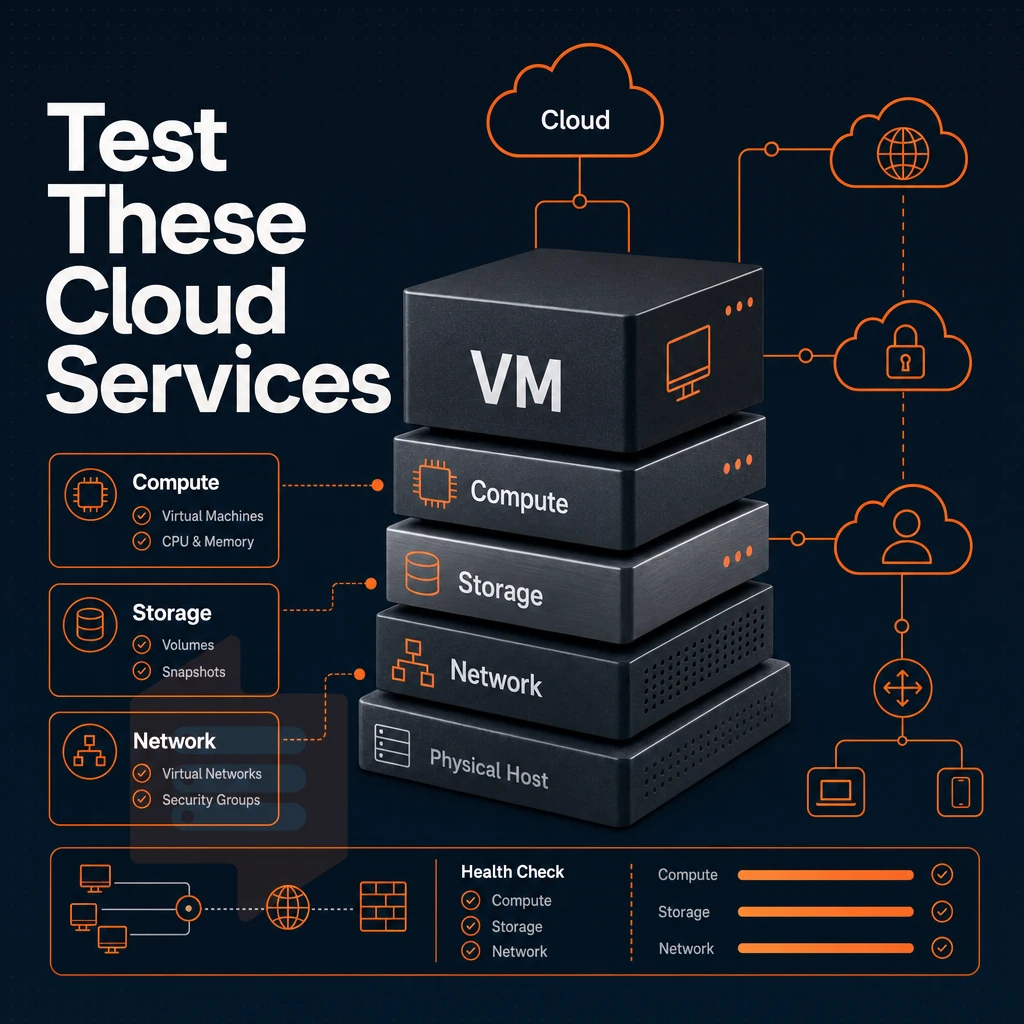
Only a trial for the right layer is valuable for a VPS offer, the cloud infrastructure layers below the layer of the web application’s control panels. During the evaluation period, run real benchmarks to test the provider's server administration stack against their marketing message before you commit to signing up for a long period of time. Testing at the infrastructure layer helps customers verify that the provider's actual performance matches their advertised specifications before making a long-term commitment. Providers offering live chat or dedicated support channels during trials demonstrate their commitment to helping customers validate infrastructure claims with expert assistance.
Evaluating server management tools during the trial period allows you to assess whether the provider's control panel and automation capabilities align with your operational workflow. Verify that the provider offers automated backups or snapshot capabilities during your trial, as data protection mechanisms are critical infrastructure components that should be tested before production deployment. Assess the provider's approach to network isolation and firewall rules to ensure your infrastructure maintains proper security boundaries throughout the trial. Check that the provider provisions valid SSL certificates through automated tooling like Let's Encrypt, as certificate management is a foundational security requirement for any production environment. The ability to create custom firewall rules and network policies during your trial helps you determine whether the provider's security model supports your compliance requirements.
Hypervisor and isolation
KVM gives each VPS its own kernel, so noisy neighbors cannot affect your VPS at the OS level. OpenVZ containers share a kernel, meaning weaker isolation and locked kernel parameters. KVM is the minimum acceptable baseline for any production Linux VPS workload.
BuyVPS runs KVM with a separate kernel per VPS on every plan. That isolation is verifiable during a trial: check /proc/cpuinfo, run systemd-detect-virt, and confirm the reported virtualization type matches the spec sheet. You can also create custom test scripts that probe kernel parameters and compare them against documented specifications to verify isolation guarantees.
Cloud services and storage stack
NVMe storage on PCIe direct attachment delivers dramatically lower latency than SATA SSD or spinning disk. Run fio --rw=randread --bs=4k and compare your result against published benchmarks. BuyVPS measures 122,959 4K read IOPS on NVMe RAID10, a number you should be able to reproduce within a normal margin during your credit card-backed trial.
When using managed services that abstract storage (like object stores and managed databases) it can be hard to get a grip on I/O performance. A raw VPS on the other hand will give you full control and a clear view of the real disk layers, so your fio results will therefore accurately reflect the performance of the underlying hardware. Testing disk performance on a free VPS gives you baseline metrics that help predict how your database or application will behave under production load.
Teams migrating from dedicated hardware to virtualized environments often use trial periods to confirm that VPS disk subsystems can handle the same workloads they previously ran on their own servers. Understanding how disk I/O behaves at different workload intensities helps you determine whether the VPS can scale to meet your application's growth trajectory. Regular backups of your VPS during the trial period also let you verify that snapshot and restore mechanisms work reliably before production deployment.
Network and dual-stack availability
As noted above, test out to see whether a given VPS server supports delivery of IPv4 and IPv6 addressing in a dual-stacked fashion, i.e. to enable routing to and from both on a moment’s notice.
This test should cover at least all of the following criteria in a budget friendly manner: how routes for each address family get added/dropped across services, and what sort of latency can be expected to various geos, especially if you plan to migrate your own servers.
Network access is multi-homed and has a 99.8% uptime SLA. Additionally, the self-service panel offers full access to the network configuration. The infrastructure includes ddos protection to safeguard against volumetric attacks that could otherwise disrupt service availability during critical operations. The platform also implements multiple layers of security monitoring to detect and respond to potential threats before they impact your infrastructure. The platform provides ssl certificate management tools within the control panel, allowing you to secure your applications with encryption during the evaluation phase.
But first, let's cover the restrictions to the free trial. Some providers impose limits on whether a credit card required at signup, while others allow immediate access without payment details.
Limitations of free VPS hosting trials to watch out for
Free VPS hosting trials seem like a low risk way to test drive a server before committing to a paid plan. However, in reality, most of them come with so many restrictions that actually testing them out without local support will prove to be difficult and in the end cost you too.
Resource caps and restricted hosting options
Trial tiers typically limit CPU, RAM, and bandwidth to a small percentage of actual production server capacity for test workloads. For community perspectives, see I'm looking for reliable VPS hosting with free trial period.
- Often a service caps or shapes bandwidth after a daily limit.
- OS choices are restricted, no custom ISO upload on trial accounts.
- Data center location can be locked to a single region while your users are located elsewhere.
- Backups and snapshots are typically excluded from free tiers.
Results will be for a severely underpowered configuration and therefore useless. You will be benchmarking against a severely crippled configuration of what you would pay for.
Credit card required: the hidden cost of free VPS
Most providers require a credit card for free trials.
Even trials that don’t require a credit card to sign up can be very restricted, e.g. no root access, no custom networking, so you can’t really properly test a server. Some providers advertise free VPS hosting but impose such severe limitations that you cannot accurately assess whether the platform meets your technical requirements. Providers that allow signup without a credit card required often compensate by restricting essential features like SSH access or firewall management, making thorough infrastructure testing impossible.
No SLA, no guarantees, and a free VPS alternative
The only gap is that trial accounts carry no uptime SLA, so if the server goes down mid-test there is no recourse.
BuyVPS does not offer a free trial. In-place upgrades mean you will never lose your IP address or have to migrate your data.
This predictability is more risk free for many teams than a trial with a cap that can trap you into auto-billing. For teams prioritizing transparency and predictable costs over trial periods, this represents a solid option in the hosting market when choosing a long-term provider.
Why choose BuyVPS when you're ready to move beyond a trial
That checklist points in one direction.
- No-oversell, hard memory caps. Low node density means the RAM and vCPU you pay for are always available.
- Three tiers for specific requirements. Standard CPU (shared vCPU), Dedicated CPU (pinned cores, predictable latency), and High Memory, all with full root access and custom ISO support.
- NVMe RAID10 PCIe direct storage. Measured at 122,959 4K read IOPS in fio testing. Performance is provable, not promised.
- In-place upgrades. Scale up without migration or IP rotation, your configuration and Linux environment stay intact.
- Amsterdam and New York data centers. Identical hardware, pricing, and control panel in both regions.
- No surprise fees, founder-run since 2002.
When your free evaluation ends and you need a secure, full-control environment for real traffic, compare our plans or reach out to our engineering support team at info@buyvps.com.
VPS trial FAQ
Most free VPS trials can be signed up for with no credit card required, letting users sign up for an account and claim complimentary credits or access a limited free tier.
These free trials last anywhere from 7 to 30 days and usually offer only Linux VPS options. Popular distributions such as Ubuntu and Debian are typically available on the free VPS trial.
No free VPS hosting lasts forever. BuyVPS does not offer any free trials.
Instead, it offers full root access, KVM isolation, NVMe storage and DDoS protection, all on a flexible billing cycle. This is perfect for developers who need a production-grade Linux VPS, and they get the best setup for their needs on a predictable billing cycle.
Frequently asked questions
Does a VPS trial with a free domain across data center locations need a credit card?
A VPS trial gives you temporary access to a virtual private server so you can test performance, run workloads, and evaluate the provider before committing to a paid plan. Some providers require a credit card to prevent abuse, even when no charge is made upfront. Others offer a no-card-required option but restrict resources or bandwidth. Read the signup terms carefully, "free trial" and "money-back guarantee" are different offers with different requirements.
How long does a typical free trial period for VPS last?
Most VPS trials run between 7 and 30 days. Shorter trials of 3-7 days are common on providers that offer full-spec access. Longer trials of 30 days usually come with capped resources or limited bandwidth.
What is the difference between free credits and a free VPS trial?
A free VPS trial gives you a pre-configured server for a fixed period at no cost. Trial credits are a dollar-denominated balance you spend against any resource you provision, you still choose the plan, including premium support if you need it, and the credits run out based on what you deploy. Credits offer more flexibility but require you to manage spend carefully to avoid unexpected charges. Trials are simpler: you get a defined server for a defined time, then decide whether to pay.
Can i run Linux on a free VPS trial?
Yes, virtually every VPS provider supports Linux on trial instances. Common options include Ubuntu, Debian, AlmaLinux, Rocky Linux, and CentOS Stream. BuyVPS supports all of those distributions plus Fedora and custom ISO uploads on every plan, including during evaluation. Full superuser access is standard, so you can install any software stack without restriction.
What happens to my free VPS server and data when a trial ends?
Most providers suspend the VPS immediately when the trial expires, then delete the instance and its data after a short grace period, typically 24 to 72 hours. You should back up any data before the trial ends, regardless of what the provider promises. If you convert to a paid plan before expiry, reputable providers preserve your IP address and disk contents. Never treat a trial environment as a production data store.
Is a free VPS hosting trial good enough to test real workloads?
To get a meaningful result that matches your exact needs, run your actual workload, a database query set, a web server under load, or a build pipeline, not just an idle ping test. BuyVPS publishes independently reproducible benchmarks (Geekbench 6, fio, pgbench) so you can monitor performance claims and verify them before you even sign up.
What should i look for in a VPS hosting provider after my trial?
Prioritize consistent CPU performance, NVMe storage with published IOPS figures, and a no-oversell policy with hard memory caps per node. Confirm that upgrades are in-place so you keep your IP address when you scale. Check whether support is handled by engineers or routed through first-tier chatbots.
BuyVPS is built around exactly those criteria for a risk free evaluation, offering KVM isolation with a separate kernel per VPS, NVMe RAID10 storage, no-oversell architecture, in-place upgrades with no IP rotation, and engineer-led support across its Amsterdam and New York data centers.
Your VPS trial will be just as useful as the tests you run during it. So, for example, benchmarking storage I/O, stressing the CPU under real load. In addition, be sure to check for any artificial caps on trial resources across operating systems (throttled RAM or shared-burst CPU etc.), as these would mask performance on a paid-for plan.
When shopping for a hosting provider, focus on transparent information about their infrastructure and local support: a hosting provider can offer dedicated servers or shared servers on virtual servers (vCPU), storage on NVMe SSDs with specified IOPS values. Additionally, A no-overselling policy with specified hard memory caps per server node.
For example, BuyVPS publishes the results of various benchmarks for their infrastructure (Geekbench 6, fio, pgbench) so potential customers evaluating a free VPS trial can verify server performance before signing up. And, the Amsterdam and New York servers are configured with identical hardware, even at the free tier, in order to give users full control over consistent performance across all services, regardless of geographical location.
Ready to test against real numbers? Explore BuyVPS plans at BuyVPS.com and see how the specs hold up under your workload.