

Shared hosting is generally bad for your website’s performance because there are no isolations of the shared resources. With VPS hosting, you can give each workload its own slice of the physical server (as opposed to virtual) for a guaranteed amount of RAM, dedicated storage I/O.
Additionally, Fixed amount of CPU (which doesn’t drop when your neighbors’ websites spike). This is why developers and IT professionals prefer a VPS when a project outgrows shared hosting or a managed hosting platform. VPS offers them the control and isolation they need.
Not all VPS hosting solutions are created equal. See also: VPS website hosting.
Additionally, How aggressively a VPS hosting provider markets their servers to overload them under heavy usage. In this article, we explain how VPS hosting actually works, the difference between a commodity VPS hosting solution and a well-engineered solution, and what you should look for in a VPS hosting provider.
What is VPS website hosting and VPS servers?
VPS website hosting refers to the use of virtualization technology to partition a single physical server into a number of virtual servers.
First month $1
Then the normal monthly price. One per customer. No setup fee, and a 30-day performance guarantee on your first order.
See the plans“Good servers, thanks.”
For the most common website stack we have a dedicated WordPress VPS guide with the migration from shared hosting and the plan sizes.
How a virtual private server is carved out
A hypervisor can partition a single server into multiple virtual servers or slices, each running their own OS and kernel. BuyVPS Virtual Private Servers (VPS) utilize KVM virtualization and run with their own separate kernel, as opposed to a shared kernel with other VPS accounts.

A noisy neighbor on the same physical server can't consume your RAM or saturate your CPU.
What is the difference between VPS hosting and shared hosting?
Shared hosting, where dozens of accounts run within the same operating system on the entire server (not within the account itself).
VPS servers are different to shared hosting in that each virtual server is isolated and operates independently. Each virtual server has its own separate kernel and process space and you have full root access to your virtual server and workload.
- Shared hosting: pooled resources, no root access, one OS for all tenants.
- VPS: dedicated resources, root access, isolated environment per tenant.
When dedicated hosting becomes the next step
The definition of Dedicated hosting is 1 tenant per server, completely no virtualization at all. Dedicated hosting can be suitable for certain applications and workloads such as raw hardware access without a virtual machine layer, or compliance isolated hosting for certain customers.
For most customers and applications a well set up VPS will deliver comparable performance and so much more value for money than Dedicated hosting.
VPS vs shared vs dedicated hosting services
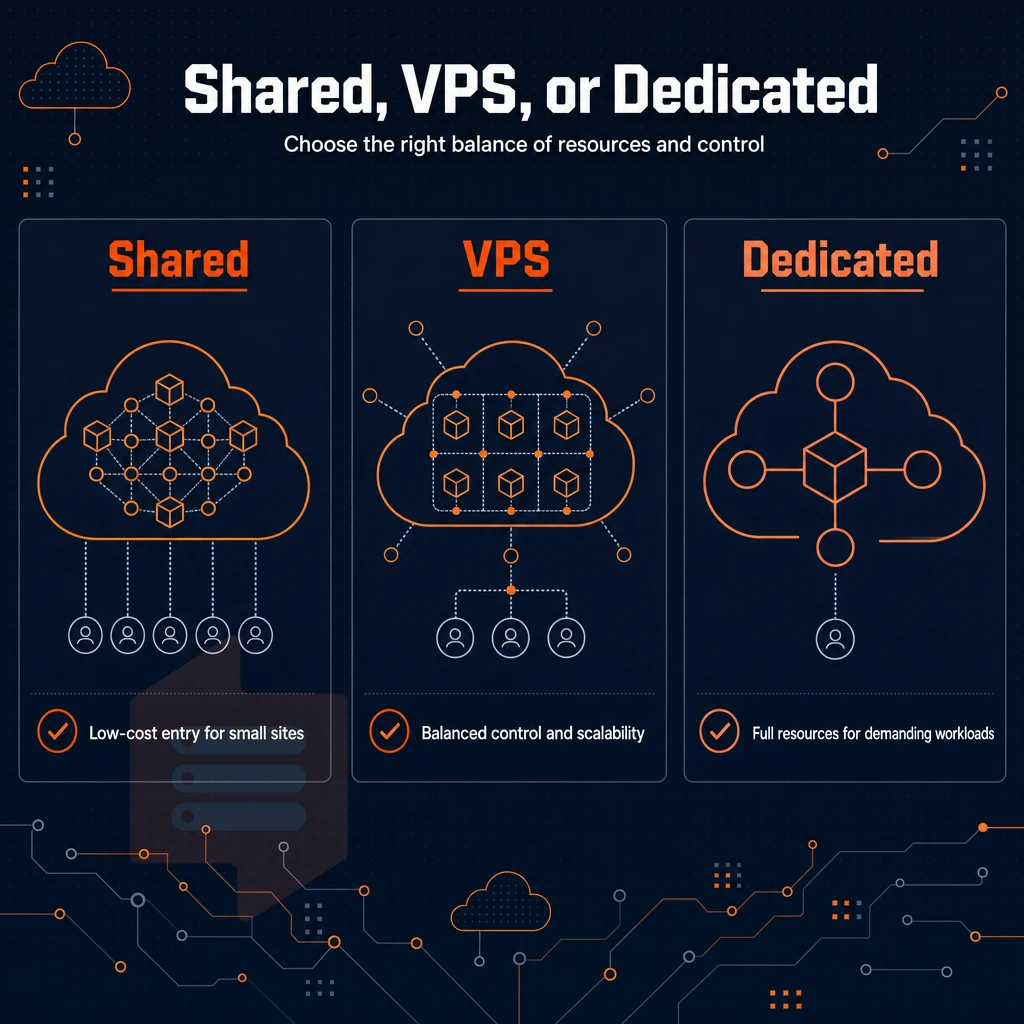
Diving into the pros and cons of shared hosting vs. dedicated hosting, as well as the middle ground provided by Virtual Private Server (VPS) hosting, starts with a look at the three hosting types. Understanding the distinctions between these hosting services helps businesses select the infrastructure that best aligns with their technical requirements and budget constraints.
Shared hosting and its limits
Shared hosting typically has a large number of websites on one server (or one physical box), utilizing the server’s CPU, memory and storage. You won’t have root access or ability to install special software. In shared hosting environments, your site's performance can be directly impacted by resource consumption from other websites sharing the same server infrastructure. Resource limits in shared hosting mean that multiple websites compete for the same pool of CPU cycles and memory, often resulting in unpredictable performance during peak traffic periods.
VPS hosting: more resources without the full hardware cost
VPS hosting creates virtual machines (VMs) from a physical server. The root access you get with VPS hosting allows you to choose the Operating System you want to run, as well as allowing you full control of your Virtual Server. This level of autonomy gives you more control over security configurations, application deployments, and server optimization compared to restrictive shared environments.
Many hosting providers also include a graphical control panel that simplifies server management tasks, making it easier to configure domains, databases, and email accounts without command-line expertise. Isolated environments also reduce the attack surface, as vulnerabilities in neighboring accounts cannot compromise your server's security posture or data integrity. Each isolated environment ensures that no other account can access your data or interfere with your applications, giving every individual user complete control over their server's configuration and security policies.
VPS hosting is offered by many web hosting companies including BuyVPS.
Note: Pick a VPS hosting plan sized to your peak load, not your average. Undersizing causes the same symptoms as shared hosting: slow response times under traffic spikes.
Dedicated server vs virtual private server: one machine, one tenant
A dedicated server is nothing more than the full physical server, handed to you, completely in your control (no virtualization layer, no shared ‘neighbors’). Note, however, that dedicated servers cost a lot more than VPS hosting and aren’t as flexible as VPS in terms of scaling.
| Hosting type | Resource isolation | Root access | Scalability | Typical use case |
|---|---|---|---|---|
| Shared | None, pooled resources | No | Very limited | Hobby sites, low-traffic blogs |
| VPS | Guaranteed per VM | Yes | In-place upgrades | Growing apps, dev environments |
| Dedicated | Full hardware | Yes | Manual, slower | High-compliance, CPU-intensive workloads |
What does unmanaged VPS hosting mean?
Unmanaged VPS hosting refers to a setup where a VPS hosting provider manages the physical servers and Hypervisor, while you handle everything above that, operating system, security updates, software configuration, monitoring, and more.
Common use cases for VPS website hosting
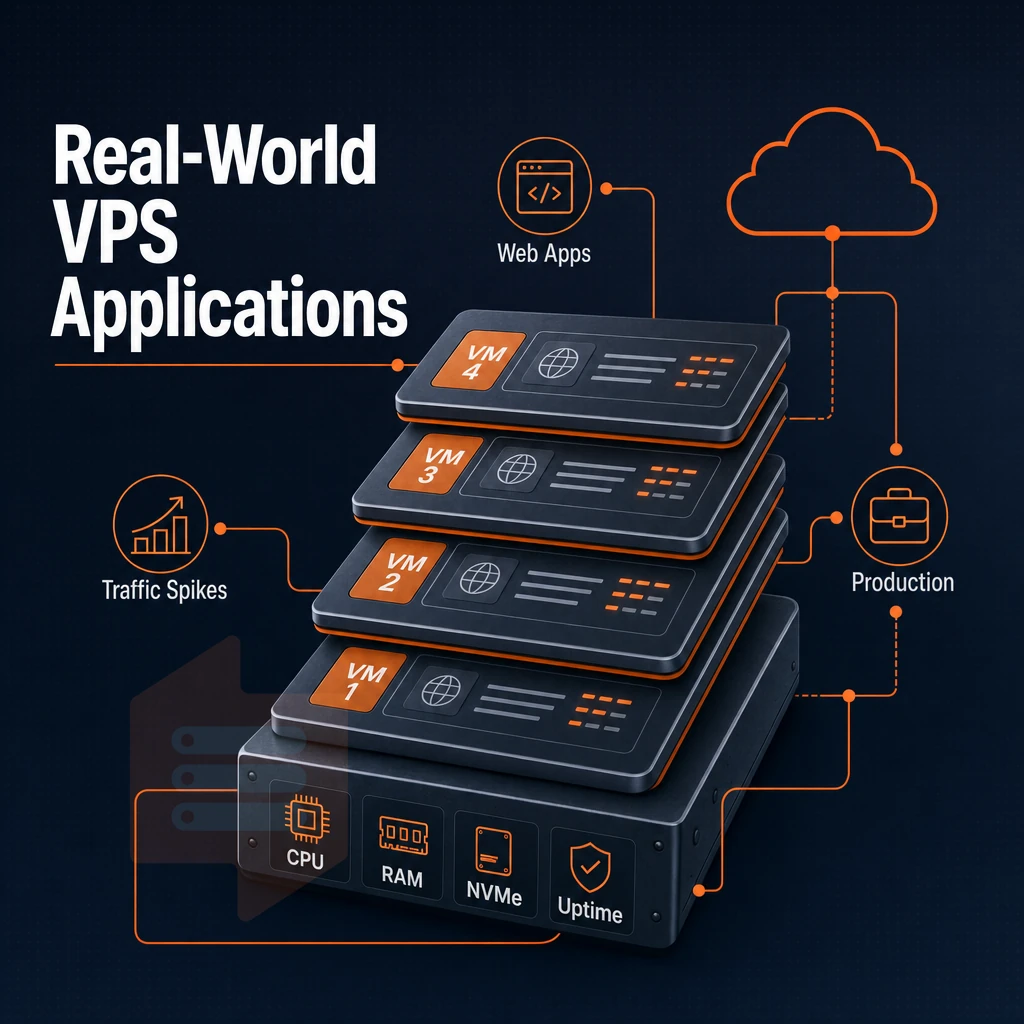
VPS web hosting supports a wide variety of work loads. Hosting sites with unpredictable amounts of traffic or hosting production quality applications can be supported on a VPS server. Each VPS server has its own allocated resources and can be fully managed.
High-traffic sites, web apps, and e-commerce
This is fundamentally different than a VPS, which devotes dedicated CPUs and RAM to your needs.
Web applications with session state, background workers, or WebSocket connections require a solid process model, and many modern websites rely on these patterns to deliver real-time features and maintain user engagement across distributed sessions.
Email server and developer environments on a virtual private server
For your own email server you need control over PTR records, SMTP relay rules and TLS certificates. All this is not available on shared hosting accounts. With a VPS you can set up all of these. Isolated VPS instances are also often used as test environments by developers. Game server hosting for titles like counter strike also demands the low-latency networking and dedicated resource allocation that only isolated instances can provide.
Many developers use open source tools like Postfix, Dovecot, and Let's Encrypt alongside other software to build robust email infrastructure on their instances.
Online games and game servers.
Install custom software and non-standard stacks
You get full root access and can upload your own custom ISO, allowing you to install custom software such as legacy runtimes, niche databases, or compiled-from-source tools.
Do i need technical expertise to use a VPS?
The learning curve is quite manageable.
BuyVPS offers an in-browser VNC console as well as a self-service panel with API access for managing your virtual private server VPS instances, so even if SSH breaks for some reason, you won't get locked out.
The next step is to figure out what you will run on your VPSes and then how much of server management you want to handle yourself. The intuitive control panel streamlines server administration tasks, allowing users to reboot instances, monitor resource usage, and configure networking settings without requiring command-line expertise.
Managed vs unmanaged VPS hosting: which do you need?
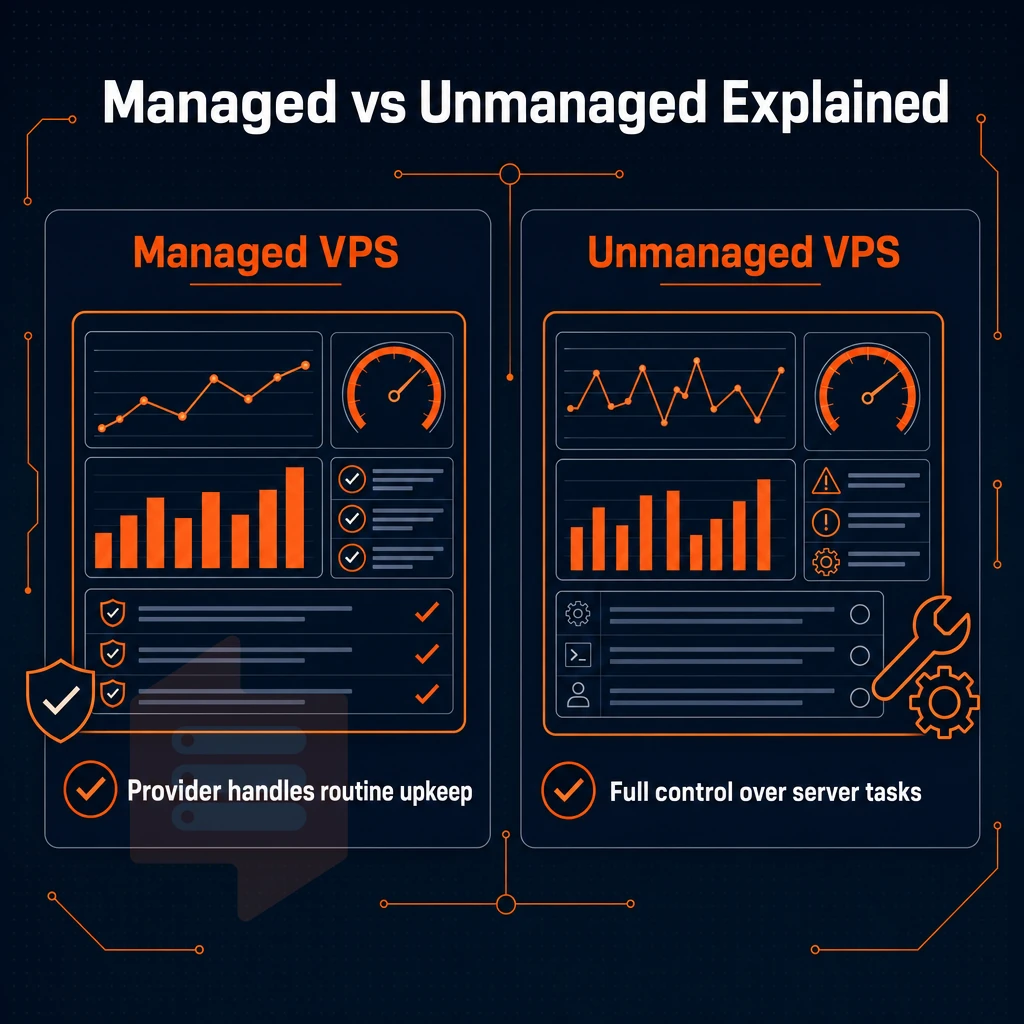
Deciding between a managed and unmanaged virtual private server VPS will dictate how much time your team spends managing infrastructure rather than building your product. You can end up paying for services you don't need or spending hours on sysadmin work you didn't budget for. For community perspectives, see How do I host a website on a VPS? : r/webhosting.
What managed VPS hosting actually covers
A Managed VPS hosting environment is set up and updated for you by the hosting provider. With managed web hosting, you can start using the environment immediately without logging into the server to update the Operating System, apply security patches, or monitor it.
This model is for marketing teams, for agencies and for small businesses, who need VPS resources and can’t afford to have a full-time sysadmin on staff.
Who should choose unmanaged VPS hosting
Unmanaged VPS hosting is fully managed by you, the customer. This option gives you control over server settings, choice of software stack, and more.
Unmanaged VPS is preferred by developers and DevOps teams. Our unmanaged VPS plans include full administrative access, a self-service panel with API access as well as an in-browser VNC console. This means that you can reboot or even reinstall your VPS without having to submit a ticket. We support Linux distributions, but we do not offer Windows Server for our VPS plans. Our unmanaged VPS plans are offered on our BuyVPS web site.
Can i host multiple websites on a single VPS?
Yes, a single VPS can host dozens of websites. To host multiple websites on a single VPS, you can use a web server such as Nginx or Apache with virtual hosts. Each virtual host can have its own configuration block, and each site can have its own document root.
The only practical limit to hosting sites on a VPS would be the VPS’s resource limits. Knowing the management model that fits your team of developers will make it easier to determine what to look for when comparing between VPS providers.
Key features to look for in a VPS hosting provider
When choosing VPS hosting providers, you can look at several different technical layers, not just the specifications that they have marketed.
Storage, virtualization, and CPU in an isolated environment
At scale, storage type matters more than other variables. For example, BuyVPS measures 122,959 4K read IOPS on NVMe RAID10 running on an entire physical server with a PCIe direct connection to the cards (published, reproducible number).
Isolation quality is determined by the virtualization technology used. With KVM each VPS gets its own kernel, so even on physical hardware with other VPS running, your VPS won’t get disturbed by noisy neighbors. OpenVZ, on the other hand, shares a single kernel with all VPS running on the same physical hardware, which makes for very limited isolation.
For those requiring consistent performance (Dedicated-tier plans) the cores for your VPS are pinned.
| Feature | Shared vCPU | Dedicated/pinned cores |
|---|---|---|
| CPU contention | Possible under burst | None, cores are pinned |
| Best for | Dev, staging, low-traffic sites | Databases, real-time apps |
| Cost profile | Affordable price point | Higher, predictable cost |
Network quality and DDoS protection
Look for a published uptime commitment and edge-level DDoS protection.
Virtual private server scalability and support
Upgrades in place of scaling of resources without switching of IP addresses and without downtime. These criteria separate the commodity VPS from the good infrastructure, which one can rely on.
What operating system can i run on a VPS?
The majority of KVM-based VPS plans will support any Linux distribution.
Why choose BuyVPS for VPS website hosting
BuyVPS has run founder-owned VPS hosting since 2002, built for consistent performance with no overselling, hard memory caps per node, and low node density across both data centers.
- Three tiers for every workload. Standard CPU (shared vCPU on AMD EPYC Milan), Dedicated CPU (pinned cores on EPYC Genoa), and High Memory (1:8 RAM ratio), each a true virtual private server with dedicated resources.
- NVMe RAID10 PCIe-direct storage. Published fio benchmarks confirm 122,959 4K read IOPS. Unlike shared hosting, your VPS resources are never diluted by other users on the same physical server.
- KVM isolation + full superuser access. Each virtual machine runs a separate kernel. Install custom software, configure your operating system, or upload a custom ISO, complete control on every plan.
- In-place upgrades, no IP rotation. Scale resources without migrating your server or losing your IP. Transparent pricing, no hidden fees.
- Amsterdam and New York data centers. Identical hardware and pricing in both regions. IPv4 + IPv6 dual-stack, engineer-led support on every ticket.
If you're evaluating VPS hosting providers and want reliable performance backed by real specs, reach out to our support team at info@buyvps.com to compare plans. Once you've decided BuyVPS is the right fit, choosing the right plan tier is the final step.
Getting started: choosing the right VPS plan
Picking the right VPS hosting plan comes down to three variables: CPU scheduling, RAM allocation, and your workload's tolerance for resource contention. Get those right and everything else follows.
Matching the tier to your workload
The Standard Tier is best suited for general web applications, staging environments and test environments. There is no reason to pay for processing power that will not be fully utilized.
Dedicated CPU tier pins specific cores on AMD EPYC Genoa processors.
These can be in-memory caches, larger data sets for analytics, and other memory-intensive software that VPS solutions serving multiple users commonly encounter, consuming all available RAM before the CPU becomes the bottleneck.
All three tiers are running on NVMe RAID10 with PCIe-direct storage. Here are the measured 4K read IOPS for each of the three tiers. Again, these vastly exceed typical SSDs for storage in these tiers, meaning storage is never a bottleneck for you.
How is a virtual private server different from a dedicated server?
Virtual Private Servers (VPS) use a Hypervisor such as KVM to split the physical machine into multiple isolated servers. Each Virtual Server has its own Kernel, IP Stack and can manage the OS layer as root, without the high costs of owning the bare-metal hardware yourself.
BuyVPS uses hard memory limits per node and keeps a low node density. Thus, for most workloads, the Dedicated-tier VPS solutions perform about on par with entry-level bare-metal solutions.
OS, networking, and control tools
All of our plans come with IPv4 + IPv6 dual-stack, API access, and an in-browser VNC console for out-of-band server recovery.
As your VPS needs grow, upgrades are done in-place (i.e. no migration or IP address change). This means BuyVPS is a very scalable VPS service (i.e. you can grow in terms of VPS plan without growing in terms of complexity to manage your VPS). If needed, additional services can be easily integrated using the provided API as well as full privileged access to the server.
Virtual Private Server (VPS) hosting is in the middle ground between very expensive shared hosting and expensive dedicated server hosting. With a VPS you get isolated resources with full system control to your virtual server, and you get a constant server performance without having to pay for a whole physical server.
We can offer you managed VPS hosting as well as unmanaged VPS hosting. self-managed VPS hosting gives you full control over your server, while managed VPS hosting takes care of all the maintenance for you. We recommend matching the choice of managed vs. unmanaged VPS service to the skills of your team and the demands of your work load.
If your web hosting needs have outgrown shared plans, or you're running applications that require consistent CPU and memory rather than best-effort allocations, a VPS is the logical next step. BuyVPS runs KVM-isolated plans built for hosting websites, where each virtual machine sits on AMD EPYC hardware with NVMe RAID10 storage across Amsterdam and New York, with no overselling, no hidden fees, and in-place upgrades that keep your IP intact. Browse the plans at BuyVPS.com and find the tier that fits your workload.