

Picking the best VPS hosting provider is harder than you’d think. The market is saturated with many hosts, and the information about the specs of the servers can vary greatly from host to host. What looks great on the surface, with perks like a free ssl certificate thrown in, can turn into a nightmare once the initial promotional period is over, and you're hit with outrageous pricing for the exact same resources when it's time to renew.
Additionally, Your total cost to own, not just a glorified spec sheet.
How much storage bandwidth do you get, how reliable is the network.
Additionally, How easy is it to upgrade. In addition to the various big VPSes we also look at BuyVPS, a founder-run KVM hosting provider that has been around since 2002 and has servers in Amsterdam and New York. We compare them all using the same criteria. By the end of the guide you’ll have a clear idea of which VPS provider is best for your specific needs.
What are VPS hosting services and why they matter
The Virtual Private Server (VPS) is a mid-level web hosting solution that is more powerful than a shared web hosting plan (also known as entry-level plans or server-based hosting) but less expensive than a dedicated server (also known as server hosting or hardware hosting). Understanding where the VPS fits within the web hosting spectrum will help you to choose the best VPS hosting service for your needs before you hit the ceiling of your current hosting solution.
First month $1
Then the normal monthly price. One per customer. No setup fee, and a 30-day performance guarantee on your first order.
See the plans“Sjoerd helped me with the setup of my VPS, super helpful team, smooth onboarding, and overall a great experience, thanks again”
Already decided to move? Our switching guide lists what to compare before you migrate and gives a migration plan with rsync, restic and docker compose. Read the guide.
How virtualization splits one machine into isolated environments
A single physical server can be partitioned by a hypervisor to create a number of completely independent VPS instances. Each VPS will have a fixed allocation of CPU, RAM and storage, that is not shared with any other accounts hosted on the same server. See Virtual private server on Wikipedia for background.
KVM (Kernel-based Virtual Machine) is the standard for isolating your VPS. By giving each VPS its own kernel, a process gone wild on a single VPS will not bring down another VPS. This is why VPS hosting is different from a typical shared hosting account. Unlike shared hosting, where hundreds of accounts compete for the same pool of CPU and memory, KVM virtualization guarantees that your allocated resources remain exclusively yours.
All our plans at BuyVPS are running on KVM, each VPS having its own kernel.
VPS server vs shared hosting vs dedicated server
The main difference between these three tiers is the question of resource ownership.
- Shared hosting (e.g. multiple sites hosted on the same server, where sites share the same pool of CPU and RAM). A neighbor’s site experiencing a huge traffic spike can easily bring down all of your sites. No root access.
- VPS hosting is a type of hosting where you get dedicated resources on a shared server. This means that you get full root access, your own kernel and you do not have to worry about noisy neighbors as you would with shared hosting.
- Dedicated server, a single-tenant on dedicated hardware, providing maximum isolation between customers. Typically more expensive than multi-tenant solutions and can take longer to provision.
VPS hosting services offer the middle ground for most growing workloads. They give you the control of dedicated servers, but without the overhead. Unlike dedicated servers that require managing complex infrastructure, VPS hosting abstracts the hardware layer while still providing isolated resources and root-level control.
A properly configured server environment on a VPS gives you the flexibility to install custom software, adjust security policies, and scale resources as your application demands grow. When evaluating VPS services, prioritize providers that offer transparent resource allocation, clear upgrade paths, and documented performance benchmarks for your specific workload type.
When free VPS web hosting is not the answer
There are free VPS hosting offers that come with hard limits (capped RAM, shared IPs, no SLA, etc. No root access by default. Such environments are good for testing but will hit a wall very fast if you plan to put them to work.
Production workloads such as a busy e-commerce checkout, a self-hosted database or a CI/CD pipeline require hard resources and a real uptime commitment. This is what VPS hosting does and that’s why we consider it when you move out of trial hosting.
How to choose the right VPS hosting provider for your needs
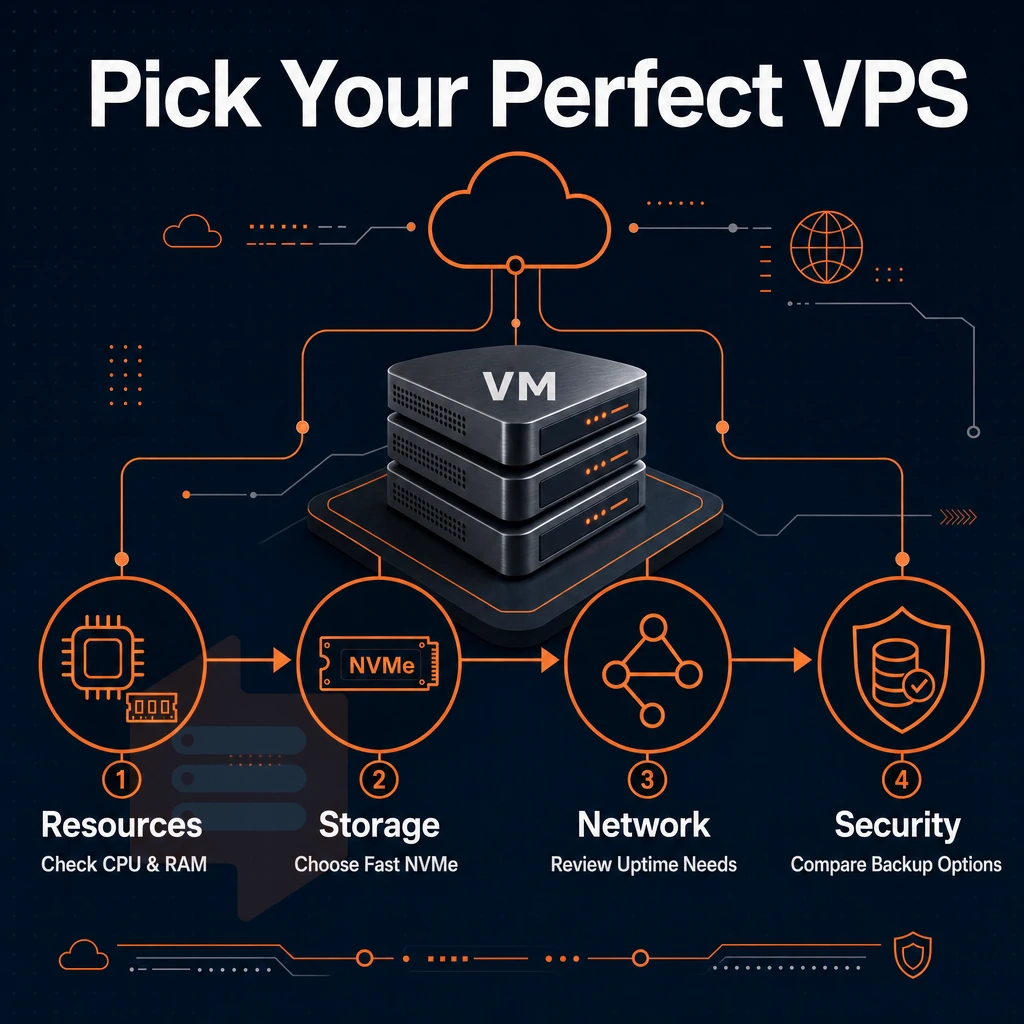
When looking for a VPS, there is more to consider than just RAM and Storage space. Below are the key points to help cut through the noise for any type of user (Outgrown shared hosting or just scaling an existing workload).
Performance: CPU, RAM, and storage
Unlike shared web hosting
, a VPS will typically be assigned a fixed amount of resources. Providers typically allocate between 20 GB and 500 GB of disk space depending on the plan tier, with the ability to expand storage independently as your data requirements grow. Modern VPS plans increasingly provision NVMe-based SSD storage as the default option, delivering significantly faster read and write speeds compared to traditional spinning disks or older SATA interfaces.
RAM is as important as the number of cores. Allocating sufficient random access memory ensures your applications can handle peak loads without swapping to disk, which would degrade performance significantly. Monitoring disk space usage is equally critical, as running out of available storage can cause application crashes, failed deployments, and database corruption that are difficult to recover from. Modern VPS platforms typically provision NVMe-based SSD storage to minimize I/O bottlenecks, delivering read and write speeds that outperform traditional spinning disks by several orders of magnitude.
| Criterion | What to look for | BuyVPS |
|---|---|---|
| CPU type | AMD EPYC or equivalent; pinned cores on dedicated tier | EPYC Milan (shared) / EPYC Genoa (pinned) |
| RAM allocation | Hard caps, no oversell | Hard caps, low node density |
| Storage | NVMe RAID, PCIe direct | NVMe RAID10, 122,959 4K read IOPS measured |
| Virtualization | KVM preferred over OpenVZ | KVM, separate kernel per VPS |
Dedicated server control and flexibility
Full root access to the server. Full control of the server to configure as needed. KVM Virtualization: Each VPS has its own kernel which is required to run custom modules to increase security and to harden the VPS. Ability to upload custom ISO’s and support of many operating systems including: Ubuntu, Debian, AlmaLinux, Rocky Linux and Fedora and many more.
Many providers also allow you to request additional ip addresses for hosting multiple SSL certificates or running separate services on distinct public endpoints. Root access enables custom configurations that let you install specialized software stacks, tune kernel parameters, and deploy containerized workloads tailored to your application's exact requirements.
Automating server provisioning really matters, and so does having a self-service control panel with API access. To complete the set of tools you’d need from a VPS hosting provider, you’d also like to have the ability to provision SSL certificates. Additionally, A in-browser VNC console to connect to the servers in question. Providers that expose these advanced features through well-documented APIs enable you to integrate server management directly into your deployment workflows.
Support, billing, and location
Some providers bundle their managed services and charge for them like regular services. They are perfect for teams without the required sysadmin skills. An unmanaged VPS with root access, on the other hand, is great for developers, who want to administer the server themselves. Managed VPS hosting typically includes proactive monitoring, security patching, and performance optimization handled by the provider's operations team.
Some hosting providers also offer à la carte support packages, allowing you to add paid services such as migration assistance or custom firewall configuration only when needed. Providers offering advanced features such as automated backups, one-click snapshots, and integrated monitoring dashboards can significantly reduce operational overhead for small teams.
Transparency to the billing of your renewal is important to us. We offer in-place upgrades that do not change your IP. The location of a data center affects latency, i.e. Amsterdam is for EU users and New York for US East Coast users. BuyVPS operates both data centers with identical hardware and pricing at both locations.
Some providers also use hourly billing models that let you spin up resources on demand and pay only for actual usage time. BuyVPS maintains competitive pricing across both regions, ensuring you receive reliable infrastructure at an affordable price without hidden fees or surprise charges.
Decision guide
If you need pinned cores / predictable latency then dedicated-CPU is the way to go. High RAM-to-core ratios are achieved in memory-optimized server s. For the majority of developer workloads, I would recommend a no-oversell shared-vCPU instance, on NVMe RAID10 storage.
Shared vCPU vs dedicated server core VPS: which do you need?
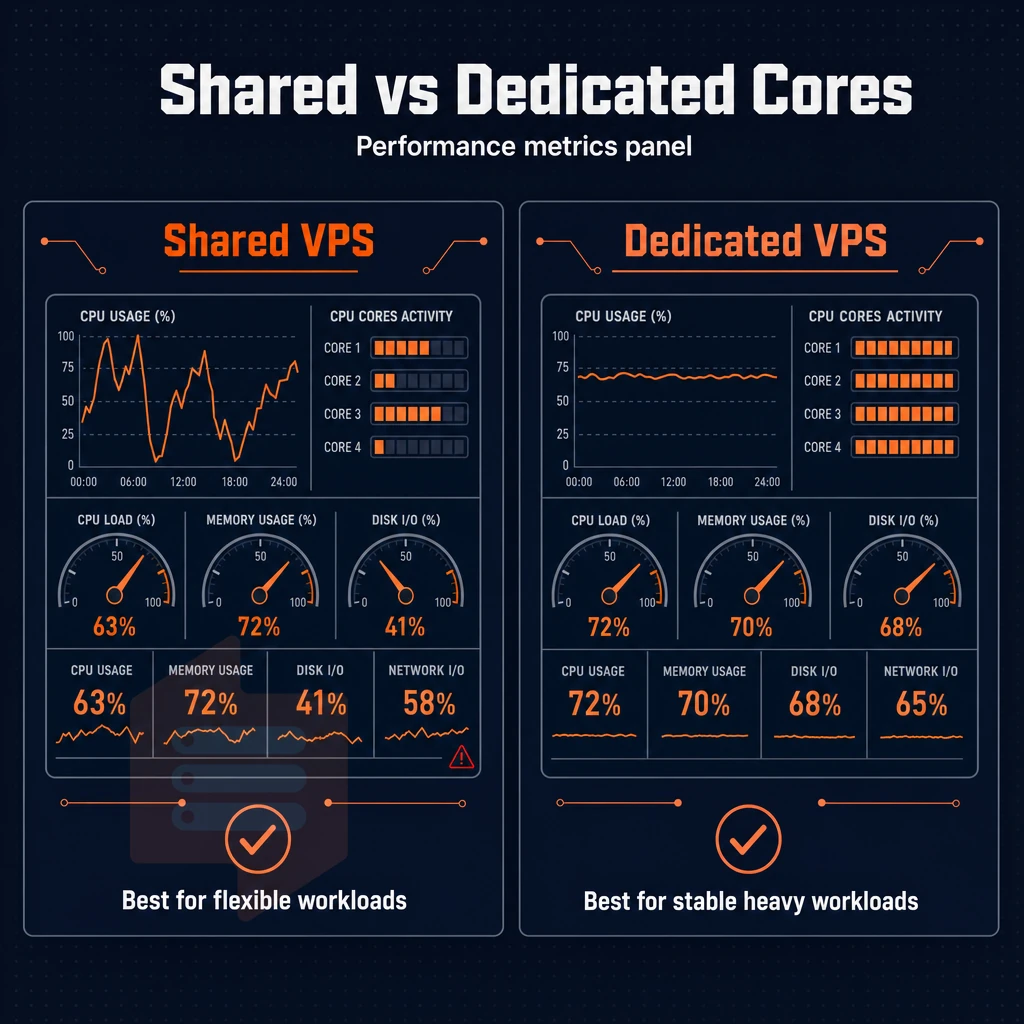
Not all VPSes are created equal. The CPU model used to create your virtual server determines whether you will receive consistent, predictable performance or variable performance under load. Selecting the wrong CPU ‘tier’ is one of the biggest mistakes people make when choosing a virtual environment to host production work.
Understanding how CPU allocation works
A physical server has a fixed amount of CPU cores, and you can virtualize them all to create many VPS instances. The way these cores are shared between the VPS instances is what we call the two main types of servers.
Each central processing unit on the physical host can be divided into multiple virtual cores, and the allocation method directly impacts how your VPS performs under concurrent load. Understanding how the hypervisor allocates CPU time to each virtual server is critical when evaluating whether a provider can deliver stable performance for your workload.
- What is the CPU model? On a shared vCPU plan your virtual server is running from a pool of cores shared with your neighbors. This is suitable for servers with variable load (peaks and troughs) i.e. most development servers, staging servers and small web sites that don’t require constant CPU power for their main application.
- Understanding of CPU steal. CPU steal happens when your VPS needs CPU power, but the hypervisor is servicing another client. On shared servers this will spike during peak hours. For low traffic sites this effect is barely noticable, but for latency sensitive applications it is a serious problem.
- When dedicated resources are required, Pinned cores can be used to remove steal altogether. Databases, real-time APIs, game servers and CI/CD pipelines all require a fixed amount of server resources to function correctly and cannot be left to fight for time on a shared pool of servers.
Matching your workload to the right tier
This decision matrix will help you decide which plan is best for you.
| Workload | Recommended tier | Why |
|---|---|---|
| Dev environment, staging server, small web app | Standard (S-tier) | Bursty CPU demand; affordable plans cover the workload without waste |
| Production database, real-time API, game server, CI/CD | Dedicated (D-tier) | Pinned cores on AMD EPYC Genoa; zero CPU steal, reliable performance under sustained load |
| In-memory database, analytics engine, large caching layer | High Memory (H-tier) | 1:8 vCPU-to-RAM ratio; designed for workloads that exhaust RAM before CPU |
| Windows servers (custom ISO) | Any tier | Custom ISO upload supported across all VPS plans; choose tier by CPU demand |
Verification: confirming the right fit before you commit
- Benchmark under realistic load. Spin up the tier you think you need and run your actual workload, not a synthetic test. Check CPU steal metrics directly inside the virtual environment using
vmstatortop. Steal above 5% under normal load is a signal to move to a dedicated-core plan. - Note also that we are validating memory headroom independently of CPU tier and RAM tier. Thus, a 64 GB RAM / modest CPU workload would be assigned to H-tier, not D-tier.
- BuyVPS also supports upgrade of existing servers, so if you outgrow a Tier, you can just upgrade in place, without need for migration, and without IP being changed. Start on S-tier, grow as needed, without need to reimage servers.
Note: Dedicated-core plans cost more than shared-vCPU plans for a reason, you are reserving physical capacity, not sharing it. Do not default to dedicated if your workload is genuinely bursty. Over-provisioning wastes budget; under-provisioning on latency-sensitive services causes real user-facing failures. Choosing the right tier ensures you get the performance you need at an affordable price, balancing cost efficiency with the resource guarantees your application requires.
Key features to demand from any VPS provider
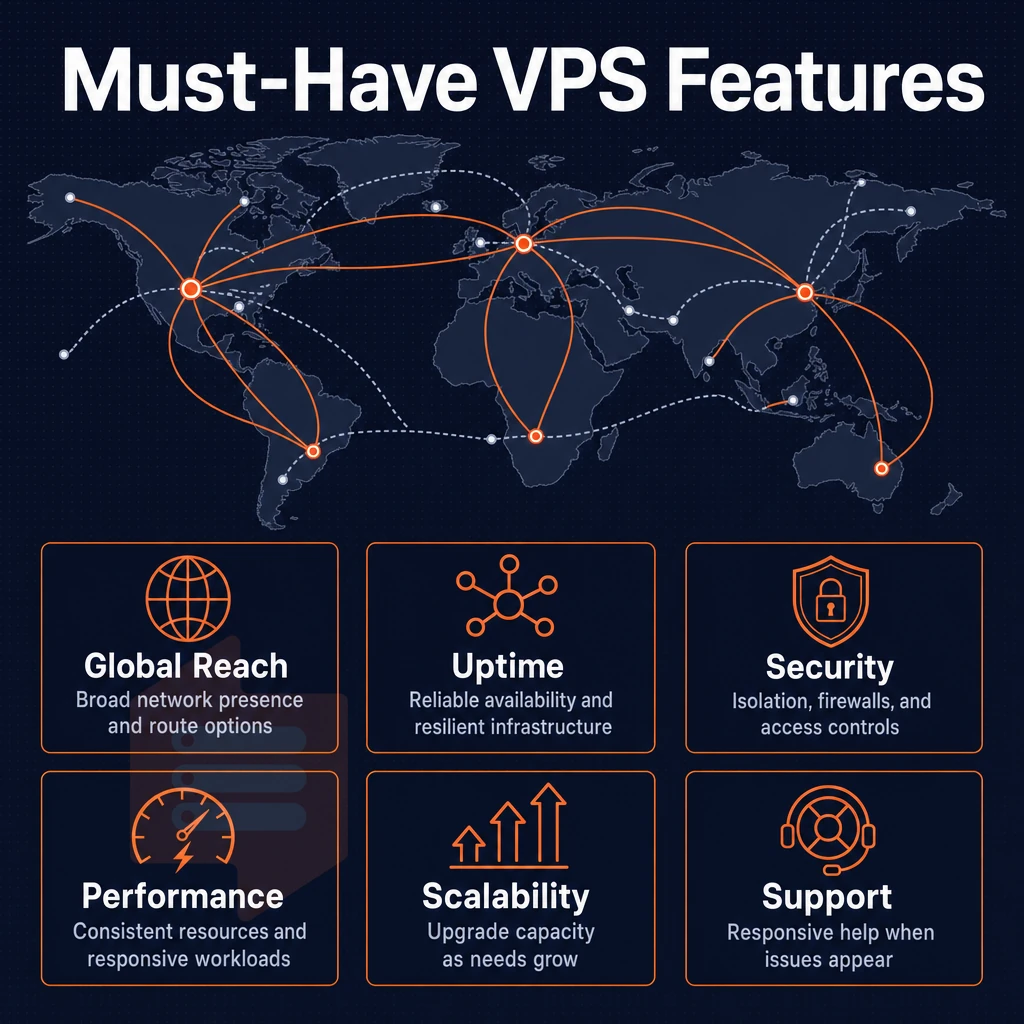
Not all VPS plans are created equal. Here’s a checklist to help you differentiate a capable infrastructure from commodity hosting with a VPS wrapper, before you commit to a hosting provider. Look for providers that clearly document their essential features, including virtualization type, backup policies, and network uptime guarantees. Verify that the provider offers automated regular backups with configurable retention periods, ensuring you can restore your environment quickly after data loss or configuration errors.
A reputable VPS hosting provider will also publish transparent service-level agreements that define uptime commitments, support response times, and compensation policies for outages. Evaluate whether the provider offers clear documentation on resource scaling procedures, including how quickly you can add CPU, memory, or storage during traffic spikes.
Storage, networking, and access fundamentals
Starting from the disk level, you want to demand NVMe SSD storage (not SATA SSD storage or spinning disk storage). The storage layer should have dramatically lower latency and higher IOPS than previous storage interfaces. In terms of redundancy, we use RAID10, which stripes data for better read performance and mirrors the data for better redundancy. In the worst case scenario of a single drive failure, all of the data would still be available without any loss.
Every serious VPS should come with IPv4 + IPv6 dual-stack out of the box.
Additionally one should be able to request more IP addresses for multi-site applications or to split up applications on a single server. Additionally, Have dedicated IP addresses which can be assigned to plans as required, again without needing to open a support ticket for each and every change.
Full root access is a must for us. Without it you cannot install your own software, change kernel parameters or even set up your own firewall rules. Any provider that doesn’t allow you a shell is really just selling you a managed appliance, not a VPS.
DDoS protection and edge filtering
Network-layer threats are always present.
There is no additional add-on required.
Control plane, automation, and upgrade paths
In-browser VNC console is your rescue hat. If SSH is not working (due to a misconfigured firewall, dead network service, or a broken operating system update) VNC allows you to access your machine at the hardware level without requiring your hosting provider's support team to open a ticket for you.
For teams running infrastructure as code, API access is important. The ability to provision, reboot, and schedule snapshot triggers from scripts is crucial. When evaluating a manager API, distinguish between a REST-based API with proper documentation and a simple control panel wrapper.
In-place upgrades (no IP change) are a deal breaker for us for production workloads.
Watch the bandwidth clause carefully. Unlimited bandwidth claims almost always hide a fair-use policy that throttles throughput after a threshold or during peak hours. Look for a published monthly transfer allowance with clear overage terms, that's more honest than an "unlimited" label with asterisks.
Finally, check for their no-oversell policy.
Make them write this down for you, because if they can’t or won’t, they probably do oversell. And check for regular backups (either automated or on-demand from your control panel). This is the bare minimum you should expect before they even let you sign up.
Managed vs unmanaged VPS hosting: pros, cons, and use cases
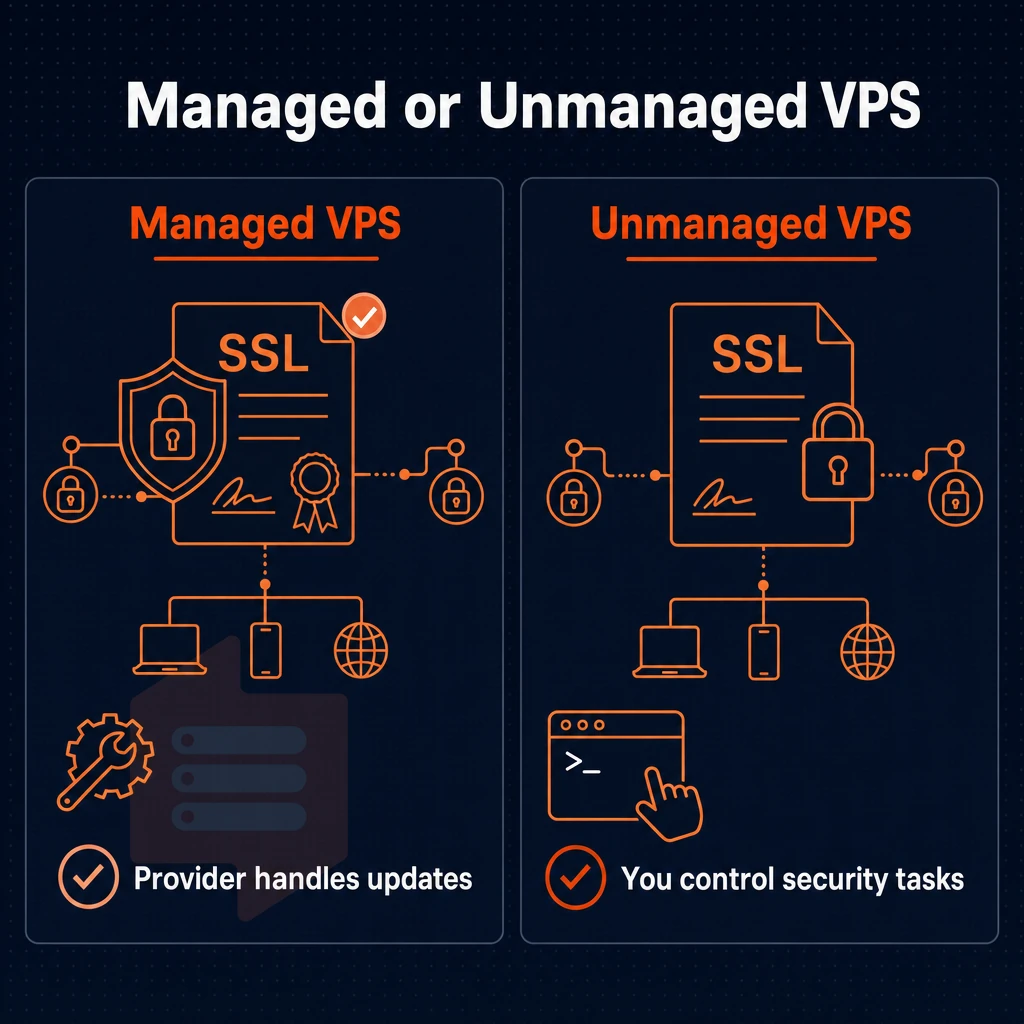
The main difference between a managed VPS and unmanaged VPS is who controls the server and who is responsible for OS updates, security patches, and monitoring, especially important when running multiple websites on a single instance. Managed hosting services handle these aspects for you, the unmanaged VPS however is completely at your mercy and you are responsible for everything.
Managed VPS web hosting: less work, less flexibility
Our managed VPS hosting services include patching and hardening of the server. Many of our managed VPS servers also include a control panel such as cPanel. Your focus will be on your application, and not on the underlying infrastructure.
Server management is out sourced to specialists which generally means that updates are carried out in the best possible way with less chance of human error. This type of hosting is generally best for Agencies that run client sites. E-commerce operators that don’t have a sysadmin and other businesses where the risk of downtime is more than offset by the extra cost of this type of hosting.
- Pros: reduced operational overhead, no Linux expertise required, bundled support for common stacks.
- Cons: higher cost, restricted OS choices, potential vendor lock-in on software stack.
Unmanaged VPS services: full control, full responsibility
Unmanaged VPS services are offered without management and root access to a clean OS install (as in a brand new server). You pick the distro, the firewall, the updates (when to apply them) and all other aspects of the server, in essence you own every layer of the stack.
Developers, DevOps teams and businesses with in-house Linux skills prefer this model. Server administration knowledge is a hard requirement for this model but it pays off. It gives you complete freedom to run custom kernels, non-standard runtimes and any software stack you need.
- Pros: full root control, custom ISO support, no restrictions on software, lower cost.
- Cons: requires sysadmin expertise, no hand-holding on OS-level issues.
Which model fits which team, and where a control panel fits in
Managed for marketing agencies and online shops, unmanaged for engineering teams shipping their own software.
BuyVPS offers unmanaged KVM VPS servers in Amsterdam and New York. Our services include full root access and custom ISO uploads. We support a wide variety of Linux distributions, including Ubuntu, Debian, AlmaLinux, Rocky Linux, CentOS Stream and Fedora. Unmanaged services like control panels can be installed by yourself. We stay out of your way.
VPS web hosting performance: storage, CPU, and network benchmarks
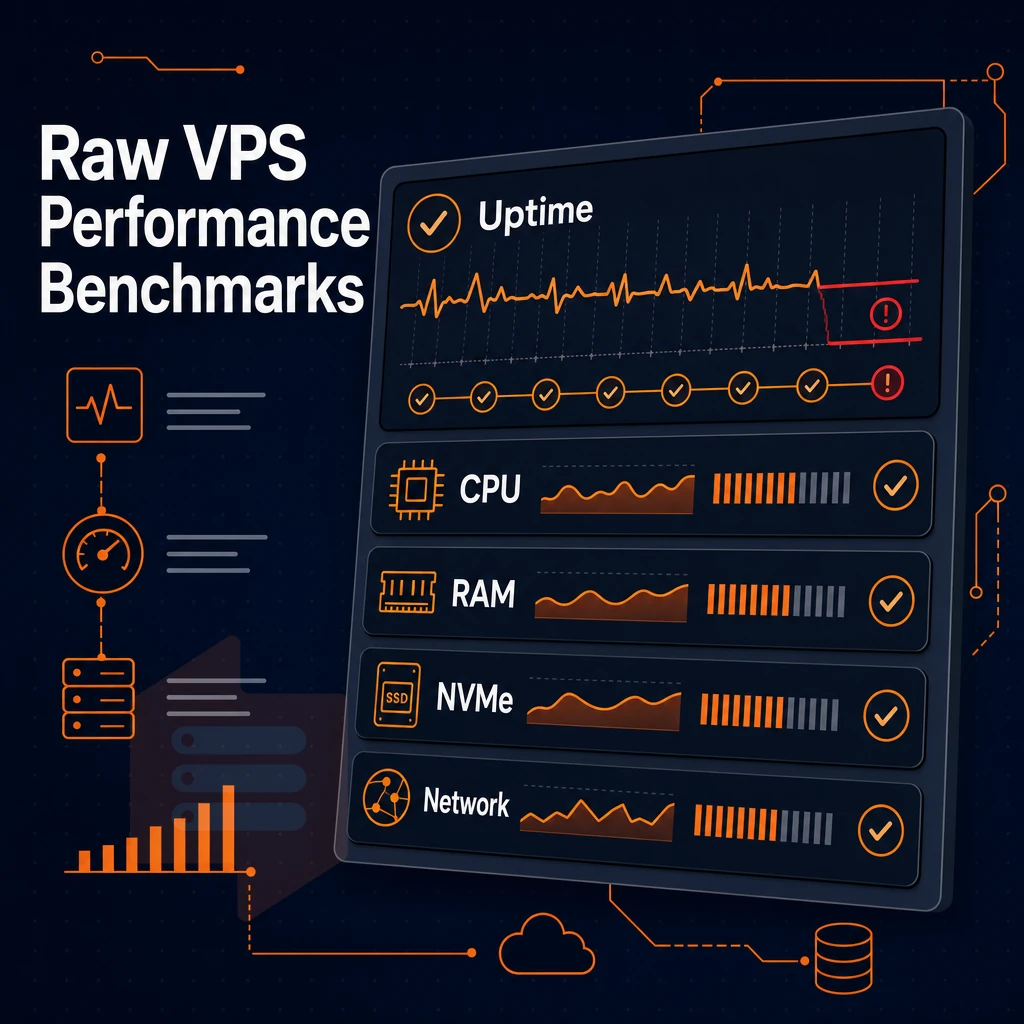
Marketing copy is easy to write but benchmark data is harder to fake when evaluating the top VPS hosting providers. When looking for the best VPS hosting to suit your needs published performance numbers are the only way to compare what a VPS server can actually offer when under a load as opposed to reading a list of featured provided by each hosting provider.
Storage: why 4k random iops matter more than sequential speed
When looking at specs for storage, sequential read speeds can often appear impressive.
BuyVPS also has a published fio benchmark for their servers. Note that this is actual hardware and not a vendor generated estimate. IOPS are also limited by external storage that is attached over a network fabric to the servers. By utilizing PCIe-direct NVMe storage, this latency is removed.
Most vendors do not publish raw numbers on their spec pages.
CPU: matching silicon to workload
This also depends on the CPU Tier you select to handle spikes in your application.
For latency sensitive operations (e.g.
Geekbench results for Geekbench 6 are published on the BuyVPS comparison charts for each provider. Any best VPS hosting service worth considering will publish Geekbench results, and those that don't should be viewed with suspicion as a red flag for lack of transparency.
Network and data centers
BuyVPS is operating two Data centers in Amsterdam and New York. Both locations are running the exact same hardware, same controlpan and dual stacked (IPv4 + IPv6).
Some providers are selling unlimited traffic, but throttling the bandwidth under load. We are using an abuse-policy-based firewall and edge filtering, not artifical bandwidth caps and calling them a feature.
Additionally, Where the only variable is the amount of RAM in the headline plan details.
| Benchmark dimension | What to look for | BuyVPS result |
|---|---|---|
| 4K random read IOPS | Published fio median, PCIe-direct NVMe | 122,959 (fio median) |
| CPU benchmark | Geekbench 6 single- and multi-core, published | EPYC Milan (S/H tiers); EPYC Genoa pinned (D tier) |
| Network | Dual-stack, multi-homed, no hidden throttle | IPv4 + IPv6, edge filtering, both regions |
Follow this simple decision guide: any provider hosting websites on infrastructure it cannot back up with published 4K IOPS numbers, Geekbench scores, a valid ssl certificate, and a written SLA is selling on faith alone. Yes, cheap servers with affordable prices to buy can be a very bad purchase if the server and all the server resources are completely over loaded under real loads.
BuyVPS publishes all of these items for its hosting services, and the hardware numbers and configuration that these numbers were developed on are running in live production in our 2 data centers in 2 different geographic regions. You can easily deploy a server in just a few clicks and verify the numbers for yourself.
Data center locations: amsterdam and new york coverage
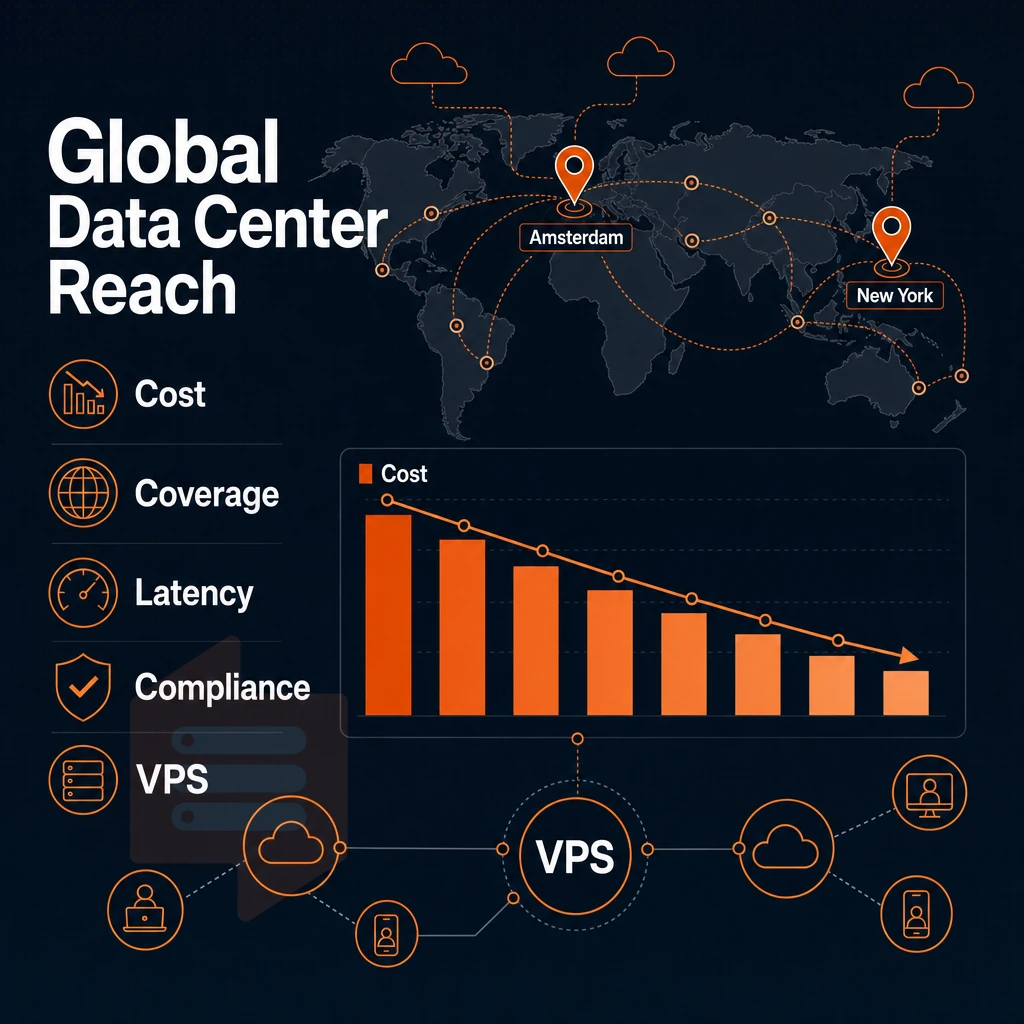
For users who require EU regulated servers, the physical location of data will also affect your compliance obligations.
Importantly, we run identical hardware, the same control plane, and same pricing in both regions.
Choosing the right region for your workload
The first step to achieve best performance for your VPS server is to choose the correct region. If you match this with the wrong location for your server, it will result in unnecessary latency. Later this may also result in costly problems with data localisation.
- First, try to identify your main user base and then look at where the majority of your traffic comes from. For example, if most of your visitors come from Europe then placing a server in Amsterdam would make most sense. Given the physical location of the servers a location closer to you results in lower round-trip times and thus a faster server for your end users. For users on the US East Coast and for work that’s done on a transcontinental level between the two continents a server in New York would be more suitable (in the middle of both continents).
- Start with the assessment of your compliance requirements. EU-based companies storing personal data of their customers under the GDPR have to keep this data within the EU. By deploying our Cloud Platform in Amsterdam, we can meet the data residency requirements without the need of an additional legal framework or of any further contractual arrangements. Workloads which are regulated by US companies or services which are offered worldwide and don’t require EU residency can be deployed from New York and are subject to US law.
- Verify that both locations meet your requirements. As a VPS hosting company, BuyVPS provides identical servers in both locations. You get the same AMD EPYC processors, NVMe storage in RAID10 and KVM virtualization in both locations. The only difference is the geolocating of the server.
Scaling within your chosen region
This phase describes what happens with your workload, as it increases.
- No migration required, Upgrade in place. All BuyVPS servers support an in-place upgrade within a region. The IP addresses will not change, DNS, Firewall rules and Application configurations will all remain unchanged. This is one of the areas where a best VPS infrastructure decision will pay off in the long run, No down time window required, No re-provisioning of servers and/or applications.
- Multi-region deployment is a matter of planning. Running a few nodes in Amsterdam and a few in New York is a good start for redundancy or for splitting audiences. Each region is a separate deployment. Load balancing or GeoDNS at the application layer forwards users to the nearest node.
Note: Do not assume that deploying in multiple locations automatically provides failover. Active-passive or active-active replication must be configured explicitly at the application or database layer. The hosting infrastructure handles availability within a region; cross-region resilience is your responsibility to architect.
Why a VPS provider with fixed, transparent locations matters
Many providers make "global network" claims that don't actually tell you where your data is located. When looking for the best VPS hosting, it's very important to know the exact data center location, as opposed to just a continent. This will help you with latency modeling, as well as legal due diligence.
BuyVPS as a VPS provider is a VPS hosting service with two well defined publicly stated locations, Amsterdam and New York. That’s it, those are the two locations where we host VPS servers. We don’t have any hidden nodes and therefore you don’t have to worry about any surprise jurisdictions. And when you’re evaluating VPS hosting for a regulated workload, that transparency is a hard requirement, not a feature.
Why choose BuyVPS for your VPS hosting needs
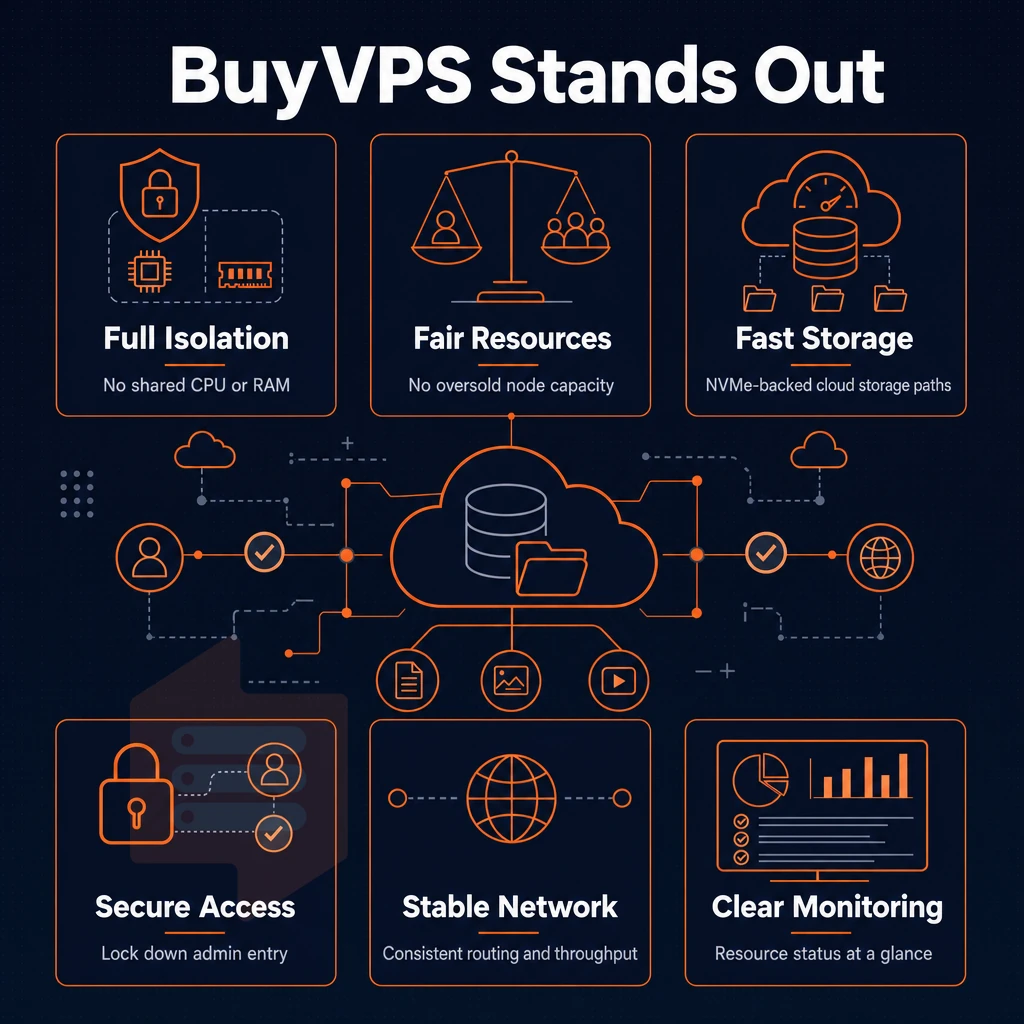
Most VPS hosting providers oversell node resources and hope workloads don't peak simultaneously. BuyVPS is built on the opposite principle. Hard memory caps per node and deliberately low node density, regardless of data center location, mean your server management setup guarantees the dedicated resources you were sold, with no noisy-neighbor contention or surprise degradation under real load.
As a VPS hosting provider operating since 2002, we publish the benchmarks that most hosting services omit: Geekbench 6, fio, and pgbench results you can verify independently. Our NVMe RAID10 PCIe-direct storage measured 122,959 4K read IOPS in fio testing. That's not a marketing claim, it's a repeatable number. For workloads where disk space throughput and server environment consistency matter, that figure is meaningful.
- KVM isolation with a separate kernel per VPS, full superuser access on every plan, plus custom ISO upload for any operating system your stack requires.
- Dedicated CPU tier with pinned cores, AMD EPYC Genoa cores assigned exclusively to your virtual private server, delivering predictable latency for databases and online stores.
- NVMe RAID10 SSD storage, PCIe-direct, 122,959 4K read IOPS measured. Guaranteed resources, not shared hosting-style best-effort.
- Amsterdam and New York data centers, identical hardware, control panel, and VPS plans in both locations. IPv4 + IPv6 dual-stack included on every VPS server.
- In-place upgrades, no IP rotation, scale your VPS hosting plan without migration downtime or disruption to DNS and SSL certificate configurations.
- No hidden fees, transparent pricing. Predictable business operations, no hidden fees.
If you've outgrown shared hosting or need best VPS performance with full control over server management and server settings, we'd welcome the conversation. Reach our engineering support team at info@buyvps.com or compare our VPS solutions at BuyVPS.com.
How to evaluate VPS providers: a practical checklist
To choose a VPS hosting provider, you have to go through 9 simple criteria: CPU (shared vCPU or pinned dedicated cores), RAM (hard cap or oversold servers), storage (fast NVMe RAID10 or slow SATA).
Network (dual-stack IPv4/IPv6 with DDoS protection), virtualization (KVM or containers), operating system (fixed choices or custom ISOs). Upgrade path (in-place upgrades or forced migrations), transparent pricing (stable renewal fees or price surprises), support (experienced engineers or chatbots). Go through these criteria for every provider and make an informed decision.
The best VPS hosting service is the one that wins on all 9 levels. In addition to publishing benchmark data and specifying a hard memory cap per node, top VPS hosting providers also ensure that all server resources are 100% dedicated to your workload.
BuyVPS fulfills all of the above-mentioned requirements whether you host multiple websites or a single application: KVM virtualization, NVMe RAID10 storage, DDoS edge protection, and in-place upgrades without IP-reassignment. Additionally, Is being supported by engineers in 2 data centers: Amsterdam and New York.
Frequently asked questions
Which VPS provider lets you host multiple websites reliably with a great control panel?
Reliability comes down to three things: hardware quality, network redundancy, and honest SLAs.
Which are the best VPS hosting providers?
The best VPS hosting matches your workload, there is no single universal answer, but there are clear filters. Prioritize providers that offer dedicated or pinned CPU options for compute-heavy tasks, NVMe storage for I/O-intensive applications, and full superuser access for complete control.
BuyVPS stands out with three distinct virtual server tiers designed to simplify server administration: shared vCPU on AMD EPYC Milan for general workloads, pinned Dedicated CPU on EPYC Genoa for latency-sensitive apps, and a High Memory tier for in-memory databases and large datasets. Both Amsterdam and New York locations run identical hardware, so you get consistent performance regardless of region.
What are the cheapest VPS solutions for hosting?
The lowest advertised price rarely reflects the true cost, watch for renewal hikes, per-feature add-on fees, and oversold nodes that degrade performance over time.
How do i choose the right VPS provider?
Start with your workload profile when evaluating hosting services: CPU-bound tasks need pinned or high-frequency cores, database workloads need fast NVMe storage and high RAM, and traffic-heavy sites need multi-homed uplinks with IPv4 and IPv6 dual-stack plus ddos protection. Then verify the provider's virtualization layer, KVM with per-VPS kernel isolation is the gold standard for security and stability.
Finally, check support quality: engineer-led responses beat first-tier chatbots when something breaks at 2 a.m.
What is the difference between managed and unmanaged VPS hosting?
With an unmanaged VPS, a step up from shared web hosting, the provider handles the physical host, hypervisor, and network, including dedicated ip addresses, while everything above that is your responsibility: OS updates, security hardening, software stack, and backups. Managed VPS adds provider-side administration of the OS and often the application layer, at a higher cost.
Most developers and technical teams prefer unmanaged plans because they get full root-level access and complete control without paying for management they don't need. BuyVPS offers unmanaged KVM VPS plans with full administrative full admin access, custom ISO support, and a self-service control panel with API access.
Is VPS hosting good for small businesses and online stores?
Yes, a VPS gives small businesses reserved resources, root-level control, and predictable performance that shared hosting cannot match, without the cost of a full dedicated server. For online stores, consistent I/O throughput and low-latency database queries directly affect checkout speed and conversion rates. A Standard CPU virtual server on NVMe RAID10 storage handles most small-to-medium e-commerce workloads comfortably, and with built-in ddos protection, in-place upgrades, and the ability to scale RAM and storage as traffic grows, you won't need to change your IP address or migrate data.
What should i look for in a VPS hosting plan's storage and network specs?
For storage, NVMe over PCIe direct with RAID10 is the benchmark, it combines raw speed with redundancy.
Edge filtering and an abuse-policy firewall are also worth confirming, since they protect your VPS from volumetric attacks at the network perimeter.
Choosing the right VPS provider involves three key decisions: the number of shared or dedicated cores you require, the level of managed vs unmanaged control that you require. Additionally, Most importantly whether the actual infrastructure of the provider can live up to their marketing promises.
The vast majority of buyers for VPS solutions end up paying too much for a shared vCPU plan as their workload increases in size. Alternatively, Are surprised to learn that their provider’s "unlimited" resources are actually just fully utilized nodes at the provider.
These key items can narrow down the list of providers very quickly.
BuyVPS offers KVM-isolated VPS solutions running on AMD EPYC hardware across Standard and Dedicated CPU tiers out of Amsterdam and New York, with no-oversell architecture, NVMe RAID10 storage, and engineer-led server management and support. If you know your workload requirements, browse the plans at BuyVPS.com and pick the tier that fits, no sales call required.