

Choosing the right VPS provider is a decision that will have big consequences down the line. Getting it right will make growing your infrastructure a breeze. Getting it wrong will mean a late night migrating to a new server.
There are many providers to choose from, but most have tuned their marketing site to sell a package that in reality has subpar hardware. It’s only when you start to put the host through its paces that you’ll start to notice the differences.
This guide is meant to cut through some of the ‘noise’ created when trying to decide on the top VPS hosting provider for your needs. In this article we evaluate the main factors of any VPS web hosting provider, including CPU architecture, storage performance, network and support, as well as looking into the renewal pricing of each. Evaluating customer support responsiveness and technical expertise is equally important, as timely assistance can prevent minor issues from escalating into costly downtime events.
We look at the main criteria you should consider when comparing options from the cheapest VPS tier up to a dedicated server, and how the hardware in each server tier can be best put to work. Understanding how different tiers allocate computing resources helps clarify which configuration will deliver the performance characteristics your applications require.
We also look at where BuyVPS, a provider founded in 2002, by a small team of developers, who offer a range of high spec servers. Housed in two datacenters, one in Amsterdam and the other in New York, using their fleet of high performance AMD EPYC processors, fits into the VPS market.
Their strategic placement of global data centers ensures low-latency connectivity for clients across North America and Europe, with direct peering arrangements that optimize routing efficiency. The infrastructure at both locations includes enterprise-grade ddos protection to safeguard client applications from volumetric attacks and ensure continuous service availability.
Ultimately, we look at what you need to look at when deciding on a VPS provider to meet your needs, so you can make an informed decision to meet your specific needs. Evaluating factors like hardware specifications, network infrastructure, and support responsiveness will help you identify the best VPS hosting provider for your particular workload and budget constraints.
What makes a VPS provider the best choice in 2026
Not all Virtual Private Servers (VPS) are created equal. While some reputable VPS hosting providers are building robust hosting platforms for their customers, many resellers are offering low cost VPS solutions that end up becoming a headache for customers and their support team. For community perspectives, see Best VPS providers and hosting recommendations?.
First month $1
Then the normal monthly price. One per customer. No setup fee, and a 30-day performance guarantee on your first order.
See the plans“BuyVPS offers simple and reliable VPS hosting solutions for different online needs.”
What is VPS hosting and how does it differ from shared hosting?
Between shared hosting and the bare metal servers on the infrastructure spectrum sits the Virtual Private Server (VPS). While on shared hosting all tenants of a server share the same CPU power, the same amount of RAM and also share in the I/O performance of the hard disks.
A VPS on the other hand is running on a physical server that has been carved up by a hypervisor into virtual servers. Each of these Virtual Servers is running its own operating system and has a guaranteed amount of resources to its disposal.
This architecture makes VPS ideal for developers who need to host multiple websites under separate environments while maintaining cost efficiency compared to purchasing individual dedicated machines. This guaranteed allocation of computing resources ensures that your applications receive consistent performance regardless of activity on other virtual servers sharing the same physical hardware.
The main difference is that you are isolated from your noisy neighbor. Your latency won’t be affected by him. You have full root access. You can install whatever software you need, configure the kernel to your liking and manage your security as you see fit.
Core criteria that separate strong providers from the noise
First, there is the matter of virtualization type. While container-based virtualization would give individual Virtual Servers their own processes and threads. Each Virtual Server would be sharing the same kernel and thus would not receive the same level of isolation as provided by full virtualization with KVM.
Given this, it is best to pair KVM with a plan that has the Virtual Server(s) set to use dedicated resources on a pinned-core basis. This will allow the Virtual Server(s) to take full advantage of all allocated CPU resources without fear of variance in shared-pool processing.
Modern KVM implementations ensure that each virtual machine receives consistent access to the central processing unit cycles allocated to it, eliminating performance degradation from resource contention. Proper resource allocation ensures that virtual machines maintain predictable performance characteristics even under sustained computational loads across multiple concurrent workloads.
Storage is another area in which we can exert more influence. NVMe over PCIe directly connects to the storage media, resulting in significantly lower latency than a SATA SSD connection. Our fio benchmarks at BuyVPS reported 122,959 4K read IOPS, and real workloads (e.g. cache and database loads) remain at these IOPS levels.
Uptime guarantees are not just something you write in your SLA and hope for. Our uptime rests on real architecture: NVMe RAID10 storage, multi-homed uplinks from two datacenters in Amsterdam and New York. Redundancy extends beyond hardware to include off site backups stored in geographically separate locations, ensuring data recovery capabilities even in catastrophic datacenter failures.
Implementing regular backups as part of your disaster recovery strategy protects against data loss from hardware failures, human error, or security incidents. When a server fails, automated failover mechanisms redirect traffic to redundant systems, minimizing downtime and maintaining service continuity for critical applications. Network security measures including ddos protection safeguard your infrastructure from volumetric attacks that could otherwise saturate bandwidth and render services unavailable to legitimate users.
Control panel and cloud solutions: what to evaluate
Automate server provisioning in a matter of clicks with self-service control panel and API access. In-browser VNC console access and in-place upgrades (no migration, no IP changes) are hallmarks of a mature platform.
- Developers need API-first control and custom ISO support.
- Agencies need predictable performance across multiple client environments.
- Businesses need uptime guarantees and engineer-led support.
The best VPS for you is the one that matches your needs. Don’t just read the specs on the front page of the website, read the full spec list.
VPS providers vs. Shared hosting vs. Dedicated servers
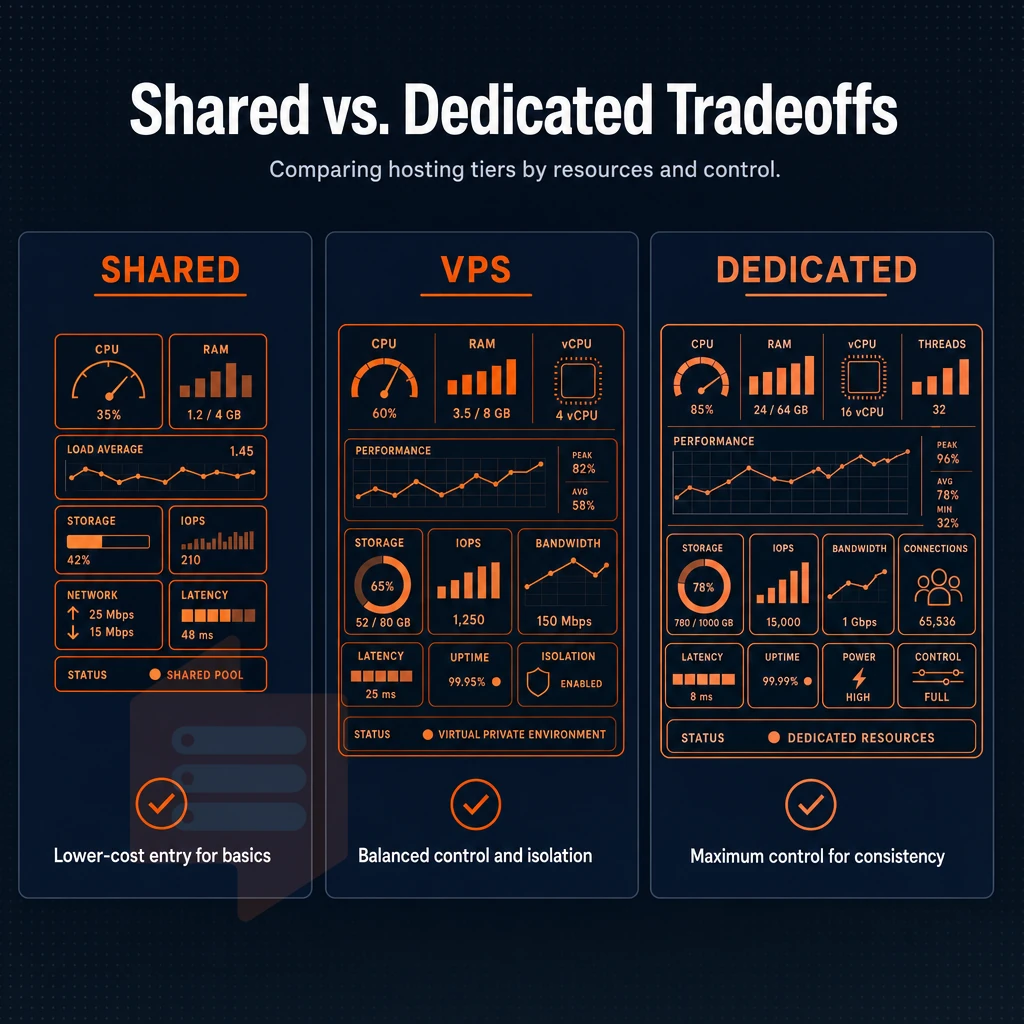
The tier of hosting that you choose will be one of the most important infrastructure decisions you ever make. The different types of hosting are generally ordered from most shared to most dedicated, with Virtual Private Servers (VPS) in the middle. At one end of the spectrum you have hosting that is shared in every respect, and at the other end you have a fully dedicated physical server. When evaluating options, understanding where the cheapest VPS plans fit within this spectrum helps clarify what trade-offs you're accepting in exchange for lower monthly costs.
Organizations migrating from on-premises infrastructure often evaluate VPS hosting as a stepping stone before committing to more comprehensive cloud solutions that offer elastic scaling and multi-region deployments. Budget-conscious startups and individual developers often begin their search by comparing affordable plans across multiple providers to identify the optimal balance between cost and performance capabilities. Balancing performance requirements with budget constraints means recognizing that an affordable price point doesn't necessarily indicate inferior service quality when the underlying infrastructure meets your technical specifications.
How the VPS hosting spectrum works
With shared hosting, up to dozens of accounts are hosted on the same server, sharing the very same resources. A noisy neighbor could then very well impact performance of other sites. Shared hosting does not feature memory isolation and as such, there is no guarantee for CPU allocation either.
With a dedicated server you get the whole machine: all the cores, all the RAM, all the I/O operations. Isolation is taken to new heights but at a huge cost and with much slower provisioning than needed. Organizations requiring maximum control over hardware configuration and security policies often find that migrating from VPS to a dedicated server becomes necessary as traffic volumes exceed several thousand concurrent users.
Dedicated servers typically provision substantially more disk space than VPS plans, often starting at multiple terabytes of NVMe storage to accommodate enterprise workloads requiring extensive data retention.
VPS hosting is somewhere in the middle of shared hosting and dedicated servers. Like most reputable VPS hosting providers, BuyVPS runs all physical servers with a hypervisor (KVM is the most mature open-source virtualization solution), which in turn runs multiple Virtual Servers off of that single server. Each VPS runs its own kernel, has its own amount of RAM assigned to it. This hypervisor-based approach allows multiple isolated environments to coexist on a single server while maintaining performance boundaries that prevent resource contention between tenants.
Additionally, Has its own storage namespace, so your neighbor can’t hog all of the RAM and cause your sites to crash. We cap the RAM for each node, and keep the node density very low to ensure that the isolation is real, and not just something that we are touting as a feature. Proper allocation of disk space per virtual machine prevents storage exhaustion scenarios where one tenant's data growth could impact the availability of other instances on the same physical host.
| Dimension | Shared | VPS | Dedicated |
|---|---|---|---|
| Resource isolation | None | Hard caps per VM | Full machine |
| Root access | No | Yes | Yes |
| Storage type | HDD/SATA SSD | NVMe RAID10 | Varies |
| Cost profile | Lowest | Mid-range | Highest |
Managed vs unmanaged VPS web hosting: what is the difference?
Unmanaged VPS hosting is the standard way for developers and sysadmins to have a VPS. An unmanaged VPS gives you root access to the server and that is it. You can then install software, apply patches as needed and set the firewall as you would on a normal server. This approach gives technical teams complete control to customize the server environment according to their application's specific requirements and security protocols.
A managed plan would add an operations layer where the provider does the OS updates, security hardening and monitoring for a premium to have someone do the labor. We’re an unmanaged VPS so the engineers can assist with any infrastructure issues but ultimately you run the server. Some providers sweeten managed plans with a free site migration service to handle the technical transfer from your previous host.
Many providers structure their managed services at premium price points, while unmanaged options remain the most affordable plans for teams with in-house technical expertise. Unmanaged plans typically deliver the best value proposition, offering enterprise-grade infrastructure at an affordable price for organizations comfortable managing their own server environments. Teams evaluating managed versus unmanaged options should consider whether their internal resources can handle routine maintenance or if investing in professional customer support will reduce operational overhead.
How to pick the best VPS hosting provider for your workload
For most growing workloads (SaaS, APIs, databases, CI runners etc.) the best VPS hosting is guaranteed compute, NVMe storage and a real uptime SLA. Shared hosting can not provide this. Bare metal hosting is too expensive until you actually fill a full server.
BuyVPS offers KVM isolated servers on AMD EPYC hardware in Amsterdam and New York. They are positioned as a sweet spot between shared and dedicated servers for teams growing out of shared servers. Each server features NVMe RAID10 storage that delivers 122,959 4K read IOPS.
Where does VPS hosting and cloud hosting fit?
When most people say “cloud hosting” they assume it means that it is spread out over a bunch of servers in a data center. Alternatively, Even better, across a fleet of data centers around the country. This allows for the high levels of scalability required for those occasional “burst” workloads.
However, this also means that there can be variable latency, and the billing model can become convoluted. A VPS, on the other hand, provides a fixed amount of resources to a single virtual server, with a fixed cost per month. This makes for a much more predictable hosting solution for steady-state workloads.
Managed vs. Unmanaged VPS: which type fits your needs
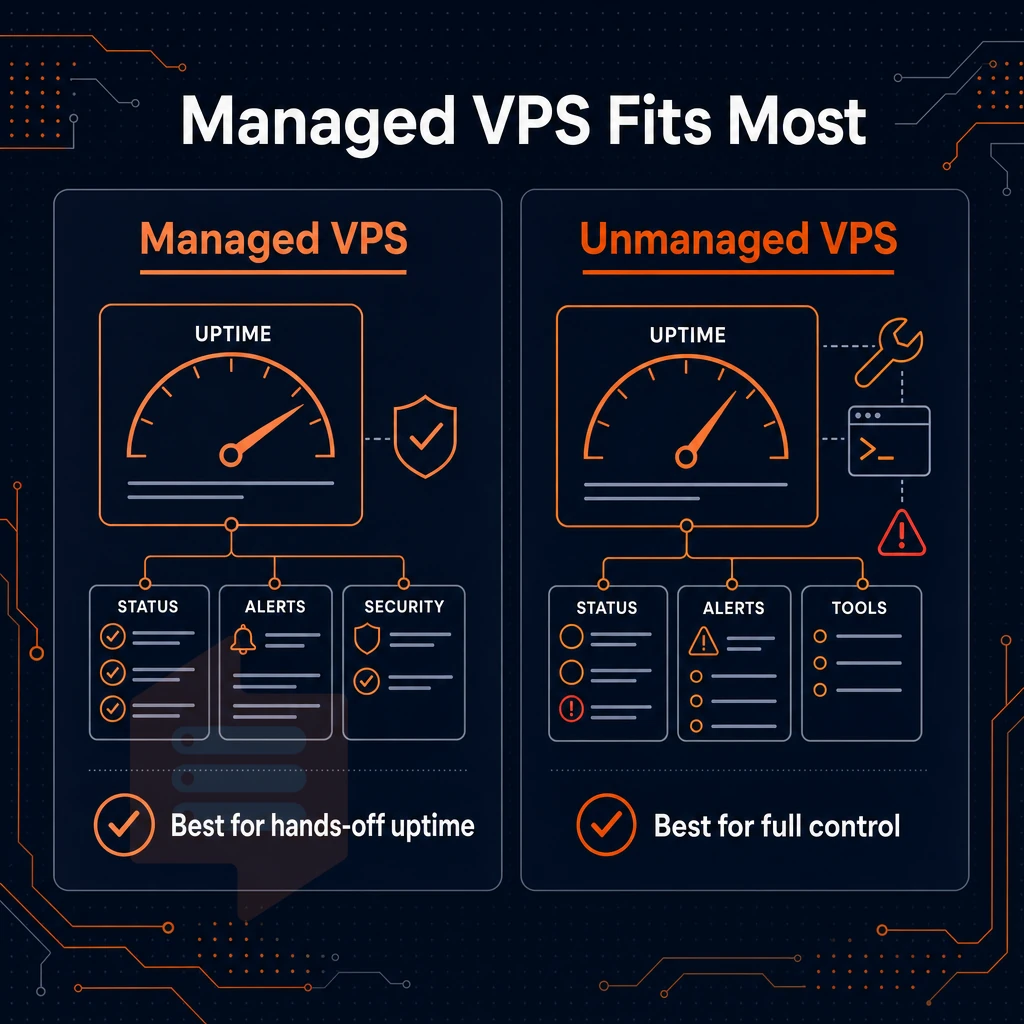
The choice between managed and unmanaged VPS affects all subsequent decisions and determines your server's staffing needs and security posture. Choose the right option and you can avoid paying for services you don’t need, and for complexity that your team is not equipped to handle.
Understanding the two models
- Determine if you have the necessary in-house skills to manage a server. With Managed VPS servers the provider is responsible for updating the Operating System, applying security patches as well as maintaining the server in general. self-managed VPS servers on the other hand are set up with root access and you are responsible for configuring, securing and maintaining the server. If you do not have a dedicated sysadmin on staff then Managed VPS servers are probably your best starting point.
- Most of the trade-offs between managed and unmanaged plans are well known. Managed plans cost more because you pay for the labor on top of the cost of the services that are provided as part of the plan. Unmanaged plans, on the other hand, give you complete control over the services that you use but at lower overhead cost. However, the cost is all shifted to you to deal with. Therefore, when the server crashes at 2 a.m. you need someone to answer the call.
- Consider your growth trajectory. If you have a team that expects to need more resources quickly, then unmanaged is the way to go, you can scale as you see fit, without waiting for approval from a provider. Alternatively, Waiting for change windows.
Note: Managed VPS is not a substitute for regular backups. Regardless of who manages the OS, you own your data. Confirm what the provider actually covers before assuming anything is handled for you.
How do i choose between a standard vCPU and a dedicated-core VPS plan?
Standard vCPU plans are shared off of physical cores but are very cost effective for most web hosting workloads, especially ones that fluctuate from time to time or have occasional spikes of high CPU usage. Dedicated core plans are configured so that a physical core is pinned to your VPS.
This means that you have complete control over the core and there is no chance of noisy-neighbor interference. If you need consistent, low-latency CPU performance then dedicated cores are the way to go for real-time APIs, game servers and very low-latency databases.
We have both tiers available for purchase, the Standard CPU tier for typical web based workloads. Additionally, the Dedicated CPU web hosting tier uses high-end AMD EPYC Genoa processors with pinned cores for maximum predictable performance (no shared core contention, no unexpected performance drops).
Best VPS hosting fit by use case
- A Developer or Technical Team, Unmanaged. The ability to upload your own custom ISO, KVM Isolation and full root access, means you can build the exact environment you require. BuyVPS is perfect for this type of user.
- Small team, no sysadmin, look for a managed solution from a provider that documents the scope of management they will perform. Note that "managed" can mean many things to many people.
- Hybrid approach. Teams running self-managed VPS server servers that are monitored, or managed by 3rd party tools for configuration, for example, to keep costs down but have some operational safety nets.
Note: The best VPS choice is the one that matches your team's actual capabilities, not the one with the most features listed on a pricing page.
Key web hosting features to demand from any VPS provider
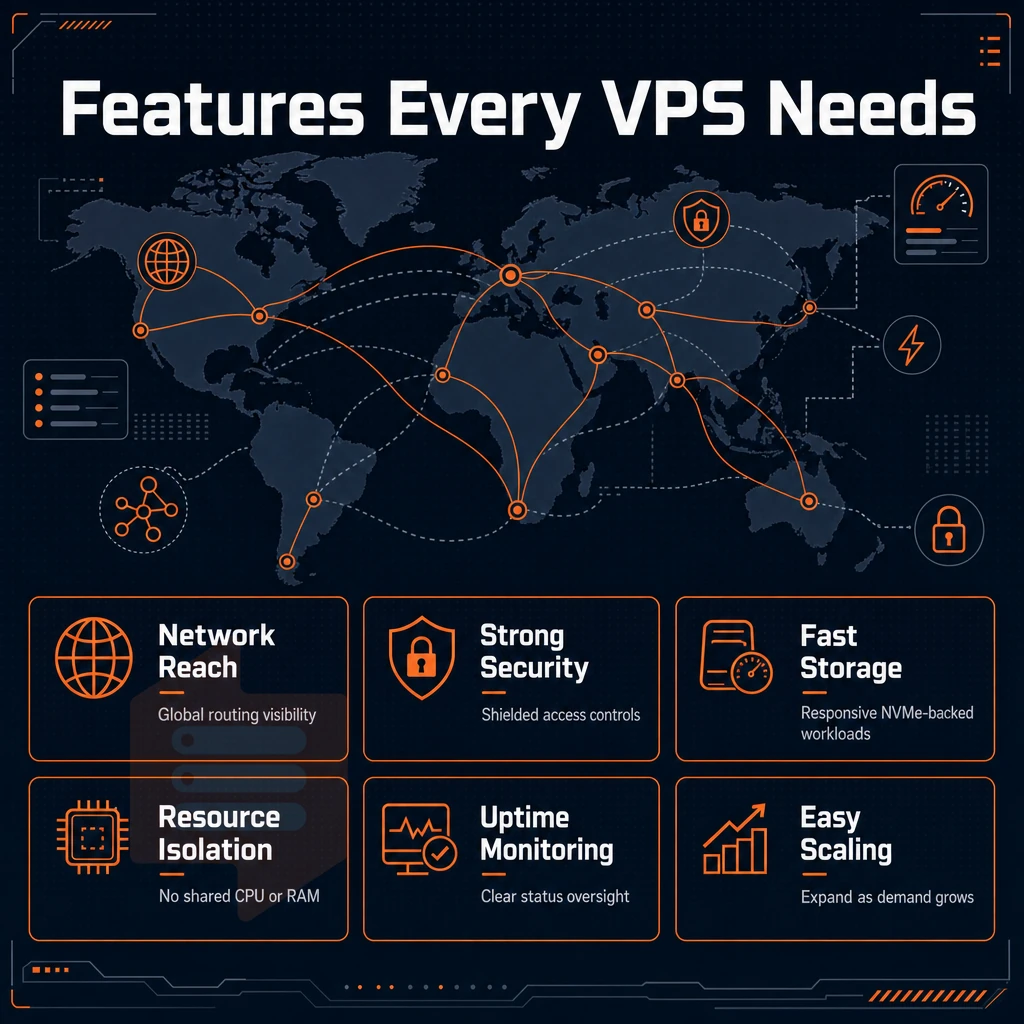
Not all VPS hosting plans are created equal. Compare all the features of all providers’ plans before making a purchase to find out where a plan falls short of meeting your needs. This is where performance problems and hidden cost surprise.
Virtualization, storage, and network fundamentals
Insist on KVM virtualization. Each VPS runs with its own kernel, thus a noisy neighbor cannot affect your instance at the hypervisor level. Other forms of virtualization such as container-based virtualization share the host’s kernel and thus are prone to privilege-escalation type of problems.
Server storage is now table stakes with most providers using SSDs, so the real differentiator is NVMe over PCIe. BuyVPS measures 122,959 4K read IOPS (fio median) on their NVMe RAID10 setup. That kind of server performance is important for databases and high-traffic websites. Make sure to ask for published numbers instead of some marketing text.
Dedicated IP addresses for IPv4 and IPv6 should be included in every plan. IPv6 support, or even dual-stack support, in 2025 is not optional as IPv6 adoption is currently accelerating. Adding IPv6 support at a later point in time is likely to result in half-baked support.
Edge DDoS protection should be included in the base plan and not be an additional paid feature.
What operating systems can i run on a VPS?
A serious provider supports the major Linux distributions such as Ubuntu, Debian, AlmaLinux, Rocky Linux, CentOS Stream and Fedora. BuyVPS supports all of the above Linux distributions and also supports custom ISO upload for any other Operating System images that you want to upload. This is especially useful for users who require to run BSD variants, special appliances or even hardened servers that their team has set up internally.
Control, transparency, and extras worth weighing
A user friendly control panel with real API for automation and an in-browser VNC console (when SSH is not unreachable then this is the rescue console for you).
Verify the uptime guarantee in writing. Make sure it is covered by a valid SLA that clearly defines the remedies in case of a failure.
Free extras are nice to have, but when comparing VPS hosting plans watch out for providers who include site migration, free backups, or a money back guarantee, versus others that charge separately for off-site backups. They are not free, they are either part of the plan you signed up for, or they are an upsell that the provider wants to sell you later. Know what you are getting before you sign up for a plan.
Demand transparent renewal pricing.
VPS plan tiers explained: standard, dedicated-core, and high-memory
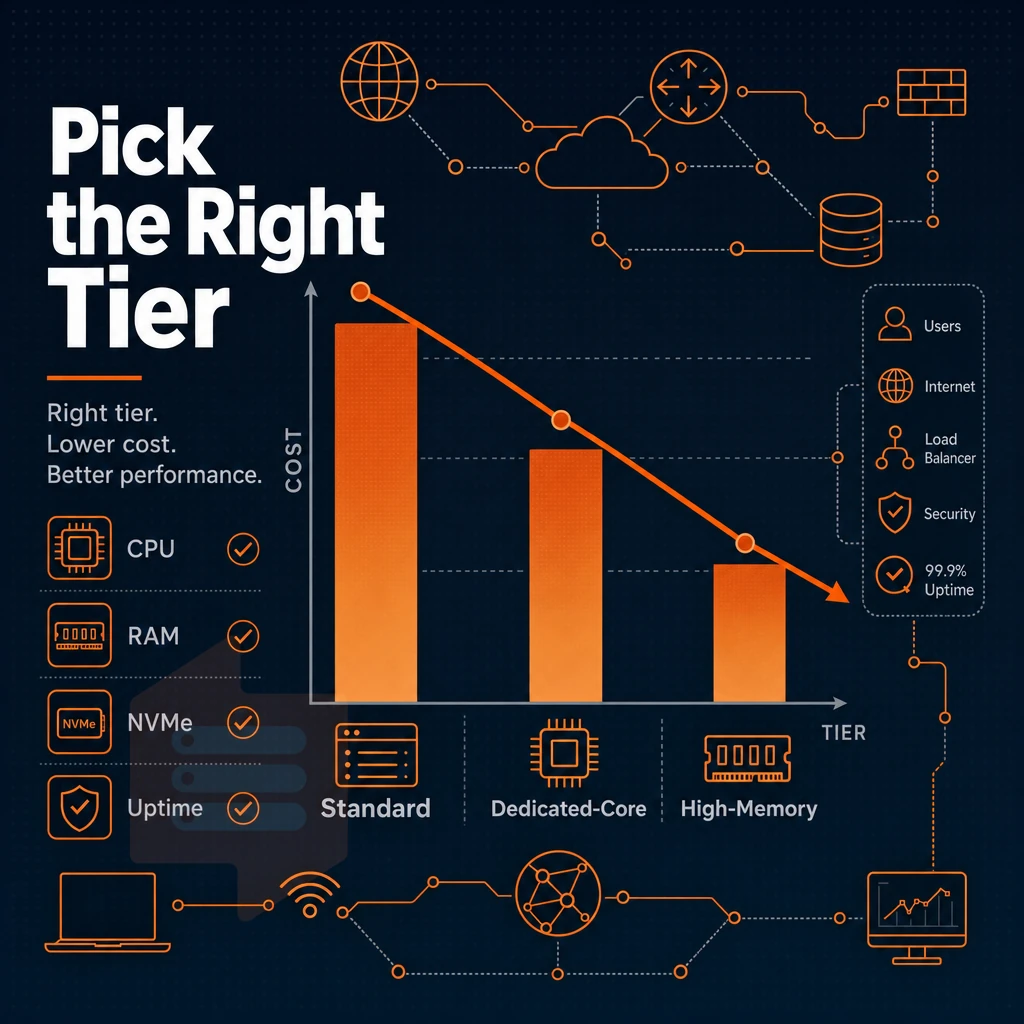
When choosing a VPS hosting service you must bear in mind that not all plans are created equal. The best VPS hosting providers have built their lineup around three different architectures, each best suited for a particular type of workload. Below we explore each tier in more detail, using our own hosting plans as an example.
Standard CPU tier (s-tier): affordable VPS plans for moderate workloads
S-tier hosting is powered by AMD EPYC Milan processors, with a build-out of DDR4 ECC random access memory and NVMe storage provisioned in RAID10. Shared processing cycles between tenants are cost-effective while still being reliable enough for typical use cases.
Tier S is suitable for web servers, staging environments, small databases and for development purposes. Since burst traffic is more cost-effective than constant traffic, using shared vCPU is very cost-effective. Our entry S-2 plan starts with 1 vCPU, 2 GB of RAM and 30 GB of disk space, and the S-4 plan with 2 vCPU and 4 GB of RAM is enough for most moderate production services.
Dedicated-core tier (d-tier): pinned cores for predictable performance
The D-tier boxes are based on AMD EPYC Genoa processor with DDR5 ECC memory and dedicated resources (as cores are pinned and not shared). This setup provides the benefits of D-tier of having no noisy-neighbor CPU contention and consistent latency under load.
For CI/CD pipelines, real-time APIs, game servers, and latency-sensitive databases (like In-Memory Databases), a dedicated server with a custom configuration of its cores is the best option. It’s easy to change the number of cores, and you immediately get to use all of them.
High-memory tier (h-tier): ram-heavy workloads done right
The H-tier uses a 1:8 vCPU-to-RAM ratio on EPYC Milan hardware to create an in-memory database, analytics engine or large cache tier where RAM is the limiting factor.
All three of our solutions have the same security features: KVM isolation and hard memory caps per node. And in-place upgrades mean your IP address never changes as your business grows, no migration required, and no disruption to your users.
What does full root access mean and why does it matter?
Full root access to a server means you have full control over the server, i.e. you can install any package, edit any configuration file, upload your own kernel modules or even upload an ISO. This is in contrast to managed servers, where you are restricted to the software that your hosting provider has approved for use on their servers. For developers and sysadmins, having full superuser access is the biggest difference between a real server and a managed appliance.
Server locations: why amsterdam and new york cover most use cases

Where to put your Data Center(s)? A decision that can have very large effects when choosing the best VPS hosting provider, since the physical location of your servers relative to your users will decide the round-trip latency for communications between your servers and your users.
The effects of latency are also well known: it affects the time that it takes for a page to load, for a database query to complete, etc. We operate two data centers for VPS hosting: Amsterdam and New York , because these two locations are the two largest concentrations of internet users in the Western world.
How important is data center location for VPS performance?
No amount of caching can make up for a server located on the wrong continent.
Upstream diversity also affects network speed. Our two data centers are connected with multi-homed uplinks. This allows traffic to detour around congestion or failures, for example. Edge filtering is executed at the network perimeter and prevents malicious traffic from even entering your hosting environment.
Amsterdam vs. New york: coverage by region
| Dimension | Amsterdam (EU) | New York (US East Coast) |
|---|---|---|
| Primary audience | Europe, Middle East, Africa | North America, Latin America |
| Typical latency to region | <20 ms Western Europe | <10 ms US East Coast |
| Hardware | AMD EPYC, NVMe RAID10 | AMD EPYC, NVMe RAID10 |
| IPv4 + IPv6 | Dual-stack | Dual-stack |
No trade-off between regions
The majority of providers treat 1 region as their flagship location with secondary locations (on separate hardware, older or with different pricing models). We treat Amsterdam and New York as 1 entity, identical hardware, control plane and pricing, just in different geographies.
The result is very consistent performance.
How to choose your data center
Deploy to the closest region to your users. Europeans should deploy to Amsterdam, North Americans to New York. Those serving both regions would deploy one VPS in each region (identical specs & pricing).
Consistent, high-quality hosting on the hardware of your choice in any location worldwide. Same service level agreements applied to all hardware in all locations.
How to evaluate VPS performance: benchmarks and real-world metrics
The marketing pages for these virtual private servers lead with specs such as the number of vCPUs, the storage as SSD in different tiers, and the promise of unlimited bandwidth. However, the specs of a virtual private server do not tell you how it will really perform under a load. You can either run your own tests, or demand the publisher to provide you with the results of his own tests.
Benchmark the right metrics
- Storage IOPS (4K read/write). Sequential speeds look impressive on paper. What matters is 4K random read IOPS, the figure that reflects real database and application behavior. BuyVPS publishes an fio median of 122,959 4K read IOPS on NVMe RAID10 storage. Use that as your baseline when comparing providers. Note: providers who publish raw fio output are accountable; those who only advertise "NVMe" without numbers are not.
- CPU throughput (Geekbench 6). Geekbench 6 is the standard cross-platform CPU benchmark. We recommend measuring single core as well as multi core performance on any plan you are evaluating the performance of. For latency sensitive workloads the single core score is the most relevant.
- Database throughput (pgbench). For the PostgreSQL test case we use pgbench to measure transactions per second under a given level of concurrency. This metric measures a combination of CPU power, memory bandwidth, and I/O capacity that is required to process a given load.
Check node density and overselling risk
- How many RAM in hard memory caps per node? I want to check if they don’t oversell RAM and create noisy-neighbor by overloading a node with too many virtual servers. BuyVPS has strict hard memory caps per node, and very low node density. That’s why you don’t see any performance problems here.
- Verify that you are getting dedicated vs. shared resources. Even shared vCPU plans are fine for ‘bursty’ type workloads but for sustained CPU heavy type workloads you need pinned, dedicated resources. Make sure you know what you are paying for before you sign up for a plan.
What should i look for in VPS customer support?
The quality of support a VPS hosting service provides is what divides good from terrible hosting. Here are 3 key things that matter most.
- Engineers, not scripts. Don’t look for first-tier chatbots that can try to diagnose a kernel panic or a misconfigured network route for you. Instead, look for a provider where real engineers answer tickets.
- They can be contacted via multiple channels. We have set up an email address for you and a direct phone number to ensure you are being held accountable. Our support team can be reached at support@buyvps.com or +31 85 369 6285.
- No hand-off chains. The person opening your ticket should be able to solve it for you. Long escalation chains = longer downtime.
Note: Response-time guarantees vary widely. Ask for specifics before you buy, a provider unwilling to state a target is telling you something.
Web hosting pricing transparency and long-term value in VPS
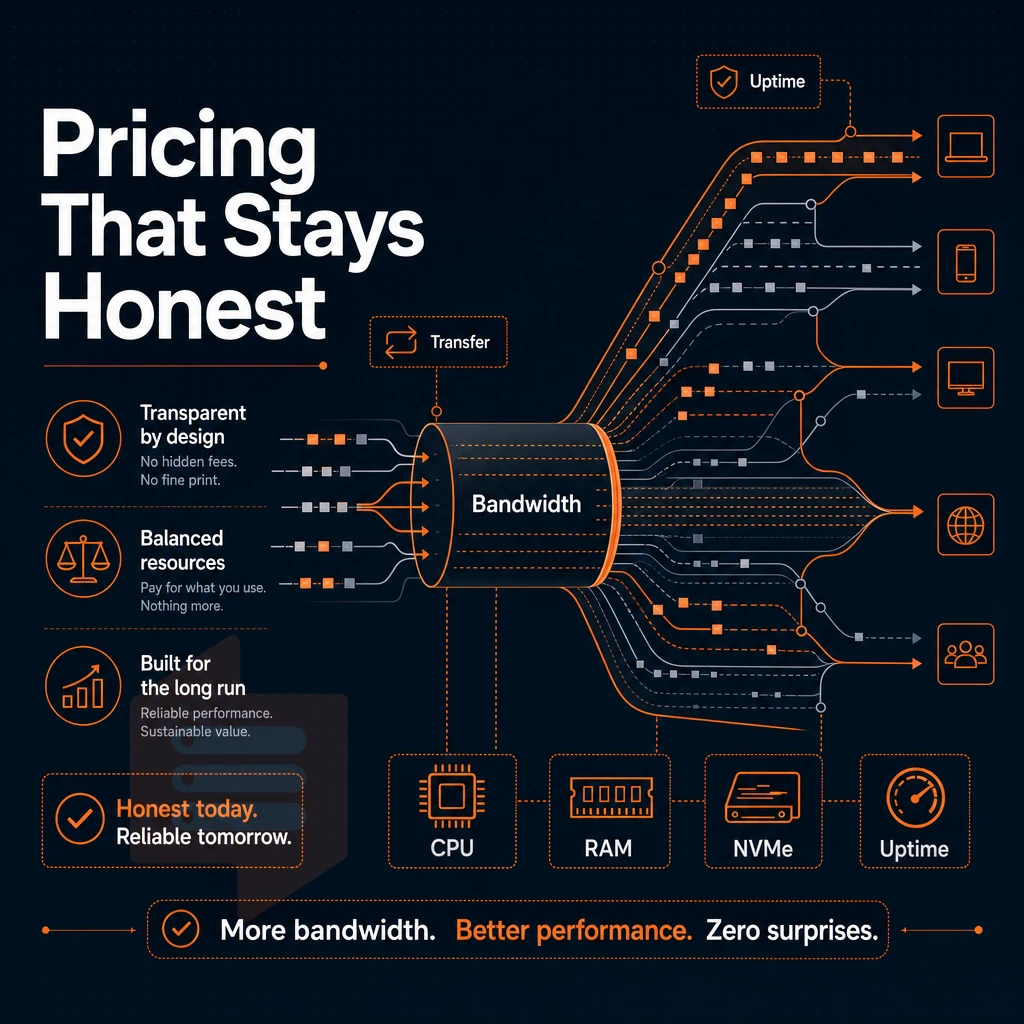
Pricing opacity, perhaps the biggest issue facing the hosting market, has yet to be resolved. Low introductory prices to get customers through the door are routinely doubled upon renewal. Such dramatic price hikes between contract periods create real risk to production workloads running on a physical server or cloud hosting environment, especially for operation-focused teams who have no idea a rate increase is around the corner.
The renewal hike problem
The best VPS hosting provider won't price the cheapest package as a loss-leader and list a higher 'standard rate' for the following month, which teams have been basing their budget on in the first place. This results in a massive shock when the renewal hits in month 13 or 25 for example.
The way that introductory discounts work is actually pretty straightforward.
This policy applies to all payment terms: monthly, 1 year and 2 years.
What transparent VPS hosting plans actually include
Pricing transparency means more than listing one fixed rate.
When comparing VPS plans, make sure to include any additional charges for things that are normally included elsewhere, such as administrative access, API access, OS reboots, or console access. These additional charges can quickly add up on the cheapest plan that initially looked to be very cost effective.
In-place upgrades and business continuity
Pricing stability is important, but so is upgrade stability. As your business grows, it is likely to need to scale, i.e. support more users. A good hosting provider will allow you to do this without having to start rebuilding from scratch all over again. Unfortunately, many web hosting providers require a full migration to a new node (server) when you upgrade via the control panel, which can result in a new IP address, DNS propagation delays, and even some downtime.
BuyVPS upgrades are in-place, your IP address remains the same. No migration window, no DNS TTL to wait for, no reconfiguring of firewall rules that reference the old IP address.
Keeping current releases up-to-date has real operational value. Rather than forcing a migration for every upgrade, cheap plans can keep releases current without the engineering time, coordination overhead, and risk of cutover. In-place upgrades remove all of that cost.
Virtual private server support and server management: what to expect
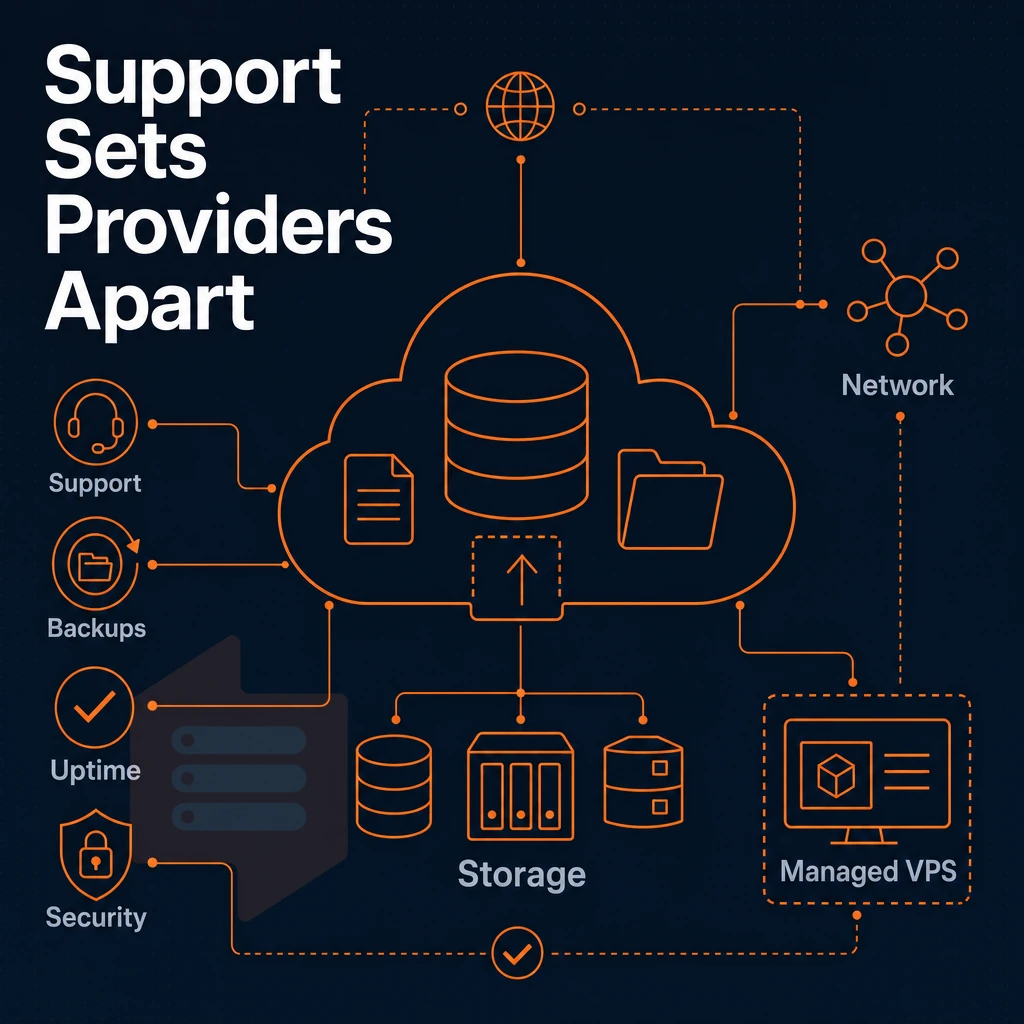
Quality support is what can turn a night mare of a VPS experience into a good one and vice versa. The best VPS hosting service will solve any problems for you asap, and within 3 ticket bounces is way too late. Find out as much as possible about the support that a hosting provider will be offering you before you commit to them.
Chatbot tiers vs. Engineer responses
Most organizations will route the initial contact to either automated triage or to a lower level technician who is reading from a script. Password resets are typically handled in this fashion. However, when your managed VPS or cloud hosting server kernel panics in the middle of the night or a network route goes down unexpectedly, you typically need to speak with someone who can troubleshoot with you in real time.
The biggest difference is the level of technical expertise that you need to deal with your issues. With engineer level support, the person reading your ticket can read kernel logs, diagnose misconfigured firewall rules, and determine why your dedicated or cloud servers have poor storage I/O performance. Additionally, Many more things before handing off to another team of experts to resolve the issue.
Our experienced engineers handle customer support at BuyVPS. So no chatbot nor first tier filtering. Contact us for support at support@buyvps.com or +31 85 369 6285.
Self-service VPS services and control panel tools
Good server management is not always equal to a support ticket. Self-service tooling enables immediate action.
- API access: Automatically provision, reboot, and configure devices from your scripts.
- In-browser VNC console to access individual servers directly even when no SSH access is available.
- Self-service panel to reinstall OS, manage snapshots and do in-place upgrades without a ticket.
In-place upgrades on BuyVPS servers maintain your current IP addresses and require no re-migration of data. This is especially important for applications that are bound to a fixed IP address.
Virtual private server monitoring and escalation paths
Monitoring your web hosting servers proactively for indicators such as high CPU, high memory usage, high disk I/O, and high network traffic, alongside enabling free backups, can help find and recover from problems before they affect your users. Look for a web hosting provider that gives you real-time metrics and alerting hooks in their control panel rather than just waiting for tickets to be opened for problems that have already occurred.
Also important is a clear escalation path. Can your provider transition you from sending emails on critical issues to a live call with an engineer when needed.
Common use cases: matching your workload to the right VPS plan
Every workload is not suited for every VPS tier. A good VPS runs on the right combination of a server (environment) and a plan (CPU, RAM, storage as a profile).
VPS solutions for web development
Web developers running a WordPress site, staging environments, or CI/CD pipelines require burstable CPU combined with fast NVMe storage. Our Standard CPU tier is designed to meet these needs. Our plans include the ability to host multiple sites off of a single plan using virtual hosts, and that is charged predictably.
DNS server, proxy server and VPN endpoints are all lightweight applications. They can be covered by a Standard CPU plan with dual-stack IPv4+IPv6. Full server access and custom ISO upload are also included. You can run any Linux-based application on this server.
Database and memory-intensive workloads
Shared CPU is penalized under real query load in PostgreSQL and MySQL.
Workload-to-tier reference
| Use case | Recommended tier | Key reason |
|---|---|---|
| Web hosting, staging, WordPress | Standard CPU | Shared vCPU sufficient; NVMe keeps page loads fast |
| Game servers, CI/CD pipelines | Dedicated CPU | Pinned cores eliminate latency variance |
| PostgreSQL / MySQL at scale | Dedicated or High Memory | Consistent CPU + large buffer pool |
| VPN, proxy, DNS server | Standard CPU | Low resource footprint; dual-stack IP included |
| SaaS backends, high-traffic sites | High Memory | 1:8 RAM ratio handles large in-memory workloads |
BuyVPS runs several virtual servers in Amsterdam and New York on KVM hardware. All virtual servers are running with hard limited amounts of RAM (no overselling like in a cloud). If your site needs more power than a shared hosting account can provide. You can start with the Standard CPU Server and scale up from there as your site grows (no need to change IP addresses or migrate your account).
Why choose BuyVPS as your VPS hosting provider
BuyVPS has operated as a founder-run hosting provider since 2002. We build VPS hosting on verified specs, not marketing claims, and every plan ships with the same hardware, the same pricing, and the same level of isolation regardless of which data center you choose.
For teams evaluating the best VPS hosting provider, here is what sets our VPS plans apart:
- No-oversell, hard memory caps: Low node density means your virtual private server gets the dedicated resources it was sold with, always.
- KVM with a separate kernel per VPS: True isolation at the hypervisor level. Your server environment is never shared at the kernel layer with another tenant.
- AMD EPYC + NVMe RAID10 PCIe-direct storage: Measured at 122,959 4K read IOPS (fio median). SSD storage performance is published, not estimated.
- Full root-level access and custom ISO on every plan: Full control over your operating system, server settings, and custom configurations from day one.
- In-place upgrades, no IP rotation: As your business grows, scaling your VPS hosting service requires just a few clicks, no migration, no disruption.
- Identical hardware in Amsterdam and New York: Consistent VPS hosting across both regions, with IPv4 and IPv6 dual-stack included.
Our customer support is handled by engineers, not first-tier scripts. If you want to compare VPS plans or discuss which hosting service fits your workload, reach out to our team at info@buyvps.com or call +31 85 369 6285.
How to choose the best VPS provider for your specific needs
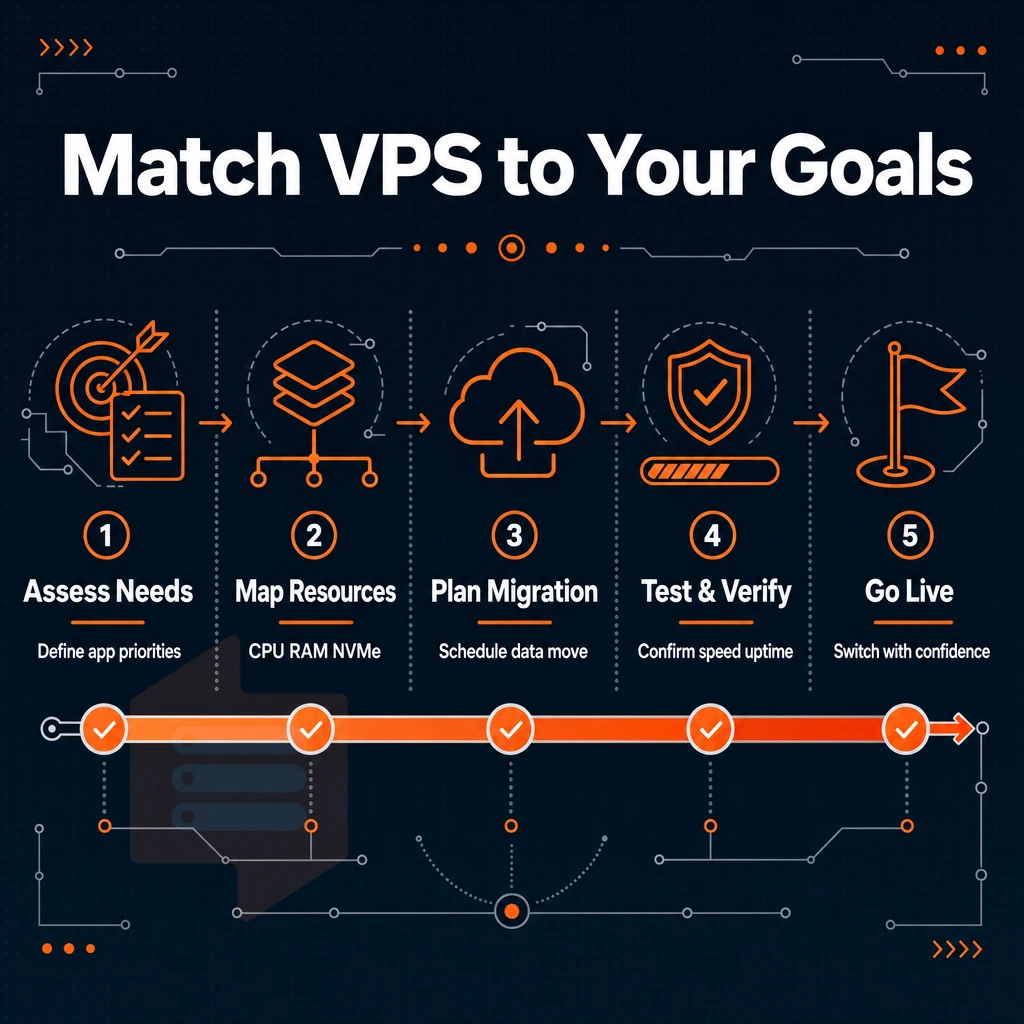
The best VPS hosting for you will be determined by how your application is provisioned on the available hosting infrastructure. We would recommend that you question the hosting provider as to whether your application would be better suited on a VPS hosting platform such as a WordPress Site. A Database or even a High Traffic API.
In addition to the nature of your application you would also need to establish whether you require a Managed VPS or an self-administered VPS. Furthermore it would be wise to question the hosting provider as to which data center region your users are from in order to host your VPS as close as possible to your end users.
With Virtualized servers it is also very important to question whether your application will require Pinned Cores or if it will be suitable for a Shared VCPU. Last but not least. It is also very important to question the storage IOPS that the hosting provider is able to provide under real load for your application in order to determine whether their VPS services will be able to provide the required level of performance for your Virtual Servers are provisioned within Virtualized Hosting Infrastructure.
Additionally, Therefore the terms Virtual Servers and Virtualized Servers are often used interchangeably. Virtualized Servers are the best web hosting option for you, but as always the term 'best' is relative and depends on the specific use case for which you require the services of a quality hosting provider.
That said, certain baselines are non-negotiable across all VPS hosting providers worth considering: KVM isolation, NVMe storage, transparent pricing without surprise fees, and support staffed by engineers, not chatbots. BuyVPS meets every one of those baselines, with dedicated resources, full admin access, and deployments in Amsterdam and New York. For a full breakdown of the best VPS options by workload, see our best VPS guide.
The essential VPS hosting checklist before you sign up
Before buying a VPS hosting service make sure you check all the boxes of this checklist: KVM virtualization, NVMe storage with IOPS published, IPv4 and IPv6, full complete superuser access. Transparent renewal prices that won't increase, data center in your country, engineer support, API and control panel, many operating system options to choose from with custom ISO upload, uptime guarantee in writing. Most VPS hosting providers will give you some of the above, but few of them will give you all of them.
This hosting provider checks all the boxes of a best VPS hosting service. These web hosting VPS services include KVM isolation, NVMe RAID10 with 122,959 measured 4K read IOPS, dual-stack (IPv4+IPv6) networking, full unrestricted server access, transparent pricing, and 2 datacenter locations (Amsterdam and New York). Additionally, Last but not least, real engineers (not just bots) on support. So this is the standard that every hosting provider should be measured against in the hosting crowded market.
When choosing a VPS provider, there are three key things to consider: The performance of your server. The quality of the underlying dedicated server infrastructure and cloud servers, and the pricing model to ensure you're not being charged a premium for your loyalty once the initial promotional period has ended.
With shared hosting unable to provide the necessary isolation for serious workloads and bare metal servers often too powerful for most development teams. A well specified VPS, matched to your required CPU, RAM and storage profile, is the middle ground that so many require.
Most buyers don’t realize that Plan tier matters. Standard vCPU is fine for typical workloads. Dedicated-core Plans are the only way to assure there’s no noisy-neighbor interference. High-memory Plans are for databases and in-memory caches that simply can’t be made to work reliably on shared-core Nodes.
BuyVPS offers all three tiers on AMD EPYC hardware across Amsterdam and New York, with hard memory caps, NVMe RAID10 storage, and transparent pricing. If the specs in this guide match what your stack needs, explore BuyVPS plans and find the tier that fits.