

Buying a USA VPS is more than selecting a plan with the right amount of RAM. Other factors include latency to users on the East Coast, storage I/O under load on dedicated servers, unlimited traffic allowances, fair and predictable renewal prices, and great support when things go wrong at 2am. Most providers of VPS hosting look identical on paper. However, the differences between them become apparent under load.
This guide cuts through the noise.
Additionally, a clear look at what BuyVPS delivers with its virtual private server offering from the New York data center, AMD EPYC processors, NVMe RAID10 storage with measured IOPS, and KVM isolation with a separate kernel per VPS. BuyVPS operates multiple geographically distributed data centers to ensure low-latency connectivity and redundancy for mission-critical workloads across North America.
What is USA VPS hosting and why location matters
For a tier between shared hosting and a full bare-metal machine, a VPS USA solution gives isolated environments carved from physical hardware with guaranteed CPU, RAM, and storage not shared by other tenants. For North American workloads, the location of the physical hardware in question makes a big difference. For community perspectives, see Cheapest VPS provider with USA servers..
First month $1
Then the normal monthly price. One per customer. No setup fee, and a 30-day performance guarantee on your first order.
See the plans“Sjoerd helped me with the setup of my VPS, super helpful team, smooth onboarding, and overall a great experience, thanks again”
How a virtual private server is built
KVM hypervisor technology allows you to divide up a physical server into multiple, independent servers. Each server runs its own kernel and operating system. With a VPS USA hosting setup, resources such as CPU cores, RAM, and high performance NVMe storage are allocated on a dedicated basis to each server, running independently of other tenants on the same machine.
VPS servers include dedicated IP addresses for your own mail reputation, your SSL certificates and your DNS servers. As with all our plans, root access is included. This allows you to fully manage the software stack on your server, from kernel modules to application configuration. Root access also enables you to use advanced features like custom firewall rules, containerization platforms, and specialized monitoring tools tailored to your infrastructure needs.
Root access grants you the ability to execute administrative tasks directly via the command line, giving you precise control over system configuration and troubleshooting. Many providers also layer in ddos protection at the network edge, ensuring that malicious traffic is filtered before it reaches your VPS instance. Modern control panels streamline server administration by providing graphical interfaces for tasks like user account management, service configuration, and resource monitoring without requiring command-line expertise.
VPS hosting vs. Shared hosting
Dozens of websites run on a single OS instance in shared hosting. One “noisy neighbor” can burst CPU to levels that affect all others on the server. A virtual private server eliminates this problem entirely by assigning all resources of a physical server to a single tenant, with isolation provided by the hypervisor and defined guaranteed bandwidth (no "unlimited" illusion here).
Organizations requiring full hardware control and zero virtualization overhead typically migrate from VPS environments to dedicated servers, where an entire physical machine is allocated to a single customer without hypervisor abstraction.
Why US location matters for dedicated servers and VPS
Network latency is physics.
If you are building web applications.
In reality, it is the virtualization stack, along with features like unlimited bandwidth, that powers your VPS, which translates the geographic advantage that you chose into consistent and measurable performance. Selecting a us VPS with low-latency network paths to your target audience ensures that the virtualization benefits translate into faster page loads and improved user experience. Strategic placement of virtualization infrastructure across multiple data centers ensures geographic redundancy and allows you to fail over when regional outages occur.
How a USA VPS works: KVM, NVMe, and dedicated resources
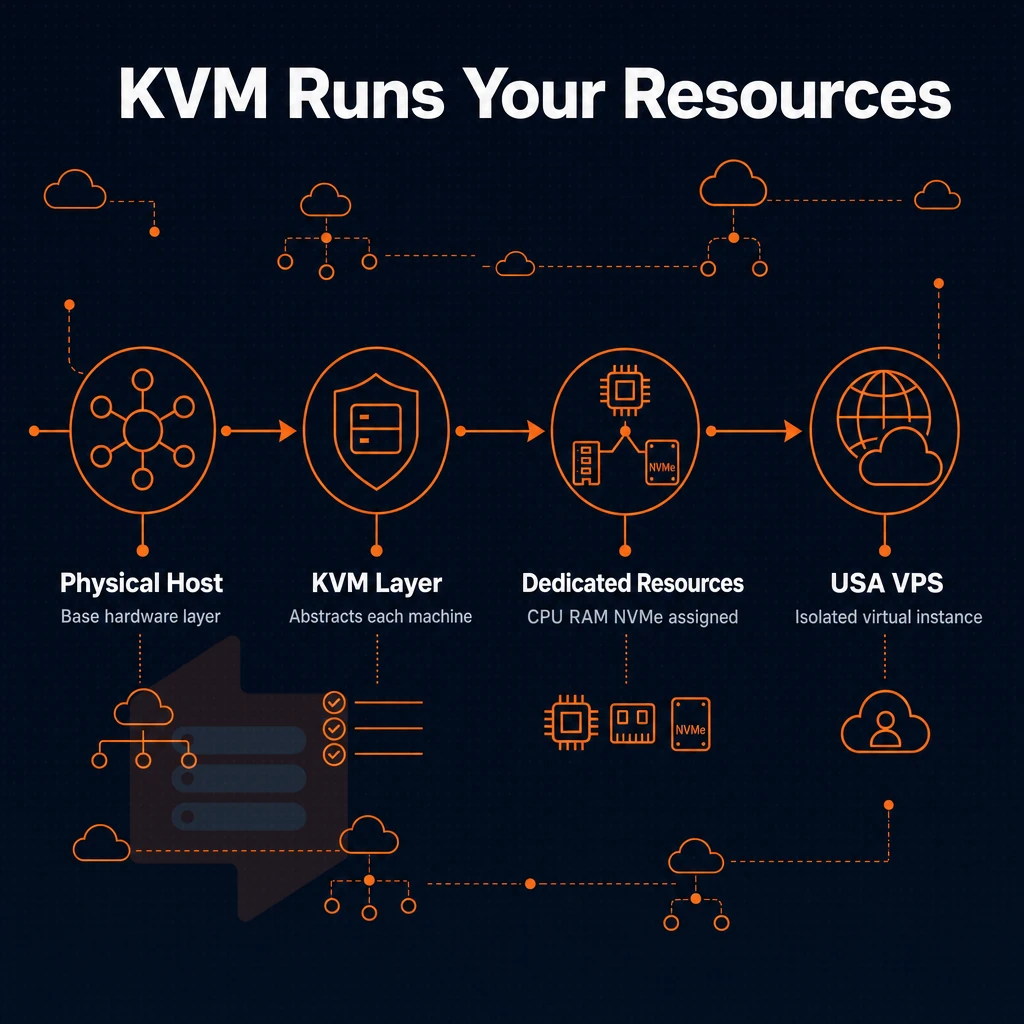
Each USA VPS server is running on top of physical servers. The hypervisor layer abstracts resources from each physical machine, enabling multiple isolated VPS instances to coexist with guaranteed performance boundaries.
Organizations requiring complete hardware isolation and maximum resource guarantees often transition from VPS environments to dedicated servers, where an entire machine is allocated to a single tenant without virtualization overhead. Geographic distribution of data centers cuts latency, allowing customers to deploy VPS instances closer to their end users for improved response times.
KVM isolation and the separate kernel advantage
We run KVM with a separate kernel per VPS. Thus each VPS runs in a fully isolated virtual environment, i.e. no shared kernel paths, no noisy-neighbor kernel panics. In contrast, Virtual Machines on lesser hypervisors (e.g. OpenVZ) share a single kernel, i.e. one misbehaving tenant can even destabilize the whole node.
Hard memory caps and low node density numbers support this.
NVMe raid10 and SSD storage performance
We are running Storage on NVMe RAID10 over PCIe, which results in 122,959 4K read IOPS (fio median) for SSD storage for databases and high traffic workloads. Enterprise-grade data centers deploy NVMe arrays in RAID configurations to guarantee consistent IOPS under concurrent workloads, ensuring database transactions complete without latency spikes.
Network, load balancer readiness, and control
Our VPSes come with a mix of IPv4 and IPv6 addresses (dual stacked) on every server. When you buy VPS USA plans, you get server configurations managed via a comprehensive self-service interface, fully API-driven and including an in-browser VNC console with no additional tools required.
For load balancer setups across multiple servers, request a VLAN to be added to your server and do an in-place upgrade and there will be no IP address reassignment. Modern control panels streamline server administration by providing intuitive interfaces for managing DNS records, SSL certificates, and user permissions without requiring command-line expertise.
Exceptional customer support and the best user experience possible from first deploy, are guaranteed by our engineer-led support team. Choosing the right service provider means evaluating not only infrastructure specifications but also the responsiveness and technical depth of the team behind your hosting platform. Beyond initial deployment, ongoing support services include proactive monitoring, security patch management, and rapid incident response to keep your infrastructure running smoothly.
This level of technical expertise ensures that complex configurations, custom integrations, and performance tuning are handled by professionals who understand both the infrastructure and your specific use case. When issues arise, having access to knowledgeable technical support staff who can diagnose hypervisor-level problems or network anomalies becomes critical to minimizing downtime. Consistent uptime depends on both robust infrastructure and a support team capable of resolving issues before they escalate into service interruptions.
DDoS protection decision guide
For workloads requiring predictable RAM, fast disk I/O, and load-balanced network configuration, a KVM VPS backed by reliable support is the recommended choice. On BuyVPS these are enabled with hard memory caps, NVMe RAID10 and VLAN support, all by default.
Now that we know the underlying stack and its unlimited bandwidth capacity, we can decide which of the available high performance tiers is best for your workload: shared vCPU, pinned dedicated cores, or high memory. Plans at every tier include unlimited traffic, ensuring that bandwidth constraints never throttle your application during traffic spikes or sustained high-volume periods.
Comparing VPS offers across providers reveals that tier flexibility and transparent resource allocation separate professional-grade infrastructure from commodity hosting. When evaluating a us VPS configuration, understanding how each tier maps to your application's CPU, memory, and I/O requirements prevents costly over-provisioning or performance bottlenecks.
VPS plan types: shared vCPU, dedicated core, and high memory
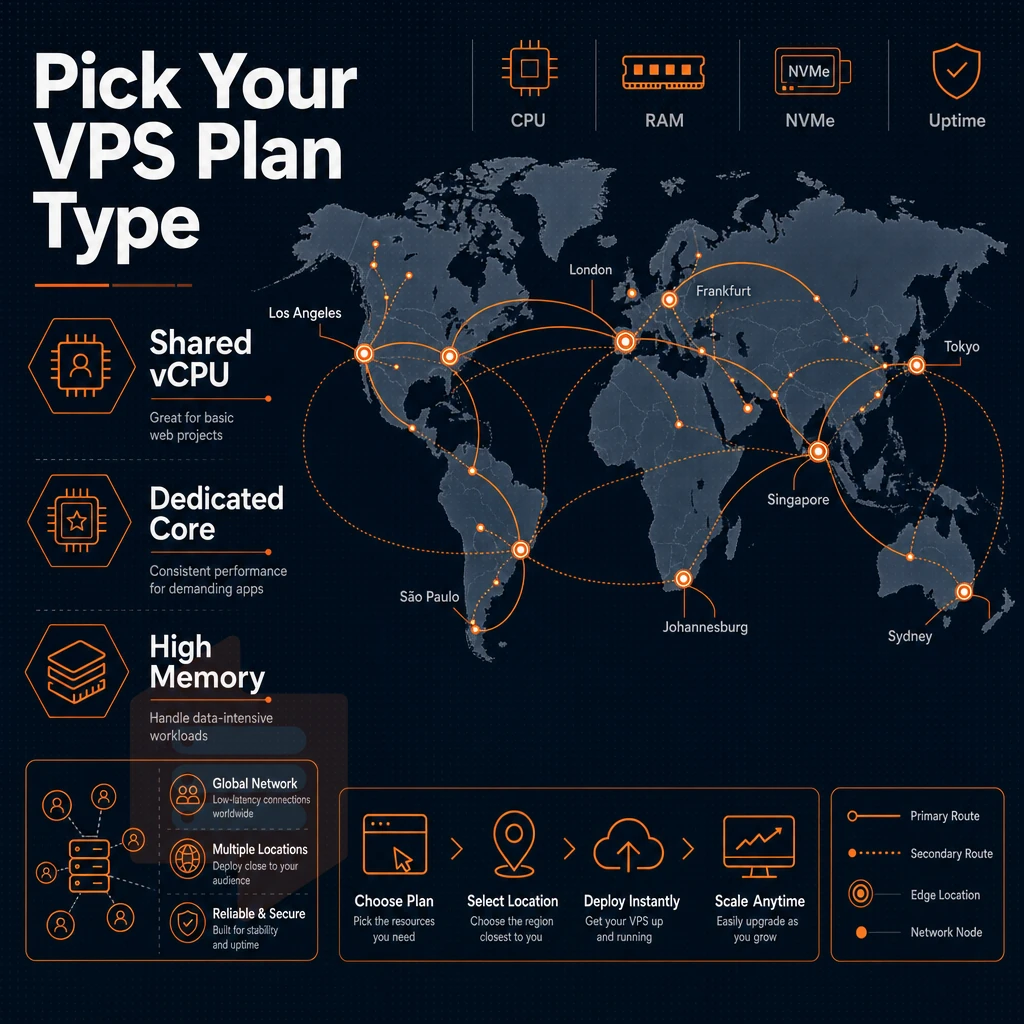
Choosing the right VPS tier is important, because your workload is going to perform differently under real load. We have three different VPS tiers at BuyVPS, all suited for different classes of demand. Selecting a tier that aligns with your application's resource profile ensures you can scale efficiently as your business growth accelerates without overpaying for unused capacity. Comparing multiple VPS offers across providers helps you identify which tier structure and pricing model delivers the best value for your specific resource requirements.
Standard VPS servers (s-tier): everyday workloads
It is optimized for stable performance of general web work, development work and content sites.
- Workload types that fall into the S-tier category are development environments, staging servers and moderate traffic sites. They require the same amount of pinned cores as the other tiers but don’t have to pay for them.
- Check the node density. BuyVPS enforces hard memory caps per node. Shared does not mean overloaded, low node density is by design.
Note: S-tier vCPUs are shared. Burst-heavy or latency-sensitive workloads should move to D-tier instead.
Dedicated CPU VPS (d-tier): high performance under pressure
Our D-tier plan for AMD EPYC Genoa processors assigns fixed pins for the dedicated cores of your VPS and supplies this with DDR5 ECC RAM. Since no other VPS runs on the neighboring cores of your Dedicated Cores, this plan goes far beyond basic hosting by providing physical-server-like isolation at a fraction of the cost of actual bare metal. This tier delivers enterprise-grade compute isolation with an unbeatable price point for workloads requiring consistent, predictable CPU performance.
Pinned cores eliminate CPU contention entirely, which translates directly into consistent uptime for mission-critical applications that cannot tolerate performance variability. Organizations requiring even greater isolation and resource guarantees can step up to dedicated servers, which eliminate the hypervisor layer entirely and provide exclusive access to all hardware on a single physical machine.
- D-tier instances are designed for workloads that require constant CPU power. CI/CD pipelines, transactional databases, high-traffic APIs are examples of workloads that require constant CPU power and thus require constant CPU power to deliver consistent performance for every request.
- We have D-tier VPSes available in Amsterdam and New York. As a US-based person, you can select New York at checkout to get a US-based VPS (identical hardware, same pricing as Amsterdam).
High memory VPS (h-tier): data-heavy applications
H-tier has been designed with a 1:8 vCPU to RAM ratio on EPYC Milan for in-memory databases, large dataset processing and memory intensive analytics.
- The memory requirements for your workloads need to be confirmed first, H-tier starts with 64 GB RAM. If the memory requirements for your workloads are within the limits of S-tier and D-tier RAM, then these are the more cost effective offerings.
- Use the support team for sizing. For high memory us VPS deployments, our engineers can advise on the right H-tier plan before you commit.
Note: All three tiers include full root access, KVM isolation with a separate kernel per VPS, and in-place upgrades, no IP rotation, no migration window.
Now that you have identified the right tier for your needs, is a VPS even the right model of infrastructure for you? Are you even on shared hosting at the moment?
USA VPS hosting vs shared hosting: why the upgrade makes sense
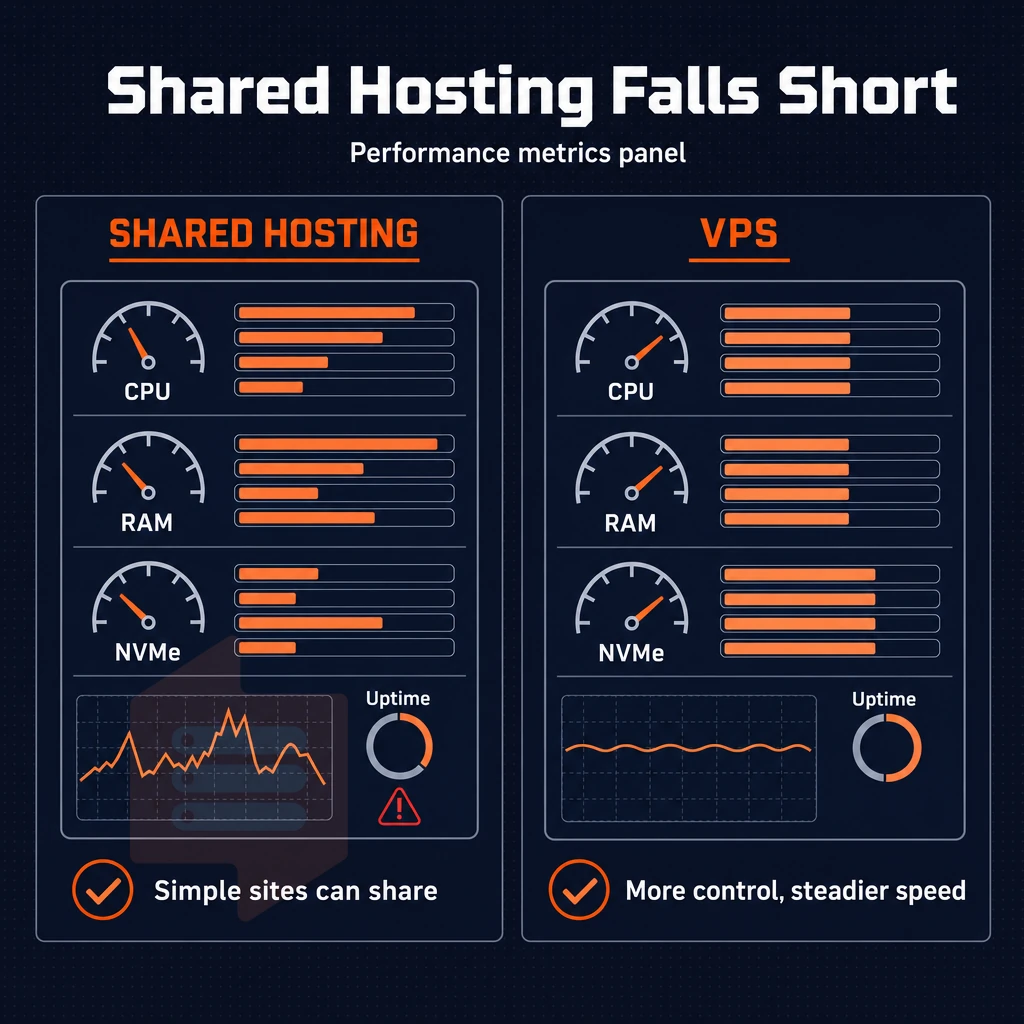
For a simple website, like a personal blog or static brochure site, a shared hosting environment where dozens of websites are hosted on a single server. As traffic and complexity increase, however, the inadequacies of shared hosting become apparent.
Resource isolation vs. The shared pool
On a VPS, you’re given a set of resources for your instance, and that’s all for you. Because you're using KVM virtualization in web hosting, the hypervisor (the software that manages the VPS) enforces hard boundaries, and you get exactly the resources you were allocated. When you deploy a US VPS with KVM isolation, each instance operates with its own kernel space, preventing resource contention that would otherwise degrade application responsiveness during traffic spikes.
The core difference in architecture to reliable hosting at scale is a dedicated resource boundary.
Virtual server root access and administration freedom
Shared accounts typically lock you into a web host’s control panel and predetermined selection of software. That means you cannot install alternative runtimes, compile kernel modules, or even mount custom ISOs. In contrast, VPS hosting offers root access to a fully-owned server environment. Root access bypasses the limitations of proprietary control panels, granting you command-line authority to configure system services, install custom software stacks, and optimize kernel parameters for your specific workload.
Server administration is now entirely in your hands. Modern control panels streamline routine tasks like domain management, SSL certificate installation, and service restarts without requiring command-line expertise.
Scalability and custom software
With a VPS you can upgrade in place (no migration, no IP address change, etc.) and BuyVPS supports in-place upgrades for all of their VPS tiers.
On every BuyVPS plan, we provide Custom ISO upload capability. This means you can upload and boot your hardened image, your favorite distribution or even internal builds, which are not possible to set up on shared servers.
Unlike many other providers that market "unlimited traffic" as a special feature, BuyVPS publishes and measures the real specs of our network. Our network infrastructure spans multiple geographically distributed data centers, each equipped with redundant power, cooling, and connectivity to ensure your VPS remains online even during regional outages.
That control extends to the Operating Systems as well as the tooling you can run and that is covered in the next section. Modern control panels like cPanel, Plesk, and DirectAdmin can be installed on your VPS to simplify server management tasks such as domain configuration, email setup, and database administration.
Operating systems and control: what you can run on a USA VPS
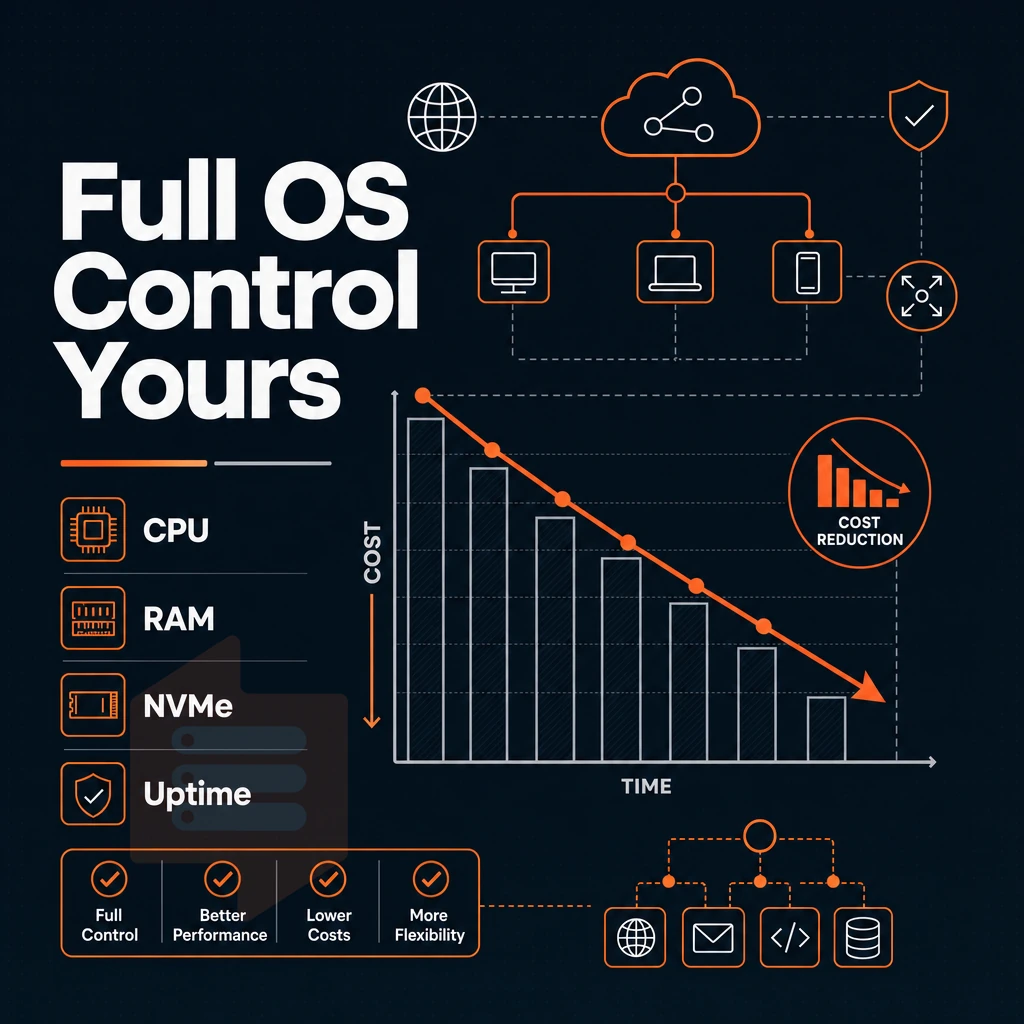
When you purchase a USA VPS hosting, the software that the server is running with is as important as the server itself. We offer full control of the VPS environment. You can choose to deploy any Operating System (distro) and even set any kernel flags that are required for your VPS to operate correctly. Modern control panels streamline server management tasks, allowing you to configure services, monitor resource usage, and automate routine operations without command-line expertise.
Supported operating system and Linux distributions
6 of the most popular Linux distributions are maintained and shipped with every BuyVPS plan.
- Ubuntu.
- Debian.
- AlmaLinux.
- Rocky Linux.
- CentOS Stream.
- Fedora.
Each server is running on KVM with its own kernel for the VPS. So even if one physical server running VPS solutions has a kernel panic (say one of the tenants had misconfigured something), this wouldn't affect the other servers on that physical server. The optimal speed is thus provided without the noisy-neighbor interference.
Custom ISO and custom setups
Need something outside the standard list of Linux distributions supported by BuyVPS? On a VPS USA setup with low latency connectivity, you can upload your own ISO to support niche, hardened, or custom distributions that meet specific compliance requirements or application needs. BuyVPS supports Linux distributions and custom ISO s, and does not support to manage installations of the windows operating system.
We recognize that demand for Windows exists across the industry. However, for teams that run compatible Linux stacks, our environment is a strong fit.
Virtual server control panel, API, and settings
Our self-service panel handles the day-to-day server settings for you, like reinstalls, reboots and monitoring of resources.
Support services are provided by experienced engineers (not first-tier bots) which enables faster resolution of escalations.
Where your data center is located is a good starting point.
Network quality and data center locations: new york and amsterdam
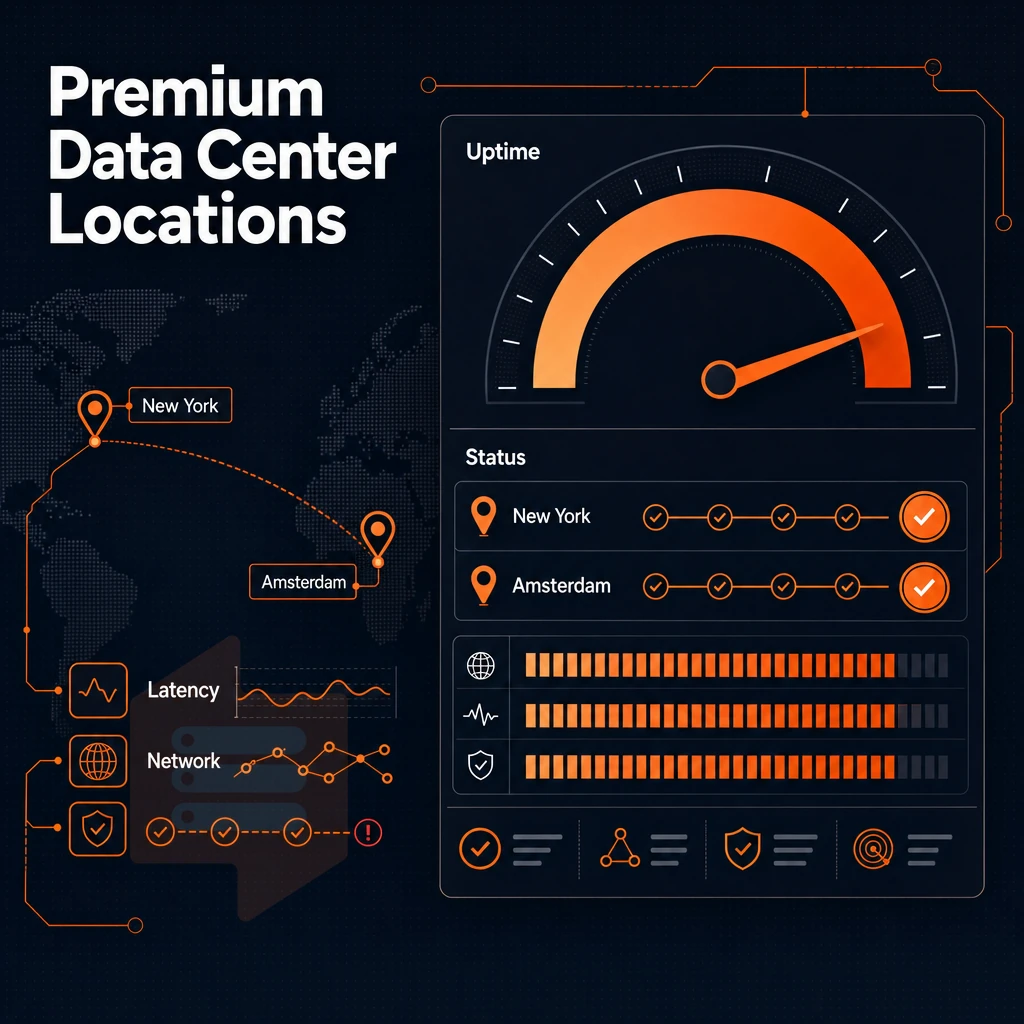
The latency your users experience is dependent on the location of your VPS. We operate two data centers, New York and Amsterdam, that serve US East Coast traffic as well as EU based audiences.
Data centers: new york and amsterdam
New York places your workload milliseconds from the US East Coast population centers and major transatlantic exchange points. Amsterdam serves EU users with equally short round-trip times. Both locations run identical hardware resources: AMD EPYC processors, DDR4/DDR5 ECC memory and NVMe RAID10 storage. No performance difference between locations.
Furthermore, edge filtering and an abuse-policy-based firewall are in place to deliver optimal performance by preventing volumetric threats from reaching your instances, with DDoS protection included at no additional cost.
Private network and cloud infrastructure
You can set up a VLAN for a private network within your cloud server. Other workloads can be segmented from each other and the whole group kept off of the public internet. There is a separate kernel for each KVM based VPS so your VPS will have its own portion of CPU and memory and will not suffer from noisy neighbors.
99.8% uptime SLA for all regions.
Choosing the right service provider location
New York (for USA VPS Hosting targeting East Coast users and/or transatlantic latency) or Amsterdam (for EU VPS Hosting, residents of EU and corresponding GDPR compliance). Both offer competitive pricing and a complete range of cloud services, deploy across both continents under a single account if required.
| Dimension | New York | Amsterdam |
|---|---|---|
| Primary audience | US East Coast, transatlantic | EU users, GDPR workloads |
| Hardware | AMD EPYC, NVMe RAID10 | Identical, AMD EPYC, NVMe RAID10 |
| Uptime SLA | 99.8% | 99.8% |
| DDoS protection | Edge filtering + firewall | Edge filtering + firewall |
| Network | Multi-homed, IPv4 + IPv6 | Multi-homed, IPv4 + IPv6 |
The maximum performance you can get from a server is limited by your location and your network connection. The quality of the server hardware and the anti-oversell policy of your server provider determine how close to the maximum performance you can actually get. To find out about the hardware of potential servers, to learn about web hosting providers' anti-oversell policies, and to read published benchmarks that compare servers and providers, you can search the Web.
Performance you can verify: benchmarks and no-oversell policy
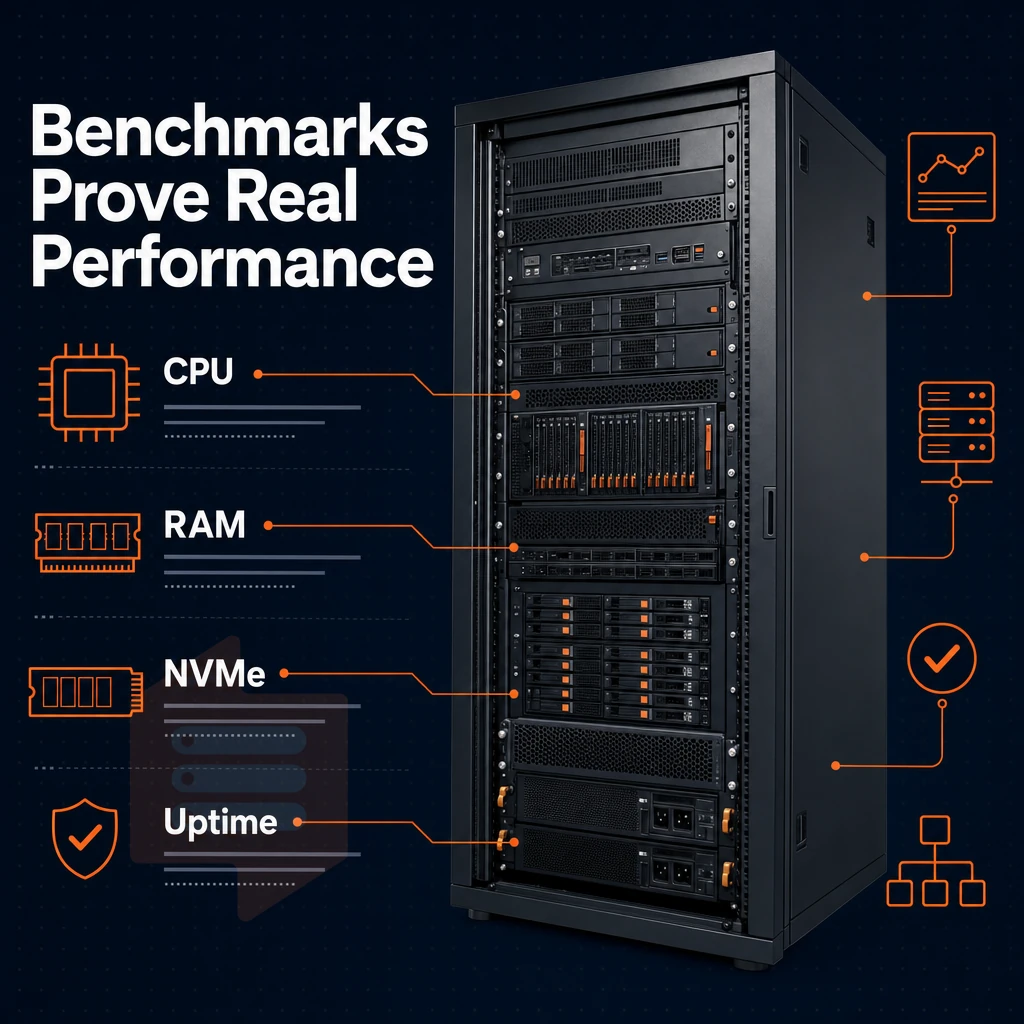
Many VPS providers will claim high performance but few will actually provide proof of this. We use enterprise grade hardware and utilize a structural anti-oversell policy to back up these numbers.
Optimal performance by design
A VPS is configured with the RAM that was allocated to that VPS, no more, and there are no soft limits.
- Here is the fio result for 4K read IOPS. We measured a median value of 122,959 IOPS under real load (as opposed to idle/synthetic test conditions). The test storage consisted of NVMe drives in RAID10 and was connected via direct PCIe. This therefore reports the true value as seen by the workload.
- Run Geekbench 6 after we’ve provisioned the new server. Compare your score to the published baseline for scalable resources and a clean node (as opposed to a noisy neighbor).
Low latency on the dedicated tier
Our Dedicated CPU VPS Plan assigns a physical CPU core to your VPS, and this CPU core is not shared with any other tenant. This makes our Dedicated CPU VPS Plan the ideal choice for databases, real-time APIs and other compute-intensive applications.
- We ran pgbench against the database. By pinning cores (to eliminate CPU-steal) to individual cores (as opposed to letting them roam on shared nodes) we eliminated the normal variance in query time due to CPU-steal that we see on shared nodes. What we got instead was constant transaction latency.
- Verify with a second run as maximum performance on a pinned-core VPS is repeatable. Wildly differing results between runs indicate a misconfigured workload as opposed to a problem with the underlying physical hardware.
Verification and support
Benchmarks are only useful when someone can explain them to you.
- Save your baseline scores for later reference. Run your benchmarks as soon as possible after provisioning the necessary hardware, i.e. before deploying your application.
- Re-run after major changes (e.g. kernel updates, new services, heavier traffic). These changes will shift your numbers and it’s good to compare to your baselines to catch any regressions early.
Note: Never benchmark immediately after a fresh OS install, background package updates inflate CPU and I/O readings. Wait for the system to settle, then run your tests.
While knowing the hardware perform and knowing how to size a USA VPS for a given workload(s) are two somewhat different things. Actually picking the right VPS tier for a given set of workloads is where things get real.
Common use cases when you buy USA VPS hosting
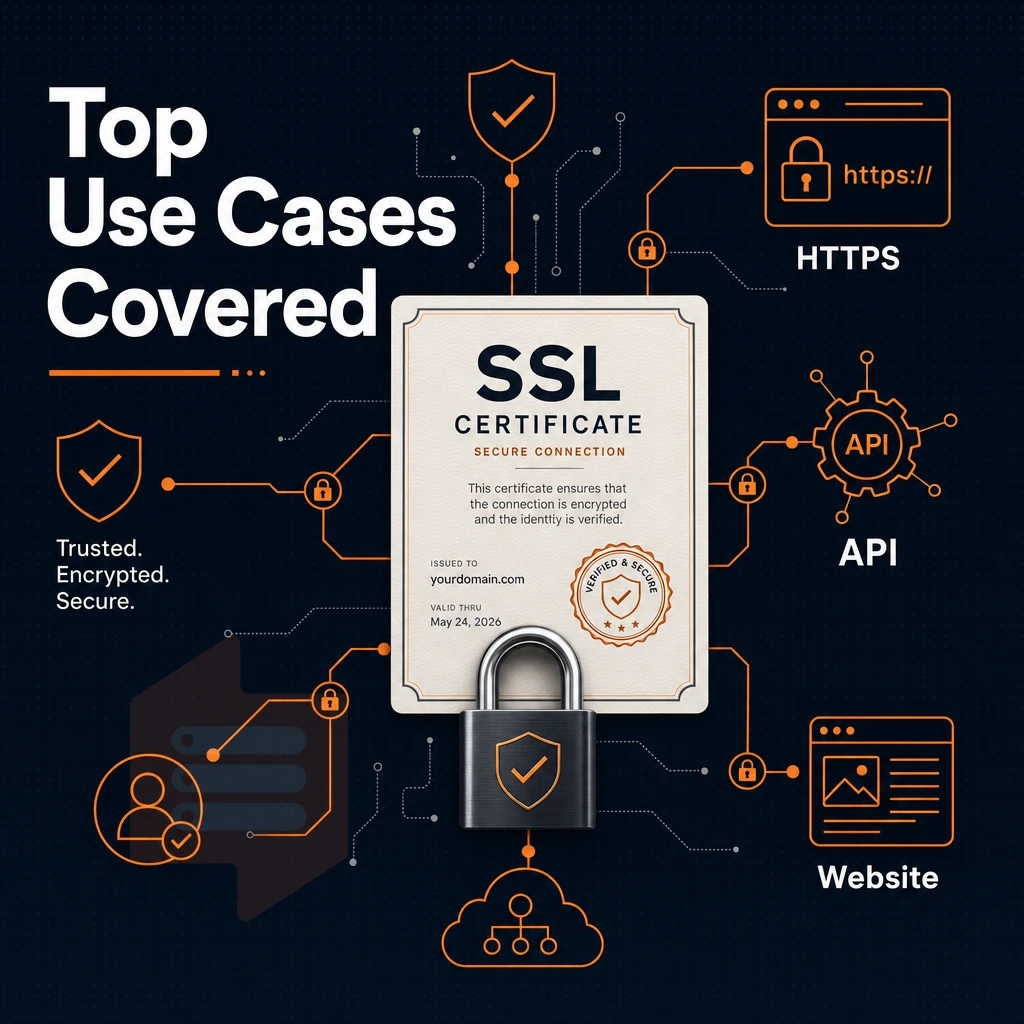
A USA VPS can handle a variety of workloads, including websites and backend systems and services. However, the particular use case will typically define which of the available VPS tiers is best. As noted above, this is where VPS hosting can add the greatest value.
Web hosting for applications and development environments
Web hosting on a VPS means you have full root access and isolated resources for your web hosting, unlike shared web hosting for example. We have many teams who use our USA VPS hosting for their staging environments that mirror their production environments. These environments are set up with the same OS, same kernel, and same high performance NVMe storage. The development environments and test environments are consistent with production because the hypervisor for example enforces hard memory caps per node.
BuyVPS, surprisingly, uses KVM on separate kernels for each VPS. This is crucial for reproducible builds of applications which require test environments in parallel.
Game, proxy, DNS, and VPS servers explained
Our FiveM, Palworld and other Game Server Hosting are running on low-latency compute and good I/O. Running a VPS USA from New York gives best latency for players from North America. We offer dedicated CPU hosting plans with fixed (‘pinned’) CPU cores to ensure the lowest possible jitter on shared vCPUs.
IPv4 and IPv6 dual-stack is included on all plans, no additional configuration required.
VPS hosting for load balancing and database growth
The method for Scaling Projects, typically begins with a single VPS USA server which scales out Horizontally to Add More Servers as Needed. Traffic for Application Servers on this VPS USA infrastructure is distributed via a Tier of Load Balancers, giving you full control over Database Hosting on a separate Server with NVMe RAID10 storage for high-volume write-based applications. Upgrade in-place (No IP re-assignment) to larger server configurations as the application and usage grow.
These VPS solutions are perfect for projects that need to purchase VPS USA solutions and not get locked into cloud hosting contracts. BuyVPS for example offers identical hardware in our Amsterdam and New York VPS hosting solutions. This can be very useful if a project or business is growing so fast that it needs a second region to host.
The scenarios listed above are examples of use cases that indicate a need for a good provider with a good infrastructure. Here’s why we built BuyVPS.
Why choose BuyVPS for your USA VPS
BuyVPS delivers reliable hosting for USA VPS workloads from our New York data center, backed by the same enterprise-grade hardware we run in Amsterdam. We've been founder-run since 2002, no private equity, no chatbots.
- No-oversell architecture: Hard memory caps and low node density mean your dedicated resources stay yours under real load. Every VPS runs in a fully isolated virtual environment with KVM and a separate kernel per instance.
- Pinned cores on the Dedicated tier: Guaranteed CPU cycles for demanding workloads, no noisy-neighbor contention on shared physical hardware.
- NVMe RAID10, PCIe direct: Measured at 122,959 4K read IOPS (fio median), our SSD storage layer delivers consistent performance for databases, web-based applications, and dev environments.
- Full root access + custom ISO: Complete control over your server environment and operating system on every plan.
- In-place upgrades: Scale resources without migration or IP rotation, zero disruption to your private network setup.
- Engineer-led technical support: Our dedicated support team answers tickets, not bots. Exceptional customer support is standard, not an add-on.
Ready to buy USA VPS on robust infrastructure with predictable costs? Explore our VPS solutions or reach out to compare VPS options for your workload.
Key advantages of USA VPS hosting at a glance
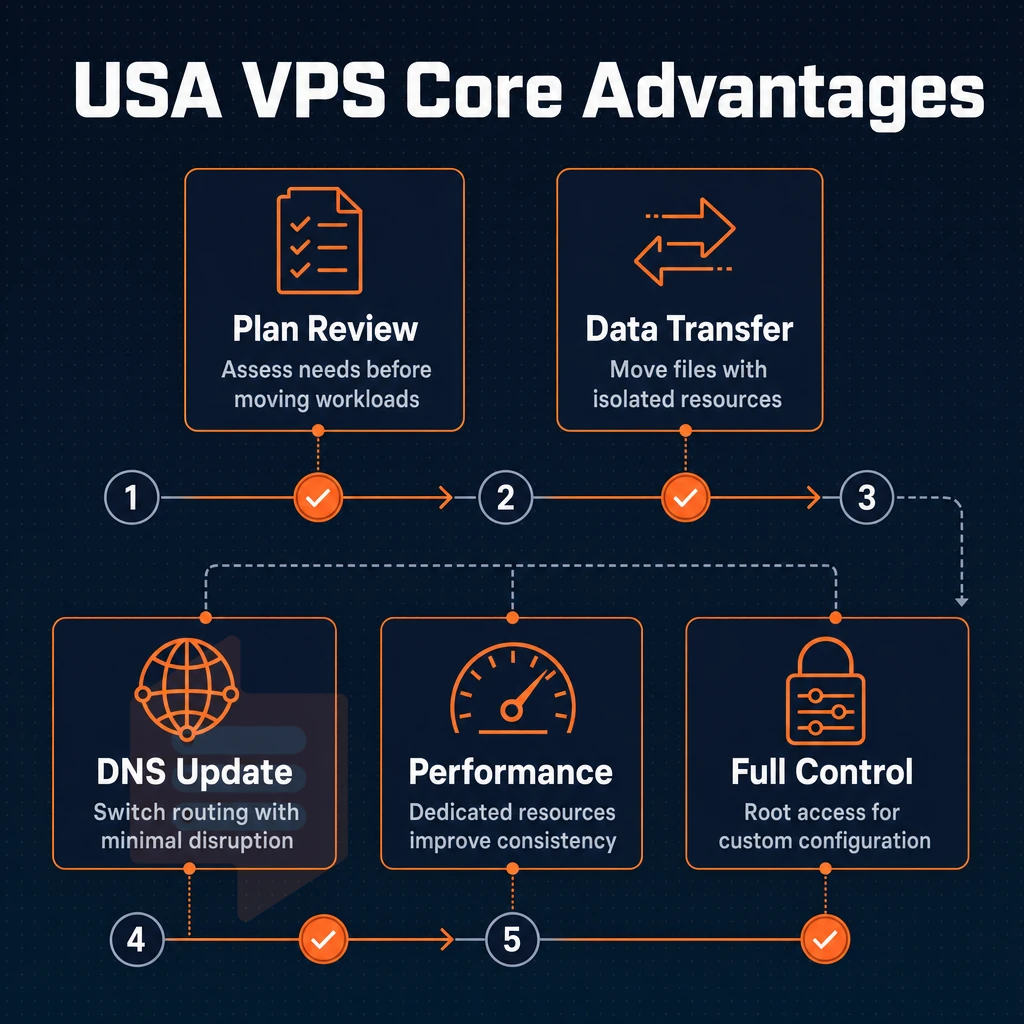
Our USA VPS Hosting plans are for those who require more than what you can receive from a multi-tenant hosting account. With a Fully Isolated Virtual Server Environment, a Full Root Access to manage the Virtual Server as you see fit. Additionally, the dedicated VPS USA virtual server resources are built to handle any amount of traffic that may come your way, and you will notice that the resources hold steady under any amount of additional load.
Our KVM Virtualization allows for fully independent Virtual Servers, with your own NVMe SSD Storage, and our Top Of The Line VPS Hardware within our New York Data Center. The end result is low latency for cloud services hosting websites with US East Coast traffic, with no Overselling, meaning the resources you provision are the exact resources you receive.
If you're ready to get a US-based VPS with predictable pricing and a no-renewal-hike guarantee, explore BuyVPS VPS solutions. Every US VPS plan includes root access, IPv4 + IPv6 dual-stack, and in-place upgrades, no migration, no IP rotation.
Choosing the right USA VPS: a quick decision guide
We offer Three VPS hosting plans, which each can satisfy Three different workloads. The Standard CPU VPS is ideal for average web sites and projects that require VPS hosting for development. The Dedicated CPU VPS delivers high performance with constant CPU power and the lowest latency possible, making it ideal for very demanding projects and applications.
High Memory VPS USA servers stay responsive for extremely data-intensive projects requiring huge amounts of In-Memory data storage, using Dedicated VPS resources without any compromises. All of our VPS servers are hosted on top of enterprise class servers located in New York and Amsterdam data centers, running on identical hardware and with the same prices.
Ready to order USA VPS hosting or secure a presence in Europe? Both regions are one click away. Explore every plan and VPS USA tier at BuyVPS.com/buy-VPS/.
Our USA VPS Hosting features a high degree of control for a fraction of the cost of dedicated server hosting. By utilizing KVM Virtualization, you get the best of both worlds with the ability to have your very own Virtual Server.
Our 3 Plan Types of shared vCPU, pinned dedicated core, and high-memory VPS deliver high performance under load in a way that simply isn't possible with shared server hosting.
BuyVPS runs its New York region on AMD EPYC hardware with hard memory caps per node and no oversell by design. In-place upgrades mean you scale without IP rotation or migration headaches. If you're ready to move off communal hosting or need a USA-based VPS you can benchmark and trust, explore the plans at BuyVPS.com and pick the tier that fits your workload.