
AWS EC2 pricing surprises many teams.
Developers of small side projects as well as larger engineering teams encounter this problem.
The article details costs for specific services on large cloud platforms and explains where the gap between stated cost and final spend emerges.
The product structure will guide all subsequent cost-related decisions.
What is Amazon VPS and how does Aws pricing work?
I doubt anyone is actually searching for “amazon VPS cost” (i.e. a product name). As mentioned before, AWS doesn’t sell VPS’ (or at least not under that name). Instead, they sell two distinct services to serve the same purposes: Amazon Lightsail and EC2.
First month $1
Then the normal monthly price. One per customer. No setup fee, and a 30-day performance guarantee on your first order.
See the plans“BuyVPS offers simple and reliable VPS hosting solutions for different online needs.”
Amazon lightsail free tier and flat-rate virtual servers
Amazon Lightsail pricing is simple. The cost of the plans is the sum of the virtual machines, the instances, the data and the storage. There are no other line items. See Amazon Elastic Compute Cloud on Wikipedia for background.
Amazon Lightsail cost is predictable and you are charged a single fee regardless of traffic or CPU usage spikes. Lightsail cost is similar to that of traditional VPS and is the closest to it within the AWS ecosystem. This approach contrasts with EC2's variable pricing, where customers pay one price for compute, another for storage, and yet another for data transfer.
Ec2: variable pricing models
EC2 is not a flat-rate model.
- On demand, pay per second, no commitment.
- Savings Plans, pay a lower rate by committing to consistent usage.
- Spot Instances: Bid on spare capacity to take advantage of very low prices. Warning: Instances can be interrupted.
Costs for EC2 instance types, regions, storage, and egress can quickly and unpredictively scale for large bills if left unmonitored.
Lightsail pricing vs. Ec2: which fits your workload
Pricing for Lightsail instances is designed for developers and small teams and charges a fixed monthly amount. This flat rate structure eliminates the need to track individual metrics like CPU cycles or network requests, simplifying cost management for resource-constrained teams. Each standard plan tier offers a different balance of CPU, memory, and transfer capacity to match varying application requirements. The entry-level tier starts at 512 MB of memory, while mid-range plans typically offer 1 GB or 2 GB to accommodate applications with moderate resource demands.
If predictable costs and full root access are more important to you than AWS native integrations, you may also want to compare dedicated VPS providers such as BuyVPS. KVM VPS running on AMD EPYC processors with NVMe storage in RAID10 configurations, offered by BuyVPS in Amsterdam as well as in New York, for example. Can provide an interesting contrast to the bundled offerings provided by Lightsail in terms of the flat-rate model and where it breaks.
Breaking down the Amazon lightsail pricing structure
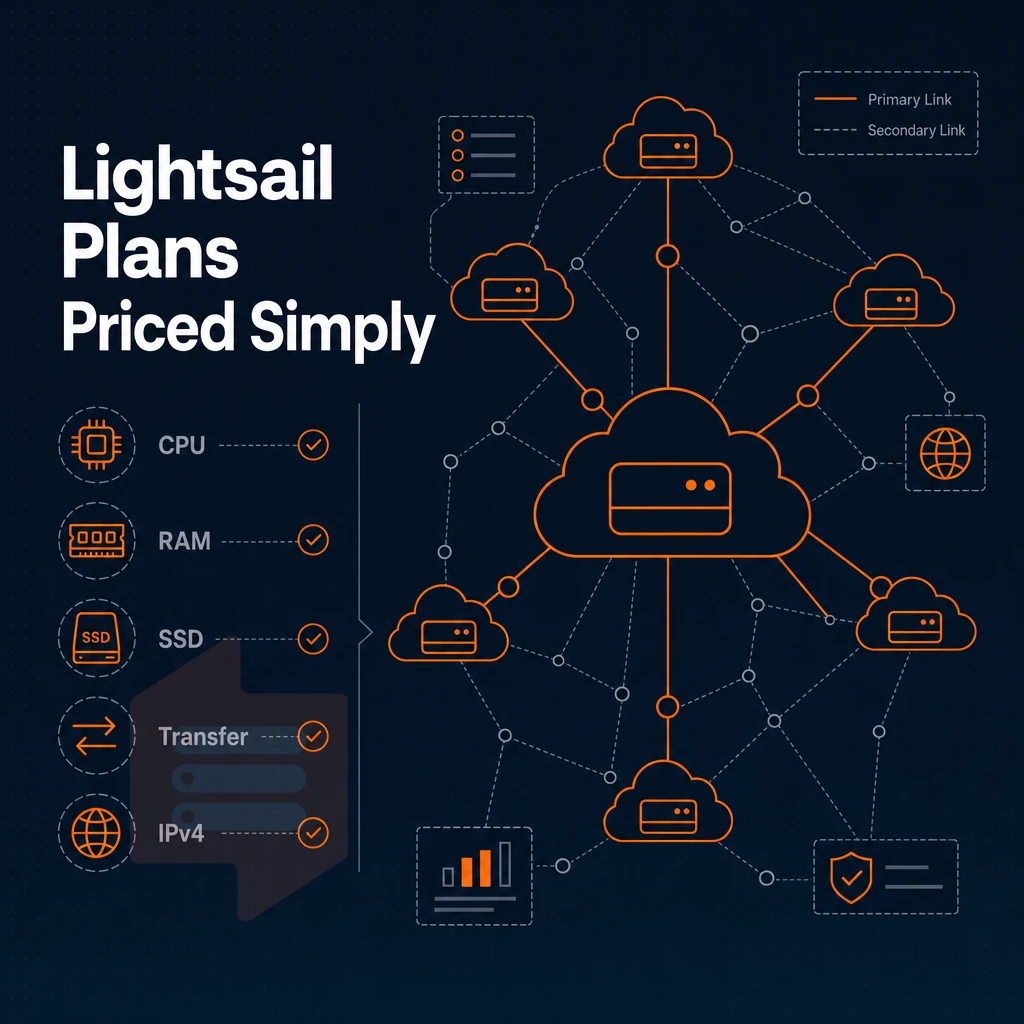
Amazon Lightsail packages compute, SSD storage, data transfer allowance, and public IPv4 address all bundled together into a single flat monthly rate. This bundled model makes for easy budgeting but can limit flexibility as your workloads grow.
What each lightsail instance plan includes
All Lightsail plans have a fixed number of vCPUs, RAM, SSD storage and a transfer limit for each month. The smallest plan is aimed at low traffic websites and development environments. The higher plans have increasing amounts of RAM and storage, with the Memory Optimized plans having a higher RAM to vCPU ratio for cache intensive or database workloads. For instance, the 32 GB RAM tier is designed for applications requiring substantial in-memory processing capacity or large dataset caching.
The smallest plan is particularly attractive for developers seeking a low cost entry point to cloud hosting without sacrificing essential features like SSD storage and included bandwidth. Teams evaluating their options often find that upgrading from the smallest tier to a standard plan provides a meaningful performance boost for moderate-traffic applications while maintaining budget predictability. The entry-level tier starts with 1 GB of memory, making it suitable for lightweight applications and testing environments.
This standard data transfer allowance is reset on a monthly basis. Any outbound traffic exceeding this standard data transfer allowance is then billed at an overage rate. Such overage rate can be a surprise for applications that are media-heavy or that are running high API calls. For instance, a plan with 1 GB of transfer might suffice for a low-traffic blog, but a content-rich application could exhaust that limit within days.
How the standard plan price scales
All prices are current and were checked on the AWS Lightsail pricing page.
When to consider an alternative container service
Lightsail is for simple workloads that can be managed in a predictable way. Teams requiring high availability should consider deploying multiple Lightsail instances across different availability zones and using load balancers to distribute traffic between them.
There are also in-place upgrades and no IP address changes. Lightsail's architecture supports high availability through snapshot-based recovery and the ability to launch replacement instances quickly if a primary server fails.
Hidden costs: data transfer overage, block storage, and add-ons
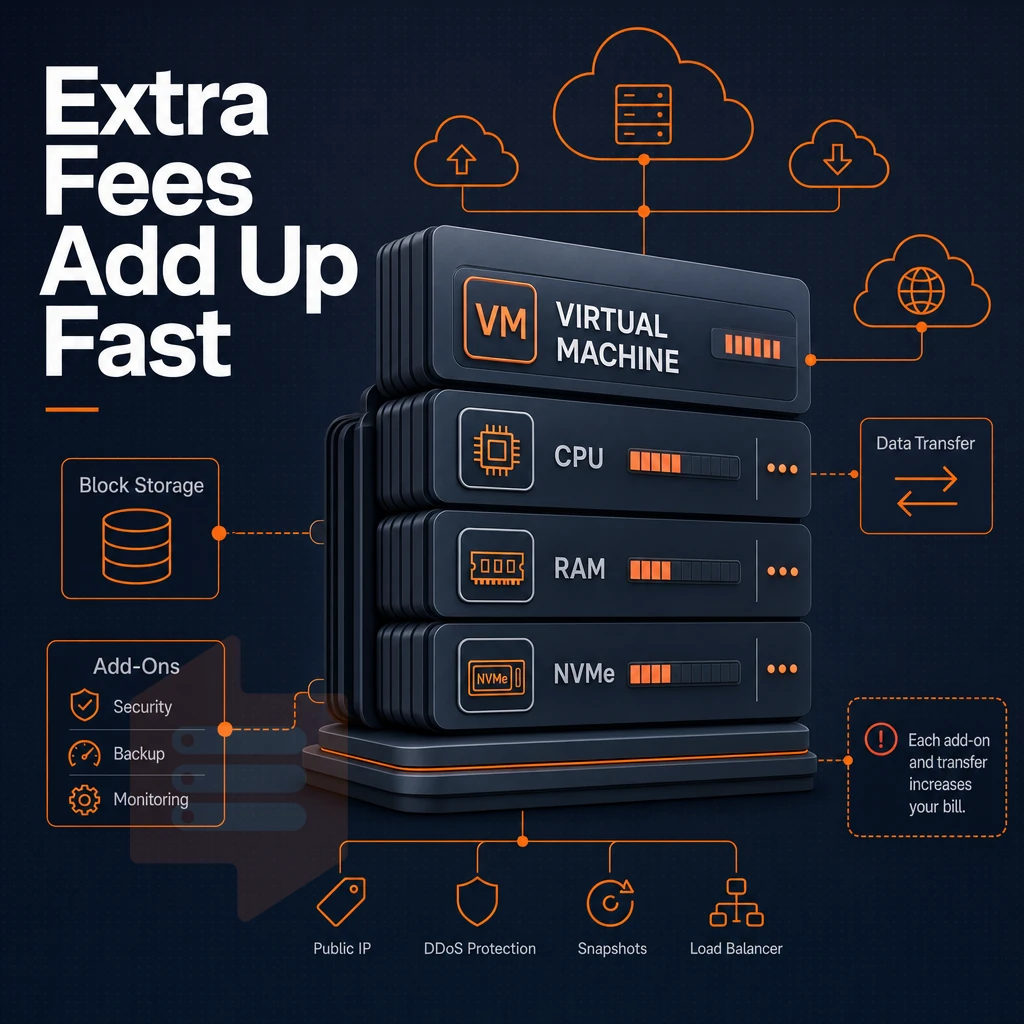
Several add-ons are billed on top of the headline plan price and it’s useful to understand each of them in order to avoid being surprised by a large bill. Understanding how lightsail charges accumulate across different add-ons helps teams maintain budget control and avoid unexpected expenses at billing time.
How data transfer overages accumulate
All plans include a monthly data transfer allowance. The outbound data transfer count (bytes going over the Internet from your instance) is tracked. When the included allowance is used up, any further data transfer will be charged at a rate of per GB overage. Note that traffic between Lightsail instances in the same region does not count towards the allowance, but traffic going to the public Internet does.
Inbound data transfer is the only part of network traffic that remains completely free and does not consume your monthly allowance. For instance, if your plan includes 1 gb of transfer and you send 1.5 gb outbound, you'll be charged the overage rate for that additional 0.5 gb.
Make sure to regularly check the data transfer section of your Lightsail console, because even a single viral post or a misconfigured crawler can very quickly exhaust your transfer limits. Serving static assets via a CDN distribution for your static assets reduces the amount of outbound transfer from your origin instance, which in turn reduces your overage exposure.
Configuring cdn distribution with appropriate cache headers and TTL settings ensures that frequently accessed content remains cached at edge locations, minimizing origin server load. Websites serving primarily static content benefit most from this CDN approach, as unchanging files like images and stylesheets can be cached for extended periods.
Block storage, databases, and other add-ons
Block storage for instances is billed by the provisioned GB, independently of use, in addition to the monthly charges for managed databases, load balancers and object storage .
Building a predictable bill with 32 GB
Using the AWS Pricing Calculator to model costs for instances, block storage, managed databases, and Snapshots before provisioning is the most effective way to avoid wasting money at month's end.
For teams that run predictable, steady-state workloads, a VPS with fixed bandwidth (like the kind provided by BuyVPS, generous transfer allowances. No per-GB overage charges) can provide more predictable, stable, cost per month, compared to other cloud providers and their consumption-billed models.
Many variables affect costs before you add any add-ons.
Windows instances and asia pacific regions: how location and OS affect cost
I explain both of these in order to forestall surprise at month’s end.
Windows instances cost more than Linux equivalents
For the same hardware, Linux pricing is significantly lower than Windows.
Here’s a specific example. A memory-optimized plan running Windows can cost 2-3 times as much per month as the same instance type running Linux, due to the OS license surcharge on top of the host cost.
Region pricing and data transfer rates
For price comparison, US East is typically the base. For the data transfer rates in Asia Pacific regions, the outbound traffic costs more per gigabyte. Therefore, the same data transfer overage charge in Sydney or Tokyo would cost more than the same volume of traffic originated in Virginia.
All Availability Zones within a Region are listed on the same compute pricing but cross-zone data transfer is billed as well. In order to avoid excessive costs, keep your workloads within the same Region.
Building a predictable bill with virtual servers
First, audit your OS choice and deployment region before you commit to anything.
This keeps data transfer simple and avoids OS licensing costs, which can greatly affect your final bill.
Ec2 on demand, reserved instances, savings plans, and spot pricing explained
If you choose the wrong model for your workloads it can cost a lot of money.
The four load balancer models compared
| Model | Commitment | Interruptible | Best for |
|---|---|---|---|
| On-demand | None, pay per second | No | Unpredictable or short-lived workloads |
| Reserved instances | 1 or 3 years | No | Steady-state production servers |
| Savings Plans | 1 or 3 years (flexible) | No | Mixed instance types across services |
| Spot | None | Yes, two-minute notice | Batch jobs, fault-tolerant pipelines |
Public IPv4 and overage charges
Data-transfer costs are incurred for every running instance.
CDN distribution and auto scaling
Auto scaling automatically adds and removes instances as needed.
Most teams use a single pricing model, Reserved Instances for the baseline, on-demand or spot capacity for the rest.
When you compare Lightsail to a traditional VPS (e.g.
Amazon lightsail vs. Traditional VPS: which delivers a more predictable bill?
Lightsail bundles compute, storage, and transfer into one monthly price. At first glance this sounds like a good deal of simplicity, but actually it’s more complicated than that. Here is a simple comparison of Lightsail bundled compute, storage, and transfer with a traditional VPS which offers fixed, dedicated resources and no overage surprises of any kind.
Virtual servers: pricing transparency and data transfer
- Audit the overage model. Lightsail includes a data transfer allowance per tier. Exceed it and per-GB charges apply. A traditional VPS typically includes a generous fixed allowance with no surprise billing. Note: Traffic spikes, common when serving static files or running in memory caching layers, can push Lightsail costs unpredictably.
- Verify the type of storage used. In addition to SSD-backed block storage used by Lightsail, a dedicated-resource VPS, such as BuyVPS, uses NVMe RAID10 storage connected via PCIe for direct access. Additionally, Thus is noticeably faster for database reads and for work that involves data encryption.
OS flexibility and control with a load balancer
- I’ve been evaluating the OS options for a potential new server. Lightsail has a curated list of supported OSes and also has managed blueprints for easy deployment (e.g. WordPress site template). BuyVPS on the other hand supports a wide variety of options including Ubuntu, Debian, AlmaLinux, Rocky Linux, CentOS Stream, Fedora. Additionally, Allows upload of custom ISOs to create a server with full root access on any plan.
- Assess the control plane. The console for Lightsail is streamlined but limited. Traditional VPS panels, with API access, allow full automation by developers.
Container service and scalability
- Understand the Add-on Costs for Services like Container Service, Managed Databases and Load Balancers. For each of these Services, they are charged on top of the costs for the Instance or Cluster. So, whether or not you can save money by switching to Lightsail, will depend greatly on the number of Add-on Services that your Stacks require.
- This also means you should plan for your upgrade path. Lightsail migrations between tiers can change the IP address. BuyVPS supports in-place upgrades (no migration, no IP rotation) for production workloads.
Here's how BuyVPS can supply you with a VPS of this kind.
Why choose BuyVPS when Amazon VPS cost doesn't add up
Amazon cloud server costs structures, with separate charges for outbound data transfer, public IPv4 address fees, load balancer hours, and overage charges on every Lightsail plan, make budgeting unpredictable. BuyVPS is built around one published monthly price per plan, with no setup fee and no egress metering.
- No hidden fees. One published monthly price per plan, no setup fee and no savings plans required.
- No-oversell architecture. Hard memory caps and low node density mean your virtual server gets the resources it's allocated, every time.
- KVM isolation with a separate kernel per VPS. Full root access and custom ISO support on every plan.
- NVMe RAID10 storage. 122,959 4K read IOPS measured, not estimated.
- Dual-stack IPv4 + IPv6 included. No separate public IPv4 address charge.
- Amsterdam and New York data centers. In-place upgrades with no IP rotation and no migration downtime.
If unpredictable data transfer allowance math and on-demand overage charges have made your AWS bill hard to forecast, a predictable-cost VPS is worth a closer look. See how BuyVPS compares and reach out to our engineering team with your workload requirements.
Frequently asked questions
What is the monthly cost of a 32 GB VPS with a lightsail load balancer and managed databases?
VPS pricing varies widely depending on the provider, hardware tier, and billing term.
Does Amazon offer VPS plans with 32 allocated GB of RAM?
Amazon does not sell a product explicitly branded as a VPS. Its closest equivalents are Amazon Lightsail, where Lightsail instance pricing is fixed and aimed at simpler workloads, and Amazon EC2, which provides configurable virtual machines at variable on-demand or reserved rates.
Both run on shared infrastructure and lack the full root, KVM-isolated environment that purpose-built VPS providers deliver.
How much does an Aws vm with 32 GB of RAM cost?
AWS EC2 pricing depends on instance family, size, region, and purchasing model, on-demand rates are the highest, while reserved instances (1- or 3-year commitments) lower the effective hourly cost compared to a Lightsail instance's flat monthly rate. Egress bandwidth is billed separately and can become a significant line item at scale. Because AWS publishes hundreds of instance types with distinct per-hour rates, the total monthly bill is rarely predictable without careful capacity planning. Flat-rate VPS providers offer simpler, fixed monthly costs that are easier to budget.
Does Aws have free VPS?
AWS offers a Free Tier that includes 750 hours per month of a t2.micro or t3.micro EC2 instance for the first 12 months of a new account. After that trial period ends, standard on-demand rates apply automatically. The Free Tier also comes with strict limits on storage, bandwidth, and service usage, exceeding any of them generates charges. It is useful for evaluation, but it is not a sustainable free hosting solution.
What happens when i exceed my lightsail data transfer allowance?
Each Amazon Lightsail plan includes a fixed monthly data transfer allowance. Once you exceed that allowance, outbound traffic is billed at AWS's standard per-GB egress rate, which can add up quickly for traffic-heavy sites. Inbound transfer is generally free, but outbound overages are not capped. Monitoring your bandwidth usage inside the Lightsail console is essential to avoid surprise charges at month end.
Is Amazon lightsail cheaper than ec2 for small workloads?
For predictable, low-traffic workloads, each Lightsail instance comes with flat monthly bundles that are typically less expensive than equivalent EC2 on-demand instances once you factor in storage and included data transfer. EC2 becomes cost-competitive only when you commit to reserved instances and carefully right-size the configuration. However, both options bill egress bandwidth beyond included allowances at AWS rates, which can erode the apparent savings. Purpose-built VPS providers with flat-rate bandwidth and no egress fees often deliver lower total cost for the same workload.
Can i run a WordPress site on Amazon lightsail?
It works well for low-traffic blogs or staging environments.
Alternatively, a KVM VPS with full root access and up to 32 gb of RAM, such as those offered by BuyVPS in Amsterdam and New York, gives you the same WordPress flexibility with more control over the stack, predictable flat-rate bandwidth, easy object storage and load balancer integration, and no managed-service lock-in.
Amazon’s VPS pricing looks simple on the surface, but real costs such as data transfer overages, persistent disk storage, OS licensing and also region specific pricing, start to surface once you apply it to actual workloads.
The free tier is good for testing but only for a limited time and with limited capacity. So it is not suitable for production infrastructure. If you need predictable, flat-rate pricing for your team, then this distinction is important.
If you want a VPS with no surprise fees and no per-region pricing variations, BuyVPS is worth a direct look. Identical hardware and pricing across Amsterdam and New York, KVM isolation with full root access, and engineer-led support, check the plans and see how the specs line up against your workload.