
Your Linux VPS host choice affects whether your application scales well with growth or constantly fights against the limitations of your host. Inadequate choices include noisy neighbors consuming all of your server environment's CPU, unexpected price increases, and being forced to interact with robots in order to submit support questions. Optimal hosts provide solid, consistent performance, complete root access to the server, and a solid network that performs well under load.
The dominant Operating System for server workloads is Linux. It's typically paired with KVM virtualization for a reason: VPS users each get fully isolated server resources, including their own kernel, rather than sharing a runtime with others.
The five things that set a capable Linux VPS host apart from the average ones are: the hardware generation in use; the virtualization architecture in place.
Looking at what they actually mean for potential users of VPS services, the server environment specifications that you should look for from potential providers. Additionally, most importantly, how you can match up your VPS server operating system and setup with your specific workload, whether that's a high-traffic web app or a backend database-intensive application.

What is a Linux VPS host and how does it work?
A Linux VPS, or Virtual Private Server, is an isolated Virtual Machine (VM) that is provisioned on a Physical Server using a KVM (Kernel-based Virtual Machine) hypervisor. Each VPS has its own Linux Kernel and has been allocated its own set of VPS resources. In addition to being allocated a separate block of resources, a VPS server also provides the root user access to the machine. Access to a Linux VPS is via the command line.
First month $1
Then the normal monthly price. One per customer. No setup fee, and a 30-day performance guarantee on your first order.
See the plans“Excellent experience from start to finish! The server was delivered promptly, and the service was reliable and efficient. I m very happy with the results and would definitely recommend them.”
A newer workload we see a lot is an always-on AI agent or coding assistant on a server; our AI agent VPS guide covers tmux, systemd and the sandboxing that keeps keys safe.
How KVM virtualization works
KVM creates virtual private guests on a single Linux server host and utilizes a Hypervisor to segregate each guest so they cannot use up all of another tenant's resources. Each guest runs its own kernel, which can be any supported OS such as Ubuntu, Debian, AlmaLinux, Rocky Linux, or a custom ISO.
Linux VPS plans vs. Shared hosting and dedicated servers
Shared hosting throws many users on one OS instance and offers no isolation. A Linux VPS provides all the isolation you need from other users. Dedicated servers provide a full physical server for your sole use, but cost a lot more than a VPS and typically take longer to provision. The isolation model also delivers enhanced security by preventing vulnerabilities in one tenant's environment from affecting others on the same physical host.
The physical isolation also means that VPS environments are less susceptible to hardware failures affecting multiple tenants simultaneously, unlike shared hosting configurations. This architecture ensures that multiple users can coexist on the same physical hardware without compromising performance or security for any individual tenant.
Can i host my own VPS hosting plan?
You can order a plan and get started with managing your very own server in no time. BuyVPS provides full root access to all of our plans, hosted in our Amsterdam and New York data centers. Here’s why a Linux VPS is far more suitable for actually running services and applications than alternatives. Our infrastructure spans multiple geographic locations, ensuring your applications benefit from proximity to end users and redundant network paths across each data center facility.
Key benefits of choosing a Linux VPS hosting plan
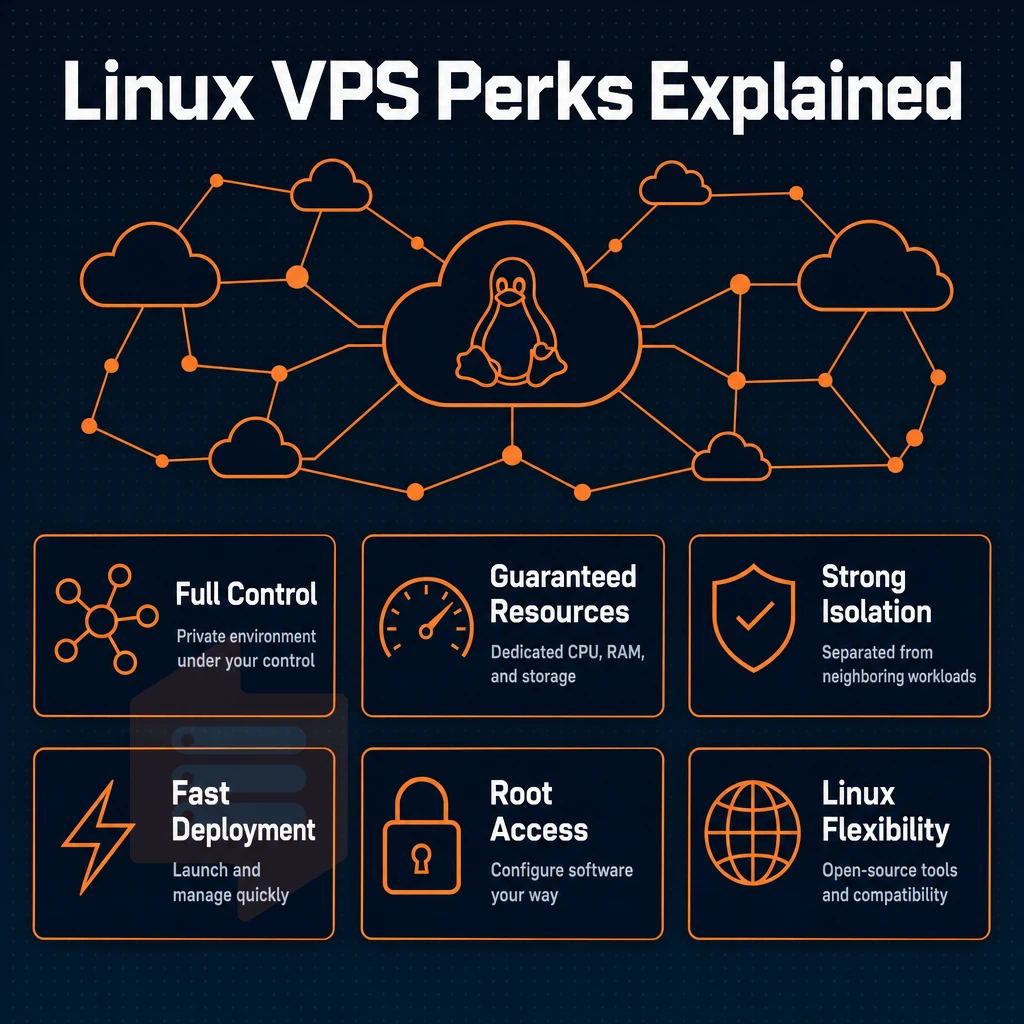
A Linux VPS is a private virtual environment that is fully under your control, with guaranteed resources. It is comparable to a physical dedicated server but is much cheaper. That is why developers, agencies and companies in growth stage prefer a Linux VPS over shared servers or Windows VPS servers.
This control over your server enables businesses to customize configurations precisely to their application requirements without the constraints typical of shared hosting environments. Migrating from a shared hosting account to a Linux VPS typically involves transferring files, databases, and configurations to your new isolated server environment.
Full root access and complete control
With full root access you have full control of the server. Install any open source software, tweak the kernel to your liking, and manage services as you see fit. Linux VPS servers are typically used to host websites, online stores, game servers and development environments. This level of access grants complete control over system configurations, allowing administrators to optimize performance and security according to their specific requirements. Many administrators also use their Linux VPS to host email accounts, providing complete control over mail server configurations and security policies. Root access also facilitates the installation of custom control panels and automation tools, enabling users to streamline server management tasks and deploy applications more efficiently.
Proper kernel tuning and resource allocation are essential for achieving optimal performance in production environments running mission-critical applications. Root access enables real time monitoring of system performance metrics, allowing administrators to quickly identify bottlenecks and respond to issues before they impact users. Administrators should also implement regular backups to protect against data loss and ensure business continuity in case of system failures or security incidents. Linux VPS servers are also commonly used to store and serve website files, offering fast retrieval times and flexible directory structures for content delivery.
Why choose VPS hosting over shared or dedicated
Shared hosting throws all the users of a site on a server and attempts to share the resources among them all. Dedicated hosting pays for the whole of a server and all the resources it contains, but can cost an arm and a leg.
A Linux VPS offers dedicated resources (i.e. the CPU power, RAM, storage etc. required to run a site) on a server which has other VPS accounts on it, but is isolated from them using KVM. Each hosting account receives its own guaranteed allocation of these resources, ensuring consistent performance regardless of activity on neighboring virtual machines.
| Dimension | Shared hosting | Linux VPS | Dedicated server |
|---|---|---|---|
| Resource isolation | None | Hard caps per VPS | Full machine |
| OS flexibility | Limited | Any Linux distribution | Any OS |
| Uptime SLA | Varies | 99.8% (BuyVPS) | Varies |
Are Linux kernel VPS plans free?
Yes, the distributions of Linux are free and open source, but not the hosting (hardware, network, support etc). The cost of hosting with a Linux operating system VPS is generally less than with a Windows VPS, because there are no charges for OS licensing fees which the hosting company would pass on to you. The linux os itself requires no licensing costs, which is one reason why Linux-based hosting remains more economical for most server deployments.
Many hosting providers also contribute back to open source software projects, creating a sustainable ecosystem that benefits both providers and users. Selecting a reputable hosting provider with transparent pricing and strong uptime guarantees ensures you receive reliable service without unexpected costs or performance degradation. Comparing hosting services across multiple providers helps identify the best balance of performance, support quality, and total cost of ownership for your specific requirements.
Once you have selected a distribution to install on your VPS hosting plans, the next thing to consider is whether it will offer any advantages over Windows for your chosen stack.
Which Linux VPS plans and distributions are available?

Your Linux VPS host typically allows you to choose a Linux distribution when you order a VPS.
Linux OS distributions available at BuyVPS
A VPS (Virtual Private Server) is a virtual server which runs its own kernel instance on virtualized hardware. We support Ubuntu, Debian, AlmaLinux, Rocky Linux, CentOS Stream as well as Fedora. Ubuntu Server is by far the most popular choice to run web applications and development environments.
This is due to the large package repositories, the predictable release cycles for LTS versions, and the massive amount of community documentation available for managing virtual private server resources effectively. Selecting a provider with modern infrastructure in a geographically suitable data center ensures optimal network performance and redundancy for your virtual private server deployment.
Debian is the underlying foundation for the popular Ubuntu distribution. AlmaLinux and Rocky Linux are both binary compatible RHEL rebuilds of CentOS.
Fedora Linux is packed with the latest software packages and ships with a newer kernel by default.
Which Linux server OS is best for your VPS needs
There is no single “best” Linux distribution for server use. Ubuntu Server is very easy to use, and has the largest collection of applications available for download. Rocky Linux and AlmaLinux are both very stable in the long term for enterprise use. Fedora Server has the latest packages available quickly. Debian is a very lean base system. Use the correct distribution for the task at hand.
Custom ISO and the Windows operating system
For advanced users who require a custom configuration, BuyVPS allows users to upload their own ISO images to install a custom operating system and create tailored server setups. Note that BuyVPS is a Linux VPS hosting company and does not offer Windows operating systems.
Users who require a Windows-based file storage environment and lack technical support will need to set up a Linux-based VPS and add a Samba layer or alternative to share files on the server.
How to choose VPS web hosting: what to look for in a Linux VPS plan
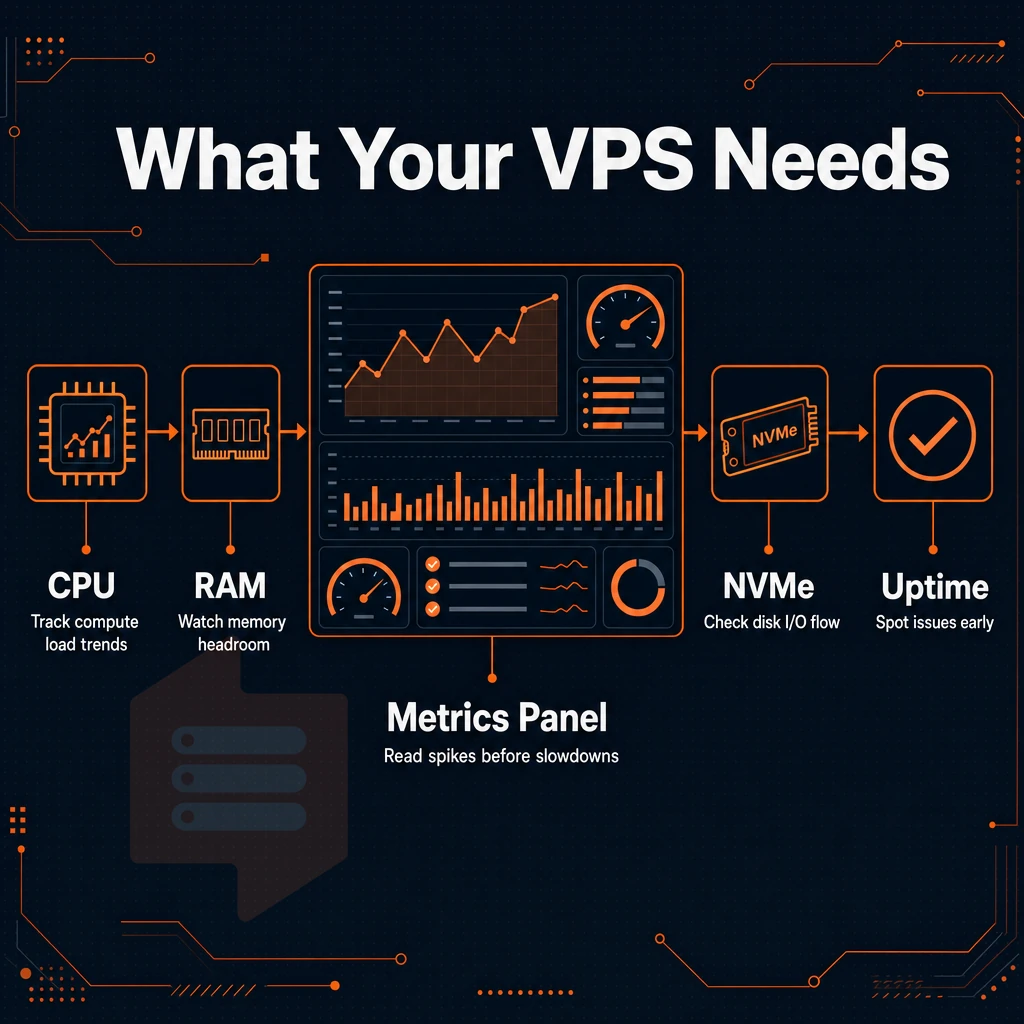
Choosing the right Linux VPS plan involves making six key decisions. But get them right and your server will handle real workloads without any problems. Evaluate your resource requirements carefully before committing to specific hosting plans, as scaling up later can involve migration overhead and potential downtime. Most providers offer tiered plans where you can start with a basic linux VPS server configuration and upgrade as your traffic or computational needs grow. Performance benchmarks and uptime guarantees should also factor into your VPS hosting decision, as these metrics directly impact user experience and application reliability.
Selecting a plan that grants you control over your server ensures you can customize configurations and deploy applications without restrictions imposed by managed hosting environments. Verify that your chosen hosting provider offers transparent SLA commitments and responsive technical support channels before finalizing your selection. Reputable hosting services will also provide clear documentation on their infrastructure specifications, network uptime history, and backup policies to help you make an informed decision.
Full control starts with the right virtualization and storage
KVM VPSes run their own kernel, for real isolation.
Storing data is just as important as any other aspect of your infrastructure. NVMe SSD storage provides significantly lower latency and higher IOPS than traditional hard drives. We see 122,959 4K read IOPS under fio testing on this VPS hosting setup, which translates to real-world database and application usage, as opposed to only synthetic testing.
CPU, RAM, and dedicated resources
Shared vCPU plans are okay for low volume sites. For high volume sites that need low latency, (e.g. databases, real-time APIs, compile jobs), pinned CPU cores in VPS hosting are much faster than shared vCPU plans because they eliminate scheduler contention. For community perspectives, see Cheap linux VPS hosting? Recommendations needed.
A hard memory cap per node ensures fair memory usage. Otherwise, your provider can overload a node with too many VPS instances sharing the same operating system, hiding the true effects of overselling on your plan.
Network, control panel, and upgrade path
Verify API access and an in-browser console are available within the control panel so a locked-out operating system instance can be recovered without requiring a ticket.
Having SSH access to the OS and being able to completely control it as you see fit (ie: apply all necessary security patches when you need to) is what I refer to as un managed VPS hosting (as opposed to managed VPS hosting that would include administering Open Source applications for example).
The way that in-place operating system upgrades happen without any IP address changes is also very nice when scaling your VPS plan: scaling up won't break your DNS and firewall rules. As always, though, the specs and operating system listed here only matter if you're deploying the correct type of workload to the correct type of server (which we'll discuss in the next section).
Common use cases for a Linux VPS host
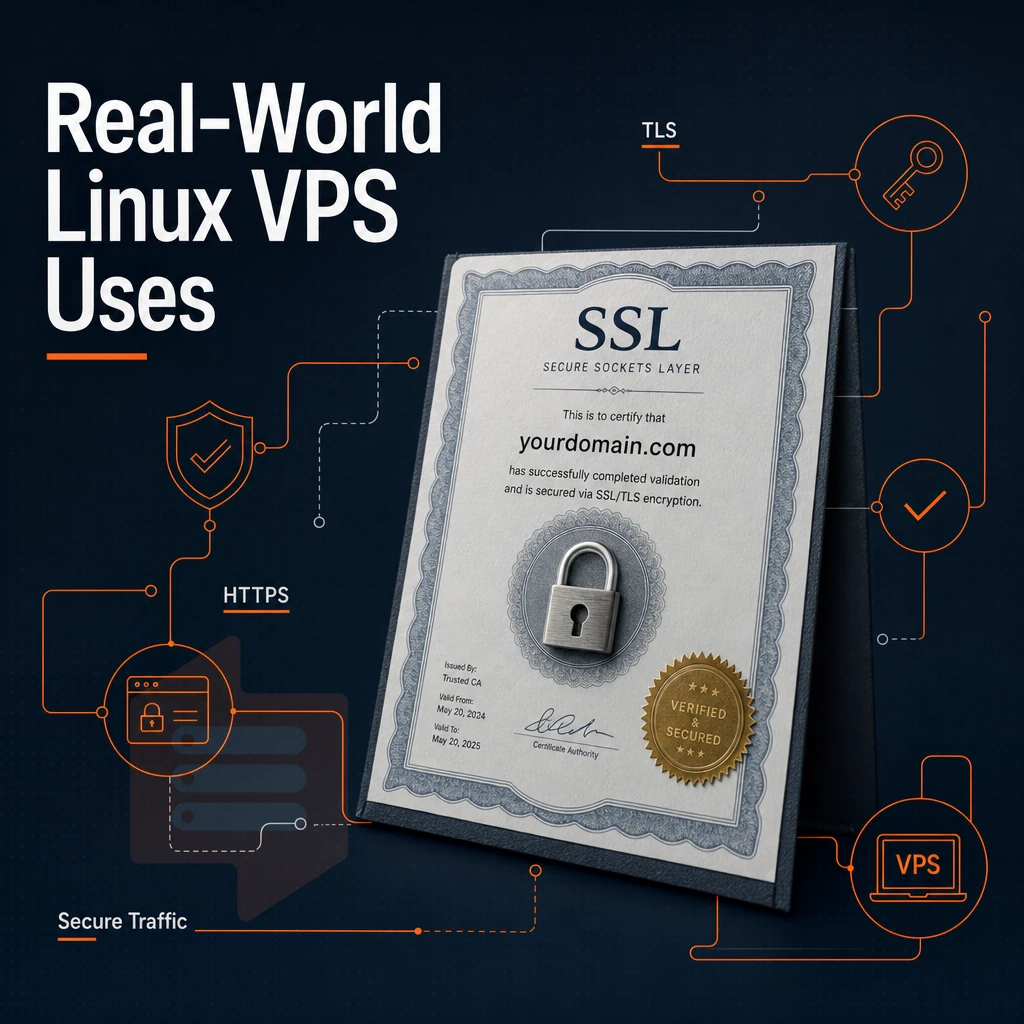
Linux VPS servers are able to handle a wide variety of workloads.
Web hosting and application hosting
Web hosting is by far the most common use case for our VPS users. Many hosting scenarios benefit from the dedicated memory and processing power that cannot be provided on a shared server. Even though one virtual server is hosting multiple websites, each website runs as a completely isolated process on that single server.
For ecommerce sites that experience constant I/O demands, choosing a web hosting solution that uses NVMe storage and enforces hard memory caps ensures that checkout processes operate quickly under load and do not get impacted by neighboring users.
Development, apis, and databases
VPS stands for Virtual Private Server, and with one you get a very clean virtual environment you can use for staging projects such as staging branches, microservices, and REST APIs. This can be done with full root access and with all the management tools that you need to configure your runtime environments.
Game servers and privacy tools
Our Amsterdam and New York locations are ideal for game servers that require low latency and burst processing power to handle large amounts of traffic. Whether you need to reach European or North American player bases, BuyVPS has you covered. Our VPN and other privacy tools benefit equally from our locations and the KVM isolation on our linux operating system that ensures no other tenant is sharing your kernel, critical for optimal traffic handling and security.
Enhanced security decision guide
A light CMS/development workload across most Linux distributions can run fine in a shared-vCPU plan, while high-frequency database queries or a game server would benefit from a dedicated-core plan with more disk space.
Cheap Linux VPS web hosting: balancing cost and performance
Yes, a cheap Linux VPS can make for a very cost effective solution, but only if the underlying hardware is of sufficient quality. Knowing what determines the cost of a VPS will help you to avoid cheap looking solutions that deteriorate under load.
What shapes the cost of web hosting plans
- CPU cores and RAM tier. While shared vCPU plans generally cost less than dedicated-core plans, a cheap shared node can become a bottleneck when running CPU-bound workloads under contention. Choose the CPU “tier” of your shared node based on your usage profile.
- Storage type and disk space. Cheap spinning-disk VPS’s have latency equal to their price. Fast NVMe SSD storage has low latency and high IOPS, which is critical for databases and cache. Never sacrifice this.
- Billing term length. Using longer term lengths such as 1 year or even 2 years will reduce the average monthly rate for equivalent hardware without decreasing quality of service. Longer term lengths are the cleanest way to lower price for high quality VPS plans.
Avoiding the race to the bottom
- Overselling. Be wary of providers that overload nodes with too many tenants as performance will deteriorate with high utilization. Require your provider to guarantee hard memory caps and low node density.
- Demand an uptime SLA. Until a server fails on a platform with no SLA in place, you’re flying blind. A published commitment to uptime indicates that your provider has accountability for the hardware underlying their service.
Note: A published rate card with no hidden fees is a meaningful differentiator. BuyVPS lists every rate up front and charges no setup fee, so your budget is easy to plan as the deployment matures. All of those cost and performance criteria point to one provider worth examining in detail.
Why choose BuyVPS for your Linux VPS host
BuyVPS is a founder-run Linux VPS host operating since 2002, with data centers in Amsterdam and New York. Every Linux VPS server runs on KVM with a separate kernel, true isolation, not shared overhead. Our no-oversell policy enforces hard memory caps and low node density at the operating system level, so your dedicated resources stay yours under real load.
- NVMe RAID10 PCIe-direct storage, 122,959 4K read IOPS measured (fio median).
- Full root access on every VPS plan, including custom ISO upload.
- Dedicated-core D-tier, pinned AMD EPYC Genoa cores for consistent low latency.
- In-place upgrades, no migration, no IP rotation, no downtime surprises.
- IPv4 + IPv6 dual-stack with engineer-led technical support (not chatbots).
- No setup fee, and no charges for outbound traffic.
Our self-service control panel includes API access, real-time monitoring, and an in-browser VNC console. Reach our team at info@buyvps.com or +31 85 369 6285 to compare VPS hosting plans for your workload. When you are ready to act on that comparison, the steps below get your first server running in under an hour.
Getting started: setting up your Linux VPS server
The first hour you spend on a new VPS can set the tone for the rest of the time you’re going to spend on the server. In this tutorial, we will harden a fresh Linux server and make it manageable within the first hour.
Choosing your distribution
At signup you can choose from a number of operating systems such as Ubuntu, Debian, AlmaLinux, Rocky Linux, CentOS Stream and Fedora. Most people who sign up for a VPS choose to go with Ubuntu LTS as it has the biggest collection of packages, or AlmaLinux for RHEL compatibility. This choice will depend on the software stack you are used to.
Connecting and locking down your Linux virtual private server
SSH access is your primary interface. Connect via the command line interface with ssh root@your-ip, then immediately run these hardening steps:
- Apply security patches:
apt update && apt upgrade -y(Debian/Ubuntu) ordnf upgrade -y(RHEL-family). - Create a non-root sudo user and disable direct root login in
/etc/ssh/sshd_config. - Change SSH to use a non-standard port and force key-based authentication.
Root access on a VPS gives you full control to do as you like, but that also means full responsibility. Unlike a Windows VPS where you can handle server management needs graphically and blame the GUI for mistakes, on a VPS with root-level access you are 100% accountable for any misconfiguration.
Management tools and ongoing server administration
For new server administrators, a simple web interface for server management such as Cockpit is ideal. Pick the server management tools that match your needs for server management and don’t install a lot of software that you won’t use.
Linux VPS Hosting provides you with a server with dedicated resources, full superuser access to the server and a stable open-source OS, without the burden of a full dedicated server. When choosing a distribution for your VPS, consider the type of work you’ll be doing on the server.
The level of experience your team has with Linux distributions and how much maintenance you’re willing to do in the long run. When comparing VPS hosting plans, pay close attention to the type of hypervisor used, the type of storage offered.
BuyVPS runs KVM-isolated Linux VPS instances on AMD EPYC hardware with NVMe RAID10 storage across Amsterdam and New York. Every VPS plan includes full administrative access, IPv4 + IPv6 dual-stack, and in-place upgrades with no IP rotation. If you're ready to pick a plan, or want to compare Standard, Dedicated, and High Memory tiers side by side, visit BuyVPS.com and find the configuration that fits your stack.