

Most teams looking for a Linux VPS hosting are already looking for a virtual private server. What they are really trying to decide is what configuration, which provider, and what trade-offs are most important for their application’s needs. The wrong choice means you’ll pay for underused resources, or run into performance limits at the worst time.
So while shared hosting does provide some aspects of your infrastructure, you still need a VPS for Linux dedicated memory, full root access and an isolated kernel. Once your infrastructure is no longer reproducible, cannot be scripted and is actually production grade then you need a VPS.
From there on, it gets more specific, shared vCPU vs. pinned cores, storage on NVMe disks vs. pretty marketing statements. Additionally, Does the provider’s “no-oversell” promise actually refer to tangible architecture or is it just another buzzword. Providers advertising unmetered bandwidth should clarify whether that applies to both inbound and outbound traffic or only to specific network interfaces.
This guide separates the wheat from the chaff when it comes to well-provisioned Linux VPSes and commodity hosts. It describes which workloads run on which levels of hardware and what you have to check for before you commit to something. Read this first to make informed decisions as opposed to somewhat arbitrary ones. For community perspectives, see Looking for a trustable linux VPS provider (WITH NO ....
What is Linux VPS hosting providers offer?
A Virtual Private Server (or VPS) is a partition of a physical server. It runs as completely separate machines courtesy of special software. You get guaranteed resources, full root access and even your own kernel, all for the price of a slice of a physical machine. The server environment provided by Linux VPS server hosting is run on the world’s most popular Open Source operating system: Linux.
First month $1
Then the normal monthly price. One per customer. No setup fee, and a 30-day performance guarantee on your first order.
See the plans“Excellent service! Thank you for providing the server so quickly. The service was fast, reliable, and exactly what I needed. Highly recommended!”
How KVM carves one machine into many
The KVM hypervisor makes use of the host server’s hardware to create multiple virtual servers. Each virtual server runs its own operating systems, such as a linux operating system, and has been allocated a fixed amount of CPU power, RAM and storage space, as opposed to being allocated a share of the available resources of other running workloads.
We run KVM at BuyVPS with a separate kernel for each VPS. This means that even if one of your instances has a kernel panic, another instances will not be affected by it. The same model of isolation is used in production at very large scale.
Why Linux dominates VPS hosting workloads
Among the available operating systems, I'm viewing Linux as the OS of choice for VPSes for a few key reasons: no cost for licensing, quick application of security patches, and an enormous body of production-quality utilities to choose from.
The flexibility to switch between operating systems without hardware constraints makes Linux VPS environments particularly adaptable for testing and staging workflows. Modern Linux distributions also ship with robust security features including SELinux, AppArmor, and built-in firewall management tools that provide granular access control at the kernel level.
Linux distributions are very diverse. So, you can choose the perfect base for your needs. Our platform is based on and supports among others:
- Ubuntu: fastest way to get a working stack. Large and helpful community.
- Debian, rock-solid stability, minimal footprint.
- ,.
- CentOS Stream / Fedora, cutting-edge packages, upstream testing.
Alternatively, a custom ISO upload is available should none of the above match your requirements.
Which VPS hosting provider is the best for Linux?
The best provider to offer KVM isolation is also going to offer you unmanaged VPS access. I.e. you are left to manage your own kernel, packages and configuration without a managed layer of additional software getting in your way. Some providers offer full server management as an optional add-on, but this typically introduces an abstraction layer that limits your direct control over system-level configurations. For teams that prefer not to handle system administration themselves, managed VPS hosting packages are available from select providers, though they may restrict low-level kernel customization. This level of access is particularly valuable for developers and system administrators who require complete autonomy when managing websites at the operating system and application layers.
Many developers leverage unmanaged VPS environments to deploy self hosted tools like monitoring dashboards, CI/CD pipelines, and internal wikis without vendor lock-in. Unmanaged environments give you complete flexibility during server setup, allowing you to configure kernel parameters, networking rules, and storage layouts from scratch without pre-installed abstractions. Providers offering optional support services typically charge separately for incident response, patch management, and troubleshooting assistance while maintaining your root-level access. Providers offering optional support services typically charge separately for incident response, patch management, and troubleshooting assistance while maintaining your root-level access, and a responsive support team can significantly reduce downtime during critical infrastructure issues.
BuyVPS is a company that runs on AMD EPYC processors and NVMe RAID10 storage in two locations: Amsterdam and New York. Unlike shared hosting which runs on a shared hosting stack and doesn’t provide root access, a Linux VPS from BuyVPS runs the full stack: you have root, you have control of the kernel. Both server locations feature redundant network connectivity and low-latency peering arrangements to ensure optimal performance for European and North American traffic patterns.
Additionally, You have control of the network. And it’s all provided for a fixed monthly fee. Of course, once you understand what a Linux VPS is, you’re going to wonder how it stacks up against other types of hosting.
Linux VPS hosting vs. Shared hosting vs. Dedicated hosting
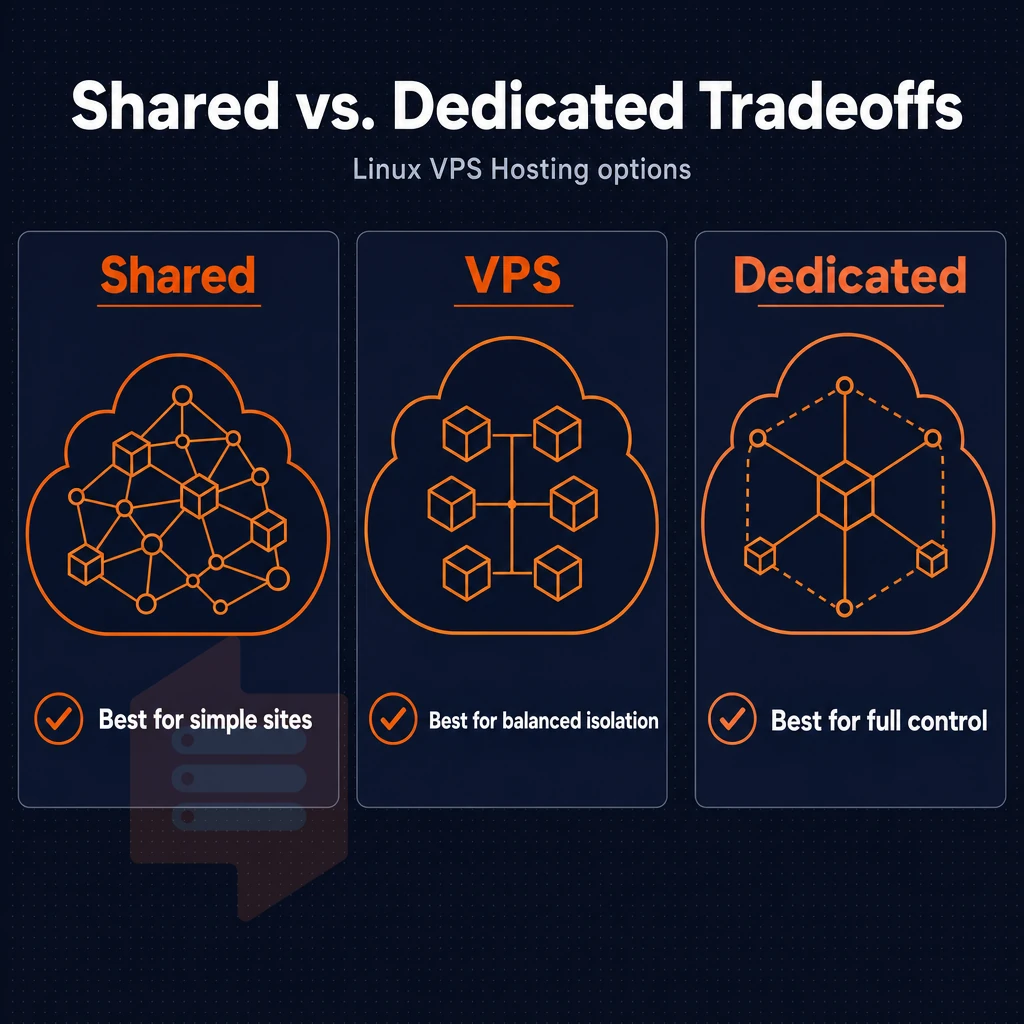
Selecting between shared hosting, a Linux VPS and a dedicated server typically boils down to three things: the amount of isolation you require. The level of control you want to have and the growth of your workload and subsequent scaling needs. Each of these solutions attempts to address a particular set of issues. Understanding your current resource requirements and anticipating how they will evolve helps you select a hosting tier that can support future growth without costly platform migrations.
Resource isolation and performance across operating systems
With shared hosting there are dozens of tenants on one server. All of the CPU, RAM and storage space on the server are shared. Even a slight increase in traffic on one account can cause problems for other accounts on the same server. You have no root access and cannot configure the server in any way. The host controls all server configurations and sets limits as he sees fit.
The resources assigned to a Linux VPS are reserved within the KVM-based virtualization platform. That means the RAM, vCPU’s and the NVMe storage of your VPS are 100% dedicated to your usage. The latency remains constant even under high load. We enforce a hard memory cap per node and keep the node density low in order to ensure 100% isolation as opposed to merely nominal. This isolation ensures that traffic spikes on neighboring virtual machines cannot degrade your server's performance or exhaust your allocated resources.
Dedicated servers give you a full physical machine for maximum throughput and no shared kernel. All server management is even done from the firmware up. The biggest drawback is cost and flexibility. Growing in scale means having to order new hardware and wait for it to be online. Provisioning a physical server also involves longer lead times for hardware procurement and rack installation compared to instant VPS deployment.
Scalability and use cases across operating systems
Shared hosting is for static sites and low traffic blogs. Yes, it allows you to host multiple websites from a single account but it has a ceiling that you will hit very quickly. It’s not suitable for development, custom runtimes or non-standard stacks.
In-place scaling of a Linux VPS is possible at BuyVPS, i.e. upgrades are done without migration or IP change. Therefore, production servers, remote desktop servers as well as backup servers greatly benefit from such a setup. Unmetered bandwidth and dual-stack (IPv4/IPv6) on all servers is provided.
Many providers also include automated backups as part of their VPS plans, ensuring that critical data remains protected without manual intervention. Providers that include ddos protection as a standard feature help safeguard your infrastructure from volumetric attacks without requiring third-party mitigation services.
Dedicated servers are typically best for very high volume databases and applications that cannot tolerate any shared kernel risk. Some hosts bundle managed services with dedicated servers but these usually cost a lot of extra.
| Criteria | Shared hosting | Linux VPS | Dedicated server |
|---|---|---|---|
| Resource isolation | None, pooled | Hard-capped per VM | Full, single tenant |
| Root access | No | Yes | Yes |
| Disk space | Shared quota | Dedicated NVMe RAID10 | Full physical disk(s) |
| Scalability | Limited | In-place, no IP change | Hardware swap required |
| Typical use case | Static / low-traffic sites | Apps, APIs, databases | High-throughput workloads |
Is VPS hosting good for your website?
Yes. For most production workloads, a Linux VPS is the best tier to be at. You get dedicated resources, full root access, and a 99.8% uptime SLA, without the overhead of dedicated hosting. Your unmetered bandwidth ensures you know exactly how much egress you have used.
Start with shared hosting unless you require a custom hosting stack and minimal traffic only. Next, move to a Linux VPS if you require root access, need consistent performance or have grown beyond the current hosting space. Finally, move to a dedicated server when a single VM becomes a constraining factor to growth (i.e. resource ceiling reached). Knowing which level of service you require is step 1, knowing what features you need from your hosting provider is step 2.
Key features to look for in Linux VPS hosting
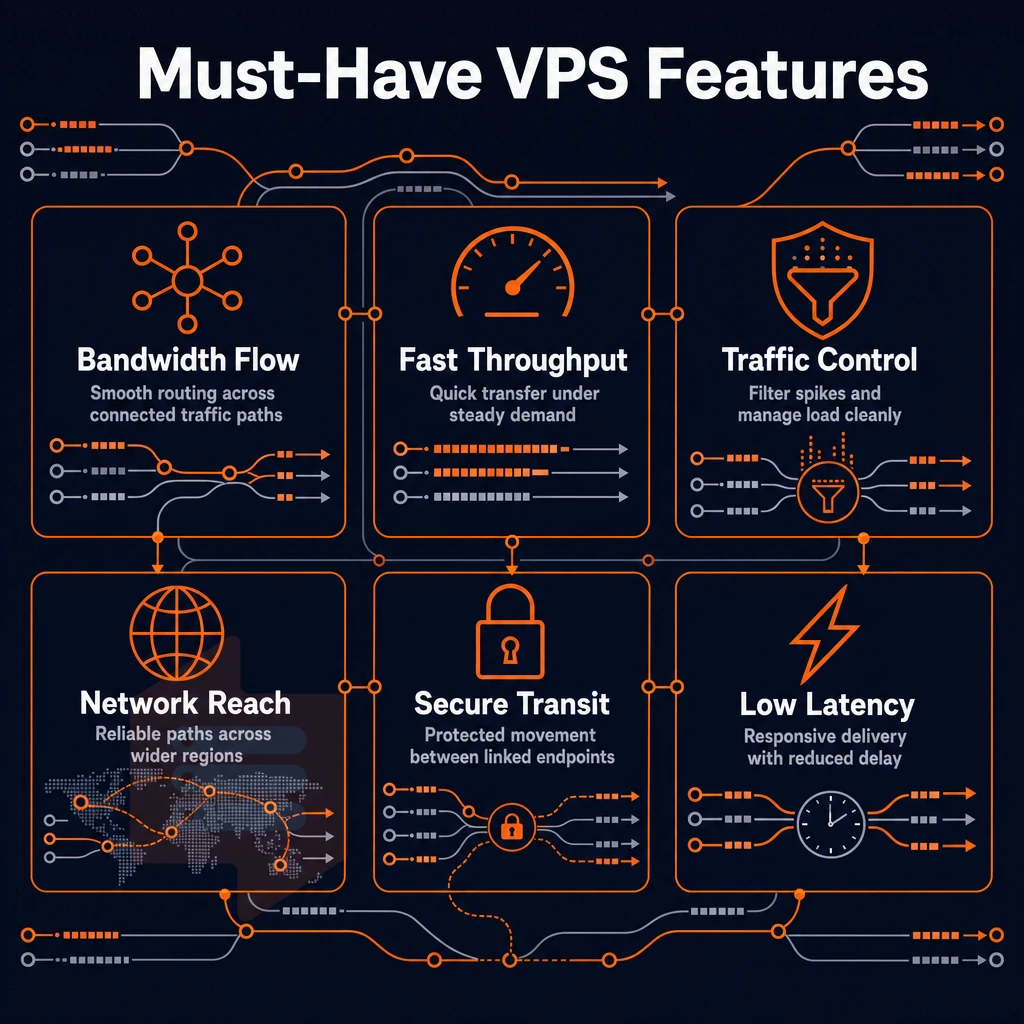
Many Linux virtual private server hosting plans are not created equal. Take some time to review this list before you sign up for any VPS to see if it can really deliver on what it claims.
Storage, RAM, CPU, and operating systems
- First, verify the type of storage used. NVMe storage greatly outperforms older types of storage such as SATA/SAS. Look for NVMe SSD storage that is connected via PCIe on a direct connection. A concrete benchmark like 122,959 4K read IOPS (fio median) is a lot more than just a claim, show me the numbers.
- Verify the RAM type and hard caps. For dedicated resources, the current standard is DDR5 ECC memory. Most importantly: Are there any hard memory caps per server node? Without such caps, overselling is child’s play and will severely impact your workloads.
- Assess the CPU allocation (Shared vCPU works fine for most use cases. For predictable latency for databases and real-time APIs, use pinned/dedicated cores. That CPU tier can be upgraded in place, without moving servers and losing the associated IP address, and that flexibility is at least as valuable as the tier itself.).
Operating systems and control panels
- Check what operating systems the provider supports. A serious web host should support most of the mainstream Linux distributions (e.g. Ubuntu, Debian, AlmaLinux, Rocky Linux, CentOS Stream, Fedora). Additionally, they should allow you to upload your own custom ISO file if they don’t support it. Root access on all plans is a must too.
- Assess multiple control panels. A good self-service control panel should provide an API as well as an in-browser VNC console. The API is important for automation, the VNC console is your lifesaver if a misconfigured firewall prevents logon via SSH.
Note: Providers that offer control panels without API access create a manual bottleneck at scale. Verify API availability before signing up. Modern infrastructure demands programmatic control, so ensure your provider supports integration with standard automation tools for provisioning and configuration management.
Evaluate whether hosting providers expose their API documentation publicly and support webhook integrations for real-time event handling across your infrastructure stack. Providers offering multiple control panel options allow teams to select interfaces that align with their workflow, whether cPanel, Plesk, or custom dashboards. Teams managing multiple environments benefit from providers that allow templating of server configurations through version-controlled infrastructure-as-code repositories.
Network, SLA, and operating systems
- Verify that dual-stack networking for IPv4 + IPv6 is enabled by default for all VPS plans and identify if they’re running in single-stack IPv4-only mode (a technical debt that will get collected).
- Verify DDoS protection and uptime SLA. Edge filtering for DDoS protection sits at the edge of the network and stops large amounts of traffic before it reaches your server. Verify the stated uptime SLA against the published terms of service for the provider.
How much does a Linux VPS cost?
Pricing for Linux VPS servers can vary greatly depending on the CPU model, amount of RAM, and storage configuration. The cheapest VPS plans are shared vCPU servers. More expensive are dedicated-core servers as well as servers with a lot of memory and correspondingly reserved VCPU power.
All prices at BuyVPS are fixed and published on BuyVPS.com and do not change for year five compared to year one. With this checklist in hand, you now have to decide how much of the management you want to take on yourself.
Managed vs. Unmanaged Linux VPS hosting
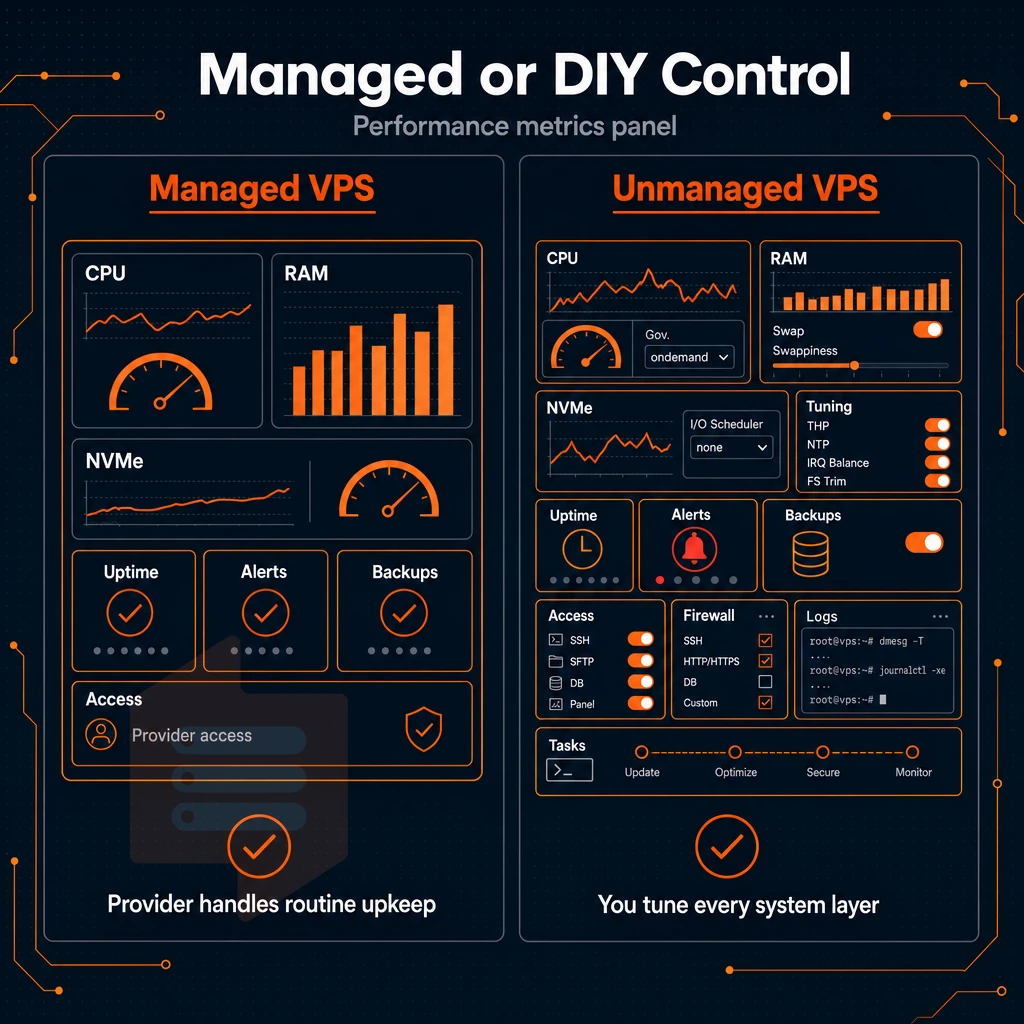
Linux VPS hosting can range from fully unmanaged linux VPS plans that you control 100% and make all decisions for. To fully managed VPS hosting where the VPS is managed for you by the provider of your VPS. Allowing you to focus on writing code for your website or application instead of dealing with the underlying infrastructure of your VPS.
Unmanaged VPS: root access, full control
An unmanaged linux VPS is a server with root access on a fresh installation of your chosen OS. With this web hosting approach, you will be responsible for configuring a firewall, keeping your server up-to-date, setting up your required applications, and for getting up to figure out problems at 2am. The provider responsible for the Hypervisor and the physical servers that they run on. Everything above the kernel is your responsibility to configure and maintain.
Developers and sysadmins can manage servers as they see fit. Choose your own software versions, tweak kernel parameters as necessary, and run your own configuration management software such as Ansible or Puppet. The operational overhead is yours to deal with your team.
This category is best for engineering teams, DevOps practitioners and customers running custom workloads that don’t fit into managed solutions.
Managed VPS: provider handles the infrastructure layer
Managed VPS hosting moves OS patching, VPS monitoring, and VPS incident response to the provider’s experts and hands you root access on most of the managed VPS hosting plans. The difference is that you have the support of the provider’s team of experts watching over your VPS, applying security updates on a schedule. Additionally, Performing automatic backups that get restored in case of a failure.
Managed Support is ideal for teams who want to focus on delivering applications rather than administering servers. Managed Support includes a defined response SLA, automated backups on a schedule of your choice and proactive monitoring with alerts before a problem becomes an outage.
Higher cost, you are paying for the time of engineers, for the tooling, and for the operational guarantee and not just for the computation.
Is Linux VPS hosting free?
The Linux OS is Open Source and does not cost a license fee. What you are paying for is the raw compute power, storage and network connectivity. All the major Linux VPS hosting providers charge for these same resources, regardless of the Linux distro you choose to run on them.
Some VPS hosting providers offer free tiers but they are typically limited to a small amount of RAM and are only good for a short test period. For production Linux servers running on real hardware with an SLA, you need to pay for hosting.
BuyVPS is running KVM-isolated linux VPS instances on AMD EPYC hardware with NVMe RAID10 storage in Amsterdam and New York data centers. Both data centers are offering identical set of servers. All plans include full root access by default (unmanaged) and are supported by our engineers on a needs basis. The following section outlines the many real-world workloads that are supported by this infrastructure.
Common use cases for Linux VPS hosting
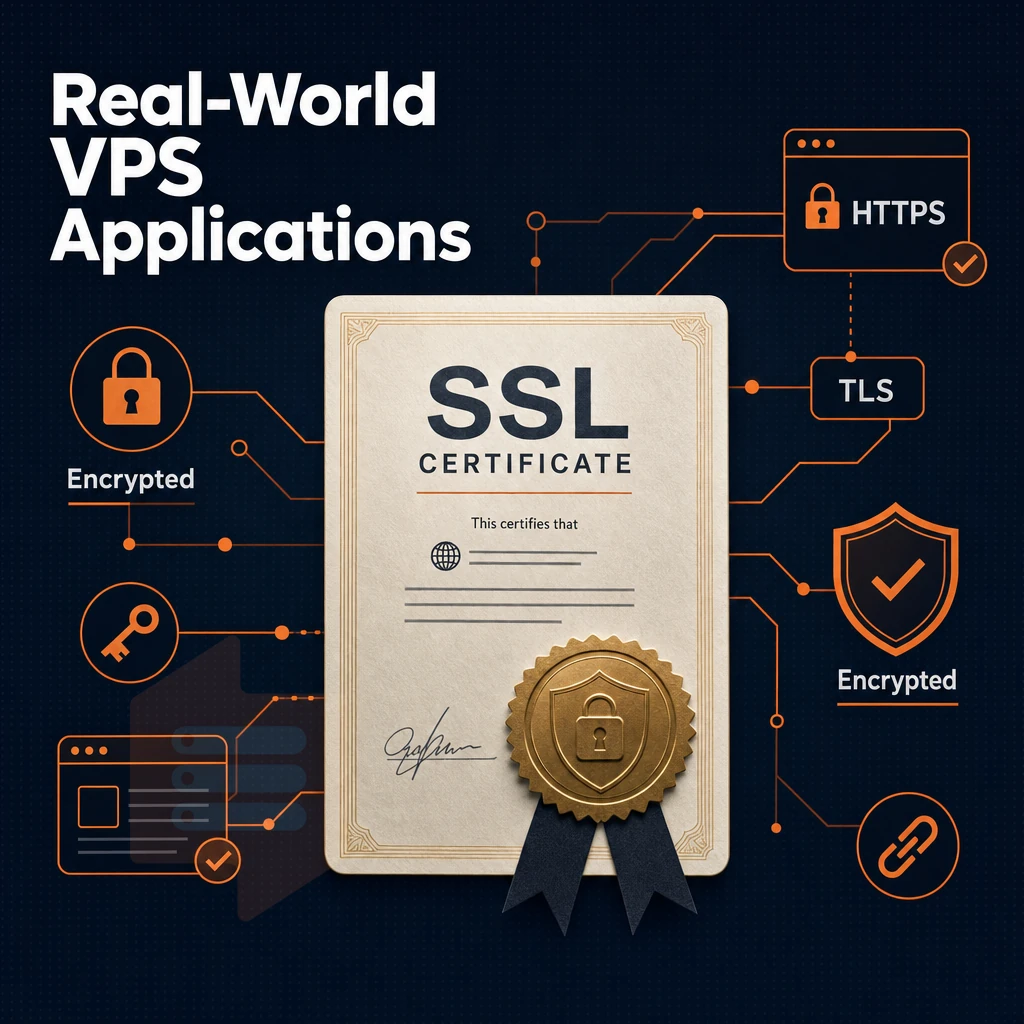
Linux VPS servers are able to handle a wide variety of web hosting workloads, and can be used for production services, internal tools and even experimental projects. With a fully dedicated allocation of resources, root access, and a clean KVM environment, Linux VPS servers offer a flexible and free-thinking hosting environment, far removed from the restrictions of shared web hosting.
Core production workloads across multiple websites
Most sites run on a web server stack like Nginx/Apache serving up a PHP/Node.js application with a database on the same VPS or a separate server. Unlike shared web hosting you get to modify config files, add/remove modules and set up all your own cron jobs.
Database servers like PostgreSQL, MySQL, Redis and MongoDB benefit from guaranteed RAM and fast NVMe I/O. As opposed to shared environments that can get saturated by traffic spikes, scalable resources that you can provision ahead of time or scale up and down as needed will absorb them.
For game and media servers (Plex, Minecraft, voice servers) consistent CPU power and low latency networking are required. A VPS with pinned or reserved cores is ideal. Our Amsterdam and New York locations have low round-trip times for users based in Europe and US East Coast.
Development environments and self-hosted tools
Linux VPS servers are typically used for staging environments which mirror the production environment. Here, developers create a new branch for their changes, then CI/CD will build and test the code. The staging environment is then running on the same type and amount of server resources as in production before it is released to end users.
Self-hosted tooling runs well here too:
- An SSH server is used for secure remote access as well as for tunneling for all team members.
- VNC server, graphical remote desktop for GUI-based workflows.
- Varnish cache, The HTTP accelerator you place in front of your web application.
- Syslog server, Collects log information from multiple websites or services in a centralized manner.
Load balancing between many sites is simple: you create HAProxy or Nginx upstream blocks and set them up as you require. None of this is controlled by your hosting control panel.
What is the difference between managed and unmanaged Linux VPS hosting?
Unmanaged VPS (such as a Bare OS VPS with root access) is preferred by most developers as it gives them full control of the server to install software, update the OS etc. Managed VPSes have administration of the OS layer provided by the VPS host (e.g. patching, monitoring etc.).
Neither of these options involve dedicated hosting / dedicated servers, and a well-configured VPS will handle the lion's share of workloads that in the past would have been reserved for bare metal servers. Here at BuyVPS we ship all of our plans unmanaged by default, meaning engineer support is included when you need it.
On top of the price of a Windows VPS or managed tier that you'd otherwise pay for. It's good to understand the use cases for these services, but it's more important to understand what you're getting with regards to storage and bandwidth specs and how that translates to your operating systems and services running correctly.
Disk space, unlimited traffic, and storage explained
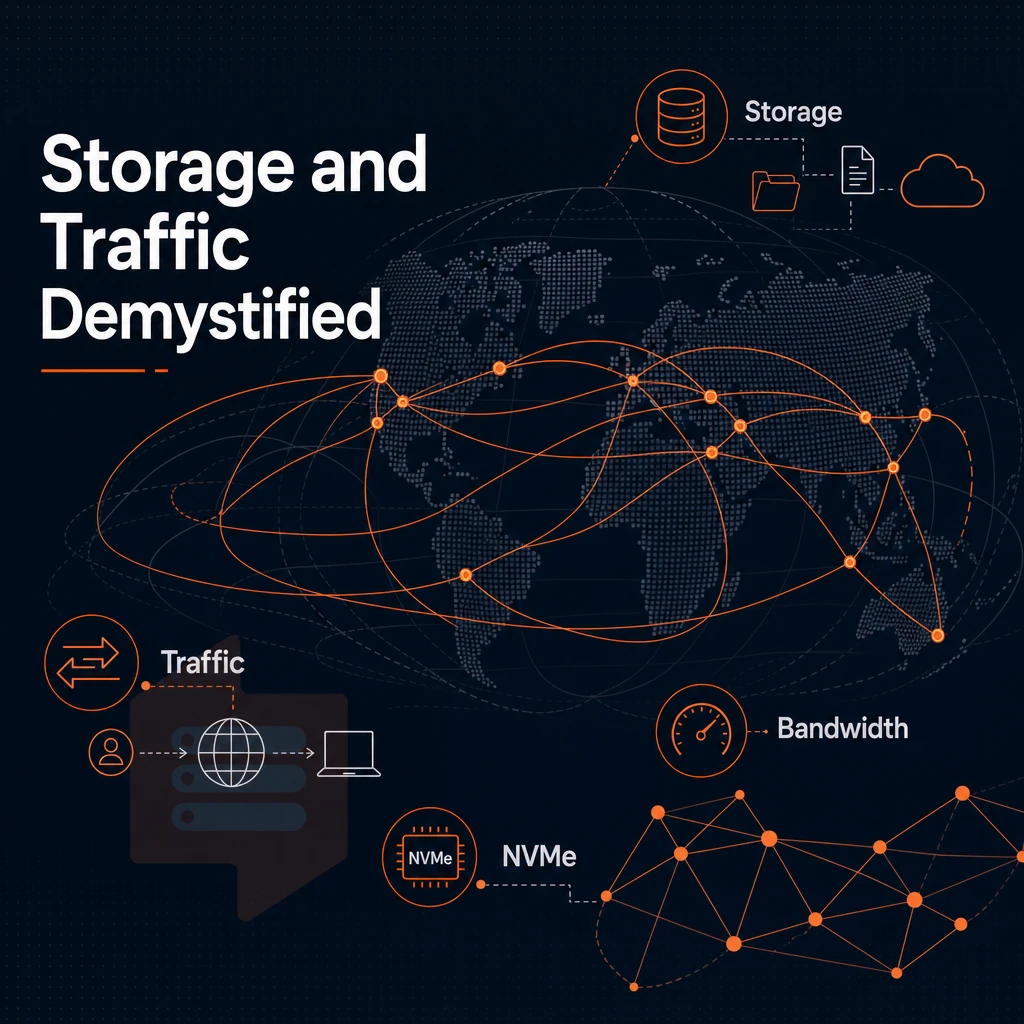
Storage and bandwidth are probably the hardest terms to understand in VPS marketing. By understanding what the numbers mean for your upcoming VPS web hosting plan, you will be able to avoid unexpected surprises and select the option best suited for your workload.
NVMe SSD storage vs. Standard SSD storage
Typical SSDs are connected with SATA interfaces like hard disks. They have a limited throughput for sequential read and write operations and only allow for a low number of random I/O operations per second (IOPS).
In contrast, NVMe storage is connected with PCIe and thus removes all bottlenecks for read and write operations completely. This especially has a positive effect for database operations, log analysis, and any other type of server operation under operating systems that is affected by a large number of very small random read accesses.
The BuyVPS NVMe RAID10 is setup with PCIe direct connect. Using fio we were able to measure 122,959 4K read IOPS. The number is particularly relevant to MySQL, PostgreSQL and Redis hosting as the primary factor in hosting performance is I/O latency.
| Storage type | Interface | Typical 4K read IOPS | RAID redundancy |
|---|---|---|---|
| SATA SSD | SATA III | ~10,000-50,000 | Varies |
| NVMe SSD | PCIe | ~100,000-500,000 | Varies |
| BuyVPS NVMe RAID10 | PCIe direct | 122,959 (measured) | RAID10 |
What "unlimited traffic" actually means
"Unlimited" or "unmetered" bandwidth usually has a port speed limit (most often 1 Gbps). A fair-use policy may also limit sustained transfers to prevent them from affecting neighboring customers. Always verify the port speed and don’t let the traffic label fool you. Server performance under load is determined by both.
Automated backups and disk quotas
Automated backups use storage space from your quota, unless the provider stores them on a separate pool of storage. Be sure to find out before you start using them. Managed hosting services often take care of backups for you. With self-managed VPS hosting you manage the schedule and the destination where the backups are saved.
For I/O-intensive workloads, store your backups off-node (e.g. object storage or a secondary VPS). This ensures that live disk I/O does not compete with backup I/O for the available headroom of your nvme ssd storage, which is best left to serve your active data.
Can i install any Linux distribution on a VPS?
For KVM VPSes with full root access you can install any supported OS. We support Ubuntu, Debian, AlmaLinux, Rocky Linux, CentOS Stream as well as Fedora on setup via control panel. Additionally, you can upload any supported ISO file, be it a less common Linux distribution or even Windows Server, depending on your needs.
Operating systems decision guide
If you have a lot of database usage or I/O intensive usage, prefer to use NVMe with RAID10, measuring the IOPS that you get. Then read the fair-use policy for bandwidth and verify the port speed that you get. Verify if the backups that you need to take count against your disk quota. With this storage and bandwidth information, here is how to get a server up and running from scratch.
Free migration, setup, and getting started with a Linux VPS
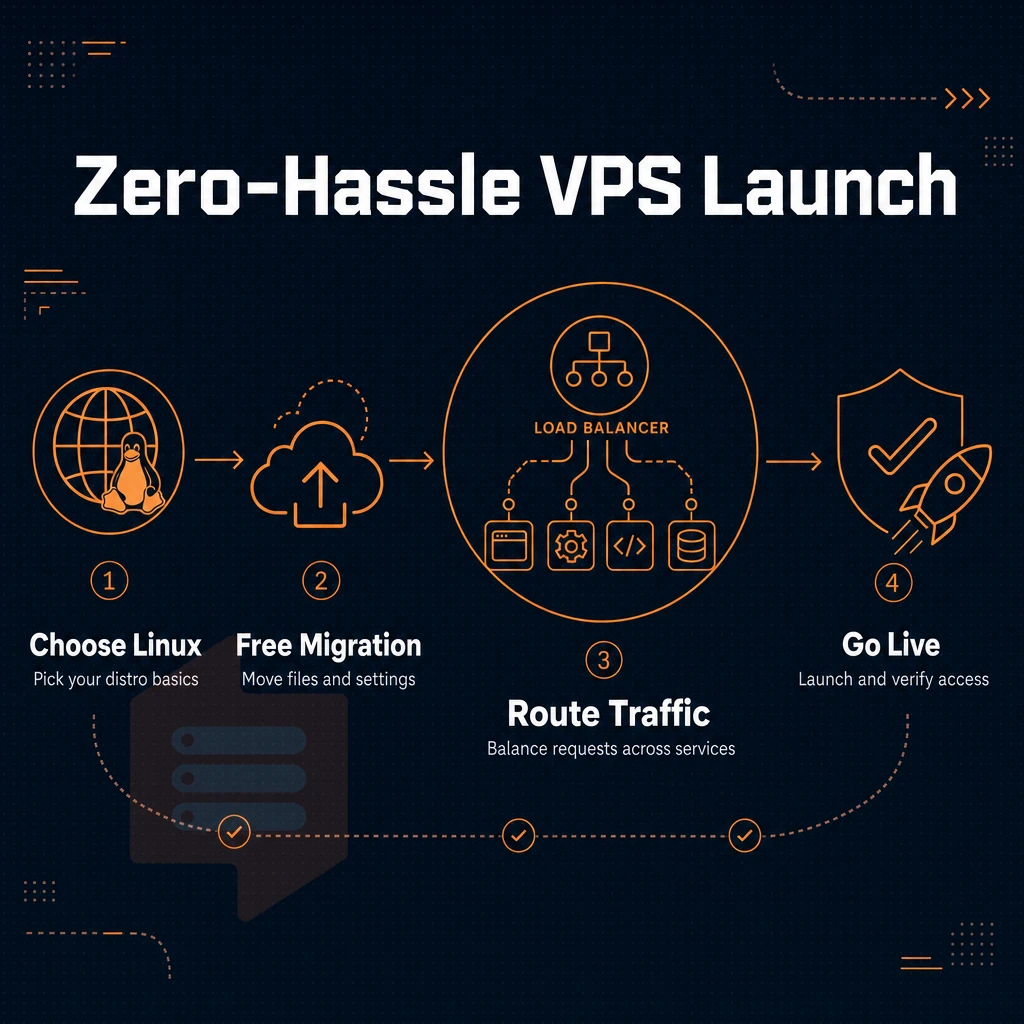
Setting up a Linux VPS is faster than you think. In this article we will cover the basic steps needed to choose a distribution, set up a VPS. Log into it for the first time and deal with the issues of migrating and upgrading existing customers.
Preparation: choosing a distribution and hosting providers
A large number of web hosting companies offer support for Ubuntu, Debian, AlmaLinux, Rocky Linux, CentOS Stream and Fedora. Choose an OS that’s best suited for your use case. Ubuntu LTS is suitable for general workloads, whereas AlmaLinux and Rocky Linux are suitable for companies who have previously used RHEL-based distros.
- Choose a distribution for Linux to match with your stack. Ubuntu LTS is a good choice for PHP and Node.js applications. AlmaLinux is best for database-intensive workloads because of its RHEL compatibility and long support cycle.
- When reviewing free migration offers make sure to read the small print. Some providers include assisted migration for cPanel accounts or single-site transfers. Other things like database clusters, custom kernel configurations and non-standard storage setups are usually outside the scope of free migration. Make sure your provider has a transparent pricing structure and states clearly what additional migration fees apply in individual cases.
Server setup: provisioning and first login
Automate server provisioning with a self-service panel and API access to set up a new server within minutes. Our VNC console is directly accessible from your browser. In addition, we provide full API access to automate setup and configuration of your nodes with tools like Ansible and Terraform.
- Provision your nodes within minutes through our Control Panel or API. Simply select region, tier and OS for your new node and it will be online within two minutes.
- SSH in as root. Administrator access is granted immediately. Run
ssh root@[your server IP]and confirm the host fingerprint on first connection. - Harden the server. This means disabling password logon, enabling key based SSH logon, enable the firewall, and apply any pending security patches to the OS. These are the major things to do to administer a newly launched server.
Note: Never skip the host key fingerprint check on first login. A mismatch can indicate a routing or provisioning error.
What is the difference between a Linux VPS and a dedicated server?
Linux VPS servers are run as fully isolated virtual servers, on shared hardware, using KVM virtualization. A dedicated server on the other hand is a full physical machine. Linux VPS plans are very cheap and you can have one provisioned in minutes. Linux dedicated servers are expensive because there is no other neighbor on the server competing for resources.
VPS’s are generally fast enough for most workloads (web apps, API’s, self hosted software, CI/CD pipelines etc). On top of either of those managed plans add OS level management for customers who do not have their own server administrators.
In-place upgrades: no migration, no IP rotation
We support in-place upgrades of all tiers. This means that you can scale CPU and RAM of your current server without a migration and without IP change. All your DNS records, firewall rules and application configurations will remain unchanged.
This is in contrast to other providers that would require a full re-provision of a new server of a different plan size. Knowing how to start with a VPS is one thing, but knowing how to choose the right web hosting provider in the long run is a completely different thing and is crucial for your future reliability.
How to choose the best Linux VPS hosting provider
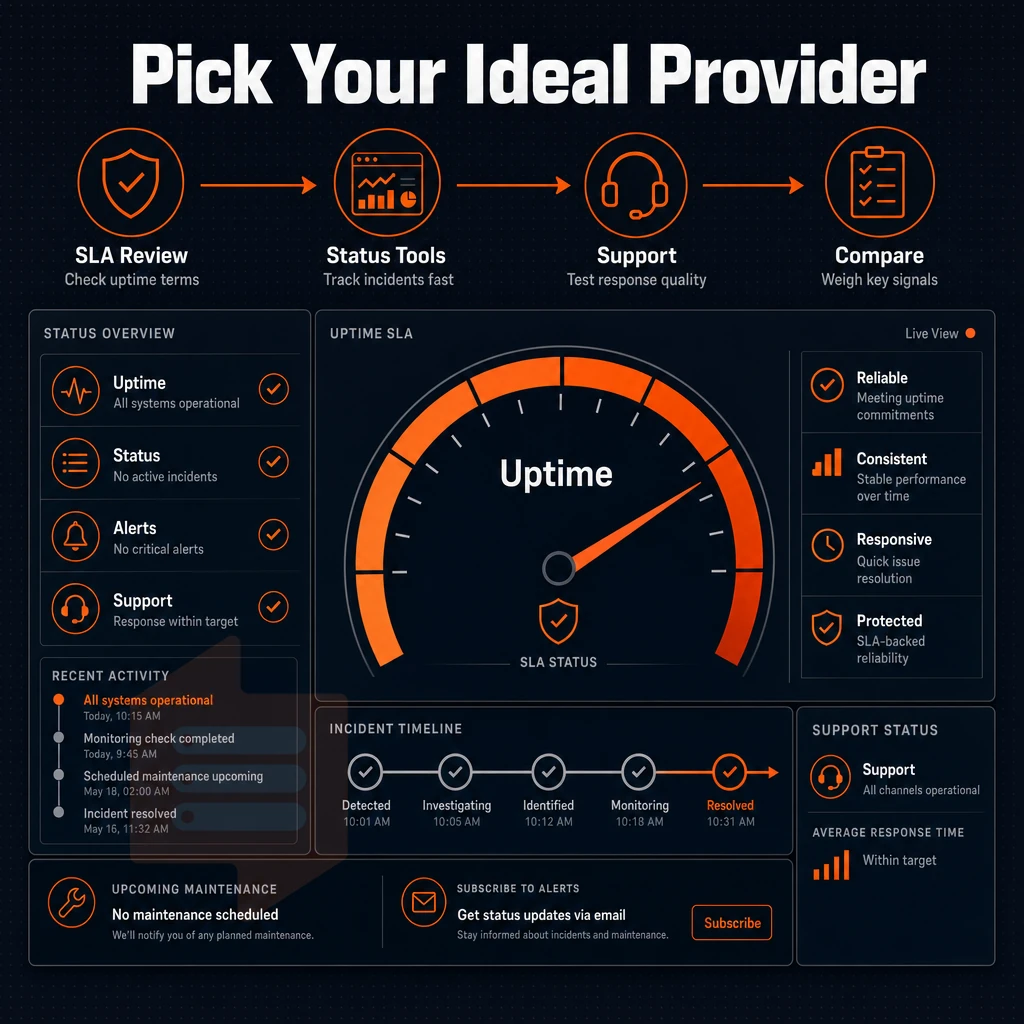
Choosing the right Linux-based VPS hosting provider is an infrastructure decision. Mis Choices of VPS hosting providers can lead to serious performance degradation, unexpected price increases and lots of unanswered support questions, all answered by bots. To avoid all that you need to cut through the web hosting marketing nonsense and look for the key factors that influence the VPS provider's reliability under load.
Hardware generation and storage architecture
CPU generation is more important than core count. Newer AMD EPYC Milan and Genoa processors running the Linux operating system deliver significantly stronger server resources than corresponding Xeon-based nodes in several areas like memory bandwidth, PCIe bandwidth, and even per-core performance. This affects workloads like database queries, compile jobs as well as high levels of concurrent web traffic.
The type of storage is also important to consider. NVMe over PCIe storage delivers direct IOPS greater than that of storage utilizing SATA SSDs or traditional hard drives. The BuyVPS NVMe RAID10 storage delivers 122,959 4K read IOPS (fio median). We expect any serious VPS provider to be able to provide you with published fio or pgbench results for you to review before you sign up with them.
The real variable of interest to a potential customer is node density. That one host with 80 VPS instances can pass all of the simple benchmark tests when idle. But the only thing that will give any assurance of good performance under load is a hard memory cap per node and very low node density.
Data center location and network quality
The physical location of your server can have a huge impact on latency for your users. While a 20ms difference in latency between data center locations may not make much of a difference for batch type processes running across operating systems, it can make a huge difference in highly interactive applications.
We have EU-based servers in Amsterdam and US-based servers in New York (US East Coast), both sharing identical server resources, the same Linux operating system builds, the same hardware, the same control plane, and the same pricing for identical services in both regions.
parity makes multi-region deployments a lot easier since you don’t have to re-learn all pricing or hardware for the second node in a different region. Things like multi-homed uplinks and IPv4/IPv6 dual-stack are just basic features that you expect from a serious hosting provider.
Pricing transparency, support model, and scalability
Ensure that a transparent pricing structure is in place so that there are no price increases in year two or five. Make sure the price you are charged in year one is the same price you will continue to be charged in future years. Discounting heavily upfront in order to shift cost to customers’ inertia in later years is not good.
Support quality is what differentiates commodity hosting from high-quality infrastructure hosting. The difference between an engineer’s response to a question and a first-tier chatbot response can be minutes in terms of resolving a production issue. Does the host offer managed support for your level of complexity with your workloads? BuyVPS tickets are handed off to an engineer directly (no front-line filtering).
Confirming the scalability path is also important. In-place upgrades (no migration) with no IP renumbering are key to supporting future web hosting growth without needing to change DNS for the new servers or reconfigure applications. Also verify that the vendor’s support organization provides upgrade assistance and that upgrades can independently scale RAM, CPU and storage.
A simple evaluation checklist for me: generation of CPU (EPYC Milan or Genoa preferred), IOPS on NVMe RAID10 as published. Hard memory limits per node, SLA of 99.8% or higher, 24/7 engineer support, no price increase for renewals. Additionally, Upgrade in place possible.
BuyVPS meets all of the above criteria for a decent VPS broker in practice.
Why choose BuyVPS for Linux VPS server hosting
BuyVPS has been running virtual private server infrastructure since 2002. We don't resell capacity, we operate our own hardware in Amsterdam and New York, with identical specs and pricing at both locations. For teams that take Linux VPS hosting seriously, that consistency matters.
Here's what separates our Linux VPS plans from standard VPS hosting providers:
- True KVM isolation. Every virtual private server runs its own kernel. No shared kernel surface, no noisy-neighbor kernel panics bleeding across virtual machines.
- NVMe RAID10, PCIe-direct storage. Our NVMe SSD storage benchmarks at 122,959 4K read IOPS (fio median). That's measured, published, and reproducible, not a marketing figure.
- No-oversell policy. Hard memory caps per node and low node density mean your dedicated resources stay yours. Server performance doesn't degrade when the host fills up.
- Pinned cores on the Dedicated CPU tier. Need exact CPU allocation for databases or latency-sensitive workloads? Dedicated CPU VPS plans give you pinned cores on AMD EPYC Genoa, predictable, not shared.
- Full root access on every plan. Choose from Ubuntu, Debian, AlmaLinux, Rocky Linux, CentOS Stream, Fedora, or upload a custom ISO. Full root access means full control over your server environment.
- In-place upgrades, no IP rotation. Scale server resources without migrating to a new server. Your IP stays the same. Your DNS stays intact.
Our support team is engineers, not first-tier chatbots reading from a script. If you're evaluating Linux VPS hosting options, reach out to us at support@buyvps.com or compare our Linux VPS plans directly on BuyVPS.com.
The core advantages of Linux VPS hosting at a glance
Most growing workloads can’t be easily put into shared hosting environments, because they need dedicated resources that are allocated to a single virtual private server. Full root access to the server environment means you can go from the kernel up and use the Linux distribution of your choice (e.g. Ubuntu, Debian, AlmaLinux or Rocky Linux).
You can install additional packages as needed and lock down security as required, and all without depending on support staff. Your VPS runs on NVMe storage, which means constant I/O throughput even under high loads. With scalable resources across operating systems, you can scale individual components such as vCPU, RAM and storage as needed, without having to move to a completely different server, and without losing your IP addresses.
For developers, agencies and companies with multiple websites / environments, Linux cloud VPS hosting is often the sweet spot: more control than offered by shared hosting. More cost-effective than a dedicated server and much more flexible than a managed hosting offer that puts restrict restrictions on what can be installed.
Also the transparent pricing without mid-contract price hikes makes perfect sense for planning capacities on the fly. In summary, Linux VPS hosting is the obvious default for servers that have outgrown the shared hosting offer and that need to grow.
Linux VPS hosting is typically suited for most technical workloads as it offers more control than a shared hosting environment but is far less expensive than a fully managed dedicated server. When evaluating VPS hosting for Linux based applications two primary factors must be considered: managed vs. unmanaged web hosting and ensuring that the appropriate VPS tier is selected based on your applications' CPU and memory requirements and your team's capacity.
BuyVPS runs KVM-isolated Linux VPS instances on AMD EPYC hardware across Amsterdam and New York, with full root access, NVMe RAID10 storage, and no-oversell hard memory caps on every node. Standard, Dedicated CPU, and High Memory tiers cover the full range from lightweight web apps to memory-intensive databases. If you know your workload requirements, browse the plans at BuyVPS.com and pick the tier that fits, in-place upgrades mean you are not locked in if your needs grow.