
Selecting the right cloud VPS can mean the difference between teams who can ship fast and teams who are fighting with their infrastructure. A cloud-hosted VPS allows for the isolation of dedicated resources while providing full root access to scale as needed.
Unfortunately not all providers can deliver on the promises they make.
This guide separates the wheat from the chaff, outlining in detail what reliable VPS infrastructure looks like, providing a breakdown of the underlying hypervisor, storage, and network architecture. In addition, for each type of cloud VPS infrastructure outlined, it explains what type of workloads can be handled best by said VPS.
Next, the guide explains how to compare and evaluate different cloud VPS servers and providers in terms of CPU pinning, memory guarantees, IOPS (Input/Output Operations Per Second) for storage, and even Service Level Agreement (SLA) terms.
On this page, you can also learn more about additional services and how BuyVPS sets up its KVM-based VPS on AMD EPYC hardware in datacenters in Amsterdam and New York. As well as read about the hard memory caps per node and. published benchmarks for said VPS to compare to other web hosts.
What are cloud based VPS servers?
A cloud based VPS is a virtual private server offered as a service on cloud infrastructure. A cloud virtual private server offers a completely isolated web hosting environment with fixed amounts of memory, CPU power and storage, whereas the server runs on shared physical hardware. In terms of “hard core-ness” it’s therefore in between offering shared hosting and bare metal hosting.
First month $1
Then the normal monthly price. One per customer. No setup fee, and a 30-day performance guarantee on your first order.
See the plans“Good servers, thanks.”
Teams who want cloud-style orchestration on plain VPS nodes can read our Kubernetes VPS guide, which builds a three-node k3s cluster on small servers.
What are cloud based VPS servers?
When we talk about VPS hosting, we are talking about a Virtual Server, created from a single physical server, partitioned up using a hypervisor, to create Virtual Machines. This Are allocated a fixed block of resources, that are not interfered with by any other accounts. Here at BuyVPS we use KVM (Kernel-based Virtual Machine) for our Virtual Servers, which creates a separate kernel for each VPS, allowing for full isolation of each Virtual Server, rather than just containerizing them.
Why VPS is unlike shared hosting
Most shared hosting plans allow for multiple accounts on the same server, using up from the same pool of resources. When one account ‘overuses’ the server, it can cause the other accounts to slow down. (On a VPS, this is prevented by enforcing the RAM cap of the VPS at the hypervisor level, as opposed to by convention).
This resource contention issue becomes especially problematic when hosting multiple sites, as traffic spikes on other websites sharing the server can degrade your site's response times. Unlike VPS environments where allocations are strictly enforced, shared resources in traditional hosting mean that CPU cycles and disk I/O can be monopolized by neighboring accounts during peak usage periods.
Dedicated server vs. Virtual private server and dedicated hosting
The VPS is right in the middle of Shared and Dedicated hosting, as cloud based hosting solutions. A VPS offers the same type of isolation as Dedicated hosting, without paying for an entire single physical server just to run your production workloads (like web apps, databases, APIs etc).
To understand how the underlying hosting infrastructure delivers on this promise, we take a closer look at Cloud Servers and VPS hosting. This middle-ground positioning offers distinct advantages for businesses seeking scalability and performance without the capital expense of bare-metal infrastructure.
How cloud servers and VPS servers work together
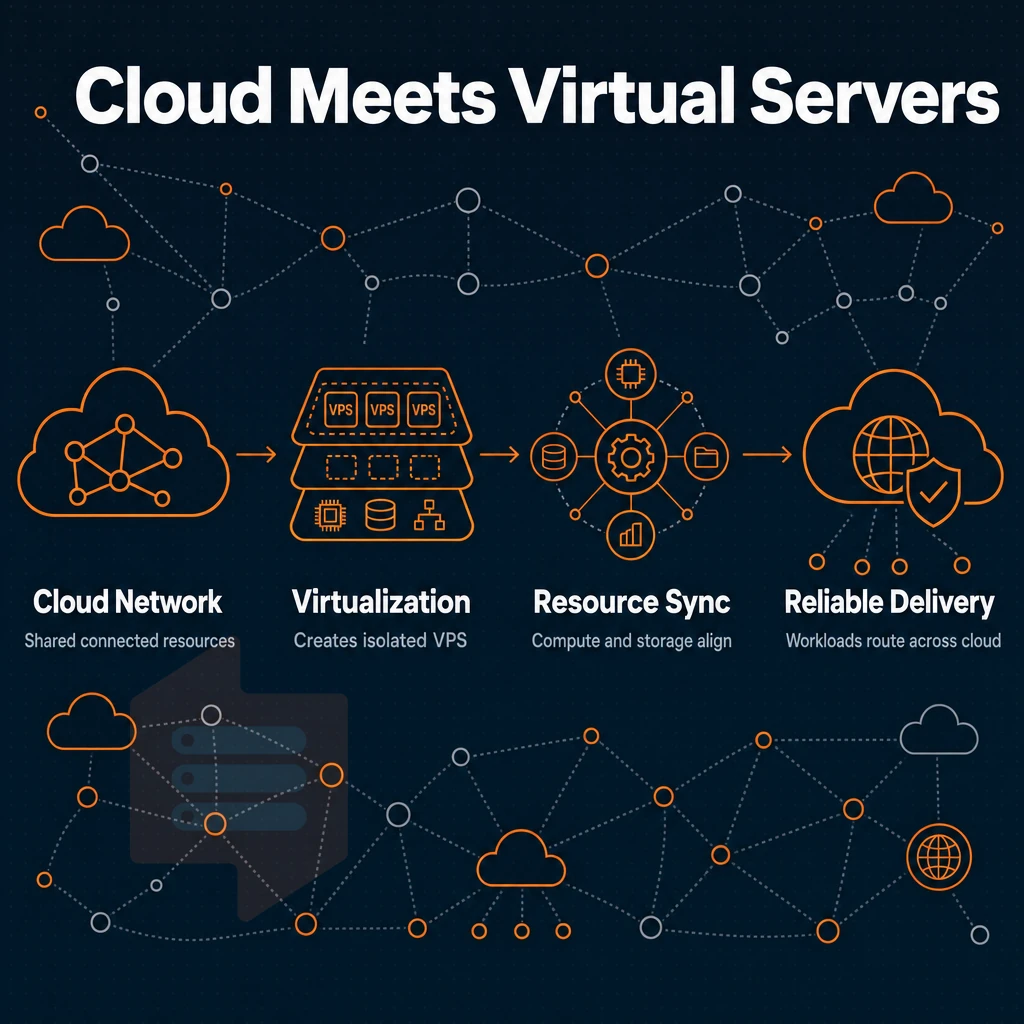
Cloud-based VPS hosting is a combination of two services, Virtualization and Network. Understanding how both services work together in cloud-based VPS hosting will help you set up the right configuration. Administrators can configure network interfaces, firewall rules, and routing policies to match their specific security and connectivity requirements.
How KVM turns one machine into many VPS servers
KVM hypervisors allow you to split the hardware of a single server into multiple Virtual Private Servers (VPS), each running its own operating system with its own isolated kernel. Resources, such as CPU cores, RAM (ECC), storage (NVMe) are allocated on a strict basis. This isolated environment ensures that each VPS operates independently, preventing resource contention and maintaining consistent performance across all instances.
When workloads expand beyond initial capacity, upgrading to more memory within the same VPS instance is typically faster and more cost-effective than migrating to a larger server. The allocation of CPU cores directly determines the processing power available to each virtual instance, with modern EPYC processors delivering substantial computational capacity even when divided among multiple tenants.
In contrast to a shared hosting environment, several users on the same server can't use up all the resources of another user under heavy load.
What is the difference between a VPS and a cloud VPS?
A VPS is typically hosted on a single server. A cloud VPS adds a layer of network defined infrastructure on top of the KVM isolation provided by the VPS. This can include multi-homed uplinks, distributed storage and API-based provisioning. All of this is designed to increase the resilience of your VPS hosting.
This network-defined approach enables high availability configurations that can automatically failover between nodes in the event of hardware failure. Organizations migrating from on-premises infrastructure often find this hybrid model bridges the gap between traditional hosting and public cloud platforms.
The VPS servers provided by BuyVPS for example are KVM isolated and come with NVMe RAID10 storage and multi-homed uplinks. They have a 99.8% uptime SLA and are provided with a private network stack for each deployment. IPv4 and IPv6 are provided on a dual-stack basis. Each VPS instance also includes built-in ddos protection to safeguard against volumetric attacks and ensure continuous availability of hosted services.
Cloud servers vs standard VPS servers: a quick comparison
| Dimension | Standard VPS | Cloud VPS (BuyVPS) |
|---|---|---|
| Isolation | KVM, shared kernel risk | KVM, separate kernel per VPS |
| Storage | SATA SSD typical | NVMe RAID10, 122,959 4K read IOPS |
| Network | Single uplink | Multi-homed, dual-stack |
| Uptime SLA | Varies | 99.8% |
By dedicating specific resources, utilizing high performance NVMe storage, and employing multiple uplinks for redundancy, these well-engineered cloud VPS servers differ from run-of-the-mill virtual servers in ways that matter. In a face-off against typical shared hosting services, these capable cloud-based virtual machines running as VPSes are noteworthy for their high performance under sustained loads.
Cloud based VPS vs shared hosting: key differences
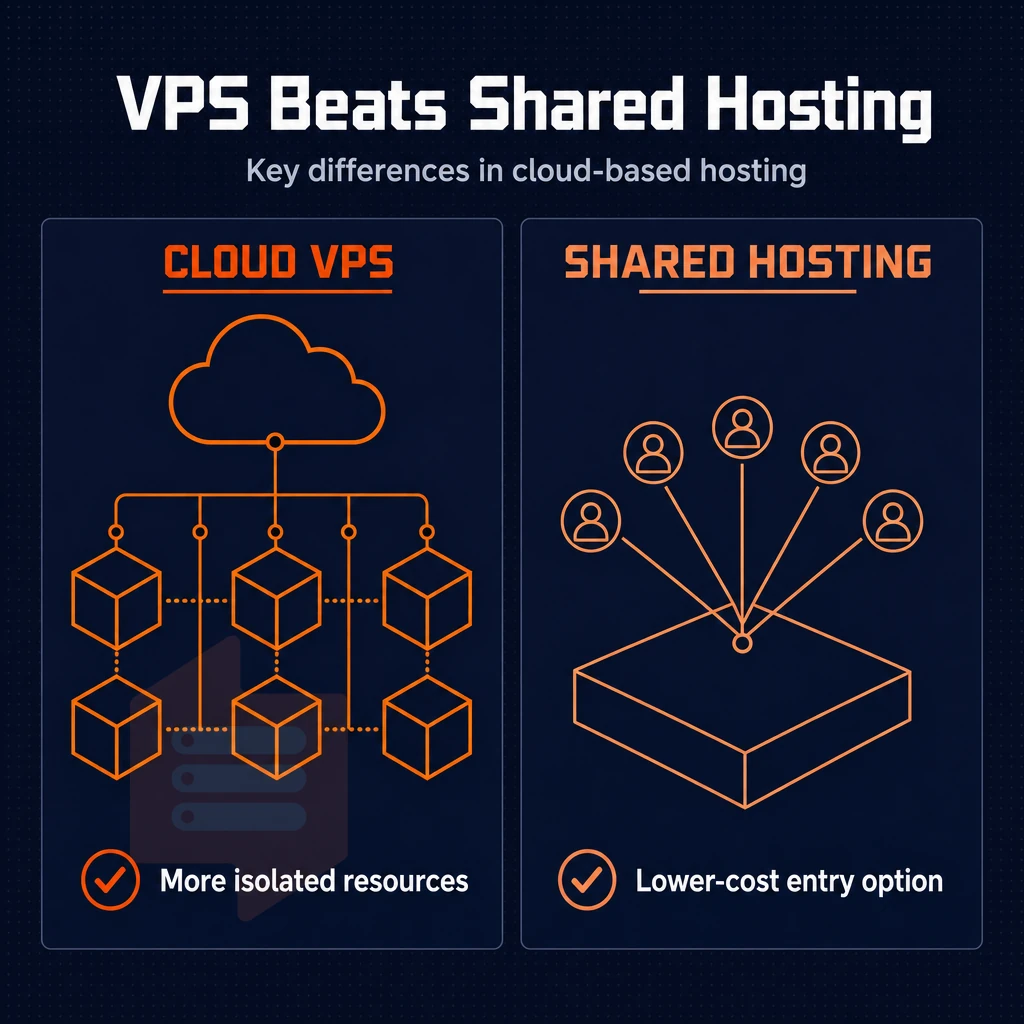
There are key differences between a cloud-based VPS and shared hosting.
Virtual private server resource isolation and performance
- Understand pooled vs. dedicated resources. Shared hosting servers have CPU, RAM and I/Os split up between all sites on the server. As a result, other sites on the server can very quickly impact performance if they have a sudden spike in traffic and are competing for the same resources. VPSes on the other hand allocate fixed resources to each VPS instance. Other customers of the host can’t use up all your allocated resources.
- Under load, you can expect consistent levels of performance. We enforce hard memory caps per node. Additionally, We maintain a low node density in order to offer up the ability to bench mark and achieve repeatable through put as opposed to merely best effort to share resources amongst guests on a given node.
Control and software flexibility
- Gain full administrative access. You have full control of the server settings on a VPS, thus you can install any runtime, custom control panel, or security daemon, for example, without asking the provider for permission.
- Cloud services and custom stacks can be deployed freely. If for example a specific PHP version, a set of firewall rules or a containerized workload is needed. A VPS allows you to set up the environment and the environment of your application exactly as you need it.
Note: Shared hosting environments typically block package managers and restrict kernel-level configuration. If your stack needs anything beyond standard web files, shared hosting will block you quickly. VPS environments, by contrast, grant you the ability to install other software packages, configure custom services, and modify system-level settings as needed for your application stack. Administrators can configure firewall rules, adjust kernel parameters, and deploy custom monitoring tools that would be impossible in restricted hosting environments.
Which cloud VPS provider is the best?
The best hosting provider for you will depend on the volume of work you plan to complete.
On top of that, they guarantee hard memory caps per node at the operating system level for virtual machines (in contrast to soft memory caps per account) and offer engineer-led support (as opposed to a chatbot for support tiering). This level of technical expertise ensures that complex configuration issues and performance optimization challenges are resolved by professionals who understand the underlying infrastructure.
For users that require additional data protection for sensitive data, BuyVPS also offers IPv4/IPv6 dual-stack, KVM-level kernel isolation on each physical server, and dedicated resources allocated per instance, deploying from Amsterdam and New York to give users jurisdiction choice without compromising on performance. After ruling out shared hosting, users will have to decide between a VPS and a dedicated server.
Virtual private server vs dedicated server: choosing the right hosting solution
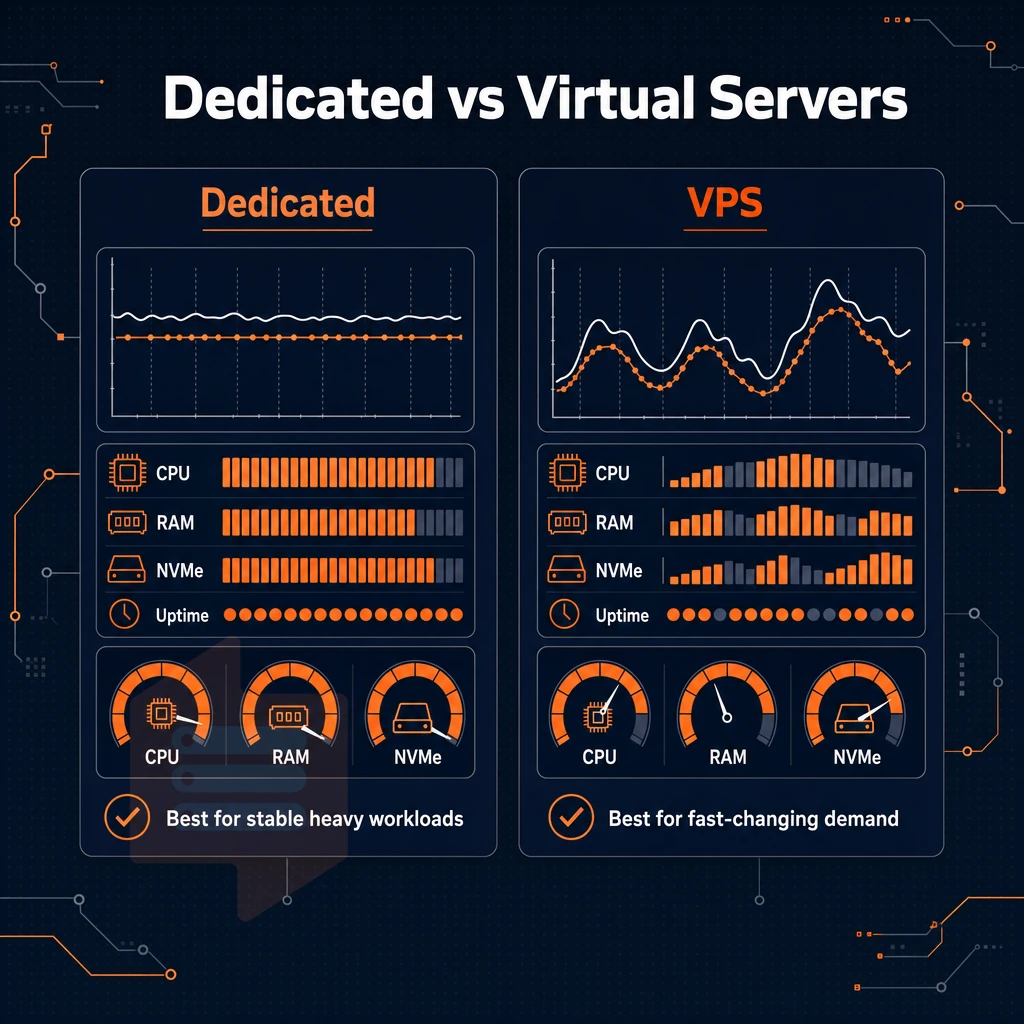
The choice between VPS hosting and a dedicated server typically comes down to a single question: How much of a physical server will your workload actually need to run on? The vast majority of workloads don’t need the entire server, so paying for all of it when you only need a portion of it is pure overhead.
Dedicated resources vs. Shared infrastructure
Many hosted solutions, including traditional shared hosting, have multiple tenants on a single server. VPS hosting separates this single server into multiple virtual environments with guaranteed resources. Each of these virtual servers operates with its own allocated CPU, memory, and storage, ensuring that performance remains consistent regardless of activity on neighboring instances.
The difference between pinned-core VPS and other VPS options sharing a single physical server is greatly reduced when looking at the pinned-core VPS tiers, like the Dedicated CPU VPS from BuyVPS. Here, vCPUs are assigned in such a way that they will never float to another tenant.
Thus eliminating the typical ‘noisy neighbor’ problems encountered with shared vCPU servers that are used for latency sensitive work, without having to pay for a full dedicated physical server. This pinning architecture ensures consistent processing power delivery for applications requiring predictable compute performance, such as real-time analytics or high-frequency trading platforms.
How much does cloud VPS cost?
Prices for VPS hosting change by server type, by location and by billing cycle. To give you an idea, though, a well specced VPS is going to cost far, far less than the equivalent in dedicated servers.
Managed VPS hosting vs. Unmanaged VPS hosting websites
Managed VPS hosting vs. unmanaged VPS hosting is the second major axis of choice for selecting a VPS hosting provider. Managed VPS hosting includes OS updates, security patches, and monitoring by the VPS hosting provider.
Un managed VPS hosting provides the customer with full superuser access and is up to them to manage the server. BuyVPS offers unmanaged VPS hosting where our engineers can assist with any infrastructure issues, but the stack above the hypervisor is the customer’s to manage as they see fit.
Unmanaged VPS offers better value and more control for teams who have the necessary skills to run a Linux server compared to managed offerings of equivalent specification.
This level of control extends far beyond the simple managed/unmanaged dichotomy and penetrates to every layer of the environment, without requiring you to own an entire physical server.
Greater control over your isolated environment on a VPS
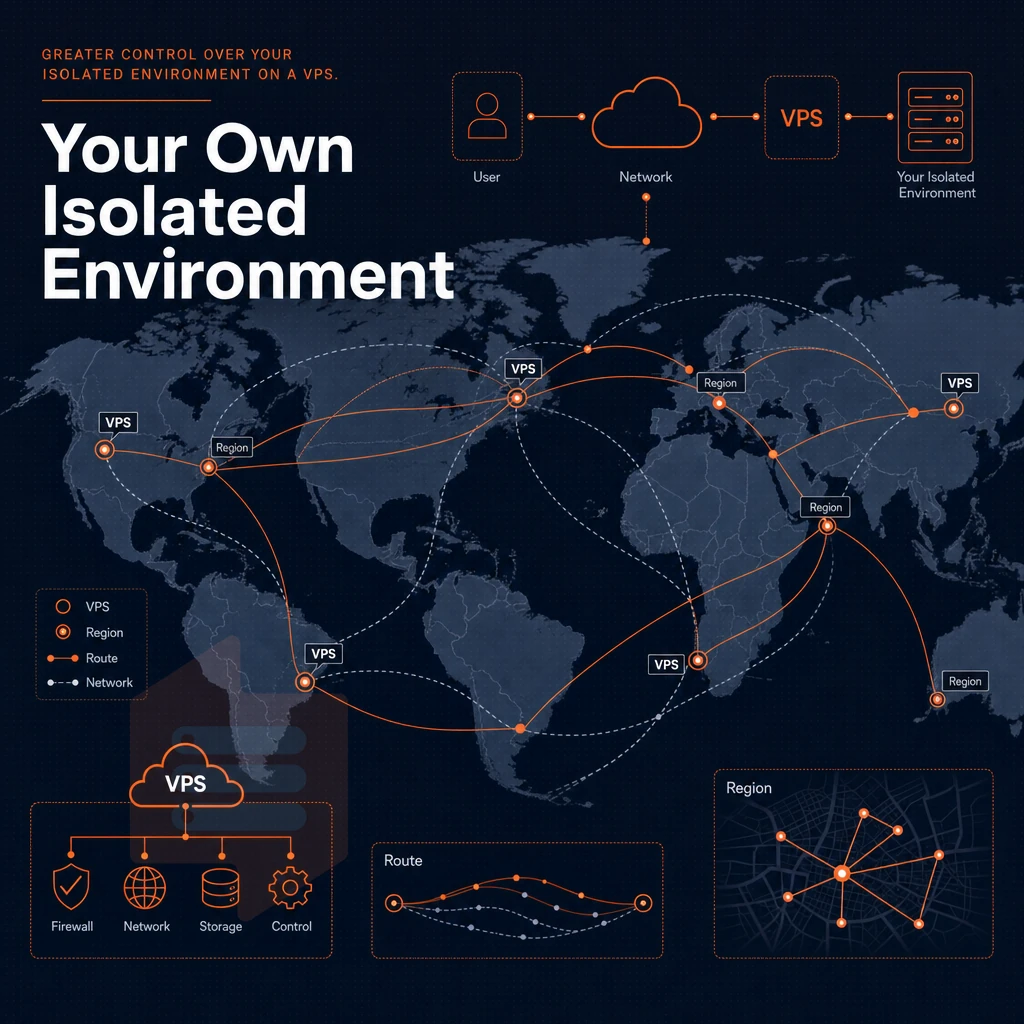
Full control of the server environment is a major reason for developers and companies to choose a cloud-based server VPS over shared hosting or managed hosting. With shared hosting, the hosting provider controls the server stack. With a cloud-based VPS, however, you control every layer of the server, from the kernel up.
Root access and operating system choice
Each of our server VPSes comes with full server control straight off the bat. In contrast to most control panel hosted server VPSes, there are no limitations on what you can install and change (i.e. no locked-down control panel).
If you need to add something outside of the above list of images, you can for example upload your own custom ISO which will then be booted from it. This is for example suitable for personal websites which run non standard ( niche ) stacks of software or require a certain OS image (e.g. for compliance or DR / BC purposes).
Self-service panel and API access
In addition to reboots, reinstalls, and snapshots, multiple users can scale computing power and add or remove services in the self-service panel without opening a support ticket. Our self-service panel also exposes a full API to server management tasks. The API allows users to script provisioning of servers beyond a basic shared hosting solution, integrate the server provisioning with CI/CD pipelines, and automate scaling logic for their servers.
Misconfigured firewall rules can be fixed immediately without having to wait in a queue.
Load balancer and KVM isolation
The load balancer sits nicely in front of the KVM-isolated VPS instances. Thus, the simplified management of traffic routing, failover, and security policies is possible. This same isolation is also what makes a cloud-based VPS a reliable foundation for many production workloads.
Common use cases for cloud based VPS hosting
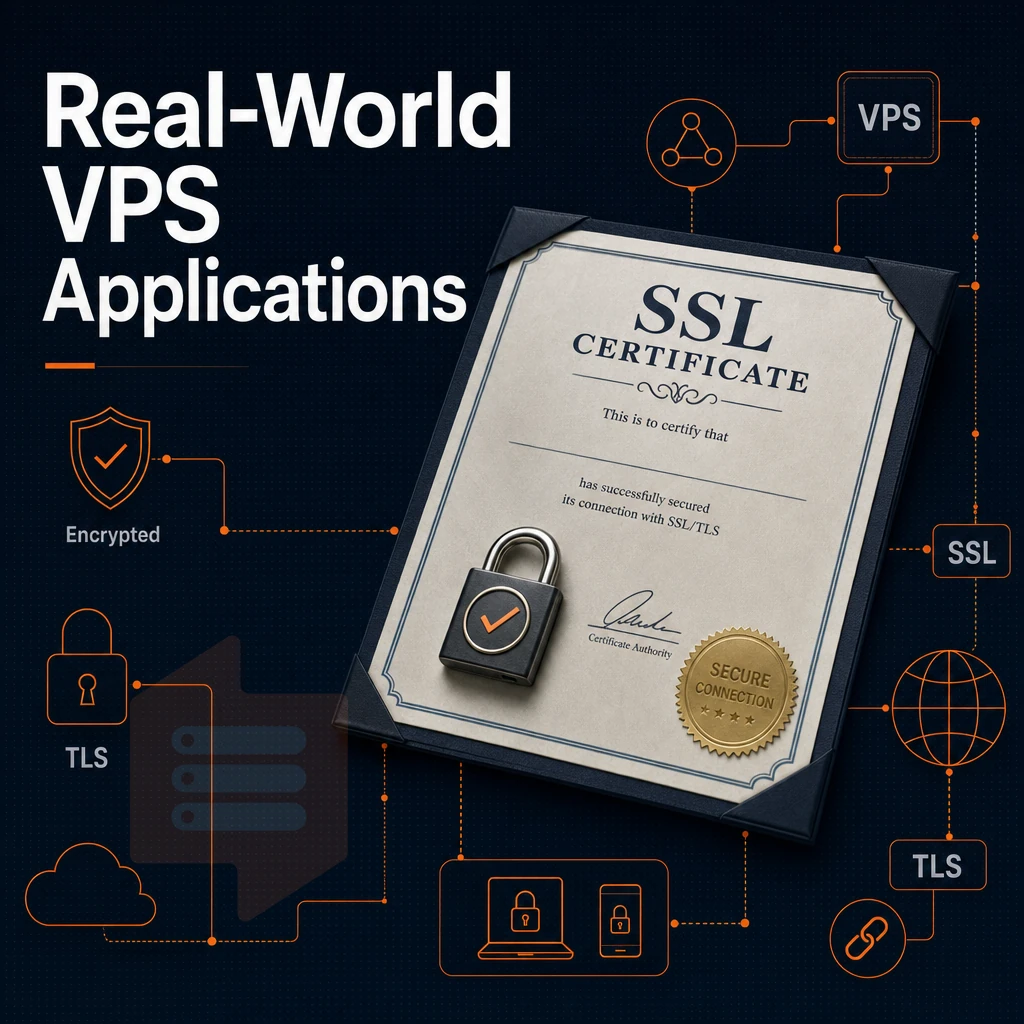
hosted VPS handles a wide range of production workloads. The isolation, administrator-level access, and consistent physical resources of a cloud-based virtual server make it a reliable platform for any number of small web projects or large enterprise environments.
Web hosting and application servers
Most people host websites on a VPS for a variety of reasons. In order to host websites on a VPS you get dedicated RAM and NVMe storage for your websites to run on. This is especially true for e-commerce websites, content management systems and personal websites. When resources are allocated per node on a VPS they are hard-capped, just like with BuyVPS.
Email server and staging environments on a virtual private server
Isolating test environments and staging servers from the rest of the world, just like production servers, is a good idea. BuyVPS offers 99.8% SLA and in-place upgrades for stable test environments and production servers.
Specialized workloads: ml inference, load balancers, and dr
As machine learning inference loads often require fixed amounts of CPU power and are also dependent on fast storage, BuyVPS's Dedicated CPU servers are well suited rather than a typical shared hosting solution. A VPS can also function as a load balancer front-end server (e.g. termination of incoming connections), and thereafter forward the connections to the actual servers. Disaster recovery servers can be left running in warm standby in locations such as Amsterdam or New York.
Then, it’s just a matter of network quality to deliver the extra capacity that’s been spun up.
Network quality and low latency at BuyVPS data centers
A Server’s Location is a Key Performance Metric. Our Cloud Server VPS hosting supports your choice of operating system and is built on top of multiple data centers and cloud regions, including a region in Amsterdam which provides fast VPS hosting to customers located in Europe. Our New York region is designed to serve fast VPS hosting to customers based in North America.
Data center selection
- Select the region that is closest to your users and deploy your server there. For EU traffic, the Amsterdam region would be a good choice. For US East Coast users, the New York region would be a good choice. Identical hardware is used in all regions.
- Confirm your network stack. Every server ships with IPv4 + IPv6 dual-stack by default. Request a VLAN if your architecture needs a private network segment between server instances. Note: VLAN access is available on request, open a support ticket before provisioning.
Data protection and DDoS protection at the edge
- Edge filtering is used at both sites, multi-homed uplinks and abuse-policy-based firewall rules to protect customer data at the network edge. Upstream filtering does not have to be configured for you to get reliable performance.
- Make sure your server has uplink redundancy enabled. Multi-homed routing means that even if one upstream carrier fails, your server won’t get isolated. That’s far better than a single-homed server.
Virtual private server verification
- After you deploy your application, test for latency. Measure the latency to your servers from a number of locations in Europe and in North America. You should get results that confirm your application’s positioning in the regions.
It would now be helpful to explain what BuyVPS brings to the market for VPS in the cloud hosting.
Why choose BuyVPS for cloud based VPS hosting
When evaluating cloud VPS instance options, the infrastructure underneath matters as much as the price. BuyVPS delivers VPS hosting built on verifiable specs, no marketing fluff, no oversold nodes.
- No-oversell guarantee: Hard memory caps and low node density mean your virtual private server gets the reserved resources it's allocated, other users on the same physical server can't starve your workload.
- KVM isolation: Every VPS runs a separate kernel. Your virtual machine is fully isolated from other virtual servers on the same physical machine.
- NVMe RAID10 PCIe-direct storage: Published fio benchmarks confirm 122,959 4K read IOPS, consistent performance for I/O-intensive workloads.
- Full privileged access + custom ISO: Configure your operating system, install popular software, and manage server settings without restriction on every plan.
- In-place upgrades, no IP rotation: Scale resources without migrating or losing your IP, critical for email server reputation and DNS continuity.
- Engineer-led support since 2002: Real engineers reply, not chatbots. Founder-run with data centers in Amsterdam and New York.
Compare plans and find the right VPS hosting plan for your workload at BuyVPS VPS Hosting.
The core advantages of cloud based VPS at a glance
VPS hosting is ideal for people who want to step up from shared hosting, but don’t need the full power of a dedicated server. With VPS hosting you get your own isolated resources, full system access and full control over your VPS environment. This is vastly different to sharing a hosting account with other users, where spinning up additional VPS instances keeps your workloads isolated from everyone else on the physical server.
cloud-hosted virtual server extends that foundation with elastic provisioning and reliable performance on modern hardware. The result is a dependable, scalable hosting solution for teams that have outgrown shared hosting but don't yet need bare metal. Explore BuyVPS's VPS hosting plans to find the right fit.
By hosting your VPS in the cloud, you get to use a VPS set up with exclusive resources, unrestricted server access. Additionally, a private environment (all without the cost of a bare metal server, and the hassle of managing it yourself).
This makes for a very practical ‘middle ground’ for web developers and their teams, who have outgrown shared hosting, but are not yet ready for a full dedicated server. The level of control that you have over your server and its environment, means that your VPS’s performance will be more predictable.
If those priorities match your workload, BuyVPS offers web hosting through KVM-based VPS on AMD EPYC hardware across Amsterdam and New York, with hard memory caps, NVMe RAID10 storage, and no-oversell by design. Explore the Standard, Dedicated CPU, and High Memory plans at BuyVPS.com to find the tier that fits your use case.