
Storage bottlenecks kill performance faster than almost any other infrastructure failure.
Database servers with multi-terabyte storage pools, media processors constantly ingesting and processing new media, backup and archive targets, log aggregation servers. Additionally, Even self-hosted cloud object storage clusters all require more than what a typical VPS can provide.
Read performance, write I/O until failure, RAID support, and how the hypervisor exposes your storage stream to the workload all matter a great deal to actual performance at high capacity.
In this article we will differentiate high-capacity VPS offerings from mere large disk numbers, discuss which workloads benefit from high storage. Additionally, Go through the key points of infrastructure that make a big difference to a storage tier: from the virtualization level down to network bandwidth.
What is a high storage VPS and who needs one
A high storage VPS is a Virtual Private Server that has been allocated a large amount of disk space in comparison to the amount of allocated CPU power and RAM. Note that a storage-optimized VPS is not designed for fast computation and therefore is not suitable for such tasks.
First month $1
Then the normal monthly price. One per customer. No setup fee, and a 30-day performance guarantee on your first order.
See the plans“Very satisfied with the service. The server was provided quickly, and everything worked perfectly. Fast response, reliable service, and great overal experience!”
A frequent reason for wanting more disk is a private cloud; see our Nextcloud and Immich VPS guide for how much space photos and backups really take.
Storage VPS vs. Compute VPS: bandwidth and performance
Typically, a compute-optimized VPS trades disk space for more CPU cores and faster RAM. A storage server reverses this ratio and provides much more space for things like archives, backups and bulk data at a lower per-GB price. For community perspectives, see Cheap VPS Host with lots of HDD Storage ? : r/selfhosted.
Who needs media servers, media libraries, and bulk archives
Three workloads drive most demand:
- Self-hosters streaming personal media libraries.
- Developers rotating database dumps and build artifacts.
- Teams retaining historical data for compliance or analytics.
Full root access complete control over your data
All of our plans come with full root access, which means you have complete control over your server. You can choose your own filesystem, mount points and retention policy for terabytes of data, without being locked into a certain way of doing things by your vendor. Whether you prefer ext4, XFS, ZFS, or another filesystem, the choice of os and configuration remains entirely yours to optimize for your specific workload.
Now that you have a sense of the workloads that your solutions will address, we can look at the storage options available for sale that best fit each workload tier. Many providers allow you to resize your plan as data requirements grow, ensuring you pay only for what you need at each stage. Plans typically start at modest allocations and scale upward to configurations offering 500 GB, 1 TB, or even multiple TB of usable space.
Key use cases: backups, media servers, file hosting and archives
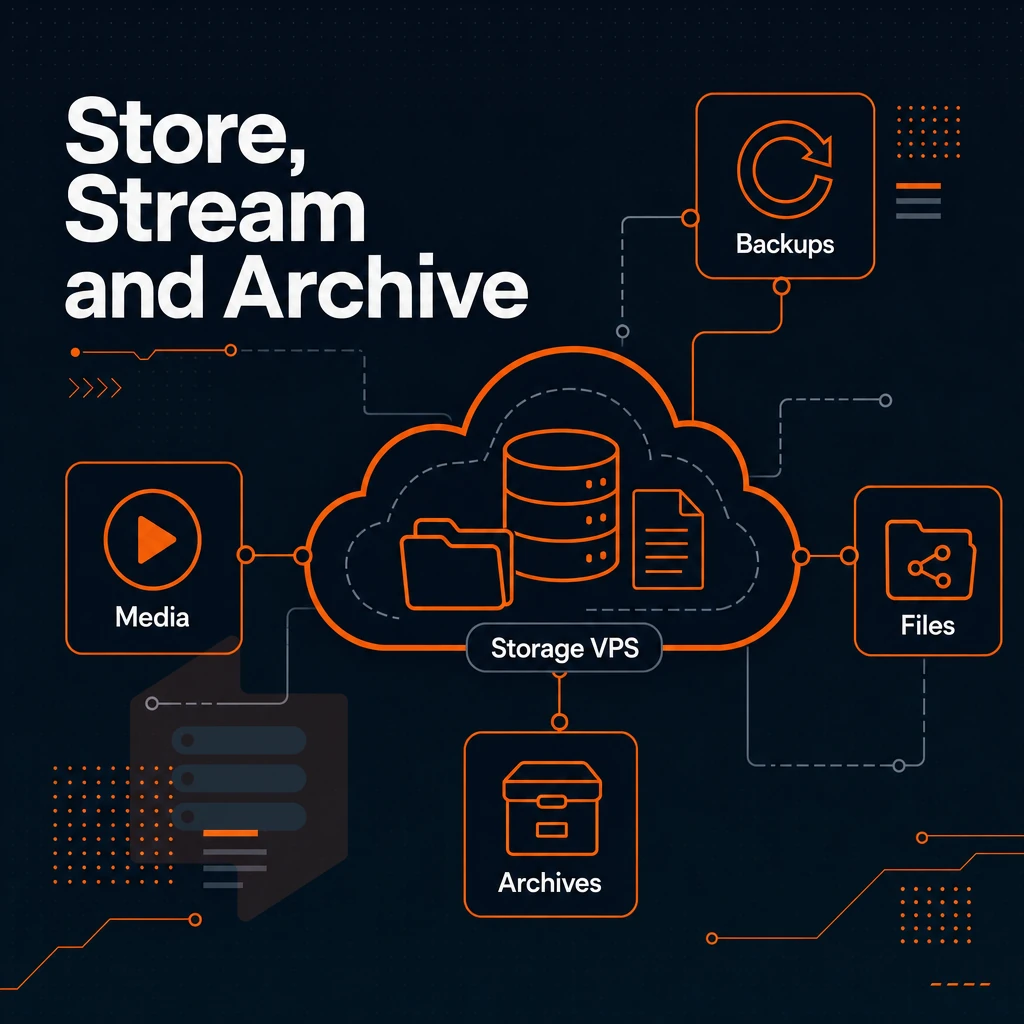
Four primary use cases which drive the majority of demand for High Capacity Storage on VPSes are: backups, media streaming, file hosting, and archiving. Each has unique I/O characteristics, and thus a corresponding VPS plan. Media streaming platforms like Plex require sustained read throughput to serve multiple concurrent streams without buffering or quality degradation. Understanding these distinct patterns helps you select the right infrastructure for your specific use case, ensuring that your chosen solution aligns with the demands of your applications. Selecting a plan that matches your workload's I/O profile creates the perfect foundation for reliable performance and cost efficiency.
Archiving solutions benefit from keeping historical records and compliance data in stock configurations that prioritize capacity over speed, making cold storage tiers economically viable for long-term retention. Plans typically start at 500 GB for smaller projects and scale to multiple terabytes, with incremental tiers allowing you to match capacity precisely to your data footprint. Backup repositories often require sufficient ram to maintain file indexes and deduplication tables in memory, ensuring that incremental backups complete within acceptable time windows.
Backups and disaster recovery bandwidth needs
Reliable space to store rsync targets, database dumps and system snapshots is more important than raw CPU power. Thus, I need a VPS with NVMe RAID10 and 99.8% uptime SLA.
Media files hosted across multiple servers
When installing Plex or building your own personal cloud for Linux ISOs and huge asset libraries, I/O throughput (as used in server benchmark tests) is what matters most. KVM isolation makes sure your server isn’t affected by I/O intensive neighbors. Proper bandwidth allocation ensures that each media stream maintains consistent quality even during peak usage hours when multiple users access content simultaneously.
Encoding settings and container formats also play a role in determining how much bandwidth each video file consumes during playback. Choosing the right streaming applications and configuring their cache settings can dramatically reduce disk reads and improve overall responsiveness for concurrent users. This combination of isolation, bandwidth, and caching creates the perfect environment for serving large media libraries to multiple simultaneous viewers without degradation.
VPS hosting for historical data protected archives
Read-rarely storage) it is beneficial to store them in locations close to your main infrastructure, such as in our Amsterdam and New York locations for example. For users on the West Coast, our Washington data center provides similar low-latency access to stored content while maintaining the same redundancy and performance standards. Plans offering 500 gb or more of capacity ensure that even large archival datasets remain accessible with minimal latency from these strategically positioned facilities.
| Workload | Key requirement | BuyVPS fit |
|---|---|---|
| Backups / DR | Uptime, redundancy | NVMe RAID10, 99.8% SLA |
| Media streaming | I/O throughput | 122,959 4K read IOPS |
| File hosting | Capacity, root access | Full root, dual-stack IP |
| Archives | Low-latency retrieval | AMS + NYC locations |
Storage-intensive workloads, including those needed to install Plex, can be found for great prices if one matches the appropriate tier to the associated I/O load rather than chasing low cost/GB storage. Understanding the characteristics of the underlying storage is a good place to start. Evaluating the total cost of ownership means looking beyond the sticker price to include factors like IOPS consistency, backup windows, and potential downtime costs.
Matching workload requirements to infrastructure capabilities ensures that applications perform reliably under sustained load without unexpected bottlenecks. A well-matched infrastructure becomes the perfect foundation for applications that demand both capacity and reliability without compromise. Vendors who maintain adequate stock of enterprise drives can provision replacements quickly, minimizing downtime when hardware issues arise. Plans offering 500 GB or 1000 GB of capacity hit a sweet spot for many workloads, while larger tiers scaling to multiple TB serve enterprise archival and backup scenarios.
NVMe vs HDD storage: choosing the right technology for your workload
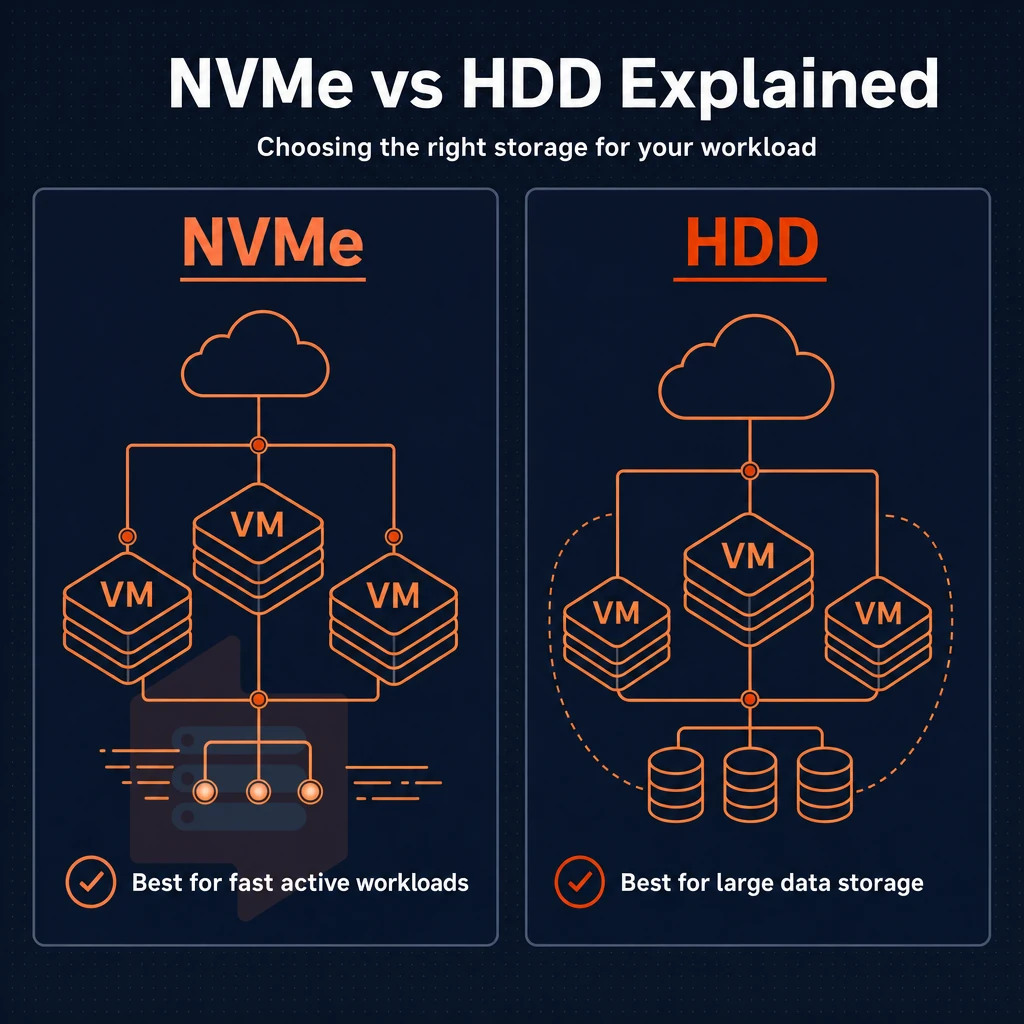
Storage technology affects not only how much data you can store but also how fast your workloads run. The choice of storage technology depends on whether capacity or throughput is the limiting factor. Enterprise-grade SSD arrays have become the standard for workloads requiring both high capacity and consistent IOPS, replacing spinning disks in most production environments.
Modern hypervisors expose storage devices differently depending on the guest OS, with Linux systems typically achieving better throughput than Windows when using virtio-scsi drivers. Organizations managing large inventories of digital assets often keep stock images, video templates, and design files on dedicated storage tiers optimized for capacity rather than raw speed. A typical media library storing 4K content can easily exceed 500 gb per season of television, making capacity planning essential for long-term growth.
HDD storage device: when bulk capacity wins
- Cheap bulk capacity from providers suits cold-data workloads such as backups, compliance archives, and logs. Random IOPS is not important in these scenarios. Thus, offsite backup nodes for a team in Canada would be a suitable use case for cheap bulk capacity.
- Check your software requirements. Some backup programs write large sequential blocks of data, which HDDs can stream quite well. Verify your application’s access pattern first before you commit to a spinning disk storage server.
NVMe: when bandwidth is the bottleneck
- Assign work to the appropriate device. Databases, video encoding, and KVM virtual servers all tend to produce lots of random I/O. BuyVPS NVMe RAID10 storage over PCIe on NVMe-enabled servers churns out 122,959 4K read IOPS, thus removing storage from the list of possible bottlenecks, whether network or query related.
- It’s critical to note the emphasis on making sure that the proper redundancy is in place with a RAID configuration. Specifically, for high levels of performance as well as fault tolerance, RAID10 (which uses both mirroring and striping) is ideal, since it allows for a single drive failure without affecting the server or its data.
Making the call on great deals
- This can be a quick audit, in case of random reads/writes of small blocks in high frequency, then NVMe is the better choice. But for storing terabytes of cold data in a cost efficient way, then the bulk HDD is acceptable.
Note: Mixing workloads on one volume is a common mistake. Keep active databases on NVMe and archive data separate.
While NVMe drives deliver extreme speeds, these are of little value if individual drives fail and your data is unavailable. The use of NVMe drives thus goes hand-in-hand with RAID redundancy. RAID configurations protect against drive failure by distributing data across multiple disks, preventing a single hardware malfunction from breaking your entire storage array.
DDoS protection and network reliability for storage servers
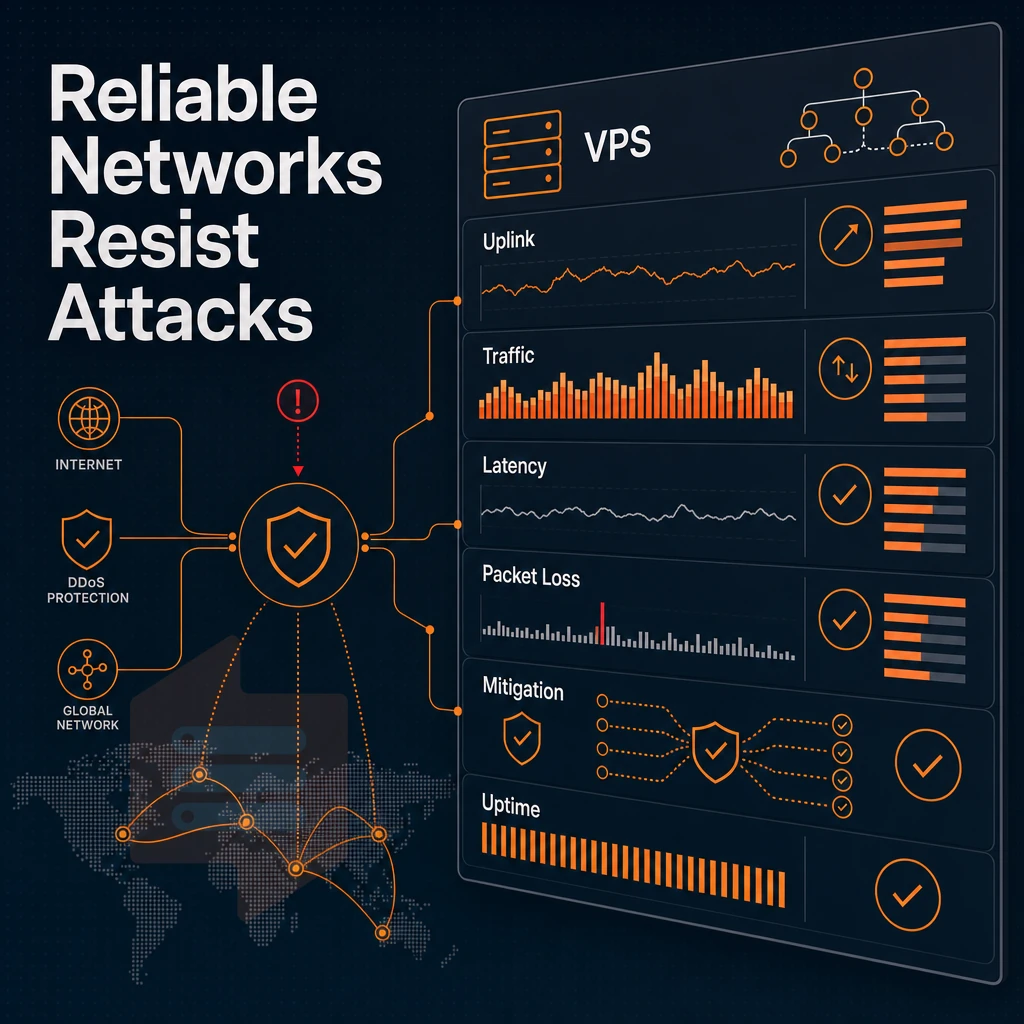
For storage servers that serve media or file hosting services, network risk can be extremely high. A single prolonged attack can fill uplink bandwidth and bring down the ability to serve data. Implementing DDoS mitigation at the network edge protects your site from volumetric attacks that could otherwise saturate available bandwidth and render stored content inaccessible. Instead of constantly worrying about attack vectors, you can focus on optimizing content delivery and user experience while protective measures operate transparently in the background.
DDoS protection at the edge with backups
The connectivity edge applies filtering before traffic reaches your storage VPS.
Generous bandwidth with multi-homed uplinks
The generous bandwidth allocated to each media server ensures that high-throughput delivery is possible without artificial caps.
File transfer hosting and redundant infrastructure
Consistent availability is key for file hosting workloads. Our redundant infrastructure and 99.8% uptime SLA for our storage environment ensure that it is always available when you need it.
With the infrastructure layer covered, we take a closer look at how BuyVPS install all of this together to deliver a platform specifically designed for storage intensive workloads.
Why choose BuyVPS for high storage VPS hosting
BuyVPS is a strong fit for storage-heavy workloads. Our NVMe RAID10 storage delivers measured 122,959 4K read IOPS, no guesswork, just published benchmarks. KVM isolation gives each VPS a separate kernel, so your data stays protected from noisy neighbors. Full root access and complete control mean you can install Plex, mount additional volumes, or deploy any storage software without restrictions.
- NVMe RAID10, PCIe direct, redundant infrastructure with raid redundancy built in; no data loss from a single drive failure.
- No-oversell policy, hard RAM caps and low node density keep your storage VPS performing under real load.
- Full root access, deploy media servers, run database dumps, manage archives, or store media libraries exactly as you need.
- In-place upgrades, expand storage capacity without IP rotation or migration downtime.
- Amsterdam + New York, serve Europe and the US East Coast with generous bandwidth and IPv4+IPv6 dual-stack on every plan.
Founder-run since 2002, BuyVPS has built a high capacity storage VPS platform on consistency, engineer-led support, no setup fee, no surprises. Reach out to compare plans for your workload.
high-volume storage VPS performance comes down to three decisions: the right storage technology for your I/O profile, RAID redundancy to eliminate single points of failure. Additionally, A data link built to absorb abuse before it reaches your data.
Backup repositories, media archives, and file hosting each have distinct read/write patterns. Size your plan around those patterns, not just raw gigabytes. Treating storage capacity like a bank account, where deposits and withdrawals happen at predictable rates, helps you model retention windows and plan for growth without overprovisioning. Think of each storage tier as a bucket with a specific fill rate and drain rate, allowing you to match infrastructure costs to actual usage patterns.
Aligning infrastructure characteristics with workload behavior creates a perfect match between cost and performance, eliminating waste while maintaining reliability. Monitoring your stock of available capacity against actual consumption trends allows you to anticipate when expansion becomes necessary and avoid emergency upgrades. A typical media library consuming 50 gb per month of new content requires different provisioning than a backup target ingesting 500 gb daily during retention windows.
BuyVPS runs NVMe RAID10 with PCIe-direct storage across its Amsterdam and New York nodes, measured at 122,959 4K read IOPS under real load. full root privileges, KVM isolation, and in-place upgrades mean you scale storage without changing IPs or migrating data. Browse the VPS plans at BuyVPS.com to find the tier that fits your storage requirements.