
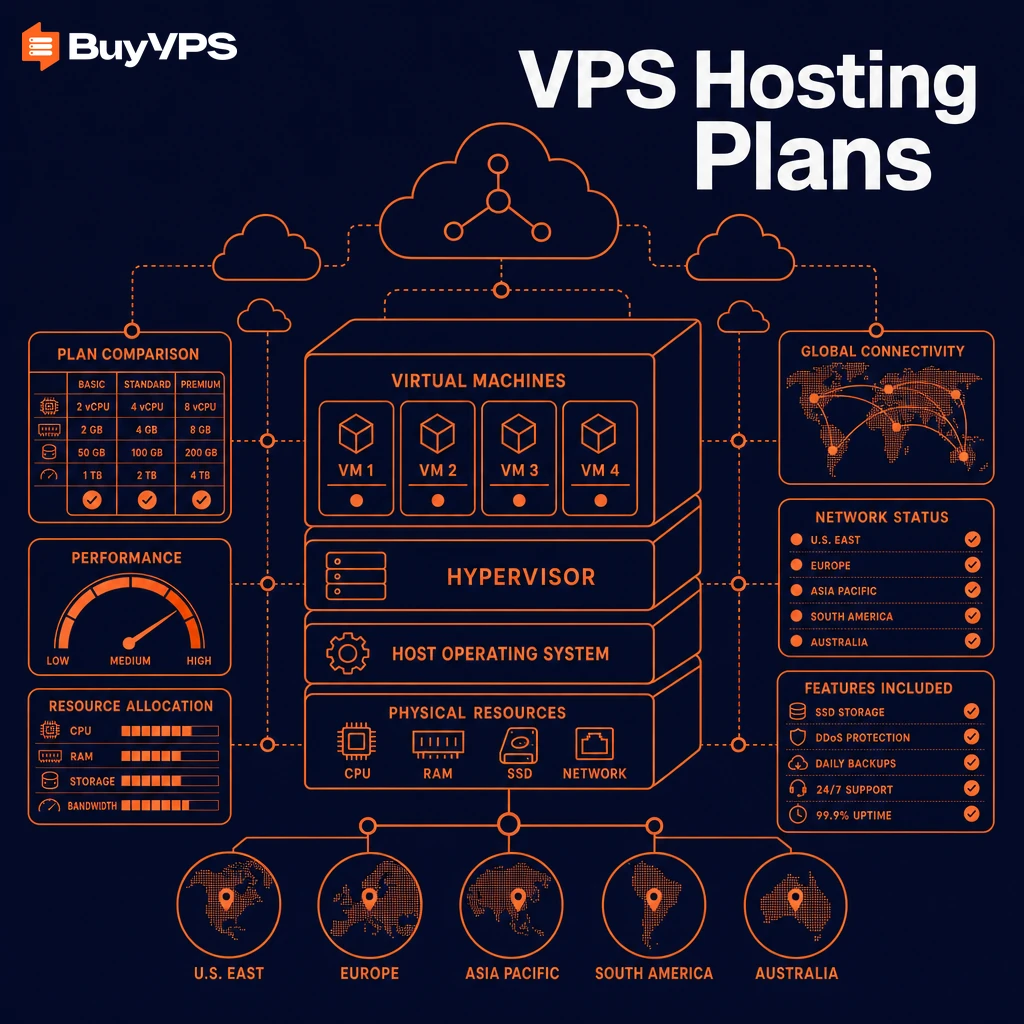
Picking the wrong VPS hosting plan will cost you more than just cash, it will also mean you’ll lose some power. Some time to transfer your server and some of your engineers' time to recover from a bad decision, like chasing gb ram numbers, that looked so good on the spec sheet.
The market for VPS plans has grown up a lot lately, and the difference between a hosting plan that is a good fit for your workload.
The key variables in play here are: the type of CPU (shared vCPUs or pinned), the method for allocating GB RAM to nodes, storage I/O requirements, the network topology, and the potential for future upgrades. A plan with lots of RAM to nodes that are over-sold will hit a wall when database queries peak. A plan with fast storage but shared vCPUs from a hosting company running global data centers will hit a wall with your build pipeline as soon as other tenants hit high usage.
Understanding these key factors helps you avoid plans that look attractive on paper but fail under real production load. Plans equipped with NVMe SSD storage deliver significantly lower latency for random I/O operations compared to traditional SATA drives, making them essential for database-intensive workloads. A plan with fast storage but shared vCPUs from a hosting company running global data centers will hit a wall with your build pipeline as soon as other users on the same physical node begin consuming CPU cycles during their peak hours.
virtual private server plans are often sold in tiers and it can be difficult to figure out what each is optimized for.
This guide starts with the basics and explains what VPS hosting is and how it differs from other types of hosting. Understanding these distinctions is essential whether you're hosting websites for clients or running your own web applications at scale.
What is a virtual private server VPS hosting plan?
VPS hosting is in the middle of the web hosting spectrum: more powerful than a low end web hosting plan, but not so expensive as a dedicated server. We explain the VPS hosting mid ground to help you decide if VPS web hosting is right for you. See Web hosting service on Wikipedia for background.
First month $1
Then the normal monthly price. One per customer. No setup fee, and a 30-day performance guarantee on your first order.
See the plans“Excellent experience from start to finish! The server was delivered promptly, and the service was reliable and efficient. I m very happy with the results and would definitely recommend them.”
If your workload needs consistent per-core speed rather than shared vCPU, read the Dedicated CPU VPS page on the D-series with cores pinned 1:1.
What is a VPS hosting plan and how does it work?
A Virtual Private Server (VPS) is a Virtual Server, running on a physical server. The physical server is partitioned into multiple Virtual Servers by a hypervisor (KVM for us). Each Virtual Server (tenant) has its own resources (CPU, RAM, disk space) that cannot be used by any other account. The hypervisor abstracts the physical hardware layer, allowing multiple isolated virtual environments to coexist on the same machine without interference.
Each virtual server is running it’s own copy of an operating system within a completely isolated environment. Our VPS plans come with root access, so you can install packages, recompile the kernel, and manage services as you would on your very own hardware box. Selecting the right operating system for your workload, whether CentOS, Ubuntu, Debian, or another distribution, is a critical decision that affects compatibility, security updates, and long-term maintainability.
How VPS web hosting compares to shared and dedicated servers
Shared hosting accounts on a node all share the same pool of resources. VPS web hosting takes a different approach by enforcing per-tenant resource limits at the hypervisor level.
Therefore the isolation is real and not just words on a page.
Common use cases for dedicated private servers
- Running production web applications that outgrow shared plans.
- Hosting databases that need predictable I/O and memory.
- Development and staging environments requiring root-level control.
Here’s how it works in practice.
How VPS web hosting works: the technology behind it
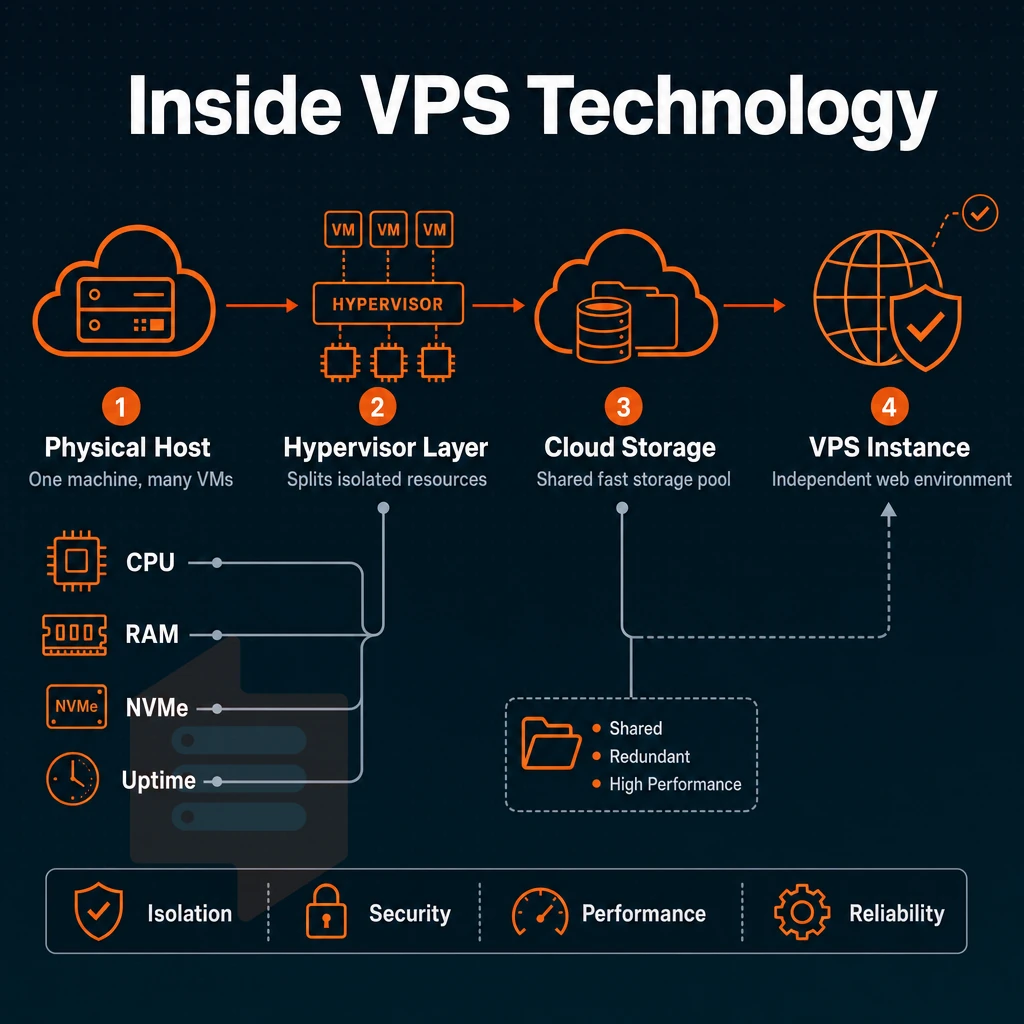
VPS hosting is somewhere in between shared hosting and a dedicated server. On a physical host there are several virtual machines (in this case VPSes) which each have their own kernel, full root access, and are allocated a set of resources. Each VPS runs in isolation from all other customers on the same server.
How KVM isolation works
KVM (Kernel-based Virtual Machine) allows each VPS to have its own kernel. This means that a noisy neighbor won’t be able to bring your instance down. Memory is hard-allocated (i.e. not borrowed from a shared pool) and we here at BuyVPS enforce hard memory caps per node at the hypervisor level. This means that the GB RAM of your plan will always be available to your workload.
Hard allocation at the hypervisor level ensures consistent performance even during peak load, preventing resource contention that plagues oversubscribed environments. By eliminating resource borrowing and oversubscription, KVM-based VPS architectures deliver more consistent performance across varying workload patterns throughout the day.
Unlike shared hosting, dedicated servers stand apart
, where CPU cycles and RAM are pooled for all sites on a single server, with KVM, each VPS has a fixed amount of CPU and RAM to run as required. Eg an online store on shared hosting plans may be able to handle checkout processes as well as other functions at peak times, as it would at 3am.
Storage and network architecture with root access
We use NVMe SSD storage in our VPS stacks instead of the old SATA storage. Our VPSes use NVMe RAID10 over the PCIe busses on directly connected storage controllers. For database driven workloads running on Windows Server, storage latency (read latency and write latency) is just as important as throughput.
Managed vs unmanaged virtual private server differences
Unmanaged VPS servers allow full root access to your server, enabling you to completely manage the server as you see fit. Installing, configuring, and securing your server stack is entirely up to you. Managed VPS servers are completely handled by the provider, updating the OS, applying security patches, providing ddos protection, and monitoring the server on your behalf.
Managed services typically provide better security through automated patching and continuous monitoring, reducing the attack surface for your applications. Unmanaged servers give you complete control over every aspect of your infrastructure, from kernel parameters to application deployment strategies. Regular backups are essential in both scenarios to protect against data loss, whether from configuration errors in unmanaged setups or provider-side incidents in managed environments.
Note that not all hosts consider themselves to be “managed” hosts, often offering a basic control panel and calling it managed. Customers without Linux expertise can benefit from a managed server rather than shared web hosting, as it takes the day to day operations off of their hands, but in doing so they give up some control over the server. Reputable providers distinguish themselves through excellent support that includes proactive monitoring, rapid response times, and knowledgeable staff who understand both infrastructure and application-level concerns.
| Dimension | Shared hosting | Unmanaged VPS | Managed VPS |
|---|---|---|---|
| Resource isolation | Pooled, no guarantees | Hard-allocated per instance | Hard-allocated per instance |
| Root access | None | Full | Varies by provider |
| OS management | Provider-controlled | You manage it | Provider manages it |
| Best for | Static or low-traffic sites | Developers, sysadmins | Teams without Linux ops staff |
Now that you have a good understanding of how VPS hosting works, it is time to learn which type of hosting plan is best for your needs.
VPS hosting plans explained: types and options
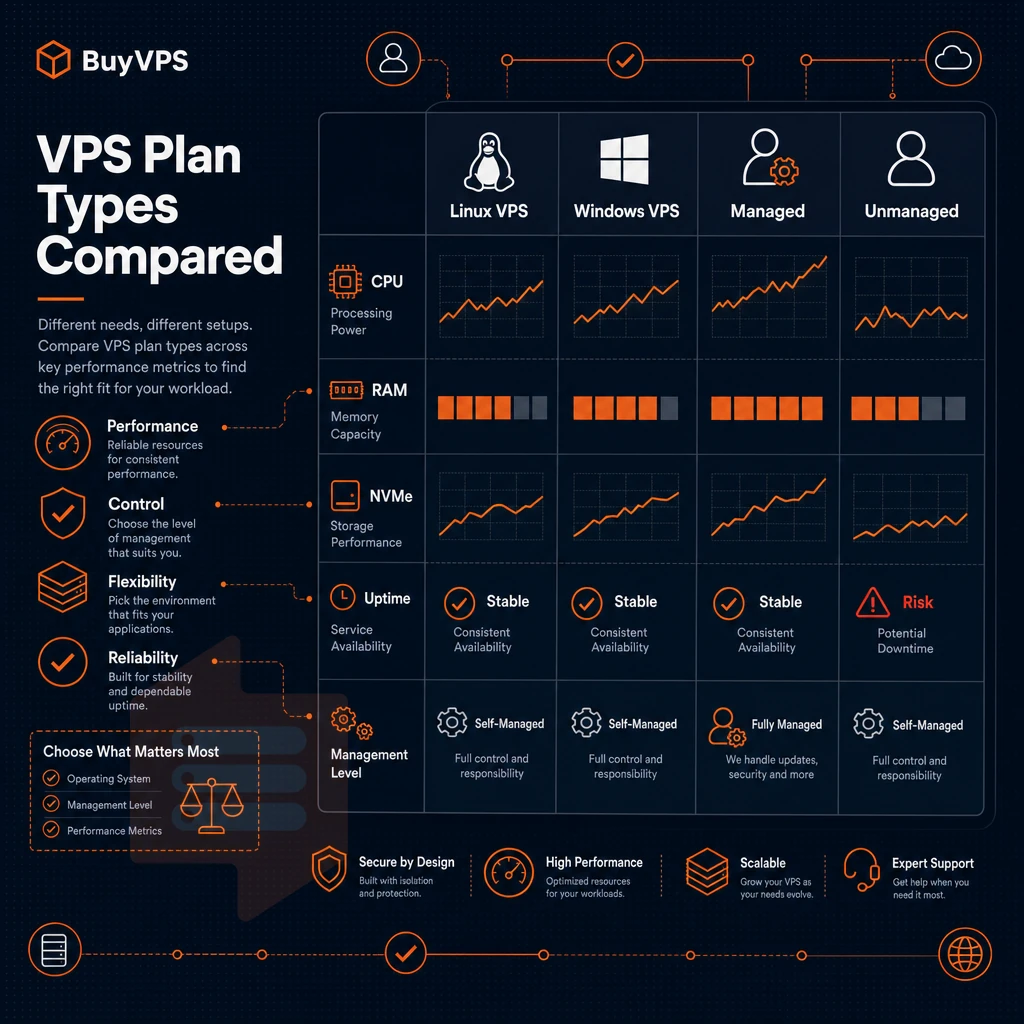
VPS plans are generally categorized into three types. Select the right type of VPS plan, whether Linux-based or Windows-based, with adequate SSD storage, based on your workload rather than your budget to avoid over-provisioning and hitting a performance ceiling prematurely.
Shared vCPU vs dedicated servers vs high-memory options
- Our Standard (shared vCPU) VPS hosting is a virtualized server hosting environment where all CPU power is shared amongst all users of a server. This form of server hosting is ideal for most types of workloads, for small business sites, and for projects in development (so called “staging” environments). It is cost effective for steady compute loads with occasional bursts of higher activity.
- Dedicated CPU VPS, Cores are pinned to your instance. A reserved CPU (as opposed to shared in virtual environment) helps to eliminate noisy-neighbor interference and makes this a great option for latency-sensitive applications, CI/CD pipelines, and CPU-intensive batch jobs.
- High-memory VPS, For projects with a large amount of data that require in-memory databases, data analytics or caching on a large scale. BuyVPS H-tier plans offer up to 192 GB RAM on AMD EPYC Milan servers.
Note: Choosing a plan by RAM alone is a common mistake. On private servers, match the plan type to your actual bottleneck, whether CPU contention, memory pressure, or storage throughput, not the headline spec.
Managed vs. Unmanaged virtual private server VPS hosting
- Managed VPS hosting: The provider handles updates to the Operating System and other maintenance such as security patches, monitoring, etc. This requires less technical expertise but can be more expensive. Good for groups without a dedicated sysadmin.
- Unmanaged VPS hosting, You administer your server (e.g. kernel updates, firewall, installing software). Unmanaged VPS hosting has the lowest overhead as you are in full control. BuyVPS operates on an unmanaged VPS hosting model providing root access and KVM virtualization for you directly out of the box.
Unmanaged hosting is suitable for developers and ops teams who want full control of the hosting. Additionally, Managed hosting is better suited for businesses who want to hand over the work of managing their windows server infrastructure to someone else. Unmanaged plans appeal to teams seeking more control over security configurations, custom software stacks, and deployment workflows that managed environments often restrict.
How do i know if i need a VPS instead of shared hosting?
There are three clear signals to look for when determining if a VPS is needed for your site. First, your site drops under traffic spikes as a shared server has no guaranteed resources. Second, you need a root login to install custom applications or even to recompile the kernel for your server.
When one user experiences these symptoms, it typically indicates that the shared environment has reached its resource limits and can no longer accommodate growth. These issues are strong indicators that your site has outgrown shared hosting and requires dedicated resources to maintain reliability.
Third, you are running multiple applications or even services on your Windows Server and they need to be isolated from each other. If any of these are true then a VPS would be a great next step for your site.
The second part is choosing the features, like private servers, SSD storage, and unlimited traffic, that will comprise your plan's infrastructure and make sure it actually works as described and not just as a pretty piece of paper. Modern hosting infrastructure increasingly relies on NVMe SSD technology to deliver the low-latency disk operations required by database-heavy workloads and real-time applications. Evaluating private servers requires testing actual disk throughput, network latency under load, and CPU steal metrics rather than relying solely on provider marketing materials.
Key web hosting features to look for in VPS plans
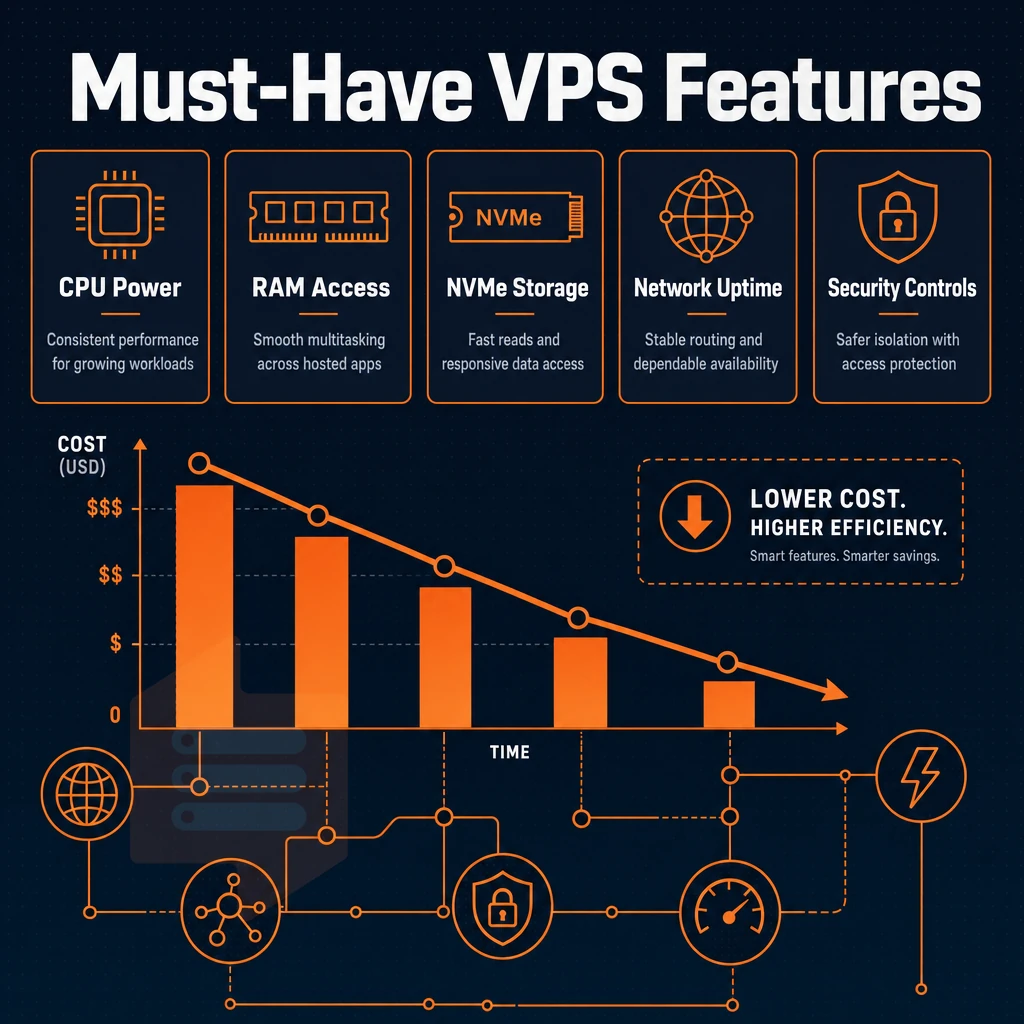
When choosing between different VPS hosting options there are a few key criteria to evaluate in order to choose between quality hosting and expensive hosting failures. Quality providers deliver transparent pricing structures that justify their rates, while others mask poor performance behind a high cost that offers little actual value.
Reputable hosts offer clear service level agreements that specify uptime guarantees, support response times, and resource allocation policies without ambiguity. Quality providers offer transparent documentation of their infrastructure stack, including hypervisor type, storage backend, and network architecture, enabling informed technical decisions.
Isolated environment: dedicated CPU, GB RAM, and storage
A VPS is a separate environment which is provisioned with dedicated resources and you can confirm the amount of GB RAM which has been allocated to your account.
Also, make sure to confirm the amount of vCPU and GB RAM allocated to your account as some service providers offer shared vCPU plans which are suitable for low traffic websites, and if you have a production database or a real time application then you would require pinned cores to have consistent latency.
Storage connected over NVMe over PCIe is delivered directly to the server, resulting in significantly higher IOPS.
What operating system can i run on a VPS?
Choosing an operating system for your Linux VPS is easy. On a good quality Linux VPS you can easily pick between for example Ubuntu, Debian, AlmaLinux or Rocky Linux.
DDoS protection, unlimited traffic, and hidden fees
Does DDoS protection come as standard at the edge of the network, and not as an optional add-on, with unlimited traffic (or a clear monthly limit for traffic without any hidden overuse charges)? Also watch out for providers who quote a low rate initially but later add charges for things like bandwidth, backups, IPv6 addresses, or even a windows server license. These items quickly strip away the value that you initially saw.
Red flags for price hikes at renewal. A “low cost now” plan that balloons significantly at renewal is not a long-term cost-saver. BuyVPS publishes a single transparent price for their plans. In-place upgrades have no migration required. For community perspectives, see Cheapest quality VPS? : r/selfhosted.
To complete the checklist, I also need full root access and API-driven control. A self-service control panel with VNC console access is all I need to recover a misconfigured server without calling for assistance.
Here are some signs it might be.
Amsterdam and new york: BuyVPS data center locations
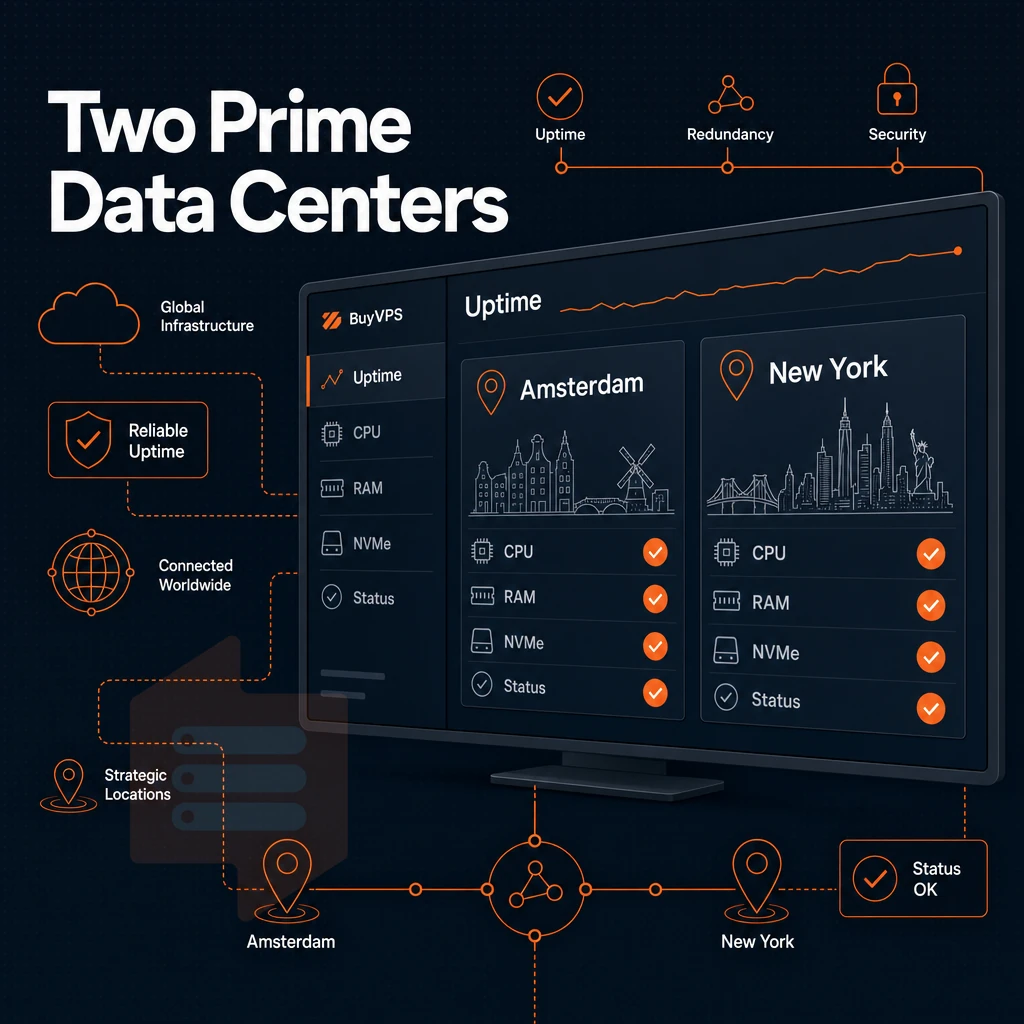
BuyVPS has two data center locations: Amsterdam (serving European customers) and New York (serving North American customers). We run identical hardware in both data centers, on the identical control plane, and offer the same VPS packages. Therefore, the decision on which to choose simply comes down to where your users are located.
Assess your audience location with NVMe SSD hosting
- Plot your users around the world. If most of your users are in Europe, then Amsterdam will provide significantly lower round-trip latency than any other location. On the other hand, users on the East Coast of the US will get lower latency in New York than anywhere else. Lower latency equals faster page loads and more responsive applications.
- ping a quick test, ping from your target region to both locations before you commit any changes. Even a 20-30ms difference will compound under load.
Note: Avoid the common mistake of defaulting to New York simply because it sounds more central. For EU-based teams or customers, Amsterdam will consistently outperform it.
How do i choose between a VPS in amsterdam and one in new york?
This means there are no extra licensing fees, such as those for a windows server OS, no control panel to learn, and no separate support tiers.
BuyVPS provides unmanaged VPS servers on both locations, with full server access and the same VPS configuration (AMD EPYC servers with NVMe RAID10 storage) on both regions. Phone support is provided by the same engineering team on both locations.
Confirm and deploy your GB RAM configuration
- You choose your region when you sign up for an account. We ask you to make a choice for your region when you fill in the order form to sign up for an account. A region is something geographic, so it can be Amsterdam or New York.
- After the deployment you should test the connectivity. By performing a traceroute from your main user base you should see the expected path.
So Location and Hardware have been sorted.
Why choose BuyVPS for your VPS hosting plan
Not all hosts back their VPS hosting tiers with hardware you can verify. Every virtual private server runs on KVM with a separate kernel, genuine isolation, not a multi-tenant hosting workaround.
- Proven performance: Published Geekbench 6, fio, and pgbench benchmarks. NVMe RAID10 PCIe-direct storage measured at 122,959 4K read IOPS, not estimated.
- dedicated vCPU tier: Pinned cores on AMD EPYC Genoa for consistent, predictable latency across web applications and compute workloads.
- Full privileged access on every plan: Choose your operating system, upload a custom ISO, and control every layer of your virtual server.
- Transparent pricing: No hidden fees, no migration, no IP rotation on in-place upgrades.
- Two data center locations: Amsterdam and New York, identical hardware, control plane, and network on both.
- Engineer-staffed support: Real engineers reply, not chatbots. Founder-run since 2002.
Explore our VPS hosting options or reach out to our team to find the right VPS plan for your workload.
Getting started: how to choose the right VPS plan
Deciding on the correct VPS hosting plan for your projects is the most important decision. Most general web projects will run fine on a Standard VPS server. High memory demand projects like machine learning and video encoding require High-Memory VPS servers. Whether you need VPS Hosting Managed or Unmanaged depends on your admin skills.
If you or your team is not very experienced with server administration then VPS Hosting Managed is the better choice. If you need full system access to your VPS server to admin it as you want then you should choose VPS Hosting Unmanaged. Also choose the correct Operating System for your applications and development environment.
For VPS hosting, the region of the hosting provider is important, Amsterdam for European customers, New York for US East Coast customers. Match your VPS plan to your needs right from the start to save money and avoid over-provisioning.
VPS hosting offers isolated resources, sudo access, and true server isolation, all without the cost of servers and the hassle of managing them. For most web applications and multiple websites, a shared vCPU tier will be fine, but for latency-sensitive workloads, a pinned-core dedicated VPS is the only way to remove performance variability.
When evaluating between providers there are a few key details that matter most to us. The hypervisor in use, the storage architecture. Additionally, Whether the provider is overselling the node in question (i.e. selling more VMs on a single host than it can realistically handle) far outweigh many of the 'on-paper' specs for us running private servers in terms of how they actually affect performance in practice.
BuyVPS runs KVM with a separate kernel per VPS, NVMe RAID10 storage with measured IOPS, ddos protection at the network edge, and hard memory caps per node to prevent overselling. Deployments are available in Amsterdam and New York. Browse the Standard, Dedicated, and High Memory plans at BuyVPS.com and find the tier that fits your workload.