
Looking for KVM plans and prices rather than the background? See KVM VPS hosting: plans, node allocation and operating systems.
Your application may perform well in staging but then degrade in your production kernel based virtual machine environment due to noisy neighbors, shared kernel panics, or hypervisor decisions you have no control over.
KVM VPS hosting solves infrastructure-level isolation by giving your virtual machines their own kernel, isolated memory, and dedicated I/O on a physical server, instead of forcing your web hosting application to share an abstracted layer with others.
While benchmarks often don’t show much difference between neighboring workloads, the difference can be very significant in practice. In particular, with KVM-based virtual private servers, you don’t feel the impact of neighboring workloads. But more importantly, because the kernel is yours with kvm VPS hosting services, you can load custom kernel modules as needed, or run containerized workloads with specific kernel flags.
This article will explain how KVM virtualization actually works at the hardware layer, what you should be looking for when picking a KVM VPS provider, which types of workloads benefit most from KVM. Additionally, the specific configurations of CPU pinning, memory isolation, and storage performance are what distinguish a properly configured KVM dedicated server setup from mere marketing fluff. For more context, see Virtual private server.
What is a KVM VPS server and how does it work?
KVM (Kernel-based Virtual Machine) is a virtualization technology integrated into the Linux kernel since 2007.
First month $1
Then the normal monthly price. One per customer. No setup fee, and a 30-day performance guarantee on your first order.
See the plans“Excellent experience from start to finish! The server was delivered promptly, and the service was reliable and efficient. I m very happy with the results and would definitely recommend them.”
The most common thing people do with a KVM VPS is turn it into a Docker host, so we wrote a separate Docker VPS guide with the install, the reverse proxy and the disk pitfalls.
How KVM virtualization works in VPS environments
Upon boot, the virtualized CPU, memory, storage, and network interfaces are presented to the guest OS of each virtual private server, which runs as if operating on a dedicated server with real hardware. This is full virtualization, guest OSes run without direct interaction with the host kernel, ensuring good isolation and no dependence on the host OS version. Each guest operates in a truly isolated environment, preventing interference from other virtual machines on the same physical hardware.
Container-based systems like LXC and OpenVZ share the physical server's host kernel with other tenants, whereas KVM virtual machines do not. A kernel-panic in a VPS won't affect neighboring VPSes, and a malfunctioning guest system won't impact other tenants.
KVM VPS hosting vs. Hyper-v: which is better?
Hyper-V is a fine hypervisor for Windows Server workloads, but for native Linux VPS hosting, KVM has clear advantages: it's maintained in the upstream Linux kernel, supports paravirtual VirtIO drivers out of the box, and carries no Windows licensing overhead. Most managed VPS hosts use KVM for exactly these reasons.
Why it matters for your workload
BuyVPS’s KVM hosting delivers consistent, high quality, hardware level performance. Our setup of KVM, running with a separate kernel for each VPS, on our Amsterdam and New York nodes (the two locations that we run in) delivers reliable performance and consistent, real, latency under load.
This is possible because of the hardware-level isolation, including dedicated ssd storage, delivered for each virtual private server, and understanding how that isolation works is the key to understanding our performance guarantee. The architecture also supports high availability configurations, allowing critical applications to maintain uptime even during maintenance windows or unexpected failures.
How KVM VPS virtualization works under the hood
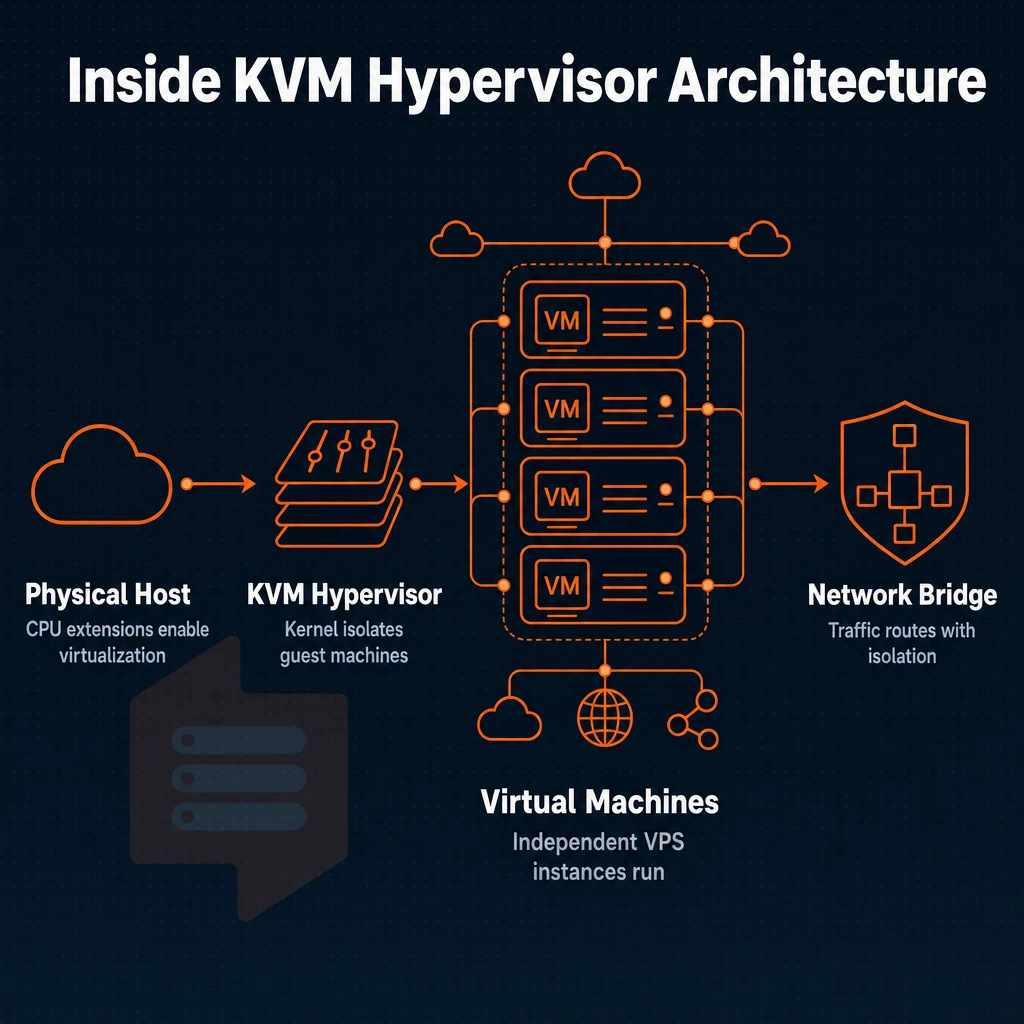
KVM virtualization turns a single physical host into multiple isolated virtual servers. KVM uses CPU extensions like Intel VT-x or AMD-V to run each virtual server in its own kernel space.
The memory, CPU power and storage of a Virtual Server are allocated as a dedicated set of resources to that server. Each server runs entirely independently, with no sharing of kernel space or other resources between them. This ensures each Virtual Server receives guaranteed performance from its dedicated resources, eliminating contention risks found in shared environments, meaning each server can fully utilize its own resources without competing with neighboring tenants.
Full virtualization: how the hypervisor works
KVM is a kernel module for Linux thus it is also Hypervisor and OS at the same time. A full virtualization model is provided for each VPS, i.e. each Guest gets a complete virtual environment, i.e. a Guest Kernel, Guest process list, Guest network stack etc..
All vCPU threads of all Guests are scheduled by the Host OS like any other process, making vCPU scheduling clean, auditable, and lightweight.
Storage and i/o architecture
BuyVPS NVMe storage is routed over the PCIe-direct paths, instead of going through the normal SATA/SAS abstraction layer. This results in lower I/O latency and as an example 122,959 4K read IOPS from fio benchmarks. This is important for database, web apps, and any other disk intensive workloads under real load. These performance characteristics make NVMe-backed KVM hosting particularly well-suited for resource intensive applications that demand both high throughput and minimal latency.
What is the cheapest KVM VPS server available?
Entry-level KVM VPS plans differ greatly. Sometimes you need a shared-vCPU setup for light-weight linux based environments and sometimes you need a Dedicated CPU with pinned-cores for consistent performance. We offer Standard CPU and Dedicated CPU entry-level plans, which are available in our Amsterdam and New York server environment.
As with all of our plans, our entry-level VPS plans come with full root access, support of SSH keys.
Now that we have an understanding of the mechanics of KVM, it would be good to explore other virtualization solutions used in web hosting and how they stack up against KVM. The choice of a virtualization solution can greatly impact what you can run and how reliably you can run it. Selecting the right hosting environment requires evaluating factors such as isolation guarantees, resource allocation models, and the level of kernel control needed for your specific applications. Organizations evaluating hosting solutions should prioritize providers that offer transparent resource allocation and proven isolation mechanisms to ensure workload stability.
Understanding the architectural differences between a virtual private server and alternative hosting models helps organizations make informed decisions about infrastructure investments. Modern VPS hosting architectures must balance performance, isolation, and flexibility to meet diverse application requirements across industries. Providers that integrate automation platforms like the clientexec billing tool streamline account provisioning and resource management across their infrastructure.
KVM VPS vs. Other virtualization technologies
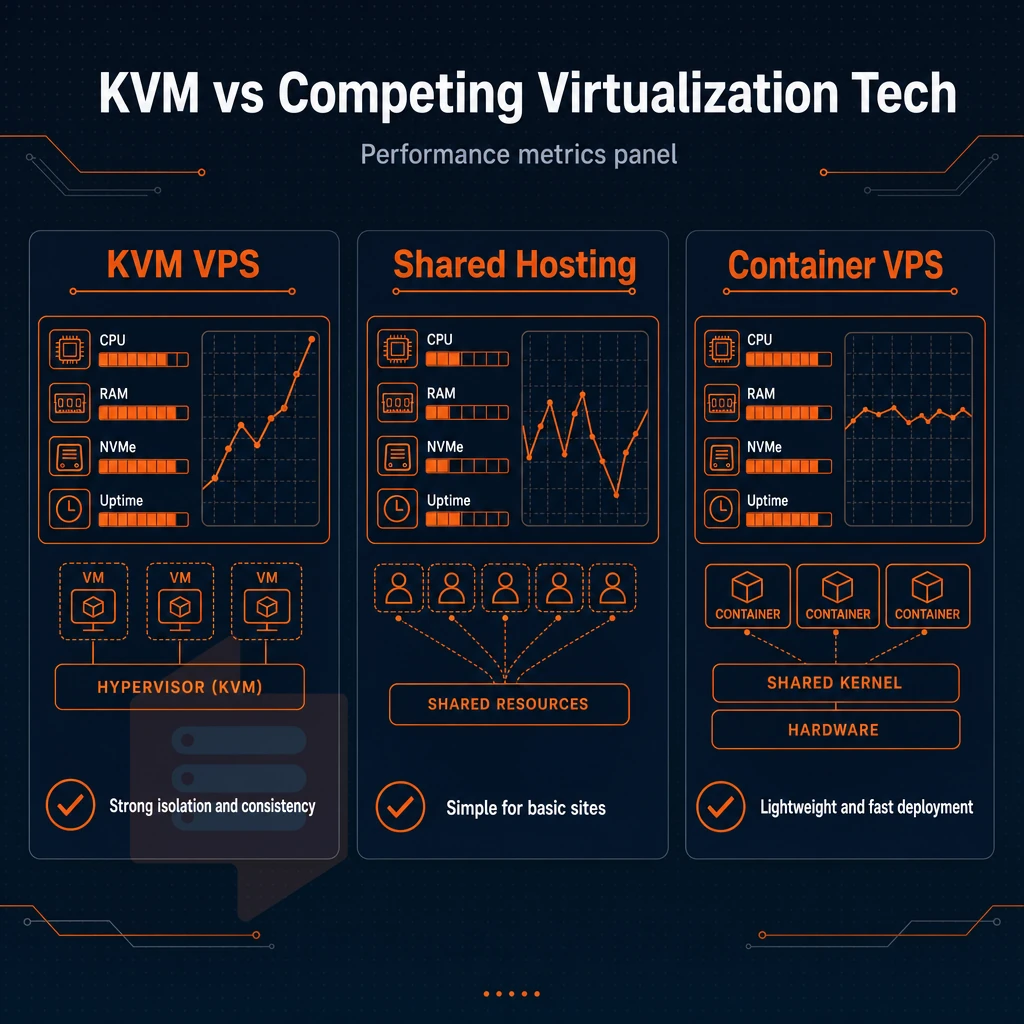
Not all virtualization is created equal. When comparing a KVM VPS, a shared hosting account and a container-based VPS, many boundaries are drawn when it comes to resources, the kernel and security. How these boundaries are drawn will influence what can be done with the provided resources.
Understanding virtual private server isolation and resources
By using KVM virtual machines each run their own kernel and have their own allocation of CPU, RAM and NVMe storage. Resources are never oversubscribed to neighboring virtual machines, enabling reliable performance under actual load.
Shared hosting uses all accounts on one OS instance, so a “noisy” tenant can affect all other users. A container-based VPS (like OpenVZ) has isolated processes, but shares a single kernel with other containers running on the same VPS hosting environment, so there can be interactions between containers and impact to the overall setup.
Kernel access and OS flexibility
As a KVM Virtual Server you get a completely independent VM.
Containers run on the host kernel and thus cannot load kernel modules. So workloads that require a specific kernel version (like some databases, VPN stacks and security tools) cannot be run as standard VPS workloads in containers. An ai assistant analyzing your infrastructure requirements can help determine whether your workload needs full kernel control or if containerization suffices.
Quick virtual private server vs dedicated server comparison
| Feature | KVM VPS | Shared hosting | Container VPS |
|---|---|---|---|
| Isolation | Full hardware-level | None | Process-level only |
| Root access | Yes | No | Limited |
| OS flexibility | Any OS / custom ISO | Host OS only | Host kernel only |
| Performance predictability | High | Low | Medium |
Is there any free KVM VPS hosting?
Many platforms are offering free tiers now. However, free tiers have hard limits on them.
We don’t offer free tiers here at BuyVPS. All of our KVM servers run on high end AMD EPYC processors, are paired with the fastest NVMe RAID10 storage available, and come with a 99.8% uptime SLA. We back our KVM VPS server infrastructure with 24/7 engineer-led support, and the architectural advantages that KVM provides on our plans translate into real benefits to you on a day to day basis.
Key benefits of KVM VPS hosting services
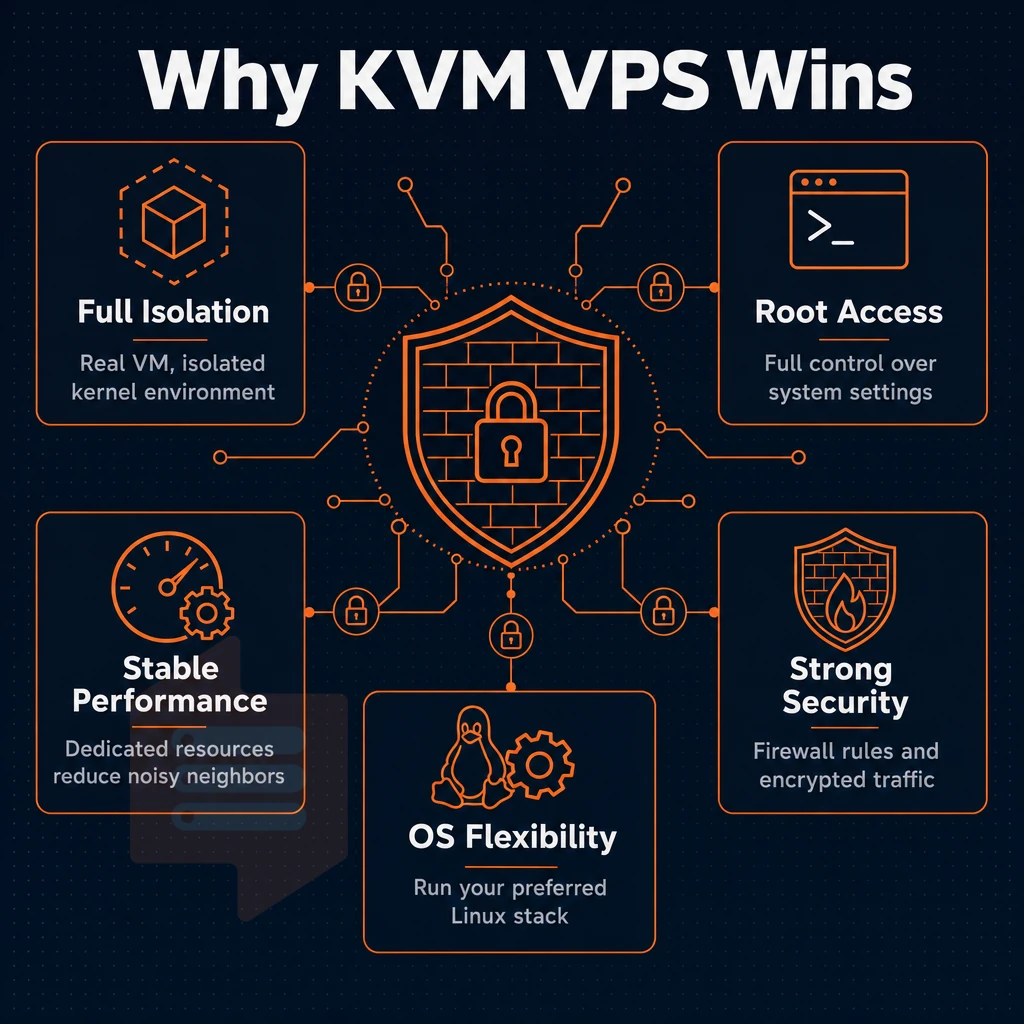
By choosing a KVM VPS you get a real virtual machine, as opposed to slices cut out of a shared environment. A KVM VPS runs its isolated kernel environment and has its own separate allocation of memory as well as its own storage space, which is completely isolated from the other VPSes. For this reason KVM VPSes are the standard for serious work.
Full root access and complete control
Control the entire stack with full root access. Change system settings, install kernel modules, set up customized firewalls, none of these things are limited by a managed layer. You have complete control, without having to negotiate with the host.
For server management flexibility, you can deploy a supported Operating System (Ubuntu, Debian, AlmaLinux, Rocky Linux, CentOS Stream, Fedora) or upload your own ISO file to create a fully customized environment.
Predictable, isolated virtual private server performance
Your VPS Server has all resources (CPU & RAM) fixed allocated by the Hypervisor. This way, your VPS Server will never compete with other neighbors (hosted on same Server) for CPU Cycles or RAM. This isolation between Servers (hosted on same Server) provides stable Performance under ongoing Load. Due to its nature, VPS kvm servers are perfect for highly demanding programs, such as databases, compilers as well as highly visited websites and services.
BuyVPS enforces hard memory caps per node and maintains low node density to prevent traffic spikes from one tenant affecting another.
What is the cheapest KVM VPS hosting?
Cheap VPS hosting plans typically start with a shared vCPU on commodity hardware, fine on price, but you need to weigh the noisy-neighbor risk and lack of performance guarantees. The better question is what a slightly more expensive VPS hosting plan costs when it's hosted in quality data centers with hard resource caps, NVMe storage, and engineer-led support.
This only applies if you choose the right plan for your workload.
Common use cases for KVM servers
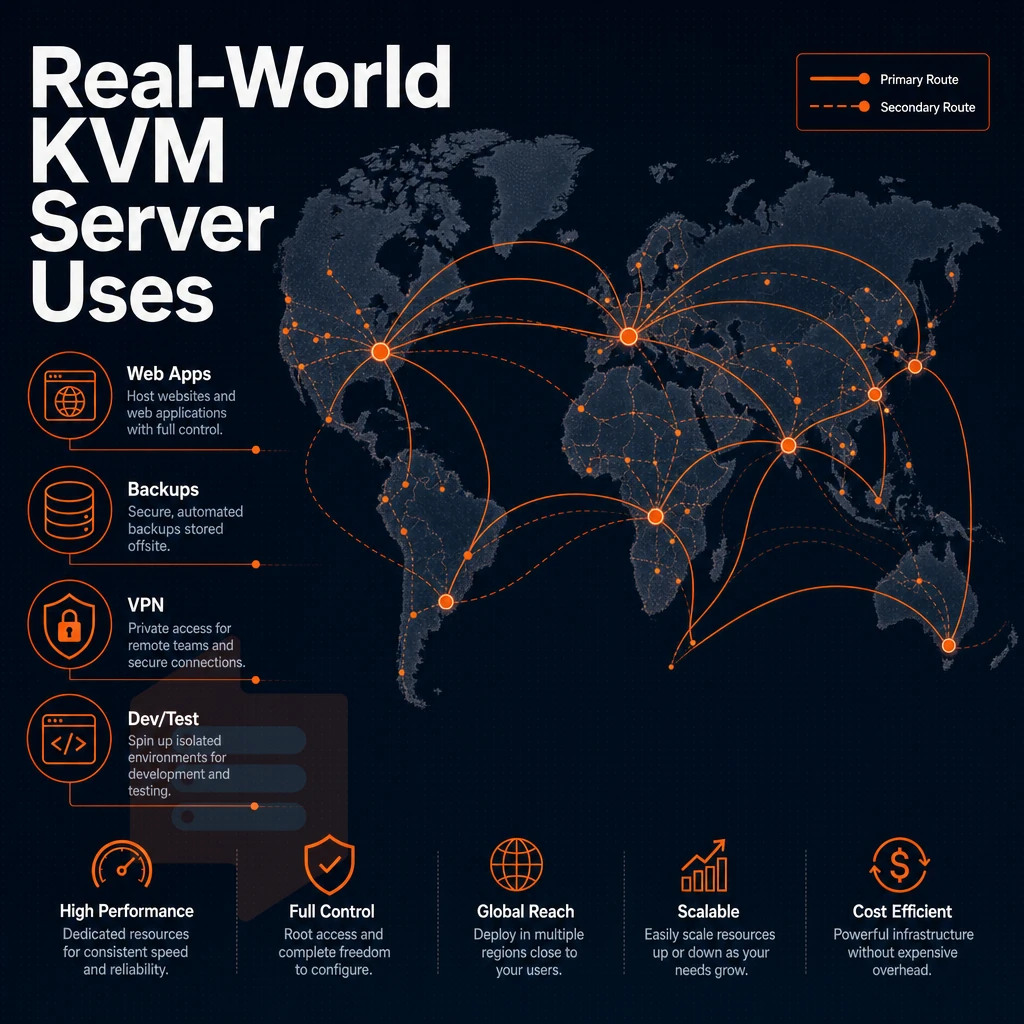
KVM VPS hosting encompasses a broad spectrum of real-world workloads. Because each virtual server runs its own private kernel instance with dedicated resources, it delivers isolation and control that shared environments simply cannot match.
KVM VPS servers: core use cases
These workloads benefit most from KVM's full-OS isolation:
- Web apps and web hosting: LAMP or LEMP stacks with custom versions of PHP, isolated from other shared web hosting customers.
- Game server hosting: Game servers are low-latency I/O applications that also require lots of pinned memory. KVM virtualization doesn’t allow for sufficient hard resource caps to prevent noisy-neighbor troubles.
- Development and staging environments are set up to mirror production as closely as possible including kernel parameters and any custom modules running in production.
- High-traffic sites, NVMe RAID10 storage delivers consistent I/O under sustained load.
- Compliance-sensitive workloads, isolated virtual servers can meet audit requirements that shared hosting cannot.
What operating systems can i run on a KVM VPS?
We virtualize at the hardware level, so just about any OS will run unmodified. We support Ubuntu, Debian, AlmaLinux, Rocky Linux, CentOS Stream, and Fedora right out of the box. We also support custom ISO upload for all plans. This can be particularly useful for specialized linux-based environments or for proprietary appliances that you need to run.
Hosting solutions for developers who need full control
KVM-based VPS solutions are typically of interest to developers who want to load custom kernel modules, test out eBPF programs, host a game server, or set up custom networking within their virtual private servers. All of the standard server management tools such as systemd, iptables, and custom init scripts function perfectly on KVM-based VPS solutions just as they would on bare metal servers.
BuyVPS provides full root access on all of our VPS solutions, offered from our Amsterdam and New York data centers, so your workflow won't be restricted by a hypervisor. Knowing what workloads suit a KVM VPS server is only half the story, you also need to know what to look for in a provider's underlying infrastructure.
What to look for in a KVM VPS provider
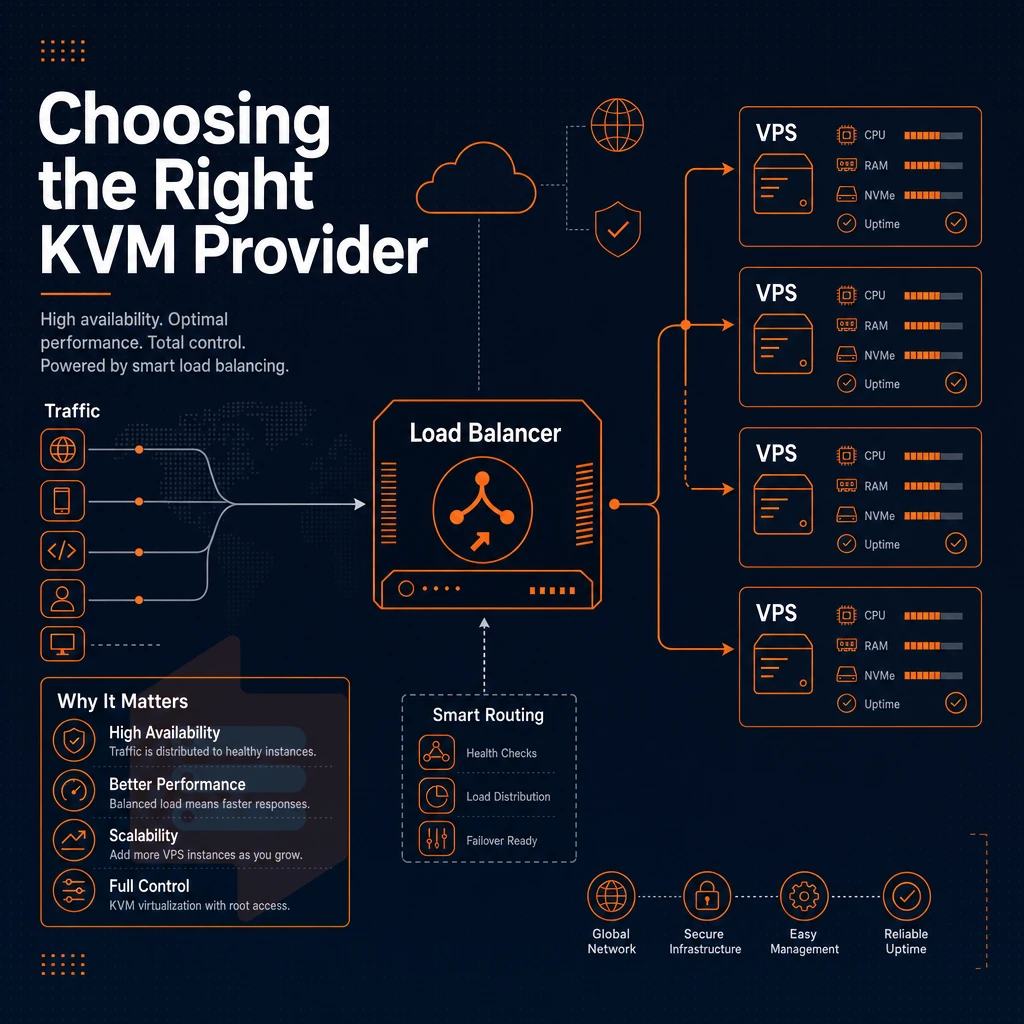
While many providers offer KVM VPS hosting, not all are created equal. The main differences lie in the hardware model, storage, and the provider's policies and restrictions. This article explains what to look out for.
Amd Epyc processors and storage tier
Modern AMD EPYC processors, with their dedicated resources, provide significantly more memory bandwidth and more cores than even the latest generation of Intel Xeon processors. They can be paired with the latest generation of NVMe SSD storage to provide significant increases in IOPS for real workloads. For example, BuyVPS publishes fio benchmarks for their 'NVIDA NVMe RAID10' storage on their hosting solutions built around Modern AMD EPYC 7002 based Virtual Private Servers. These show 122,959 4K read IOPS for example.
Control panel, API access, and OS flexibility
The control panel needs to display server settings (reinstall/reboot/resize, VNC console) without a support ticket. API access matters for automated deployments. OS template variety (Ubuntu, Debian, AlmaLinux, Rocky Linux, Fedora) keeps stacks portable.
Can i upload a custom ISO to a KVM VPS?
This is possible because KVM provides full hardware virtualization. The hypervisor presents a standard virtual machine to the guest OS. You can then mount a custom ISO in the virtual machine and boot any compatible OS. We support custom ISO uploads on all plans, so you can create a fully private environment for special distributions or appliances.
No-oversell policy and billing transparency
Hard memory caps per node combined with low node density prevents noisy-neighbor problems. Regarding billing, avoid resellers that use ClientExec in a configuration that hides renewal rates for you. Instead look for flexible billing options with clear renewal and annual discount terms. BuyVPS publishes its rates up front and charges no setup fee. After that you only have to decide where to deploy your instances, based on the data center locations offered by potential providers.
Amsterdam and new york: BuyVPS data center locations
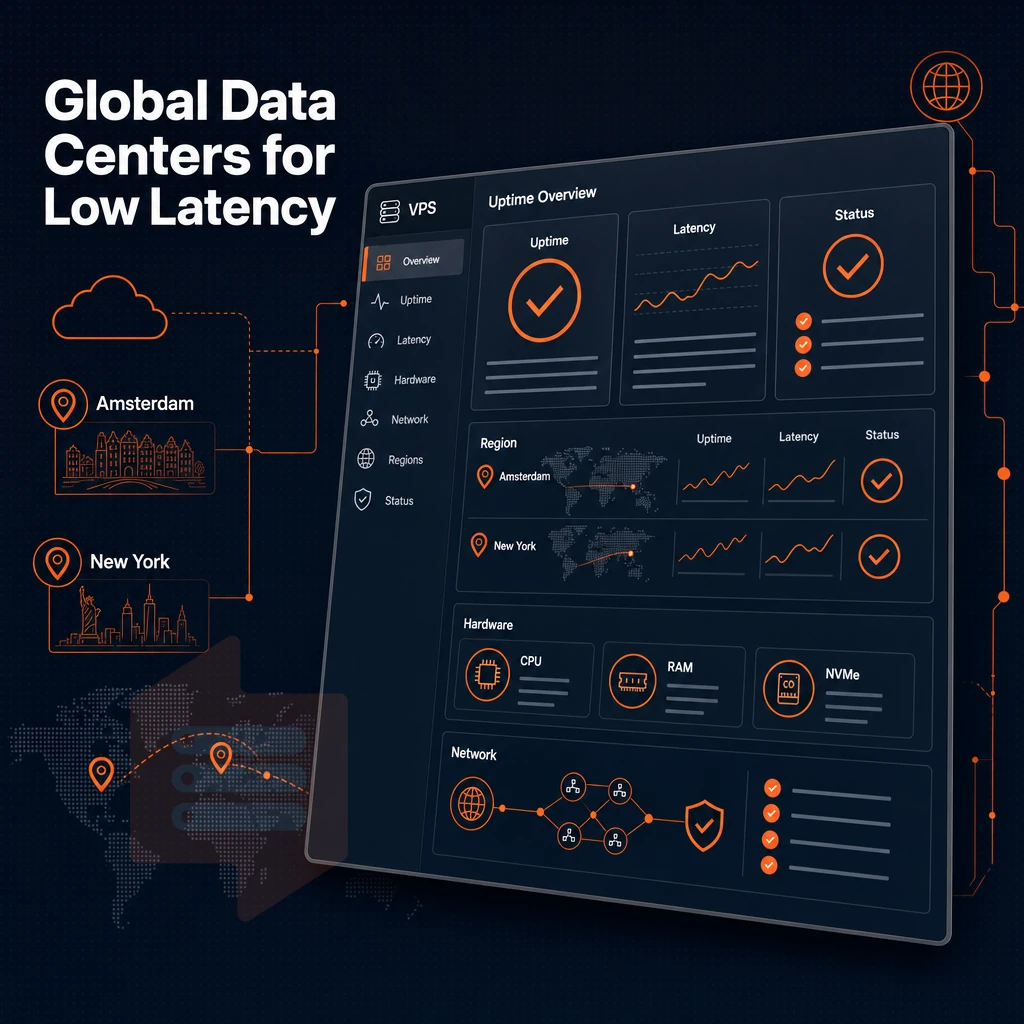
We operate our KVM VPS hosting platform from two separate data centers: Amsterdam (Netherlands) and New York (USA). Our geographic presence is focused towards two distinct regions, but benefit from identical hardware, control system and pricing.
Choosing your virtual private server data centers
- By matching the physical location of your data centers to your audience you can serve European users from Amsterdam and North American users from New York. Keeping latency low and providing consistent and fast responses to their queries.
- Verify VPS specs are identical at both locations. The locations are powered by AMD EPYC processors, NVMe RAID10 storage and KVM hypervisor technology environments. Identical VPS hosting performance at a low price to you regardless of whether you decide to host from our US or Netherlands locations.
- The network setup is shown here. As you can see, each VPS in both locations is protected by multi-homed uplinks and edge filtering. In addition, the VPSes are protected by redundant power connections and high availability setup to ensure that servers are available even in case of hardware failure or a grid problem.
Note: Do not assume one location outperforms the other, the hardware and control plane are identical. Choose purely on proximity to your users.
What is the difference between KVM and OpenVZ virtualization?
KVM isolates a VPS completely and gives it fixed resources like a separate kernel, isolated memory and a virtualized CPU. OpenVZ containers all share the same kernel and can therefore be affected by a noisy neighbor.
KVM VPS’s act like a real server. This means you can upload custom kernels and even run (almost) any OS you like, along with fine grained control over the VPS’s networking. OpenVZ VPS’s are limited by the host kernel, so options such as custom kernels and running alternate OS’s are generally not available.
DDoS protection and network security
Each and every VPS on the BuyVPS network, running your preferred operating system, is protected by edge filtering designed to block all volumetric attacks before they reach the server to which they are directed. This is the default DDoS protection provided by the network, and therefore is included with every VPS by default, no additional purchases are required.
Why choose BuyVPS for KVM VPS hosting
BuyVPS has delivered KVM VPS hosting since 2002. Every virtual private server runs on a separate kernel, true kernel-based virtual machine technology, not a shared container. Here is why that matters for your workload.
- Dedicated resources, no oversell. Hard memory caps and low node density mean your KVM VPS server never competes with other users for RAM or CPU cycles.
- AMD EPYC processors across every tier. Standard CPU, Dedicated CPU (pinned cores), and High Memory VPS plans all run on EPYC silicon. The Dedicated CPU tier gives you own dedicated resources with zero contention.
- NVMe SSD storage with published benchmarks. Our NVMe RAID10 PCIe-direct storage measured 122,959 4K read IOPS under real fio testing, not a marketing estimate.
- Full root access and custom ISO on every plan. Deploy any Linux-based environment, upload your own ISO, and configure firewall rules without restrictions.
- In-place upgrades, no IP rotation. Scale your virtual machine without migrating data or losing your IP address.
- Data centers in Amsterdam and New York. Both locations run identical hardware, control panel, and flexible billing options, including a no-renewal-hike commitment.
Compare our KVM VPS plans or reach out to our engineering team at info@buyvps.com to discuss which tier fits your use case.
KVM-based virtualization delivers what shared-kernel technologies cannot: genuine hardware-level isolation, a dedicated kernel per instance, and full root access to an environment that behaves like a real server. Those properties matter whether you're running production databases, containerized microservices, or custom OS images on a kernel based virtual machine that other hypervisors simply won't support.
The performance case is equally clear. Because a KVM VPS server passes CPU instructions directly to the hardware with minimal overhead, workloads run predictably, without the noisy-neighbor interference that plagues oversold environments. Pair that with NVMe storage, no-oversell memory caps, and data centers built for low latency, and the gap between a well-provisioned KVM VPS and a cheap shared instance becomes impossible to ignore.
BuyVPS runs KVM with a separate kernel per VPS across its Amsterdam and New York locations. If you're ready to move a workload to infrastructure that won't surprise you, explore the plans at BuyVPS.com and pick the tier that fits your requirements.