


As serious workloads outgrow the shared hosting environment, they migrate to virtual servers, VPS, which offer root access, fixed resources, and complete control of the server and its configuration.
Competition for your dollar in the marketplace is fierce.
This guide explains the key differences between VPS providers and how they work, covering the virtualization layer, underlying physical hardware, storage I/O, network performance, and upgrade paths to help you choose a scalable VPS that fits your workload. For more context, see managed VPS is a type of web hosting that is midway between fully managed hosting.
We also explain where BuyVPS features in this comparison, with published benchmarks and detailed information on our no-oversell architecture, which ensures no single physical server is overloaded, powered by AMD EPYC processors in our Amsterdam and New York datacenters. First up: what is a VPS and how is it isolated from other users? For more context, see Virtual private server .
What is a virtual server VPS and how does it work?
A virtual server VPS(Virtual Private Server) is a virtual server (or slice) which is run on a physical server and is allocated dedicated CPU power. Memory (RAM) and disk space that is not shared with other users and is independent from them. This is unlike normal shared hosting where you share CPU, RAM and disk space with other users.
First month $1
Then the normal monthly price. One per customer. No setup fee, and a 30-day performance guarantee on your first order.
See the plans“Very satisfied with the service. The server was provided quickly, and everything worked perfectly. Fast response, reliable service, and great overal experience!”
What is a VPS isolated environment?
A VPS is a virtual machine. Although it may be running on the same physical servers as other users who are renting VPS’s, it is not running on shared servers as is the case with shared hosting. Unlike a dedicated server where you lease an entire physical machine, a VPS shares underlying hardware through virtualization while maintaining strict resource boundaries.
With most VPS solutions, resources are allocated to you and partitioned from other users, not drawn from a general pool as is the case with shared hosting. If one shared hosting account becomes very busy it can negatively impact other users on the same server.
VPS hosting eliminates the unpredictability of shared resources by guaranteeing each instance receives its allocated CPU, RAM, and disk I/O regardless of activity on neighboring virtual machines. Each virtual machine receives a fixed allocation of processing power that cannot be borrowed or throttled by other tenants on the same host.
On a VPS, your allocation is strictly enforced by the hypervisor.
How virtualization splits one machine into virtual servers
This server runs VPS using the KVM (Kernel-based Virtual Machine) mechanism. Each VPS runs its own kernel, so to the VPS it looks as if it is running on the whole server, not on shared kernels/ processes.
The result is a completely predictable server environment that won't degrade due to neighboring servers consuming too much RAM, because each VPS operates as an isolated environment, shielded from resource contention.
What sits on the same physical server management
In the sharing of underlying hardware, multiple VPS instances are created, each restricted from using the resources of its fellow VPS instances.
Each tenant has control over their own separate space, none able to see into another tenant’s space. We will establish a base line for the comparison of VPS hosting with shared hosting and with dedicated hosting.
VPS hosting vs shared hosting vs dedicated server hosting
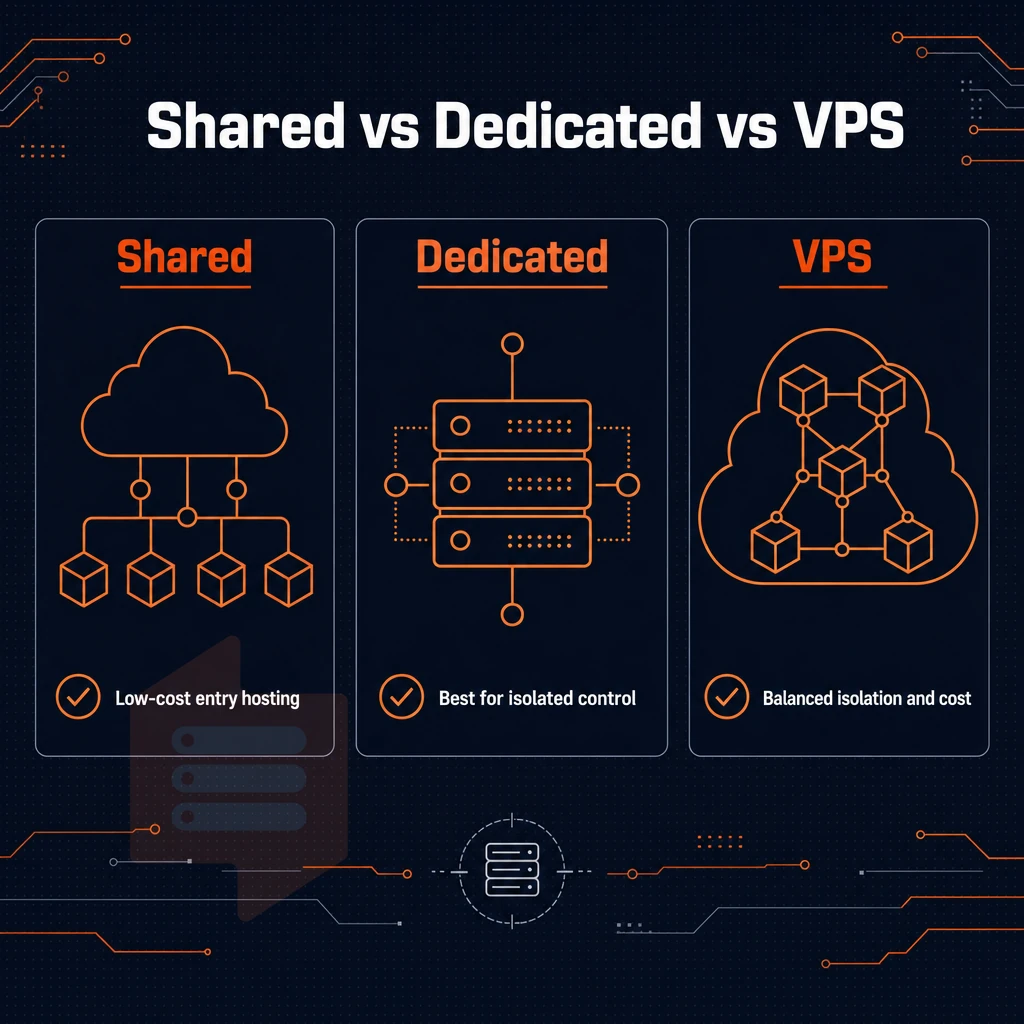
Shared and dedicated hosting are on the two extremes when it comes to web hosting. VPS hosting takes a middle ground: it offers you isolated resources and full root access, without the cost of a full physical server.
Dedicated resources vs. Shared hosting environments
On shared servers, your allocation of RAM and CPU is shared with all other users on that server. One noisy neighbor can cause high latency for your application. VPS hosting creates a virtual server with guaranteed allocation of RAM and CPU for each instance created.
Dedicated server vs. VPS hosting providers
A dedicated server is a single physical machine, often without any virtualization layer. The level of isolation that a dedicated server provides comes at a significant premium to the cost of a well-configured VPS server.
Most teams can get reliable performance with 99.8% SLA'ed uptime and plenty of CPU and RAM to run production workloads on a well-configured VPS server, without the overhead. Providers that architect their infrastructure for high availability often deploy redundant network paths and automated failover mechanisms to minimize downtime during hardware failures.
How much does a VPS server cost vs a physical server?
When choosing a VPS hosting provider, the different price plans are based on vCPU count, RAM, storage type (e.g. SSD, HDD) and billing term. Costs typically scale predictably with longer terms having lower monthly rates. It's worth discussing your qualitative requirements with your hosting provider as most hosting providers will outline their tiered VPS hosting plan options of pre-configured instances which you can resize up or down as required without over-provisioning.
Some providers bundle backup solutions, monitoring dashboards, or DDoS protection as additional services that can be added to any plan for a monthly fee. Understanding how providers structure their pricing models helps you compare total cost of ownership across different vendors and avoid unexpected charges. Many providers also offer a graphical control panel like cPanel or Plesk to simplify server administration tasks such as domain management, email configuration, and database creation.
| Criteria | Shared hosting | VPS hosting | Dedicated |
|---|---|---|---|
| Resource isolation | None, pooled | Hard per-instance caps | Full machine |
| Root access | No | Yes | Yes |
| Performance consistency | Variable | Consistent | Highest |
| Typical use case | Static sites, low traffic | Apps, APIs, databases | High-compliance, bare-metal workloads |
You should go for VPS hosting when you need full control over a Virtual Server, good and stable performance and lots of possibilities for scaling. BuyVPS enforces a hard memory cap per node and uses low node density to guarantee isolation. After you chose VPS hosting for your needs, you also have to decide how much of the management layer you want to take care of yourself. Opting for an unmanaged or semi-managed plan gives you more control over software installations, custom configurations, and the ability to tune performance parameters specific to your application stack. Tuning kernel parameters, adjusting resource limits, and selecting the right software stack all help you optimize performance for demanding workloads.
This flexibility extends to installing other software tailored to your specific use case, from custom monitoring agents to specialized database engines. Developers who need to deploy custom middleware or run containerized workloads benefit from the ability to install and configure their own applications without vendor restrictions. Users with strong technical expertise can leverage unmanaged plans to implement advanced configurations that would be restricted under managed services. Most providers include a web-based control panel that simplifies server administration tasks such as rebooting instances, monitoring resource usage, and managing DNS records without requiring command-line access.
Managed and unmanaged hosting: which VPS option do you need?
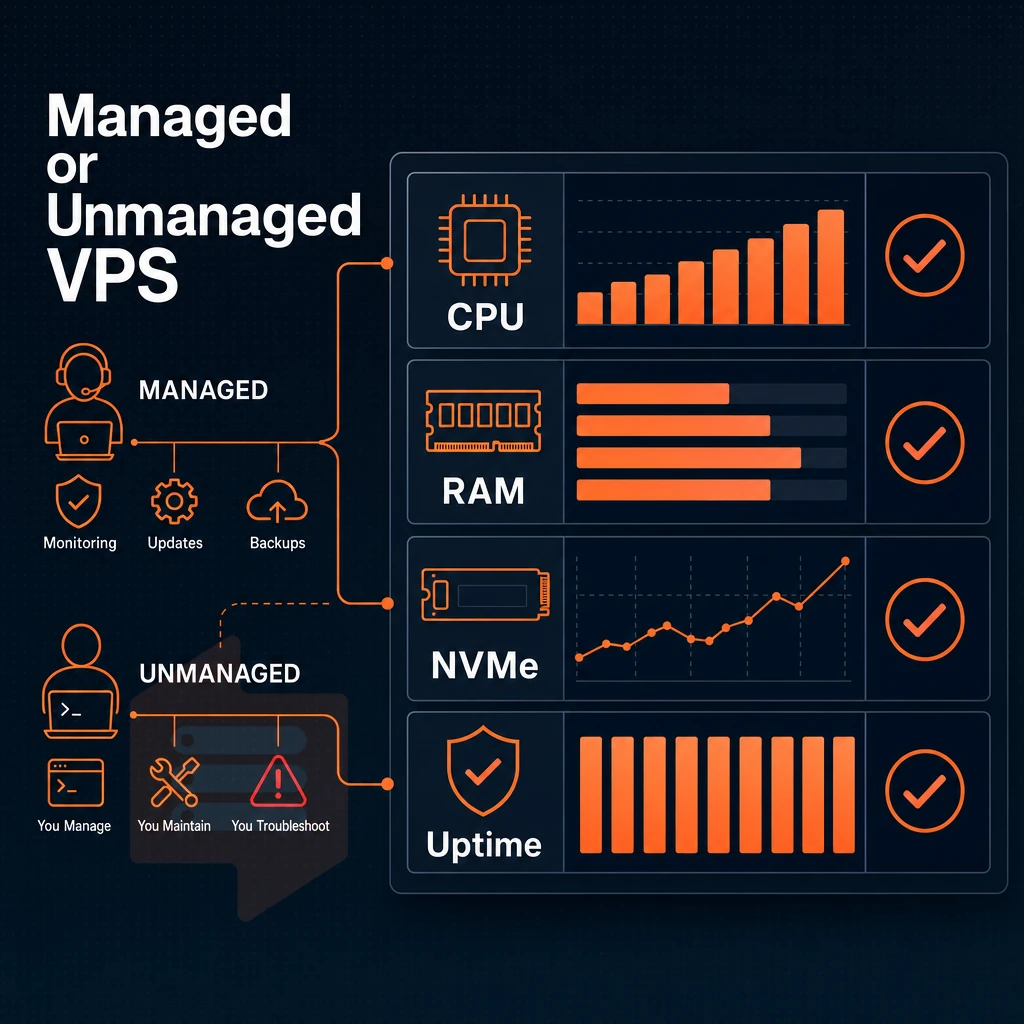
The management model you pick across available VPS solutions determines how much of the operation is your responsibility and how much flexibility you get.
Understanding the operating system spectrum
At one end of the spectrum is unmanaged hosting and at the other is managed hosting. Semi managed VPS hosting is somewhere in between and what it actually covers is detailed below.
- Fully managed hosting. We manage the updates to the Operating System, security patches, control panel and monitoring. Ideal for users that are not technical and want to focus on their application.
- Semi managed VPS hosting is a type of hosting where the provider manages the hypervisor and the network, while you get to manage the OS and the software stack on your VPS. This type of hosting is great for developers who need help managing the server but also want control over their environment.
- Unmanaged VPS hosting. That’s server administration where you are responsible for all layers (kernel, firewall, backups etc.) and thus have full control, and thus also full responsibility.
Note: Choosing the wrong tier is a common mistake. Non-technical users who pick unmanaged hosting often leave security patches unapplied for weeks. Unpatched systems become vulnerable targets, increasing the risk of security breaches that can compromise sensitive data and disrupt business operations.
Managed VPS hosting: who it suits
Managed VPS hosting is suitable for web agencies, e-commerce companies and other companies which do not have the staff to manage dedicated servers.
Developers typically prefer to use unmanaged access, i.e. they want full root-level access, custom OS images for their servers and full control over all services that they deploy. This is the typical way that engineering teams work. For community perspectives, see Virtual Private Server (VPS) Discussions.
Are VPS resources better than what a VPN offers?
A VPS is a virtual server you administer, you run applications, host databases, and serve traffic on it. Many users deploy web applications, content management systems, or an email server on their VPS to handle business communications independently. Small businesses and freelancers often use a VPS to host personal websites, development environments, or staging servers that require more resources than shared hosting can provide.
You can run a VPN on a VPS, but they're not interchangeable.
How to choose VPS hosting: key factors to evaluate
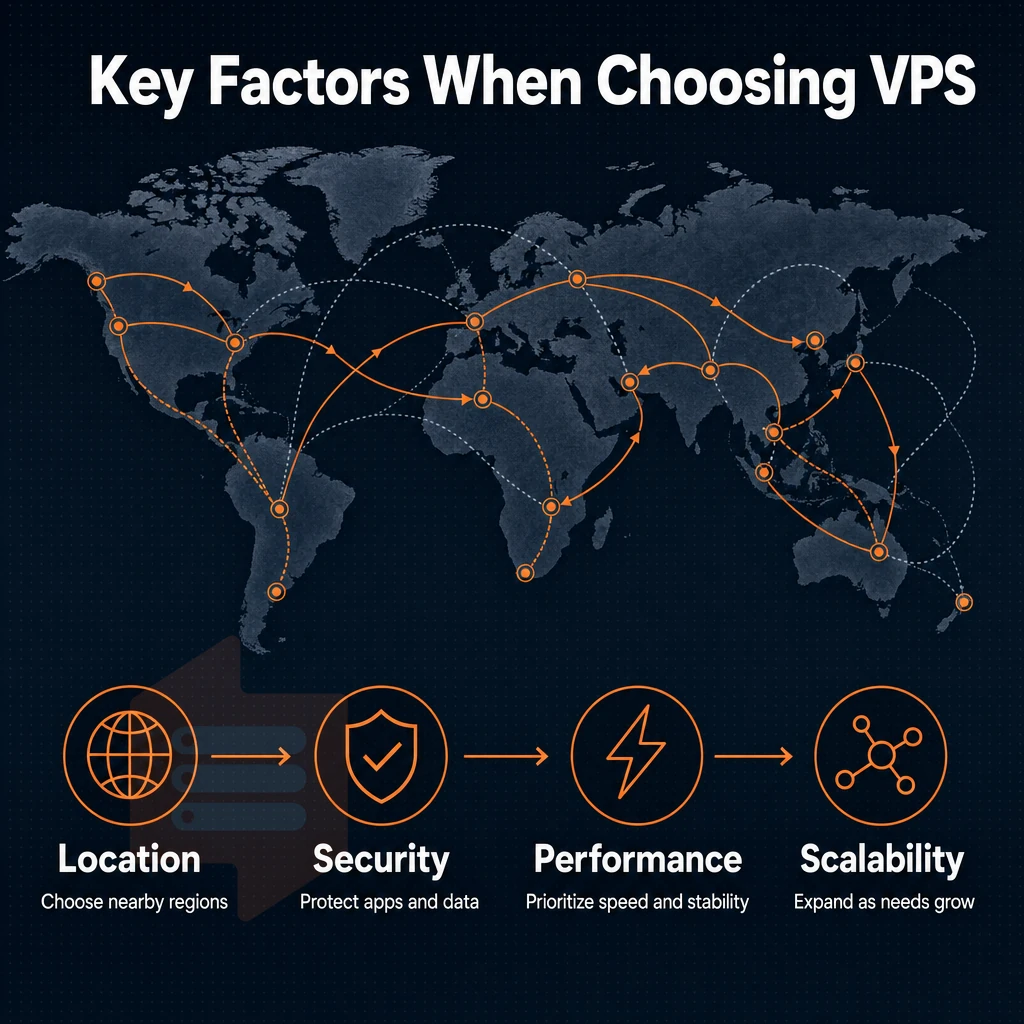
Not all virtual private server plans are created equal.
What hosting providers get wrong: overselling and CPU type
The biggest mistake of overselling RAM in VPS accounts is very common among the web hosting providers. They assign too much RAM to a physical server, causing memory contention when a account is under load. The only way to avoid such performance drop is to set hard memory caps per physical server. BuyVPS ensures high performance by keeping low node density in its data centers in Amsterdam and New York.
CPU type also matters.
Storage, network, virtualization, and DDoS protection
Note that for KVM, each VPS gets to run its own kernel, which is really powerful to allow uploading of custom ISOs.
Semi managed VPS: billing model and location
A semi managed VPS is a type of web hosting midway between fully managed hosting and self-managed hosting.
Can i get a free VPS server?
The other half is figuring out which workloads actually benefit from a VPS.
Common use cases for a virtual private server

A virtual private server VPS can handle a lot more workloads than people give it credit for. Depending on how you use it, a VPS can handle a lot of different workloads, and choosing the right configuration (or tier) is important.
Web apps, sites, and email server
Most people start by hosting websites and web applications. A VPS gives you full control of your stack, PHP versions, web server configuration, SSL termination, and ddos protection, without being restricted by shared hosting.
Both are available on all BuyVPS servers.
Game servers and dev environments with a control panel
Low-latency, high-consistency CPU performance is required for gaming servers. As frame-drops and rubber-banding occur on shared infrastructure, our Dedicated CPU tier fixes this by giving VMs their own dedicated resources through locked CPU-cores, eliminating the noisy-neighbor problem encountered on shared servers.
Development and test environments can greatly benefit from on-demand provisioning. Run a staging clone on a shared hosting solution for your development environment where multiple users can run destructive tests against any operating system configuration and then snapshot and reset to a good state without affecting your production environment.
When dedicated hosting unlike shared hosting makes the difference
Dedicated resources for machine learning inference, CI/CD pipelines and self-hosted tools like Gitea or Nextcloud are required and should not fluctuate under load. Virtual servers on shared nodes are not able to guarantee such resources. Pinned cores on dedicated hosting servers are. If you need to run such workloads, read on to learn how BuyVPS has been set up to support them.
Why choose BuyVPS for your virtual private server
BuyVPS delivers virtual private server hosting built around three principles: no-oversell, verified performance, and predictable cost. Unlike shared web hosting, every VPS runs on AMD EPYC hardware with NVMe RAID10 storage, KVM isolation, DDoS protection, and a separate kernel per VPS, so your workload never competes with a noisy neighbor.
- No-oversell policy: Hard memory caps and low node density guarantee consistent performance across Standard CPU, Dedicated CPU (pinned cores), and High Memory tiers.
- Full superuser access on every plan: Deploy any operating system, upload a custom ISO, and manage your server environment without restriction.
- In-place upgrades: Scale resources without migration or IP rotation, your server address stays the same.
- Proven benchmarks: Published Geekbench 6, fio, and pgbench results back every performance claim.
- Dual data centers: Identical hardware and pricing in Amsterdam (EU) and New York (US East Coast) for reduced latency wherever your users are.
- No renewal hike: Same price in year five as day one.
If you're evaluating VPS hosting providers and want verified specs rather than marketing claims, reach out to our engineering team at support@buyvps.com or call +31 85 369 6285 to compare plans.
A virtual private server sits in the sweet spot between shared hosting and a full dedicated machine: isolated resources, administrative access, and predictable performance at a fraction of the cost of bare metal. The single most important selection criterion in server management is resource integrity, whether the provider enforces hard memory caps, uses dedicated CPU cores, and avoids overselling nodes. Get that wrong and every benchmark, SLA, and uptime guarantee becomes meaningless.
Unmanaged VPS gives you full control; managed layers remove operational overhead.
If you're ready to move past shared hosting or need a more reliable foundation for production workloads, explore BuyVPS's Standard, Dedicated CPU, and High Memory VPS plans, available in Amsterdam and New York, at buyvps.com.