
A managed cloud VPS environment moves OS patches, security config tweaks, and performance fine-tuning out of your engineers' way so they can focus on features instead of servers. Not all managed hosting is equal, though, some offer thin automation and call it server management, while others provide truly engineer-led service capable of handling traffic spikes on dedicated infrastructure.
This guide cuts through the noise on managed VPS hosting, outlining typical features at each tier, which workloads suit VPS best, and the key questions to ask your sales rep.
We also look at how managed cloud hosting providers actually stack up, including BuyVPS, which runs servers on AMD EPYC hardware in Amsterdam and New York with engineer-led support and a no-oversell guarantee. Whether you're migrating from shared hosting or untangling a multi-cloud setup, the right managed VPS opens new possibilities. Start with the basics.
What is managed cloud hosting for VPS?
Managed cloud VPS hosting brings two concepts together: the isolated resources of a VPS and the ease of use of managed hosting. You get a virtual private server with dedicated CPU, RAM and storage, hosted in the cloud. However, the hosting provider manages the administrative tasks, so you don't have to.
First month $1
Then the normal monthly price. One per customer. No setup fee, and a 30-day performance guarantee on your first order.
See the plans“Great service! Everything was delivered quickly and worked exactly as expected. the process was smooth, reliable, and professional. Highly recommended!”
What is managed VPS hosting from a hosting provider?
Managed VPS hosting means we manage the server for you. Typically this includes things like OS updates and security patches, as well as monitoring the server and setting up the server initially. You then manage your application(s) on the server. We handle the server stack for you. For community perspectives, see Looking for Good Managed VPS (as someone new to ....
That’s as opposed to unmanaged VPS hosting, where you have root access, so you have all the decisions too (kerneltuning, firewalling, package management, incident handling). Unmanaged is cheaper. Managed is more expensive, but you save on operational overhead. Choosing unmanaged hosting gives you more control over system configurations and security policies, though it requires dedicated technical resources to maintain.
The managed cloud web hosting spectrum
A variety of management models are on offer from different providers. Each provider structures their VPS offers differently, ranging from fully hands-off solutions to hybrid models that balance automation with direct system control.
- Fully unmanaged: root access, no support beyond hardware and network.
- Partially managed: OS-level support included, application layer is yours.
- Fully managed: provider handles OS, middleware, backups, and monitoring end-to-end.
For example, a managed cloud server with a production database can have automated patch windows, alerts and even daily or other frequency snapshots all done without any of your engineers ever having to log on.
What cloud hosting adds to virtual private server hosting
Cloud hosting is now the foundation for most modern VPS hosting platforms.
How a managed cloud hosting VPS platform works
A managed cloud server hosting infrastructure is typically a combination of hardware virtualization and automation to provision, monitor, manage OS, etc. for you. So it's helpful to understand the architecture of what you are paying for.
What is managed cloud hosting with VPS?
Our VPS cloud hosting solutions divide up a single physical server into separate virtual environments using a hypervisor (for us, it’s KVM with a separate kernel for each VPS).
The main advantage over traditional shared hosting is that each virtual environment has fixed vCPU, RAM, and NVMe storage reserved solely for your use.
Virtual private server resources vs. Shared allocation
Table 1 summarizes the key differences among the three models most relevant to engineers.
| Dimension | Shared hosting | VPS | Bare metal |
|---|---|---|---|
| Resource isolation | None, pool shared | Hard caps per VM | Full machine |
| Root access | No | Yes | Yes |
| Uptime SLA | Varies | 99.8% | Varies |
| Scalability | Provider-controlled | In-place upgrade | Hardware swap |
Dedicated IP and platform control layer
All BuyVPS plans include a dedicated IP, full root access and are managed via a powerful, self-service control panel with an API. Choose from any of the supported OS’s (Ubuntu, Debian, AlmaLinux, Rocky Linux, CentOS Stream or Fedora) or upload your own custom ISO.
The in-browser VNC console allows access to servers when SSH is unavailable, a great option for teams hosting multiple websites in isolated server stacks. It provides quick access to your server's graphical interface directly through your browser, bypassing network-level issues that might block SSH.
Managed vs unmanaged VPS: key differences
Whether you should opt for a managed or unmanaged VPS to host multiple websites largely depends on the amount of time you want to spend managing infrastructure versus creating products. Additionally, The extent to which your team has developed in technical terms and in terms of organization.
Understanding what each model covers
The full administration of the server is managed by your provider for a managed virtual server.
Unmanaged VPS hosting gives you full root access to the server and allows you to fully manage it as you see fit. Typically preferred by developers and sysadmins, unmanaged VPS hosting allows for complete control over the server stack, kernel and more.
Virtual private server side-by-side comparison
| Factor | Managed | Unmanaged |
|---|---|---|
| OS maintenance | Provider handles the entire process | You manage the operating system directly |
| Support team involvement | High, reactive and proactive | Infrastructure-level only |
| Root access | Often restricted or optional | Unrestricted by default |
| Best for | Agencies, online stores, non-technical teams | Developers, sysadmins, custom stacks |
Which cloud VPS provider is the best?
It depends on your needs. Some web hosting providers bundle cPanel/WHM and suit small sites best. Others, like BuyVPS, take an infrastructure-focused approach with engineer-led support, KVM isolation per VPS, AMD EPYC processors, and two data centers: Amsterdam and New York. Many providers also offer additional services such as automated backups, DDoS protection, and SSL certificate management.
For developers and technical teams wanting unmanaged servers with top-notch support, BuyVPS is the better choice, you deal directly with engineers instead of first-tier chatbots. This middle ground, unlike shared hosting, suits a wide variety of applications including CI/CD pipelines, APIs, and databases far better than a typical managed consumer panel.
Note: If your team lacks Linux expertise, a fully managed tier reduces risk. If you have that expertise, paying for managed overhead adds cost without adding control. That trade-off becomes especially visible when you look at real-world workloads, starting with e-commerce. Evaluating managed cloud hosting options requires weighing the provider's automation capabilities against your team's ability to handle system-level tasks independently.
E commerce and online business use cases
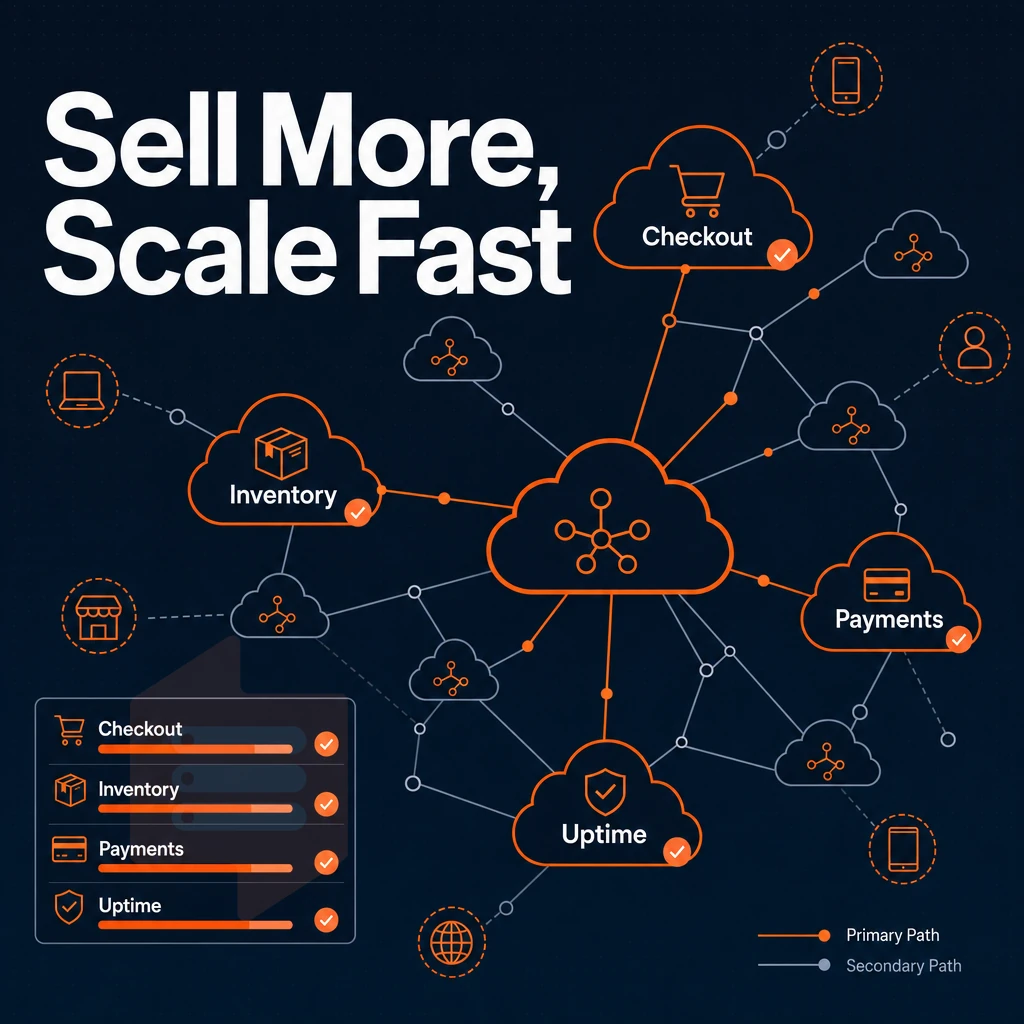
E-commerce sites require more than just web hosting.checkout processes, stock checks and online payment gateways all need consistent performance as traffic increases. As an ecommerce site grows, so does the requirement for consistent performance under increasing loads. Scaling an e commerce operation often means handling thousands of concurrent sessions, each requiring fast database reads and secure transaction processing across multiple payment providers.
Dedicated resources and why they matter for ecommerce sites
A neighbor's traffic spike on a shared environment can impact your response time in the middle of a sale. A managed cloud VPS gives you dedicated resources on your instance, CPU cycles and RAM. Your database queries return in milliseconds rather than seconds, resulting in fewer abandoned carts. High availability configurations with failover mechanisms ensure your store remains operational even during hardware failures or maintenance windows. Scaling vertically by allocating more CPU and memory to your VPS instance allows your platform to handle seasonal traffic surges without migrating to a new server.
Tuning database connection pools and query caching strategies can further optimize performance during peak shopping periods when transaction volumes spike. Optimizing data transfer rates between your application servers and database instances reduces latency for inventory lookups and order processing workflows. Optimizing page load speed for e commerce platforms directly impacts conversion rates, as studies show even a one-second delay can reduce sales by seven percent.
For database-intensive applications with large amounts of data (e.g. huge product databases, session stores, real-time stock updates) high-memory VPS server tiers are often the most suitable option. This is because All hot data is stored in RAM and not read from slow disk storage again and again.
How is managed cloud hosting different from shared hosting?
In shared hosting accounts, there are many accounts on one server. As a result, when one account has high traffic, the other accounts on the same server can be "starved" for resources.
Managed VPS server hosting accounts have their own isolated kernel, guaranteed RAM, and dedicated I/O on storage. The key difference with a fully managed virtual server is that you get root access to your account without having to manage the underlying server(s).
Cloud services and cloud providers add a new layer of flexibility: elastic cloud resources can scale up vertically without moving to a different server or rotating IP addresses.
Web hosting for web applications and growing projects
Web applications like APIs, control panel dashboards for SaaS products, and booking engines also require predictable latency under variable loads. This is why in-place vertical upgrades of RAM and CPU on a physical server are so important, projects can grow and add RAM and CPU without ever taking the app down. Your live deployment is making money, after all.
BuyVPS note: The in-place upgrades on our Amsterdam and New York nodes are done without any changes to your IP addresses and no data migration is required. This is particularly important for online businesses who cannot afford any down-time.
Consistent performance is key but half the story. You need to be in control of your environment as well when you need to.
Client management and full control over virtual private server features
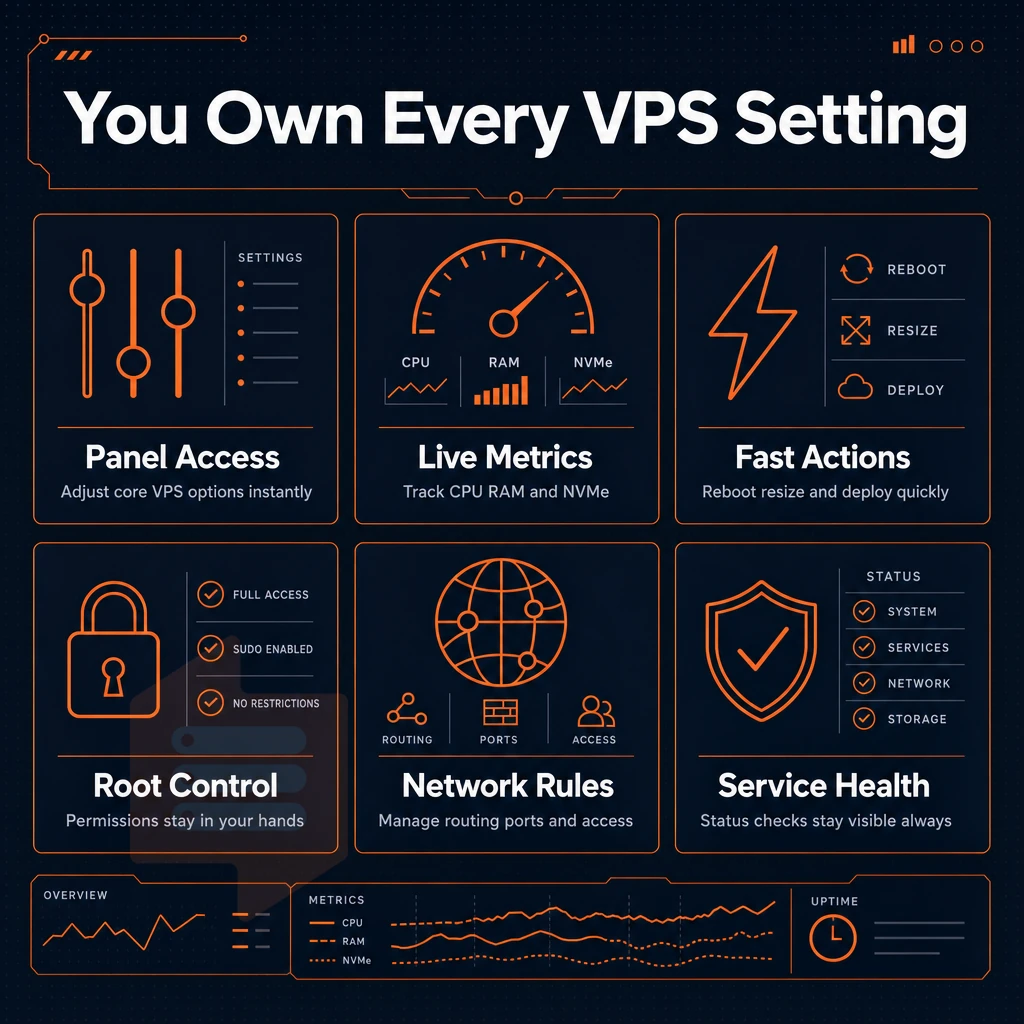
Having full control over your VPS should not mean that you have to submit a support ticket for every change. You should be able to manage your fully managed virtual private server platform as you see fit, using the tools at your disposal to instantly provision and recover your servers as required.
Client management and the self-service control panel
Our self-service control panel puts the core actions of your server at your fingertips. Reboot, re-install, resize or change settings on your server within a few clicks. No need to open a ticket and wait for it to be processed.
For rapid iteration (e.g. deploying a new technology stack, testing out a different operating system, scaling resources as needed), online businesses relying on web hosting will greatly benefit from being able to access their servers in this direct manner. We provide a full API to manage server settings and your broader server environment programmatically, enabling automation of server provisioning and management within users' own custom workflows.
Console access and OS support
If SSH is unavailable, our in-browser VNC console gives direct keyboard access to your VPS. We support Ubuntu, Debian, AlmaLinux, Rocky Linux, CentOS Stream, Fedora, and Windows Server, including custom ISO uploads for server setup.
Network control and upgrade paths on our hosting platform
Every VPS comes with a dedicated IP address and full IPv4 and IPv6 networking. Upgrades are applied in-place, so you scale up without migration or IP rotation.
- Dedicated IPv4 + IPv6 on every plan.
- In-place upgrades, no IP rotation, no downtime migration.
- VLAN available on request for private network segmentation.
Here is what you get with the BuyVPS offering.
Performance: NVMe storage, dedicated cores, and cloud resources
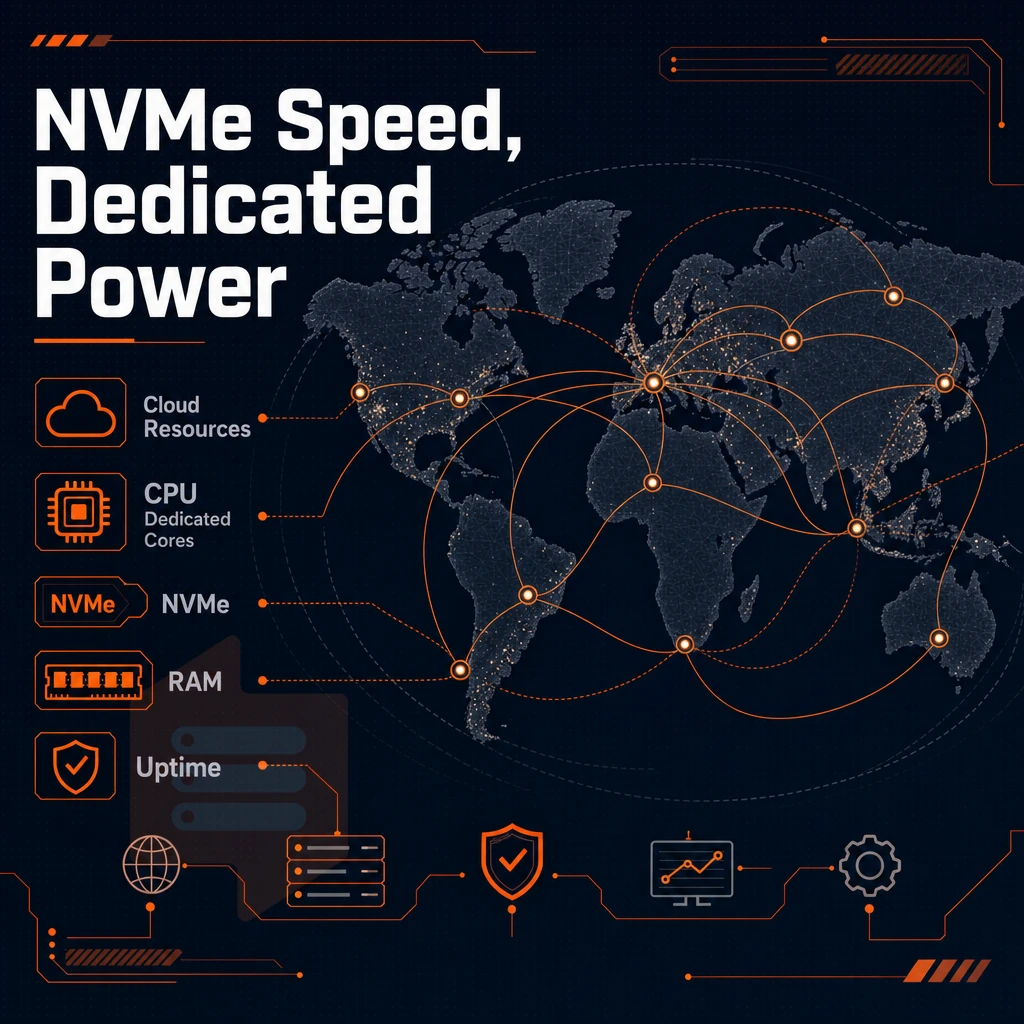
What really sets cloud-managed cloud VPS hosting apart from basic shared hosting is performance. With managed cloud hosting, the underlying hardware for your VPS determines whether you will get the performance you need under load or if your site will slow down dramatically when your neighbors get a sudden surge of traffic.
Storage and compute hardware
Shared hosting has many accounts on one server with shared disk space and no guarantees on resources. A managed virtual private server has dedicated server resources (fixed RAM, reserved CPU, dedicated storage). BuyVPS uses NVMe RAID10 storage on PCIe direct I/O, which reaches 122,959 4K read IOPS (fio median). These numbers reflect low latency in real world scenarios, especially for database intense and I/O intense applications.
All compute is run on AMD EPYC processors. All tiers use ECC memory (DDR4 ECC in Standard/High Memory and DDR5 ECC in Dedicated services). In addition, all services use KVM virtualization. This allows each VPS to run with its own kernel, thus a noisy neighbor cannot 'reach' into your process space.
Dedicated server vs. Shared resources
| Dimension | Shared hosting | Managed cloud VPS |
|---|---|---|
| CPU | Pooled, no guarantee | Reserved vCPU or pinned core |
| Storage | Shared SATA/SSD | NVMe RAID10, PCIe direct |
| Kernel | Shared OS | Separate kernel per VPS (KVM) |
| Uptime SLA | Varies | 99.8% |
Benchmarks and performance optimization
We publish Geekbench 6, fio and pgbench results for our server management services, so your performance optimization doesn't rely on empty promises. On top of that, you have full control over the OS, kernel flags and runtime configurations. Our services scale within a minute, without any IP changes, and resources scale within a plan without having to move your workloads. However, strong performance is nothing without a good network perimeter and physical infrastructure.
Security, DDoS protection, and data center infrastructure
Security in a managed cloud VPS environment is multilayered and includes features such as network firewalls, isolation at the hypervisor level, physical security of the servers, and strict controls over disk space allocation. BuyVPS provides full support of all these features on a system by system basis.
Network and perimeter protection
- Enable edge filtering at the network boundary. BuyVPS applies edge filtering and an abuse-policy-based firewall across all traffic entering the cloud infrastructure. This stops volumetric attacks before they reach your virtual servers. Note: Edge filtering alone does not replace application-layer hardening, configure your own firewall rules inside the VPS as well.
- Rely on built-in DDoS protection. Our virtual environment includes built-in traffic scrubbing by default. Malicious traffic is discarded by upstream systems to ensure legitimate traffic flow is unaffected by attacks.
Hypervisor and tenant isolation
- This page explains KVM isolation. Each VPS runs its own kernel under KVM. Therefore, even in a cloud environment, cross-tenant exposure is prevented. A compromised neighbor cannot read your memory or processes.
- We recommend you use your dedicated IP for SSL certificates. Each of our plans includes a dedicated IP which is required to bind SSL certificates properly. This also simplifies your TLS configuration and avoids SNI workarounds.
Data center and uptime assurance
- Choose your region. We have data centers in Amsterdam (EU) and New York (US East Coast). Select the region closest to your users to get the best performance, lowest latency and to comply with data-residency requirements.
- Check your SLA with BuyVPS. 99.8% Uptime is guaranteed. The fast NVMe SSD storage runs on top of RAID10 and benefits from direct PCIe access. That helps to reduce the high risk of disk failures which is the biggest cause of failures in high availability setups.
Note: BuyVPS does not hold information security management ISO or SOC certifications. If your compliance framework mandates those, verify requirements with your auditor before deploying.
Now that you have a clear understanding of the security, scalable resources, and infrastructure of BuyVPS, here is why we think it is a great platform for managed cloud VPS workloads.
Why choose BuyVPS for managed cloud VPS hosting
BuyVPS delivers managed cloud virtual server hosting built on hardware that earns its keep. Every virtual private server runs on KVM with a separate kernel, genuine isolation, not a shared hosting compromise. Our cloud hosting infrastructure uses AMD EPYC processors, NVMe RAID10 PCIe-direct storage (122,959 4K read IOPS measured), and hard memory caps per node so your server resources are never diluted by other users.
- Full server control on every plan, complete control over your operating system, software updates, and server environment from day one.
- No-oversell policy, hard memory caps and low node density deliver consistent performance under real load.
- Dedicated CPU tier, pinned cores give workloads the predictable latency a shared physical server simply cannot match.
- In-place upgrades, scale resources without migration or IP rotation; your dedicated IP stays put as your business grows.
- Two data centers, identical specs, Amsterdam and New York run the same hardware, the same cloud infrastructure, and the same pricing.
- Engineer-staffed support, real engineers reply, not chatbots. Founder-run since 2002.
If you're evaluating managed cloud options or moving away from a limiting hosting provider, explore our VPS hosting plans or reach out to our support team to compare configurations. The final step is matching those capabilities to the right plan for your workload.
Choosing the right managed cloud VPS plan
The key decision when choosing managed cloud hosting is to match your workload to the appropriate tier. For entry-level workloads, the Standard CPU VPS from BuyVPS is sufficient as it provides the same shared vCPU as other plans.
As your applications grow, and you need to host multiple websites or require pinned cores, you will need to step up to a Dedicated CPU server that can provide consistent and low-latency server resources. For RAM-intensive databases and analytics, even a Standard virtual private server hosting plan would not be sufficient, and you would need to choose the High Memory tier.
As your business develops, using a managed hosting environment allows you to scale your physical server resources as required without having to move servers or lose your dedicated IP address. Our VPS tiers all come with full superuser access, NVMe SSD storage and expert support. Your cloud hosting environment will remain fully under your control at all times as you scale.
Remove the operational burden of server administration, while still offering root-level control to your workloads. Time vs. control is the key decision point here. You have complete flexibility with unmanaged VPS hosting, while managed server instance cloud hosting adds expertise on top of the existing control. For applications such as e-commerce sites and other client-facing workloads running on a dedicated server or in a cloud environment, the expertise provided by managed hosting translates into faster incident response and better uptime.
The platform underneath still matters. Management tooling built on underpowered or oversold hardware creates a false sense of security. BuyVPS runs KVM-isolated VPS instances on AMD EPYC processors with NVMe RAID10 storage across Amsterdam and New York, making it a solid fit for online stores, with hard memory caps per node, no overselling, and the ability to scale resources with full root-level access on every plan. If you're evaluating your next VPS environment, explore the BuyVPS plans and see which tier fits your workload.