

Your database continues to grow, your object store nears its limits and your stock VPS struggles to keep up with the I/O load. A high-capacity VPS server gives you lots of disk space and the required computing power to process all of this. In contrast to separate managed storage services, you don't have to worry about separate storage and there are no unexpected costs for egress per GB.
Storage-focused VPS servers are not all made equal. How a server is built out (hardware stack), whether it uses NVMe or SATA storage, whether it uses RAID10 storage or simply striped storage. Whether a provider uses shared CPU or dedicated CPU under I/O load affects whether a server is going to perform well or not under load.
The wrong choice here means spikes of latency at the exact time your workload peaks. The right choice here means consistent throughput for your use case: be it archiving large amounts of data for your PostgreSQL databases, running media pipelines, storing backups. Alternatively, running your own object store where data is stored for self-hosted clients and applications. Selecting infrastructure that matches how your application was originally intended to scale prevents resource waste and ensures predictable performance during traffic surges.
We will lay out the crucial differences between general-purpose and storage VPSes, highlight optimal workloads for storage VPSes, and outline key parameters clients should optimize for. Additionally, Most importantly, provide a framework to bench all claimed features before you actually provision the server to gauge real performance under load in production. We start with fundamentals. For more context, see Virtual private server.
What is a storage VPS server in a data center?
Our storage VPS server s are KVM virtual private servers optimized for high disk space usage and I/O performance instead of CPU power. This type of server has much more usable space in GB or TB compared to a standard compute VPS and uses an optimized storage stack.
First month $1
Then the normal monthly price. One per customer. No setup fee, and a 30-day performance guarantee on your first order.
See the plans“Sjoerd helped me with the setup of my VPS, super helpful team, smooth onboarding, and overall a great experience, thanks again”
How it differs from a standard VPS in the data center
A typical compute VPS comes with a small amount of disk storage for a VPS guest to hold an OS and some application data .
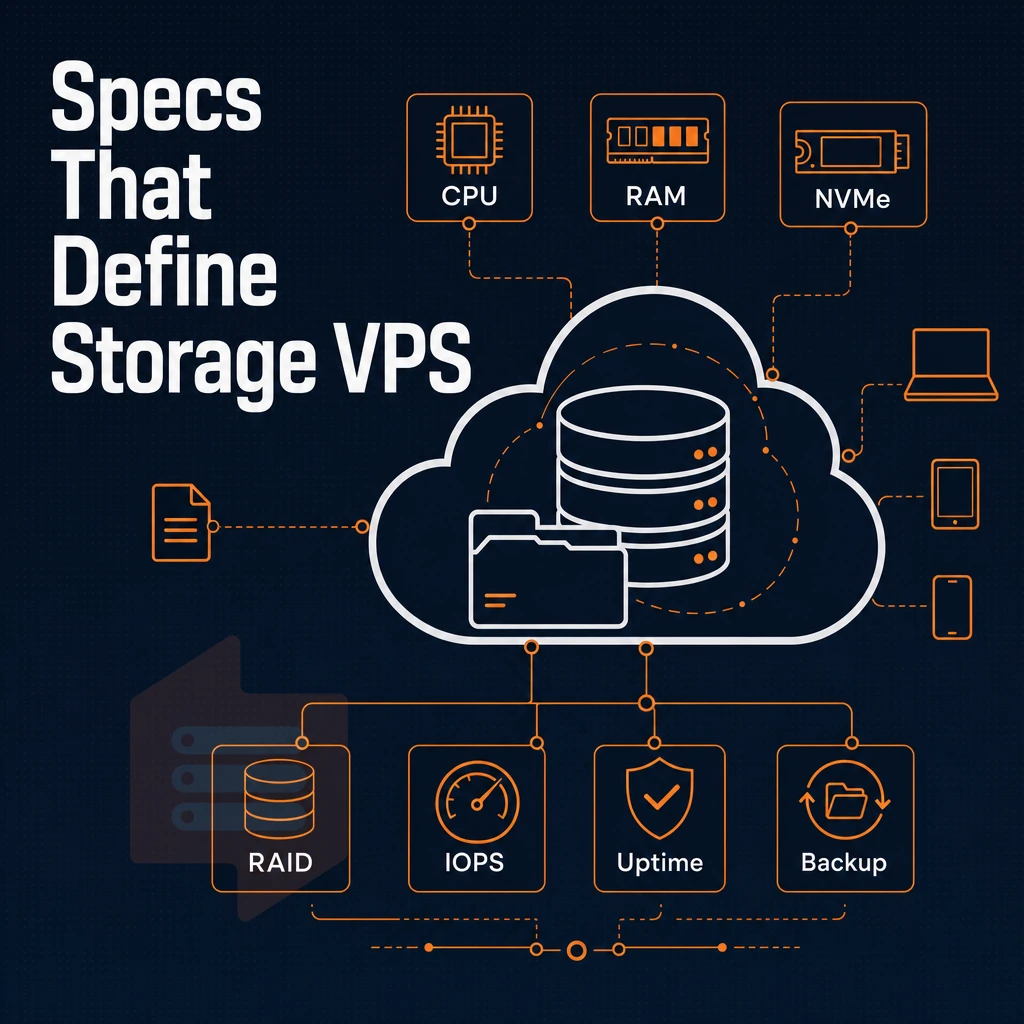
- NVMe, flash storage with low-latency PCIe access.
- RAID = Redundant Array of Independent Disks protecting stored data against failures of individual drives.
- IOPS, read/write operations per second, the real measure of storage speed.
- Root access, full OS-level management of your server.
What is a storage VPS server used for in a data center?
"large-high-capacity VPS" is not a product category but rather a use-case. Most customers use it for backups, media libraries and storage. Customers with stored databases also profit from a prioritized IOPS.
BuyVPS's NVMe RAID10 volumes, which scale to suit diverse workload sizes and budgets, get 122,959 4K read IOPS when handling files. And yes, root access on all plans. Each account includes full control over provisioned resources, allowing you to configure storage volumes and manage backups without restrictions. Plans deployed in april benefit from the same hardware specifications and performance guarantees as those provisioned throughout the year.
Deployments provisioned in august receive identical NVMe RAID10 configurations and maintain the same performance benchmarks across all seasonal provisioning windows. Transparent pricing ensures that teams can align infrastructure costs with project requirements, making it straightforward to scale capacity without exceeding allocated budget. This transparency helps teams forecast infrastructure expenses accurately and avoid unexpected costs that can strain project budgets or waste money on over-provisioned capacity.
Key specs and data center factors to evaluate in a storage VPS
Choosing a high-large-storage virtual server server involves weighing several technical parameters. Getting the disk type and RAID configuration wrong can negatively affect performance and reliability of your entire hosting setup. Most experienced administrators agree that matching your RAID level to your workload's read-write pattern prevents bottlenecks before they occur.
Evaluating providers across the market reveals that transparent IOPS benchmarks and published RAID specifications separate reliable hosts from those making unverifiable claims. Administrators should compare configuration options across multiple providers to identify which RAID levels, disk types, and IOPS guarantees best align with their specific application profiles. Requesting detailed SLA documentation from each provider clarifies uptime commitments and support response times before signing contracts.
Disk type, iops, and redundancy at extra cost
- Check the disk type. NVMe will generally outperform SATA-based SSDs and even HDDs in terms of random IOPS. Some markets offer low-cost, high-capacity hosting based on HDDs but IOPS numbers are much more meaningful for databases and read-intensive websites than raw capacity.
- Check what RAID level your storage is running on. A RAID10 setup on NVMe storage gives you high read speed as well as redundancy, as data is mirrored and striped for high throughput. Large HDD storage arrays are typically run with RAID-60 but that adds a lot of complexity to rebuild from failures. BuyVPS publishes measured 4K read IOPS on their NVMe RAID10 storage post-deployment.
- Check the RAM to storage ratio. A system under loaded with too little RAM for the amount of storage it has will become a bottleneck. Try to keep the ratio so that the working set will fit in memory.
Note: High-capacity HDD plans can look attractive until you compare IOPS under real load.
Is NVMe better than HDD for a low cost storage VPS?
Yes, NVMe is faster for latency-sensitive workloads, making it the go-to choice for clients who need quick random I/O, while HDDs are better suited for cold archival storage where sequential throughput matters more. For active hosting with concurrent queries, the lower latency and higher IOPS of NVMe outweighs its higher cost when serving data at scale. Note though the significant difference between NVMe storage and HDD storage before making a decision for your plan.
Data center bandwidth, virtualization, and security
- Check for transfer allowance, for monthly limits in GB or TB and for overage charges in a service description before you sign up for a service.
- Verify the hypervisor. For KVM each VPS runs with its own kernel which provides even better isolation and security boundaries than a virtualizer that only provides paravirtualized sandboxing. OpenVZ shares the kernel with other VPSes. This is acceptable for some applications but restricts the choice of operating systems.
Why choose BuyVPS for your storage VPS server
BuyVPS delivers reliable storage-optimized VPS hosting backed by real, published benchmarks. Our NVMe RAID10 storage runs PCIe direct, 122,959 4K read IOPS measured, so files upload, download, and transfer fast. KVM isolation gives each VPS a separate kernel, keeping your stored data secure.
Whether you need to download large datasets for analytics or serve files to distributed teams, the measured IOPS ensure consistent performance under real-world conditions. All plans ship with root access and are ready to deploy within minutes of order confirmation, eliminating lengthy provisioning delays. KVM isolation also enforces strict resource boundaries that prevent neighboring tenants from accessing your volumes, adding an additional layer of security beyond filesystem permissions.
- No-oversell policy: Hard memory caps per node mean consistent performance, month after month.
- Full root access: Complete control over your server, including custom ISO uploads.
- Dual-stack networking: IPv4 + IPv6 on every plan, with data centers in Amsterdam (Netherlands) and New York.
- In-place upgrades: Add storage capacity without IP rotation or migration downtime.
- Founder-run since 2002: Engineers handle support, not bots.
No renewal hike. Same price in year five. Ready to find a storage-centric VPS that fits your diverse needs? Contact our team to compare options.
Choosing the right high-capacity virtual server comes down to three decisions: workload type, storage technology, and location. If your priority is raw throughput and low-latency access for databases, media pipelines, or high-frequency backups, choosing a provider with NVMe RAID10 on KVM-isolated hardware wins every time. Selecting a datacenter location near your primary user base or application endpoints reduces network latency and improves overall responsiveness for file-heavy operations.
Providers offering datacenters in the Netherlands combine low-latency European connectivity with robust infrastructure, making them ideal for serving clients across Western Europe. Compliance requirements also matter when selecting datacenter locations, as some industries must adhere to specific data residency regulations that dictate where information can be physically stored.
Location is not an afterthought. Deploying in the wrong region adds unnecessary round-trip time to every read and write.
BuyVPS runs AMD EPYC hardware with NVMe RAID10 storage across both locations to serve diverse needs, with no-oversell memory caps and in-place upgrades that preserve your IP. Browse the Standard, Dedicated, and High Memory plans at BuyVPS.com to find the tier that fits your storage workload.