
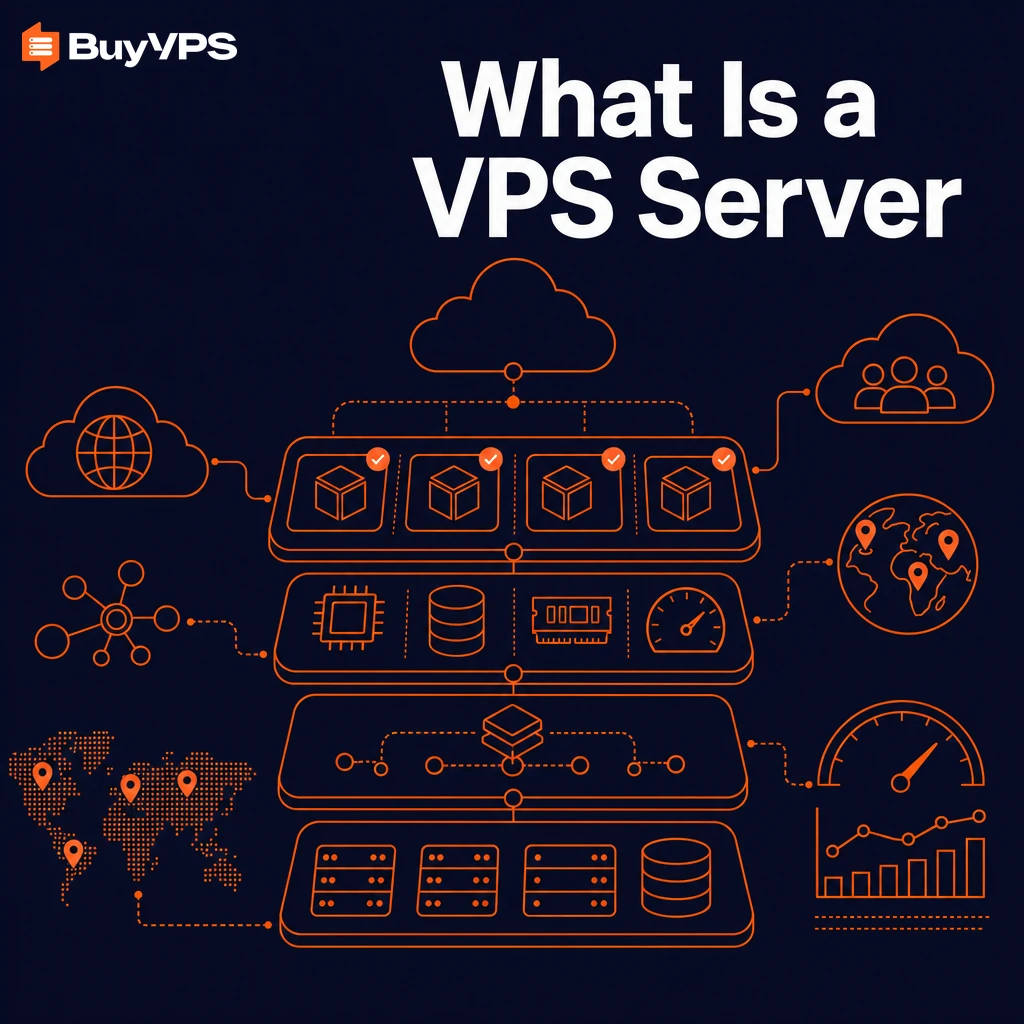
A Virtual Private Server (VPS) is a type of server that sits right at this intersection, allowing you to have complete control over a portion of a server with your own dedicated resources, full server access.
Understanding what a VPS is and how it differs from other hosting types like shared servers or a dedicated physical machine will help you determine whether a VPS is the right choice for your needs, and will ensure you and your hosting provider have the proper infrastructure in place to run your applications and workloads. Comparing the resource allocation models between shared and dedicated hosting reveals why virtualized solutions occupy such a valuable middle ground for growing businesses.
Learn how virtualization works to split up a physical server into separate virtual servers, what “reserved resources” really means. Explore our VPS plans.
Learn how to compare VPS hosting vendors, and how to choose between running your sites on a commodity VPS hosting product, and running your sites on a real server. Evaluating how a provider's infrastructure compares to other websites' hosting solutions will reveal whether you're getting true resource isolation or just marketing promises.
For a complete overview, explore our what is a VPS server guide.
What is a VPS server? A plain-english definition
A Virtual Private Server (VPS) is a virtualized server, i.e. a virtual partition of a physical server. This partition functions as a fully independent server and is often compared with a dedicated server, since one can install its own operating system and manage it as desired. Users can also install custom applications, databases, and other software tailored to their specific requirements without restrictions imposed by shared hosting environments.
First month $1
Then the normal monthly price. One per customer. No setup fee, and a 30-day performance guarantee on your first order.
See the plans“Great service! Everything was delivered quickly and worked exactly as expected. the process was smooth, reliable, and professional. Highly recommended!”
In addition to the operating system, the VPS also has guaranteed compute and storage resources. For community perspectives, see hi, i have absolutely no idea about what is VPS so is there ... .
Virtual private server feel, shared infrastructure cost
Virtual servers are a lot like an apartment building. Virtual Private Servers (VPS) are similar. One physical server can house many isolated virtual servers. Each VPS runs independently and has no way of accessing information on other servers in the same box.
This option is somewhere between shared hosting and dedicated server hosting. As opposed to shared hosting you have more control and every site is more or less isolated. As opposed to a dedicated server however you don’t have to pay for the whole machine. For businesses requiring complete control over all server resources without sharing any hardware capacity, dedicated hosting remains the premium alternative to virtualized solutions.
A dedicated server provides exclusive access to all hardware components, making it ideal for enterprises with demanding workloads that cannot tolerate any resource contention. This middle-tier approach offers greater control over server configuration and application deployment compared to shared environments while maintaining cost efficiency. Providers typically offer tiered pricing models that scale with allocated CPU cores, memory capacity, and storage volume to match diverse budget requirements.
Dedicated resources, not shared pools
Unlike shared hosting, where RAM and CPU are pooled to serve all customers on a server, a VPS is allocated its own resources. In both managed and unmanaged hosting, this means a hard capped amount of RAM for memory and a fixed CPU allocation enforced by the VPS host. This means that the performance of a VPS under load is always predictable.
Storage allocation follows the same principle, with each instance receiving a guaranteed amount of disk space that cannot be borrowed or consumed by neighboring tenants. When application demands grow, upgrading to more memory allows your instance to handle larger datasets and concurrent user sessions without performance degradation.
Dedicated hosting vs. VPS hosting: the practical difference
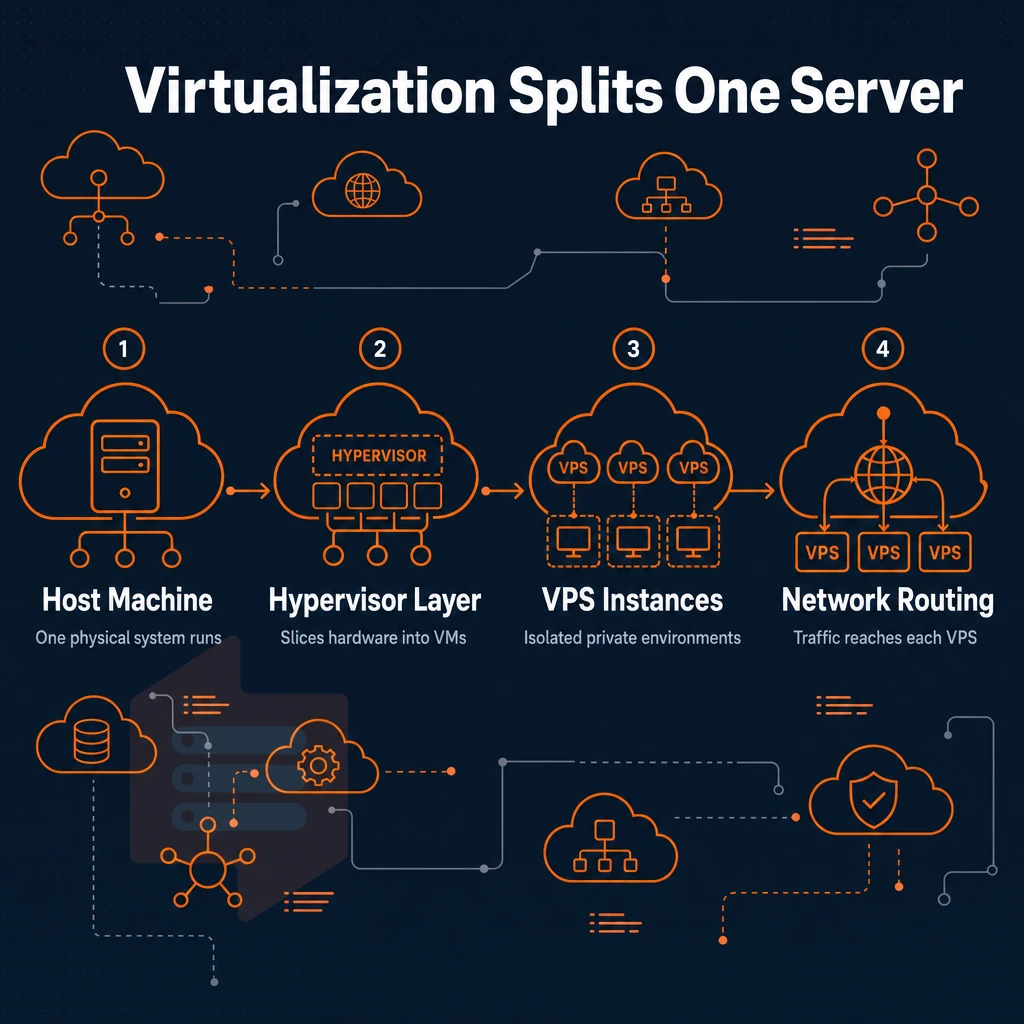
Dedicated hosting is typically defined as one customer on one physical server. A VPS, on the other hand, is typically achieved by running a KVM hypervisor (or similar) on a server. So while a VPS may appear to give you a dedicated server in the world of web hosting (and for most applications it does), the real difference is what the hypervisor does for you beneath the surface.
How VPS hosting works: virtualization under the hood
Virtual Private Servers or VPS are positioned between shared hosting and dedicated servers. Understanding the underlying virtual machine technology your hosting provider uses helps you to understand the reasons behind the consistent and isolated performance of VPSes. Most potential buyers, even those who run personal websites promising unlimited traffic, do not know that different types of hypervisors exist, yet the choice between them matters far more than most people would assume.
How a single physical server becomes many
We deploy a hypervisor directly on your server. It then assigns the server’s CPU, RAM and your fast NVMe storage as individual “slices”. Each of the slices functions as completely independent virtual servers. In server management, each instance has its own operating system (kernel), separate process list, and its own network stack. In other words, all of the slices share the same physical server hardware but are 100% independent of each other.
One physical server can host dozens of virtual servers, each unaware of the existence of the other virtual servers on the same physical server.
Operating system and kernel isolation
Here at BuyVPS we use KVM to run our VPS’s. This means that even if a neighbor of yours is misusing their server you cannot be affected by this. As the user of the OS you can load your own kernel modules and even set your own syscall policies.
How virtual private server resources are allocated
All virtual machine plans are deployed across our two data centers (Amsterdam and New York), and we guarantee same specs and uptime in both regions. Once you understand the ins and outs of this VPS, you can easily compare it to other VPS solutions.
Our infrastructure spans multiple global data centers to ensure low latency and high availability for customers across different geographic regions. Strategic placement of your workloads closer to end users through geographically distributed hosting ensures reduced latency for time-sensitive applications and improves overall user experience.
What can you use a VPS for? Common use cases
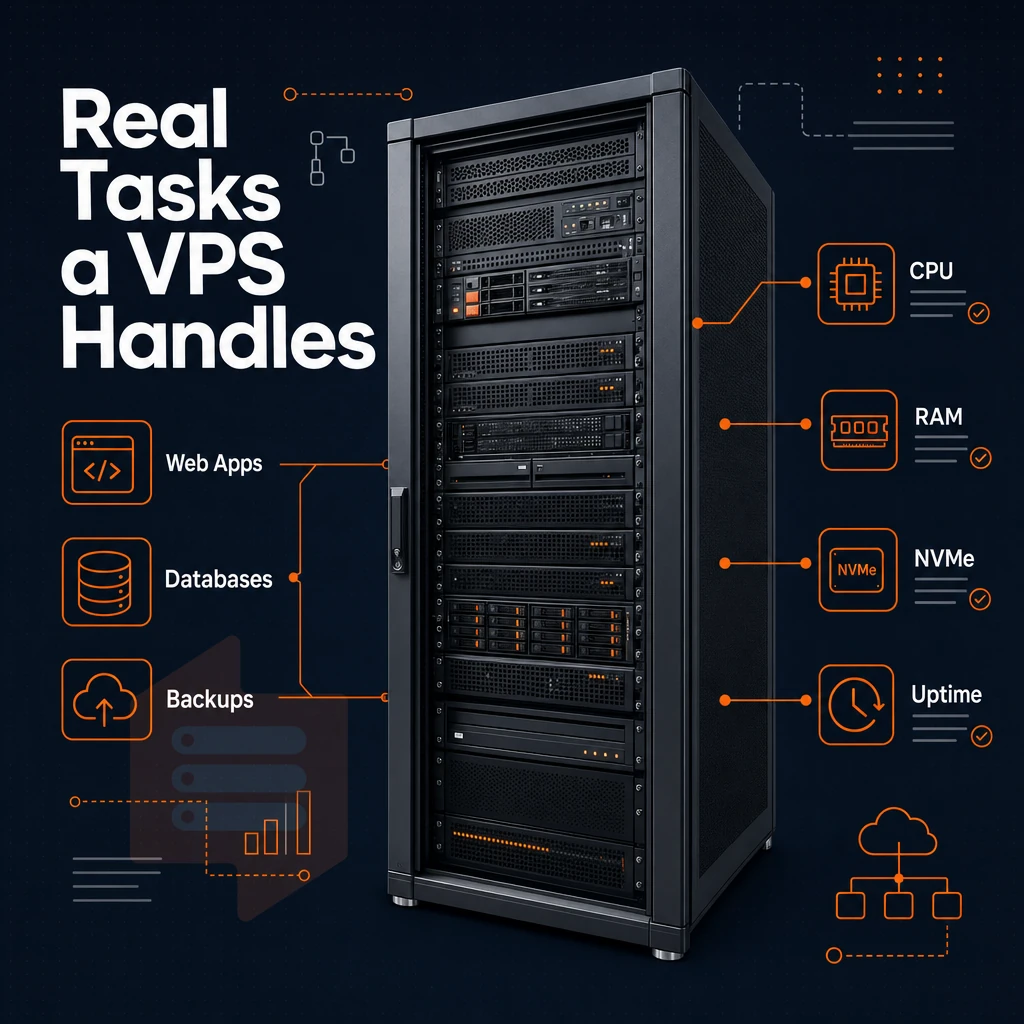
Note that a VPS does more than typical web hosting. With a VPS you have exclusive resources, privileged access and a clean Linux or Windows Server install. So one plan can power your production site one day and some machine learning experiment the next.
Everyday workloads with DDoS protection
virtual machines typically are first deployed hosting websites and web applications. A single VPS hosting server can power a very high-traffic WordPress site, a highly-interactive Node.js web application. Additionally, A custom email server, services that typically are not possible with traditional shared web hosting servers under load.
Running your own email server gives you complete control over mail routing, spam filtering, and data privacy without relying on third-party providers. High traffic websites benefit significantly from the resource guarantees and scalability that virtualized hosting environments provide compared to shared alternatives.
- Development and test environments, run completely isolated from production and do not touch production.
- Game servers, low-latency always-on instances for game players running multiplayer sessions.
- VPN hosting: Host your own VPN software on a VPS (You control a server, VPN software is for creating privacy tunnels between endpoints. This is very different from a VPN service)).
Heavier compute use cases
For machine learning inference, data pipelines and batch processing, any reliable hosting provider should offer pinned CPU and fast local storage on NVMe. Selecting the right CPU architecture and storage tier allows you to optimize performance for compute-intensive workloads while keeping costs predictable.
Management models you can easily upgrade your skills with
The server management is also the provider’s responsibility. Unmanaged hosting, fully managed hosting and semi managed VPS hosting. As already mentioned, in Unmanaged hosting you have full control of your server. In Fully managed hosting the provider manages even the OS level tasks. Semi managed VPS hosting on the other hand is a middle ground.
Many providers also offer additional services such as automated backups, monitoring dashboards, and security hardening to complement their core hosting tiers. Staying current with core updates to your operating system and control panel software is essential for maintaining security and compatibility across all management tiers.
Our semi managed VPS hosting approach at BuyVPS means that our engineers will deal with any infrastructure issues that you may encounter, but you will still have system-level access to your server. Our team provides excellent support to ensure your server runs smoothly while you retain the flexibility to customize your environment as needed.
All of these use cases benefit from a number of identical advantages that stem from the core characteristics of VPS hosting.
Key benefits of virtual private server VPS hosting
VPS hosting is between shared web hosting and a dedicated machine. You get guaranteed resources, a completely isolated environment and full system control all without you having to buy your own server and deal with the related costs. High traffic sites, growing applications and development teams all benefit from the extra control a VPS hosting environment offers. When your traffic grows or application demands increase, you can easily upgrade your allocated CPU, RAM, and storage without migrating to entirely new infrastructure.
Dedicated server resources and consistent performance
In a shared hosting environment, noisy neighbors can eat up your space, RAM and CPU power to run their own workloads. With a VPS, you get a fixed amount of resources for each instance. Additionally, you get to run every web app at consistent performance levels, handling virtually unlimited traffic as you scale up or down for load spikes, without surprise slowdowns caused by multiple users sharing resources on the same server.
Isolated environment and greater control over security
Each VPS runs in his own kernel space. Access management to the another VPSes is done on the hypervisor level. So even if one VPS gets compromised, it won't be able to access the another ones. For DDoS protection traffic scrubbing is done per VPS, not per server. This architectural isolation ensures that security breaches on one instance cannot propagate to neighboring tenants, maintaining strict boundaries between customer environments.
Scalability and full root access
Full unrestricted server access allows you to choose from a variety of different operating systems, and install any package or feature that your web application needs.
Additionally, our customers find that they can easily deploy an entire physical server in our Amsterdam and New York data centers, without any headaches, using their DNS records and sessions remaining intact throughout the process.
| Dimension | Shared hosting | VPS |
|---|---|---|
| Resource guarantee | None, shared pool | Fixed per instance |
| Root access | No | Yes |
| Upgrade path | Plan change, often migrated | In-place, no IP rotation |
In this case, it is BuyVPS.
Frequently asked questions
How does unmanaged VPS hosting compare to shared, dedicated hosting, or a VPN?
A VPS and a VPN solve completely different problems. A VPS is a virtual server you control, you run applications, host websites, and manage databases on it. A VPN encrypts your internet connection and masks your IP address, but unlike a hosting provider, it gives you no server to deploy code or services on.
If you need to host something, you need a VPS. Many developers use both: a VPS to run their workloads and a VPN for secure remote access to that server.
How does VPS hosting monthly cost compare to dedicated hosting pricing?
VPS pricing varies widely based on CPU type, RAM, storage, and whether cores are shared or dedicated.
Is managed VPS hosting free to use?
No, a legitimate VPS is not free. With unmanaged VPS hosting, you are renting dedicated RAM, CPU, and NVMe storage on physical hardware in a real data center, and that infrastructure has a real cost. A managed VPS hosting plan gives you guaranteed resources, full sudo access, and a stable environment you can actually rely on for production workloads.
Why would you need VPS hosting?
You need a VPS when shared hosting can no longer handle your traffic, performance requirements, or security constraints.
A VPS gives you full superuser privileges, a dedicated slice of RAM and CPU, and the freedom to install any software stack you choose. BuyVPS, for example, supports KVM virtualization with a separate kernel per VPS, so your environment is fully isolated from other tenants sharing the same physical machine, which matters for both performance and security.
A VPS is a bare-metal server with guaranteed resources, admin privileges, and kernel-level isolation at a price lower than a bare-metal server. For most production workloads such as web applications, databases, game servers, development environments, and more, a VPS is the ideal infrastructure layer to scale up from shared hosting.
This decision is just as important as the specs of the VPS. Unmanaged VPS’s give you complete control of the server, managed VPS’s add an operational layer of safety that your team will need. Make sure you choose the correct option for your team before signing up for a VPS.
If you're ready to move forward, BuyVPS runs KVM-based VPS on AMD EPYC hardware across Amsterdam and New York, no-oversell nodes, NVMe RAID10 storage, and in-place upgrades that keep your IP address intact. Browse the plans at BuyVPS.com and pick the tier that matches your workload.