

Choosing where to buy your VPS hosting is one of those decisions that seem simple at first but will have a huge impact on your deployments for the next 2-3 years.
On the other hand, choosing the right host for your VPS will result in a very hassle free experience where your infrastructure will just work. Monitoring your website's performance regularly helps you identify bottlenecks early and maintain optimal uptime for your users.
This guide explains the difference between a VPS and a commodity server by detailing five important aspects: hardware, virtualization, storage, network and support. See how they compare when it comes to real world applications like high traffic websites, databases, private servers running CI/CD pipelines, and latency sensitive APIs. Questions? Email support@buyvps.com.
If you know what you need for your next VPS BuyVPS can provide you with a shortlist of suitable KVM-based servers running on the latest high performance AMD EPYC hardware from data centers in Amsterdam and New York.
For more context, see Virtual private server .
What is VPS hosting and how does it work with a web hosting provider?
VPS hosting is positioned somewhere between shared hosting and a fully dedicated server. It utilizes a hypervisor that partitions the physical server into virtual servers, each having their own complete kernel, storage, and assigned RAM. The virtual servers are completely independent of each other, so the workload of other tenants will never affect your control panel or performance. This isolation architecture ensures consistent performance even during peak usage periods, as your allocated resources remain protected from fluctuations caused by neighboring tenants. The hypervisor abstracts the physical hardware layer, allowing multiple virtual environments to coexist without direct awareness of the underlying server components.
First month $1
Then the normal monthly price. One per customer. No setup fee, and a 30-day performance guarantee on your first order.
See the plans“Excellent experience from start to finish! The server was delivered promptly, and the service was reliable and efficient. I m very happy with the results and would definitely recommend them.”
Each virtual machine receives dedicated disk space, ensuring that storage performance remains consistent regardless of activity on neighboring instances. Because each tenant operates within a completely separate virtual environment, resource contention from other users becomes impossible, guaranteeing predictable application behavior under all conditions. The hypervisor's ability to create and manage each virtual machine independently means that software crashes or kernel panics in one instance cannot propagate to others on the same physical hardware. Monitoring your website's performance becomes straightforward when resource allocation is fixed, allowing you to establish accurate baselines for response times and throughput metrics.
What are private servers on a physical server?
A virtual private server (VPS) is a self-contained environment running on shared hardware. The key word is isolated: your processes, files, and network stack are invisible to other VMs on the same node. Understanding the architecture of a virtual private server VPS helps clarify why this isolation is so effective for production workloads.
We use KVM virtualization at BuyVPS, which gives every VPS its own kernel. That separation means you can load custom kernel modules, run Docker, or tune sysctl parameters without affecting anyone else on the node.
Shared hosting vs VPS web hosting: what is the difference?
In typical web hosting, many websites share the same server resources, such as CPU and RAM, to run as needed. With unmanaged hosting, a sudden increase in traffic to a neighboring website could rob your website of processing power, negatively impacting your site's performance. With VPS hosting, however, each Virtual Private Server has its own fixed resources, locked away to be used solely by that Virtual Machine.
Upgrading to a plan with more memory ensures your applications can handle increased workloads without performance degradation. Dedicated resource allocation means your VPS delivers more power consistently, eliminating the performance variability that plagues multi-tenant environments. Modern VPS architectures allocate dedicated CPU cores to each instance, ensuring that your applications receive consistent processing power even when neighboring virtual machines experience heavy computational loads.
- Shared environment: no resource guarantees, no root access.
- VPS environment: dedicated resources, full root, custom OS.
What is the difference between shared vCPU and dedicated CPU VPS plans?
Some virtual private server VPS providers will offer a shared vCPU plan that is designed to allow multiple VMs to share the virtual cores during periods of idle usage.
Choosing the right VPS hosting plan is largely based on your workload. That’s exactly what our D-tier VPS offers. Knowing this makes the next comparison (VPS vs. shared hosting vs. dedicated hosting) a lot easier. D-tier plans are well suited for developers running lightweight applications or testing environments that require dedicated resources without the overhead of larger configurations.
VPS vs shared vs dedicated hosting: key differences
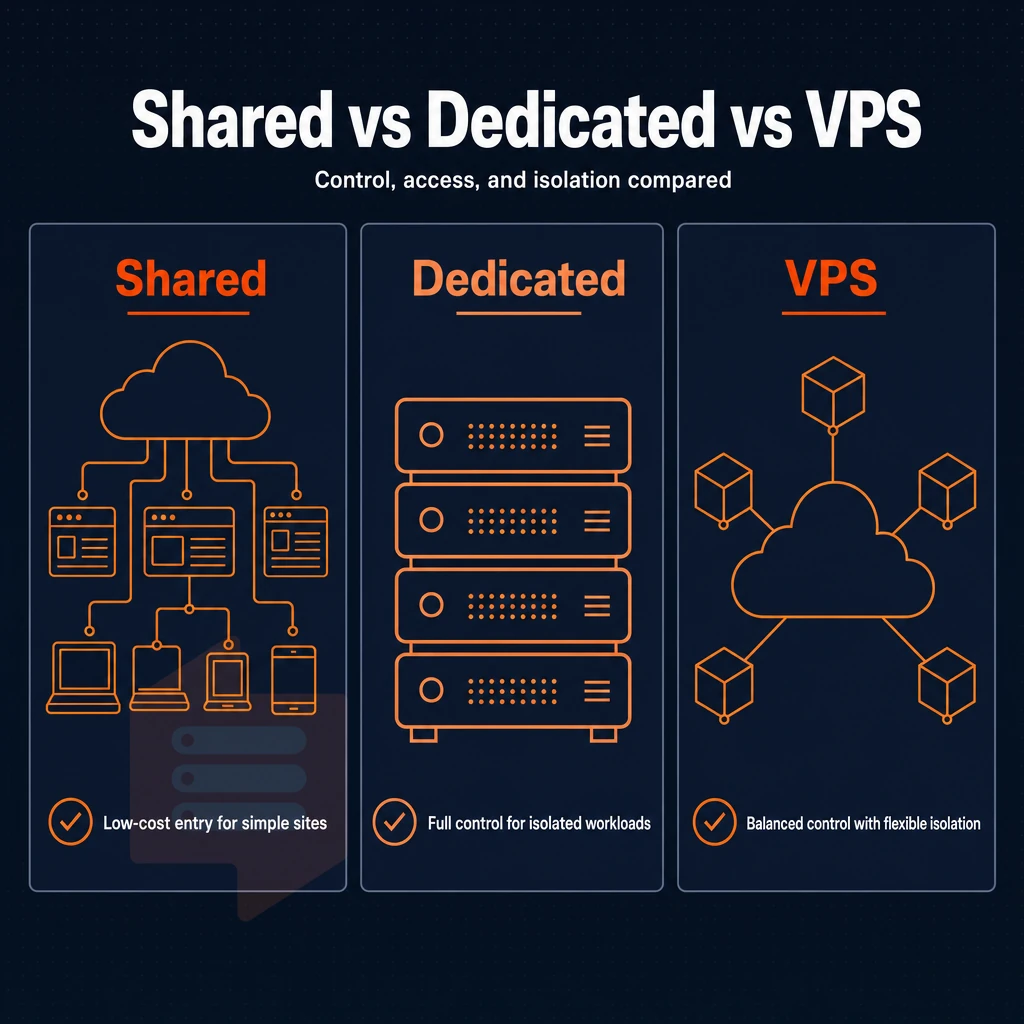
When choosing a web hosting solution, the fundamental choice is how much control panel access, control, and isolation your application needs. There are three broad tiers of solution; shared, VPS and dedicated hosting, each offering a distinctly different set of characteristics.
How the three models differ across test environments
shared hosting typically involves multiple sites on one server, sharing the server’s resources such as CPU, RAM and I/O. This multi-tenant architecture means that resource spikes from other sites can directly impact your application's response times and availability. Resource contention occurs when one tenant's traffic surge consumes disproportionate bandwidth or processing cycles, leaving other users on the same node with degraded performance.
Performance unpredictability becomes especially problematic when other websites on the server experience sudden viral traffic or run resource-intensive background tasks. When multiple tenants compete for the same processing power, even well-optimized applications can experience unpredictable slowdowns during peak hours.
VPS hosting is another way to use the same hardware to create virtual servers. In contrast to shared hosting, each VPS is allocated a fixed amount of RAM, vCPUs are assigned exclusively to a VPS, and every VPS has its own kernel. Root access and a complete control over the server’s OS is available to the user, but they are not charged for the whole server.
With dedicated hosting, one physical server is assigned to one customer, and all the cores and all the gigabytes of RAM on that server are at the customer’s full disposal. This type of hosting is the most expensive form of web hosting, and it comes with the greatest burden of server administration.
Side-by-side dedicated server resource comparison
| Criteria | Shared | VPS | Dedicated |
|---|---|---|---|
| Resource isolation | None, shared pool | Guaranteed per VM | Full machine |
| Root access | No | Yes | Yes |
| Scalability | Provider-limited | In-place upgrades | Hardware ceiling |
| Typical use case | Static or low-traffic sites | Apps, APIs, staging | High-compliance workloads |
Do i need technical expertise to manage an unmanaged VPS?
Here is a rough outline of what one person does with an OS-managed server under their web hosting plan that they update, themselves, for OS updates, for firewall rules, for software installs.
Most developers who have outgrown shared hosting already have these skills. Once you've decided that VPS is the right size for you, you can choose whether to hand management over to a hosting provider or take full ownership yourself. The vast majority of developers find that self-management offers greater flexibility and cost savings once they have established their workflow.
Managed VPS hosting vs unmanaged VPS plans
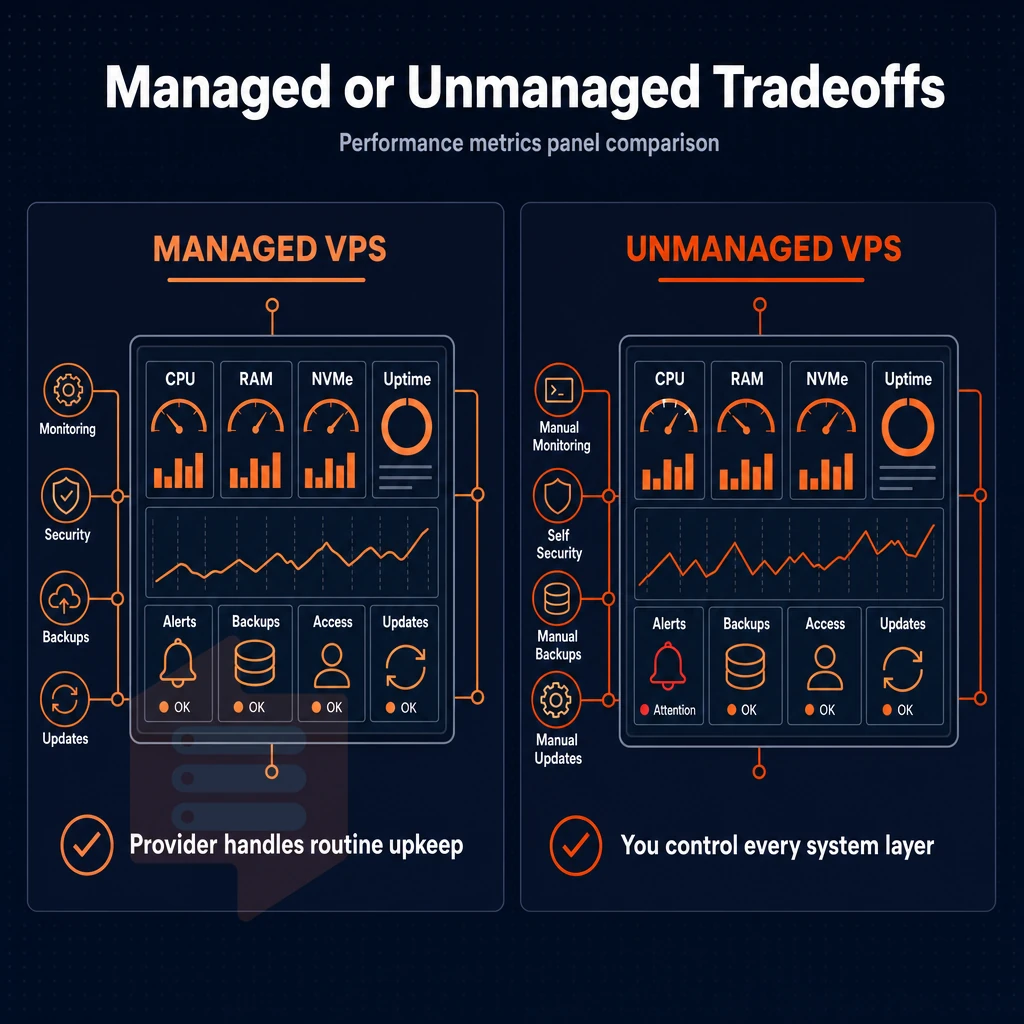
Not all VPS plans are created equal. Really the major difference between VPS plans is whether or not the hosting company will administer the server for you, or if you will be required to administer the server yourself. Some providers bundle monitoring, backups, and additional services into their managed plans, while others offer these features separately at an extra cost.
When evaluating managed options, look for providers that offer excellent support with quick response times and knowledgeable technical staff available around the clock. A proactive response to server issues can prevent downtime and maintain service quality for your users. Managed plans often include preconfigured email accounts with spam filtering and webmail interfaces, saving time on initial server setup.
Managed VPS web hosting service and server management
Managed VPS hosting means we update the OS, apply security patches, and perform maintenance for you.
- Managed support is typically best suited for organizations of all sizes without a full time sysadmin on staff. Because no one on your team is comfortable with the command line (or you just don’t have the time to deal with it), a managed solution removes that layer of complexity from your team.
- Double check what is included. Get the hosting provider to list out the tasks that will be covered, e.g. OS patching, firewall rules, monitoring.
Note: Managed plans often restrict which software you can install. Verify that your stack is supported before signing up.
Unmanaged hosting: full root access, complete control
An unmanaged virtual server is given to you "as is", you will get root access. You can install any OS you like, upload a custom ISO to it and even set up the networking, firewall, etc. down to the lowest levels of the server stack. The initial setup requires configuring SSH keys, establishing firewall rules, and selecting your preferred Linux distribution before you can begin deploying applications.
- This path is recommended for people with technical experience. Unmanaged VPS is ideal for developers and ops teams who require full control over their server, without paying for services that they don’t require.
- You manage your own patching cycle. You control when security updates, kernel updates and backups occur.
BuyVPS provides unmanaged KVM VPS with full root access and custom ISO upload in Amsterdam and New York datacenters. These VPS servers are designed for developers, system administrators and companies that prefer to own and manage their server environment.
Can i host email accounts and multiple websites on a single VPS?
One VPS can run a web server, a mail server, and a number of virtual hosts for different websites, all running on the same IP address. The mail server’s outgoing mail can be handled by a tool like Postfix. Many businesses use this multi-service approach to consolidate their e commerce platform, customer database, and content delivery onto a single VPS instance.
Configuring email accounts on the same VPS allows teams to maintain branded communication channels while keeping infrastructure costs predictable and centralized. This consolidated architecture proves especially valuable when migrating multiple domains or other websites from disparate hosting environments into a unified infrastructure.
Additionally, Then there are the control panels to manage your VPS, or the virtual hosts in Nginx for individual websites on the one VPS. Now that we have established that VPS hosting is managed or unmanaged, let’s go through the scenarios in which VPS hosting would be particularly suitable.
VPS servers for business: top use cases for VPS hosting
VPS hosting is ideal for a number of different business applications. Each has its own requirements that VPS hosting can fulfill, offering a completely isolated environment with dedicated server-level control over all resources. Thus differing from shared hosting in terms of guaranteed performance.
Virtual private server solutions for workloads that matter most
A gaming server needs a low latency dedicated network, a video streaming server needs to sustain I/O’s without interference from noisy neighbors. A managed VPS hosting setup with many websites (all different domains) running on one instance is manageable when each virtual server has a hard memory cap and is running off of NVMe storage.
Test environments also benefit. Instead of developers messing up production by testing out new code, they spin up a fresh virtual server as an isolated staging area, break it, and then throw it away. Email back-ends and application APIs require uptime; a VPS with dedicated resources and redundant storage is what provides it.
What does full root access mean on a VPS?
Full root access means you have full control over the server with the operating system on the kernel level. With VPS resources at your disposal on private servers, you can install any package you need, change any config file to get better performance, and even load your own kernel modules. This kind of technical knowledge is directly applied to your server management, so it will be perfectly tuned for your specific needs and your specific workload.
Unmanaged VPS: control without the overhead
An unmanaged VPS from most VPS hosting providers gives you a full server environment, root privileges, your own ISO, full API-driven provisioning, without paying for bundled managed services that just cost more. Unlike a typical shared hosting solution, BuyVPS offers this on top of KVM virtualization where each VPS gets its own kernel, so one user's high loads don't affect another.
Dedicated vs. Shared web hosting: why isolation wins
A scalable VPS is important for growing businesses. This allows your VPS to continue to grow with your business, without any disruption to your services.
Knowing when to use VPS servers and how server management features of a well-engineered VPS plan compare to those of an oversold VPS is important for making informed decisions as your business grows.
What to look for when you buy VPS hosting
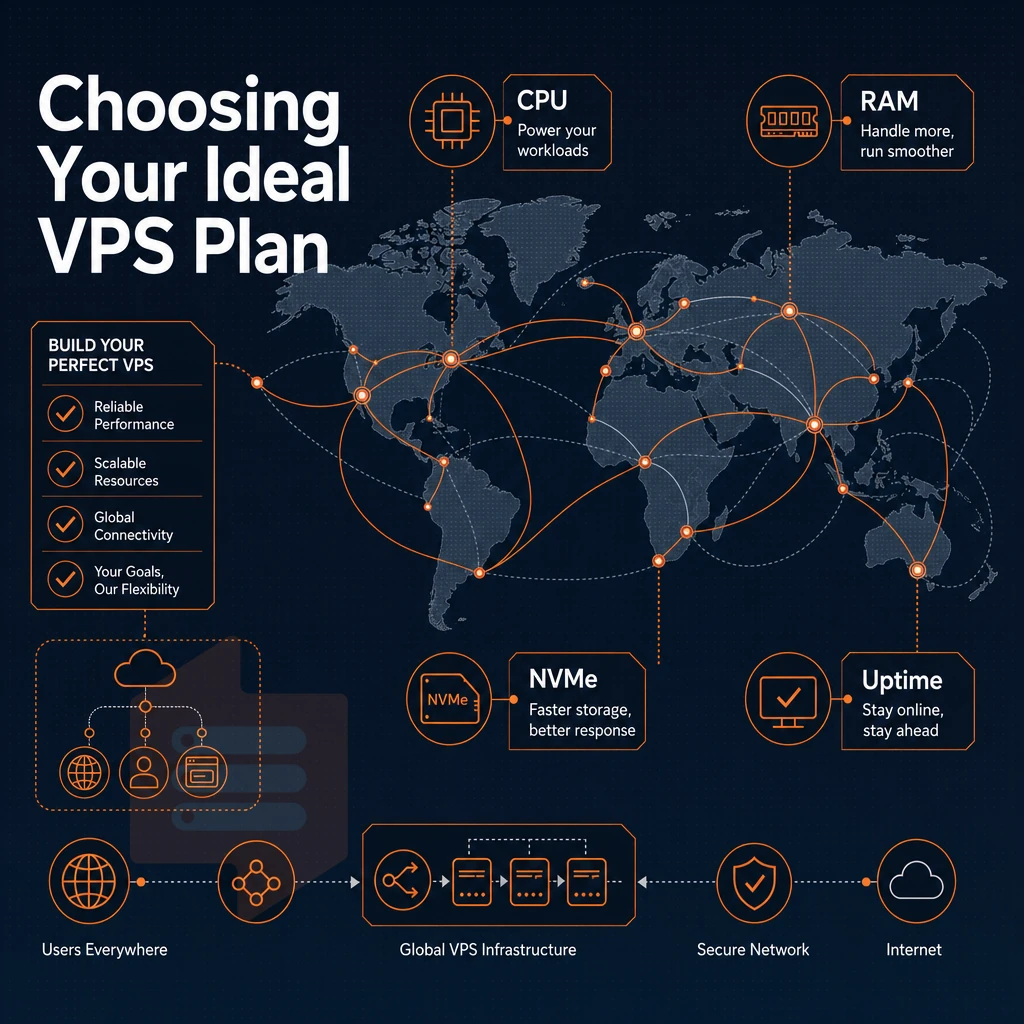
All VPS hosting plans are not created equal. Some will provide you with better resources and more reliability than others. Before you purchase a hosting plan, make sure you are getting the fundamentals right. A well engineered VPS is a lot different than a server that has been oversold and will not perform well under a load.
CPU, RAM, and storage: the hardware baseline
For low-traffic shared hosting websites shared cores are fine, but ecommerce sites, gaming servers, and low-latency APIs like API gateways require pinned cores and the technical expertise to configure them correctly.
Memory allocation (RAM) is as important as getting the right server. All leading VPS hosting providers have vastly different levels of overselling and this should always be discussed with potential providers.
NVMe solid-state storage far outperforms traditional storage types such as hard disk drives. Our example here of an NVMe RAID10 storage pool using SSDs is delivering 122,959 4K read IOPS in our fio test. That’s a real test result, not a sales slogan.
Operating system choice and the right operating system for your workload
You have full superuser access to your server so you can install any operating system we support. This includes Ubuntu, Debian, AlmaLinux, Rocky Linux, CentOS Stream, Fedora and many more. We can also upload your own custom ISO. The choice of OS depends on the type of work you need to do, and your hosting provider options too, but for example Debian is very stable whilst AlmaLinux is ideal for people who need RHEL compatibility.
How do in-place VPS upgrades work without IP rotation?
When we do an in-place upgrade we can resize the VPS as needed (adding more CPU, RAM, storage, etc). We keep your IP addresses fixed (ie no host transfer). This means you can run many sites/services off a single VPS as a shared hosting solution, and we can handle the upgrade for you without taking any of them down.
Network, dual-stack, and SLA in an isolated environment
First check your web host for IPv4 + IPv6 dual-stack on all plans. Our two data centers in Amsterdam and in New York serve users from all over Europe as well as US East Coast with low latency.
The two regions we offer from are worth a closer look as the region where your web hosting company’s server is located has a huge impact on the latency that your site’s users experience.
Amsterdam and new york physical server locations for european and US audiences
BuyVPS operates 2 data centers around the world: Amsterdam (The Netherlands) and New York (US East Coast). The region where your users are located is the most important factor for low latency and a fast website, so choose the nearest region.
Amsterdam vs. New york: side-by-side
| Dimension | Amsterdam | New York |
|---|---|---|
| Best for | European audiences | US East Coast audiences |
| Hardware | AMD EPYC, NVMe SSD storage, DDR4/DDR5 ECC | Identical, AMD EPYC, NVMe SSD storage, DDR4/DDR5 ECC |
| Network | Multi-homed uplinks, edge filtering | Multi-homed uplinks, edge filtering |
| Control panel | Self-service panel + API | Self-service panel + API |
No trade-off between regions
You get full control over your environment with full administrative access, KVM based isolation and the correct operating system from the same image library.
Multi-homed uplinks and edge filtering are enabled in both data centers. Our web hosting service offers excellent performance and network redundancy, no matter whether you are accessing your hosted platforms from Berlin or from Boston. In addition, you have more control regarding compliance: EU-based workloads will stay on private servers in Amsterdam, US workloads will stay in New York.
Which physical server location should i choose, amsterdam or new york?
If most of your users are based in Europe then Amsterdam is the better choice. For users on the US East Coast then New York is the better option.
But if you’re serving users in both regions then it’s better to host first in Amsterdam because transatlantic latency to the US East Coast is better than westbound latency to Europe from New York.
Getting started: how to buy VPS hosting from BuyVPS
Ready to buy VPS hosting from BuyVPS? The process is straightforward. Choose your region, Amsterdam or New York, then select a VPS hosting plan tier that matches your workload. Pick your operating system, and your virtual private server deploys instantly through the self-service panel, complete with API access and an in-browser VNC console.
Unlike shared hosting, a virtual server can be cancelled at any time or upgraded to a larger option in the same location as a project grows, all done in place without migration or IP rotation. BuyVPS is ideal for any web hosting project that has outgrown shared hosting and requires dedicated resources and full system access to run efficiently.
VPS hosting typically sits in the right middle ground for growing workloads, offering users more control and better performance than typical shared hosting, but without the typical ‘full’ dedicated server overhead. The main decisions to make will be between managed VPS hosting and unmanaged VPS hosting and then choosing the correct CPU, RAM and storage for your growing traffic and application needs.
When you purchase VPS hosting it’s the underlying infrastructure that’s as important as the numbers. Look for KVM virtualization, NVMe storage, a no-oversell policy, and a provider hosting websites at a price that doesn't quietly increase at renewal.
BuyVPS runs AMD EPYC-powered VPS plans across Amsterdam and New York, with hard memory caps per node, NVMe RAID10 storage, and in-place upgrades that keep your IP address intact. Browse the Standard, Dedicated CPU, and High Memory plan s at BuyVPS.com to find the right fit for your workload.