
Anything serious will outgrow shared hosting. If you need a fixed amount of CPU, a guaranteed amount of RAM and full control of your server environment then you are looking to host a VPS. The harder decision is then to work out which hosting provider can fulfill your requirements best, and whether a VPS or dedicated server plan and configuration would be best suited to your needs.
Not all VPS infrastructure is created equal.
The right VPS plans give you dedicated resources, predictable performance under load, and a robust network that won't become a bottleneck as your traffic increases. Dedicated resources mean your applications have guaranteed access to CPU cores and RAM, ensuring sufficient processing power even during traffic spikes or compute-intensive tasks.
Plans designed with unlimited traffic ensure that bandwidth constraints never throttle your application's ability to serve users during unexpected growth periods. Monitoring your website's performance through metrics like response time and resource utilization helps identify bottlenecks before they impact user experience.
It will describe key components of your web hosting provider's server hardware and virtualization, outline a methodology to compare network quality and support responses, and explore how your chosen hosting environment can fit your specific workload requirements.
We will use BuyVPS hosting's web hosting plan options (KVM on AMD EPYC NVMe RAID10 storage servers in Amsterdam and New York) to match up specific server features to specific needs to create a set of criteria to choose the correct servers to match your exact needs.
The combination of KVM virtualization with NVMe SSD storage in RAID10 configuration delivers both speed and redundancy for demanding applications. Organizations evaluating VPS servers should prioritize providers that transparently publish their hardware specifications and virtualization stack, as these factors directly impact application performance and scalability.
What is virtual private server hosting and how does it work?
A Virtual Private Server (VPS) is a part of a server that is rented and is virtually dedicated to a customer. In terms of hosting, a VPS hosting provides guaranteed resources to users and allows them to have full control over their virtual server. All VPS hosting providers including BuyVPS use KVM as their hypervisor. Each VPS has its own kernel and is given its own hardware boundaries.
First month $1
Then the normal monthly price. One per customer. No setup fee, and a 30-day performance guarantee on your first order.
See the plans“Perfect and fast VPS with good support.”
How virtualization splits a dedicated server into isolated environments
KVM is a way to partition a single server into many virtual servers. Each virtual server will have a fixed amount of RAM, a fixed amount of CPU and a fixed amount of storage on an NVMe SSD. All resources for a virtual server are reserved and can not be used by other tenants. For community perspectives, see Virtual Private Server (VPS) Discussions.
Unlike with shared hosting where all accounts are competing for the same CPU and memory, VPS accounts have fixed limits that result in consistent performance under load.
VPS hosting vs dedicated hosting and shared hosting: what's the difference?
Dedicated hosting provides one physical server to a single customer (tenant) while VPS hosting is somewhere in between dedicated hosting and shared web hosting providing one physical server to multiple customers (tenants) where each tenant is allocated a Virtual Private Server (VPS). This virtualization model allows multiple isolated instances to operate independently, functioning as private servers with dedicated resource allocations on shared physical hardware.
- Shared hosting: no isolation, no guaranteed resources, performance varies with neighbor activity.
- VPS: isolated virtual machine, guaranteed RAM and CPU, root-level control.
- Dedicated: full physical hardware, highest cost, no virtualization overhead.
Operating system choice, root access, and object storage
All plans from BuyVPS include a server with full root access and a Linux distribution of your choice. We currently offer Ubuntu, Debian, AlmaLinux, Rocky Linux, CentOS Stream and Fedora. Additionally we support uploading your own ISO file. This makes a VPS a real server, not a managed appliance like you find with shared and dedicated hosting. We’ll describe the differences between all three types of web hosting in the following section. Root access allows you to install any software package, modify kernel parameters, and configure the operating system to meet your application's exact requirements.
Selecting the right operating system depends on your application stack, familiarity with package managers, and long-term support requirements for production workloads. For organizations requiring Windows Server, custom ISO upload enables deployment of licensed Microsoft environments alongside the standard Linux offerings. This flexibility extends to specialized applications, allowing you to compile from source, integrate other software dependencies, and maintain complete version control across your entire stack. Many providers also include a web-based control panel option for users who prefer graphical management interfaces alongside command-line root access.
Who should host a VPS? Common use cases explained
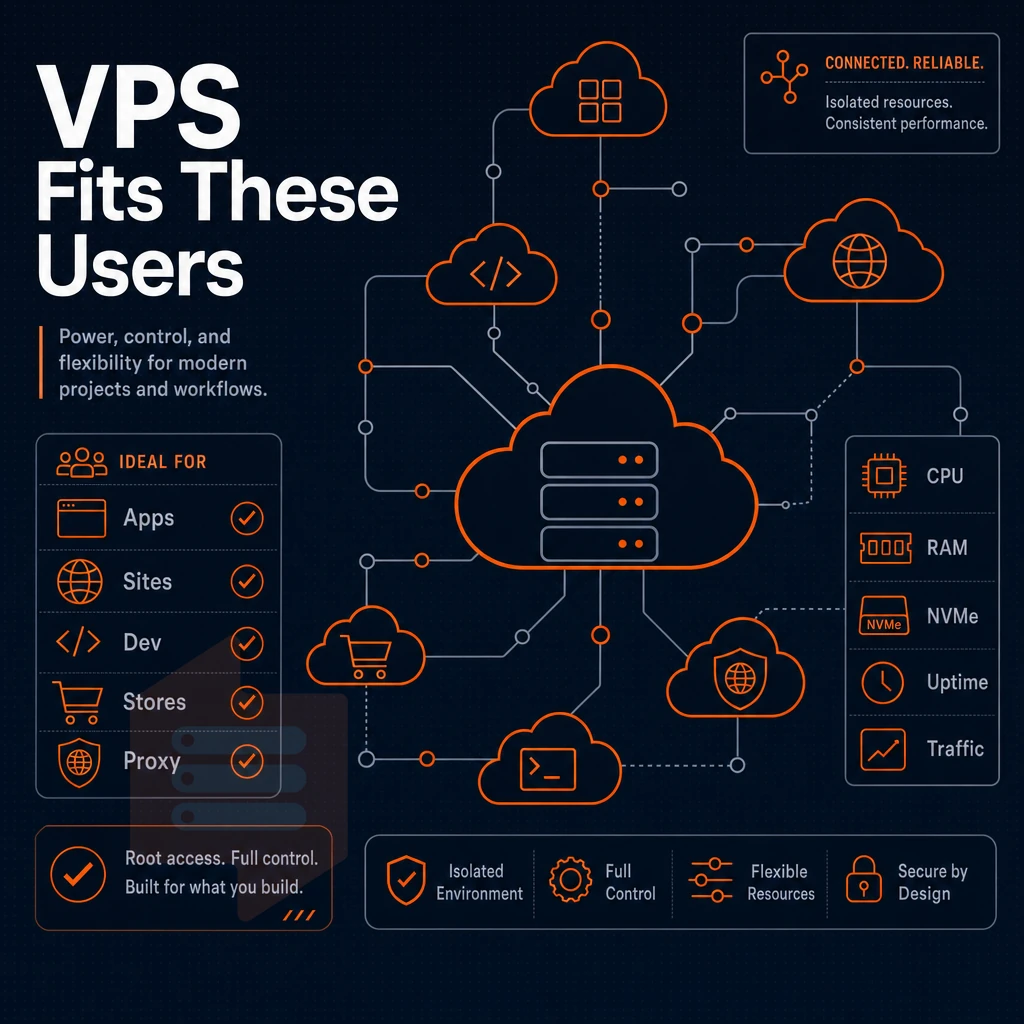
VPS hosting can support a variety of different workloads and can meet the needs of most users. The common thread here is that you have outgrown shared hosting and require more control and resources, however you are not yet ready to take on the full server management demands of a bare metal machine. Organizations that require guaranteed hardware allocation but lack the budget or scale for dedicated hosting find VPS an ideal middle ground. VPS plans are particularly well-suited for developers and agencies managing multiple client projects or hosting websites that demand isolated environments and custom software stacks.
This isolation ensures that multiple users can operate independently on the same physical infrastructure without resource contention or security concerns. Applications such as SaaS platforms, API endpoints, and video streaming services benefit from the dedicated CPU and memory allocation that prevents performance degradation during peak usage periods. When evaluating VPS hosting providers, prioritize those that offer transparent resource allocation policies and clear upgrade paths as your infrastructure needs evolve. For teams migrating from shared environments, private servers offer the resource isolation needed to eliminate noisy neighbor effects that commonly plague multi-tenant platforms.
Workloads like email server use that benefit most from a dedicated server
- Developers and test environments. With a VPS you have a completely clean environment where you can install whatever OS you like and have root privileges. So you can mirror your production environment and keep it separate from your live servers.
- Traffic growth on your shared hosting account causes slow downs on your website. VPS accounts guarantee server resources on a single physical server partition, No noisy neighbors on your server.
- For Ecommerce sites, Maintaining conversion rates during traffic spikes is key. A VPS will maintain your site’s throughput where as a shared server will throttle your site during peak times.
- Gaming servers. Low latency and dedicated servers are critical to providing a good gaming experience. With a VPS in Amsterdam or New York you are close to your customer and can rely on fast response times.
- Email server and application hosting. Trying to run your own mail stack or host internal applications on a shared hosting plan can be a real pain because they require constant running processes and open ports.
- Many websites from one VPS. Teams of people managing properties to consolidate their servers and reduce costs of managing servers.
What operating systems can i install on a VPS?
Most providers support a range of Linux distributions such as Ubuntu, Debian, AlmaLinux, Rocky Linux, CentOS Stream and Fedora. Additionally, some providers include Windows Server licensing on certain plans. At BuyVPS we support all of the Linux distributions listed above across our VPS plans and dedicated server options, plus you can upload your own custom ISO for other OS requirements such as needing to run Windows Server.
Note: An unmanaged VPS, which is the default on most platforms, including BuyVPS, means OS-level configuration, patching, and security hardening are your responsibility. Unmanaged hosting suits teams with technical expertise; if you have none, factor in the learning curve before you commit. Some providers offer additional services like managed backups, monitoring dashboards, or migration assistance that can bridge the gap for teams still building their in-house capabilities.
Monitoring tools and alerting systems enable a proactive response to potential issues before they escalate into downtime or data loss. Many providers include a web-based control panel option that simplifies routine tasks like creating backups, viewing resource graphs, and restarting services without requiring command-line access.
Is a VPS hosting provider right for you?
If you need root, a particular OS, or consistent performance then VPS is your tier. If you are running a simple blog with low traffic then shared hosting is cheaper. If you need a full physical server then look at dedicated servers. Most teams grow into VPS and the main decision is how much of the server management you want to own. Organizations seeking isolation without the overhead of dedicated hardware often find private servers provide the ideal balance between cost and control.
Managed VPS hosting vs unmanaged: which is right for you?
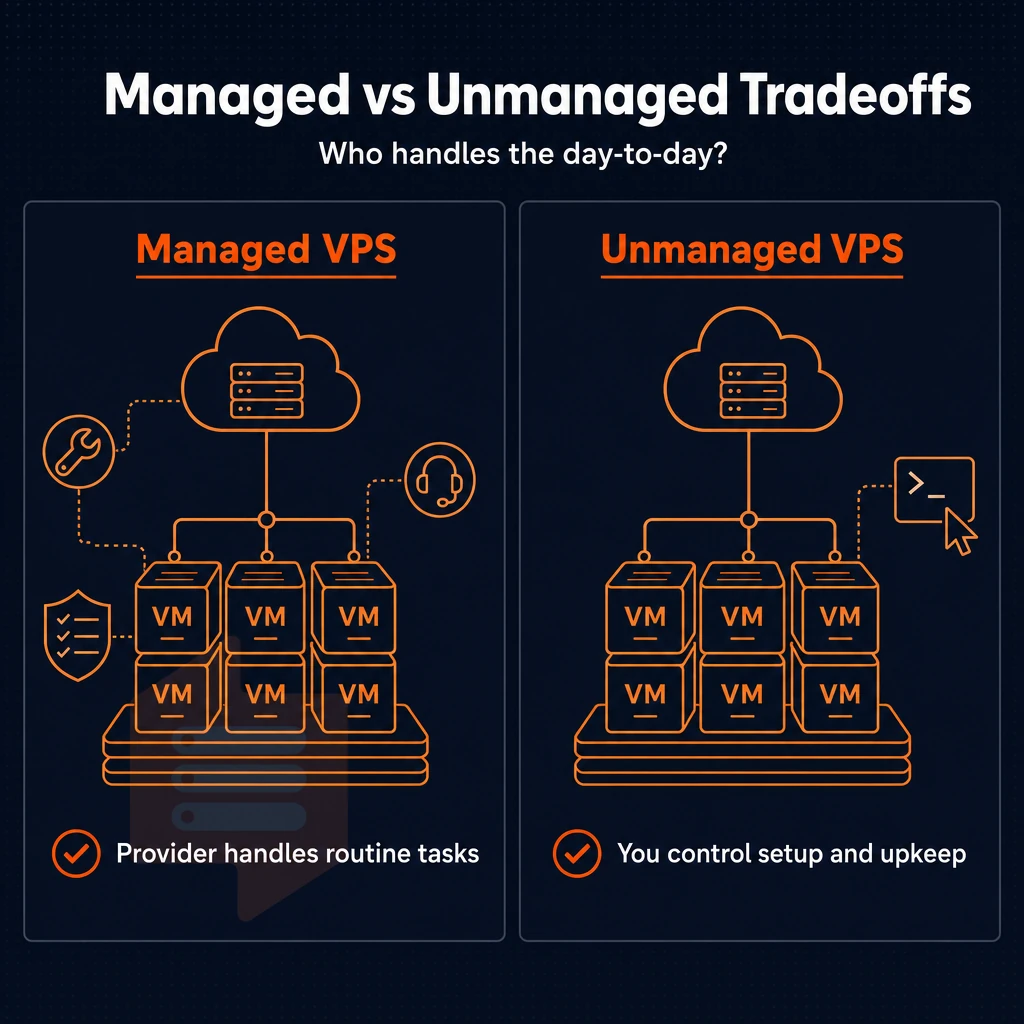
Deciding between managed and unmanaged VPS servers for your site has a great deal to do with who will be responsible for the site's day to day operations.
What managed VPS web hosting actually covers
With managed VPS hosting your hosting provider manages for you the Operating System updates, security patches and software updates as well as the day to day server administration. Your role will be to administer the application. Note that there is a trade off with managed VPS hosting, you have less control over the server than with self-managed VPS hosting. The hosting provider will often limit superuser access to the server to protect their management stack.
That's what managed services are for.
Unmanaged VPS web hosting: full control, full responsibility
unmanaged virtual server hosting is a type of hosting where you are responsible for the entire server stack, including server management (firewall rules, cron jobs, kernel tweaks, etc). This is ideal for developers and infrastructure engineers who want to run their applications on customized VPS servers that no one else touches. Private servers in this model give you complete isolation from neighboring tenants, ensuring that your security policies, installed packages, and resource allocation remain entirely under your control.
A single self-administered VPS can serve the same physical server resources to multiple virtual workloads (e.g. virtual servers). In contrast to shared hosting where a single physical server is serving dozens of websites, with a VPS you have completely isolated compute resources, memory and storage, all under your full control. Private servers offer this same level of isolation, ensuring that your workloads remain unaffected by neighboring tenants on the same host machine.
Full root access and KVM isolation at BuyVPS
There is no first-tier chat support or scripted responses.
Our support model for self-managed deployments.
Can i host multiple websites on a single VPS?
Yes. This is one of the main advantages for VPS over shared hosting. One virtual private server VPS can run a web server like Nginx or Apache to serve dozens of virtual hosts, each with its own domain, SSL certificates and full config. Since you are in full control of the physical server(s) allocation, you can set the resources to whatever you need. Many organizations deploy a dedicated email server on their VPS alongside web services, taking advantage of the isolated resources to ensure reliable message delivery without interference from other tenants.
The same isolated environment allows you to install other software like database clusters, caching layers, or custom application runtimes without worrying about conflicts or shared resource constraints. Most BuyVPS plans include unlimited traffic, eliminating concerns about bandwidth overages as your hosted applications scale and traffic patterns fluctuate throughout the month. Most providers include a web-based control panel for basic server restarts and monitoring, though experienced administrators often prefer command-line access for granular configuration management.
This is after you have decided that managed or unmanaged is for you.
Network quality and data center locations for low-latency VPS
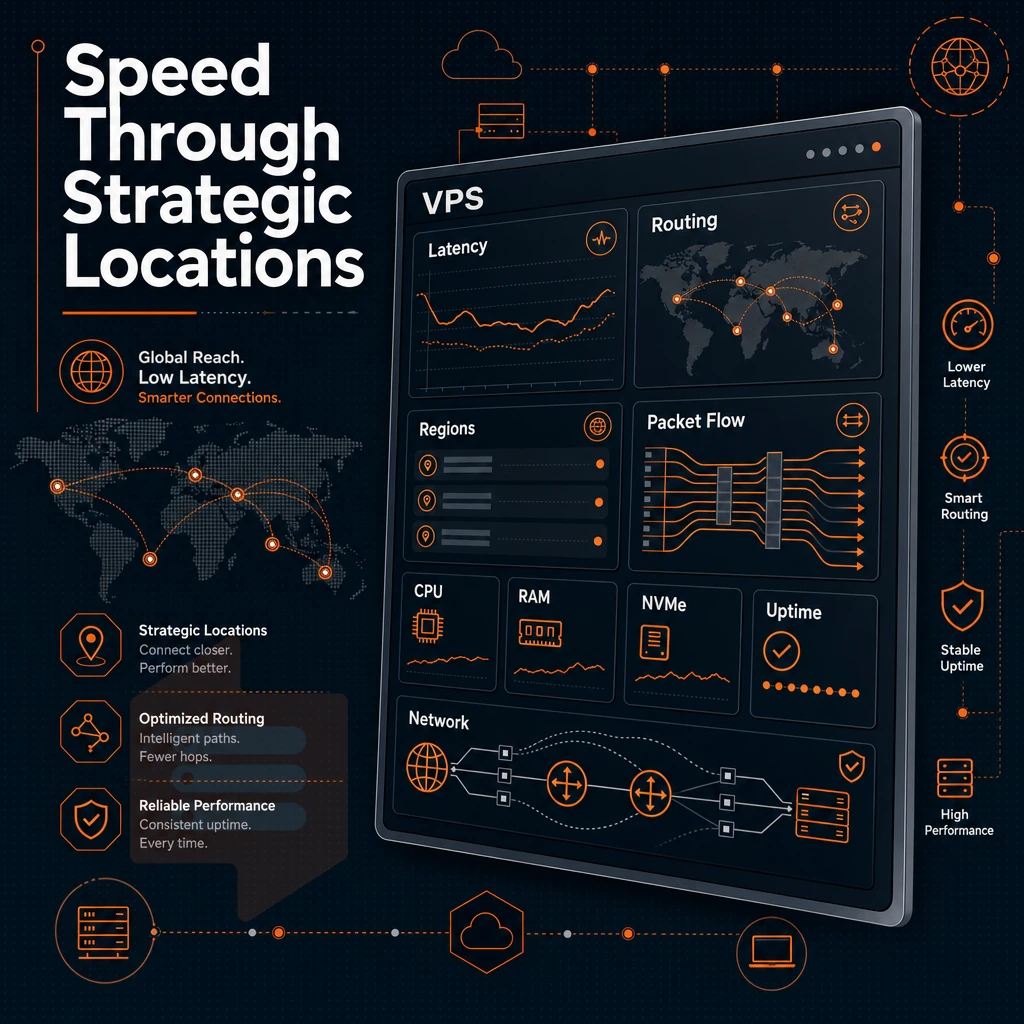
The physical location of your VPS plays a significant role in packet delivery to end users. Choosing a data center closer to your primary user base reduces round-trip time and improves your website's performance, particularly for interactive applications where every millisecond counts.
Private servers options in amsterdam and new york
BuyVPS hosts servers in two regions: Amsterdam (EU) and New York (US East Coast). All of the hardware is identical, the control plane is the same, and prices are the same for servers in all locations. As a result, setting up servers in multiple regions is a breeze, with no need to change anything.
Our Amsterdam virtual private server VPS location serves European audiences with low latency in Western and Central Europe, while New York is positioned to serve US East Coast audiences as well as provide transatlantic performance. Both locations feature active edge filtering and support for VLANs on an as-requested basis, giving you the technical expertise-backed ability to create fully isolated network segments that help protect your VPS resources.
How does KVM virtualization improve VPS isolation?
Thus, the workload of one tenant never effects another tenant’s server environment. You have complete control of your virtual environment. Private servers provide this level of isolation by allocating dedicated resources that remain untouched by neighboring accounts, ensuring predictable uptime and resource availability.
To us, isolation means keeping sites like e-commerce sites with payment processing information and gaming servers that need to be able to handle sudden spikes in traffic separate from other sites on the entire physical server. Private servers offer the resource isolation necessary to prevent cross-tenant interference, ensuring that one application's resource consumption cannot degrade the performance of another.
Choosing the right location for your dedicated resources server
| Location | Primary audience | Network |
|---|---|---|
| Amsterdam | Europe | Multi-homed, edge filtering, VLAN on request |
| New York | US East Coast | Multi-homed, edge filtering, VLAN on request |
But you might need both locations?
Why choose BuyVPS to host your VPS
When you need to host VPS workloads on hardware that actually delivers, the hosting provider matters. BuyVPS runs KVM-isolated virtual private server environments with a separate kernel per VPS, no noisy-neighbor bleed, no shared hosting compromises. Organizations migrating from shared environments to private servers gain immediate benefits in resource predictability and the ability to implement custom firewall rules tailored to their security posture.
- No-oversell guarantee. Hard memory caps per node and low node density mean consistent performance across every VPS hosting plan.
- Dedicated CPU tier. AMD EPYC Genoa with pinned cores and DDR5 ECC gives predictable latency for databases, ecommerce sites, and gaming servers.
- Full unrestricted server access on every plan. Choose your operating system, upload a custom ISO, and manage your server environment without restrictions.
- In-place upgrades. Scale resources without migration or IP rotation, your server address stays fixed.
- Amsterdam and New York. Both data centers run identical hardware, giving you low latency on either side of the Atlantic.
- Engineer-staffed support, founder-run since 2002. Real engineers reply, not first-tier chatbots.
Explore our VPS hosting plans to find the right fit for your workload. Once you've identified the right tier, the steps below walk you through deploying it.
How to get started choosing and deploying VPS hosting
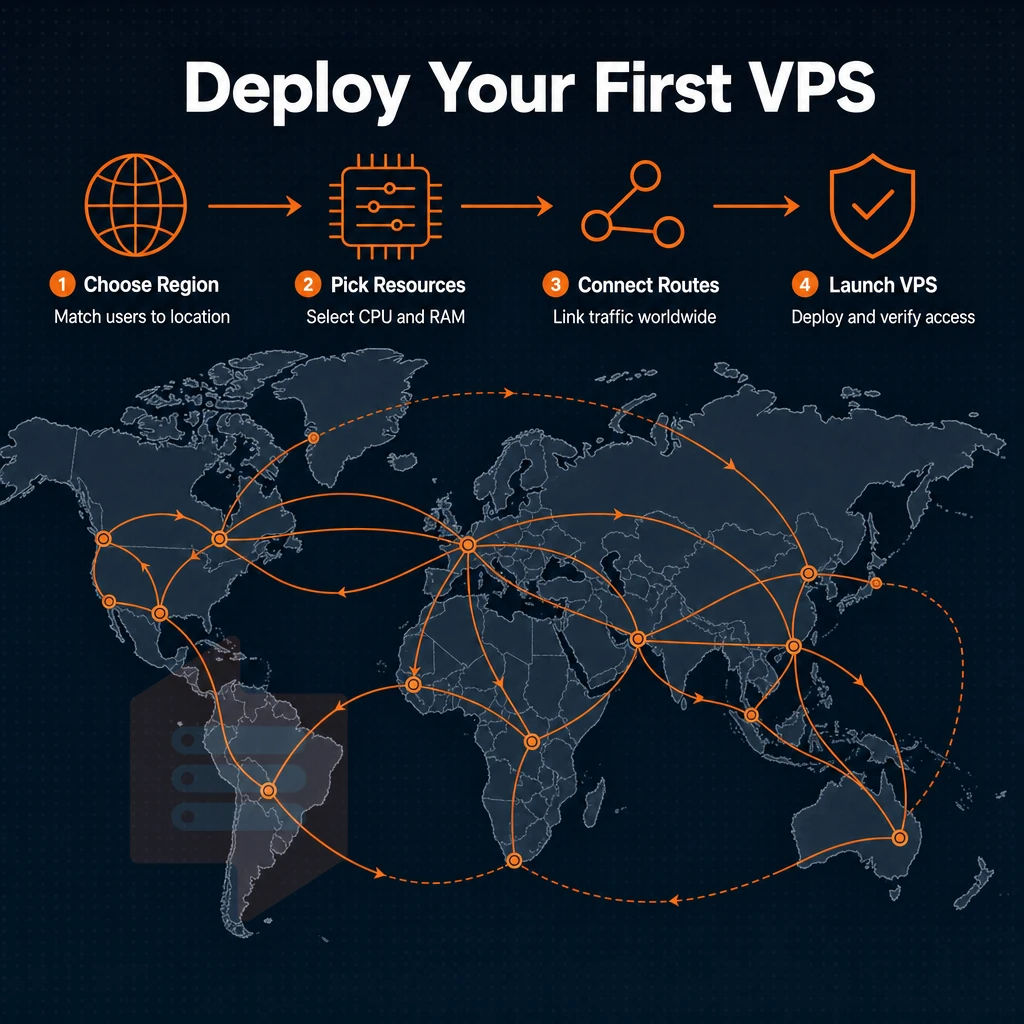
Setting up a virtual machine is straightforward if you pick the right cloud instance type from the very beginning to match your needs. Below we go through step by step, also including some aspects such as correct windows server sizing for your needs until you can logon for the first time and continue growing smoothly afterwards.
Step 1: assess cloud infrastructure workload requirements
How many IOPS does your database storage require.
Shared web hosting is where many users are hosted on a single node, where the traffic of other users can negatively impact your site’s performance. In contrast, VPS hosting is isolated, with guaranteed resources.
Step 2: pick the right tier and region
Buy VPS offers three tiers of server hosting plans . First the Standard CPU tier is designed for general web hosting service workloads, such as CMS’s, APIs, and even a staging environment or two.
Next up is Dedicated CPU which will pin the cores required for your VPS to improve performance for latency sensitive applications.
Note that hardware, control plane and pricing are identical for both regions.
Is managed or unmanaged VPS hosting better for my use case?
DIY VPS gives you full system access to the server, allowing you to do as you like with the OS and installed applications. As a developer or sysadmin, you can keep the server up to date and secure without paying a web hosting company to do it for you.
For every other case unmanaged hosting is the more cost efficient option.
Step 3: choose your OS and go live
All our web hosting plans support a range of Linux distributions: Ubuntu, Debian, AlmaLinux, Rocky Linux, CentOS Stream and Fedora. If you need a distribution not listed above, you can always upload your own ISO and then deploy it from our control panel. From there, you can connect to your server via SSH or use the in-browser VNC console.
As your needs change, you can scale additional resources such as object storage, vCPUs and RAM directly within the same virtual machine management interface without the need for migration or IP rotation.
Ready to deploy? Browse plans and configure your virtual private server at BuyVPS VPS Hosting.
Core web hosting advantages of VPS over shared hosting
VPS Hosting unlike Shared Hosting, assigns dedicated resources on a single physical server for each account hosted, thus eliminating the common problems of noisy neighbors on Shared Hosting. Additionally, Competition for server resources such as processing power.
It also includes Full complete server control which enables the account owner to configure the Operating System, install any application required, and apply security patches whenever desired. Since the account is hosted on a dedicated, isolated server environment, other users on the same server cannot affect the workload of another user.
In combining cost effective and scalable VPS hosting resources with high performing managed services we are able to support websites under heavy traffic load. In effect a VPS hosting solution forms the sensible upgrade from shared hosting for web applications such as online ecommerce shops which are experiencing very high traffic levels and are struggling on their current shared hosting platform. Providing consistent levels of performance, and that’s what it does, not what we promise to do.
VPS hosting is that golden middle ground between shared hosting and full dedicated servers. When comparing the specs of different web hosting service plans, there are a few important parameters to pay attention to: the type of CPU, the amount of RAM that you can really use and the storage throughput.
And then there is the management of your server: do you need it or can you handle everything yourself? With any kind of VPS hosting, full server control and KVM isolation are a must in order to guarantee the consistent and stable performance that your applications need.
BuyVPS structures its VPS plans as a dedicated shared hosting solution built around AMD EPYC hardware across both Amsterdam and New York, with hard memory caps per node, NVMe RAID10 storage, and no-oversell by design. Standard, Dedicated CPU, and High Memory tiers cover everything from dev environments to memory-intensive production workloads. If you know your requirements, the right plan is straightforward to identify, browse the BuyVPS plans and deploy in minutes.