
Purchasing a VPS server is straightforward enough, but having full control over RAM tiers, vCPU counts, and billing cycles can make choosing a web hosting plan feel like reading a blank map.
Most people end up overpaying their hosting provider for unused resources or hitting a ceiling on an under-provisioned dedicated server.
In this guide to buying a VPS, we cut through the confusion around private servers and give you a full guide to choosing the correct VPS for your needs. For more context, see Linux distribution.
Additionally, we give you a list of questions to ask potential hosting companies before signing up, then walk through buying a server, choosing a plan, selecting an Operating System, picking a billing term, and checking the server on day one. For more context, see NVMe RAID10 storage.
What is a virtual private server and how does server management work?
A Virtual Private Server (VPS) is a virtual machine (VM) hosted on a physical server. It has allocated resources (CPU, RAM, storage) which are separate from those of other customers on the same server. VPS’s sit between the relatively insecure shared hosting environment and the fully managed dedicated servers. For community perspectives, see Virtual Private Server (VPS) Discussions.
First month $1
Then the normal monthly price. One per customer. No setup fee, and a 30-day performance guarantee on your first order.
See the plans“Very satisfied with the service. The server was provided quickly, and everything worked perfectly. Fast response, reliable service, and great overal experience!”
How virtualization splits one physical server into many for server management
Within a single physical server, a hypervisor can divide up the server to create separate environments or “virtual machines” each to run its own Operating System and Kernel. At BuyVPS we use KVM virtualisation. So, for example, each VPS will have its own kernel.
This means that even on a very busy node, you won’t get affected by a “noisy neighbour”. These isolated environments ensure that each virtual machine operates independently, preventing resource contention and maintaining security boundaries between tenants. Multiple virtual machines coexist on the same physical machine while maintaining complete isolation through the hypervisor layer.
The key difference between shared hosting and VPS hosting is resource allocation. With shared hosting, all users draw from the same pool. With VPS hosting, your VPS resources are fixed and enforced by the hypervisor, so each virtual environment gets exactly what was provisioned without interference from other tenants.
VPS hosting provider vs. Shared hosting
VPS hosting provides root access, custom OS images and guaranteed resources. Shared hosting does not provide any of these. Therefore, whether you are hosting websites, running a database, or deploying a Node.js app, anything that requires consistent performance belongs on a VPS hosting tier. VPS environments give developers the flexibility to install custom software stacks, configure security policies, and manage databases with full administrative privileges unavailable in shared hosting.
- Shared hosting: pooled resources, no root access, lowest control.
- VPS hosting: dedicated allocation, full root, configurable stack.
- Dedicated server: entire physical machine, highest cost, no virtualization overhead.
How much does a VPS vs dedicated server cost?
Costs for VPS hosting plans and cycles vary greatly between providers for similar sets of resources. Typical costs for managed VPS hosting plans are higher than their unmanaged counterparts due to the additional layer of service to manage updates, security patches and other aspects of the hosted OS. Some providers also bundle additional services like automated backups, monitoring tools, or enhanced support into their managed plans, which can justify the higher price point.
Managed plans often include proactive security measures that help mitigate ddos attacks and other threats targeting your infrastructure. A proactive response to emerging vulnerabilities is essential for maintaining uptime and protecting sensitive data across your infrastructure. Establishing regular backups as part of your hosting strategy protects against data loss and ensures business continuity when system failures occur. Keeping your server environment current with software updates is a critical component of any managed service, reducing exposure to known exploits and compatibility issues.
Default for our VPS hosting services is unmanaged. We recommend you check out our current pricing for VPS hosting services at BuyVPS.com. The premium for managed VPS hosting from competing providers is typically substantial.
After going through the basics, it's time to position VPS in the spectrum of all the available web hosting options and go through the plans of each provider. Each hosting provider structures their VPS offerings differently, so comparing plans requires understanding both the technical specifications and the support model behind them.
Selecting the right VPS hosting provider involves evaluating not only their technical infrastructure but also their transparency around resource allocation, uptime guarantees, and support responsiveness. Comparing VPS offers across multiple providers helps you identify which plans deliver the best value for your specific resource requirements and budget constraints.
VPS hosting vs. Shared and dedicated hosting: key differences
Deciding between hosting tiers, from a single physical server to shared environments serving multiple users, typically comes down to three things: isolation, control, and ensuring your workload fits within the tier. It's not great for anyone to pay for private servers or hosting tiers that have excess resources or underpower a resource intensive workload.
How resources are divided in a server environment
This is as opposed to typical shared hosting where dozens of sites may be running off the same server.
Dedicated hosting is a complete physical server that you get to use, without any neighboring servers and no contention for resources. However, unlike a virtual private server VPS, the cost of dedicated hosting rises proportionally with the resources available, and you are also responsible for managing the hardware.
VPS servers vs. The alternatives: a quick comparison
| Hosting type | Resource isolation | Root access | Best for |
|---|---|---|---|
| Shared hosting | None, pooled server resources | No | Low-traffic brochure sites |
| VPS | Hard limits per VM | Yes | Growing apps, dev environments, APIs |
| Dedicated | Full hardware isolation | Yes | High-throughput or compliance workloads |
How to purchase a virtual private server
We have plans with varying RAM and CPU to suit your needs, with servers in 2 data centers in Amsterdam and New York.
Your new VPS will be provisioned within a few minutes. Root access to your server as well as access to the API of your control panel is immediately available. You can connect to your server immediately using SSH or through remote access tools compatible with your chosen operating system.
A VPS is typically the most practical choice for growing workloads. It provides root access, stable performance, and room to scale without consuming an entire physical server, so you never need to move servers or switch between different IP addresses. After you have decided on VPS as the right server type for your needs, you also have to decide on the appropriate VPS plan.
Types of private servers: shared vcpu, dedicated core, and high memory
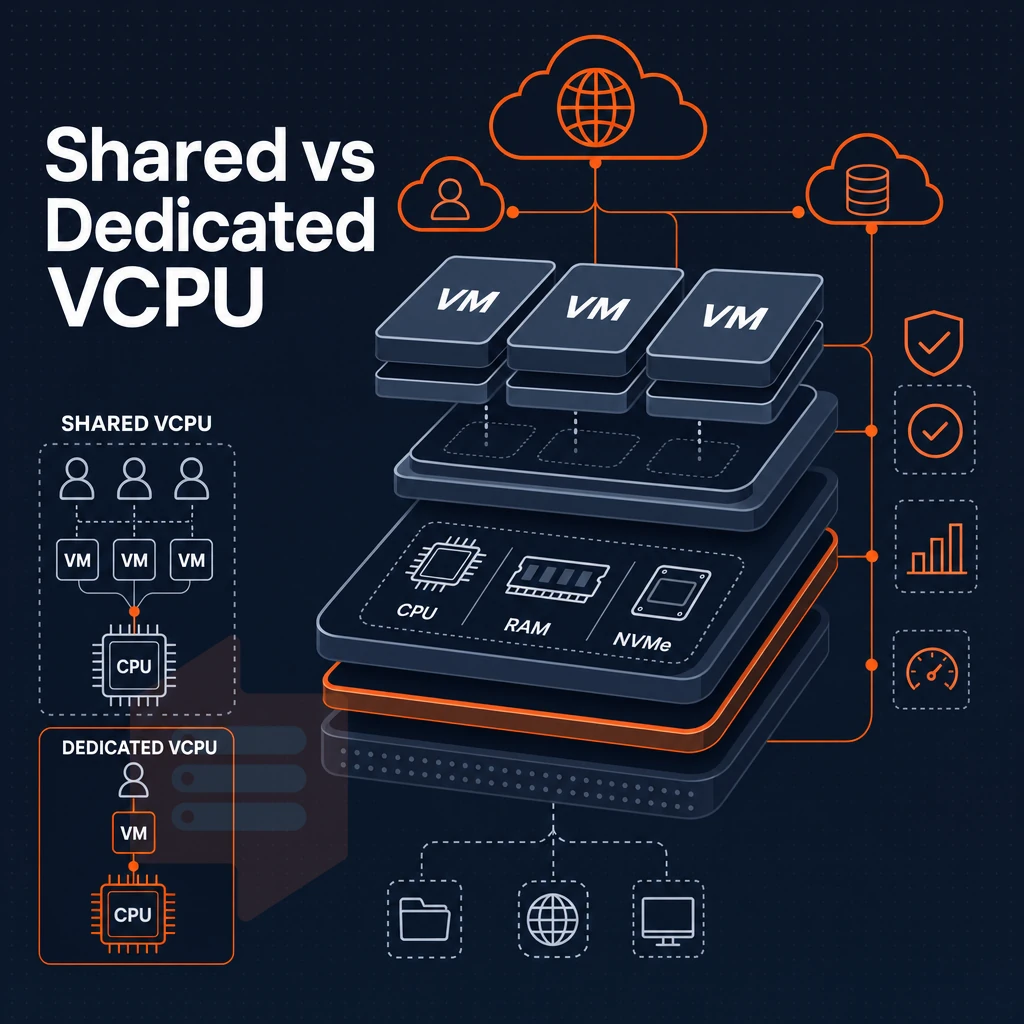
Not all VPS plans are created equal.
Shared vcpu: the cost-effective starting point
The shared vCPU plan uses CPU cores shared among users on a physical server as needed, making it suitable for development server setups, small web applications, and low-traffic sites. Our S-tier Standard CPU plan, ideal for private servers and similar use cases, is powered by AMD EPYC Milan processors and fast NVMe storage.
It’s shared hosting that packs a punch, still granting full root access as well as a full dedicated server environment, without the hindrance of locked cores.
Dedicated core for high performance under load
A dedicated-core VPS dedicates a specific number of CPU cores to your VPS. That means your VPS workloads won’t get INTERRUPTED by other VPS workloads competing for CPU time. Instead, you get consistent performance and low latency backed by ample gb ram, ideal for production databases, CI/CD environments, and latency-sensitive APIs. This architecture ensures complete control over CPU scheduling and resource allocation, eliminating performance variability caused by shared infrastructure.
Organizations requiring reliable performance for mission-critical applications benefit from the predictable resource availability that dedicated cores provide. When resources allocated to your VPS include dedicated cores, you eliminate the unpredictability that comes from competing workloads and gain full control over how processing power is distributed across your applications.
BuyVPS's D-tier (Dedicated CPU) offering uses AMD EPYC Genoa processors with pinned cores.
High memory: when GB RAM matters most
Flipping the CPU to RAM ratio in high memory plans means you have more GB of RAM per CPU. This type of server is designed for large in-memory data sets, caching, and analytics. It runs much faster without constant disk I/O. Our H-tier starts at 64GB RAM / 8vCPUs. This is a large database and in-memory processing server.
Note: Don't over-provision RAM if your bottleneck is actually CPU. Profile your workload first; server administration costs rise when you're paying for resources you don't use.
How much does a VPS cost monthly?
VPS pricing varies widely, with shared vCPU plans as the entry point. Unlike a basic shared hosting solution, higher-end web hosting plans with dedicated cores and large memory command a premium based on reserved resources. See current pricing for all three tiers at BuyVPS.com, no surprises on renewal.
Recognizing the different tiers of workloads is half the battle.
How to choose the right VPS hosting plan for your use case
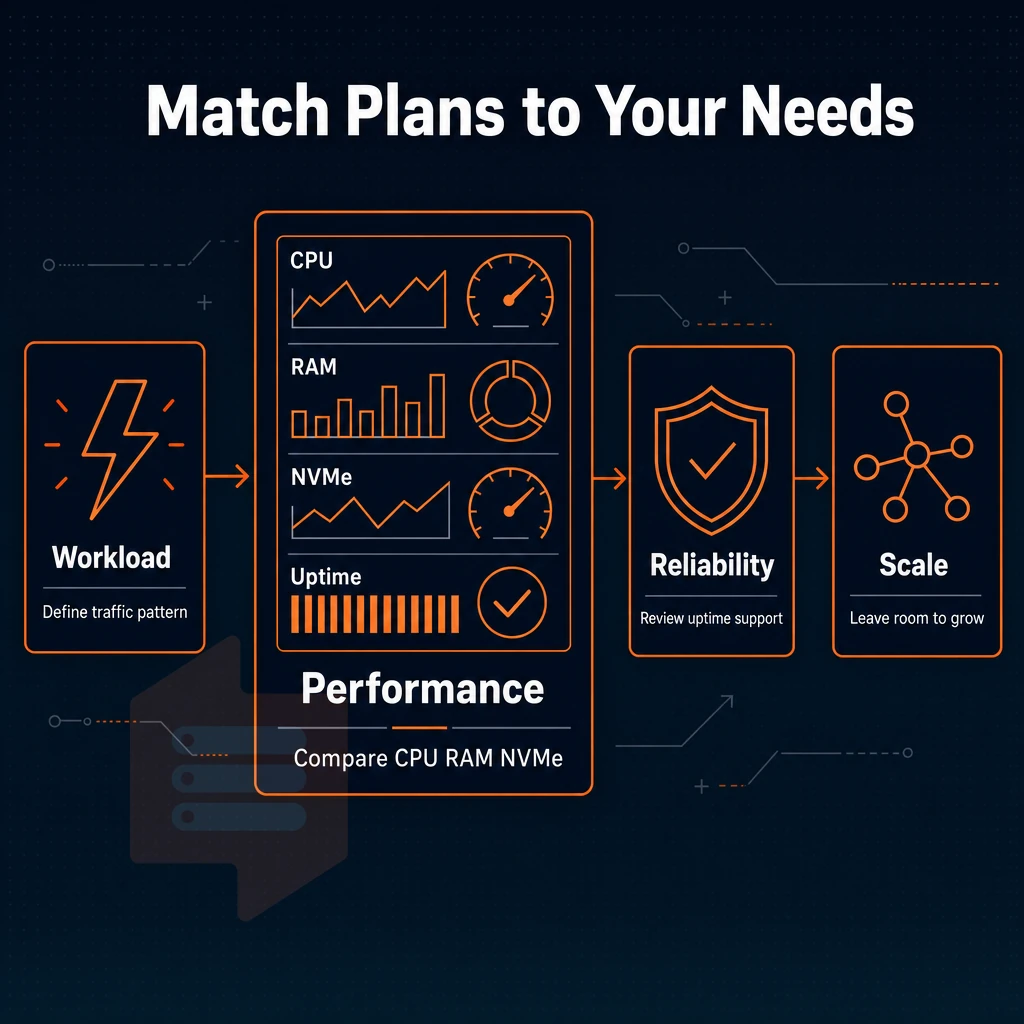
A bad VPS plan is costly, and migrating once things are running smoothly is a pain. This post covers how to properly evaluate VPS options before you commit.
Assess your workload type and server environment
Different workloads have different resource profiles. Web workloads peak for short periods during high CPU periods such as checkout on ecommerce sites. SaaS applications require a consistent amount of RAM to support databases and session state. Game servers are characterized by low latency CPU spikes. Safe sharing of test environments is possible since they rarely run at full capacity at the same time.
Estimate raw resource needs
First off, RAM is important. A single app web server can get away with 2-4 GB of RAM these days. Meanwhile, a busier ecommerce store or SaaS app running on private servers can easily require 8 GB or more of RAM plus CPU cores in rough proportion. Then there’s storage. You may care more about IOPS than raw capacity as high IOPS storage helps to prevent queue building up under load. Then there’s monthly data transfer vs expected traffic volume.
Unmanaged VPS hosting vs. Full control trade-offs
Managed web hosting hosts your web pages for you, doing patching, monitoring, and management of your server for you. This is great for people with web sites but no dedicated sysadmin.
Un managed VPS hosting gives you root access and lets you do with your VPS as you will, set up your preferred stack, lock down your firewall, do all the updates yourself. It's great for experienced admins who enjoy hands-on server management, as it means there is no overhead of dealing with support tickets from other users and your environment can be run as efficiently as possible.
Operating system requirements for DDoS attacks prevention
Most workloads run best on a Linux distribution such as Ubuntu, Debian, AlmaLinux, or Rocky Linux. BuyVPS supports all of these and allows custom ISO uploads for specialized stacks. Unlike shared hosting, where the OS is fixed, you're best off running the distribution your team already knows, switching mid-deployment is costly.
Where can i buy a VPS in the USA?
The BuyVPS New York data center sits on the US East Coast.
After you have paired a suitable workload with a corresponding plan and region, buying servers is straightforward. This is how you can do it.
Step-by-step: how to buy a VPS or dedicated server
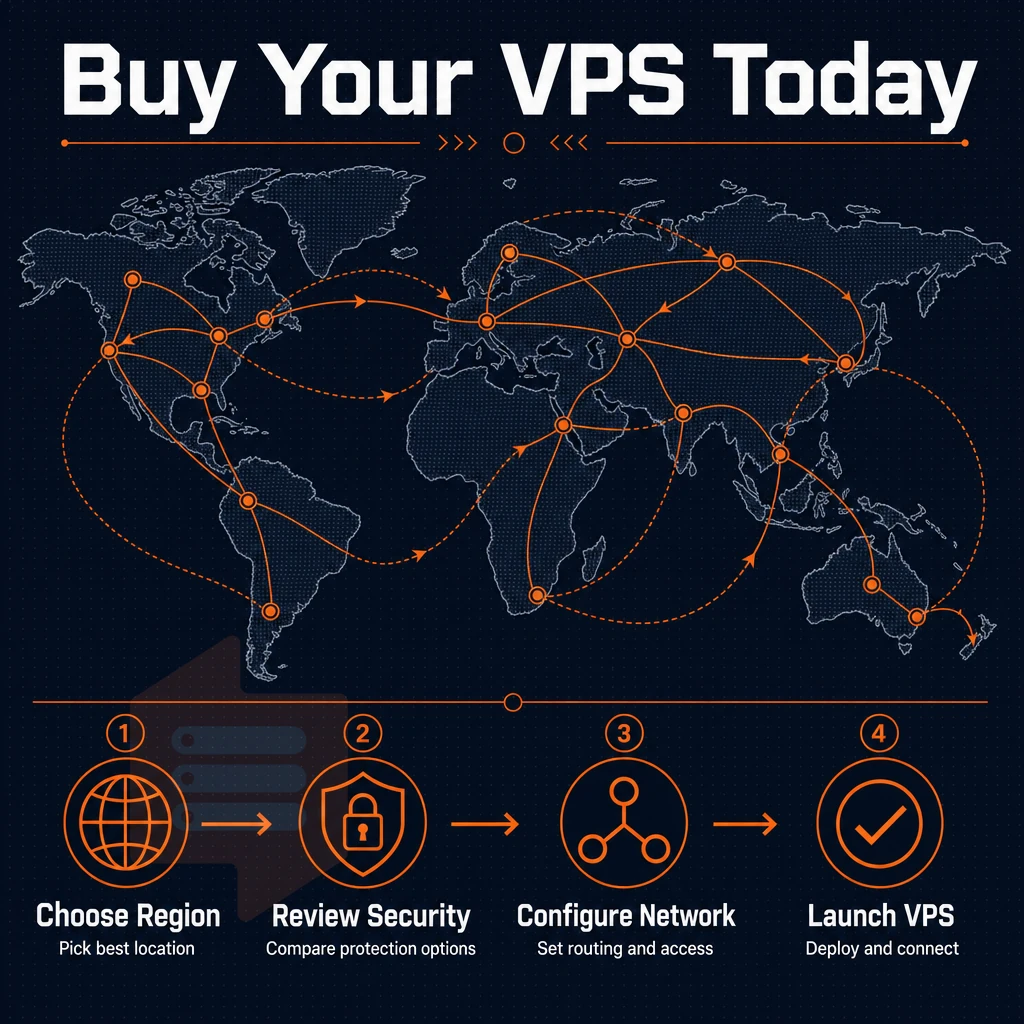
Follow the 8 steps outlined below in order to move from a set of blank requirements to a fully functioning server. Moving ahead to a subsequent step in reverse order will likely uncover problems with your plans or your data center.
Steps 1-3: define requirements, pick a provider, and choose a location
Estimate your resource needs (RAM, processing power, storage, data transfer) for your workload. A personal project will require less than a cluster of ecommerce sites or multiple websites running off of a single stack.
Choose a provider and plan tier, I use BuyVPS for the Standard CPU plan, which suits general workloads.
Next, select your desired data center from our Amsterdam and New York facilities. Closest data center to your users ensures best latency. Hardware, pricing and features are identical across both locations.
Steps 4-6: choose your OS, billing cycle, and complete checkout
Choose from Ubuntu, Debian, AlmaLinux, Rocky Linux, CentOS Stream, or even upload your own custom ISO. Monthly billing makes it easy to get started with the virtual server resources you need, while an annual or two-year cycle lowers the monthly rate.
Complete checkout for the account through the self-service panel. Account credentials will be provisioned immediately.
Steps 7-8: connect and install your stack
Log in via SSH with the provided credentials. Check for root access. If SSH is blocked, use the in-browser VNC console from the control panel to connect remotely. No third-party client is required.
Many VPS hosts put multiple VPS instances on the same physical server. However, since we use KVM virtualization, each VPS gets its own kernel. Once you confirm root on your newly created VPS, you can go ahead and install whatever software you need for your project. You can even use our API to automate all of this for you from the very start.
Following these steps you can have a server up and running in no time. However, the performance of your server in the long run greatly depends on the provider you choose to go with. So it’s best to know what to look for when selecting a provider.
What to look for in a VPS database hosting store
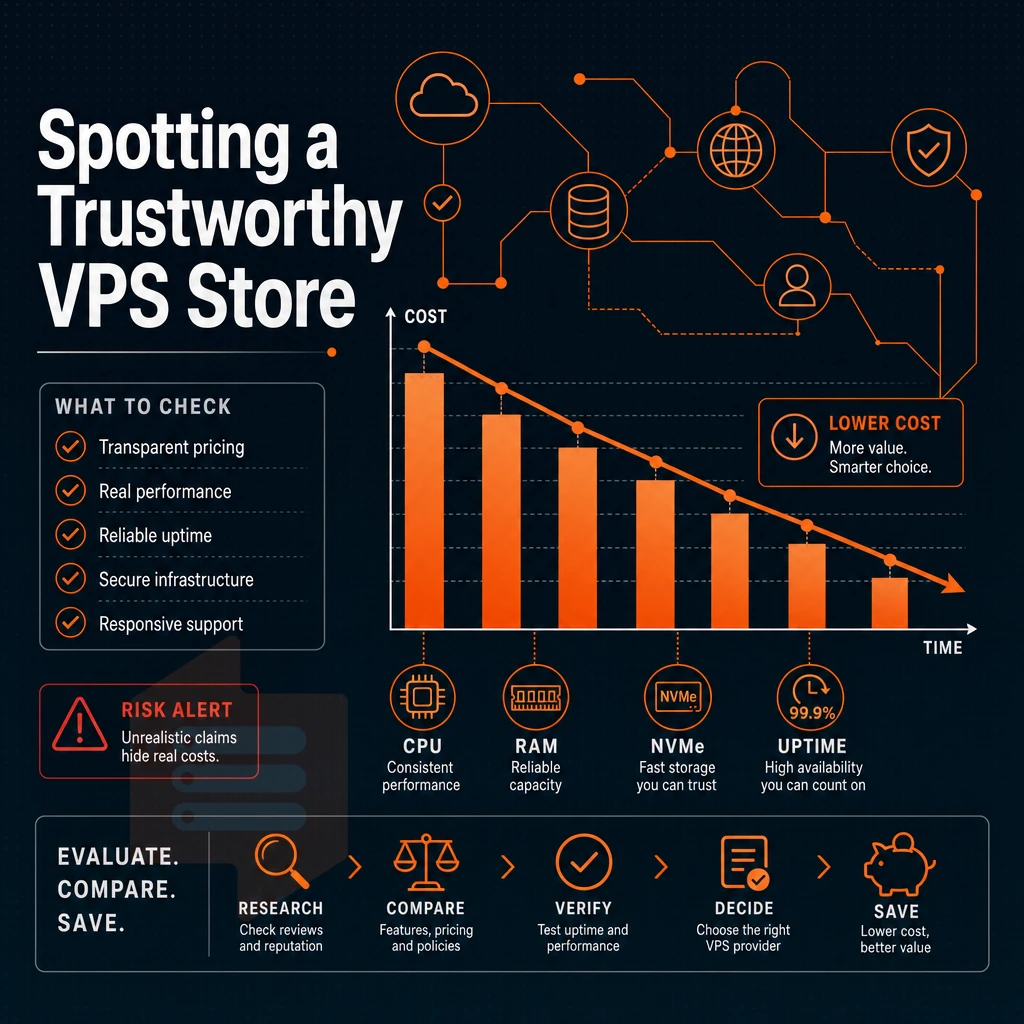
Note that not all VPS hosting providers are created equal. We can help you identify quality VPS hosting providers by the following criteria.
Hardware and dedicated email server resources
Modern CPU generations (e.g.
A no-oversell policy with hard memory caps is critical to ensure that resources allocated to VPS servers are actually available under load, as opposed to simply being allocated in theory. Low-density resources per node by design is key.
Network reliability and additional IP addresses
Multi-homed uplinks: filters edge traffic to prevent DDoS attacks while maintaining service level under peak load. SLA for Uptime: 99.8%. Dual stack IPv4/IPv6 + ability to add IP addresses as needed. Compatibility with object storage and scalable resources to form production-ready network stack.
Control panels, upgrades, and support
A self-service panel with API access and in-browser VNC console is enough to handle most operational tasks.
For dedicated hosting in KVM mode, every VPS even runs a separate kernel. verify that support tickets are being handled by engineers and not by chatbots. A published rate card with no hidden fees is important for long-term budget planning.
BuyVPS has all of these features and more and they have been delivering them since 2002. I’m going to explain why this matters to you and your website.
Why choose BuyVPS for your virtual private server hosting
When you're figuring out how to buy a VPS server, the hosting provider you choose shapes everything, performance, reliability, and long-term cost. BuyVPS has been founder-run since 2002, and our engineers (not bots) handle every support ticket.
- No-oversell guarantee. Hard memory caps and low node density mean your virtual private server gets the dedicated resources it was sold with, other users on the same physical server can't starve your workload.
- Pinned CPU cores (Dedicated tier). AMD EPYC Genoa with physically pinned cores delivers consistent, predictable processing power for databases, SaaS platforms, and latency-sensitive web applications.
- NVMe RAID10 PCIe-direct storage. Measured at 122,959 4K read IOPS, a published benchmark, not a marketing claim.
- KVM isolation. Every VPS runs its own kernel. Your virtual environment is fully separated from every other virtual machine on the physical server.
- Full server control, no lock-in. Every VPS hosting plan includes full superuser access, custom ISO support, and in-place upgrades with no IP rotation.
- Two data center regions. Amsterdam and New York, identical hardware, identical pricing, no setup fee.
Ready to compare VPS hosting plans? Browse our VPS servers or reach out to our technical team at support@buyvps.com.
Choosing the right VPS hosting provider comes down to three decisions: the right resource tier for your workload, a host that doesn't oversell its hardware, and a network location close to your users. Match those three, CPU cores, gb ram, and storage I/O, and you avoid the performance surprises that plague shared hosting without paying for dedicated hardware you don't need.
The tier choice matters more than most buyers realize. A shared vCPU plan handles most web applications cleanly. Pinned dedicated cores eliminate noisy-neighbor CPU contention for latency-sensitive workloads. High-memory configurations serve large databases and in-memory caches that shared plans simply can't sustain.
If you're ready to move forward, browse BuyVPS's virtual private server VPS options across their Standard, Dedicated, and High Memory plans, available in both Amsterdam and New York, and pick the configuration that fits your stack. Full administrative access and in-place upgrades mean you can start lean and scale without rebuilding.