
budget VPS hosting seems like an easy thing to compare between different hosts.
Good news! Cost-effective VPS hosting does not have to mean unreliable VPS hosting. The right hosting provider can deliver dedicated resources, NVMe storage and a proven network while offering low cost VPS hosting. What separates a genuinely reliable low-cost VPS from what many budget VPS providers cut corners on comes down to four key factors: the quality of virtualization, storage performance, network configuration, and pricing disclosure.
We’re breaking down each factor to explain what you should be looking for when signing up for a VPS. Additionally, highlight where you can get cheap VPS value without sacrifice from providers like BuyVPS (KVM on AMD EPYC hardware with NVMe RAID10 storage in Amsterdam and New York datacenters) that also offer a day money back guarantee. First up: a primer on what a VPS actually is and how it works. For more context, see Virtual private server.
What is low cost VPS hosting and how does it work?
Virtual Private Servers (VPS) offer a compromise between shared hosting and a full dedicated server. Virtual servers are created within a single physical server using virtualization technology. With a cheap VPS, each virtual server (or 'container') receives dedicated resources, a fixed amount of CPU power, RAM and disk space, that cannot be used by other users sharing the same bare-metal server.
First month $1
Then the normal monthly price. One per customer. No setup fee, and a 30-day performance guarantee on your first order.
See the plans“Excellent service! Thank you for providing the server so quickly. The service was fast, reliable, and exactly what I needed. Highly recommended!”
This architecture makes VPS ideal for hosting websites that require consistent performance without the expense of dedicated hardware. Each virtual environment operates independently with guaranteed resource allocation, ensuring that performance remains stable even during traffic spikes on neighboring containers.
How KVM isolation works on a virtual private server
This is different from shared hosting in that a VPS has its own kernel.
Operating system and full root access
Unlike shared hosting, you can choose your preferred Operating System from a range of options at deploy time, including Ubuntu, Debian, AlmaLinux and Rocky Linux, as well as build your own custom ISO. Full root access is provided allowing for full control of the server to install packages, reconfigure the kernel and manage services as you would with bare metal servers.
No shared control panel access is provided to restrict what you can do with your server. This level of control enables administrators to run custom software that may have specific kernel module dependencies or require non-standard system configurations unavailable in restricted environments.
Is there any free or cheap VPS hosting?
Free offerings do exist on a few platforms, typically with severe restrictions (e.g. caps on resources), no Service Level Agreements, and accounts occasionally suspended for inactivity. For any serious work (e.g. a game server, production API, or ultra-cheap VPS hosting a database), paid plans are the only sane option. Looking at VPS hosting compared to shared hosting makes the difference between free and paid offerings even clearer.
How much does cheap VPS hosting usually cost?
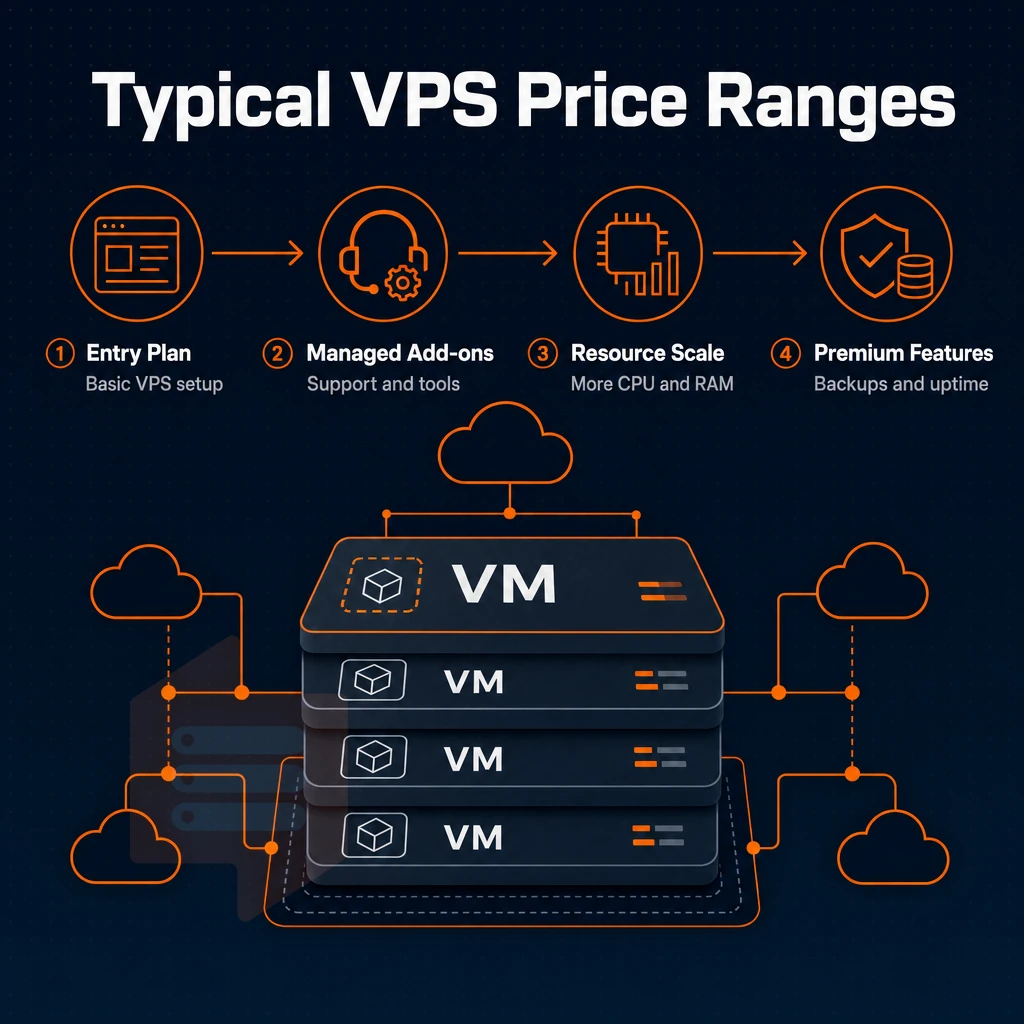
The cost of VPS hosting can vary greatly from host to host. Understanding what makes up the cost of the VPS hosting plan that you are looking into will help you to pick the best hosting for your needs. Comparing affordable VPS providers side-by-side reveals significant differences in resource allocation, network quality, and support responsiveness that directly impact total cost of ownership. Providers often structure their offerings into multiple tiers, with budget plans targeting developers and small projects that prioritize cost efficiency over enterprise-grade specifications.
What shapes the price of a VPS server plan
The biggest cost driver is the CPU allocation. On a cheap VPS, a shared vCPU plan without dedicated DDoS protection will typically cost less than a dedicated-core plan where each tenant has one or more pinned CPUs. The ratio of RAM, the type of NVMe SSD storage, and whether there is an unlimited traffic policy all increase in price as they improve.
If you have stable web projects or many websites online in the long term, a 2 year term will be more cost efficient than a monthly or 1 year contract. Hosting providers often allow consolidation of multiple websites under a single VPS instance, making long-term contracts even more economical for users managing several domains.
Free SSL, DNS management and even private networking are often offered as add-ons which might even be bundled. Check if the host offers a money back guarantee as well. Providers that include robust DNS management tools in their control panel enable you to configure records, set up subdomains, and manage zones without relying on third-party services.
The three main tiers of cheap VPS hosting
Entry-level shared-vCPU hosting is a cheap VPS option best suited for very light usage or for a developer wanting to test a virtual hosting environment where data center location and cost matter more than raw performance. Mid-range plans add more RAM & utilize faster NVMe storage. High-memory plans are designed to support high-end databases and analytics work at higher price points. Providers typically structure their offerings into tiers, with low cost plans targeting developers and small projects that need reliable uptime without enterprise-grade specifications.
Some providers also offer optional object storage for backups and static assets, which can reduce the load on your primary VPS disk while keeping costs predictable. Plans with 4 GB of memory strike a balance for small production applications, offering enough headroom for web servers with moderate database loads without jumping to enterprise pricing. Many providers structure their budget plans to include essential features like automated backups and DDoS protection, ensuring that cost-conscious users don't sacrifice critical security capabilities.
Dedicated-core plans are priced above shared-vCPU offerings. For a fixed price you get guaranteed, un-shared CPU power. On BuyVPS’ Dedicated CPU plans you get pinned AMD EPYC Genoa CPU cores and DDR5 ECC RAM for low-latency, scalable infrastructure.
Which VPS hosting service is the best for low prices?
The best affordable VPS plans are not only cheap, but also offer real performance for the money you spend. Look for offers with hard memory caps, NVMe storage and proper engineer-led support, not just a cheap VPS price tag in the headline. Benchmarking tools can help you verify real world performance before committing to a long-term contract with any provider.
BuyVPS offers affordable VPS hosting in Amsterdam and New York with no-oversell VPS servers and in-place upgrades (without IP rotation or migration fees for example). This approach prioritizes affordable infrastructure by eliminating hidden fees and ensuring transparent pricing across all service tiers. Each data center location is equipped with redundant network connectivity and power systems to maintain consistent uptime for all hosted instances.
What to look for in cheap VPS hosting plans
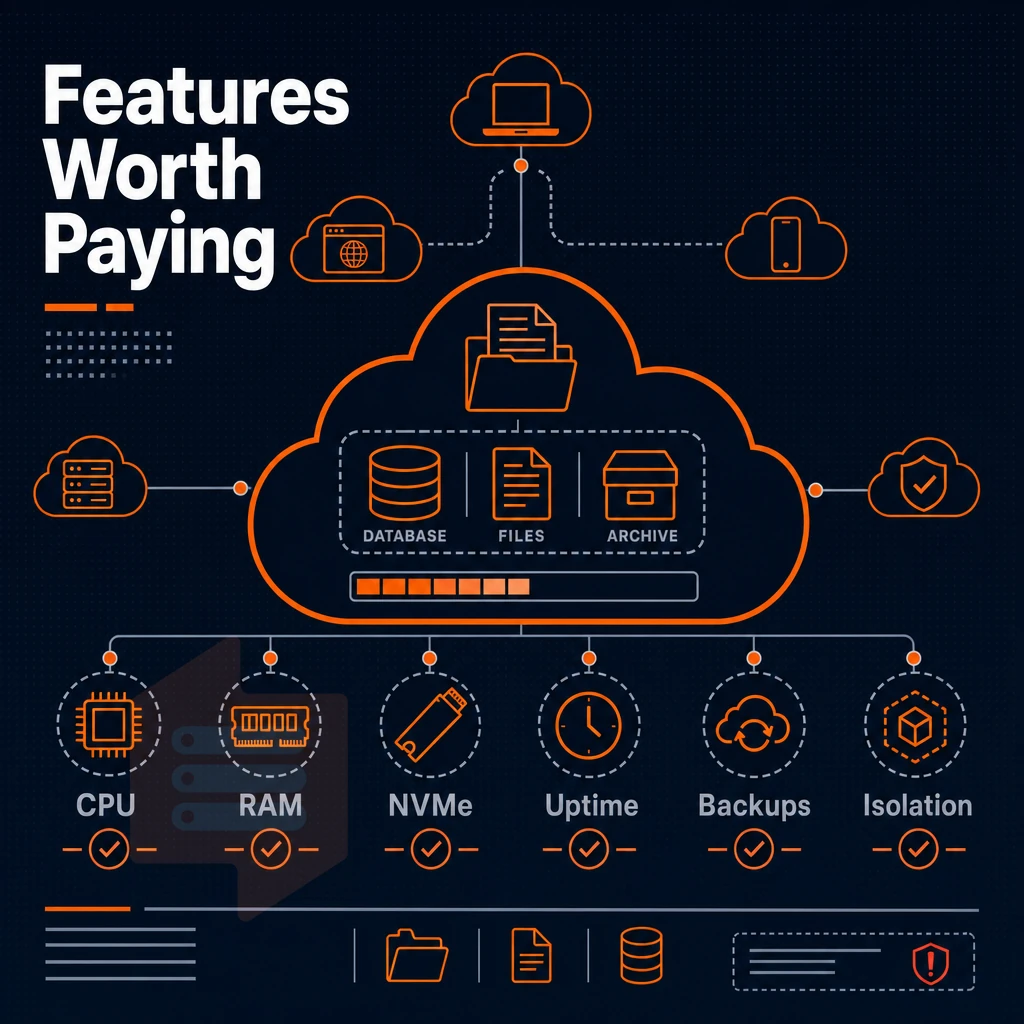
Many affordable VPS hosting plans are not created equal. Low entry prices for affordable hosting hide a variety of trade-offs in isolation, storage, and support. We outline 10 key criteria for cost-effective VPS hosting plans and how they stack up to more expensive solutions in terms of downtime and frustration. Comparing affordable VPS providers side-by-side reveals significant differences in uptime guarantees, network quality, and the responsiveness of their support teams during critical incidents.
Virtual private server, storage, and network fundamentals
The virtualization technology is a key factor that determines the quality of the isolation provided by your VPS. KVM VPSes run each Virtual Server with its own kernel, thus a noisy neighbor can’t affect your workload. OpenVZ-based VPS hosting providers, on the other hand, share the same kernel, which can impose restrictions on the services you can run and, more importantly, expose you to resource contention with other users. Providers that invest in reliable infrastructure typically deploy KVM on enterprise-grade hardware with redundant power and network paths to minimize single points of failure.
Modern virtualization technology also enables live migration capabilities, allowing administrators to move running instances between hosts without downtime during maintenance windows. Organizations seeking affordable infrastructure should prioritize KVM-based virtualization with dedicated resource guarantees to ensure predictable performance across production workloads. Selecting a provider with multiple data center locations allows you to deploy instances closer to your user base, reducing latency for geographically distributed applications.
A database, game server, and other I/O-intensive programs benefit measurably from high IOPS under real load.
Location of data centers affects latency. Therefore, it’s best to choose a provider with servers located near your users. We have data centers in Amsterdam and New York, so we cover EU users and US East Coast users with identical servers in both locations.
Unlimited traffic, OS choice, and full control
Even though unlimited traffic might seem like a good option, most providers will start to throttle at some point.
Custom ISOs allow you to set up servers with completely custom software stacks, outside of our standard offerings. For serious server administration, full root access and a self-service control panel (with API access) are non-negotiable. The control panel should provide intuitive interfaces for managing backups, viewing resource usage graphs, and configuring firewall rules without requiring command-line expertise.
How much does VPS hosting usually cost?
VPS plans vary greatly in terms of resources and tier.
Managed vs. Unmanaged and support quality
An unmanaged VPS is a server that you own and the only thing managed for you is the hypervisor. A managed VPS would include OS management (patching, upgrading, etc.) as well as monitoring for a higher price. For most developers, a cheap VPS on an unmanaged plan is the way to go rather than a dedicated server, and they rely on the provider's support for infrastructure type issues and are usually on a specific support tier. Choosing managed VPS hosting makes sense for teams without dedicated system administrators, though it typically costs 30-50% more than self-administered alternatives.
Some managed plans also include proactive monitoring tools that alert administrators to resource exhaustion, security vulnerabilities, or service failures before they impact end users. Self-administered plans require sufficient technical expertise to handle security patches, service configuration, and troubleshooting without vendor assistance. Entry-level plans typically start with 1-2 GB of RAM, while mid-tier configurations with 4 GB provide enough headroom for multiple services or moderate database workloads.
Engineer-led support covering kernel panics, network outages, and even free website migration on a cheap VPS can generally resolve issues faster than a chatbot delivering a scripted answer. Some providers also offer live chat or phone support during business hours, which can be invaluable when troubleshooting urgent infrastructure problems.
Last but not least, you should verify the possible ways of an upgrade.
Common use cases for cheap VPS hosting
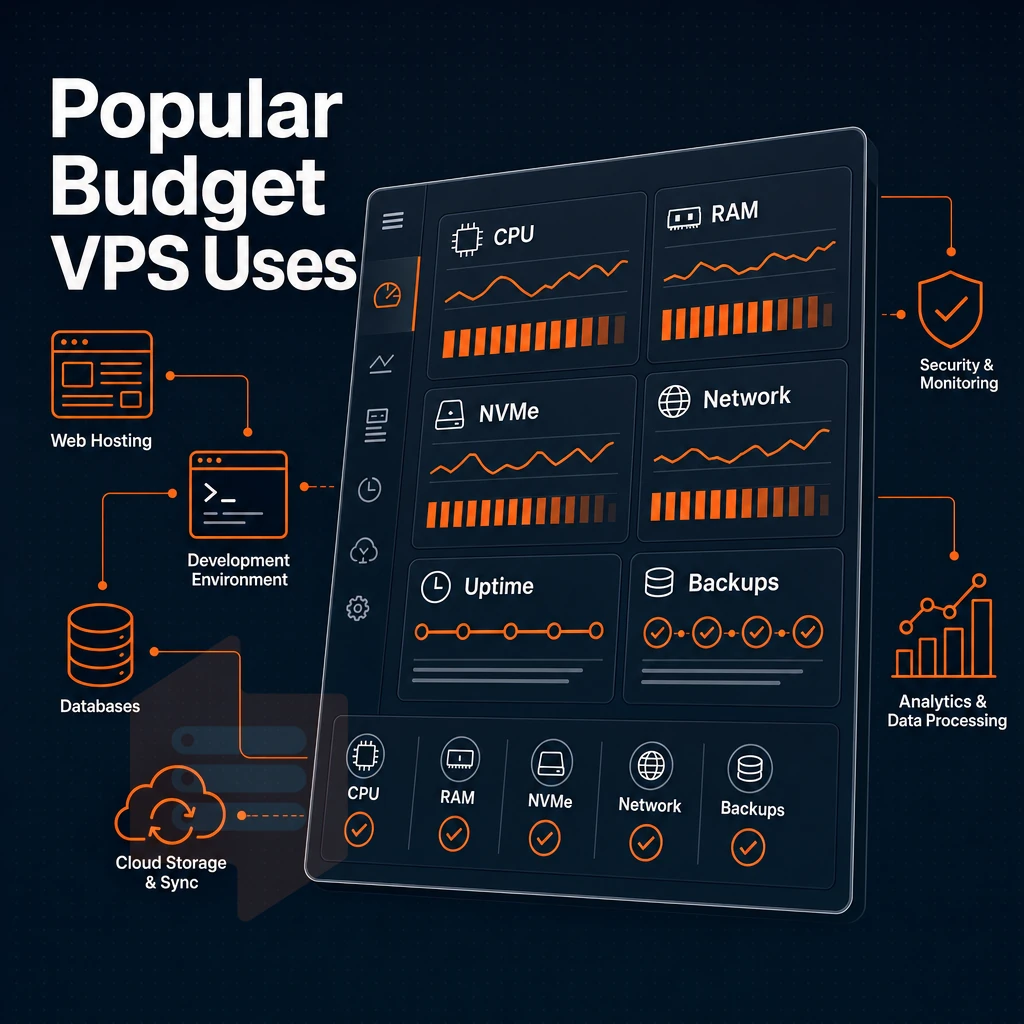
cost-effective VPS hosting covers many different types of real workloads.
Game servers, DNS, and proxy self-hosting
When it comes to running a game server for Minecraft or FiveM, consistent CPU clock speed and low-latency RAM are far more important than raw core count. When properly managed on a cheap VPS server (and not over-sold), a single vCPU with 1-2GB RAM of RAM is all you need to run a DNS / proxy server.
What is the difference between managed and unmanaged VPS hosting?
The main thing to understand is that an unmanaged VPS gives you root access to the server and you are responsible for everything above the server layer (OS updates, security patches etc).
Most developers and sysadmins opt for the unmanaged option as it is cheaper and more flexible. BuyVPS operates on the unmanaged model and gives you full root access, KVM isolation and a self-service control panel with API access.
Best cheap VPS hosting workloads by resource profile
Hosting websites is at the opposite end of the spectrum from running custom software.
- Private networking / VPN endpoints: low CPU, low RAM, almost any VPS plan works.
- Startup infrastructure: pick a scalable VPS hosting plan; in-place upgrades avoid IP rotation.
- Multiple web projects: shared vCPU tiers handle several sites on one instance.
Cheap virtual private server hosting plan vs. A physical server
While the upfront cost of a dedicated machine and the cost of colocation can be a barrier to entry. Cheap VPS hosting offers a dedicated slice of high end hardware (in this case EPYC processors) in locations such as Amsterdam or New York for a low monthly cost.
Here at BuyVPS we ensure that hard memory caps are enforced per node to ensure that your workload is always provided with the correct resources. One area of cheap VPS hosting that is frequently misrepresented is network performance. In this article we explore the gap between what your sell and what you actually deliver.
Unlimited traffic and network latency: what budget VPS providers don't tell you
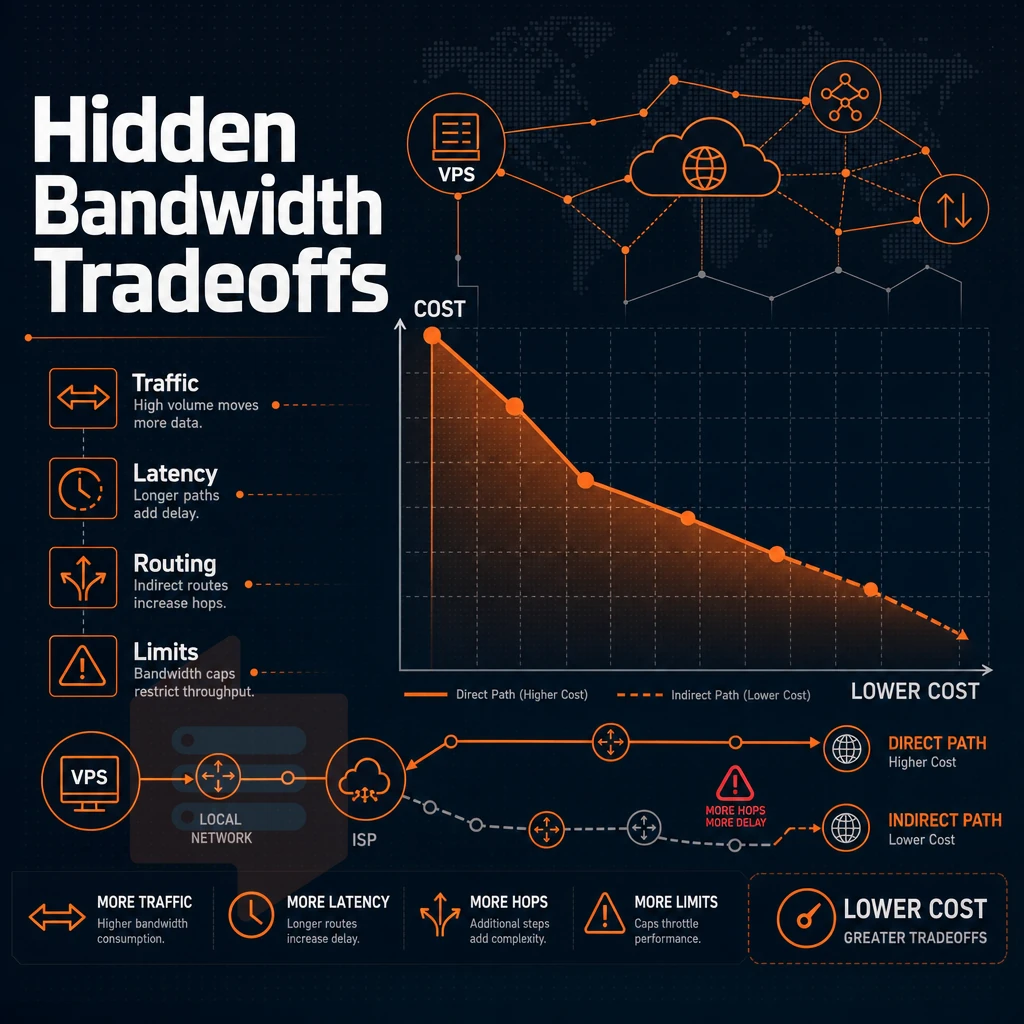
"Unlimited traffic" is one of the worst misnomers in inexpensive VPS hosting. While most cheap VPS packages claim to offer unlimited traffic, the small print often hides fair-use policies, shared uplinks, and bandwidth throttling after a certain limit. What really matters for a hosting package’s performance, however, is the quality of the network behind it, not the misleading marketing term.
Bandwidth caps vs. Fair-use reality
We run multi-homed uplinks in Amsterdam and New York City.
Data center location and network latency
The biggest single influence on latency is the location of the data center.
The two-region setup available from BuyVPS enables you to deploy in the region where your users are based.
Can i run a game server on a cheap virtual private server?
A budget friendly VPS hosted on very reliable servers with fixed CPU cores and low latency uplink can handle small game lobbies just fine. Unlike shared hosting, the Dedicated CPU tier on BuyVPS gives predictable single core performance, and combined with edge level DDoS protection, that makes for a solid platform for websites and game workloads alike.
| Factor | Single-carrier budget VPS | BuyVPS (Amsterdam / New York) |
|---|---|---|
| Uplink type | Single carrier, shared | Multi-homed |
| Uptime SLA | Often unstated | 99.8% |
| CPU isolation | Shared vCPU, variable | Pinned cores on Dedicated tier |
| Storage | SATA SSD typical | NVMe RAID10, 122,959 4K read IOPS |
Note that evaluating the quality of a network is only half the task of choosing an infrastructure.
Managed vs unmanaged VPS hosting: which is right for you?
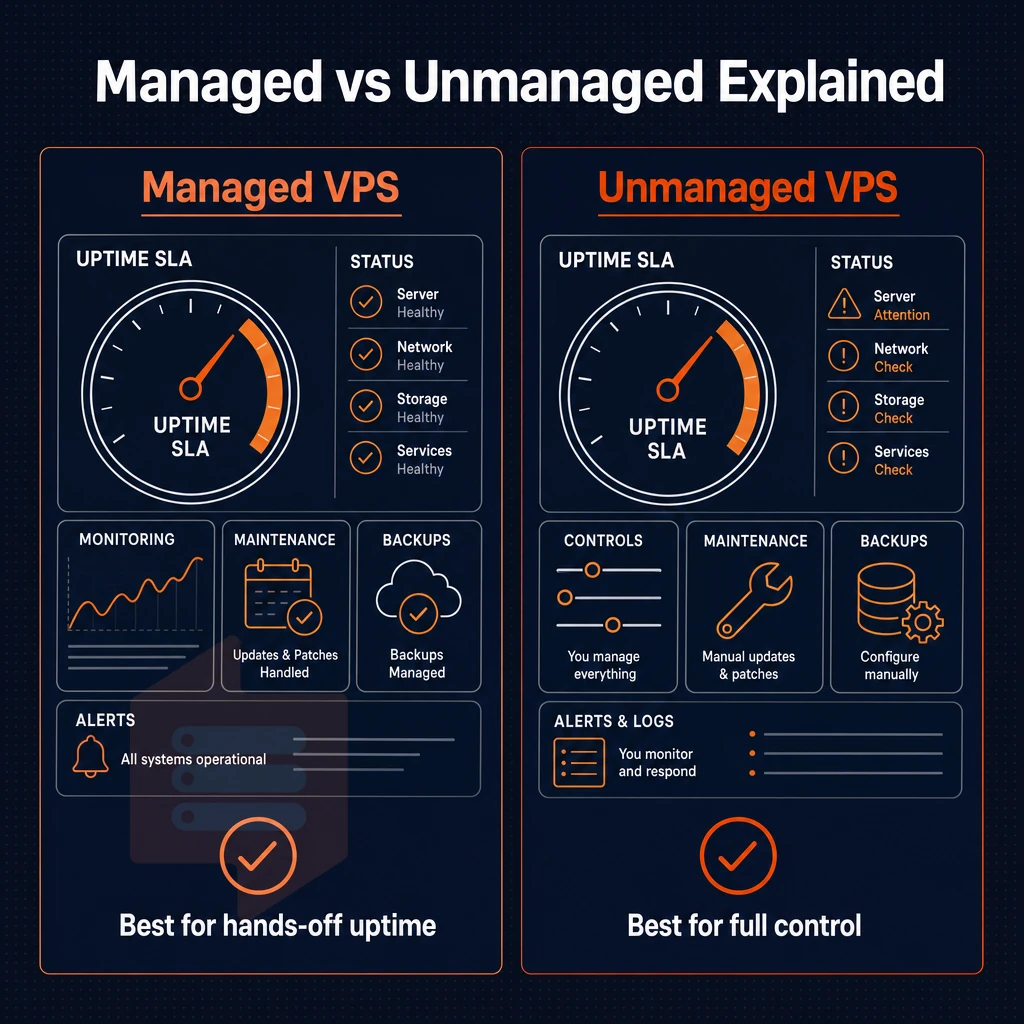
When evaluating cheap VPS hosting options one of the first things you’ll have to decide for is whether you want managed or unmanaged hosting. This decision will largely depend on the Linux skills of your team and how much admin work you want to do yourself.
Managed vs cheap VPS hosting: what you get
- The hosting provider manages things like OS updates, security patches, monitoring, etc. You login to your application, not to a shell. This is suitable for teams without a dedicated sysadmin.
- Don’t expect direct control over your server(s) as you trade off convenience against management responsibility. Root access will usually be restricted or denied and server management remains with the vendor.
Note: Managed VPS hosting typically costs more than an equivalent unmanaged plan. If budget is the priority, factor that in early.
Unmanaged VPS: full control panel responsibility
- Full root access is granted to you to install whatever stack you desire. You get to configure the full operating system as you see fit. On most cheap VPS plans, this is the default configuration.
- All server administration is your responsibility. That means you will need to patch, harden and monitor servers. The typical user of this content will be a technical user familiar with Linux. Others may find it challenging.
While most cheap VPS providers offer unmanaged VPS servers, BuyVPS offers self-managed VPS options and gives you KVM isolation. A separate kernel for each VPS and choice of Ubuntu, Debian, AlmaLinux, Rocky Linux, CentOS Stream or Fedora right from the start.
Note: Cheap VPS hosting on an unmanaged plan is not a shortcut, it is a different operating model. Assess your team's capability honestly before choosing.
What does unlimited traffic mean on a VPS plan?
"Unlimited traffic" refers to bandwidth which is unmetered up to a certain port speed, typically 1 Gbps. This does not mean unlimited Gigabytes, good server management means understanding that you are not charged per GB, but that there is still a physical limit to the amount of bandwidth that can be used. Be sure to read the fair-use policy as many of the cheap VPS plans that advertise “unlimited bandwidth” will throttle you back at high sustained usage.
Unlike many cheap VPS providers who advertise 'unlimited' and fail to deliver, BuyVPS clearly states the data transfer allowance for each plan on their website.
Which option fits your situation?
Managed is generally recommended for teams that do not have any prior experience with Linux and need help managing the server(s) for them. On the other hand, unmanaged is generally the standard for cheap VPS packages, a step well beyond shared web hosting, and is preferred by most developers and technical users who like to own the full stack of code, server, etc.
If you have already decided to go with unmanaged and are looking for a good VPS host to go with that model, then BuyVPS would be a good choice for you.
Why choose BuyVPS for low cost VPS hosting
Many cheap VPS providers cut corners on hardware, oversell nodes, or inflate renewal prices. BuyVPS is built differently. We operate affordable VPS hosting on AMD EPYC processors with NVMe RAID10 PCIe-direct storage, measuring 122,959 4K read IOPS under real-world load. Every virtual private server runs on KVM with a separate kernel, so your dedicated resources stay yours. No shared hosting-style contention, no hidden fees.
- No-oversell guarantee: Hard memory caps and low node density mean your VPS server performs consistently, even during traffic spikes.
- Dedicated CPU tier: Pinned cores deliver predictable network latency for workloads that can't tolerate noisy neighbors.
- Full root access + custom ISO: Run custom software, choose your operating system, and keep full control of your server environment.
- In-place upgrades: Scale your VPS plan without migration or IP rotation.
- Two data center locations: Amsterdam and New York, identical hardware, identical pricing, IPv4 + IPv6 dual-stack on every plan.
- Founder-run since 2002: Engineer-level support, competitive pricing, and no setup fee on any plan.
If you're comparing cheap VPS hosting plans and want reliable infrastructure backed by published benchmarks, reach out to our team or review the plan tiers at BuyVPS.com. Once you know what BuyVPS offers, the next step is matching those capabilities to your specific workload.
How to choose the best cheap VPS hosting plan for your needs
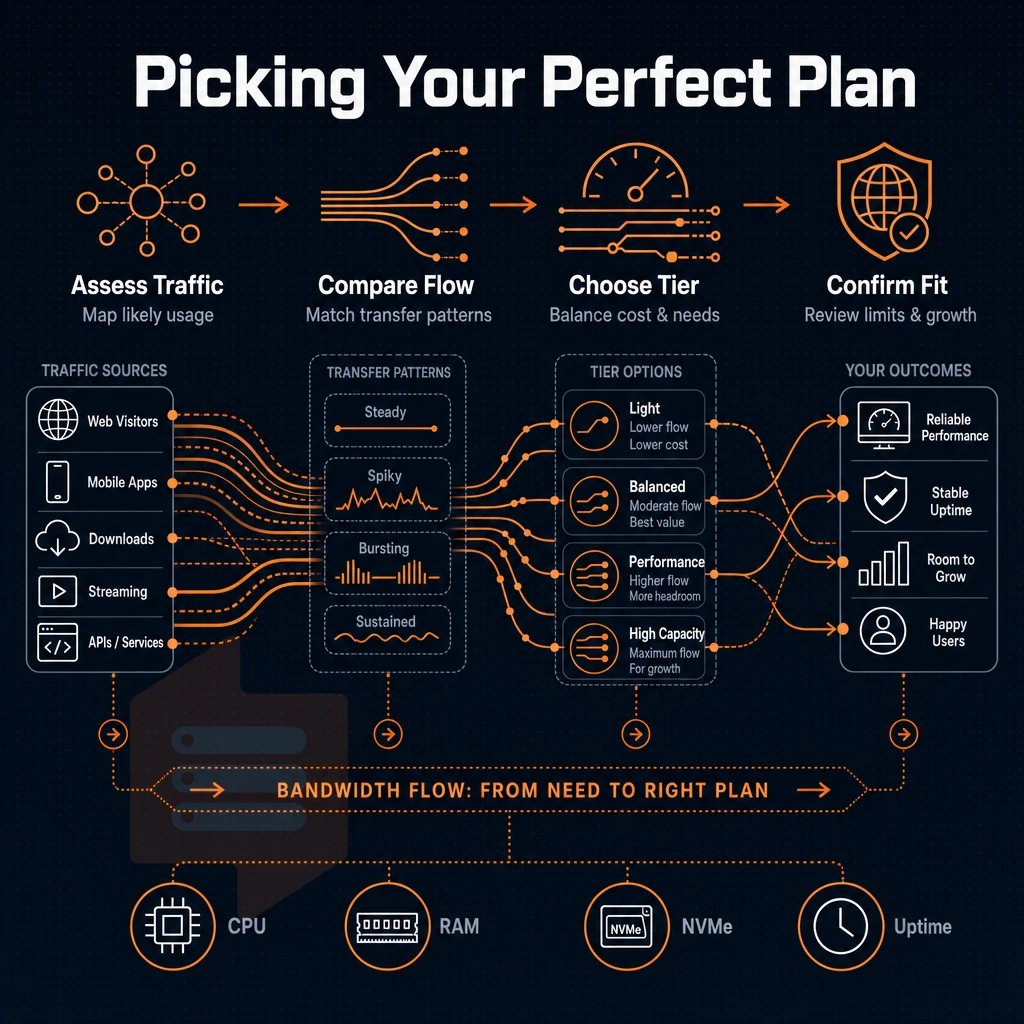
Choosing the best cheap VPS hosting plan for you depends on matching your needs to a suitable tier, and checking out the hosting provider’s infrastructure to make sure they can deliver what they promise. Cheap does not have to mean unexpected problems with your service.
Step 1: match workload to VPS tier
Determine the nature of your workload. CPU intensive workloads, like a compiler, video encoding software, or a game server would benefit from a single dedicated CPU with pinned cores. Memory intensive workloads, such as a large in-memory database would be better suited in a high-memory configuration. For general web development, staging, and small APIs a shared-vCPU configuration is typically sufficient.
The choice of region is thus purely geographical.
Step 2: decide on management and billing
self-managed VPS server servers provide the customer with full root access to the server for the lowest possible price. Managed VPS servers add layers of overhead in the form of OS patches, monitoring software and live support to assist with any issues that may arise. Budget offerings are generally unmanaged, so you must factor in your own operational capacity.
If you require object storage or anticipate a need for scaling, verify that upward mobility is available now (no IP rotation, no scheduled migration).
Step 3: verify the provider's infrastructure
Budget VPS providers cut costs somewhere.
- Is the hosting provider's 'no oversell' policy backed up by hard memory caps?
- Is node density kept low to create affordable, non-degrading infrastructure?
- Are benchmarks published, not just promised?
- Does the upgrade path preserve your IP addresses?
BuyVPS publish results from fio load testing and Geekbench 6 benchmarking, enforce hard memory caps per node with dedicated resources, and offer in-place upgrades on all their cheap VPS plans. This forms a minimum acceptable specification for a cheap VPS hosting offer. Of interest to buyers prior to purchasing a paid plan, is whether to look at free alternatives first.
What free and budget VPS hosting providers actually offer
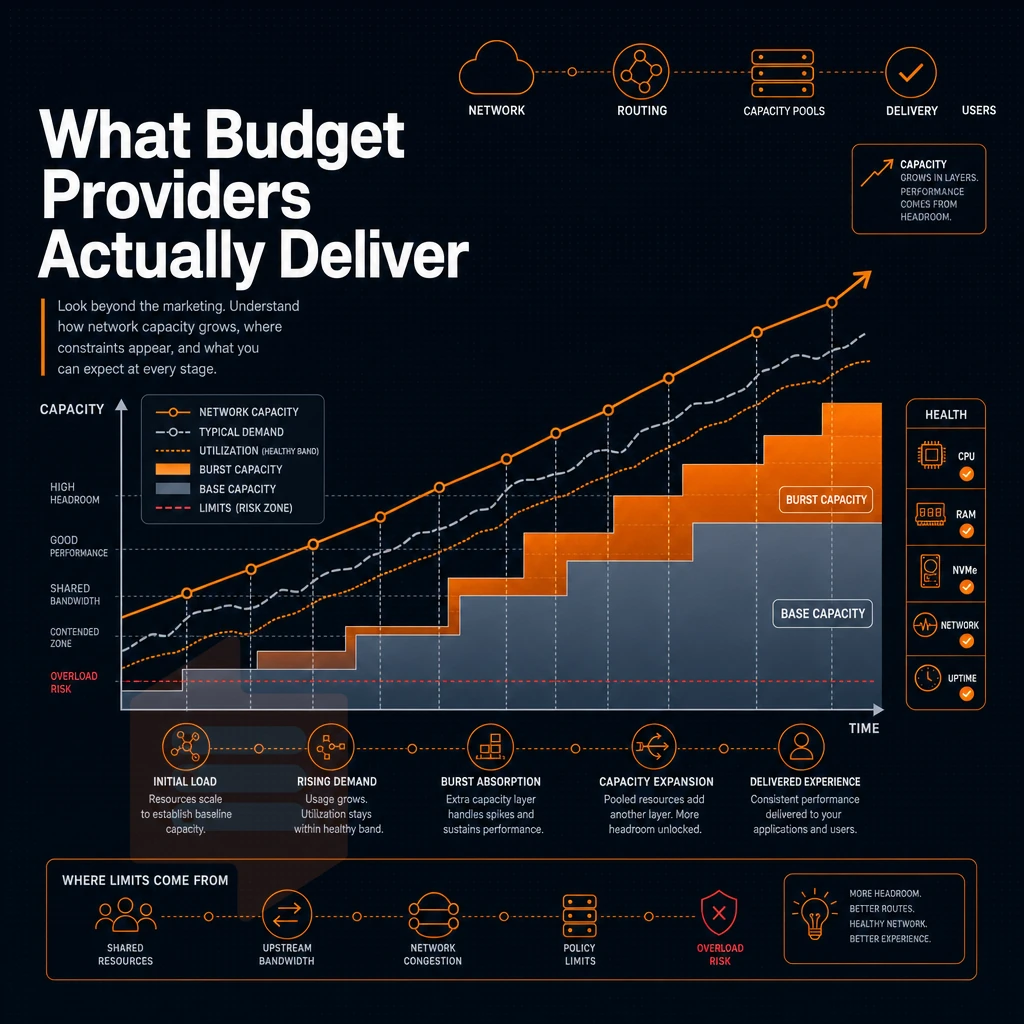
There is no such thing as truly free VPS hosting. Even the rare occasions when a cheap VPS or dedicated server is offered will come with restrictions on resources, requirements to collect data about users, or be a free trial that expires unnoticed.
What "free" actually means from VPS providers
There are very few true zero cost VPS hosting plans available.
A day money back guarantee (e.g. 7 days or 30 days) is a much more honest promotion for free hosting than free hosting forever.
What many budget VPS providers actually deliver
When it comes to very cheap VPS hosting, most budget VPS hosting providers offer similar entry-level virtual server features, such as shared vCPU, limited RAM, and either old, spinning hard disk drives or low-end SSDs. Their average uptime guarantee is less than 99.5%, and many of them restrict the number of open network ports. These kinds of virtual servers are primarily suited for low traffic test servers or development servers. Under real load, they can become a bottleneck very quickly.
| Tier | Typical vCPU | Typical RAM | Storage type | Uptime SLA | Best for |
|---|---|---|---|---|---|
| Free / trial | 1 shared | 512 MB-1 GB | HDD or low-tier SSD | Not guaranteed | Experiments only |
| Budget paid | 1-2 shared | 1-4 GB | SSD (mixed quality) | 99.5% | Dev/staging, low traffic |
| BuyVPS Standard | 2+ AMD EPYC | 4 GB+ DDR4 ECC | NVMe RAID10 (122,959 4K read IOPS) | 99.8% | Production workloads |
The practical alternative: cheap VPS hosting
Most teams are looking for budget VPS hosting, not free hosting. BuyVPS affordable VPS plans are powered by latest AMD EPYC processors, come with NVMe RAID10 storage and 99.8% SLA in Amsterdam and New York data centers.
When looking for very cheap VPS servers for some short lived project or whatever, use the money-back offer to test it. For long-term production servers, however. Even the cheapest providers with some verified numbers behind them and strict hard memory limits (e.g. BuyVPS) are going to give you far more reliable results than you get with any free hosting offer. Additionally, Thus actually constitute a real upgrade from shared hosting for any non-trivial workloads.
The core advantages of low cost VPS hosting over shared hosting
A Virtual Private Server gives technical users what shared hosting cannot deliver, dedicated resources that are assigned 100% to your work. With full root access, you can run your own applications, choose the OS you require and set up the web server setup to exactly match your needs, without restriction.
Cheap VPS hosting handles sudden spikes in traffic load better than shared hosting. Inexpensive VPS hosting serves up scalable infrastructure that allows users to scale up as needed, no server move required. low-cost VPS hosting delivers the same controls to a dedicated server without the high cost of a physical machine, however.
When it comes to VPS hosting, affordable does not have to mean poor performance. With VPS hosting, you get to use dedicated RAM and have isolated resources, with full root access all for a fraction of the price of a full dedicated server. So what do you look for to get the most performance from your cost-effective VPS hosting? NVMe storage, KVM virtualization, affordable renewal prices, and 24/7 support from real engineers, not robots.
The majority of growing workloads such as web applications, game servers, and dev environments need more than a basic hosting plan with a simple control panel, but can often be well served by a cheap VPS rather than the most expensive offering.
If you're ready to move beyond shared hosting, explore BuyVPS's Standard and Dedicated CPU plans, both available in Amsterdam and New York, and see which configuration fits your workload at buyvps.com.