


Cheap VPS web hosting typically involves a compromise, i.e. low prices and several limitations. First, there’s the risk of the host over-sold their VPS servers, then there’s the issue of shared CPU usage and finally there’s the support. More often than not each ticket submitted to support is processed by a script. So the real question is: budget VPS hosting that delivers on performance promises even under load, or just another specification on paper?
This guide helps to cut through the hype and highlights the real must-have specs for cheap VPS plans. It shows where providers usually cut back in order to offer very low prices, and provides you with a benchmark to measure what you get for your money. Comparing VPS hosting providers on transparent resource allocation rather than marketing claims helps you identify which vendors deliver genuine value versus those relying on oversold infrastructure.
We explain which configurations are suitable for specific applications like highly visited web sites and development environments. And finally, we show you where BuyVPS fits into the virtual private server VPS landscape, with its no-oversell policy, NVMe RAID10 storage and the AMD EPYC processors that are used in both Amsterdam and New York. BuyVPS also stands behind its infrastructure with a money back guarantee, allowing you to test performance and compatibility risk-free before committing long-term.
What is cheap VPS web hosting and how does it work?
A Virtual Private Server (VPS) is often sold as being between shared hosting and a full dedicated server. But a VPS is really a separate slice of a physical server that you have full control over, with guaranteed CPU, RAM and storage. You only pay for what you need, without the expense of unused hardware. Unlike a dedicated server where you lease an entire machine, a VPS abstracts the physical hardware layer through virtualization, delivering isolated environments at a fraction of the cost.
First month $1
Then the normal monthly price. One per customer. No setup fee, and a 30-day performance guarantee on your first order.
See the plans“Very satisfied with the service. The server was provided quickly, and everything worked perfectly. Fast response, reliable service, and great overal experience!”

How virtualization splits one machine into isolated environments
KVM (Kernel-based Virtual Machine) hypervisor technology, which powers many hosting plans, enables one physical server to be partitioned off into multiple independent servers, each running its own kernel. This means that another tenant’s spike in traffic will not consume all of a given server’s resources.
VPS hosting works by using a hypervisor to create virtual servers, each allocated a fixed amount of RAM, a fixed number of CPU cores, and a fixed amount of NVMe storage. This Are not shared with other instances on the same node. We enforce a hard memory cap for all instances and keep the node density low on purpose, which also means that the limits will actually hold under high load.
Virtual private server hosting vs. Shared hosting resources
With shared hosting, dozens of websites are hosted on a single server with no limits on resources. A busy website can adversely affect the performance of all other hosted websites on the same server. With a VPS, however, each tenant has dedicated resources that are capped at the hypervisor level.
- Shared hosting: no resource guarantees, no root access, limited control.
- VPS: fixed RAM and CPU, full root access, isolated server environment.
- Bare-metal dedicated: maximum performance, but higher cost and longer provisioning.
What you control inside your VPS
Full root access to the software running on your server allows you to choose the Operating System and to configure the firewall as desired. You can also apply all necessary security updates at times that are convenient for you. Many providers also offer advanced ddos protection as an optional feature to safeguard your server from volumetric attacks and ensure uptime during malicious traffic spikes.
With a VPS account, you have full control of all server resources and can assign them as needed to handle increased loads. This is in contrast to shared hosting accounts where you are at the mercy of the shared provider’s updates, which can occur at any time. In the following section, you will see where this line of differentiation becomes meaningless.
Shared hosting vs. VPS hosting plans: when you've outgrown shared
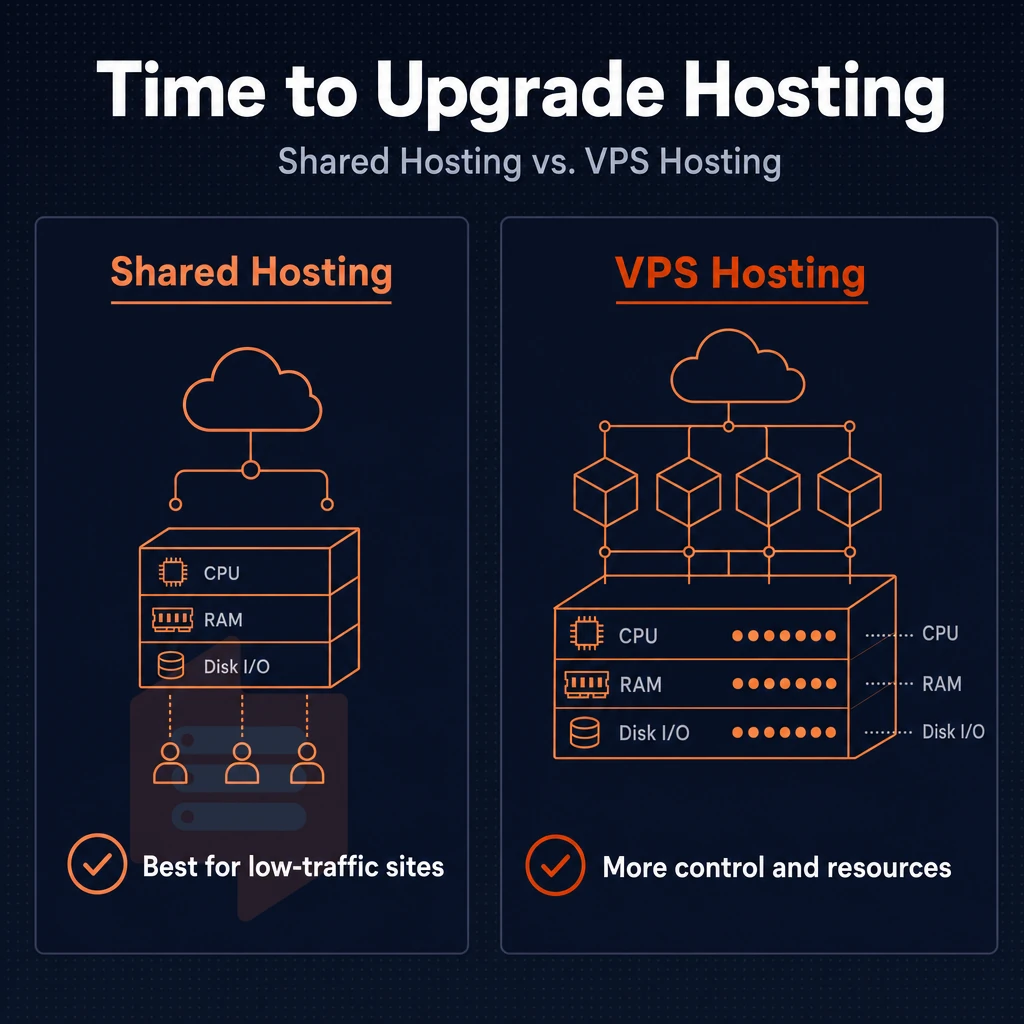
Shared hosting is suitable for low-traffic sites with low demands. But once your application starts to consume CPU, memory or disk I/O and begins competing with dozens of other users on your shared hosting provider account for these resources. You will start to notice the weaknesses of shared hosting. Here is a brief overview of the two types of hosting and when you might need to move to another type.
Migrating to cheap VPS hosting at this stage prevents performance degradation and gives you the isolation needed to scale without interference from neighboring accounts. High traffic apps require the consistent CPU allocation and memory isolation that VPS hosting delivers, ensuring response times remain stable even during peak usage periods. VPS hosting ensures that resource intensive applications receive consistent CPU cycles and memory allocation, preventing the performance bottlenecks common in shared environments.
Resource contention and the shared hosting plans ceiling
With shared plans, all your fellow tenants are sharing the same pool of resources.
VPS hosting gives you dedicated resources as opposed to unknown numbers. You know how much RAM is allocated to your VPS on a per node basis. You know how much CPU time your VPS gets as opposed to it all being shared randomly. Storage is provided on NVMe with IOPS measured and guaranteed as opposed to a shared SATA array that gets throttled by the person writing the most.
Network allocation is equally transparent, with generous bandwidth included in every tier to ensure your applications can serve traffic without unexpected overage fees or throttling. Many providers advertise unlimited traffic to simplify billing, though fair-use policies typically apply to prevent abuse while still accommodating legitimate traffic spikes without overage charges.
VPS hosting providers vs shared plans: a direct comparison
| Dimension | Shared hosting | VPS hosting |
|---|---|---|
| RAM | Shared pool, no guarantee | Dedicated allocation, hard cap |
| CPU isolation | None, contention is constant | Isolated vCPU (pinned on dedicated tiers) |
| Full root access | No | Yes, full root access on every plan |
| OS choice | Provider-locked, no custom ISO | Ubuntu, Debian, AlmaLinux, Rocky, Fedora, custom ISO |
| Scalability | Vertical ceiling is low; not all hosts allow in-place upgrades | In-place upgrades, no IP rotation, no migration |
| Uptime SLA | Varies; rarely contractual | 99.8% SLA (BuyVPS) |
Upgrade triggers: when you've outgrown shared hosting
Predictable signals are the clearest. This means you need to have full control over the software stack. This could mean running custom builds of PHP, having multiple instances of a database running, or running a specific version of a Node.js runtime that your shared host or cheap VPS providers don't support. An online store cannot afford to have any latency in the checkout process due to some other noisy user on the same server.
Dev and staging environments must mirror your production environment. Shared hosting is not going to give you the same environment as production. A VPS plan from a hosting company, on the other hand, gives you a real OS, full kernel access and actual numbers on performance that you can then measure and benchmark before going live with your application.
KVM is running at BuyVPS with one kernel per VPS, they are using AMD EPYC processors and their shared storage is based on NVMe RAID10. If your application has maxed out on the shared hosting then this is the type of infrastructure to migrate to.
How a VPS runs: KVM isolation, NVMe SSD storage, and dedicated resources
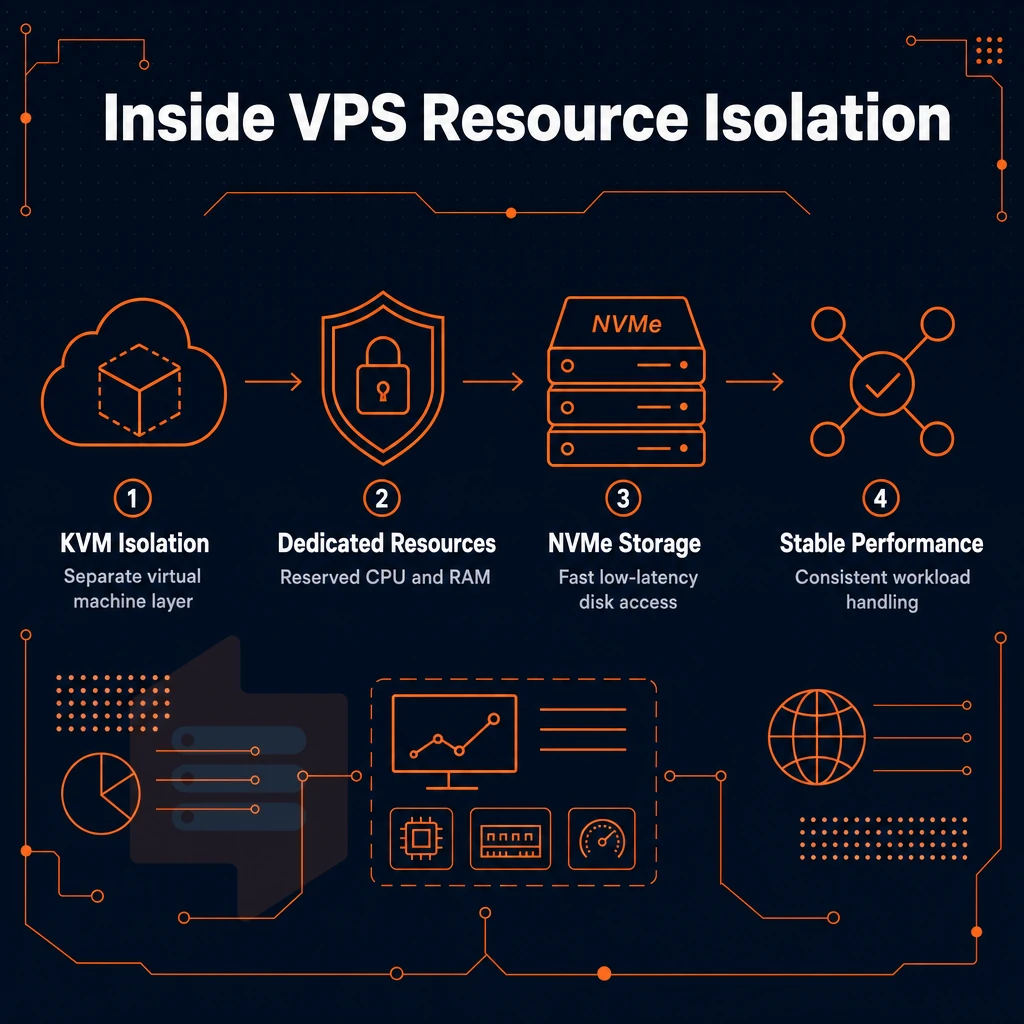
When you purchase a VPS it is typically a slice of a server that has been set up to run under the KVM (Kernel-based Virtual Machine) hypervisor.
It has its own memory allocation and its own storage, none of which is shared with other VPSs.
Operating system and kernel isolation
- In KVM every VPS runs on its own kernel. As opposed to container-based virtualization, in KVM every virtual instance runs with full OS-level virtualization. Therefore a noisy neighbor cannot affect your kernel scheduler or your memory space.
- Choose from a large collection of Linux VPS images, including Ubuntu, Debian, AlmaLinux, Rocky Linux, CentOS Stream and Fedora. You can also upload your own custom ISO. Root access is provided on all servers.
Note: Hard memory caps enforce the allocation. There is no balloon driver quietly borrowing RAM from your VPS when the host node gets busy.
NVMe SSD storage and iops
- NVMe SSD storage outperforms traditional hard drives and SSD storage, mainly because NVMe storage is used over the PCIe bus and not the SATA bus. While queue depth and latency are typically measured for storage, BuyVPS measures 122,959 4K read IOPS on their NVMe RAID10 array that’s been configured as a PCIe-direct array. The numbers are from a published fio benchmark, not from some marketing department’s estimator.
- The type of storage to use should match the type of workload. A high frequency of database writes or compiled asset pipelines will benefit from low-latency local NVMe storage. Archival or backup data types should be stored in object storage, not on the primary volume for your VPS.
Verification and what to expect
- Confirm your resource caps after provisioning. Run
free -hand a quick fio read test. The numbers should match your plan, hard caps mean no surprises. Low node density keeps per-VPS IOPS consistent under real load. - Just a heads up: check what you got with your SSL certificate as well as the other “extras” that BuyVPS sells. They don’t offer a day money back guarantee or a free ssl certificate. Know what you’re getting into for budgeting purposes.
Note: In-place upgrades preserve your IP address and data. With a virtual private server VPS, you do not need to re-provision or update DNS records when scaling up server resources to a larger plan, a practical advantage over providers that migrate you to new hardware on every resize. A 240 GB NVMe volume, for example, carries over intact.
After you get a handle on the hardware layer, you need to consider how much of the software stack you want to manage. Having complete control over the software stack means you decide which services start at boot, how memory is allocated across applications, and when maintenance windows occur. Most providers supply a web-based interface where you can restart services, view logs, and adjust control panel options without needing to SSH into the machine.
Configuring the web server software, whether Apache, Nginx, or LiteSpeed, requires understanding directives for virtual hosts, SSL certificates, and performance tuning to handle concurrent connections efficiently. Effective server management requires balancing automation with manual oversight, ensuring that routine tasks like log rotation and service monitoring run reliably while preserving the flexibility to intervene when custom configurations demand it.
Managed vs. Unmanaged VPS hosting: which is right for you?
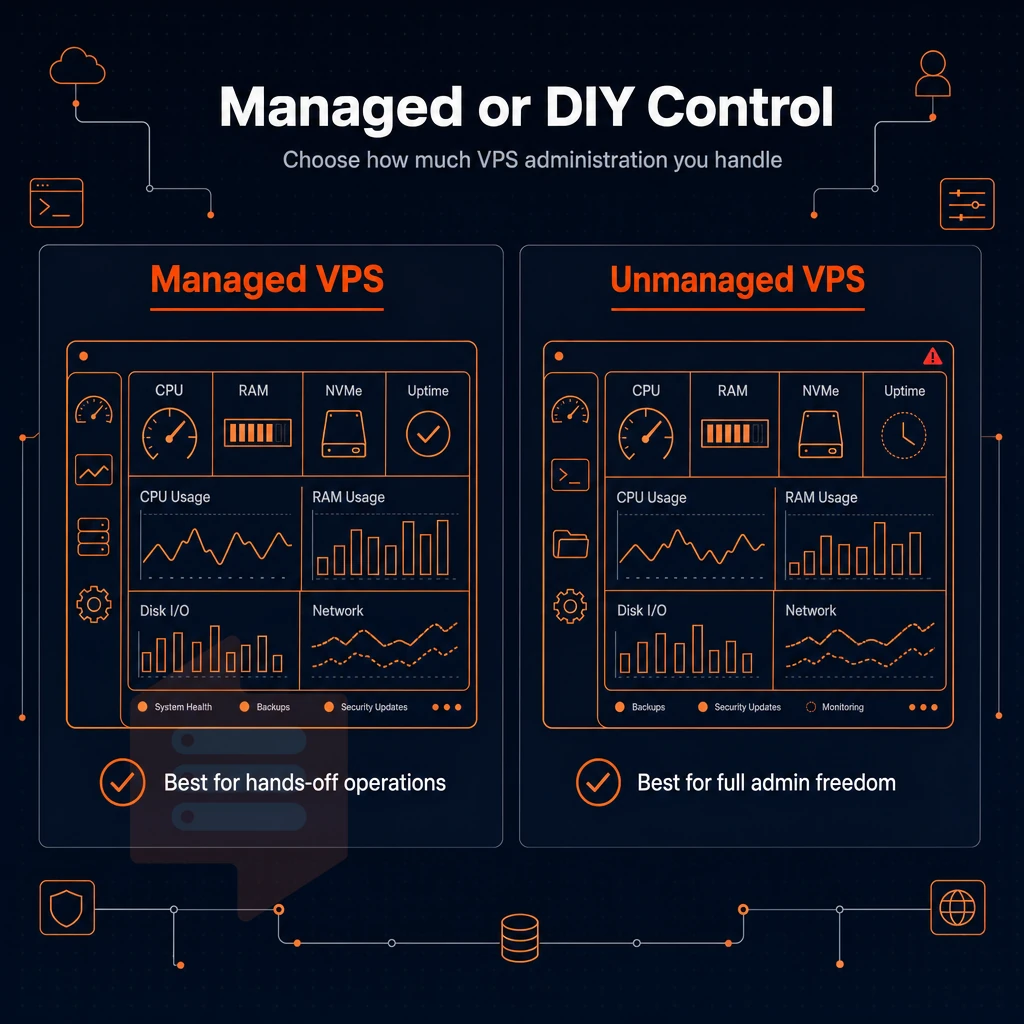
Where on the spectrum between fully managed and fully self-administered VPS hosting, or even dedicated servers, you end up determines the degree of your operational overhead, flexibility and how much of the server stack you own as a customer. It’s worth finding out before you buy to save a lot of time and money. Most reputable providers also back their service commitments with a day money back guarantee, giving you a risk-free window to evaluate whether the management level and performance meet your operational requirements. Choosing the right hosting provider means evaluating not only their management tier but also their track record for uptime, support responsiveness, and transparent billing practices.
A managed VPS bridges the gap by offloading routine patching, monitoring, and security hardening to the provider's team while preserving your ability to deploy custom applications. Providers with in-house teams can offer faster incident response and proactive optimization, especially when your workload demands technical expertise beyond basic system administration. Evaluating whether a provider offers phone support can be critical when troubleshooting urgent outages or complex configuration issues that require real-time guidance.
What VPS hosting providers include in managed plans
The Managed VPS Hosting product typically has the provider performing OS-level operations for you. This means they can update the kernel for you, apply security patches, manage firewall rules, and even setup up control panels such as cPanel/WHM. Some hosting companies will even monitor applications for problems and fix problems before they affect you.
Many managed providers also include phone support as part of their service tier, giving you direct access to technical staff who can troubleshoot issues in real time. This level of server management is ideal for teams that lack in-house Linux expertise or prefer to focus engineering resources on application development rather than infrastructure maintenance.
There is a trade-off to consider with managed hosting: convenience vs. loss of control over your kernel and system configurations, and the cost of someone else’s labor to set all that up for you. It is well-suited to small agencies, non-technical founders, and standard LAMP stack-based businesses that don't need custom kernel parameters or virtual servers managed by dedicated sysadmins on their teams.
What unmanaged VPS demands from you
An unmanaged VPS comes with a base OS install and nothing else. You will need to harden, patch, configure services and monitor up time etc. for your server. However this is not a limitation, it’s the actual point of an unmanaged VPS. As a developer or sysadmin you get full root access to a clean and brand new environment where you can install, configure and run whatever you need for your specific work load.
Unmanaged hosting is typically the best option for projects running containerized workloads, custom web servers or database configurations that would be restricted by a managed hosting layer. The cost of operation is your engineering time, not some multiple that your hosting provider is marking up.
Choosing the right hosting provider plans and model
The real question here is, does your team have the necessary skills to manage a stack running on Linux? If so, unmanaged VPS is usually going to be the better deal: more control, less cost, no opinionated software pre-installed.
All of our plans are sold as unmanaged VPSes with root access, a self-service control panel, and API access. We set you up with the OS of your choice (Ubuntu, Debian, AlmaLinux, Rocky Linux, CentOS Stream, and Fedora) and then you’re off to configure as you see fit from the get-go.
Many managed VPS hosting providers exist. Auditing what “managed” actually means for a potential host (patch cycles, response time SLAs, etc.) is sufficient. After choosing a model, simply review the features of the various plans available on that host.
Key features to compare across cheap VPS plans
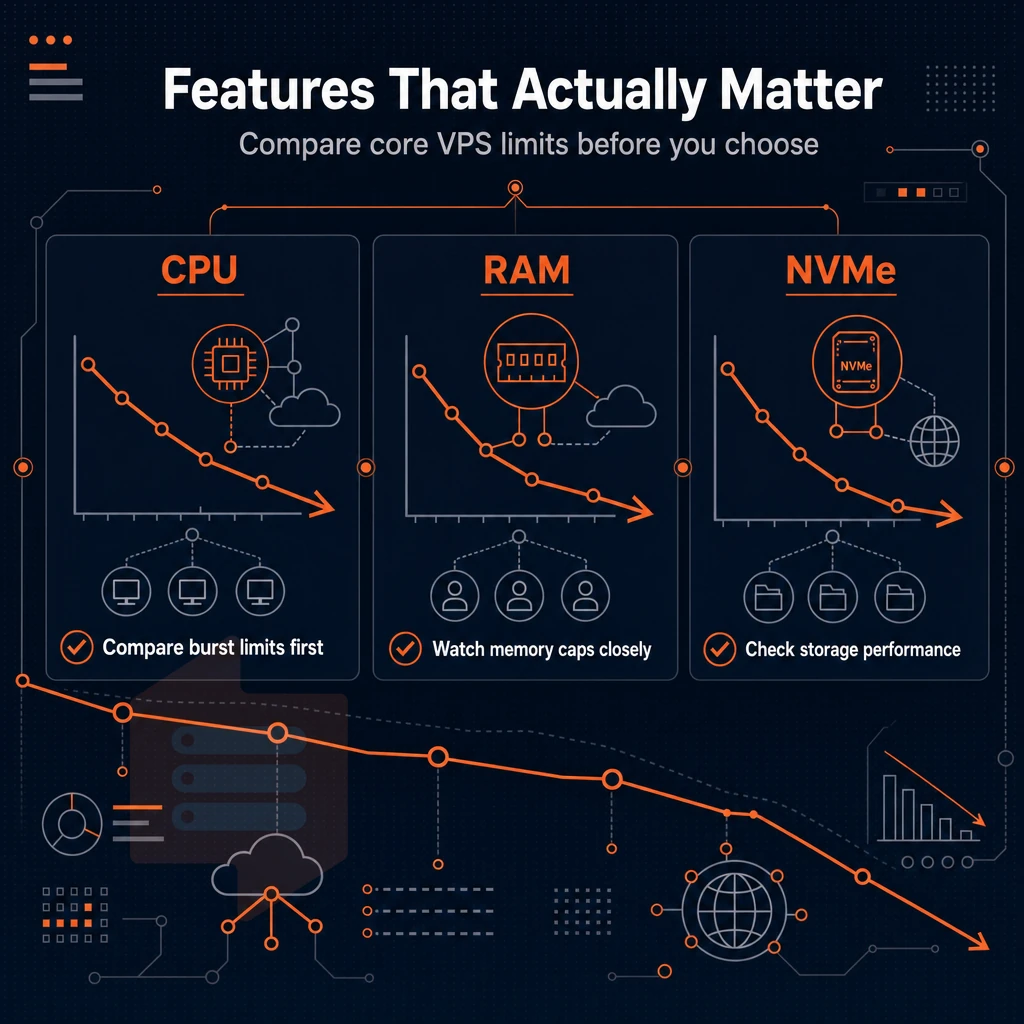
Different cheap VPS hosting services have different limitations. Before you sign up for a cheap VPS hosting service, go through this check list for the short listed services. The differences in resources, networking and support will rapidly add up as you put your production server into action.
Compute, RAM, and storage fundamentals
Begin with choosing the type of vCPU.
Just as important as CPU allocation is the RAM allocation.
Network, IP stack, and dedicated IP address for servers
Check if IPv4 + IPv6 dual-stack is by default included in the offer and not an additional service. Check the network throughput and check if the upstream network is really published by the provider and not only propaganda.
Dedicated IP addresses need to be scrutinized as well. Shared IPs can pick up bad sending reputation of other users on the same IP block which can be disastrous for transactional email senders. Are additional IP addresses available and at what rate?
Security, DNS management, control panel setup, and guarantees
Edge-level DDoS protection should be standard. It’s often left out of budget plans, so make sure your provider can filter volumetric attacks at the network edge as well as at host level.
Review a provider’s offered DNS tools, automated backups, and control panel complexity. Look for a self-service control panel with API access and in-browser VNC support (like we offer). Lastly, check the length of a provider’s money back guarantee. A short or non-existent period suggests that a provider is not entirely confident in their abilities to serve you.
With the feature checklist complete, we can now turn our attention to determining a proper fit for workloads to the appropriate tiers of service.
Cheap virtual servers: from web applications to game servers
No single VPS tier is best suited for every workload. By matching your specific use case with the right VPS hosting plan, you can avoid paying for idle cores and also avoid hitting a ceiling under load. We outline common use cases and corresponding VPS hosting options below.
Use case breakdown
| Use case | Recommended tier | Key requirement | Why it fits |
|---|---|---|---|
| Web server / web applications | Standard (shared vCPU) | Consistent uptime, IPv4+IPv6 | Burstable CPU handles typical HTTP traffic; cheap VPS web hosting at its most practical |
| Game server (e.g., Palworld) | Dedicated CPU | Pinned cores, low latency | Real-time tick rates need guaranteed CPU cycles, not shared ones |
| Proxy server / web proxy | Standard (shared vCPU) | Bandwidth, dual-stack IP | Network throughput matters more than raw compute here |
| DNS server | Standard (shared vCPU) | Low memory footprint, uptime | DNS is lightweight; 99.8% SLA covers authoritative resolution reliably |
| Dev / staging environment | Standard (shared vCPU) | Root access, fast provisioning | Full root and custom ISO let teams mirror production without dedicated servers |
| High-traffic apps / online store | Dedicated CPU or High Memory | Consistent throughput, NVMe IOPS | 122,959 4K read IOPS eliminates storage as a bottleneck under peak load |
When shared vcpu is enough
For most web hosting workloads such as web sites, APIs, web proxies and DNS servers, shared vCPU hosting plans are more than sufficient, since most such services are not very resource intensive. As opposed to shared hosting which cannot provide root access and a dedicated IP stack, VPS hosting can provide both at greatly reduced overhead.
When to step up to dedicated CPU
High load applications like large online stores, real time games or many compiled applications all benefit from pinned cores. By removing CPU contention from web server management, BuyVPS Dedicated CPU plans run on AMD EPYC Genoa processors with hard memory caps to prevent noisy neighbors.
Virtual private server decision rule
Monitor CPU wait time for your app under normal load. If it’s over 5% then move to a dedicated-core plan. A simple cheap VPS on the Standard tier handles the rest of your workloads and keeps costs predictable.
While knowing your workload’s “tier” is important, that is only half the story.
Cheap VPS providers compared: what the market offers in 2026
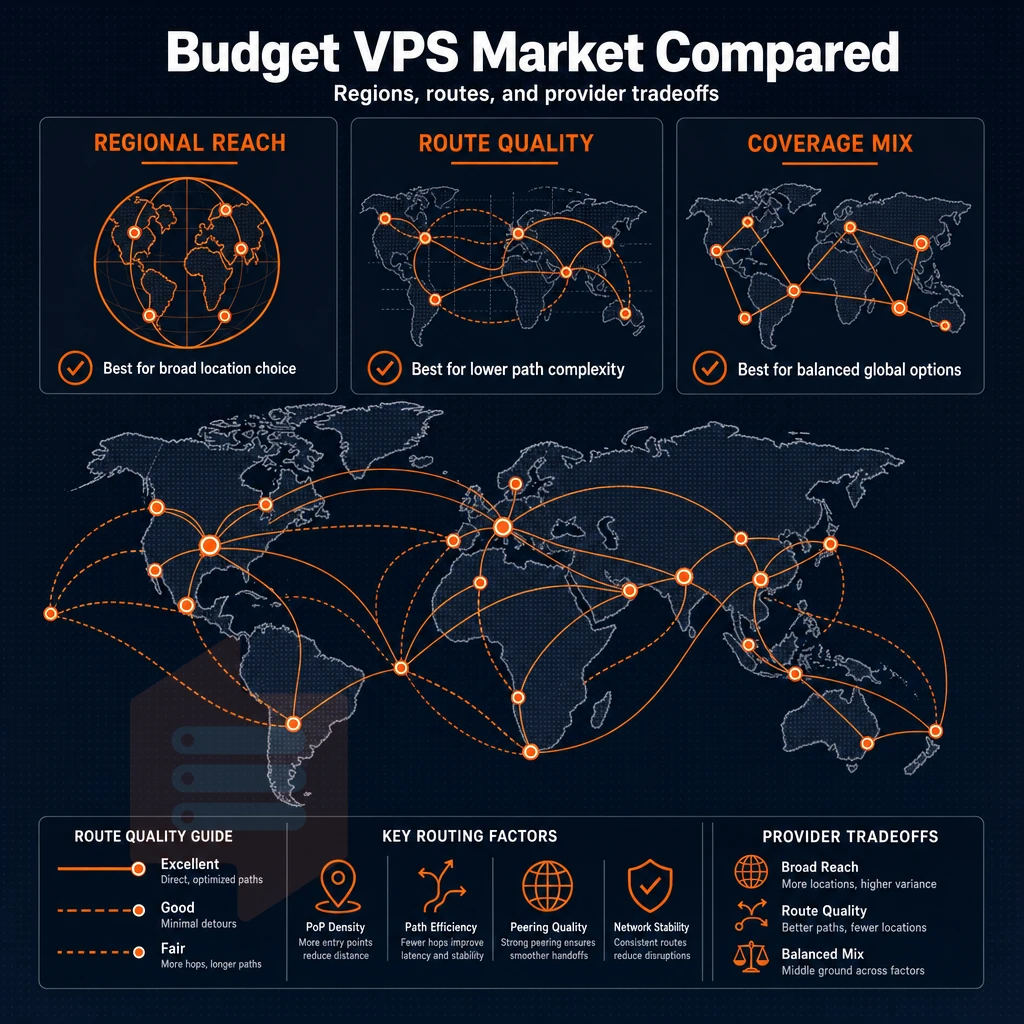
The cheap VPS market in 2026 is crowded. Cheap entry-level VPS plans can vary greatly in quality and there’s a big difference between the cheapest offer and the best offer for your money. Most cheap VPS plans have some catch, so you don’t end up paying twice for something.
VPS hosting plans and providers: what the market offers
The cheapest VPS providers tend to focus on the lowest price first. So cheap VPS plans for budget minded users are usually mult10 tenancy on vCPUs, Linux OSes are limited to a few of the most popular distros and no Windows VPS plans at all.
Alternatively, the hosting provider charges exorbitant Windows licensing fees that are often hidden as an extra cost, eliminating any savings from the cheap plan in the first place. For Windows servers, there’s the per-core cost of Microsoft licensing that cheap hosts often don’t even mention until you’ve signed up.
- Check for vCPU contention. Shared vCPU plans can have dozens of VMs on the same compute. Under load, noisy neighbors can impact performance. Look for hard memory caps and published node-density limits as indicators of a no-oversell model.
- Always read the renewal terms and conditions of the cheap VPS offers. Many of them promote introductory offers at very low prices for the first couple of months, but later the price goes up significantly. Quality web hosting providers charge same price from month #1 to month #60 (5 years).
- Low cost VPS server offerings should support various OSes (e.g. Ubuntu, Debian, AlmaLinux, Rocky Linux, CentOS Stream, Fedora) and allow upload of custom ISOs. Verify that the lowest tier allows more than two or three OSes to be used.
Low cost VPS: the quality floor that matters
Even a very low-cost offer needs to include full root access, KVM (with separate kernel for each VPS), storage on fast NVMe media, and dual IPv4 + IPv6 stack. This is not a set of add-ons for the "premium" offer, it is the bare minimum that anyone should be willing to pay for.
- Check if KVM virtualization is isolated from other VPSes. Container based virtualization runs on top of the host’s kernel. VPSes with KVM virtualization however each have their own kernel, which is required for proper security as well as for custom kernel modules.
- Check what kind of storage is being used (e.g. spinning disks, low end SSDs). A NVMe RAID10 configuration with PCIe direct connect storage delivers consistent IOPS under load.
Note: Avoid plans that bundle "unlimited bandwidth" without a published uplink speed or SLA. Vague network terms are a common way budget hosts obscure congestion.
Choosing a VPS provider that holds its value
We run AMD EPYC servers in Amsterdam and New York, with strict memory limits per host, and no price increases for renewals. Upgrades within a server happen instantly with no change to your IP address, making it the sensible starting point for anyone requiring reliable performance without compromise from a dependable hosting provider.
Where your provider's data centers are located is almost as important as what hardware they're running. In this article we'll explore the locations and how they affect latency, compliance and comouter failures.
Data center location and network quality for european and US audiences
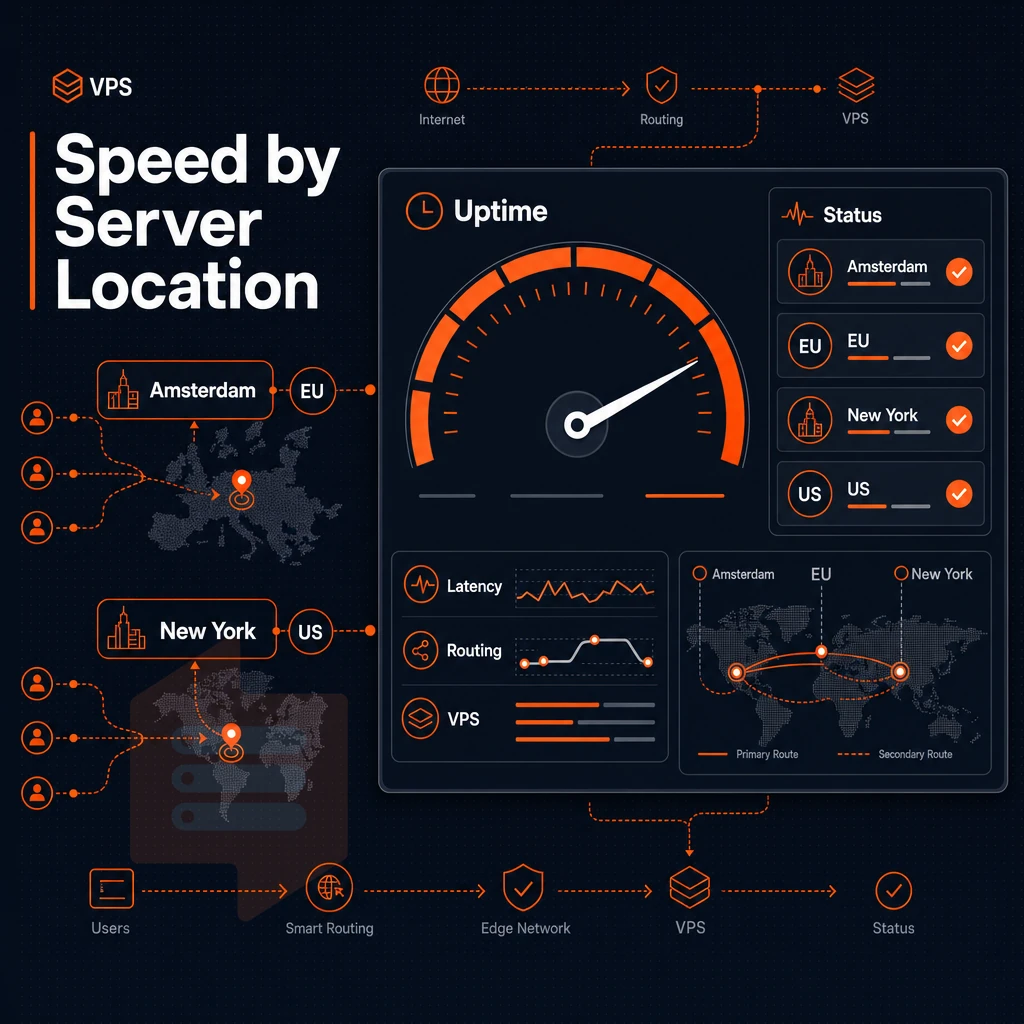
Your VPS is essentially a server. We run two data centers: Amsterdam and New York.
Latency, compliance, and data center location
Selecting a suitable data center location can reduce the median latency for your end users by up to 100ms. Our Amsterdam data center is based in the EU and as such is compliant with GDPR regulations. Our New York data center is located at the hub of the US East Coast and is within single digit milliseconds of the largest population centers. Both data centers are equipped with identical hardware and are managed with the same control plane and SLA.
By removing this trade-off, you can save money by running in one region only, instead of having to set up full additional infrastructure in other regions. This also saves you from the redundant licensing for the software stacks that you would have to set up for each region separately.
Network architecture and throughput
Both locations have multi-homed uplinks to multiple upstream carriers. If any one carrier fails, the location will continue to be reachable. Also, in high traffic situations, the network will continue to perform well because no location will oversell its neighbors.
Unlimited traffic on all plans is provided. Normal workloads are not metered. That means burst events will not generate any surprise overage charges.
All of our plans include IPv4 and IPv6 in dual-stack mode. VLANs can be added upon request as well as edge filtering for DDoS protection at the network edge.
Uptime SLA and support
Both data centers are covered by a 99.8% uptime SLA.
Once location and network have been covered, the last question of practical value is which of the three tiers of BuyVPS services best matches your needs.
VPS hosting plans: standard, dedicated-core, and high-memory options

We have created 3 VPS tiers that are best suited for particular types of workloads. We have designed each of the tiers to ensure you only get the essential features you need to ensure your VPS runs effectively and you are not paying for unused headroom.
Standard CPU VPS (s-tier): shared vcpu for everyday web hosting
The S-tier uses AMD EPYC Milan processors, paired with DDR4 ECC RAM and NVMe storage. Shared vCPUs make this tier cost effective for most web hosting workloads. This includes WordPress sites, staging environments, small APIs and dev boxes.
Our NVMe RAID10 built with PCIe direct connection delivers 4K read IOPS higher than disk-based systems or those that use SATA SSDs. All plans include a host of backup features, reverse DNS and more when accessed through your control panel.
Dedicated CPU VPS (d-tier): pinned cores for latency-sensitive workloads
D-Tier servers are configured with AMD EPYC Genoa CPUs, augmented with DDR5 ECC memory and cores are physically pinned.
Our Customer support engineers can further advise on the number of cores required based on specific uncommon work loads. Our High Availability tier caters to the technical experts who require raw dedicated compute with full root access and KVM isolation.
High memory VPS (h-tier): 1:8 RAM ratio across our data centers
The H-tier is optimized for in-memory databases, large caching workloads and analytics.
- Tutte le categorie consentono aggiornamenti direttamente sul posto, niente migrazione, niente rotazione degli IP.
- Billing cycles: monthly, 1-year, or 2-year, No price increase at renewal.
- Customer support from engineers, not first-tier bots.
These tiers cover the various scenarios for use that this guide describes.
Why choose BuyVPS for cheap VPS web hosting
Not all low-cost virtual server hosting delivers what it promises. BuyVPS has been founder-run since 2002, and our unmanaged hosting infrastructure is built around a simple principle: your virtual private server gets the resources it's allocated, no exceptions.
- No-oversell guarantee. Hard memory caps per node and low node density mean your VPS hosting plans perform under real load, not just in benchmarks.
- Proven performance. Published Geekbench 6, fio, and pgbench results back every claim. Our NVMe RAID10 PCIe-direct storage measured 122,959 4K read IOPS, documented, not estimated.
- Full root access on every plan. Install any operating system, upload a custom ISO, and manage your server environment without restrictions. Unmanaged VPS the way it should work.
- KVM isolation. Each virtual private server runs a separate kernel. Your workload stays isolated from every other VPS on the physical server.
- No renewal hikes. The price you pay today is the same in year five. Predictable hosting costs matter for any online store or high-traffic application.
- Two data center locations. Amsterdam and New York, identical hardware, identical pricing. Pick the data center location closest to your users.
Our support team is engineers, not first-tier chatbots. Reach us by email or phone when something matters. Compare our VPS plans or get in touch to discuss which hosting plan fits your workload.
The core differences between cheap VPS hosting and shared hosting
As opposed to shared hosting where hundreds of websites are hosted off of one server and are competing for CPU cycles, memory and I/O. A VPS hosting environment sets up your web server in an isolated environment or 'container' where you are allocated a fixed amount of resources that no other user can utilize. This is the main architectural difference between shared hosting and VPS hosting.
Cheap VPS hosting also hands you full superuser access and control over your own operating system, something shared hosting never offers. You can install custom software, harden your server environment, and scale VPS plans without migrating to a new host. If you've outgrown shared hosting, cheap VPS web hosting is the logical next step: more control, more headroom, and a predictable resource floor.
The key advantages of low-cost VPS hosting for growing websites
With affordable VPS solutions, you can get between shared hosting and a dedicated server. Even though it is a virtual server, with VPS hosting you get a virtual private server with a dedicated chunk of resources (like RAM. A dedicated CPU core, disk space, etc), full root-level access to the server.
Additionally, complete control over the server and its environment, including a dedicated ip address, without having to pay for the resources of a bare-metal host and manage the hardware yourself. With low cost VPS hosting, you pay for what you use and it scales with your load, so big traffic spikes do not result in any downtime or slowdowns.
When you're ready to move beyond shared hosting, the right VPS provider makes the difference. BuyVPS offers cheap VPS plans on AMD EPYC hardware across Amsterdam and New York, with NVMe RAID10 storage, KVM isolation, and no-oversell guarantees. Explore BuyVPS plans and find the tier that fits your site today.
By committing to a VPS you get reserved resources, KVM isolation and NVMe storage. As soon as your projects need constant CPU power, sufficient RAM or even full root access to your server, the switch from shared to VPS hosting is more than worthwhile. When comparing hosting company plans, we focus on three aspects: the type of hypervisor and its operating system support, the storage architecture, and whether the resources offered are capped or even being oversold.
Not all cheap VPS hosting is equal. A low headline cost means little if the node is oversold or the storage is slow spinning disk. BuyVPS runs KVM with a separate kernel per VPS, NVMe RAID10 storage with measured IOPS, and hard memory caps by design, in Amsterdam and New York. If you're ready to move off shared hosting or replace an underperforming VPS, browse the BuyVPS plans and pick the tier that matches your workload.