

Looking for a low cost VPS server which doesn’t sacrifice any performance in the process of saving you money is very difficult to find these days as the market place is full of extremely cheap offerings which advertise low prices but secretly over-sell underpowered servers. Limit CPU usage or slap huge price hikes on for renewal. This Can double the initial price within a couple of years.
The good news is that cost-effective VPS hosting has genuinely improved. AMD EPYC processors, NVMe storage, and KVM isolation are no longer premium-only features in web hosting, they show up in well-engineered entry-level plans from providers who build infrastructure with discipline rather than margin padding.
The difference between a cheap VPS and a good cheap VPS comes down to a handful of technical decisions: memory caps, storage architecture, CPU pinning, and network design. Modern NVMe implementations deliver ssd storage performance that eliminates traditional I/O bottlenecks, making even entry-level plans viable for database-driven applications.
When looking for low cost VPS hosting options, there are certain things you should look for in terms of specifications and red flags to watch out for. This guide will help you to understand the key points to consider when choosing a VPS plan from any hosting provider, and also outline some sample configurations to help you to choose a suitable VPS without too much unnecessary overhead. We start with the basics of what a VPS is, and where it fits in the hosting stack.
Selecting a cheap VPS hosting plan requires balancing baseline specifications like RAM allocation and storage type against the provider's track record for uptime and network reliability. Understanding the essential features of a VPS plan, such as virtualization type, resource allocation model, and backup policies, helps distinguish providers that deliver real value from those relying on marketing alone. Consulting real user reviews can provide insight into whether a provider consistently meets its advertised specifications and delivers responsive support when issues arise.
What is a low cost virtual private server?
Virtual Private Servers offer users more control and flexibility than their shared hosting counterparts, without the higher cost of a full dedicated server. Low cost hosting, however, is not necessarily what it seems to be.
First month $1
Then the normal monthly price. One per customer. No setup fee, and a 30-day performance guarantee on your first order.
See the plans“Great experience with BuyVPN! The service is easy to use, the connection has been smooth and reliable, and the overall experience has been really good. The pricing is also reasonable…”
What is a low cost VPS server?
VPS hosting typically utilizes a hypervisor to slice up a physical server into virtual servers. These virtual servers typically have guaranteed CPU, RAM and storage allocations. Importantly, the resources of a VPS are not shared with other users. At BuyVPS, we utilize KVM virtualization. Each VPS runs its own kernel, which means that the actions of one user will not affect another.
"Low cost" means a lot of value per unit of resource, not just a low price tag. So a plan with pinned CPU and NVMe RAID10 storage for example, even at medium price per unit. Is better than a very cheap offer for a plan with many over-sold servers on slow hard disk space. Providers offering low cost plans should transparently disclose their resource allocation policies and hardware specifications to help customers evaluate true performance potential.
Evaluating providers based on transparent pricing models and hardware quality ensures you get affordable prices without sacrificing the performance characteristics that matter for production workloads. Transparent providers deliver this value without hidden fees or surprise charges, ensuring you receive the advertised resources at no extra cost. Many reputable providers back their service commitments with a money back guarantee, allowing customers to test infrastructure quality and support responsiveness risk-free during an initial trial period.
Virtual private server vs. Shared and dedicated
- Shared hosting: many sites share one environment, no resource guarantees.
- VPS: isolated resources, full root access, your own kernel.
- Dedicated server: entire machine to yourself, highest cost.
- Cloud hosting: elastic VMs billed by the hour, convenient but often less predictable.
Operating system choice and control
A good low-cost VPS should allow you to choose from a variety of OS’s including Ubuntu, Debian, AlmaLinux, Rocky Linux and many others as well as creating your own custom ISO. Selecting the right operating system depends on your application stack requirements, with most providers offering one-click deployment and the ability to reinstall or switch distributions at any time.
Furthermore, root access lets you fully control your server environment, as opposed to a low-cost shared account marketed as a VPS that offers no real isolation or control. To understand just how isolation will hold up under load, one must look at the hypervisor layer. This level of administrative access provides full control over software installations, security configurations, and system-level optimizations that shared environments cannot accommodate.
How a VPS works: virtualization under the hood
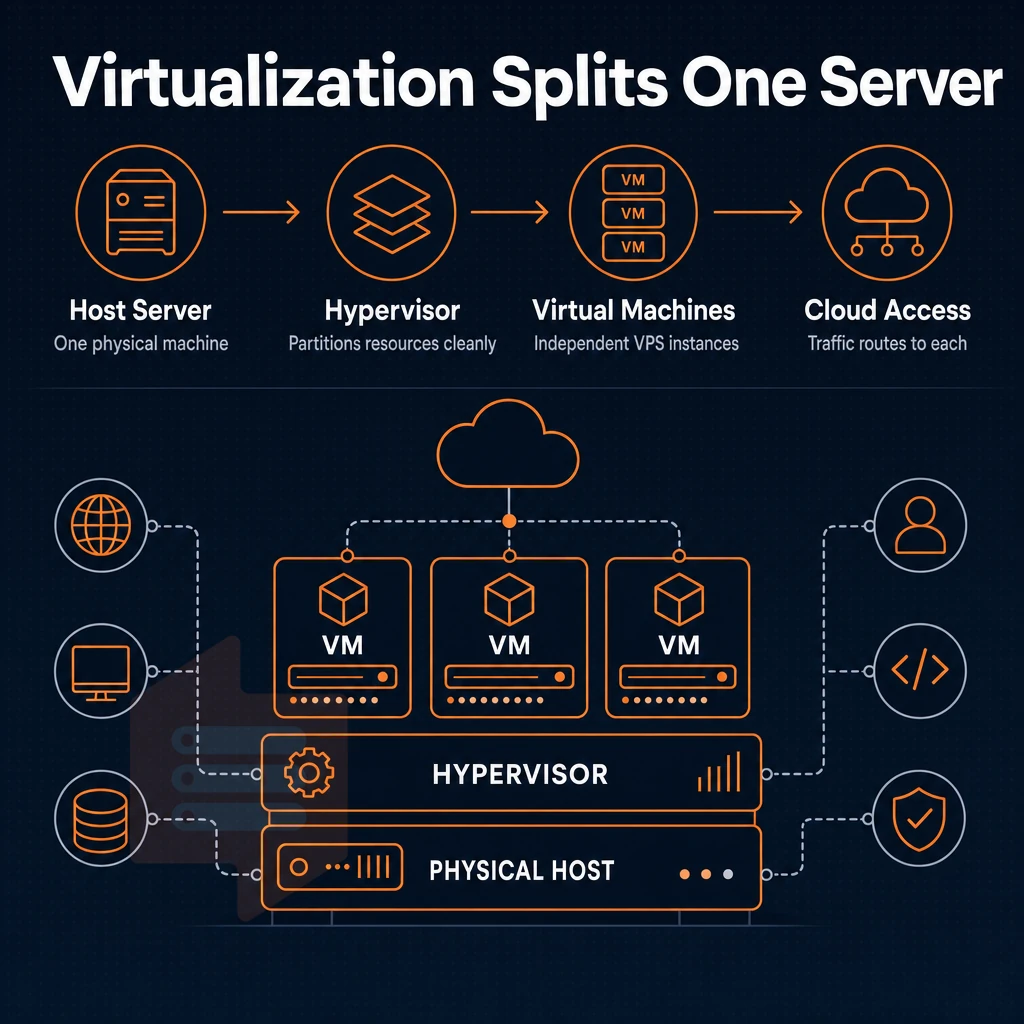
A VPS is typically offered between shared hosting and unmanaged dedicated servers. Understanding how a Hypervisor manages the server and the resulting isolation between VPSes can help to explain the large variations in isolation seen across web hosting providers, and can have important implications for stability, security, and performance.
How KVM isolation works
Each KVM server has its own kernel. This means a noisy neighbor cannot affect your process table or use up all your memory. This is in contrast to shared hosting where all accounts are running inside one OS instance. With KVM, there are hard boundaries between your virtual server and the physical server it is running on.
Note that memory for example is hard capped for every VPS. In contrast to soft limits for server resources which then can be borrowed from another customer. All resources for a VPS are provisioned at time of order and then no longer can be borrowed by another customer either.
We at BuyVPS enforce the no-oversell policy by means of low node density plus hard memory caps. The limits you see with every VPS specification thus really are the limits with which you can work.
Web hosting storage and CPU allocation
By using NVMe SSD storage on a direct PCIe path, measured 4K read IOPS can be significantly higher than those of SATA SSDs and hard disks. Measured latency drops to the range of microseconds instead of milliseconds, which is very important for databases and applications that constantly read and write high-frequency files, something any serious hosting provider focused on quality server management should prioritize.
This storage architecture directly translates to better performance for I/O-intensive workloads compared to legacy spinning disk configurations. Benchmark tests consistently show that NVMe configurations deliver superior real world performance for content management systems and transactional databases under concurrent user loads. Choosing NVMe over traditional ssd storage can reduce query execution times by an order of magnitude for write-heavy applications that depend on rapid disk access patterns.
BuyVPS offers a dedicated CPU tier with pinned cores. This is a special tier and can be very important in server management for certain workloads that are highly sensitive to traffic spikes or CPU jitter (jitter being the change in time between arrivals of events). For example, real-time APIs, or game servers.
Operating system virtualization types compared
| Type | Kernel isolation | Resource guarantees | Best for |
|---|---|---|---|
| Shared hosting | None, shared OS | No hard caps; claims of unlimited bandwidth are pool-shared | Hosting websites with low, predictable traffic |
| KVM VPS | Full, separate kernel per VPS | Hard memory cap, allocated vCPU | Applications needing isolation and root access |
| Bare-metal | Full, physical machine | All resources exclusive | Maximum single-tenant throughput, no sharing |
KVM VPS is ideal for workloads that require dedicated operating system environments, strict resource guarantees and root access. Unlike bare metal KVM VPSes which are very expensive, BuyVPS offers scalable infrastructure through KVM VPSes running with a separate kernel for each VPS in both Amsterdam and New York data centers.
We will discuss how VPS compares to shared hosting in practical terms in this article. Each data center location is equipped with redundant power and network infrastructure to ensure consistent uptime for all hosted instances. Both locations also include enterprise-grade ddos protection to mitigate volumetric attacks and ensure service availability during malicious traffic surges.
Shared vs. VPS web hosting: what you actually get
When it comes to choosing a web hosting service. The question that generally matters most is whether you’re sharing server resources with other users (i.e. strangers) or if you’re paying for 100% dedicated resources that you own outright. Answering this question can help you determine the extent to which performance, security and even control of your hosted environment will be affected.
Cheap VPS web hosting vs. Shared: the core differences
A VPS offering typically isolates your usage of CPU power, RAM and storage from those of other hosted accounts. This ensures that the activities of ‘noisy neighbors’ do not impact the response time of your site. The comparison table below outlines the key differences between a VPS and a shared hosting account.
| Dimension | Shared hosting | VPS hosting |
|---|---|---|
| Resource isolation | Pooled, neighbors compete for RAM and CPU | Dedicated resources, hard caps per instance |
| Root access | None | Full root access on every plan |
| Traffic spikes | Performance degrades across all tenants | Your allocation stays constant |
| Scalability | Capped by shared plan tier | In-place upgrade, no IP rotation |
| Control panel | Provider-chosen only | Install any panel or none at all |
| Security patches | Provider schedules them, you wait | You patch on your own timeline |
What cheap VPS delivers that shared plans cannot
Even the cheapest VPSes run on isolated kernel-level virtualization.
Note: Full root access means you are responsible for OS-level security. Apply patches promptly, no provider will do it for you on an unmanaged VPS hosting environment. Many developers rely on SSH access and package managers to install developer tools, configure runtime environments, and deploy custom application stacks tailored to their project requirements.
Proactive system administrators often configure monitoring tools to track resource usage, detect anomalies, and receive alerts before issues escalate into downtime. This level of full control enables experienced administrators to harden their systems according to specific compliance requirements or application security models.
Once you have outgrown shared hosting, you have to decide whether a VPS is sufficient or if you really need a bare metal server. Many site owners transition to VPS plans when their traffic or application complexity exceeds what typical web hosting environments can reliably support. Most web projects benefit from the flexibility of VPS environments, which allow developers to scale resources incrementally as traffic grows without committing to the capital expense of bare metal infrastructure.
VPS vs. Dedicated server: when low cost is enough
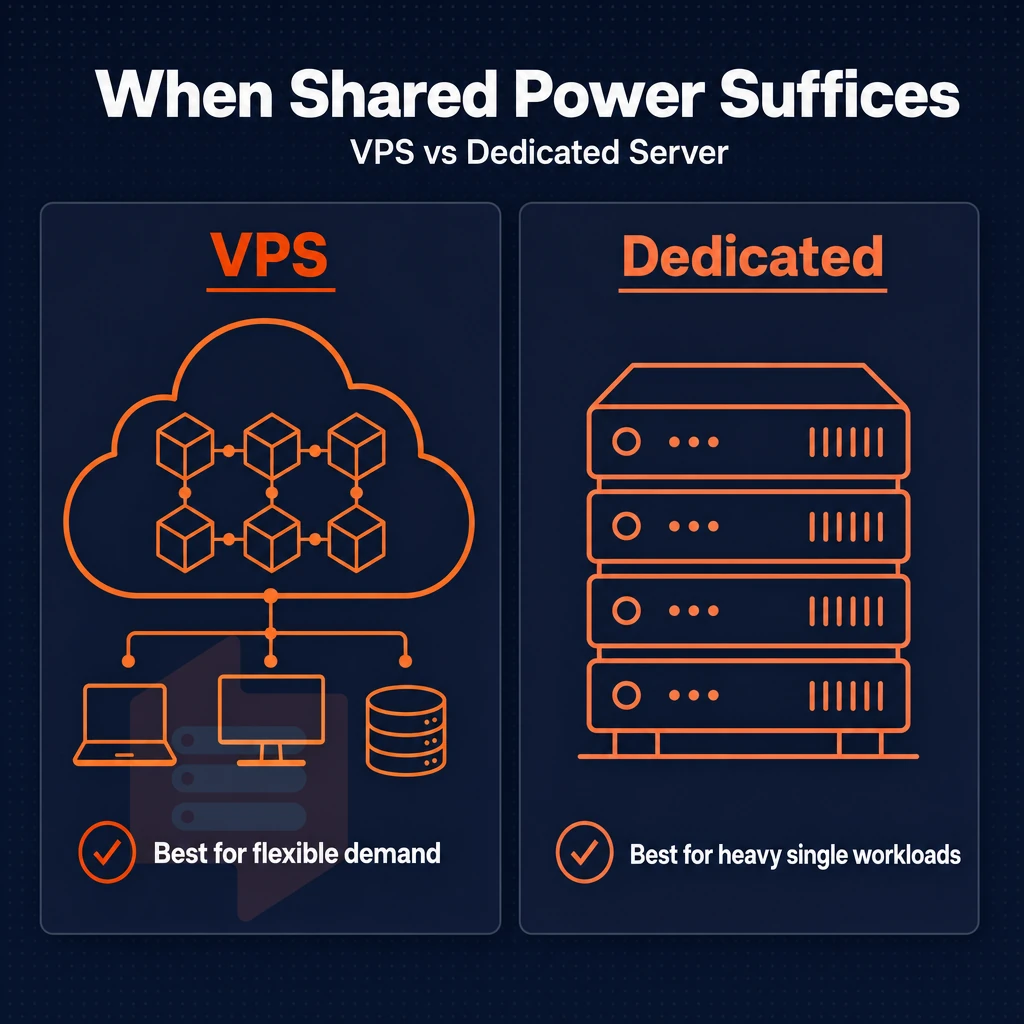
When comparing a VPS to a physical dedicated server, the main choice criterion is the amount of raw single-user compute power your application(s) need. For the majority of applications, virtualization is the better choice.
What a low cost VPS server delivers
The modern VPS server runs on top of the latest enterprise hardware such as AMD EPYC processors, NVMe RAID10 storage and DDR4 or DDR5 ECC RAM. All servers are running multiple virtual machines on them, and each VM has a strict memory limit and its own kernel. The result is a very stable environment, where your workload behaves exactly as expected even on a shared server.
For most web projects, APIs, and ecommerce sites, a mid-tier VPS will never reach its limits. Typically, the bottleneck is found in the application code or database queries, not in the available hardware. Properly configured VPS plans deliver the resource isolation and scalability that e commerce websites need to handle variable traffic loads without performance degradation.
When a low cost VPS is enough
A VPS is perfect for running your developer environments, your staging pipelines, your containerized microservices and your moderate traffic e-commerce store. Upgrading in place (i.e. upping the vCPU and the RAM) allows you to grow vertically (i.e. without changing your IP address or moving your data around) and that makes for a very easy to manage server compare d to having to manage physical servers.
BuyVPS offers Standard and dedicated core servers at a range of prices to cover this type of usage. The Dedicated servers, which come with free website migration support, have pinned cores and support private networking, so there is no CPU variance from noisy-neighbor servers, making them comparable to bare metal servers for latency-sensitive applications.
These configurations deliver enterprise-grade isolation and performance at affordable prices, making them accessible to startups and growing businesses that need predictable resource allocation. Customers can upgrade between tiers without any extra cost for data transfer, allowing seamless scaling as application demands evolve. Every plan includes a 30-day money back guarantee, allowing customers to test performance and compatibility risk-free before committing long-term.
When bare metal becomes necessary
I can only think of a few scenarios where you would really need a true dedicated server: sustained single-threaded workloads that fill a full physical socket. Specific compliance scenarios where you need a fully standalone (and therefore isolated) server rather than what even cheap VPS providers offer as a VPS plan; and extreme I/O workloads that cannot be appropriately serviced by any virtualized server offering. Such use cases do exist, but they are not uncommon.
A well-configured VPS is typically sufficient for everything else (i.e. web applications, SaaS applications, game servers, etc. / CI/CD runners) since they require a lot of computing power for which you end up paying a lot of overhead in a shared environment.
Choosing the right tier of VPS is only half the battle. We need to figure out which of the various specs offered by the different plans actually matter and which ones are mere marketing fluff.
What to look for in a low cost VPS web hosting plan
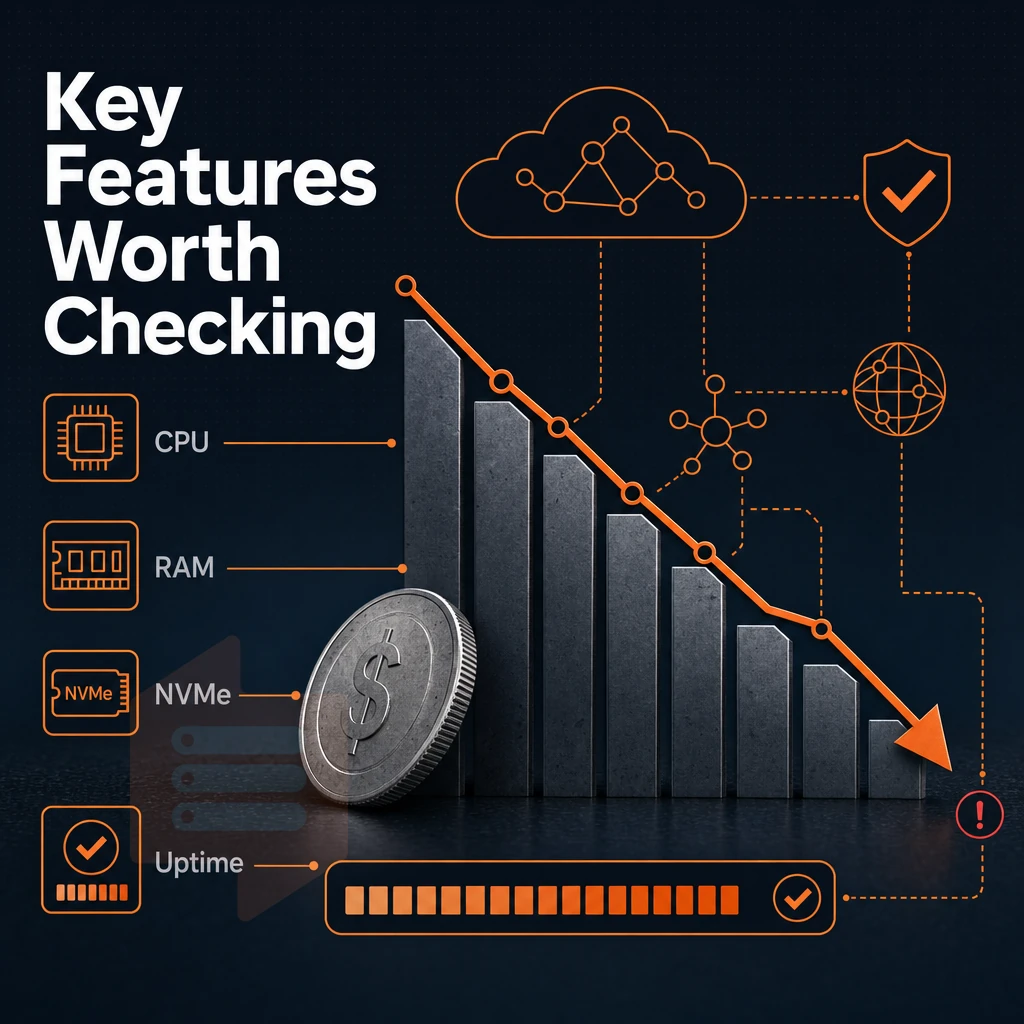
While there are many low cost VPS servers available on the market, not all of them deliver what they promise. The difference between a cost effective VPS hosting plan and a very cheap offer that limits resources in order to maintain low prices in order to sell in large volumes can be found in a few important settings.
CPU, RAM, and storage fundamentals
The type of CPU is generally much more important than the number of cores. On shared vCPU accounts, unlike shared hosting with dedicated resources, the physical CPU cores are shared among all account holders on the server, so this type of setup, alongside basic dns management, is suitable for small amounts of traffic (e.g. for personal websites).
However, Not very suitable for larger loads as there is no way to predict how many other processes will be running at the same time as your own. On a pinned CPU account, which often includes features like dns management, your virtual server is allocated a fixed number of CPU cores exclusively for its use, so performance is not affected by other accounts on the same server.
Scrutinizing RAM allocation is equally important.
For storage, demand the base level of NVMe SSD storage. SATA-based plans have significantly lower IOPS and can become a bottleneck for storage-intensive database applications as well as high-concurrency applications.
Network quality, location, and operating system
The location of the data center affects the latency for your end users. Any serious VPS plan should include dual-stack IPv4 + IPv6. In addition to checking for these features, make sure the DDoS protection is included at the network edge, and not something that can be sold to you as an add-on.
We run our servers from two locations: Amsterdam and New York. Identical hardware and network setup is used in both locations, so you can choose to deploy your servers where your users are.
Pricing transparency and support
Be aware that cheap VPS hosting packages usually try to conceal additional costs in the rate of renewal. Check whether the provider charges the same rate on renewal as during the first year and whether there are no hidden price increases. In addition, it is very important to have competent engineers ready to help 24/7 should something go wrong, not just bot programs running day and night.
Skip providers that offer a money back guarantee instead of holding themselves accountable for uptime. Look for a published SLA that spells out the real commitment to uptime for your specific workload.
Common use cases for a low cost VPS server
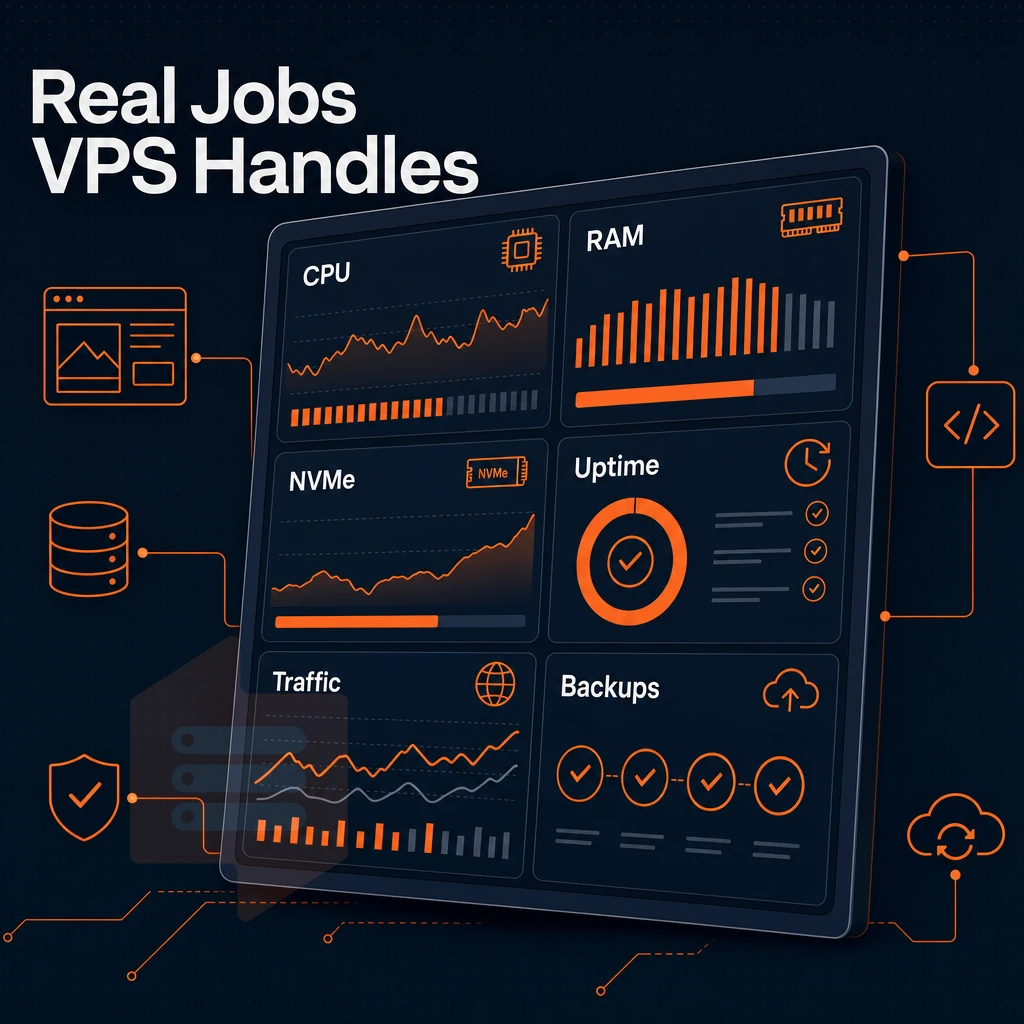
A budget VPS hosting plan can fit many workloads. Matching the server to the required resource profile for your application (RAM, CPU or storage IOPS) is key.
Compute-heavy workloads
A game server (e.g. Minecraft, Palworld) requires at least 2 vCPUs and 4GB RAM to stay responsive under load. The higher-end CPU tiers are fully dedicated and have pinned cores to prevent your games from being affected by noisy neighbors on shared servers.
Slow disk access severely impacts checkout times.
Memory and storage workloads
Media servers for Jellyfin are RAM-bound. FTP servers and object storage proxies are more throughput-centric. Dual-stack IPv4/IPv6 and multi-homed uplinks help both types of servers.
Developer tools and low-traffic workloads
Development and staging environments, self-hosted web applications and proxies are the kind of applications that are quite forgiving. Two vCPUs and 4GB of RAM are more than enough to run a CI pipeline, monitor applications and build your staging environment. Should your project grow in size and require more muscle, BuyVPS's VPS hosting services let you easily upgrade your server in-place while maintaining the same IP and avoiding any potential downtime caused by migrations.
| Workload | Key resource | Minimum spec |
|---|---|---|
| Game / ecommerce sites | CPU + RAM | 2 vCPU, 4 GB RAM |
| Jellyfin / media | RAM + bandwidth | 4 GB RAM, unlimited traffic |
| Dev / staging / proxy | Storage IOPS | NVMe, 2 vCPU |
Once you have established your workload, the next consideration for your server is how much management you wish to undertake yourself. This brings us to the key question of managed versus unmanaged servers.
Managed vs. Unmanaged VPS: which is right for you?
The key to saving time and money when choosing between managed and unmanaged hosting is to determine how much server work you are willing to do yourself.
Top VPS providers for managed hands-off hosting
- Know what the provider is doing for you. With managed VPS hosting, the hosting provider handles OS updates, security patches and other server maintenance for you. That is the value that you are paying for.
- Determine who your managed VPS customer is. Managed VPS is perfect for development teams without a system admin. The Managed VPS account manages the DNS, firewall rules, kernel updates and more so the developer can deploy their code without having to worry about the underlying server!
Note: Managed tiers cost significantly more. If your team has Linux skills, you are likely paying for work you could do yourself.
Full control with a cheap VPS unmanaged plan
- An unmanaged VPS lets you know what you own. This means that you manage every single layer of the stack. You configure the OS, patch it, and secure it as you see fit.
- Technical users such as developers, sysadmins and DevOps teams prefer a serverless offering because of its lower cost and the ability to run any software they choose without restriction.
Control panel and self-service at BuyVPS
- For the unmanaged version we recommend BuyVPS, since every server model is equipped with root access and a self-service control panel. The API access for the control panel completes the package for the power user. You manage your server, we take care of the hardware and network.
- Use in-browser VNC console for recovery from misconfigured server. In case of lockout due to misconfiguration, recover immediately using console as opposed to waiting for support ticket to be processed.
If the unmanaged model works for your team, here’s how our unmanaged infrastructure at BuyVPS is set up in practice.
Why choose BuyVPS for low cost VPS hosting
BuyVPS has been founder-run since 2002, with data centers in Amsterdam and New York. Every cheap VPS hosting plan runs on KVM virtualization with a separate kernel per VPS, no shared hosting shortcuts, full superuser access included.
- No-oversell policy: Hard memory caps and low node density mean dedicated resources stay yours under real load.
- NVMe RAID10 storage: PCIe-direct NVMe SSD storage, benchmarked at 122,959 4K read IOPS (fio median), consistent performance for demanding web projects.
- reserved CPU option: The D-tier pins cores to your VPS instance for predictable latency, closer to a dedicated server without the cost.
- In-place upgrades: Scale your VPS plan without migration or IP rotation. Your virtual private server keeps its address.
- No hidden fees: one published monthly price per plan, no setup fee, cancel any time.
- Engineer-led support: Real engineers reply, not chatbots. Phone support and email both available.
IPv4 + IPv6 dual-stack, full full administrative access, and custom ISO uploads ship on every hosting plan. Compare our VPS hosting plans or reach out to discuss which virtual private server fits your workload. Your choice of data center location is the last variable, here is how Amsterdam and New York compare.
Amsterdam and new york: BuyVPS data center locations
We operate two data center locations: Amsterdam (Netherlands) and New York (US East Coast). Choose the location closest to your users for the lowest latency possible, the hardware, control plane and pricing are identical to all our other locations.
Amsterdam: the right choice for european users
Amsterdam is our EU region and users from across Europe will see improved performance due to inter-continental traffic being minimized. Technical users running latency sensitive workloads (real-time APIs, game backends, high performance databases) will immediately notice the difference.
For teams requiring a private network between their VPS nodes in Amsterdam, VLAN access is available upon request.
New york: the right choice for north american users
New York serves US East Coast audiences with the same cloud hosting infrastructure, same NVMe RAID10 storage and same computing power as in Amsterdam, no compromise needed for choosing the US region.
Workloads that pair a VPS with object storage or a CDN with edge nodes benefit from New York’s East Coast location. Low latency to major US metros.
Which location should you choose?
- Majority of users in Europe: choose Amsterdam.
- Majority of users in North America: choose New York.
- Split audience: deploy one VPS in each region, pricing and specs are identical, so there's no penalty.
We guarantee 99.8% uptime at both locations, and multiple uplinks and edge filtering at the network perimeter. We have attempted to answer the most common questions here, to help you decide.
Key takeaways: choosing the right low cost VPS plan
A low budget VPS outperforms shared hosting on every axis that matters: isolation, full control, and consistent resource allocation. Demand KVM virtualization, NVMe SSD storage, and a no-oversell policy as baseline requirements. Choose unmanaged if you have the skills, it delivers high performance at the lowest spend. Match your data center location to your audience for real-world latency gains.
Transparent renewal pricing and in-place upgrades separate serious VPS hosting from budget traps. For affordable VPS hosting that holds those standards, explore BuyVPS's cheap VPS hosting plans in Amsterdam and New York.
The bottom line on low cost VPS hosting providers
So, what is a really affordable virtual private server? It is a dedicated server with full privileged access offered in a low cost, predictable hosting plan. That is not shared hosting with cheap add-on’s. Low cost and affordable do not necessarily mean cheap. So, price alone is not a good indicator of quality.
More importantly, storage type, virtualization type, how much a provider oversells and finally. The price to renew a hosting plan for many months into the future will all cost more in terms of downtime and possible transfer to another hosting company than a few extra dollars a month to a quality hosting provider.
Choose a virtual private server built on honest specs and reliable support. BuyVPS offers affordable VPS plans across Amsterdam and New York, with no hidden fees and no overselling. See the full range at buyvps.com/cheap-VPS/.
Frequently asked questions
Where can i find an affordable VPS with OS choice and a control panel?
The cheapest VPS depends on what you actually need from it. Entry-level plans from providers like BuyVPS start at a low monthly cost on the Standard CPU tier, giving you shared AMD EPYC vCPUs, NVMe RAID10 storage, full system access, and complete server management control through an intuitive control panel. Paying annually or on a two-year term brings the monthly rate down further; every rate is published up front.
Is there a free VPS server with a control panel available for web hosting?
Genuinely free VPS servers do not exist in any meaningful production sense.
Which best cheap VPS hosting plan is right for you
The best cheap VPS balances price with hardware quality, isolation, and support. Unlike many VPS providers, every BuyVPS plan delivers on all three: KVM virtualization with a separate kernel per VPS, AMD EPYC processors, NVMe RAID10 storage with measured IOPS, and engineer-led support, not chatbots. Plans are available in Amsterdam and New York, with no-oversell enforced through hard memory caps per node.
What is the cheapest VPS per month?
Check the current pricing at BuyVPS.com, the listed rate is the rate you keep, with no surprise renewal increases.
What is the difference between cheap VPS hosting and shared hosting?
Shared hosting puts multiple websites on a single OS instance, meaning one noisy neighbor can degrade everyone's performance. A VPS gives you an isolated virtual machine with dedicated RAM, its own kernel, and full administrator access, you control the entire software stack. Even a budget VPS is fundamentally more capable and predictable than shared hosting for any workload beyond a basic brochure site.
Do low cost VPS servers include root access?
Yes, unrestricted server access is standard on virtually every VPS, including entry-level plans.
Can i upload a custom OS to a budget VPS?
Yes, provided the provider supports custom ISO uploads. BuyVPS allows custom ISO uploads on every plan, so you are not locked into a preset OS list. The standard supported distributions for server management include Ubuntu, Debian, AlmaLinux, Rocky Linux, CentOS Stream, and Fedora, but if you need something else, you can bring your own image.
A low affordable VPS gives you a server with dedicated resources, superuser privileges and stable performance, without the high price of a full dedicated server. We explain what you have to look out for when choosing a VPS: guaranteed RAM, NVMe storage, KVM isolation and non-overselling servers.
A lot of workloads run perfectly fine on a well-configured VPS: dev servers, scaling web apps, databases and self-hosted applications.
BuyVPS runs AMD EPYC-powered KVM VPS from Amsterdam and New York, with hard memory caps per node, NVMe RAID10 storage, and no renewal price hikes. If you're ready to move beyond shared environment or just want a cleaner setup, browse the plans at BuyVPS.com and find the tier that fits your workload.