

budget VPS hosts often cut in the areas where it hurts the most. Additionally many VPSes share the same CPU resources which often lead to a huge performance hit. Lastly a cheap VPS’s hardware is usually not designed to last under load.
So a VPS will benchmark extremely well right off the bat, but by the time a month has passed the server will have begun to slowly degrade. Finding a “cost effective” VPS is very difficult because there are so many providers trying to compete on price alone. The trick is to find the handful of providers that run to keep a lean infrastructure and let the specs speak for themselves.
There are only a few ways to verify whether a provider maintains quality over time without committing to a long-term contract upfront. The cheapest options often come from providers who oversell their hardware, leading to degraded service quality that undermines any initial savings.
In this guide we take a closer look at what sets a “cheap VPS that works” apart from a VPS that looks good on a pricing page but does not deliver. A reliable VPS service maintains consistent resource allocation and uptime guarantees that remain stable throughout the entire billing cycle. For small-scale projects or a single website, identifying a provider that balances affordability with stable resource delivery ensures your site remains accessible without unexpected slowdowns.
Each of these criteria are important for getting a good VPS. CPU architecture and the isolation model used are critical for performance. Memory caps on VPSes and how many VPSes are running on a single server (node density) also have a large impact on real world performance.
Storage throughput is a key aspect of any VPS and network quality also plays a huge role in performance. Finally, is the support team comprised of actual engineers or is it just a ticket queue. Providers that impose caps on monthly bandwidth or charge excessive overage fees can significantly increase operational costs for sites with growing visitor counts.
Evaluating the responsiveness and technical depth of a provider's customer service team helps determine whether issues will be resolved quickly or languish in queue. A website experiencing consistent latency or packet loss due to poor network routing will frustrate visitors regardless of how powerful the underlying server hardware may be.
What makes a cheap VPS server provider truly worth it?
The advertised price of a VPS usually does not accurately reflect the true cost to you of owning a VPS. Understanding the full price structure requires evaluating renewal rates, bandwidth overages, and any additional fees for backups or snapshots that accumulate over time. Providers offering transparent billing structures enable customers to accurately forecast expenses and achieve lower cost ownership over multi-year periods.
First month $1
Then the normal monthly price. One per customer. No setup fee, and a 30-day performance guarantee on your first order.
See the plans“Good servers, thanks.”
Many budget hosts impose restrictive bandwidth caps that trigger steep overage charges once traffic thresholds are exceeded, making seemingly affordable plans expensive during traffic spikes. Comparing the total cost of ownership across multiple providers reveals which plans remain the cheapest option after factoring in renewal rates and usage-based fees.
This includes your monthly fee after a typical initial promo price from a hosting provider renews, and the real performance you get after the initial burst of RAM during the first hour of launch. Additionally, The level of support and assistance you receive after things inevitably go wrong. For more context, see Virtual private server . Evaluating a provider's responsiveness when resolving technical issues reveals whether their service model prioritizes customer success or simply processes requests.
Cheap VPS plans: what the price tag hides
As a result, your allocated resources (RAM and CPU) can quickly decrease as they are contested by other tenants.
Common hidden costs that erode value:
- Renewal hikes of 30-80% after the first term.
- Bandwidth overages billed per gigabyte.
- Charges for snapshots, backups, or additional IPv4 addresses.
- Support tiers that lock basic support to paid plan.
Cheap VPS hosting providers: the floor on quality
I don’t want to give up a lot of money to simply have resources that are dedicated but still not really mine. I want resources that are not sitting next to noisy neighbors, solid control panel options for configuring the server as I see fit, and a published uptime SLA that the provider is going to honor.
Many providers bundle cPanel or similar web-based administration tools that simplify server configuration without requiring command-line expertise for every task. Selecting a provider with robust server configuration tools ensures you can optimize the hosting environment to match your website's specific technical requirements and growth trajectory.
VPS web hosting that doesn’t meet at least three of these points is not cheap, it’s risky. It can be as bad for your site as a hardware failure through resource dilution on an oversold server causing poor response times. Oversold infrastructure directly impacts load times, causing pages to render slowly and frustrating visitors who expect instant responses from modern websites. A slow-loading website damages user experience and search engine rankings, making reliable resource allocation essential for maintaining competitive page speeds.
Choosing the right hosting provider
BuyVPS imposes fixed memory per server and runs at low node density. We do not do teaser pricing. The advertised price is the full price, with no setup fees. It is this philosophy that makes the hosting cost effective, not cheap.
Transparent pricing ensures customers consistently receive the best prices without worrying about surprise increases or hidden fees down the line. This consistency in pricing and resource allocation creates a reliable foundation for long-term projects that demand predictable monthly expenses.
To understand why this is relevant, first we need to understand the differences between VPS hosting and the tier below it, which is shared hosting.
VPS server vs shared hosting: why the price gap exists
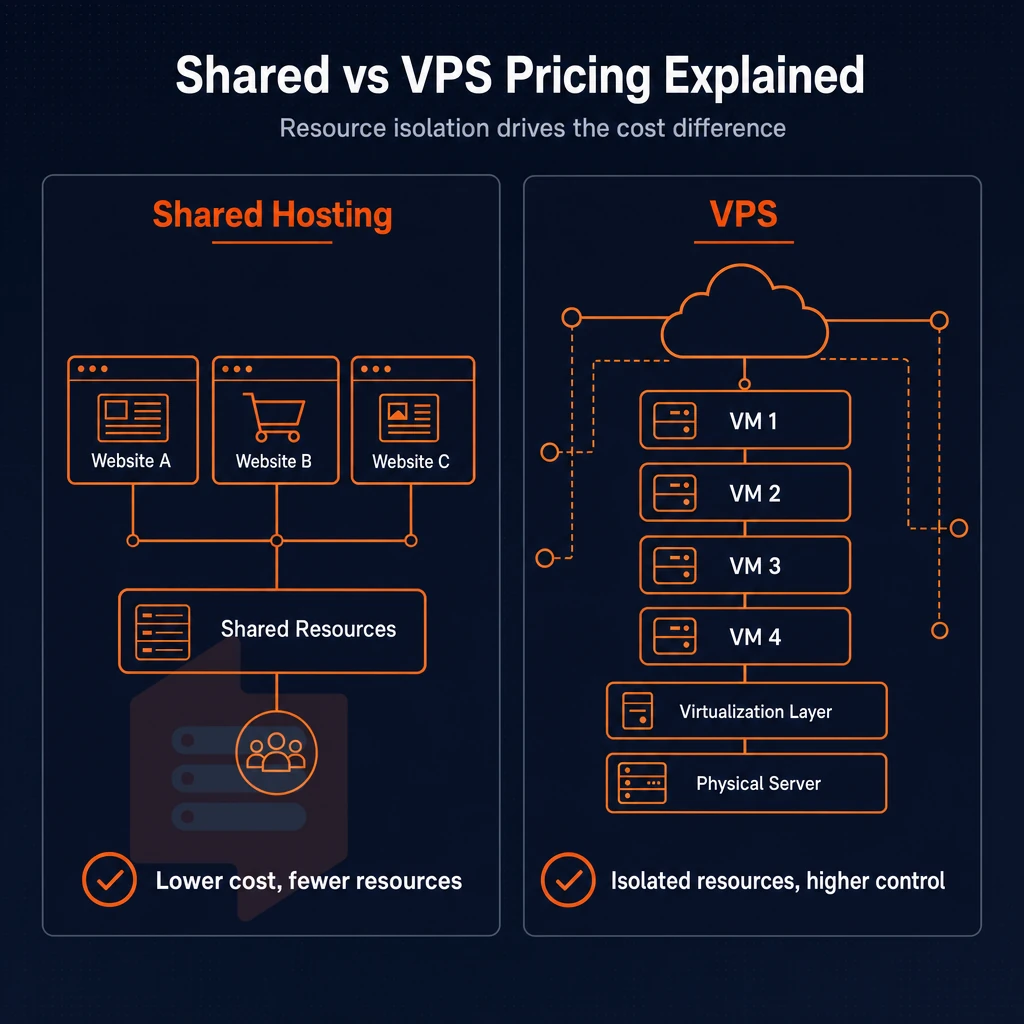
The main difference in cost between a VPS server and low-end web hosting is the difference in resource isolation. Knowing what that difference is, will help you not to spend money on the wrong hosting tier. Choosing the appropriate tier based on isolation needs prevents overspending on unnecessary features while ensuring your application receives adequate resources at lower cost.
How shared hosting works, and where it breaks
On shared hosting a dozen or hundreds of accounts are hosted on the same server, run by the same kernel. A shared hosting account has no guaranteed GB of RAM, no pinned CPU time, and no root access. Anything more demanding needs its own server. A shared hosting account is suitable for simple static sites or low-traffic blogs, but any dynamic application or database-driven website will quickly exhaust the limited resources available in this tier.
What a virtual private server gives you vs a dedicated server
Our Virtual Private Servers (VPS) run their own kernel via KVM. We assign you dedicated CPU cores, RAM and NVMe storage for your VPS instance. This allows for complete isolation and gives you consistent sub-millisecond disk latency and predictable throughput under load, in stark contrast to a shared hosting environment that by its very nature cannot guarantee high performance. Each VPS runs a fully isolated linux environment, ensuring that kernel-level operations remain independent from neighboring instances on the same hardware.
| Dimension | Shared | VPS |
|---|---|---|
| Kernel | Shared | Separate per instance |
| CPU/RAM | Contended | Dedicated resources |
| Root access | No | Full root access |
Managed vs. Unmanaged: the other cost variable
Cost is typically lower for a hosting company if they are to perform OS patching, monitoring, etc., ie. managed hosting. Unmanaged hosting on the other hand is handed to you root-shelled with no other tools or support, which is generally less expensive as it requires your own ops expertise. Many providers bundle cPanel or similar control panels into their managed offerings, which simplifies server administration for users who prefer graphical interfaces over command-line operations.
In a similar fashion to a dedicated server but without the hardware costs, an unmanaged VPS with full root access is the cost-effective way for teams that desire a server-class hosting solution. This configuration grants you full control over the operating system, installed software, and security policies without the overhead of purchasing physical hardware. Most unmanaged VPS offerings run on linux distributions such as Ubuntu, Debian, or CentOS, giving administrators familiar environments for deploying web stacks and custom applications.
For workloads that require consistent CPU power, fixed amount of RAM or a very reliable uptime, VPS is the minimum viable solution. Providers that maintain low node density and enforce strict resource allocation deliver reliable uptime metrics that meet or exceed published SLA commitments.
Unlike many a hosting provider, it does not engage in any form of server overselling, hard memory limits are in place per node, and upgrading a server to a bigger one happens instantly and without any IP address changes involved. Once you have ruled out shared hosting for your needs, you will have to ask yourself whether your needs are better served by a VPS or by a cloud.
VPS hosting vs cloud hosting: choosing the right low-cost option
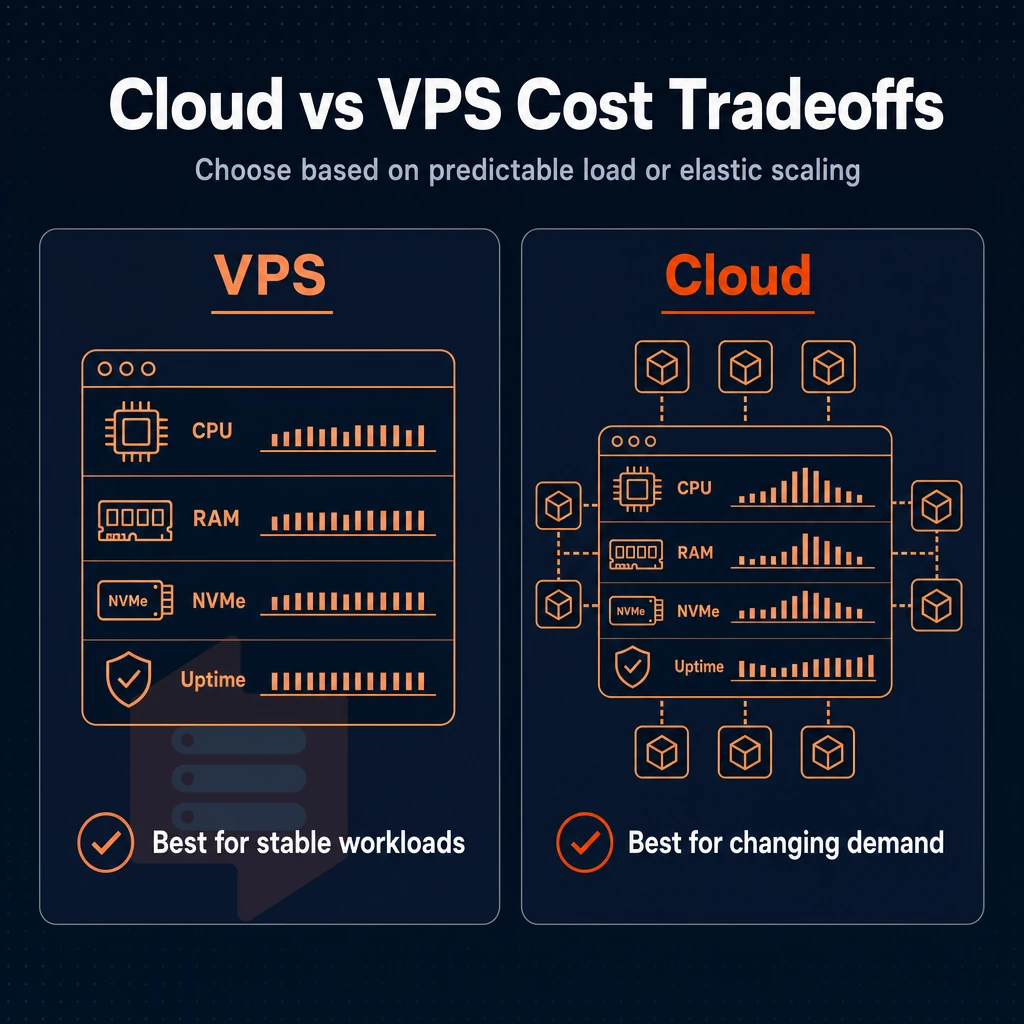
Deciding between VPS hosting and a cloud platform comes down to one question: do you need to scale your servers in an elastic fashion. Alternatively, Do you need to host servers in a more cost-efficient manner with predictable performance. For most sites, the answer is to go with VPS hosting for the lower cost and known performance.
Most VPS plans offer fixed monthly billing that eliminates the unpredictability of per-minute charges while delivering stable resource allocation for typical web applications. The cheapest option is not always the best value, but VPS hosting consistently delivers lower total cost of ownership than elastic cloud platforms for workloads with steady resource demands. A VPS provides the dedicated environment needed to run a single website or multiple sites without the complexity of elastic scaling.
Understand how cloud hosting compares
All cloud platforms charge by the minute, but scale on the minute too.
- First, map out your current resource usage. Record the average CPU and RAM usage over a couple of weeks. If the usage is relatively constant then the benefits of elastic billing are likely to be eaten up by the additional cost.
- When comparing the billing models of VPS and Cloud hosting platforms, the VPS model is typically billed as a flat monthly fee. cloud infrastructure platforms on the other hand have a more complex fee structure. There are separate charges for compute resources, storage, egress (data transferred out of the cloud) and support tickets. Many teams are shocked at the total fees that they are charged by cloud computing platforms.
- Determine the required uptime for your application. For most small businesses and developers, a single-region VPS is more than sufficient, and the additional complexity of a multi-region cloud deployment is typically not required.
Note: Egress fees on major cloud platforms can exceed the base compute cost for data-heavy applications. Check the full pricing model before committing.
KVM virtualization as your foundation: plans start here
Both models are based on virtual servers, but the virtualization layer makes a difference. KVM-based VPS servers are running on separate kernels with fixed amount of RAM which leads to stable performance and no chance of noisy-neighbor CPU spikes. Most KVM implementations run on linux host systems, providing robust kernel-level isolation that prevents resource contention between virtual machines.
- Verify that KVM isolation is in place. Ask if memory caps are hard or soft. Soft capped memory allows for overselling and results in poor performance under load.
- Pick the right amount of horsepower for your work load. For most hobby sites and small businesses a very low cost VPS on shared vCPU is all you need. For very latency sensitive apps you want a pinned-core dedicated server.
Picking best value for your use case
BuyVPS uses KVM on AMD EPYC hardware with NVMe RAID10 storage in Amsterdam and New York. Hard memory caps and low node density, means the performance you see at signup is the performance you will get for your stable workload. After I explained the hosting model of BuyVPS in my previous post, I will continue with an analysis of the specs of this hoster.
Key specs to compare across cheap VPS hosting plans
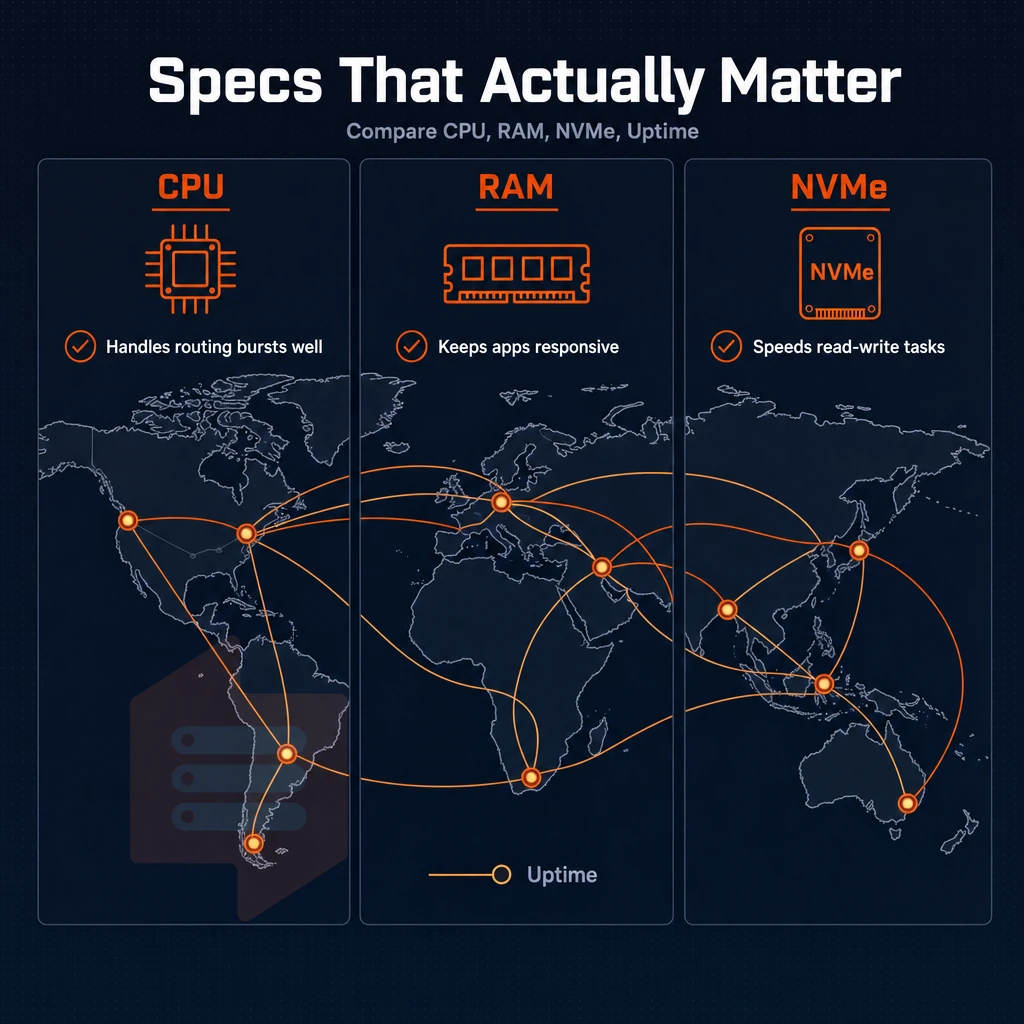
Cheap VPS offers vary greatly in terms of real value provided by the host. Before buying a VPS, it is a good idea to compare each budget VPS offer with this technical checklist to see if the host is listing real resources or just big numbers. The cheapest options often lack transparent resource guarantees, making it essential to verify allocation policies and node density before committing to any plan.
CPU cores and GB RAM: shared vs. Pinned
Most budget plans allocate shared vCPU cores, which means your processes will compete with neighbors on the same physical core. Pinned (dedicated) CPU cores are dedicated to your process and remove competition entirely. The cheapest options typically rely on shared vCPU allocation, which can introduce latency during peak usage periods when multiple tenants compete for cycles.
A provider that is over-selling nodes will, across all plans visible in the control panel, start to assign a total amount of GB of RAM allocated to all tenants on that node greater than the physical amount of RAM on the host.
Storage, bandwidth, and operating system
NVMe SSD storage is important because latency drops to the microsecond range (as low as 1 us) compared to SATA which is in the millisecond range. When shopping look for RAID10 configurations which allow for a single drive failure without loss of read performance.
“Unlimited traffic” is typically defined as unmetered for shared port speed, NOT as a guaranteed dedicated pipe. Make sure to confirm the port ceiling and then if there is burst capacity, is it shared or reserved?
The choice of operating system is a choice of how much control you are going to get as a customer. A provider that only offers you to deploy 1 or 2 Linux distributions, such as CentOS or RHEL. Before you even get to login to your first server, greatly limits your choices for future server deployments.
DDoS protection and great service as baseline requirements
Edge-level DDoS protection should be standard and not an upsell, covering both volumetric and application-layer attacks. Great service, i.e. engineer-led support as opposed to a ticketing system which automatically routes queries to the lowest paid person. Is what separates the 2H from the companies that run legacy infrastructure off a skeleton crew.
Finally take a good look at the control panels offered. Self-service with API access and in-browser VNC console is the ultimate in operational independence. BuyVPS includes this on all of their offers, based in Amsterdam and New York, and you can compare all the specs of all the VPSes in the market with a side-by-side comparison.
Side-by-side comparison: what cheap VPS providers typically offer
All “low-cost VPS Hosting” is not created equal. When you start looking at plans that are considered entry-level, compared to a mid-range VPS that has a dedicated core.
| Tier | vCPU type | RAM | Storage | Traffic | Root access | Virtualization | Data centers |
|---|---|---|---|---|---|---|---|
| Entry shared vCPU | Shared, burstable | 512 MB, 2 GB | SSD or HDD | 1-2 TB/mo | Usually yes | KVM or OpenVZ | Many global locations |
| Mid-range dedicated core | Pinned/dedicated | 4-16 GB | NVMe SSD | 3-10 TB/mo | Yes | KVM | Selective regions |
| High-memory | Shared or dedicated | 32-192 GB | NVMe SSD | 6-10 TB/mo | Yes | KVM | Limited locations |
| BuyVPS (all tiers) | Shared (AMD EPYC) or pinned dedicated | 4-192 GB | NVMe RAID10, PCIe direct | 2-6 TB/mo | Full root access | KVM, separate kernel per VPS | Amsterdam + New York |
Where budget providers cut corners
Most entry-level plans offered by budget webhosters are using OpenVZ containers instead of true KVM isolation. So even if you’re paying for a fully isolated server, a “noisy neighbor” can always take all of your CPU or RAM. So even a simple website with a database will have performance issues with such a setup.
Many "budget" providers advertise the ability to spread your workload across dozens of data centers around the world. The coverage looks great on paper but the hardware specs for virtual servers, like GB of RAM, and the pricing for that hardware can vary greatly by location, so you can end up paying more in a region for the same resources.
What mid-range and high performance memory tiers actually deliver
Dedicated-core plans are for workloads that can’t absorb traffic spikes on shared resources.
The key differentiator here is the RAM to vCPU ratio, not the clock speed.
Full root access and maximum flexibility
root privileges is a core feature of all our Tiers of Service and are designed for serious workloads.
Knowing the Tiers of Service is one thing, but knowing which type of workloads to deploy on which Tier of Service is where the real knowledge comes in to play.
Common use cases for cheap VPS plans
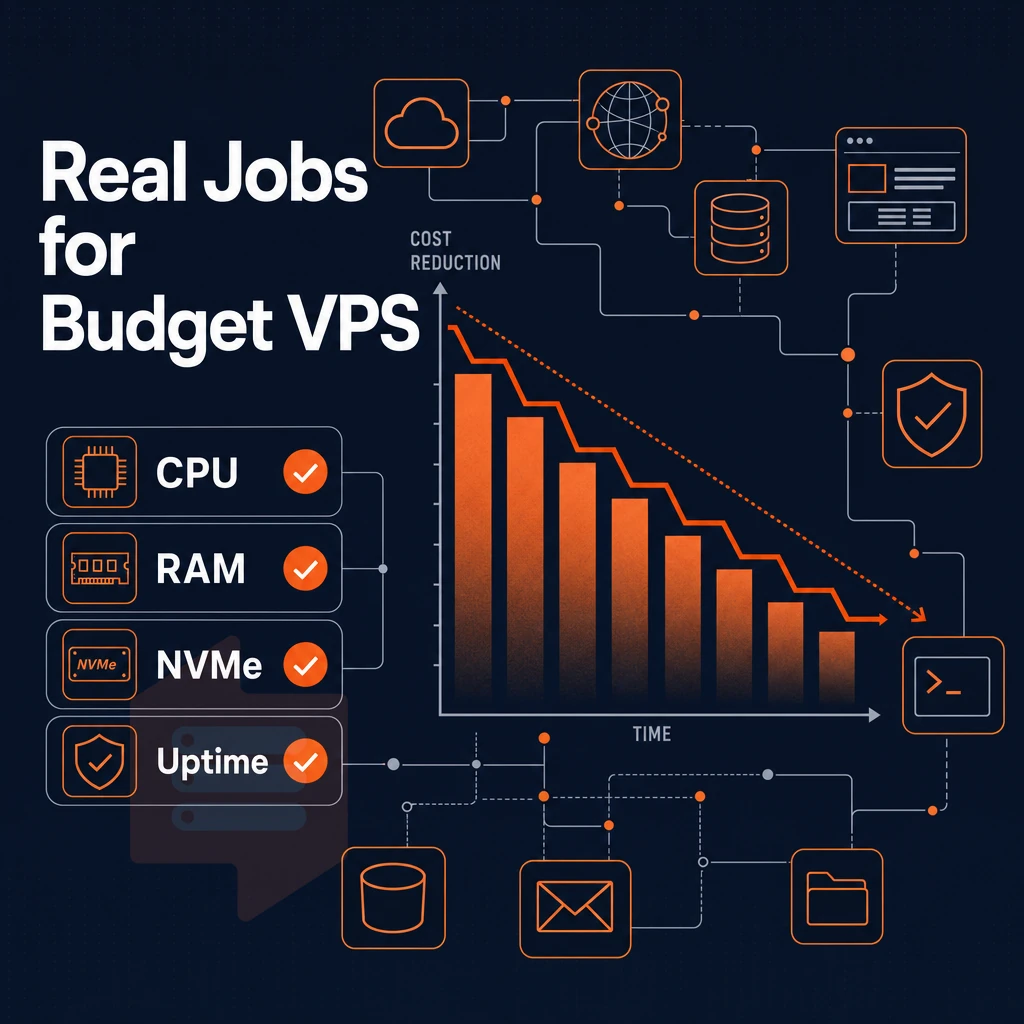
Low cost VPS’s attract a lot of different workloads. The cheapest tier of VPS will only run so well, before it starts to require a lot of time to troubleshoot. Finding the correct tier of VPS for your specific workload is key to a smooth running server, rather than one that requires constant troubleshooting.
Light workloads: dev environments, DNS, and small businesses
Shared vCPU plans work great for light workloads. 2 vCPUs and 4GB RAM runs dev, staging, proxy, DNS, small sites for public facing server for small businesses without paying for unnecessary resources.
The self-hosted apps (Nextcloud, Gitea, Uptime Kuma) are similar.
High performance virtual private server game hosting
Low player count services can run off a shared vCPU but as sessions grow it's best to dedicate cores to the service to prevent noisy neighbor scenarios. BuyVPS D-tier plans lock down specific cores on an AMD EPYC Genoa processor, ideal for latency critical services that require high tick rates.
Most other providers will host your game servers on an oversold node.
Choosing the right tier
| Workload | Recommended tier | Key reason |
|---|---|---|
| Dev / staging, DNS server, proxy server | Shared vCPU (S-tier) | Bursty load, cost-effective |
| Small business website, self-hosted apps | Shared vCPU (S-tier) | Steady low traffic, NVMe storage |
| Game servers (Minecraft, FiveM, Palworld) | Dedicated vCPU (D-tier) | Pinned cores = better performance under load |
| Hobby projects | Shared vCPU (S-tier) | Flexible, no long-term commitment required |
When looking at VPS hosting providers, first determine your peak concurrent load.
BuyVPS offers hosting on dedicated cores in Amsterdam and New York, while most other providers don't offer this level of no-oversell guarantee. Next, you have to check if the claims of a provider regarding the performance of his VPS are realistic.
Server locations for european and US audiences: amsterdam and new york
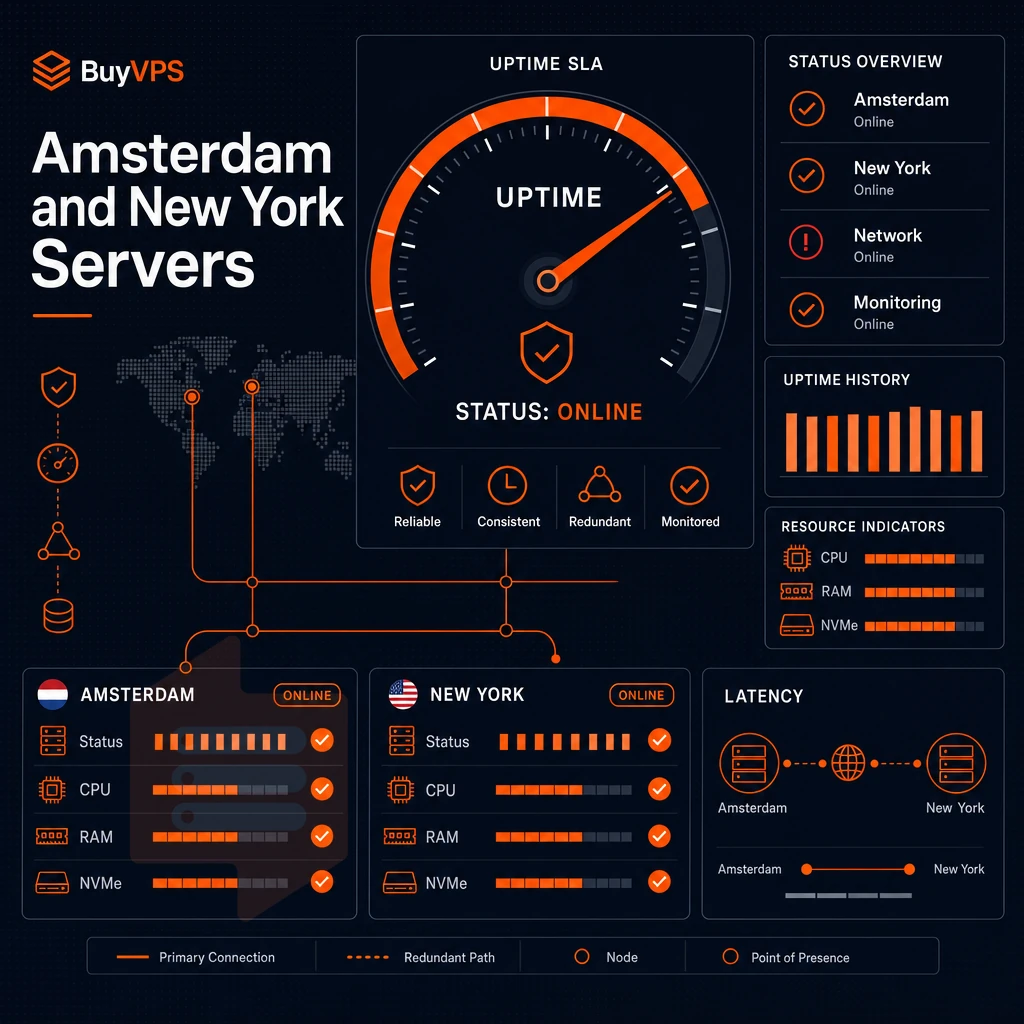
The location of your VPS greatly affects the perceived performance for your users. At BuyVPS we operate two data centers in Amsterdam (serving European users) and New York (serving US East Coast users).
Why location drives latency
As light travels down fiber at roughly two-thirds the speed of light, packets of data can travel very fast. For a server with a physical presence in Amsterdam, the time for a round trip for packets within Western Europe is sub-10 ms.
For a server in New York, even on the cheapest plan with a standard operating system, the round-trip time for workloads targeting users in Western Europe would be around 80-100ms, a noticeable penalty for real-time applications and APIs.
New York VPS Hosting for US East Coast audiences reverses that position. So while latency to major US East Coast cities such as New York and Washington remains low, latency to Amsterdam remains high. So choosing the wrong region for your VPS hosting costs you money indirectly in slower response times that slower your conversion rates and cause you to loose users.
Identical infrastructure, pure latency decision
Both Amsterdam and New York data centers are powered by AMD EPYC processors, backed by NVMe RAID10 storage and the very same control plane. As a result, pricing is identical across geographies. With VPS web hosting, you have full control over the environment (superuser access, API, in-browser VNC, etc.) regardless of whether you choose Amsterdam or New York, with no hardware trade-off between the two sites.
Note that parity only matters here in that many VPS hosting providers will put you on older hardware in cheaper regions.
Matching region to audience
For a globally distributed setup, you can deploy a VPS in each region and then have it route based on geography at the DNS or load-balancer layer.
Both data centers support IPv4 and IPv6 dual-stack. This means your hosting stack will function identically in both locations from the very beginning. With location settled, here’s why you should go with BuyVPS for your hosting.
Why choose BuyVPS for cheap VPS hosting
Most inexpensive VPS hosting comes with a hidden trade-off: oversold nodes, shared resources that vanish under load, and renewal prices that climb quietly after year one. We operate as a founder-run hosting company since 2002, and every plan is engineered for consistent, measurable performance, not just a low headline price.
Here is what separates our VPS hosting from other economy VPS hosts:
- No-oversell policy. Hard memory caps and low node density mean your GB RAM allocation is yours, no neighbor stealing resources during traffic spikes.
- Pinned cores on the Dedicated CPU tier. Dedicated resources with full administrative access and predictable CPU performance, not shared vCPU contention.
- Fast NVMe storage. NVMe RAID10 PCIe direct, with published fio benchmarks (122,959 4K read IOPS measured), solid performance you can verify.
- KVM virtualization, separate kernel per VPS. True KVM isolation on every plan, full admin rights, and custom ISO support for maximum flexibility.
- No hidden fees and transparent pricing.
- Amsterdam and New York data centers. Identical hardware, identical pricing, IPv4 + IPv6 dual-stack on every virtual server.
In-place upgrades mean no migration and no IP rotation when your website or application outgrows its current plan. For competitive prices, published benchmarks, and plans built around real Linux workloads, visit our cheap VPS page or reach out to our engineering support team to compare options. Choosing the right provider is only half the equation, the other half is making sure you're on the right plan and billing cycle.
How to save money on VPS hosting with exceptional performance
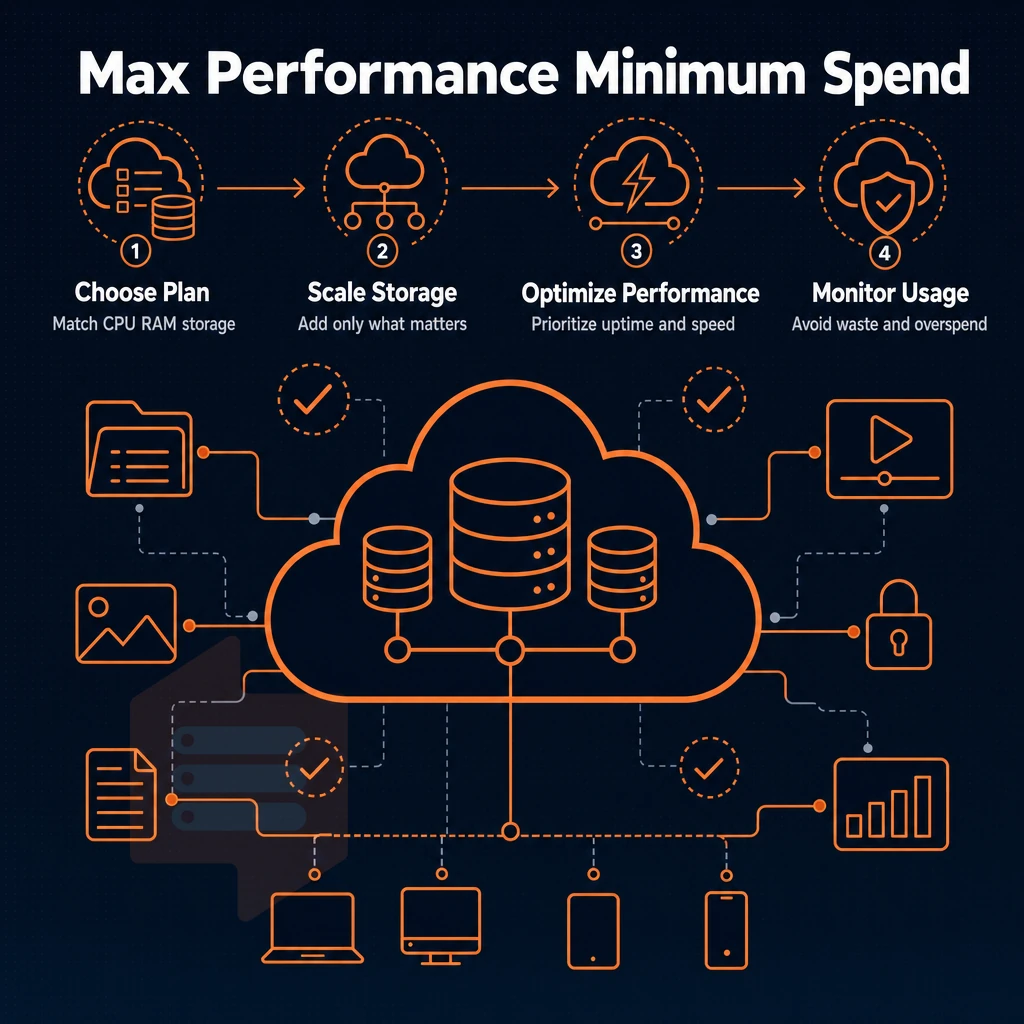
Getting the best value from a VPS is a matter of making three decisions: choosing the right plan for your needs, including whether unlimited traffic is offered, choosing the right billing cycle, and deciding whether you need an unmanaged VPS. Making these decisions with your eyes open can save you money without affecting performance.
Match the plan to your workload
If your application requires 2 GB of RAM for normal operation, then a 4 GB plan is throwing money away every month.
Don’t waste money on dedicated capacity for application that never maxes out shared resources.
Use multi-year billing for low prices without locking in risk
The easiest way to lower cost is to switch to a lower billing cycle. The best prices are for 2-year terms. That is more valuable than a low “best” price that increases at renewal.
Be aware of hidden costs on competing hosts: cPanel licenses, Windows licenses and per IP charges quickly eat away from very cheap looking starting prices. We supply the server and network. That’s how we can supply so much RAM for such low prices per GB compared to managed servers.
Unmanaged vs. Managed: where the real savings are
fully managed hosting bundles typically include support, patching and the cost of the control panel software in your monthly fee. This type of hosting is suited for developers and teams without a sysadmin. Unmanaged hosting on the other hand provides superuser rights to developers comfortable with a command line interface and they can pay for only the services they need.
BuyVPS is unmanaged by nature, it is provided with full system access, KVM isolated servers, and a self-service portal. Engineers will reply to your tickets but on a day-to-day basis you will administer your server as you see fit. For technically capable organizations and teams, an unmanaged hosting provider consistently delivers better value for money in terms of hardware per dollar than its managed counterpart.
The core differences between cheap and premium VPS providers
The gap between a value VPS and a high-end VPS rarely is about the price. There are so many different infrastructure decisions that go into hosting a VPS, such as hard memory caps versus overselling, shared vCPU's versus pinned dedicated vCPU's, using high performance NVMe storage versus old spinning disks.
Additionally, The biggest difference: real engineers answering support tickets versus a chatbot. As opposed to burying the cost of the real VPS in the first year of service and then having a completely different (and more expensive) VPS in the second year.
Affordable VPS hosting can deliver high levels of performance. With adequate construction of a base server by your chosen web hosting company, discount VPS hosting with KVM, privileged access. Additionally, No-overselling can rival the performance of the more expensive plans of your rival web hosting providers. In many cases, the cheapest VPS hosting plan offered by a reputable provider can even out perform the middle-range plans from rival providers.
When we say ‘low-priced VPS hosting’ we don’t mean the lowest price on the page. What we mean is getting the most performance for your dollar. That means a VPS with dedicated resources (not shared with others), fast NVMe storage and a robust network that can handle high loads of traffic.
When looking for a entry-level VPS, the key specs to look at are: the CPU architecture, the memory cap and the storage I/O. These are the key things that separate a cost effective VPS from one that will throttle your site when traffic increases.
Additionally, they promise no renewal rate increases on licensing fees ever, supporting continuous innovation in how you accurately and efficiently budget for web hosting costs over time, which is where the real savings are.
If you want a VPS that actually lives up to advertised performance numbers and is not over-sold then have a look at our BuyVPS plans available in Amsterdam and New York. All plans come with full server control, KVM based isolation and are powered by the latest AMD EPYC hardware.