
Budget VPS hosting sounds simple enough on the surface until you actually read the fine print of most web hosting solutions. Cheaper Virtual Private Servers often mean oversold servers and less-than-adequate CPU bursts to deal with any sudden influxes of traffic.
In simple terms, this guide helps you choose a hosting provider by cutting through the noise around server management and establishing a clear framework for evaluating cloud hosting offers. Each hosting company is evaluated across the following parameters: hardware generation, virtualization isolation, storage throughput, unlimited traffic allowances, and network reliability.
We look at what you need to pay for at the budget end, what can be traded off and what cannot. For instance, how BuyVPS VPS plans deliver AMD EPYC performance, NVMe RAID10 storage, DDoS protection, and no-oversell guarantees without hidden costs that ultimately end up costing more. This low cost approach prioritizes transparent pricing structures that eliminate surprise charges while maintaining enterprise-grade infrastructure components.
The NVMe RAID10 configuration ensures that SSD storage delivers consistent read/write speeds even during simultaneous workload spikes, eliminating the latency bottlenecks common in budget providers using older disk arrays. BuyVPS maintains competitive prices by optimizing infrastructure efficiency rather than compromising on hardware quality or overselling capacity. High performance infrastructure at this price point requires careful architectural decisions that balance cost efficiency with the sustained throughput needed for production workloads.
This article will outline the key points to look for and avoid as an IT decision-maker/developer who needs solid, reliable hosting at a fixed monthly rate. First we'll describe in basic terms what VPS hosting is and where "cheap" hosting actually is worth it. For community perspectives, see Cheap VPS hosting, best low-cost providers? : r/SelfHosting.
What are cheap VPS hosting plans?
VPS hosting tends to fall in the middle of the resource-isolation spectrum. More powerful than shared hosting, VPS hosting is typically more affordable than a full dedicated server. But what constitutes real value versus a low price that will ultimately cost you in the long run? Identifying the best value requires examining not only upfront pricing but also resource guarantees, renewal rates, and whether performance remains consistent under load. This evaluation becomes especially critical for e commerce websites, where consistent uptime and fast page loads directly impact conversion rates and customer trust. Performance consistency under sustained traffic becomes a major factor when comparing providers, as degraded response times during peak hours can erode user experience and revenue potential.
First month $1
Then the normal monthly price. One per customer. No setup fee, and a 30-day performance guarantee on your first order.
See the plans“Excellent experience from start to finish! The server was delivered promptly, and the service was reliable and efficient. I m very happy with the results and would definitely recommend them.”
Benchmark testing under simulated traffic conditions reveals how real world performance diverges from advertised specifications, exposing providers that rely on burst credits rather than sustained resource allocation. For small businesses operating on tight margins, this distinction between advertised specs and actual performance can determine whether a hosting investment supports growth or becomes a costly bottleneck. Providers offering transparent pricing models prove especially valuable for startups and small businesses operating on a tight budget, where predictable monthly costs enable accurate financial planning without unexpected infrastructure expenses. Seasonal campaigns and product launches often generate unpredictable traffic spikes that test whether a provider's infrastructure can scale without degradation or service interruption.
How virtual private server hosting works
Virtual Private Server hosting is often delivered on a physical server where a Hypervisor has been installed. The physical server is then carved up into isolated Virtual Private Servers. Each Virtual Private Server is allocated its own CPU, RAM and storage. Modern hypervisors allocate cpu cores either as dedicated threads or shared time slices, with dedicated allocation ensuring predictable performance for compute-intensive workloads.
Virtual Private Servers are far removed from the shared hosting that is delivered from a single multi user account. Here your allocated resources are not pooled with that of your fellow tenants. So a traffic spike on your neighbor’s site is not going to affect your site’s performance.
By hosting with Maceman you get dedicated server like control for a fraction of the cost of the hardware. You have root access, your own kernel and can set up any software stack you require. This level of autonomy gives you full control over server configuration, enabling custom firewall rules, specialized networking setups, and application-specific optimizations that shared environments simply cannot accommodate.
This architecture provides more control than managed hosting alternatives, where administrative restrictions often prevent deep system-level modifications required for specialized workloads. This flexibility proves essential when deploying resource intensive applications that demand precise tuning of memory allocation, I/O scheduling, and process prioritization beyond what standardized hosting environments permit. Effective server management at this level requires familiarity with command-line tools, system monitoring practices, and the ability to troubleshoot configuration issues independently.
What "cheap" actually means in VPS hosting
Cheap VPS hosting is not just one thing, often an initial low price is offered but then renewal prices increase and are disguised by other means of costing. For example by overloading the server so that it runs slowly and then restricting the CPU usage for a prolonged period of time after a ‘burst’ period. Cheap VPS hosting is in fact a deferred cost.
Genuine low-cost VPS hosting plans deliver: When evaluating VPS plans, prioritize providers that bundle essential features like automated backups, monitoring tools, and migration assistance rather than charging separately for each component.
- Hard memory caps to prevent a single tenant from monopolizing a node.
- Consistent CPU performance, not burst-only allocations.
- Transparent renewal pricing with no surprise fees.
- Full root access and a real SLA.
Look for a provider that publishes its full rate card, charges no setup fee and backs a first order with a money back guarantee during the initial service period, so you can test infrastructure quality without risk.
What are the cheapest VPS hosting providers?
The cheapest VPS hosting is not necessarily the cheapest VPS hosting plan. The cheapest VPS server hosting option would be the option with the lowest total cost of ownership, not just the lowest initial price. For example, a very cheap VPS hosting option could end up costing more over the course of 24 months than a slightly more expensive VPS hosting option. Depending on the number of times the hosting option is going to increase in price.
This is because a cheap VPS hosting option could end up overselling resources on the VPS hosting server. Alternatively, The cheap VPS hosting option could end up increasing the price of the VPS hosting option after the initial contract period, such as after 12 months, or 24 months. Therefore, in order to get the cheapest VPS hosting option, you need to look at the cost of the hosting option on a performance per dollar basis.
Additionally, look at the total cost of the hosting provider's option for the entire contract period, including the operating system licensing if applicable, and not just the initial price of the hosting option, or the initial invoice for the hosting option. This way, you can compare the cheap VPS hosting option, and see exactly what you are getting for your money.
Some providers also charge for features like backups, snapshots, or control panel licenses as an extra cost that inflates the true monthly expense. Providers that include nightly backups as a standard feature rather than an add-on reduce operational overhead and protect against data loss without inflating monthly costs. Risk-averse buyers should also verify whether the provider offers a money back guarantee during the initial trial period, allowing evaluation of actual performance before committing long-term.
Additionally, What the cheap VPS hosting option is going to cost you in the long run, and not just in the short term. In other words, in order to get the cheapest VPS hosting option, you need to take a look inside the server. Additionally, See exactly what kind of resources are going to be available to you, and not just rely on what the sales copy for the hosting option says.
How VPS hosting works under the hood
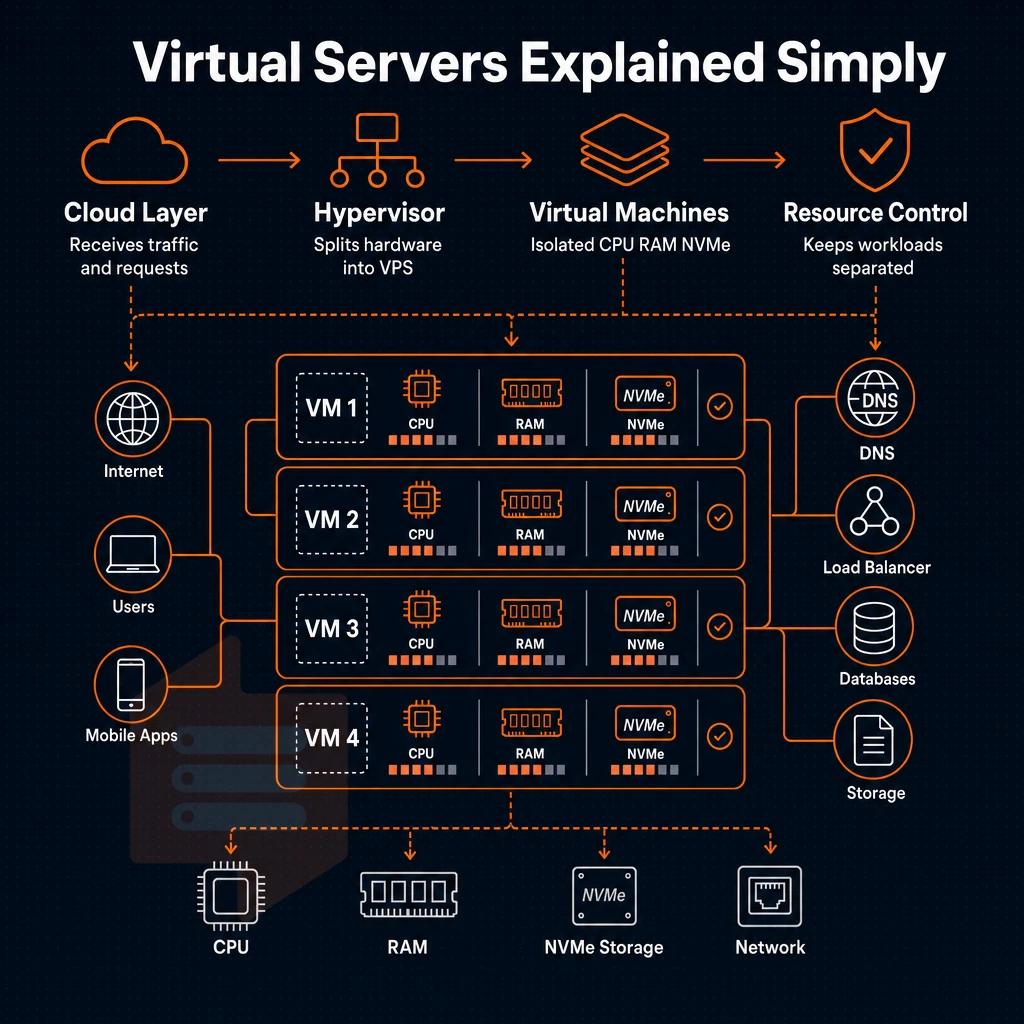
Below is an explanation of what happens beneath the surface.
KVM isolation and the separate kernel model
KVM (Kernel-based Virtual Machine) is the Hypervisor of Choice for serious VPS hosting providers. A responsible hosting provider runs a separate kernel for each VPS rather than a shared one, ensuring that traffic spikes or a rogue VPS will not affect you in the event of a crash or problem. Regardless of what happens in neighboring VPS accounts. Kernel-level isolation also allows for the loading of custom kernel modules and for support of a wide variety of operating systems.
We use KVM on all of our VPSes and run each VPS with its own dedicated kernel instance. All of our plans come with full root access, allowing you to set up the VPS and all of the software that you run on it from the start. This level of control simplifies server management tasks such as installing custom software stacks, configuring firewall rules, and optimizing system parameters for specific application requirements.
How virtual private server resources are partitioned
Budget offers of VPS hosting are oversold in most cases.
BuyVPS uses hard memory caps and low node density. Dedicated resources are not something that we list as a marketing claim. Instead we have ensured that all resources on a server are reserved at the Hypervisor level.
Thus when your VPS server requests 8GB of RAM for example, 8GB of RAM is reserved for your VPS server usage, with no risk of contention or silent throttling. The same reservation model applies to cpu cores, where each virtual processor is pinned to physical threads to prevent neighbor contention and ensure predictable compute availability.
| Dimension | Oversell model (budget) | No-oversell model (BuyVPS) |
|---|---|---|
| Memory enforcement | Soft caps; shared pool | Hard caps; reserved per node |
| CPU allocation | Shared vCPU, no pinning | Shared or pinned (Dedicated tier) |
| Storage | SATA SSD or HDD RAID | NVMe RAID10, 122,959 4K read IOPS |
| Uptime SLA | Varies; often unspecified | 99.8% guaranteed |
| Network stack | IPv4 only on entry plans | IPv4 + IPv6 dual-stack, all plans |
Where are the cheapest VPS hosting providers?
BuyVPS offers identical hardware in identical data centers at identical prices in both locations. BuyVPS maintains competitive prices across both regions through volume purchasing agreements and efficient infrastructure management that eliminates regional markup variations.
There’s more to cost-efficiency than the low monthly fee of cheap VPS hosting. An oversold node gets worse under load, leading to over-provisioning in order to avoid performance problems. True cost-efficiency is offered by a no-oversell plan, with enforced server resources like gb ram and CPU, in-place upgrades (no migration, no change of IP address), leading to lower total cost of ownership in the long run.
Enforced resource allocation guarantees that high performance remains consistent during traffic surges, preventing the degradation that occurs when multiple tenants compete for oversubscribed CPU cycles. Guaranteed allocation of cpu cores prevents noisy neighbor interference and ensures predictable application response times even when adjacent virtual machines experience load spikes.
This is how cheap VPS hosting has to be assessed once you have grasped the basics. Can a VPS even be the right step up from what you’re running at the moment?
Cheap VPS vs. Shared hosting: why the upgrade matters
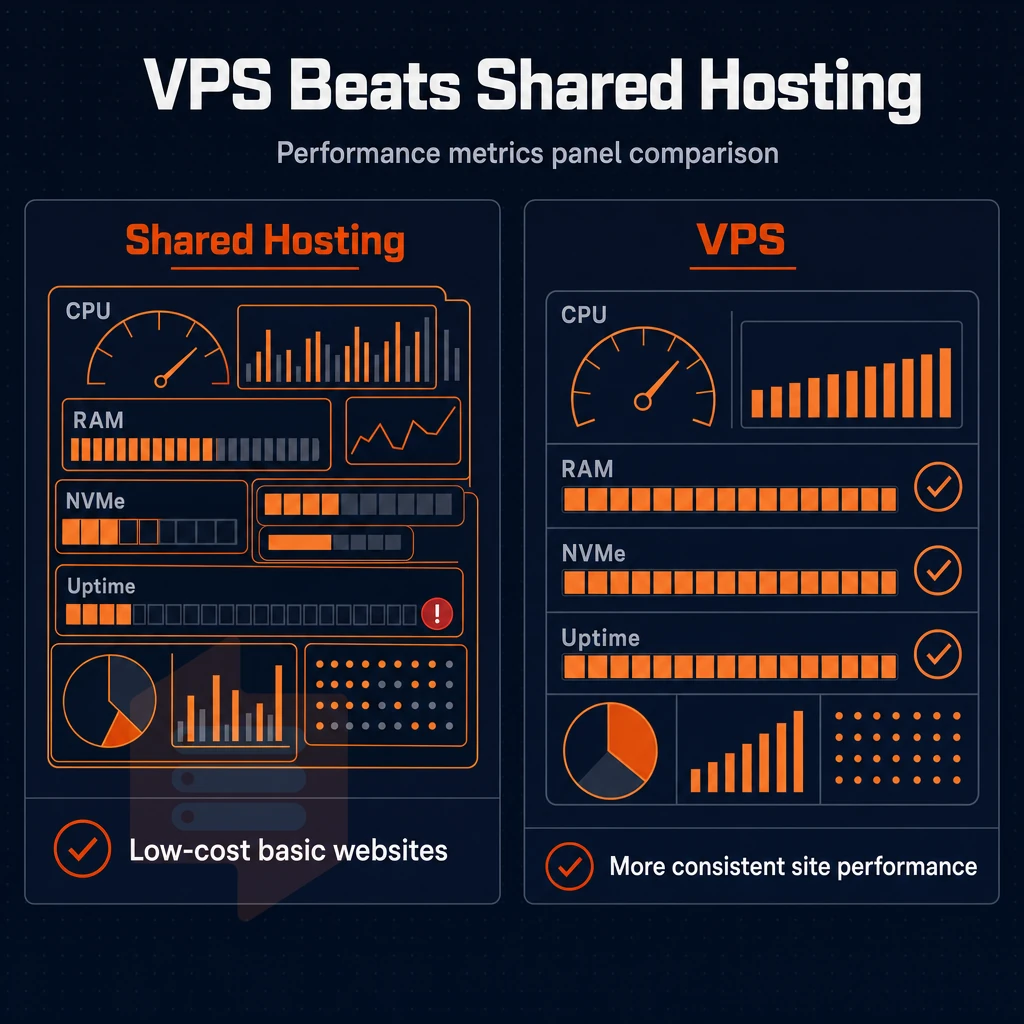
Dozens of sites are hosted on a single server and do not have any boundaries in terms of resources. Therefore, as a site grows, the shared hosting environment quickly becomes a bottleneck. Cheap VPS servers on the other hand provide isolated resources and the consistent performance of a server, plus all the control that is not provided by shared hosting.
Recognizing the right moment to upgrade your GB RAM
By now most teams have hit the same wall, whether because of a sudden traffic spike or (noisy) neighbors on the same node sucking up all CPU power. Time to move off of shared hosting. Modern VPS architectures allocate guaranteed cpu cores to each instance, preventing resource contention that plagued earlier shared environments where processing power fluctuated unpredictably.
- Monitoring your application under load for slow pages and timing greater than 2 seconds most likely points to your shared infrastructure. As noted before, resource contention in shared environments is typically not resolvable via your application configuration.
- Does your stack need root? If so, you’ll need to figure out whether your stack can get root (e.g. because it uses a custom PHP version, background worker, or compiled dependency that requires OS-level control). Shared server accounts are designed to prevent root access, for security reasons.
- Auditing out security exposure on a shared server, for instance, can uncover a compromised ‘neighbor’ potentially negatively affecting your server too. A VPS has isolated server environments thus completely removing all such potential attack surfaces entirely.
Note: E-commerce sites and resource-intensive applications feel this pain earliest. A checkout flow that times out under load costs real revenue.
What changes on a VPS with more GB RAM
- Guaranteed resources. These are dedicated to your instances and are not shared with other tenants. So, for example, the RAM and CPU of your instances are not affected by other tenants’ instances spiking. Unlike shared hosting, this means your response times will not be affected by other users on the same server.
- Full root access. You can install, change settings, start and stop any packages, services and daemons on your server. It is just like your own hardware.
- Your web hosting control panel of choice, Plesk, cPanel or a custom distribution of your choice.
Which VPS offers the most GB RAM for the cheapest price?
What is the cheapest option to your needs? Often cheap VPS hosting services are overselling cheap VPS nodes to make money off of them. This however is detracting from the performance that you need from a VPS and which makes a VPS in the first place so worth having.
At BuyVPS we enforce hard memory caps and low node density to ensure your hosting is 100% reliable and noise-free from noisy neighbors. All plans come with unlimited traffic, dual-stack IPv4/IPv6 support, KVM virtualization, high performance NVMe RAID10 storage and 24/7 engineer support from our data centers in Amsterdam and New York.
Note: The cheapest plan that can't handle your workload costs more in downtime than a slightly higher-tier plan that runs cleanly. Match the tier to the job. Once you've decided a VPS is the right move, the next fork in the road is whether you want the provider to manage it or handle operations yourself.
Managed vs. Unmanaged cheap VPS: which should you choose?
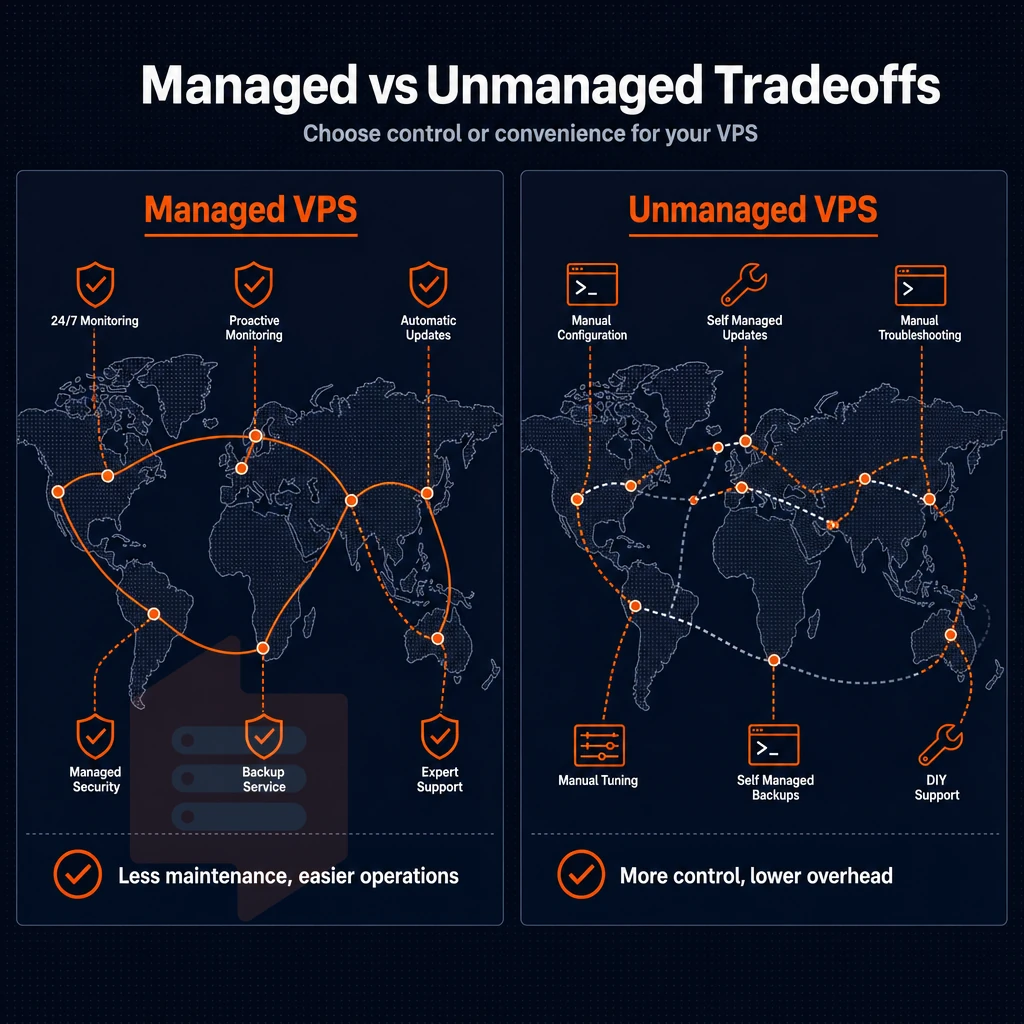
When we talk about budget VPS hosting we are actually talking about two different models to provide a service, and choosing the wrong hosting plan by paying for services that you do not need can be very expensive.
What managed VPS hosting actually includes
When using a managed VPS, the hosting provider will update the Operating System, apply security patches, set up the control panel and do the nightly backups for you. Some hosts even monitor the server for problems and scan for malware.
However, the convenience of managed hosting comes at a cost. In addition to the cost of the plan. Managed hosting plans typically carry a fixed monthly charge that covers control panel setup, and some hosts even add overage fees for support tickets outside the scope of the plan.
You trade off some flexibility.
Unmanaged VPS: full control, full responsibility
An unmanaged VPS gives you root access and nothing else. You provision the OS, harden the firewall, schedule backups and apply patches as they are released. Server management is 100% your problem but the base cost is much lower than a managed solution and you have complete flexibility with the software stack on your VPS.
Developers and sysadmins almost universally prefer this model. You choose the kernel, tune sysctl parameters, and deploy containers or custom runtimes without asking permission.
Control panel options and self-selection
BuyVPS offers a control panel that can be accessed from a self-service portal and also via API calls. The in-browser VNC console is also available. Note that we do not offer managed WordPress or cPanel services. Our VPS hosting platform is designed for operators and it provides full root access and complete control of the server. If you can manage a Linux server, then you will get a lot more for your money with BuyVPS.
What are the cheapest VPS plans available?
Unmanaged KVM entry-level plans from reliable providers start at 1-2 vCPUs, 2-4 GB of RAM, and fast NVMe storage.
No setup fees are charged and there are no renewal price hikes.
What to look for and what adds extra cost in a low cost VPS plan
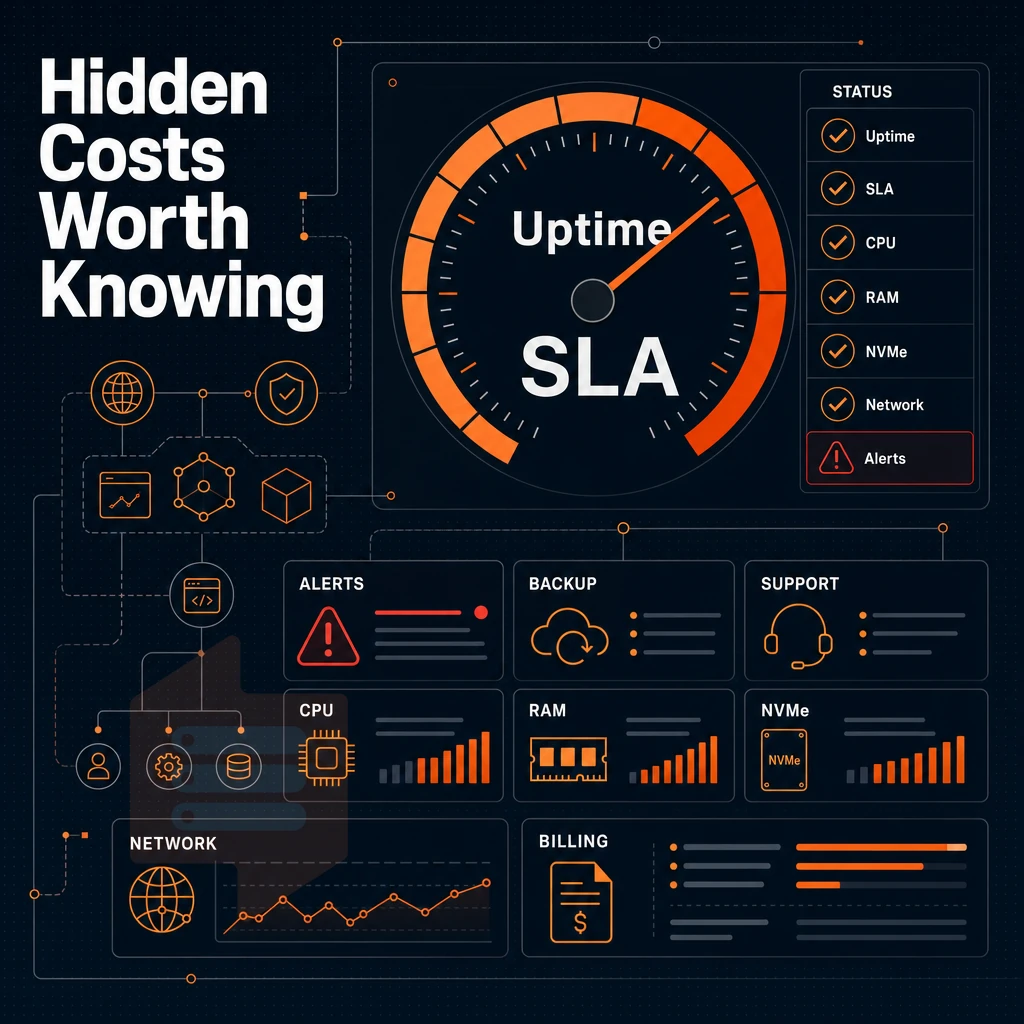
You might get surprised by the quality of a low cost VPS. Always check the below points before you commit to a hosting offer. They help to distinguish between good and cheap Hosting.
Hardware and memory: the foundation of high performance
Xeon from earlier generations) matters.
Of equal importance is the amount of RAM allocated to a server. Hard-capped memory is best, reserved from a node where every gigabyte of memory is reserved and not shared with other servers. The largest cause of underperformance of a low cost VPS at peak hours is the overselling of RAM.
Storage type is a non-negotiable feature, and here we have NVMe SSD storage, providing far lower latency than storage with SATA interfaces or even hard drives. BuyVPS storage is built on NVMe RAID10, with direct connection to PCIe slots. Measured 4K read IOPS with fio benchmarking come in at over 122,000 IOPS.
Network, IP, and operating system protection
Check for overage fees and for port restrictions. Many VPS hosts throttle ports 25 or 80, or charge by the gigabyte above a certain monthly cap. This is a bad thing.
Dual-stacked (carrying both IPv4 and IPv6 traffic) should be the standard setup. Ask about any extra charge for additional IP addresses and find out how to request them.
DDoS protection should be edge-level not an add-on upsell. Verify that it is included by default.
Choosing the right hosting plan: pricing and location transparency
You need renewal pricing to be transparent.
The location of the data center can have a huge impact on latency. A server based in Amsterdam will provide better performance to users based in Europe than a server based on the US East Coast. Look for a provider with data centers based in regions where your users are based.
Factor these into your total cost comparison.
Common use cases for cheap VPS hosting
Each workload does not require a same amount of resources. This article explains how to save money and get better performance by picking the right VPS for your specific use case. Below is a table which outlines common use cases and their corresponding required amounts of resources, and then which VPS is best for each use case.
| Use case | Typical RAM / CPU | Storage need | Best tier |
|---|---|---|---|
| Web projects & e-commerce | 2-4 GB / 2 vCPU | 60 GB NVMe | Standard (shared vCPU) |
| Game server | 4-8 GB / 2+ cores | 45-60 GB NVMe | Dedicated CPU |
| DNS / proxy server | 1-2 GB / 1 vCPU | 45 GB NVMe | Standard (shared vCPU) |
| Dev / staging / CI/CD | 4-8 GB / 2 vCPU | 60 GB NVMe | Standard (shared vCPU) |
| High-traffic apps | 8-16 GB / 4+ cores | 120 GB+ NVMe | Dedicated CPU |
Web projects, e-commerce, and DNS management
A VPS differs from shared hosting in that each website on the server is allocated a fixed amount of RAM and a CPU slice.
Many web projects these days serve dynamic content such as e-commerce stores, CMS sites, and booking systems, all of which require a consistent amount of memory above 2 GB to prevent the operating system from swap thrashing. Light DNS management and proxy setups also benefit from being assigned a dedicated IP address to create clean PTR records and enable reputation isolation.
A dedicated server alternative: pinned-core VPS for high-traffic apps
Shared vCPU’s are typically insufficient for high load resource intensive services. Pinned CPU’s are sufficient to ensure no CPU steal, thus constant p99 latency. Unlike many VPS hosting providers, our low cost Dedicated CPU VPS runs on the latest generation of AMD EPYC processors, Genoa, paired with DDR5 ECC memory, ideal for high traffic services that cannot afford any form of jitter.
Linux VPS for ci/cd and development environments
Running a CI/CD pipeline on a Linux VPS (e.g. Ubuntu or AlmaLinux) is easy because isolated builds can be started. Root can be granted and the NVMe storage delivers 122,959 4K read IOPS which keeps pipeline time short.
Staging environments can be set up in the same way as production environments because there is no interference from shared resources. BuyVPS for example offers in-place upgrades of servers, including more gb ram, without any IP change, so configuration of the pipeline stays the same when the server is upgraded to a higher tier, while workloads are increasing.
Cheap VPS providers compared: what the market offers
The cheap VPS market is quite broad and of low quality. However, when you read through the features of the hosting providers in more detail (than just the price or gb ram allocation for the VPS plan) you will notice big differences in quality and what you can expect in the long run.
What budget tiers typically include
- Review the vCPU type and memory caps in place. Cheap VPS offers are often made up of shared vCPUs with no fixed memory limits, meaning noisy neighbors will affect performance in real terms. Those providers offering strict per-node limits and even providing benchmarks for comparison are few and far between.
- Check the storage technology. Many low-end VPS servers use old SATA hard drives instead of fast NVMe storage. This is a problem for performance hungry projects like databases and APIs serving lots of traffic. Then IOPS matters a lot.
- Review the bandwidth policy, including the generous bandwidth offered by many plans. While the numbers look good, make sure to read the fine print and check out the fair-use policy to see if there are any soft caps and subsequent throttling or overage charges. Truly unmetered transfer for a competitive price with no hidden limits is also available.
Evaluating operating system support and security
- Is root access included with your budget plans? Note that not all budget plans include full root access. Without root access, you won’t be able to install any custom software, manage to apply security patches, or set up an SSL certificate on the server level.
- Test the support model. Support at low-cost providers is often automated in the first place. Test for phone support, and above all for humans (as opposed to bots) in the engineer role.
- Check for backup features. Automated snapshots are not commonly available at the budget end of the market. Check whether they are included in the price or whether there is an additional charge.
Comparing providers: a quick reference
This table can be used to evaluate hosters.
| Price tier | vCPU type | RAM policy | Storage | Bandwidth policy | Root access | Renewal pricing |
|---|---|---|---|---|---|---|
| Ultra-budget | Shared, uncapped | No hard caps | SATA HDD/SSD | Soft-capped or metered | Sometimes restricted | Often increases at renewal |
| Mid-range | Shared vCPU | Soft caps | SSD | Generous bandwidth, fair-use clause | Yes | Varies |
| No-oversell (e.g. BuyVPS) | Shared or pinned AMD EPYC | Hard caps, low node density | NVMe RAID10 | Published, no hidden overage | Full root, custom ISO | No setup fee |
Note: Some ultra-budget providers charge extra for IPv6 or omit it entirely. Confirm dual-stack is included before committing to a hosting plan. After you've shortlisted a provider on specs and policy, the final variable is geography, where the server actually sits relative to your users.
Server locations: amsterdam and new york coverage
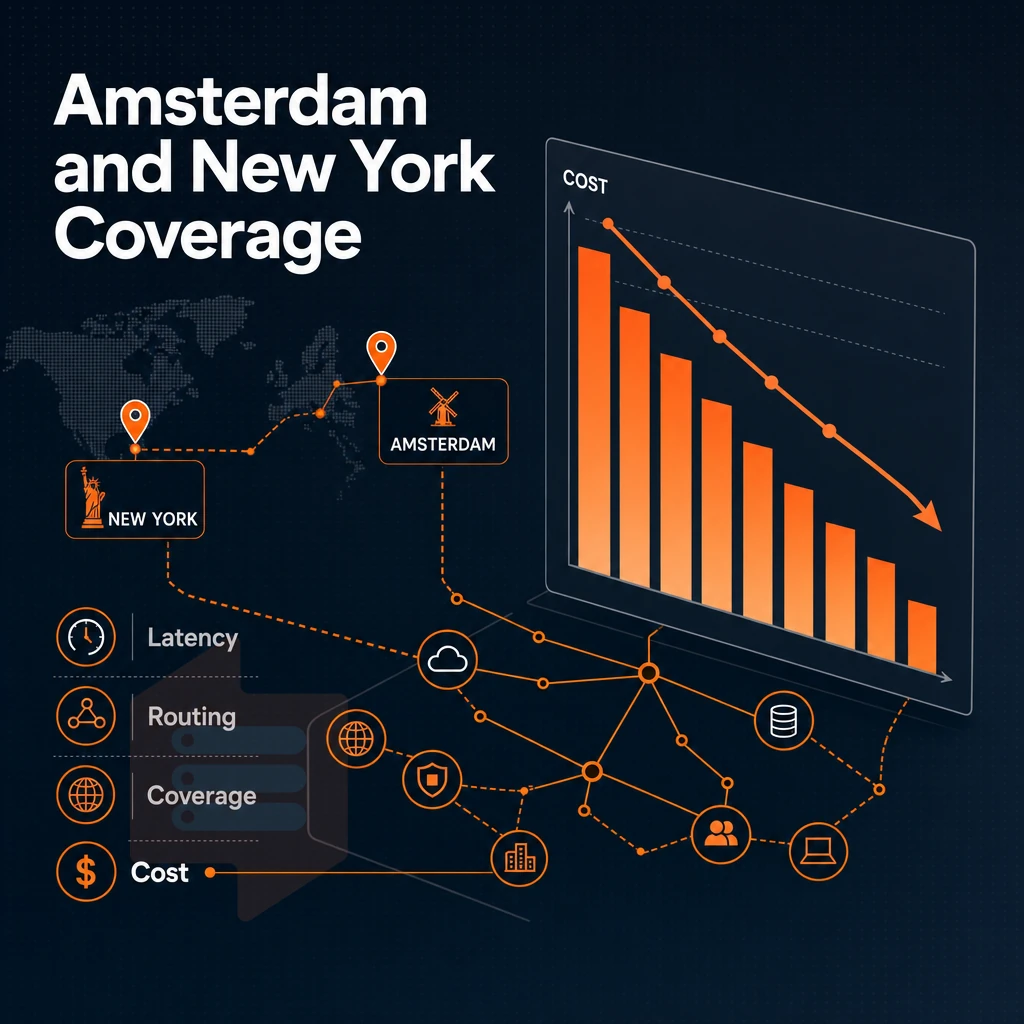
The location of your server(s) greatly affects how fast your users will perceive your site to load. BuyVPS has two facilities that host VPS Server Hosting: one in Amsterdam that serves European audiences, and a New York facility that serves North American audiences. This is one of the most important decisions you will make when purchasing affordable virtual private server hosting.
Data center location and latency
The same request.
However, routed via New York will incur 70-80 ms of latency for a transatlantic round trip. For highly interactive applications (APIs, login interactions, real-time dashboards) this delay is very noticeable. Picking the right region for your application is to date the cheapest form of network performance optimization.
Identical hardware across both data centers
The two locations run on identical AMD EPYC hardware, the same NVMe RAID10 SSD storage, and the same control plane. Identical pricing for identical performance is key for multi-region deployments. High performance in Amsterdam translates directly to high performance in New York.
Specs for both regions are identical: AMD EPYC CPUs, NVMe RAID10 SSD storage, IPv4 + IPv6 dual-stack access, and the identical self-service API for both regions.
A reliable hosting provider for high traffic apps
Network throughput scales with node density discipline. BuyVPS's enforcement of hard memory caps and low node density means that shared uplink bandwidth is not used by neighboring tenants to saturation. For high traffic apps (e-commerce sites, media streaming services, SaaS platforms and the like) this means that the bandwidth advertised in VPS plans will always be available under real load, as opposed to being promised only in marketing copy.
As standard, all plans are enabled with Dual-Stack IPv4 + IPv6. Additionally, upon request, a customer can activate VLANs, a low cost VPS networking feature, to enable inter-node traffic within regions in a completely private manner, not exposed to the public Internet. More on this below.
Why choose BuyVPS for cheap VPS server hosting
Cheap VPS hosting fails when the provider oversells nodes, throttles resources, or hikes renewal prices. BuyVPS is built to avoid all three. We've operated founder-run infrastructure since 2002, and our architecture reflects that long-term thinking.
- No-oversell with hard memory caps. Unlike shared hosting, every VPS gets dedicated resources enforced at the hypervisor level. Low node density means consistent performance under real-world load, not just on day one.
- AMD EPYC processors across all tiers. Standard CPU VPS runs on EPYC Milan with shared vCPU. Dedicated CPU VPS uses EPYC Genoa with pinned cores for predictable, high-performance workloads. High Memory VPS delivers an 8:1 RAM-to-core ratio on EPYC Milan.
- NVMe SSD storage with published benchmarks. Our NVMe RAID10 PCIe-direct storage measured 122,959 4K read IOPS in fio testing. That's real-world performance, not a spec-sheet estimate.
- Full root access on every plan. Every VPS ships with full superuser access, IPv4 + IPv6 dual-stack, KVM isolation with a separate kernel, and custom ISO support. No locked-down control panel options, no port restrictions.
- No hidden fees. In-place upgrades preserve your IP address, no migration, no disruption to running web projects.
- Engineers answer support tickets. No first-tier chatbots. Our team operates data centers in Amsterdam and New York, and the people who reply actually know the infrastructure.
If you're evaluating cheap VPS providers and want reliable hosting backed by verifiable specs, reach out to our team or compare VPS plans directly on BuyVPS.com. If you're ready to move forward, the next section walks through exactly how to get a server running from scratch.
How to get started with a cheap VPS: a quick setup guide
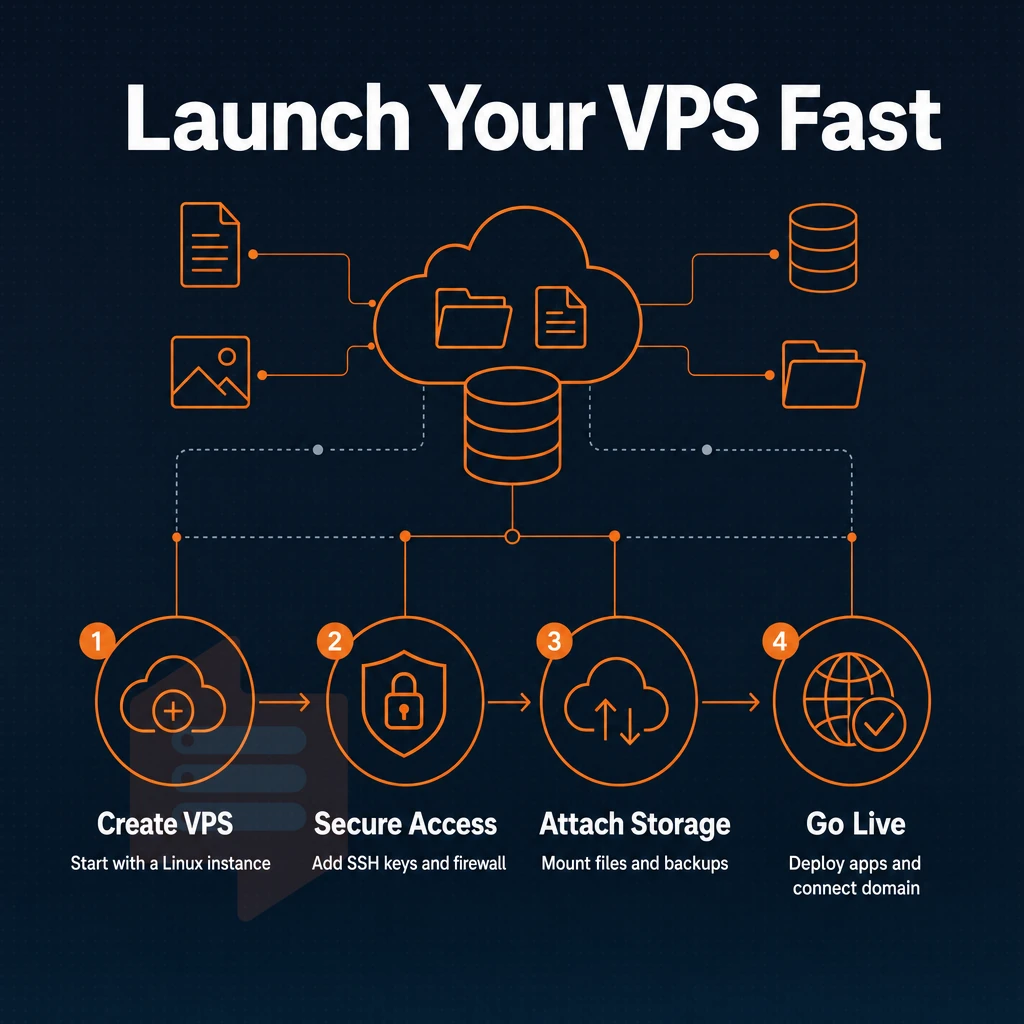
Setting up your first Linux VPS in under an hour is a piece of cake once you know how to set it up. In this article we cover the generic process of getting low-cost VPS hosting up and running. We reference specific plans that are offered by BuyVPS.
Choose a plan and region
Workload is the biggest factor in plan selection. A light site / test environment will likely fit in a shared-vCPU Standard tier. However, consistent performance under sustained load (e.g. databases, APIs, background jobs) will typically require a Dedicated CPU tier with pinned cores.
BuyVPS offers servers in two locations.
Pick an OS and get root access
BuyVPS supports Ubuntu, Debian, AlmaLinux, Rocky Linux, CentOS Stream, and Fedora. You can upload any custom ISOs too. Ubuntu LTS is the safest distribution for the majority of managed VPS hosting workloads, but distributions such as AlmaLinux and Rocky Linux are also suitable for small businesses looking to transition from a RHEL-based distribution.
Log in via SSH as root. Full control from here. Initial hardening: change root password, add a new user (sudo enabled) and switch off password authentication in favor of public keys.
Install a hosting control panel and configure DNS
By managing servers through the command line, users have complete control over the servers. On the other hand, the hosting control panel greatly accelerates web hosting tasks. BuyVPS’s self-service panel allows users to perform reboots, access VNC console, and re-install OS. For users who have outgrown shared hosting, a VPS provider allows application-level control panels for virtual hosts, email accounts, and databases to be installed as open-source panels on top of the initial login.
The propagation should take about an hour.
No money back guarantee is offered for the services provided by BuyVPS, so be careful when using the plan selector on the checkout page. Work with actual workload metrics, and not with projected peak values. Everything in this guide can be narrowed down to a few quick decisions.
Key takeaways: finding the best cheap VPS for your needs
Choosing cheap VPS hosting comes down to four decisions: workload type, core allocation, data center location, and renewal pricing. Match light web projects to a shared-vCPU plan, latency-sensitive apps to dedicated cores, and data-heavy tasks to a high-memory tier. Verify that your low cost VPS provider enforces hard memory caps, unlike shared hosting, a no-oversell policy is what makes consistent performance possible. Always confirm that your VPS hosting plans carry the same price at renewal.
Prioritize published benchmarks over marketing claims when evaluating any VPS provider. Full administrative access, NVMe SSD storage, and a data center close to your audience matter more than headline specs alone. For a full breakdown of vetted cheap VPS options, visit the BuyVPS cheap VPS page.
A cheap VPS gives you dedicated resources, privileged access, and predictable performance, without the noise and instability of shared hosting. The gap between a low-cost hosting plan and a capable one has closed significantly, so what truly sets a hosting company apart now is what they do with the hardware and how honestly they manage node density.
When evaluating windows VPS plans, prioritize three things: virtualization quality (KVM with per-VPS kernel isolation beats paravirtualized stacks), storage throughput (NVMe RAID10 over spinning disk or basic SSD). Additionally, A no-oversell policy backed by hard memory caps, not just a marketing claim.
BuyVPS runs AMD EPYC hardware across Amsterdam and New York, and each VPS hosting plan enforces hard memory caps by design while giving every tier full system access with in-place upgrades and no IP rotation. Browse the VPS plans at BuyVPS.com and find the tier that fits your workload.