

AWS EC2 instance pricing looks straightforward at first, then delivers surprise charges: data transfer fees, storage I/O requests, elastic IPs, load balancers, and more. For developers and IT departments running production systems, those Amazon EC2 costs become a real operational risk.
This guide explains how major cloud providers price their VPS-like compute resources, from a basic Lightsail instance to full EC2 deployments, where hidden fees come in, and what questions to ask before signing up. It also contrasts flat-rate VPS hosting's fixed monthly price for compute, storage, and bandwidth with cloud providers' per-use charges for typical workloads.
This primer aims to provide a solid framework for you to assess costs, understand volume discounts, and make your compute cost model work for you rather than against you, whether you're migrating an application from a production server in Asia Pacific or simply trying to determine the best platform to launch a new one on. Understanding these cost dynamics is particularly critical for business owners who need to forecast infrastructure expenses accurately and align them with revenue projections.
What is Amazon cloud VPS pricing and how does it work?
The phrase “amazon cloud VPS pricing” refers to two rather different services: Amazon’s Amazon Lightsail and Amazon EC2. Amazon Lightsail is flat rate for a bundle of virtual private servers and content delivery across regions including Asia Pacific, while Amazon EC2 is a variable price service you pay for by what you actually use and consume.
First month $1
Then the normal monthly price. One per customer. No setup fee, and a 30-day performance guarantee on your first order.
See the plans“BuyVPS offers simple and reliable VPS hosting solutions for different online needs.”
Amazon cloud VPS pricing: two products, two models
Amazon Lightsail is the closest Amazon has to a traditional VPS offering. It’s a fixed cost per month for a bundle of compute, storage and data transfer allowance that makes for a very predictable cost subscription. For community perspectives, see Is AWS a good alternative to a $20/month VPS for hosting ....
EC2 is the underlying infrastructure layer. It’s pay as you go pricing is billed in seconds for each and every resource you provision. Importantly, the pricing for EC2 is entirely unbundled for compute, storage and data transfer. Egress is charged by the GB.
On-demand vs. Committed pricing
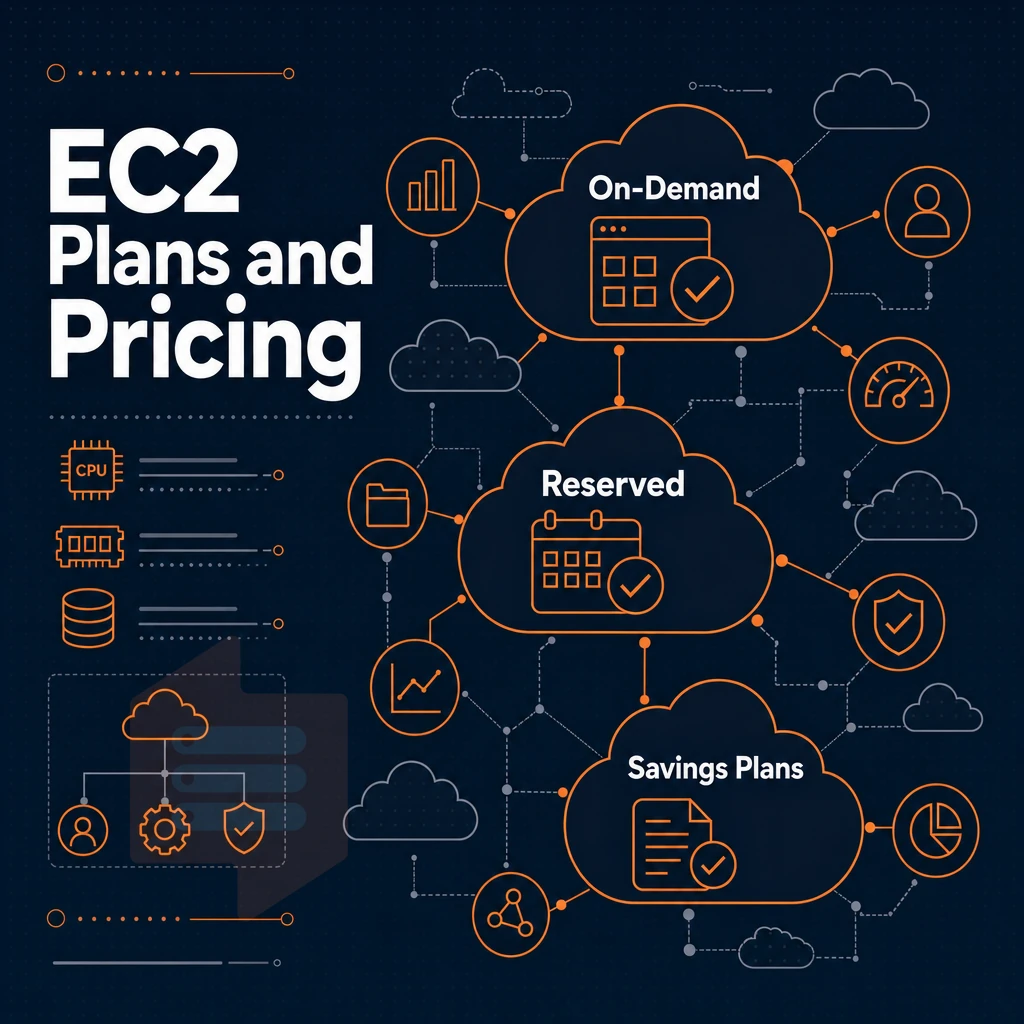
EC2 gives you three commitment tiers:
- On-demand: Full flexibility, highest per-hour rate.
- Reserved instances: One- or three-year commitment, significantly lower rate.
- Savings plans: Flexible commitment to a spend level, applied automatically across eligible usage.
Savings plans are best suited for stable workloads. On-demand plans are better for high burst or experimental use cases.
What bundled vs. Unbundled really means
Depending on your specific use case, neither may be better, i.e. neither more predictable or more variable in cost than the other.
BuyVPS operates on a bundled basis, all components, storage, transfer, etc. are included in the stated plan charges, with no surprise charges.
Amazon lightsail plan options: what each plan includes
Lightsail plans bundle compute resources, storage, and network transfer into a single flat rate, so knowing what each plan includes helps you avoid unexpected usage overages after launching your instances.
What each lightsail instance plan includes for sizing
Our plans scale from a single shared vCPU (512MB RAM) up to multiple vCPUs (32GB RAM), with fixed NVMe storage and a monthly data transfer allowance at each tier.
| Tier | RAM | vCPU | SSD storage | Transfer allowance |
|---|---|---|---|---|
| Entry | 512 MB | 1 shared | 20 GB | 1 TB/mo |
| Small | 2 GB | 1 shared | 60 GB | 3 TB/mo |
| Medium | 4 GB | 2 shared | 80 GB | 4 TB/mo |
| Large | 8 GB | 2 shared | 160 GB | 5 TB/mo |
Data transfer, block storage, and optional add-ons
Outbound data transfer beyond the bundled amount is billed separately. Persistent block storage volumes can be added as needed. Load balancer and snapshots are available as paid extras, metered separately from the base plan.
Managed databases pricing per month
Managed databases for MySQL or PostgreSQL are provisioned as separate billable components and run outside of the compute resources that host your applications. Although convenient, the cost of managed databases far exceeds the cost of running self-managed database engines on standard VPS type servers. Organizations seeking to minimize infrastructure spend often find that self-hosting databases on general-purpose compute instances reduces total ownership cost by 60, 70% compared to fully managed offerings.
Free tier availability
New AWS customers get a free tier trial on the smallest single instance Lightsail plan for 3 months. After that it's standard pricing with no grandfathering, so plan your migration window carefully.
If predictable performance matters more than the broader AWS ecosystem, a no-oversell KVM VPS from BuyVPS in the US East region with pinned or shared AMD EPYC cores and NVMe RAID10 storage is worth considering over a Lightsail instance.
If you need more control over the terms and flavors of instances you commit to, it's time to look at EC2's pricing models in detail. Each pricing model carries distinct implications for managing infrastructure budgets, and understanding these differences helps you avoid unexpected cost escalations as your application scales.
Amazon ec2 pricing: on-demand, reserved instances, and savings plans
EC2 costs depend on three factors: the date you pay for, your workload, and where you launch. Selecting the wrong pricing model for your use case can rapidly inflate your monthly bills. Understanding how these factors interact is essential for any business planning to deploy production applications on EC2.
Understand the payment models
- On-Demand: Pay per second with no upfront commitment. This suits unpredictable traffic, a WordPress site that spikes on launch day, for example. Auto scaling adds and removes capacity automatically, but every new instance bills at the full on-demand rate.
- Reserved Instances: Commit to a 1- or 3-year term for a significant discount. Best for steady, predictable workloads. The discount is tied to a specific instance family, so switching types mid-term forfeits savings.
- Compute savings plans: A flexible alternative to Reserved Instances. You commit to a dollar-per-hour spend rather than a fixed instance type, so you can shift across sizes and operating systems without losing the discount.
Select your region and instance family
- First choose a region as rates vary greatly by geography. The cheapest region for US customers is US East, and while Asia Pacific regions can provide additional regions within the region, typically they charge a premium, so do factor those in.
- Map the server type to your Workload. Compute Optimized Instances are best suited for CPU intensive workloads. Memory Optimized Instances are best suited for in memory databases. Misusing these will only waste your time and money.
Note: Reserved Instance discounts apply only to the exact configuration you purchased. If you resize or change the OS, the discount may not follow. Changing instance families mid-contract can also void the discount entirely, requiring you to purchase a new reservation at current market rates and effectively doubling your cost exposure during the transition period.
Verify before you commit
- Run the workload in On-Demand mode for 2 weeks or so and review usage reports to confirm proper instance size before committing to a term.
Choosing the right pricing model for your cloud services is only half the battle. Understanding the full cost structure also means examining how auxiliary services, support tiers, and regional variations compound your baseline expenditure.
Hidden costs and additional costs in Amazon cloud VPS billing
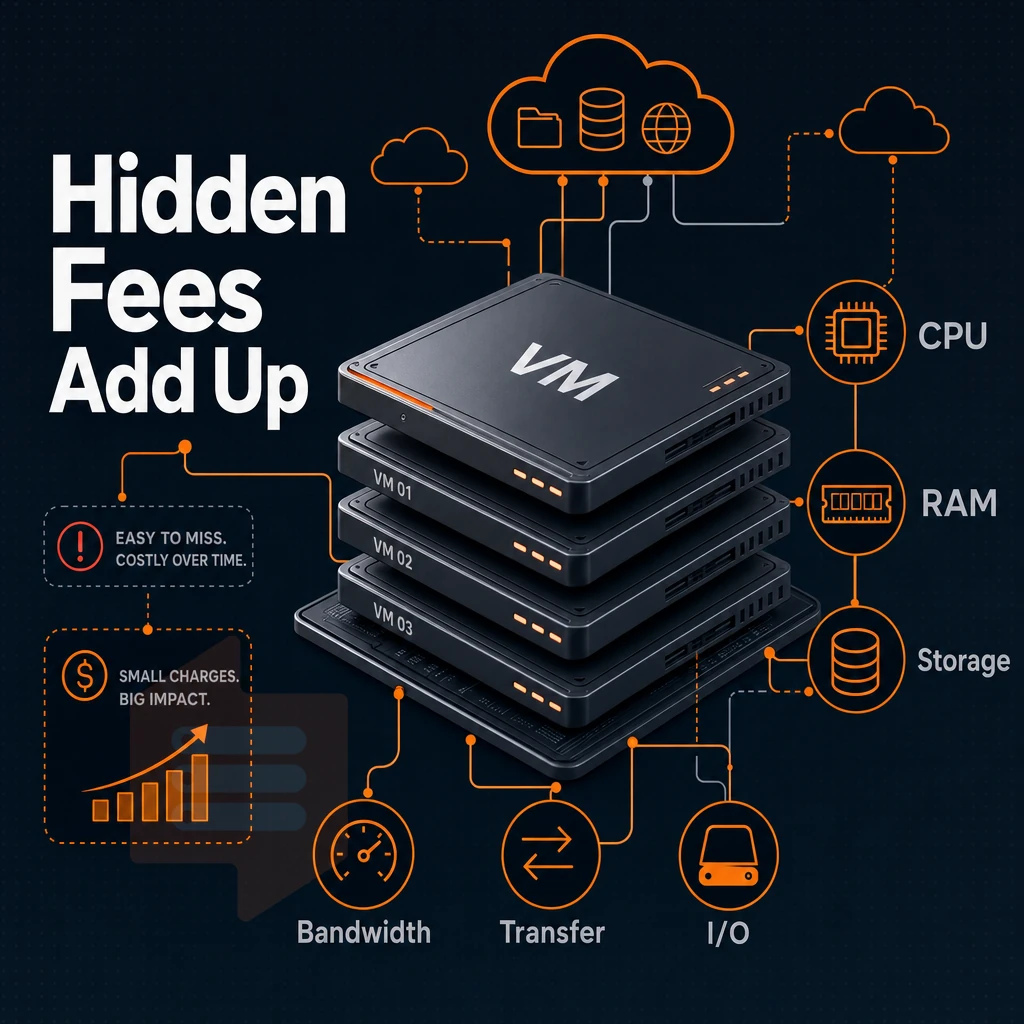
The base instance price of the VPS server appears as a simple line item on your bill from Amazon Web Services. However, moving beyond any abstract illustration of pricing, there are many other charges on top of the base price of a server instance, say, an 8 GB RAM tier, that cloud VPS users must be aware of before they receive their first month's bill and discover how much they will actually be paying.
Hidden costs in stopped instances and storage
In addition to the compute hours, attached block storage volumes also continue to incur charges whether or not the instance is running. You will also be charged for any snapshots that you take for backups, on a gigabyte-month basis, and these charges will show up as additional costs on your bill over time.
Outbound data transfer and request metering
All plans include a data allowance, which can be used once the bundled amount has been consumed. Outbound data transfer to the public internet is then charged by the gigabyte. Also note that the outbound data transfer count itself can incur charges at scale.
This means that high-traffic APIs as well as media serving workloads easily hit both limits. For instance, a site streaming video files or serving large downloads can easily exceed 100 GB of transfer in a single day, triggering overage fees that compound quickly.
Load balancer and ancillary service fees
The load balancer is a separate resource from your instances. Resources like DNS management, static IP addresses not attached to an instance, container and database add-ons are all billed separately. Lightsail charges for overages of transfer, managed databases and storage on top of the price for the plan you choose.
Each add-on can effectively double the price of a small setup. Audit all resources that you add on top of the compute, not just them.
BuyVPS offers the same IPv4 and IPv6 dual-stack, as offered on our Standard, Dedicated and High Memory plans, without any per-request metering. Upgrades to these plans are done in-place. This Means that there’s no IP rotation and hence no transfer spikes due to migration as you would have with other flat-rate providers when comparing them against Lightsail plans.
Amazon lightsail vs akamai cloud and other VPS alternatives
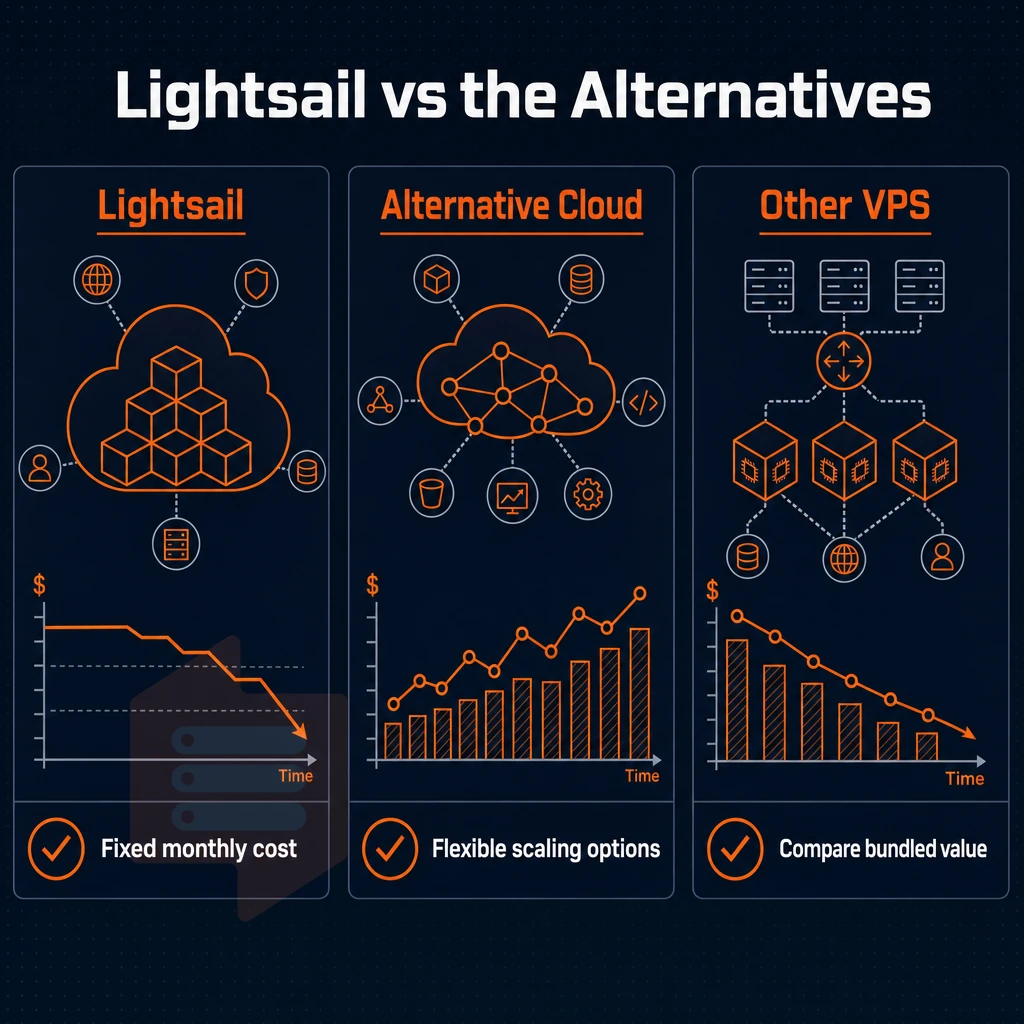
Amazon Lightsail bundles all of the core components of a compute resource (including storage and data transfer) into fixed monthly prices for different sizes of virtual servers. The simplicity and predictable monthly bills make it an attractive alternative to try before rejecting the rest of Amazon’s cloud services. Note though that there are many other providers of hosted virtual servers of similar nature to Lightsail.
Lightsail's flat-rate structure
Every plan includes a fixed amount of data transfer, like 100GB of outbound data transfer on the small instances for example. Data transfer over that amount is then charged on a per GB basis and counted towards the overage. While Amazon touts their “transparent” pricing, that really only holds true for small workloads and starts to break down for high volumes of traffic.
We don’t require long term contracts. Our plans are month to month, ideal for short projects, but you’ll miss out on the volume discounts that longer term contracts typically get on competing platforms.
Akamai cloud and the alternative tier
Linode offers a very developer friendly cloud with very flexible pricing that scales for you in Compute, Storage (Object) and Database services. Like Lightsail it offers simpler billing than the hyperscale pay-as-you-go model. While it does not offer the global scale of the hyperscalers or as many enterprise features and integrations, it does provide a solid alternative for many teams.
Where fixed-rate VPS fits
Whether you are a small cost-conscious team or just don’t need the hundreds of features that a lot of hosting platforms offer, a fixed-rate VPS is a simple way to get online.
In year five the bill will be exactly the same as it was in month one.
When Amazon cloud VPS pricing makes sense for production workloads
Not all workloads should run on a flat-rate VPS. Understanding the scenarios where the AWS ecosystem’s higher base cost is earned, will prevent you from over-engineering simple deployments and under-provisioning complex ones.
When the Aws ecosystem genuinely justifies the cost
Most production workloads that need to scale up and down rely on AWS's auto-scaling groups for elastic capacity. Traffic surges that would swamp a fixed VPS are absorbed automatically by provisioning more servers as needed, though the added complexity and variable cost are really only a non-issue for teams with a dedicated DevOps function.
The other major factor for high availability is redundancy. By placing your production servers in multiple availability zones, you can achieve high availability without having to set up failover for your production servers. Managed databases, load balancers, and CDNs are set up to take advantage of redundancy in the production environment.
Where flat-rate VPS wins
Most applications with predictable workloads (such as a SaaS app with steady traffic, a staging environment or self-hosted analytics) do not require scaling. A fixed VPS with fast NVMe storage and dedicated CPU(s) will provide consistent performance for a predictable monthly charge.
Our Dedicated CPU plans at BuyVPS use pinned AMD EPYC Genoa cores and NVMe RAID10 storage, meaning one server node can power the equivalent of multiple managed instances at other hosting platforms. Root access means no platform lock-in.
Decision guide per month
| Workload type | Key requirement | Better fit |
|---|---|---|
| Unpredictable traffic spikes | Elastic auto scaling | Managed cloud platform |
| Steady SaaS or app server | Consistent CPU, low latency | BuyVPS Dedicated CPU VPS |
| Multi-region active-active | Global zone redundancy | Managed cloud platform |
| High-memory data processing | Large RAM, fast NVMe | BuyVPS High Memory VPS |
Architectures running managed services all glued together should probably run on large cloud platforms. On the other hand, workloads that are mostly predictable but have high performance requirements are typically better off running on a non-oversold VPS in Amsterdam or New York. Once you decided on AWS as the best model for your use case, you will also want to cap your AWS spend.
How to estimate and control your monthly costs on Aws
Many services are enabled unintentionally and invisible until the bill arrives at the end of the month.
Preparation: build your estimate before you deploy
- Open the AWS Pricing Calculator and add all the services you need for your proposed project, such as compute, storage, data transfer and databases. The calculator will provide you and your team and others involved with a shareable estimate of what your proposed project will cost before you provision any resources to start building it.
- Choose the right model to purchase from. On-Demand is very flexible but very expensive as a usage model at scale. Savings Plans on the other hand commit you to a consistent average usage per hour and can save lots of compute dollars. Choose the model that matches your workload’s predictability.
- Also, be aware of the Free Tier limits. Although many services offer the Free Tier for 12 months, there are often usage limits. Even exceeding these limits by a small amount means that you will be charged the full monthly rate immediately.
Execution: activate cost controls from day one
- Set up budget alerts in AWS Budgets. Create a threshold at 80% of your planned budget and receive an email when it’s near being overspent. That’s one alert setup to save a lot of headache down the road.
- Tag all resources. Tags allow you to bill a monthly fee to a team, project or environment. Cost Explorer shows line items that are nearly impossible to attribute without tags.
Note: A common mistake is forgetting data-transfer charges. Compute costs are visible upfront, but egress fees accumulate silently and can equal what you pay for the instances themselves.
Verification: review and adjust per month
- Read Cost Explorer weekly at first to get familiar with unusual spikes on service and region level. After first reviews you will get a much better feeling for your typical spend faster than waiting for a monthly report.
- Downsize underutilized instances. If the average CPU and memory utilization across instances is low on an ongoing basis, drop down to a smaller instance type. One price tier down in cost for a number of instances can add up quickly over time.
If the cost of managing such a program feels like overhead your team shouldn't carry, compare it to the cost of a flat-rate alternative and see if you've merely traded one problem for another.
Why choose BuyVPS for transparent, predictable VPS pricing
AWS cloud server pricing rewards engineers who master savings plans, reserved instances, and per-GB data transfer tables. Most production workloads need predictable monthly bills and storage that performs, not that complexity. BuyVPS delivers exactly that: one price, no hidden costs, no renewal hike in year five.
- Transparent pricing, no line items. Monthly costs are fixed. Outbound data transfer, block storage, and managed databases don't generate additional costs at the end of the month.
- NVMe RAID10 on every plan. PCIe-direct storage measured at 122,959 4K read IOPS, no tiered storage upsells required for production workloads.
- KVM isolation, AMD EPYC hardware. Choose shared vCPU (Standard tier) or pinned cores (Dedicated tier) for high availability and consistent latency under load.
- In-place upgrades, no IP rotation. Scale without migrating or reconfiguring DNS management and firewall rules.
- Amsterdam and New York. Dual-stack IPv4 + IPv6, identical hardware and pricing in both regions, no availability zones to map, no cross-region transfer fees.
If variable on-demand billing is eating into cost efficiency, compare our plans against your current monthly bill. Reach out to the team at BuyVPS.com, engineers reply, not bots.
Amazon cloud VPS pricing vs flat-rate VPS: key differences
Amazon virtual machine pricing is offered in two different models. First, there is the variable on-demand pricing, which is charged by the hour for all resources including compute, block storage, data transfer (outbound) and hosted databases. Each of these is billed separately and shows up as individual line items on your bill.
Savings plans can reduce your cost but require a commitment and an estimate of your usage upfront. As with most things, the more you use, the greater the complexity.
The way BuyVPS offers Flat-rate plans is to bundle all necessary services and features within one monthly invoice at a fixed price. Such plans avoid unexpected charges for example per GB transfers, as well as stopped instances which are still charged for storage space. Also the various instance families and the respective sub-percentages of processor power and RAM as well as required storage.
Are no longer a mystery when it comes to choosing the right plan for your production workloads. In contrast to a la-carte pricing for separate services and features, in the end the best price for your money is achieved by a transparent pricing model with hard limits for available resources. Now it only remains to choose the right model for your workload.
Choosing a flexible pricing model for your cloud VPS workload
EC2 instance cost structure is suitable for workloads that need to scale up and down, have a wide range of managed services, and are billed per use. The flexible pricing works well for workloads with unpredictable traffic and variable monthly expenses that your business can handle.
If your priority is predictable monthly bills, dedicated resources, and transparent pricing with no surprise line items, a flat-rate KVM VPS is the stronger fit. BuyVPS delivers exactly that, no-oversell infrastructure in Amsterdam and New York, with consistent costs your customers and finance team can plan around. Compare your options on the pillar page.
Frequently asked questions
Does Aws offer a free on demand VPS?
AWS offers a Free Tier that includes 750 hours per month of a t2.micro or t3.micro instance for the first 12 months after account creation. That covers one small instance running continuously for a month, but it expires after a year and excludes most production-grade instance sizes.
Once the free period ends, standard on-demand rates apply. If you need a VPS with predictable, flat-rate billing beyond a trial window, whether in Asia Pacific or elsewhere, a dedicated VPS provider like BuyVPS is a more straightforward option, with no surprise fees and no expiring credits.
What is the on demand pricing for an Amazon cloud server?
Amazon EC2 pricing varies by instance type, region, vCPU count, RAM, and billing model, on-demand, reserved, or spot.
Storage, data transfer, and support plans are billed separately, so the final monthly figure is rarely what the headline instance price suggests. For teams that want a single, all-inclusive monthly cost with no per-GB egress surprises, a flat-rate VPS provider is worth comparing directly against AWS.
What does Amazon virtual private cloud cost on demand?
Amazon VPC itself is free to create and use, you are not charged for the VPC construct. What you pay for are the resources inside it: EC2 instances, NAT Gateways, VPN connections, data transfer, and Elastic IPs. NAT Gateway alone carries both an hourly charge and a per-GB data processing fee, which can add up quickly on high-traffic workloads.
If your architecture only needs IPv4 and IPv6 networking without the AWS-managed overlay and you want to avoid the extra Lightsail charges, a KVM VPS with IPv4 and IPv6 dual-stack, like those BuyVPS provides in Amsterdam and New York, covers most use cases at a predictable monthly price.
Does Aws do VPS?
AWS does not sell a product called a VPS. Its closest equivalent is Amazon EC2, which provides virtual machine instances on shared or dedicated hardware. EC2 is far more complex to configure and price than a traditional VPS, you manage instance types, AMIs, security groups, VPCs, and a multi-dimensional billing model.
Traditional VPS providers give you root access, a fixed resource allocation, and a single monthly bill. BuyVPS, for example, offers KVM-isolated virtual servers on AMD EPYC hardware in Amsterdam and New York, with plans starting at 8 gb of RAM, full root access, and in-place upgrades, no cloud-platform complexity required.
Amazon’s cloud VPS pricing is complicated and layered. While Lightsail offers fixed prices for constant usage, EC2’s on-demand, reserved and Savings Plan offerings bring significant complexity to their pricing. In addition to the base rate of the instance, there are also egress fees, elastic IP charges and even varying costs of storage, all of which add to the total monthly invoice. And the base rate is often not the actual price.
With no-oversell and strict memory caps, you know exactly what you’re getting.
What you pay in the fifth year of a VPS is exactly what you'll pay in the first month.
Compare the plans at BuyVPS.com and see which tier fits your workload.