
Amazon VPS Server Price Per Usage When we first look at prices for Amazon VPS Servers, they seem to be quite competitive. It isn’t until you actually set up a test case and run it for a while, however.
The real cost becomes apparent once you add data transfer and I/O requests per second for storage. Add reserved instances into the mix, and it's easy to incur a 40-60% cost increase when traffic rises in earnest.
In this Amazon VPS Server article, we examine hidden charges to reveal the true cost of VPS Server usage and compare it to services with much flatter rates, no per-GB egress charges, for example.
What are you paying for? What are you not getting? Most importantly, which VPS Server will provide you with the best performance for your dollars? We look at typical cases for developers and also larger companies, helping to outline your search for production VPS Server services. Evaluating your hosting provider based on transparent pricing and performance benchmarks ensures you avoid surprise costs that can derail project budgets.
What is an Amazon VPS server and how does Aws pricing work?
Note: AWS does not sell VPSes (virtual private servers), but rather hosts on two different types of services: Amazon EC2 and Amazon Lightsail. A detailed explanation of both services and how they are billed is provided below.
First month $1
Then the normal monthly price. One per customer. No setup fee, and a 30-day performance guarantee on your first order.
See the plans“Great service! Everything was delivered quickly and worked exactly as expected. the process was smooth, reliable, and professional. Highly recommended!”
Amazon lightsail: the bundled VPS equivalent
AWS Lightsail is essentially a traditional VPS offer, bundled with storage and a data transfer allowance within a fixed, monthly fee. Instead of offering up lots of different prices for similar amounts of compute, you pick a plan and know what you are getting, and what it is going to cost you. For community perspectives, see Is AWS a good alternative to a $20/month VPS for hosting ....
After that standard monthly charges for your usage will apply.
Lightsail is great for simple workloads, such as a small web app, a development environment, or low-traffic website. It abstracts away AWS networking and IAM, in exchange for less control.
Ec2 as a hosting provider: metered, variable, and complex
Amazon EC2 charges by the second for compute, charges separately for network egress, and charges separately for storage. There are three pricing models.
- On-Demand, full rate, no commitment, stops when you stop the instance.
- Savings Plans: Save by committing to a consistent usage level over a year or three (e.g. pay a lower hourly rate).
- Spot Instances, very cheap, but can be taken from you within 2 minutes.
These add up quickly. Egress, EBS volumes, snapshots, and load balancers are each additional line items. Teams save their preferences in AWS Cost Explorer to track where money is leaking.
Bundled vs. Metered: why it matters
The bundled model of Lightsail gives you fixed monthly costs, whereas EC2’s metered model gives you flexibility but unpredictable bills. Neither of these models corresponds to what most people would call a VPS (Virtual Private Server), i.e. a fixed-resource server offered on a stable monthly rate basis.
This is where BuyVPS differs from other VPS providers. Selecting the right hosting provider means understanding not just the advertised price, but the complete billing model and how it scales with your actual usage patterns.
Amazon lightsail pricing: bundled plans explained
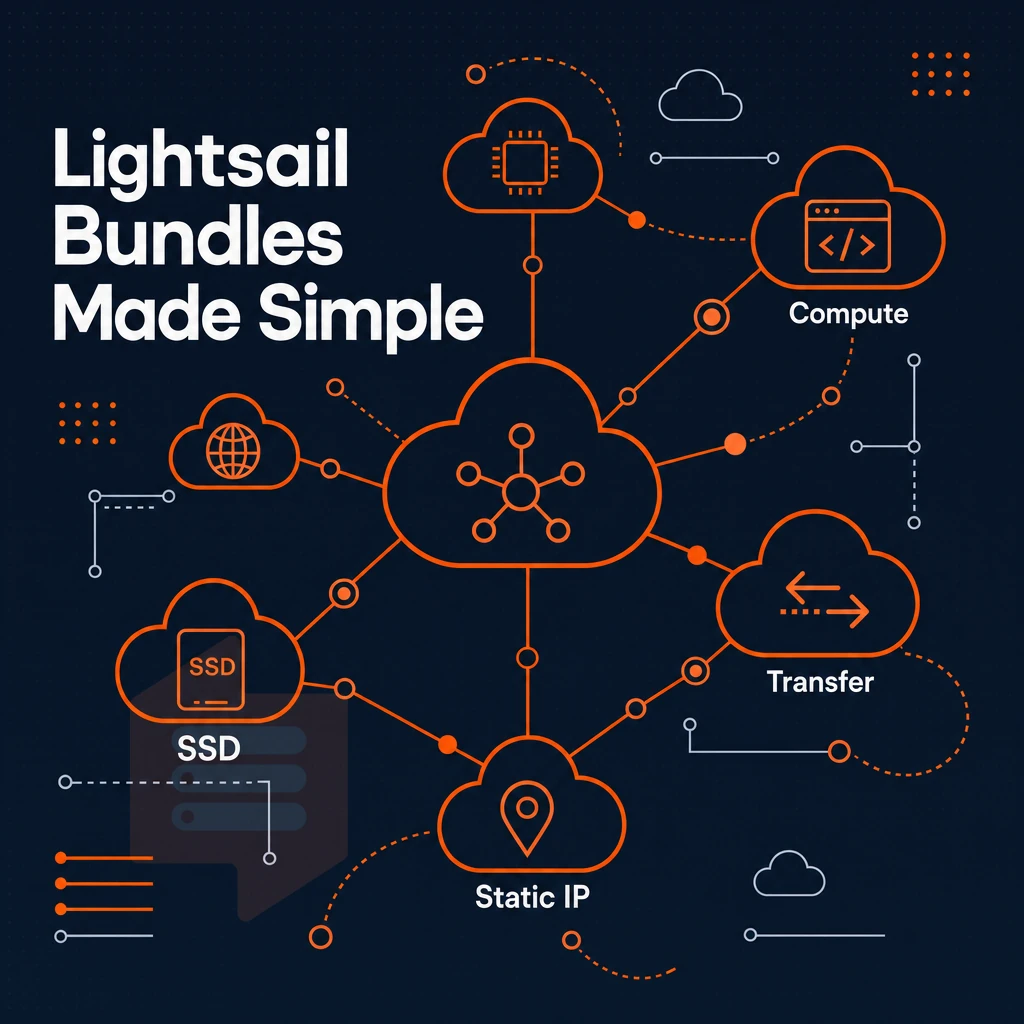
Amazon Lightsail bundles compute, SSDs, data transfer, and a static IP into a fixed monthly price, making it the closest thing to traditional VPS hosting on AWS. Each bundle has specific features and limitations worth reviewing before you commit.
What a lightsail bundle includes from your hosting provider
We provide a fixed amount of RAM, vCPU, and SSD storage for every Lightsail instance, and a monthly data transfer allowance for outbound traffic to the internet. Inbound traffic is always free. While your allowance will cover your typical outbound traffic, should you exceed your allowance for a given month, you will be billed for the overage separately, with typical overage rates varying by region.
As a special offer, AWS offers a free tier trial period (e.g., 3 months) for new accounts on qualifying plans. Once the free trial period ends, charges will move to the bundled rate for the chosen plan, without requiring architectural changes.
IPv4 vs. Ipv6-only bundles that save preferences
Recently, IPv6-only bundle variants have been added at lower cost than their respective dual-stack variants.
When lightsail falls short as a hosting provider
Lightsail suits low-complexity workloads, but lacks kernel-level isolation, pinned CPU cores, and high availability for production use. Data transfer overages can also be unpredictable and expensive at scale.
BuyVPS is for the type of workloads that need guaranteed resources. BuyVPS offers KVM-isolated VPS plans with hard memory caps, no-oversell node density, and high-performance NVMe RAID10 storage in Amsterdam and New York data centers. No surprise overage charges, all transfer (in both directions) is bundled. Next, we’ll examine the 3 payment models offered by EC2, and see how each stacks up against the others for the user who needs more than just simple infrastructure to operate their workloads.
Amazon ec2 pricing: on-demand, savings plans, and spot instances
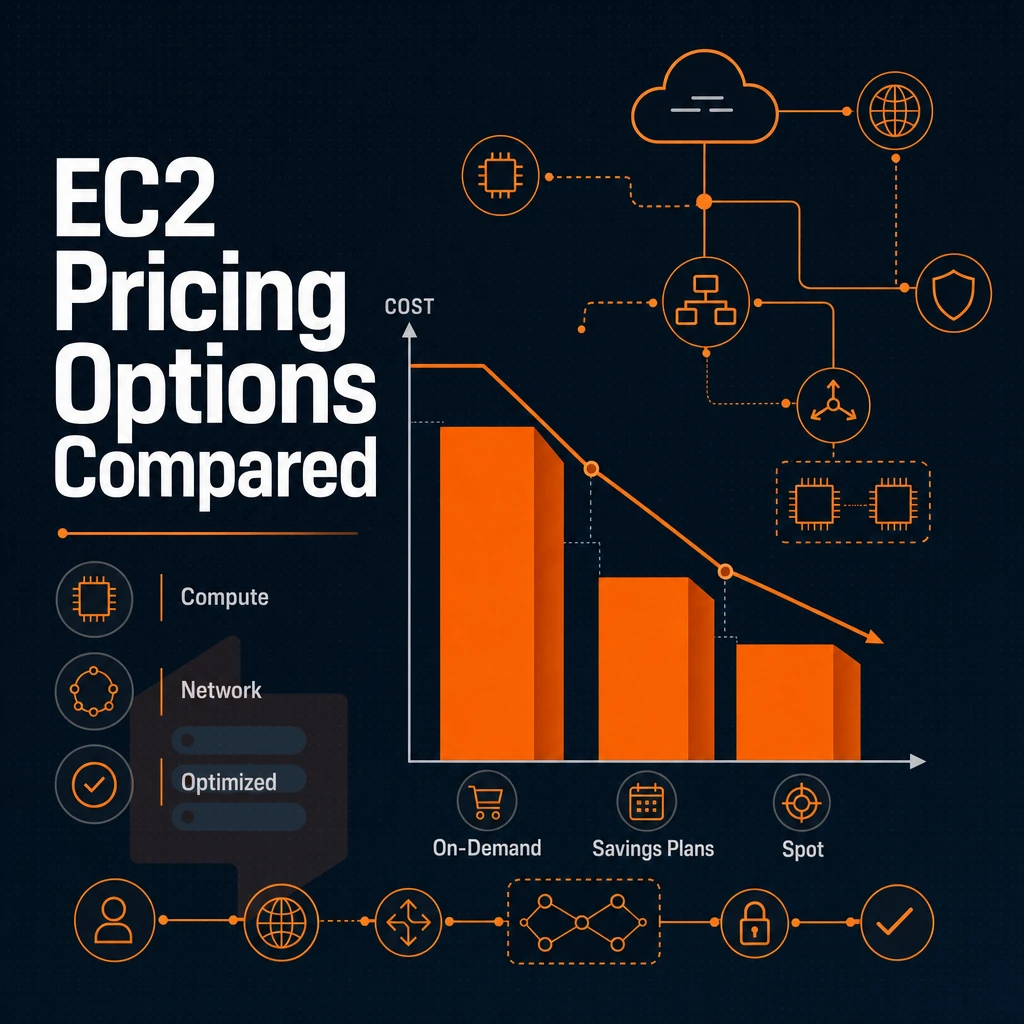
Amazon EC2 is the enterprise compute service offered within AWS. The service is offered under three different models, each offering a trade-off between flexibility and cost. This page explains the different models, and what gets charged up in addition to EC2 use.
Choose your payment model and save preferences
- On-Demand: Pay per hour or per second with no commitment. This gives maximum flexibility but carries the highest per-unit cost. Use it for unpredictable workloads or short-term testing.
- Savings Plans: Commit to a consistent amount of compute usage over one or three years in exchange for a significant discount. The trade-off is reduced flexibility, you pay for the commitment whether you use it or not.
- Spot Instances: Bid on unused EC2 capacity at a steep discount. AWS can reclaim the instance with two minutes' notice, so Spot is only suitable for fault-tolerant, interruptible workloads like batch processing.
Estimate your total cost and save preferences
- Open the AWS Pricing Calculator: Model your instance type, region, and expected hours. The calculator is the only reliable way to project monthly spend before you deploy.
- Add every billing dimension: EC2 charges compute, storage, data transfer, and elastic IP addresses as separate line items. Forgetting data transfer costs is the most common budgeting mistake.
Note: EC2's metered model makes total cost harder to predict than flat-rate alternatives. For simpler workloads, AWS Lightsail bundles compute, storage, and transfer into one monthly figure, worth comparing when scoping smaller projects.
When a dedicated VPS is the cleaner fit
If your workload is not requiring the full spectrum of services offered in the AWS ecosystem. A dedicated-CPU VPS is a cost effective solution that offers pinned cores and the best in class storage (NVMe RAID10) for a fixed monthly fee. Choosing the right hosting provider means evaluating not just the advertised price but the total cost structure, including whether cores are shared or dedicated.
No per transfer fees, no separate storage invoices. Amsterdam and New York based VPS deployments can be live in minutes and upgraded without IP rotation. This transparent pricing is what developers expect from a traditional hosting provider, monthly costs stay predictable regardless of minor traffic fluctuations.
Hidden costs in Aws VPS pricing: what the headline rate misses
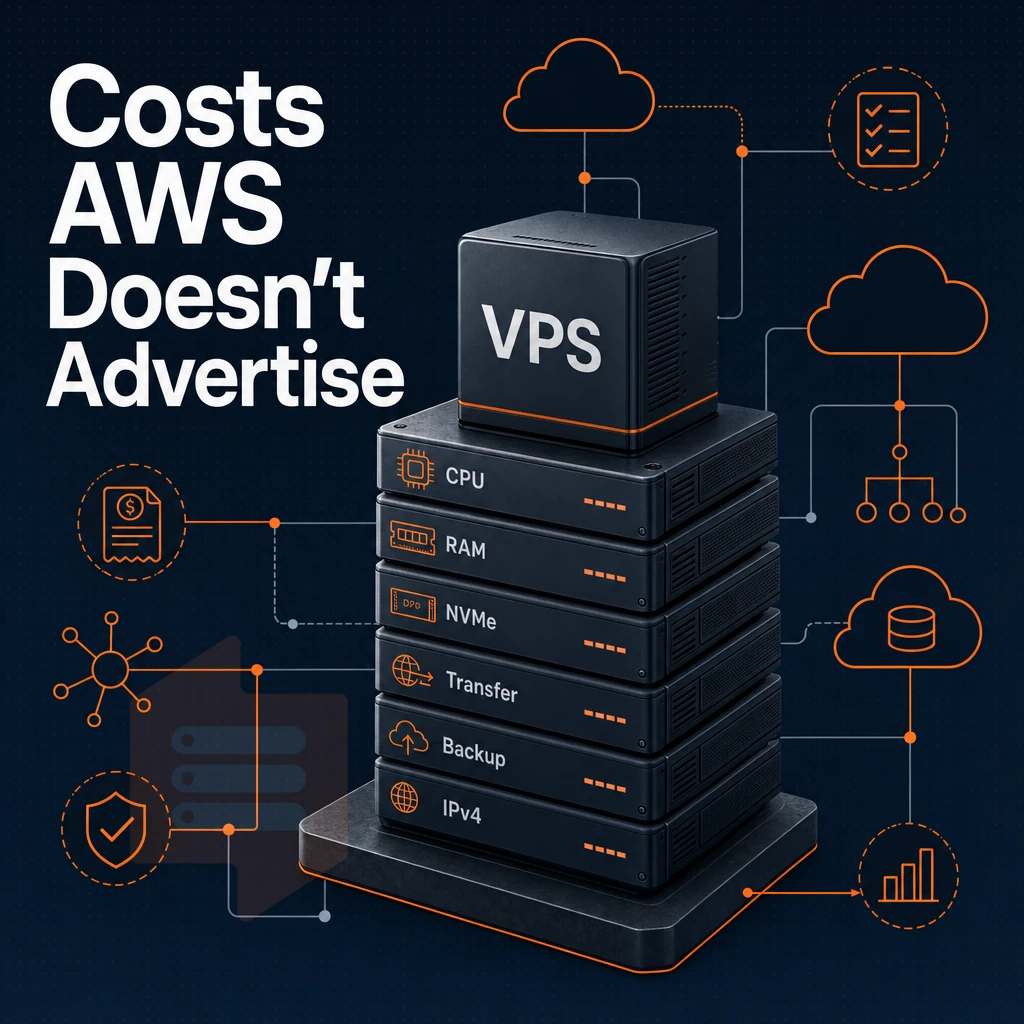
The headline rate on a major cloud platform's VPS service rarely reflects what you'll actually pay per month. Several billing dimensions sit outside the base compute price, and they compound quickly under real traffic.
Egress and data transfer charges by hosting provider
Inbound data transfer is typically free while outbound data transfer is charged for. Each gigabyte of data that is transferred from your platform to end users is metered separately. In the case of a traffic spike, this meter can run fast. Transfer allowances are bundled on the simplified tiers, while standard compute instances charge for egress at per-GB rates that scale with volume, not your budget.
Infrastructure add-ons that accumulate
Elastic IPs are charged when not in use (i.e. unattached) and in some cases when an instance is stopped. Snapshot and automatic backups will consume object storage which is charged by the gigabyte per month. A managed load balancer (which is required for any setup trying to be highly available) adds another fixed monthly charge before the first request is even processed by your application.
Licensing Windows is an additional charge on top of the basic charge for the instances. Using the same number of vCPUs and amount of RAM, Windows will cost materially more than Linux, with the difference becoming even greater for larger instances.
SSD storage as a hosting requirement for predictability
The biggest problem with egress billing is unpredictability. By choosing a hosting provider with flat-rate or bundled transfer allowances, that uncertainty disappears. We include a fixed transfer allowance on all plans, plus corresponding incoming allowances as shown in the tables above.
That means you know exactly how much transfer will have been consumed each month (whether traffic is constant, or has spiked unexpectedly overnight).
Amazon VPS vs. Traditional VPS hosting provider compared
A key point of differentiation between a cloud instance (e.g. AWS) and a VPS is the billing model. While AWS charges by the second or the hour, for example, bundles data transfer for a certain amount only up to a cap and can change the terms and conditions for renewal at any time. A VPS is typically charged at a flat rate on a monthly basis, for example. Additionally, Does not include any metered charges.
SSD storage comparison at a glance
| Dimension | AWS (Lightsail / EC2) | BuyVPS traditional VPS |
|---|---|---|
| Billing model | Metered / hourly; per-month estimate varies | Flat monthly rate, no metered components |
| Resource guarantees | Burstable (T-series) or shared vCPU by default | Pinned cores on Dedicated tier; hard memory caps on all tiers |
| Storage type | SSD storage (gp2/gp3 EBS or instance SSD) | NVMe RAID10, PCIe direct, 122,959 4K read IOPS measured |
| Data transfer | Bundled allowance; overage fees apply above cap | Generous included allowance, no overage billing |
| Root access | Yes (EC2); limited on some managed tiers | Full root access on every plan |
| Custom OS / ISO | AMI marketplace; custom import is complex | Custom ISO upload supported on all plans |
| Renewal pricing | On-demand rates can rise; reserved instances require upfront commitment | Transparent flat pricing |
Where metered billing hurts
Such instances are hard to cost out on a monthly basis.
Why flat-rate VPS wins for predictable workloads
Flat monthly pricing for databases, APIs, and always-on services removes budget uncertainty. Our setup delivers consistent performance via NVMe RAID10 storage and KVM-based isolation with separate kernels per VPS. High availability starts with sufficient, predictable resources, not variable credit pools. The next section covers where this model breaks down and where it works.
When Aws VPS pricing makes sense, and when it doesn't
Services such as AWS-based VPS services work in a specific niche. They can work well in certain environments but not in others. Thus it is good to know where this line is in order to avoid money pits and architecture failures. See Amazon Elastic Compute Cloud on Wikipedia for background.
Where managed cloud VPS fits naturally
AWS Account), they can now make use of very tight service integration.
Multi-zone configurations for high availability can also be managed here, with the managed control plane handling failover automatically. This suits teams without dedicated infrastructure staff.
Where managed cloud VPS breaks down
Egress charges add up fast for high-volume workloads. Bundling transfer with other hosting services at a flat monthly rate is far more predictable than paying per byte. A hosting provider's savings plan can reduce on-demand rates, but those rates require upfront commitment and can still be redefined at renewal.
For latency-sensitive applications, pins to specific CPU cores are required. While a savings plan cannot remove the variance from noisy-neighbor sharing in shared-tenancy burstable instances, database, game-server, and real-time-API teams experience this variance directly.
Side-by-side: managed cloud VPS vs. Dedicated-core VPS
| Dimension | Managed cloud VPS | BuyVPS Dedicated CPU |
|---|---|---|
| CPU allocation | Burstable shared vCPU | Pinned EPYC Genoa cores, no sharing |
| Egress model | Per-GB charges above bundle | Flat transfer allocation per plan |
| Renewal pricing | Variable; savings plans required to lock rates | Transparent flat pricing |
| Uptime SLA | Varies by service tier | 99.8% SLA, dual-stack IPv4 + IPv6 |
| Best fit | Burst workloads, deep ecosystem integration | Predictable-budget, latency-sensitive production apps |
A simple decision guide to work with here. If your workloads are already heavily managed by cloud services and are intermittent in nature then the ecosystem convenience of variable cost models here is worth paying a premium for.
On the other hand if you require predictable per-month spend, pinned cores, and flat renewal prices then a dedicated-core VPS from a specialist hosting provider is going to be a better long-term solution for you. These can be purchased on nodes in Amsterdam or New York , for example. Once you have decided which model is right for you then you can match up the workloads you have to the correct plan configuration.
Common use cases: matching workload to the right VPS pricing model
When choosing VPS pricing models, you need to first figure out your workload. The archetype for flat-rate VPS billing is the steadily increasing load. Consumption-based cloud pricing can rapidly get out of hand with variable amounts of traffic. Choose according to your situation.
Low-traffic and staging workloads
- Figure out your baseline resource usage. Staging environments and small web apps don’t typically have huge spikes, so a fixed monthly charge with a bunch of bandwidth included will typically be cheaper than a pay per use charge for egress.
- Choose a Standard CPU VPS. BuyVPS Standard CPU (S-tier) runs on AMD EPYC Milan with NVMe SSD storage and a flat monthly rate. Perfect for your deployment test that runs overnight without surprise extra charges.
Note: Consumption-based pricing can turn a forgotten staging server into an unexpectedly large invoice. Flat-rate hosting eliminates that risk entirely.
Database-heavy and memory-intensive workloads
- Assess memory and CPU contention. Shared vCPUs are not designed for sustained database workloads. Noisy neighbors on over-provisioned nodes can induce latency spikes that flat benchmarks will not reveal.
- We recommend Dedicated CPU or High Memory VPS: BuyVPS Dedicated CPU (D-tier) uses cores on AMD EPYC Genoa CPUs with DDR5 ECC memory. High Memory (H-tier) features a 1:8 RAM ratio, making it ideal for in-memory databases and high-availability caching layers.
Developer sandboxes and custom OS environments
- We verify that our servers offer full root access as well as support for custom ISO images. While many hosting providers restrict the OS to a very short list of approved distributions, developers need to test non-standard kernels, custom distributions and security tools.
- First off, make sure your VPS provider supports upload of custom ISOs. BuyVPS supports custom ISO upload s for all their plans (all plans are root enabled) in two locations: Amsterdam and New York. Their in-place upgrades ensure that your IP address does not change when you upgrade your VPS in size.
Once you have determined the most suitable plan for your workload, here’s what makes BuyVPS the sensible choice when predictable billing is key.
Why choose BuyVPS for predictable VPS pricing
Teams burned by metered cloud billing, variable data transfer charges, free tier expiry, and savings plans that still leave surprises, find BuyVPS a straightforward alternative. We operate as a founder-run hosting provider since 2002, with engineer-staffed support and one published monthly rate per plan.
- No hidden fees. The published monthly rate is what you pay from day one, with no promotional pricing and no setup fee.
- NVMe RAID10 SSD storage. PCIe-direct drives measured at 122,959 4K read IOPS (fio median). High availability is built into the storage layer, not bolted on.
- Dedicated CPU tier. Pinned AMD EPYC Genoa cores deliver predictable latency for workloads that cannot share a noisy CPU pool.
- KVM isolation. Each VPS runs a separate kernel. Full root access and custom ISO upload are standard on every plan.
- Amsterdam and New York. Identical hardware, identical pricing in both regions. In-place upgrades preserve your IP, no migration required.
If unpredictable cloud costs are driving your evaluation, compare our plans or reach out to our engineering team at BuyVPS.com. All rights reserved to ask hard questions before you commit.
Key takeaways: choosing a hosting provider for VPS pricing
Amazon VPS server pricing is flexible but metered. AWS charges separately for compute, SSD storage, data transfer, and high availability features, costs that compound fast under real traffic. Amazon Lightsail bundles those into a flat rate, yet egress overages still apply once you exceed included allowances. Savings Plans cut the per month server cost but require upfront commitment and careful forecasting.
Flat-rate hosting providers eliminate billing uncertainty entirely. A predictable monthly bill covers SSD storage, data transfer, and high availability with no surprise fees. BuyVPS, for example, keeps pricing simple: no egress metering and no hidden fees. All rights reserved to choose the model that fits your workload; just know what each hosting provider actually charges before you commit.
The core differences between Aws VPS and dedicated-resource VPS
There is a structural gap between burstable shared compute with metered data transfer billing and free tier entry points for running server costs per month at scale, while cost savings come bundled with deeper lock-in to one vendor's instances, tools, and preferences.
Dedicated-resource hosting is completely the opposite to what BuyVPS does.
Frequently asked questions about your hosting provider
What are the costs of using Amazon as a hosting provider?
AWS pricing varies by instance type, region, operating system, and billing model. On-demand rates differ from reserved or spot pricing, and compute costs stack on top of separate charges for storage, data transfer, and support. For predictable monthly costs, many teams find fixed-price VPS providers easier to budget around.
Is Amazon a hosting provider that offers VPS services?
Amazon sells no product explicitly labeled "VPS." The closest equivalents are Amazon EC2 (full virtual machine instances) and Amazon Lightsail (a simplified, fixed-resource compute product aimed at developers). Both provide root access but are structured and billed differently from traditional VPS hosting. For straightforward VPS with predictable billing, dedicated providers built around that model are often a better fit.
What does Aws charge as a hosting provider for a Windows VPS?
Windows instances on AWS carry a Windows license surcharge on top of the base compute rate, making them noticeably more expensive than equivalent Linux instances. The exact cost depends on the instance family, size, region, and whether you use on-demand, reserved, or spot pricing. Data transfer and storage are billed separately on top of that. Check the AWS pricing calculator directly for current figures, since rates change and vary by region.
Does Aws as a hosting provider offer any free VPS options?
AWS offers a Free Tier that includes 750 hours per month of a t2.micro or t3.micro EC2 instance for the first 12 months after account creation. Once the 12-month period ends, or if you exceed the free usage limits, standard on-demand rates apply. The free tier is useful for testing but is not a long-term hosting solution, the instance is small and the free allowance expires.
How does Amazon as a hosting provider price lightsail versus ec2?
Lightsail uses a flat monthly rate that bundles compute, storage, and a data transfer allowance into one predictable figure, closer to traditional VPS billing. EC2 charges each resource separately: compute by the second, storage by the GB, and data transfer by the GB out. Lightsail is simpler to budget but has less flexibility and fewer instance options. EC2 offers far more control but requires careful monitoring to avoid unexpected charges.
Does Aws as a hosting provider have hidden fees in its VPS pricing?
AWS billing spans many dimensions and costs accumulate in ways that are easy to miss. Common surprises include outbound data transfer fees, EBS storage and snapshot charges, Elastic IP fees when unattached, and charges for load balancers or NAT gateways. None are technically hidden, they're documented, but the sheer number of line items makes it easy to underestimate the real monthly total.
What is a cheaper alternative to Amazon VPS for predictable monthly billing?
Dedicated VPS providers offer flat monthly pricing with no per-resource metering, which eliminates billing surprises.
In-place upgrades mean no IP rotation or migration when you scale. For teams that want consistent infrastructure costs without AWS's variable billing model, that kind of fixed-price VPS is a straightforward alternative.
There is more to the AWS pricing than just the headline rate.
The Fixed monthly cost, no Egress charges and full Root Access of the Traditional VPS Hosting makes it suitable for production hosting of Web Apps. APIs, Databases and Game Servers, without the need for a Cost Management Team in the Cloud.
If you want KVM virtualization on AMD EPYC hardware, NVMe RAID10 storage, and a straightforward no-renewal-hike billing model, explore BuyVPS plans across our Amsterdam and New York locations and see which tier fits your workload.