
Google cloud VM pricing appears straightforward at first. However, the published per-hour rates for Google Cloud Compute Engine quickly multiply when adding persistent disks, egress traffic, static IP addresses, and also support tiers. This difference between the listed price and the actual bill, which can include load balancers and other extras, for Google VPS makes many developers and IT departments compare alternative services before making any upfront commitment.
This guide outlines how costs for Google Cloud’s Virtual Machines are calculated, which factors affect the baseline cost, and compares this to Virtual Private Servers (VPS) that offer dedicated and shared-vCPU options.
Flexible pricing vs. cost efficient pricing across specific regions, and where Virtual Machines are effective versus where a provider charging a flat monthly rate with no egress fees would be more effective. If you are looking for hosting options with multi region redundancy for production workloads, this guide will help you compare machine types and options to get the best pricing with the required flexibility.
Evaluating cloud infrastructure requires understanding how regional availability zones, instance uptime patterns, and network architecture decisions collectively influence both performance and total cost of ownership.
What is Google VPS pricing and how does it work?
When people search for “Google VPS pricing” they are looking for something that Google Cloud does not sell. Google Cloud does not offer a VPS as a product, but instead offers virtual machines as part of their Compute Engine service. Therefore the pricing for these instances is referred to by industry shorthand when discussing costs for Google Cloud Compute Engine instances.
First month $1
Then the normal monthly price. One per customer. No setup fee, and a 30-day performance guarantee on your first order.
See the plans“Sjoerd helped me with the setup of my VPS, super helpful team, smooth onboarding, and overall a great experience, thanks again”
Compute engine and cloud SQL: the actual products behind the label
Compute Engine is Google Cloud’s IaaS offering where you can provision cloud instances and choose from a variety of machine types (e.g. general purpose, compute optimized, memory optimized) and locations across the globe. The billing model for Compute Engine is a per-second charge, with no fixed monthly charges. For more context, see Google Cloud Platform.
For example a small general purpose instance will behave very differently in terms of cost from a high memory or compute optimized instance. Then, on top of the cost of the machine, you have to factor in the costs of storage, egress, and attached disks. Understanding how to allocate and monitor compute engine resources across different instance families is essential for keeping infrastructure spend predictable and aligned with application requirements.
Choosing the right persistent disk type, whether standard, balanced, or SSD, directly impacts both performance and the total monthly bill for each instance. Effective capacity planning and right sizing of instances based on actual workload metrics prevents teams from overprovisioning resources and paying for unused compute capacity. Proper networking configuration, including subnet design and firewall rules, also plays a critical role in both security posture and the overall cost structure of deployed instances.
Pricing models: on-demand and committed use discounts
Google Cloud offers two pricing models .
Sustained use discounts automatically apply to running Instances for a large portion of the billing month for each Instance.
What this means for cloud storage buyers
While every cloud provider charges for different things, there are some cost models that are better for certain workloads than others. For very elastic workloads, Google Cloud’s per-second billing, with automatically applied discounts, is the best option.
For fixed workloads, committing to a predictable monthly VPS cost with no egress charges beats a pay as you go model for preventing surprises and usually fits a team's budget and planning cycle far better. First, though, understand the compute costs, and which cost lines compound fastest. Teams that lock in predictable monthly rates can allocate their money more effectively across other infrastructure priorities without worrying about variable cloud bills.
Cloud storage sustained use and committed use discounts explained
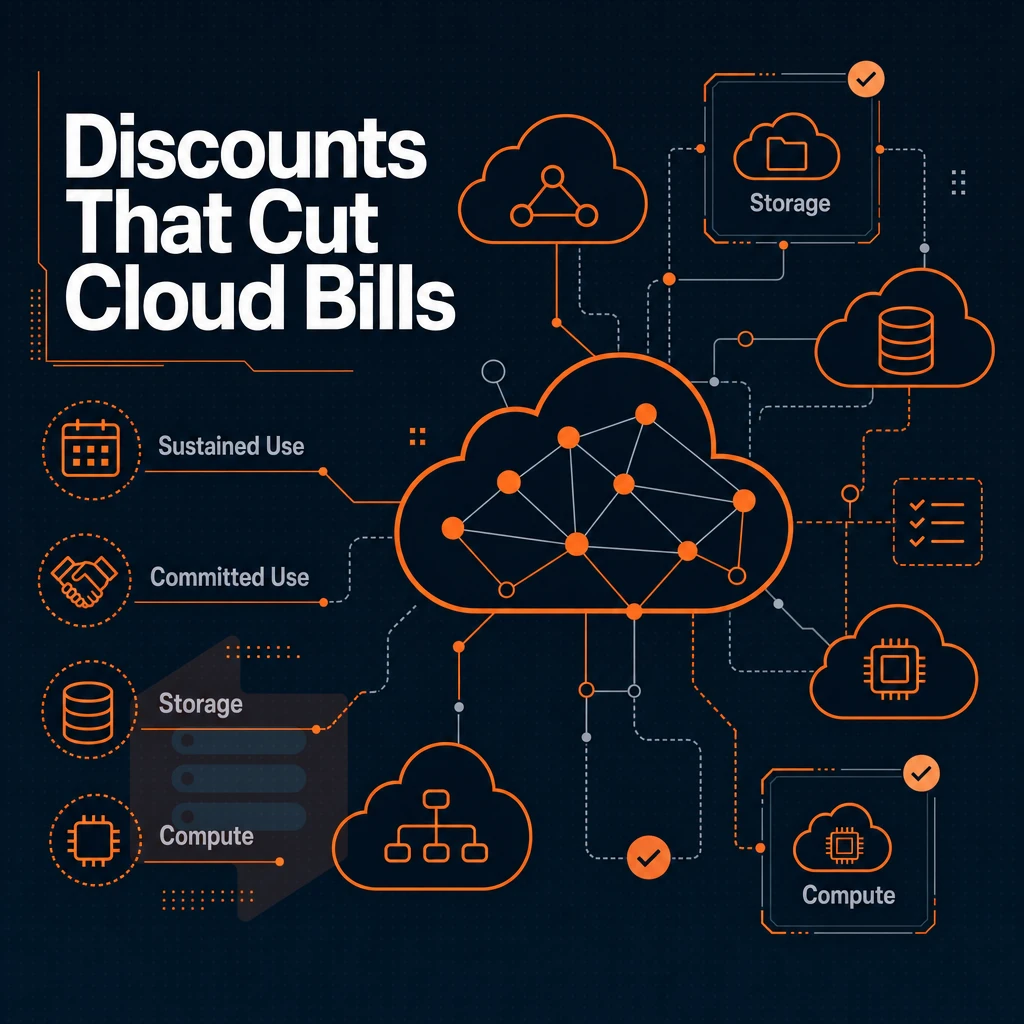
Google Cloud's pricing model includes several ways to automatically or opt-in to get discounts for long-running workloads.
Sustained use and committed use discounts for cloud storage
- Automatically apply sustained use discounts. For compute instances, Google Cloud automatically applies incremental use discounts for instances that run for a significant portion of a billing month. The longer an instance is running, the greater the discount.
- For predictable workloads, you can evaluate the committed use benefit of a 1-year or 3-year upfront commitment and resulting steeper discounts, particularly for compute and memory optimized instance types, for long running workloads. The discounts on top of the base price for committed use benefit are greatest for workloads with stable resource forecasts and high utilization.
- For your interruptible jobs, you might also consider running them on spot instances, the lowest cost tier of instances that can be reclaimed by AWS at any time. These are well-suited to things like batch processing, CI/CD, etc. In general, you wouldn’t run production services that require a certain level of availability on spot instances.
Note: On demand pricing is the most expensive option. Without long-term commitments or sustained runtime, you pay full rate. Always benchmark your monthly uptime before choosing a billing model. Teams that fail to track usage patterns often pay significantly more than necessary, especially when workloads run continuously without optimization.
Understanding usage limits for each service tier prevents teams from hitting quota caps that can throttle performance or trigger overage charges during peak demand periods. Proactively reviewing monthly usage limits across compute, storage, and network resources ensures teams stay within allocated quotas and avoid service interruptions.
Cloud SQL free tier and free credits for new customers
- Get Free Credits to Sign Up & Start Using Them to Launch Instances (i.e. in Compute Engine) before we set you up with a paid plan.
- Use free tier for low traffic projects. The always free usage limits within Compute Engine are very narrow and do not include multi region, larger VMs, or sustained workloads.
BuyVPS KVM VPS on AMD EPYC processors in Amsterdam and New York are available as cost effective, high quality alternatives to cloud hosting. They are provided at a fixed monthly price with no hidden costs, conditions, or fees. Although discounts for new customers can lower the cost for some bills, most unexpected expenses are not listed in the advertised rates. New users can take advantage of free credits to test workloads before committing to a billing plan.
Understanding monthly usage limits for bandwidth and storage helps teams avoid overage charges that can appear unexpectedly on invoices when workloads exceed the included allocations. These free credits provide an opportunity to evaluate performance and cost structures without immediate financial commitment. Teams that carefully track their spending patterns can save money by selecting providers whose billing structures align with their actual usage profiles rather than paying for unused capacity.
Hidden fees and data protection costs to watch for
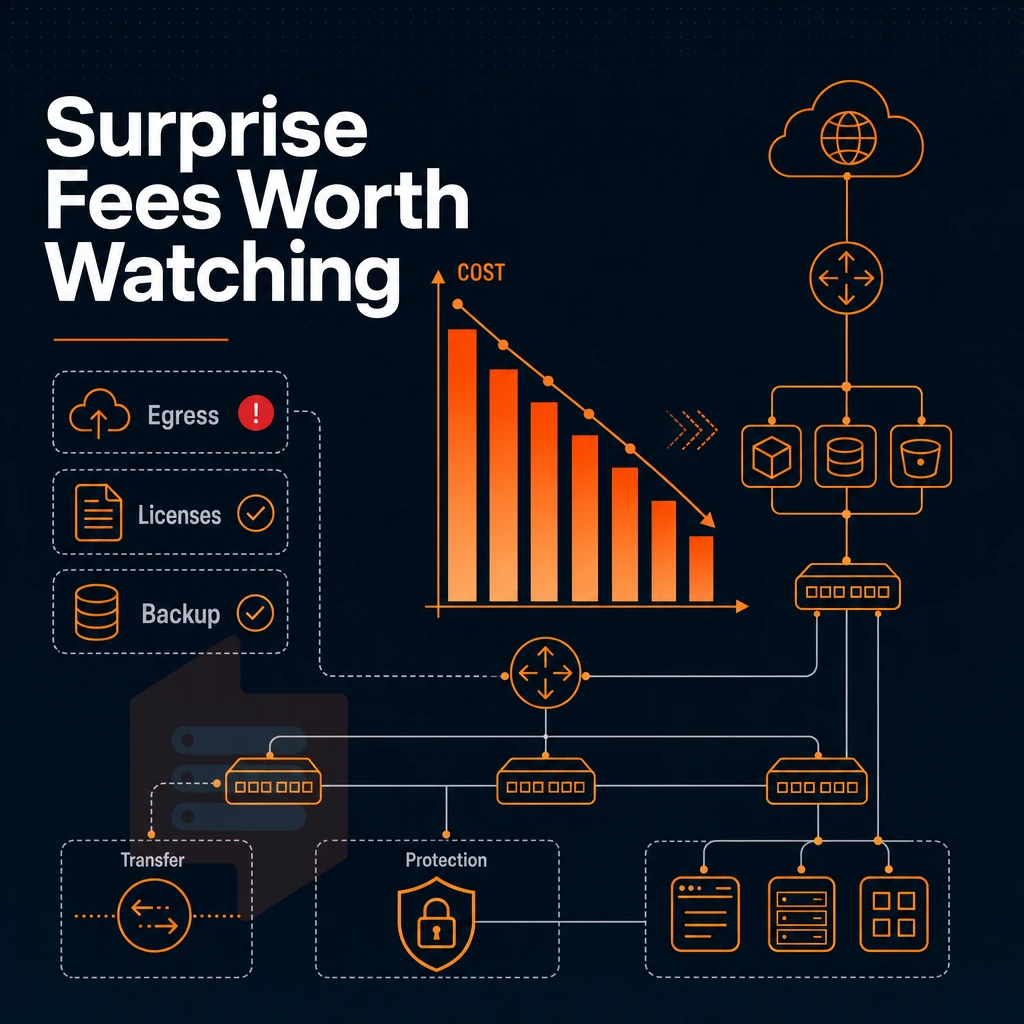
Then there are the additional costs, such as data transfer egress fees, add-on costs for the various licenses, and premium costs for redundancy, etc. (the hidden layer) where the total cost really starts to increase.
Cloud storage egress and network usage charges
Google charges for data leaving Google Cloud as well as for data transferred between regions within Google Cloud. Monitoring network egress patterns early in deployment helps teams avoid unexpected spikes when traffic scales beyond initial projections. Proper networking architecture and subnet design can reduce inter-region transfer volumes and lower overall egress costs by keeping traffic within the same availability zone whenever possible.
Storage also has hidden tiers. The Storage Class chosen across these cloud services (Standard, Nearline or Coldline) not only determines the costs for retrieval of such stored data, but also the minimum storage duration for which such data have to be stored. Costs for retrieval of stored, but not used for long time, data even can exceed costs for storage of such data. For community perspectives, see What would a simple VPS with ssh cost with Google Cloud?.
Pay as you go licensing add-ons
Additional cost for per core licensing for Windows Server or SQL Server on a cloud VM on top of the cost for the instance.
Cloud storage data protection and cost management
In addition to the costs of the various backup snapshots, cross-region replication, and data security services, each of these has its own line items in the pricing calculator. To get an estimate for these costs before you actually deploy your system, you need to model every component, e.g. egress, snapshots, licensing, and storage tiers. Your estimate will otherwise undershoot reality. Running a detailed cost estimate across multiple scenarios helps identify which configuration delivers the best balance between performance and monthly spend.
Teams evaluating different providers should compare how pricing models handle these line items, since some charge separately for each service while others bundle them into predictable monthly rates. Because pricing varies significantly based on workload patterns and regional deployment choices, teams should run multiple estimates to capture the full range of potential costs. Accurate modeling requires using specialized cost estimation tools that account for every variable, from instance uptime to snapshot frequency and cross-region traffic patterns.
I use cloud shell scripts and billing export tools to track spend post-deployment, but they're surprise-based, ie surface the unexpected after it's too late. Effective cost monitoring requires integrating multiple tools that provide real-time visibility into resource consumption patterns before charges accumulate.
No per-OS licensing, etc, helping teams reduce costs and finally stop trying to reconcile the invoices for their cloud expenditure. With the full cost of the stack modelled upfront, pricing varies between the billing model offered by Google and the flat-rate model used by traditional VPS providers.
Why BuyVPS is a cost-effective alternative for predictable workloads
GCP virtual machine costs is very complex, making cost management actually very hard. For example, Google’s layered committed use discounts, sustained use discounts, and network egress charges make cost management for Google VPS actually very hard. BuyVPS pricing is simple: one published rate with no setup fee and no hidden charges for outbound data. Advanced networking configurations, including custom VPC setups and firewall rules, introduce additional complexity that requires specialized expertise to optimize costs effectively.
- We can offer you predictable compute costs. That means no more surprises when you get a bill for “pay-as-you-go” for your compute resources. Every rate is published up front, there is no setup fee, and traffic is not metered.
- No egress fees. Network usage and data transfer are included, Google bills separately for both.
- KVM isolation with a separate kernel per VPS. Hard memory caps and low node density mean your resources stay yours.
- NVMe RAID10 storage. 122,959 4K read IOPS measured, no storage class tiering to navigate.
- Dedicated-core D-tier. These servers are Pinned vCPUs to prevent noisy-neighbor variance that prevents right-sizing on shared cloud servers.
- Same hardware specs and performance in Amsterdam as in New York. Choose the region closest to your end users.
In-place upgrades keep your IP rotation-free. Full root access and custom ISO support are standard on every plan. If you're estimating overall cost of ownership and want a straight comparison, reach out to our team at support@buyvps.com. The control panel includes monitoring tools and one-click snapshots, giving administrators direct visibility into resource usage without third-party integrations.
Teams looking to control spending appreciate transparent pricing that eliminates surprise charges and makes it easier to forecast monthly expenditures without tracking dozens of variable line items that can drain money unexpectedly. The platform provides VLAN tagging and private networking capabilities for teams that need isolated environments without additional configuration overhead.
Pay as you go frequently asked questions
Do compute engine and storage costs stay affordable with pay as you go limits?
Google Cloud's VM instances are not known for being budget-friendly. Costs scale quickly once you add persistent storage, egress bandwidth, and support tiers. Providers built specifically around VPS hosting, like BuyVPS, with dedicated AMD EPYC nodes in Amsterdam and New York, typically offer more predictable storage costs and lower full cost of ownership than a general-purpose hyperscaler. If keeping costs under control matters, a purpose-built VPS provider is usually the better fit. Teams operating on tight budgets often find that unpredictable invoicing makes it difficult to allocate money effectively across infrastructure and development priorities. Beyond raw instance costs, networking expenses such as load balancers, VPN gateways, and inter-zone traffic can add substantial line items that many teams overlook during initial planning.
Does Google limit monthly usage of compute engine resources on its VPS service?
Google does not sell a product explicitly called a VPS. Its closest equivalent is Google Compute Engine, which provides virtual machine instances on shared or sole-tenant infrastructure. The Compute Engine platform supports a wide range of instance types and configurations, allowing teams to tailor resources to specific workload requirements. The platform also provides advanced networking features that allow teams to configure custom VPC topologies, firewall rules, and load balancing across multiple regions.
These on demand VMs are functionally similar to a VPS, you get root access and a configurable OS, but they sit inside a large cloud platform designed for enterprise workloads, not straightforward single-server hosting. If you want a true VPS with full root access, KVM isolation, and a simple control panel, a dedicated VPS provider that specializes in these machine types is a more direct match.
Choosing a hosting provider whose entire platform is optimized for VPS workloads rather than enterprise-scale orchestration often results in faster provisioning, simpler billing, and more responsive support for single-server use cases. Teams requiring advanced networking features such as private VLANs, custom routing tables, or multi-datacenter peering will find that VPS providers often deliver these capabilities with simpler configuration interfaces than enterprise cloud platforms.
Is Google cloud VPS free with cloud storage?
Google Cloud offers a free tier that includes one small e2-micro VM instance per month in select regions, with limited CPU, RAM, and storage. That free allocation is designed for experimentation, not production workloads. Once you exceed the free tier limits, or need more RAM, faster storage, or a different region, charges apply immediately. Developers often use the free tier to prototype applications or run lightweight monitoring services before committing to paid infrastructure.
How much does a Google vm cost?
Google Compute Engine pricing depends on machine family, vCPU count, RAM, region, storage type, and sustained-use or committed-use discounts, making it difficult to quote a single figure. Costs are billed per second with no long term commitments, and can include separate line items for disk, egress, snapshots, and support. For straightforward VPS hosting, this billing complexity often adds unnecessary costs and overhead. Providers like BuyVPS publish flat monthly rates with no setup fee and no egress fees, which makes budgeting far simpler.
Google Compute Engine pricing is powerful but complex. There are Sustained use discounts, Committed use contracts, per-second billing, and egress fees.
Core takeaway: cloud native pricing models are designed for flexibility at scale, not for simple monthly pricing.
If predictable monthly costs and consistent performance matter more than on-demand autoscaling, a traditional VPS is worth a serious look. BuyVPS runs KVM VPS on AMD EPYC hardware across Amsterdam and New York, with no setup fee and in-place upgrades that never rotate your IP. See what fits your workload at BuyVPS.com.