


By choosing the best managed VPS hosting, you can shift the burden of maintenance (OS updates, security hardening. Performance tweaks) while still maintaining control over your applications that you would not get with a shared hosting environment. If done right, you can have your team focus on creating features instead of dealing with the infrastructure. However, if you choose wrong, you’ll be stuck with a host’s slow support queue, confusing Service Level Agreements, and hidden price increases at renewal.
Cutting through the hype of what a managed VPS could look like, this guide assesses the hardware, network, support and terms & conditions of each provider. Key things to consider when choosing a provider, which workloads match up to each tier of service and what’s the big red flag for potentially great plans?
We treat BuyVPS, a founder operated business since 2002 with KVM hosted servers in Amsterdam and New York, exactly the same as all other providers and only include them where their specs warrant it. Each data center location offers distinct latency profiles and compliance frameworks that can significantly impact application performance for regional user bases.
What is managed VPS hosting and how does it work?
VPS hosting (Managed VPS) is situated in between shared hosting and a dedicated server. You get dedicated resources on a shared physical machine and the provider takes care of the operational part that you typically don't want to deal with.
First month $1
Then the normal monthly price. One per customer. No setup fee, and a 30-day performance guarantee on your first order.
See the plans“Excellent service! Thank you for providing the server so quickly. The service was fast, reliable, and exactly what I needed. Highly recommended!”
How a VPS is built
A Virtual Private Server (VPS) is typically created using a KVM (Kernel-based Virtual Machine) hypervisor to virtualise a portion of a physical server to create fully isolated servers, each running their own kernel. Importantly, this isolation means that you will not experience any impact from other tenants on shared servers which cannot make such guarantees. For more context, see Virtual private server.
The AMD EPYC hardware is paired with hard memory caps per node. The low node density was a design decision, not an afterthought.
What "managed" actually means
The managed/unmanaged hosting distinction is fundamentally centered on whether the operating system (and all above layers) are owned by the managed hosting provider or by you as the unmanaged hosting customer. For managed hosting, this means:
- OS patching and security updates.
- Firewall configuration and security monitoring.
- Automated backups and restore testing.
- Performance tuning and uptime response.
Unmanaged VPS hosting typically provides root access to a clean OS installation. You are left to manage all updates, monitoring and backups for the server, unless you can set up to manage for yourself. Providers rarely include automated backup capabilities in unmanaged plans, so you'll need to configure your own snapshot schedules or third-party backup solutions.
A good example for a managed workload would be a production e-commerce stack of a team that requires nightly database backups, kernel updates for the used Operating System and 24/7 alerting. A developer who sets up a test environment for a few weeks on the other hand does not require any of that and therefore a plain unmanaged VPS would be the better choice.
Implementing daily backups ensures that critical transaction data and customer information can be restored quickly in the event of hardware failure or data corruption. Fast ssd storage becomes essential when processing high volumes of transactions, as disk I/O bottlenecks can delay order confirmations and inventory updates during peak traffic periods.
Choosing the right level of server management
The amount of management you need from your VPS hosting provider will depend upon two things: the level of Linux expertise your team already possesses and the level of operational overhead that you are willing to tolerate. Organizations with strong technical expertise can leverage unmanaged environments to implement custom monitoring stacks and fine-tune performance parameters that managed providers typically restrict.
Small engineering teams without a dedicated sysadmin often prefer managed platforms. By contrast, Larger teams with a DevOps capability prefer to run unmanaged, they want full control over the architecture and don’t want the platform provider to get in their way. The architecture looks the same either way, but then there’s the issue of who gets to hold the pager.
Managed vs unmanaged VPS: which VPS hosting plan is right for you?
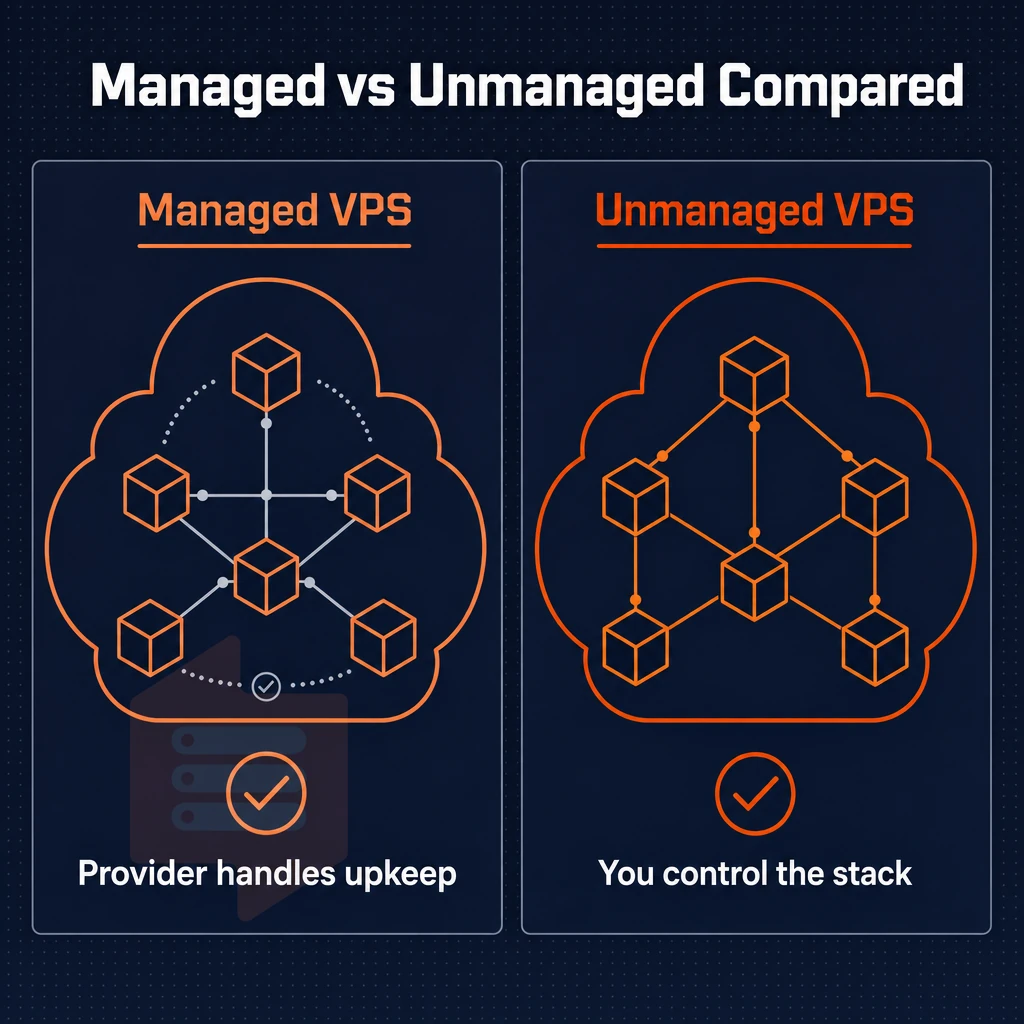
The choice between managed and unmanaged VPS hosting depends on one question: How much of the underlying server do you want to own? The answer has many implications for your team and for the software choices you are able to make.
What each model actually means
Unmanaged VPS plans are typically sold as a bare virtual machine that you can fully control. The provider will have managed the physical hardware and the virtualization hypervisor, but everything above that, such as operating system updates, security patches, firewall rules configured through your control panel, and backups, are your responsibility. Most unmanaged providers supply a user friendly control panel for basic server operations like reboots and network configuration, though advanced tasks still require SSH access.
Managed VPS plans
By moving these operational tasks to your provider, you can hand off server management, monitoring, and even proactively patching for example. You have to give up some control, but you save a lot of overhead in the end. Most providers offer a web-based control panel that simplifies routine tasks like restarting services, viewing logs, and managing SSL certificates without requiring command-line access. Providers with robust security monitoring can detect intrusion attempts, unusual traffic patterns, and configuration drift before they escalate into outages or breaches.
Offloading server maintenance to your provider reduces the risk of configuration errors and ensures that security updates are applied consistently across your infrastructure. The user friendly control panel typically includes one-click deployment options for common applications, reducing the time required to launch new services from hours to minutes. Providers with robust security monitoring can detect intrusion attempts, unusual traffic patterns, and configuration drift before they escalate into outages or breaches, and many include ddos protection as part of their managed security suite to mitigate volumetric attacks.
Both of these plans are part of our line of VPS hosting plans, and are designed to serve slightly different constituencies with slightly different sets of capabilities.
Side-by-side comparison
| Dimension | Unmanaged VPS | Managed VPS |
|---|---|---|
| Technical expertise required | High, Linux administration, networking, security | Low to moderate, provider handles the OS layer |
| Root access | Full root access, unrestricted | Often restricted or supervised |
| Install custom software | Unrestricted, any stack, any version | Limited to provider-approved packages |
| Control panel | Self-service panel or SSH only | Often includes a custom control panel (cPanel, Plesk) |
| Uptime SLA | Typically 99.8%+ | Typically 99.8%+ |
| Cost profile | Lower base cost; your team absorbs admin hours | Higher base cost; admin hours are outsourced |
Who benefits from each
Unmanaged options are most valuable to developers and sysadmins, as they can install any software they need, tune kernel parameters as needed, and run any workloads that are needed. Although there is lower overhead cost for unmanaged options, this is typically offset by the amount of time and expertise that is required for these options. Performance optimization often requires installing caching tools like Redis or Memcached to reduce database load and improve response times.
Managed services are valuable for teams without a Linux expert in-house, such as web hosting for clients, small business or start up early stage projects. By not having to deal with incidents you can focus on delivering product.
Out of the many VPS plans available, the ones offered by BuyVPS are all unmanaged and come with root access, KVM virtualization and a separate kernel for each VPS. They are backed by real engineers providing genuine customer support (not some first-line of script-kiddies) and are thus perfect for the serious developer who needs full control over his server resources and wants to get real help whenever he needs it.
The technical support team responds directly to infrastructure queries, helping developers troubleshoot networking issues, diagnose performance bottlenecks, and resolve kernel-level problems without escalation delays.
How to decide
Have two questions to ask yourself here. First, does your team have its own Linux administrator? Second, will you need to install lots of unusual software on top of a standard LAMP or LEP stack? If the answers are yes and yes, then unmanaged is the way to go. If the answers are no and no, then managed will cut your risks a lot, but at the cost of flexibility.
Key features of the best VPS hosting providers for managed plans
Different VPS hosting services are created differently. Find out what features are important to you before you sign up. This will save you a lot of time, money and headaches in the long run. Go through all the features listed below in detail.
Some providers offer a free tier with limited resources, which can be useful for testing workflows before committing to a paid plan. Some hosts structure their billing as pay as you go, charging only for the hours your server is active rather than locking you into monthly commitments.
Foundation: virtualization, storage, and CPU
-
Confirm KVM virtualization.
KVM virtualization gives each VPS its own kernel, so noisy neighbors cannot destabilize your environment. Avoid hypervisors that share kernel space across tenants. Few providers offer true kernel isolation at this level, making KVM a critical differentiator for production workloads that demand stability. Providers that combine KVM isolation with robust ddos protection ensure that both internal resource contention and external attack vectors are mitigated at the infrastructure layer.
-
Verify SSD storage type.
Look specifically for NVMe SSD storage over older SATA-based drives. NVMe delivers dramatically higher IOPS, BuyVPS measures 122,959 4K read IOPS on its NVMe RAID10 arrays, which matters for databases and high-traffic applications. Many providers also bundle ddos protection at the network edge to prevent volumetric attacks from saturating your NVMe storage subsystem during traffic spikes.
Note: Some providers advertise "SSD" without specifying NVMe. Ask for fio benchmark results before signing up. Providers using older SATA-based ssd storage typically deliver only 10, 15% of the throughput seen on modern NVMe arrays, creating a performance ceiling for I/O-intensive workloads.
-
Choose between shared and dedicated CPU.
Shared vCPU plans handle variable workloads well. A dedicated CPU with pinned cores is essential when you need consistent, low-latency compute, for example, real-time processing or financial applications. Some providers structure their pricing around pay as you go models, allowing you to scale compute resources up or down based on actual usage rather than committing to fixed monthly allocations.
Control panel, OS, and API access
-
Evaluate the custom control panel
A user friendly control panel reduces operational overhead for your team. Check that it includes an in-browser VNC console and self-service reinstall, both are critical when SSH access breaks.
-
Check operating system choice.
You need the flexibility to install custom software that matches your stack. Confirm the provider supports your preferred Linux distribution, Ubuntu, Debian, AlmaLinux, Rocky Linux, or others, and allows custom ISO uploads.
-
Require API access.
Providers without a management API lock you into manual workflows. API access enables infrastructure-as-code, automated provisioning, and integration with CI/CD pipelines.
Network, security features, and upgrade path
-
Require IPv4 + IPv6 dual-stack.
IPv6 adoption is accelerating. A provider that offers only IPv4 will create rework as your infrastructure modernizes.
-
Assess DDoS protection and security features.
Edge filtering should be standard, not an add-on. Confirm the provider enforces abuse-policy-based firewall rules at the network level.
-
Confirm automated backups and upgrade mechanics.
Automated backups protect against accidental data loss. Equally important: ask whether upgrades are in-place or require migration. In-place upgrades preserve your IP addresses and eliminate downtime windows.
Note: Providers that rotate IPs on upgrade force DNS changes and SSL reissuance, factor that operational cost in even if the plan appears pay as you go.
Cheap VPS hosting vs premium managed VPS: understanding the trade-offs
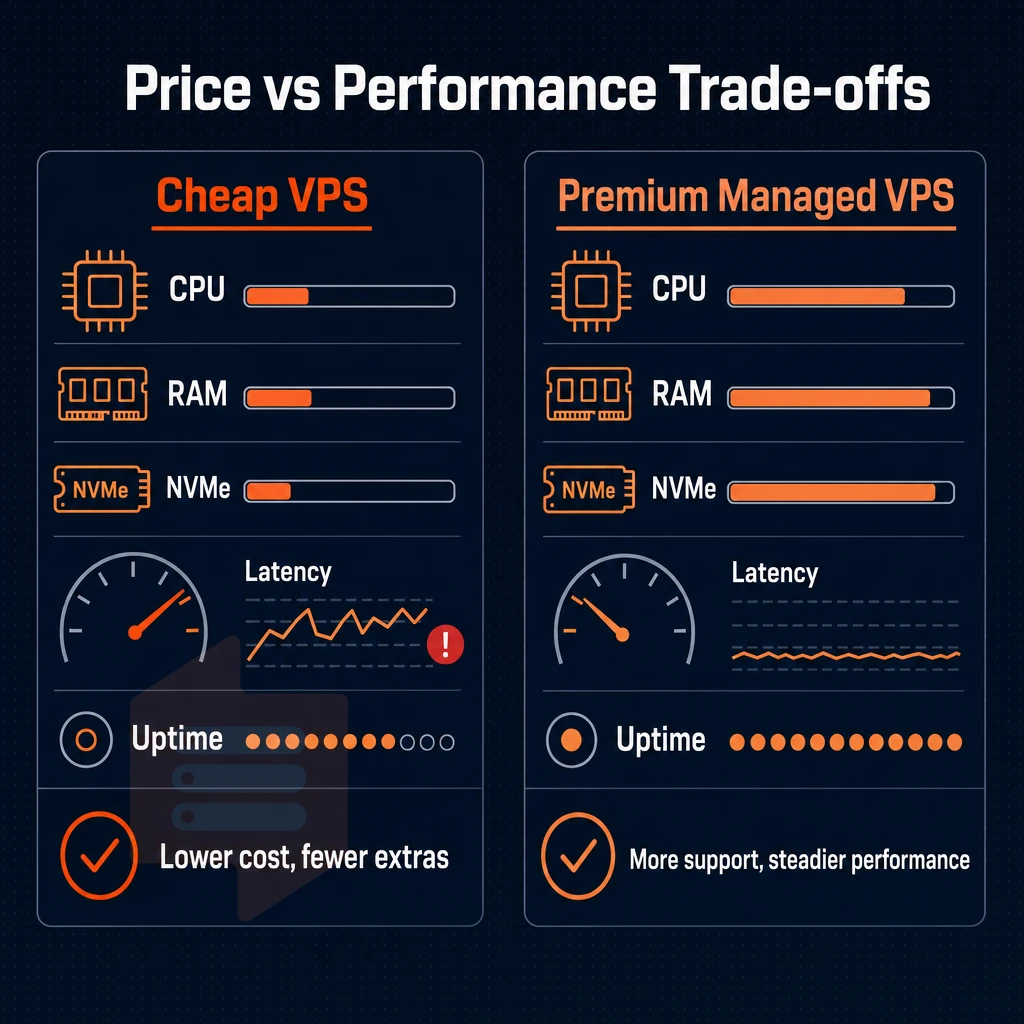
VPS plans span a wide range of offerings in the market. On one end of the spectrum are the “bare metal” type of unmanaged VPSes that one would sell to a programmer for a few dollars a month.
On the other end are the fully managed plans and accounts where the hosting provider takes care of all the patching, of all the monitoring, and handles all the incidents for you. It’s very important to know what you’re getting with each plan type.
Cheap VPS hosting: what gets cut and why it matters
When margin gets compressed by a budget plan, the common trade-offs are generation of hardware, density of nodes, and depth of support. An older CPU architecture can deliver much lower single-threaded performance and higher memory latency than a current design. High density of nodes on a server means that many tenants are competing for the same resources on the server, resulting in I/O spikes that are unpredictable under concurrent load.
The other thing that suffers when support is cheap is support itself. Many of the budget VPS plans have you send tickets to first-level support people reading from a script. Those people don’t have a lot of time to deal with you, and can take a long time to respond, especially with things like kernel or network issues. The time that it takes to get help to deal with problems with a production system can cost a lot of money.
The same holds for SLA tiers: Budget offers weaker uptime commitments and less scope for compensation in the SLA. Be sure to read the small print about what constitutes downtime and what you can expect from the remediation in terms of payment.
Unmanaged VPS options and the expertise gap
Most very cheap plans are unmanaged. The VPS provider creates a server for you and then you are on your own. That means all the usual things that most people find to be part of managing a server (OS hardening, firewall rules, kernel tuning, log management, etc.) are your responsibility.
That's not to say that everyone who is experienced with Linux would not be able to take advantage of very cheap unmanaged plans. For most people though, the extra work and the risk of error that a low-cost, unmanaged plan causes will erode any cost savings.
As you scale, the gap between unmanaged servers and fully managed servers grows. Manually managing 5 unmanaged servers is doable, but 20 servers require automation, monitoring pipelines and runbooks, all of which have significant costs associated with them.
Managed services and transparent pricing over the long term
Fully managed services are billed at a higher headline rate but include all services such as the scheduling of patches, security audits and performance tuning. When you factor in the hours of your engineers, fully managed services can actually offer the best total cost of ownership when delivered in a managed service tier.
Transparent pricing compounds this advantage for providers who publish flat pricing with no hidden renewal hikes. Using flat pricing in modeling multi-year TCO is possible. Many introductory-rate plans have hidden renewal markups that can effectively double the annual cost by year two.
BuyVPS VPS plans lock the rate you sign up for, at the rate you get in year five. This means there are no promotional rates for introductory periods that are cancelled at renewal time. All VPS plans are offered on an Amsterdam and New York based infrastructure, and are quoted based on the fixed rate that will apply for the entire 5 years.
When evaluating any hosting provider, ask three questions: what hardware generation runs the nodes, what is the node density policy, and what does the renewal price look like. The answers reveal far more about long-term value than the launch price ever will.
How your VPS hosting provider depends on these key factors
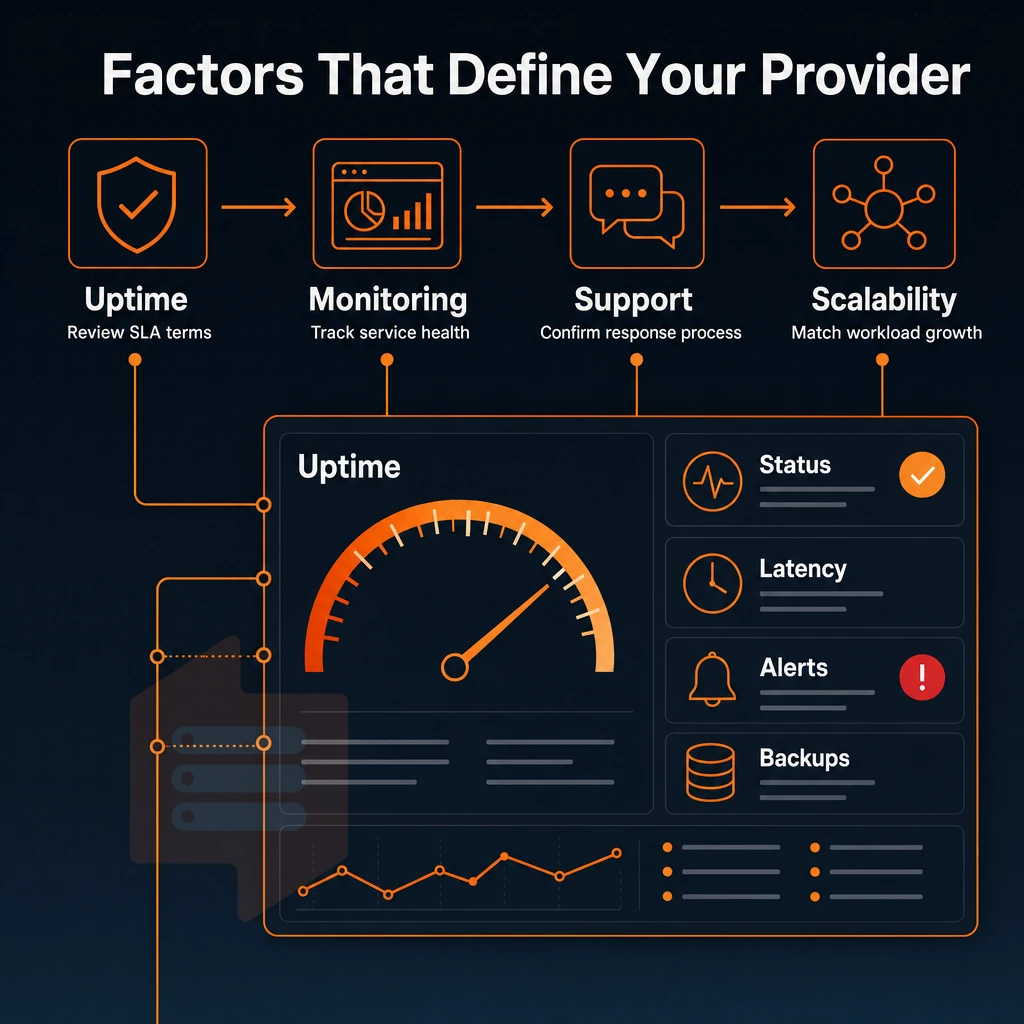
The choice of right VPS hosting provider for you will depend on your specific needs (amount of workload. Skills of your team members with Linux, amount of operational work you wish to hand over to someone else). Choose wrong, you either will be overpaying for services you don’t need or will be waking up in the middle of night at 2 a.m. fixing an unexpected problem with your server.
Match the plan to your workload type
profiling your application for CPU intensity first (e.g. compilers, video encoding, games servers). Running a virtual machine with a game server for example will likely fold under shared-core contention. You then can look at dedicated CPU tiers with pinned cores for such workloads where the investment is repaid.
Memory-bound workloads (like large databases or in-memory caches) need high RAM-to-core ratios, while I/O-bound workloads (like high-traffic web servers, application hosting, customer support platforms, or even client sites) need fast storage. Our NVMe RAID10 storage achieves 122,959 4K read IOPS in our fio testing. The disk latency is your bottleneck, after all.
- Web server / application hosting: prioritize network throughput and NVMe I/O.
- Database hosting: prioritize RAM capacity and storage IOPS.
- Game servers: prioritize dedicated CPU and low-latency routing.
- Client sites: prioritize upgrade flexibility and stable IPs.
Assess your team's capability and support expectations
A managed solution is designed to bridge the gap between your team’s Linux expertise and the needs of your server. If your application developers have Linux under their fingertips for the things they need to do for their work but lack the knowledge, customer support, or a proper control panel to perform things like kernel tweaks and monitoring of security for example. You need a provider with a 24/7 support team for the OS layer, not a chat interface to a knowledge base.
This is how BuyVPS engineers work. The main difference from other companies’ support teams is that you get a real human to diagnose and fix problems like misconfigured firewall rules and failed disk writes. As opposed to merely reading from pre-written support articles.
Evaluate location, billing, and upgrade path
The location of a data center affects latency to end users. We have a data center in Amsterdam and another in New York. Both sets of identical hardware serve European and US East Coast end users.
Be sure to check for sufficient billing flexibility and upgrade paths. In-place upgrades that preserve your IP addresses, no price increases at renewal time. Additionally, Adequate backup facilities (without requiring a second vendor to be brought in) are key differentiators between good long term providers and those that appear cheap for a day or so.
Amsterdam and new york: BuyVPS data center locations for EU and US audiences
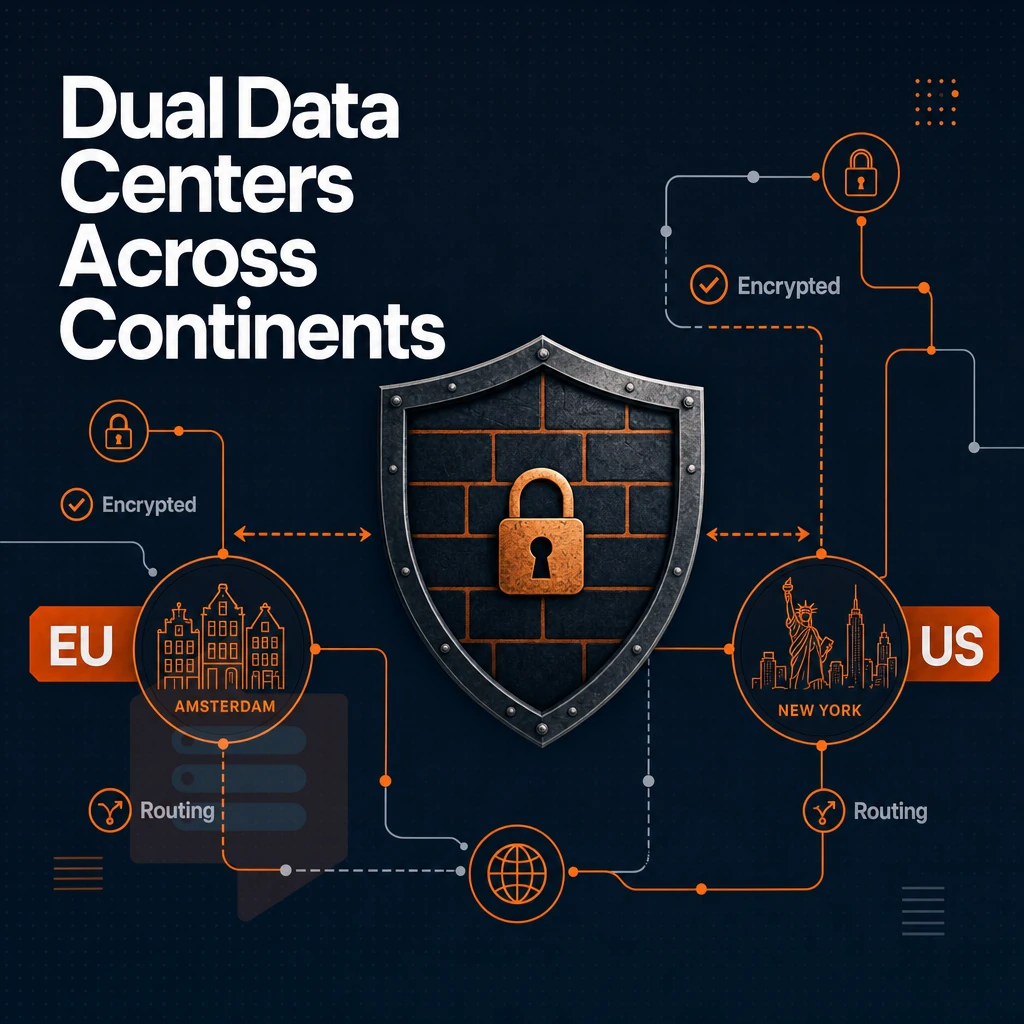
The location of your VPS affects the speed with which users can access it. BuyVPS has two main data center locations, Amsterdam for European customers and New York for North American customers. Both locations offer identical hardware, control panels and selection of operating systems. There's no compromise needed between regions.
Latency by region
We serve EU-based users from Amsterdam with low latency to Western and Central Europe. Meanwhile, Users on the US East Coast are served from New York and get good median latency for the rest of North America. There can be significant differences in median latency to a given region depending on the selected region vs. crossing the Atlantic.
Our two data centers are unlike traditional VPS hosting set ups where cloud servers in one location may be running older hardware generations and slower storage. Both of the BuyVPS data centers are running the latest AMD EPYC processors and high-performance NVMe RAID10 storage with 4K read IOPS measured out to over 122,000.
Network and reliability
Multi-homed uplinks at both locations ensure that a single upstream carrier failure will not bring down a node. Edge filtering of inbound traffic means that large amounts of unwanted traffic are stopped before they ever reach your VPS, helping to combat volumetric attacks.

99.8% SLA for uptime across regions. IPv4 and IPv6 dual-stack is included on all plans. Private networking over VLAN is available on request for multi-node deployments that require isolated backend traffic.
Our management tools are available from your self-service panel and via API so you can automate the provisioning of servers. Set up daily backups and manage both regions of a project from within a single interface.
Choosing between amsterdam and new york
| Dimension | Amsterdam | New York |
|---|---|---|
| Primary audience | EU users, GDPR-sensitive workloads | US East Coast, North America |
| Hardware | AMD EPYC, NVMe RAID10, DDR4/DDR5 ECC | Identical |
| Uptime SLA | 99.8% | 99.8% |
| Network | Multi-homed, edge filtering, dual-stack | Identical |
| Cost | No regional premium | No regional premium |
Pick the closest region to your users. If your users are spread over both continents, deploy in both, identical hardware & pricing so no architectural compromise is needed either way.
Why choose BuyVPS for managed VPS hosting
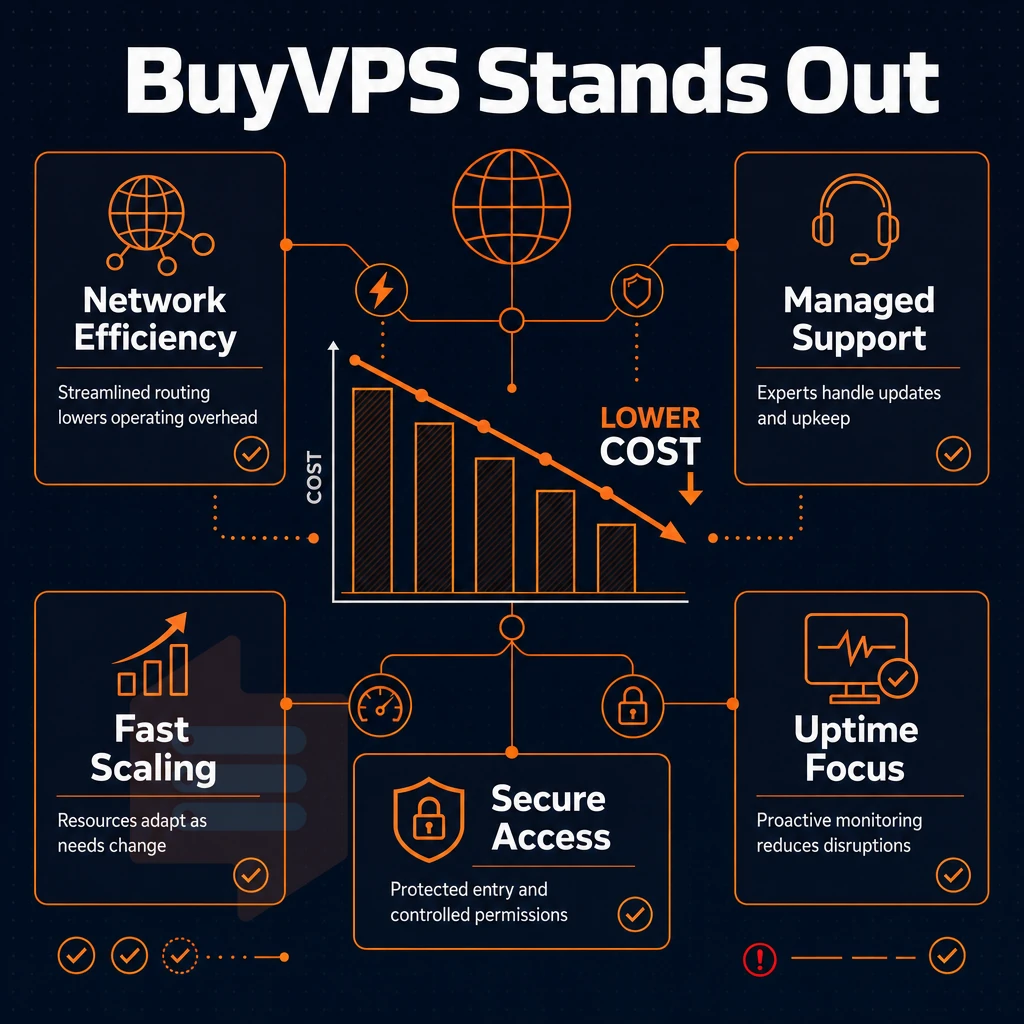
Most VPS hosting providers hand you a virtual private server and leave server management to you. BuyVPS is built differently. Our managed VPS infrastructure is engineered for teams that need guaranteed resources, dedicated resources, and optimized servers, without the guesswork of unmanaged VPS hosting.
We offer three VPS hosting plans matched to real workloads: Standard CPU (S-tier) for general web hosting and cloud hosting workloads, Dedicated CPU (D-tier) with pinned cores for latency-sensitive applications. Additionally, High Memory (H-tier) for memory-intensive stacks. Every tier runs on AMD EPYC silicon with NVMe RAID10 PCIe-direct storage, benchmarked at 122,959 4K read IOPS (fio median). That is not a marketing estimate; it is a published, reproducible result.
- KVM virtualization with a separate kernel per VPS, true isolation, not a shared kernel environment. Unlike shared hosting, your workload never competes at the OS level.
- Full root access on every plan, deploy custom software, swap your operating system, or upload a custom ISO. No restrictions on root access.
- No-oversell policy, hard memory caps and low node density mean your dedicated cpu and RAM allocations are yours, always.
- In-place upgrades, scale your managed VPS plans without migration or IP rotation. Your client sites stay live throughout.
- Amsterdam and New York data centers, identical hardware, identical managed services, covering EU and US East Coast from one control plane.
- Engineer-staffed support, real engineers reply, not first-tier chatbots. Founder-run since 2002.
If you are evaluating the best managed VPS hosting options and want a provider whose specs are verifiable and whose pricing never hikes at renewal. Reach out to our support team at support@buyvps.com or compare our VPS plans directly on BuyVPS.com.
Common use cases for managed VPS plans
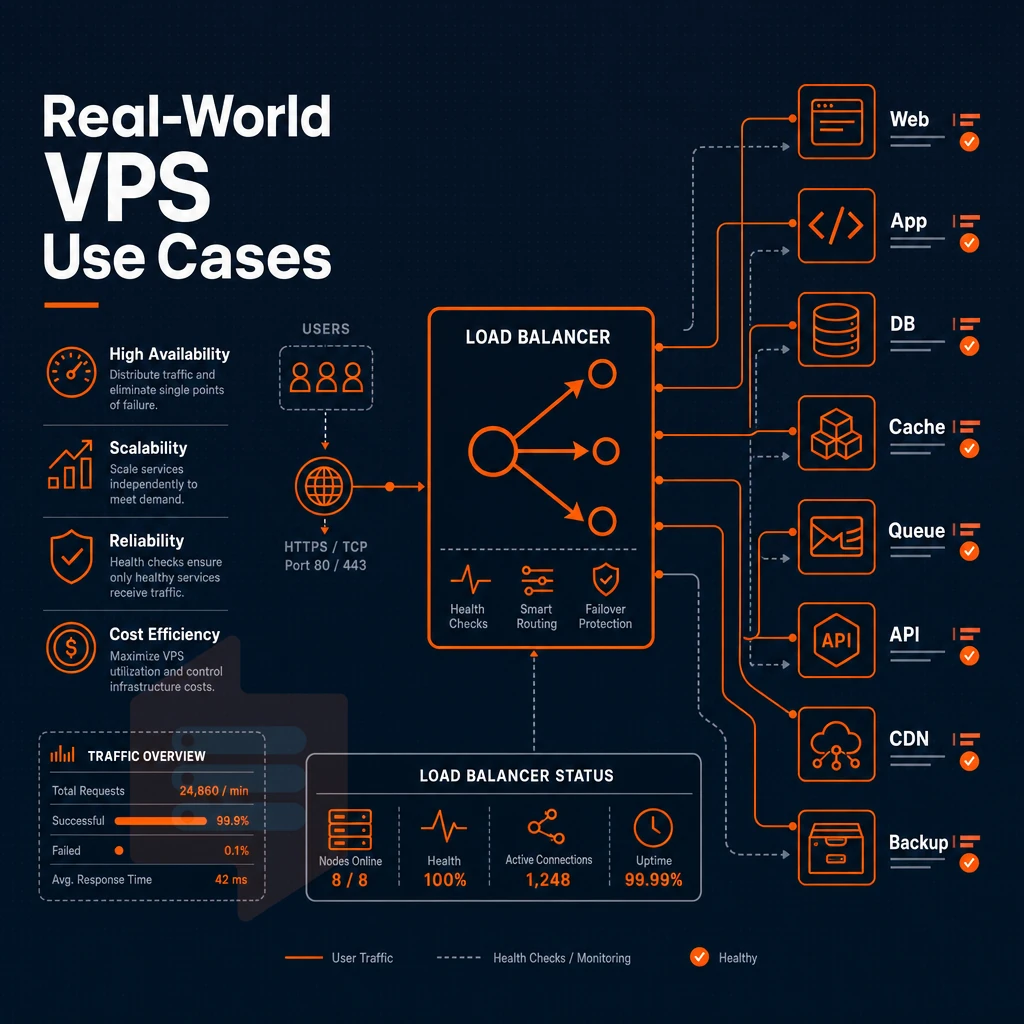
Production workloads that can be covered by a managed VPS plan range from a simple web server for a marketing website to large database clusters that need plenty of memory to handle hundreds of thousands of transactions per second. It is useful to know which workloads can be handled with a managed VPS and where you may encounter limits that lead to over-provisioning or under-speccing.
Best VPS workloads: web, database, and e-commerce
First comes web application hosting. While shared hosting would usually be chosen first, a managed VPS grants your application a constant amount of CPU power and RAM. This is in contrast to noisy neighbors that cause sudden CPU spikes and memory conflicts. Here Nginx and Apache are hosted on isolated resources and fully configured.
Databases like PostgreSQL benefit a lot from running on database servers doing pgbench-like loads at high throughput (hundreds of transactions per second). BuyVPS nodes have NVMe RAID10 storage with PCIe direct connect, delivering 122,959 4K read IOPS. So this limits I/O to very predictable levels before you even start to try to optimize any single SQL statement.
An E-commerce platform such as WooCommerce or Magento requires two things: (1) PHP-FPM configured to handle the desired number of concurrent sessions and (2) Caching (e.g. Redis or Memcached) and database config to handle flash sales without stalling. A Managed VPS plan handles this well, because each virtual server has a hard memory cap, so no other customer can use up all your memory.
Agency client sites and development environments
Run all your client sites off one plan without the hassle of separate servers. Each site runs in isolation within a container or directory and can have its own PHP version and set of resource limits. You can even set up your staging environments to be exact replicas of your production environments, same OS, kernel and even NVMe stack.
The development team uses staging VPS instances to test the infrastructure-as-code before it gets deployed to production. A completely new environment is created from a snapshot in a matter of minutes. In addition, the instances are backed up on a daily basis. Rolling back is now a simple restore command.
Cloud servers, game hosting, and high-memory workloads
Servers for cloud-based real time games in particular require low-latency networking as well as stable CPU scheduling. BuyVPS Dedicated CPU offers pinned cores on high-end hardware like AMD EPYC Genoa processors. Thus, it’s VPS hosting good for extremely latency sensitive projects like multiplayer games where frame-timing is crucial.
The H-tier plans are optimized for high-memory workloads such as in-memory caches, large analytics data sets and JVM-based applications. Up to 192 GB of RAM are provided to these plans at a ratio of 1:8. Once the RAM requirements of a application exceed what is possible to optimize in a VPS server, a bare-metal physical server is the next step. Until then, managed VPS provides the best balance of isolation, flexibility and cost efficiency.
Security and support: what the best VPS hosting providers must deliver

What really sets apart good VPS hosting from acceptable VPS hosting are security and support quality. The best managed VPS hosting providers implement multiple layers of security and employ real system administrators who are available to you 24/7 via phone. Email or support ticket, not via a chatbot reading from a pre-written script.
Network-level protection and built in security features
DDoS protection is a basic service that needs to be provided. However, edge-level traffic scrubbing has to be performed in order to prevent large volumes of traffic to saturate the uplink before the firewall even gets to see a single packet.
Top providers deliver:
- Edge filtering to block malicious traffic upstream.
- Abuse-policy-based firewall rules enforced at the network perimeter.
- Support of IPv4 and IPv6 dual-stack and consistent policies for both IPv4 and IPv6.
- Free SSL certificates issued at application or load-balancer level.
Edge filtering and abuse-policy-based firewall controls are enabled by default for every plan on our network, in Amsterdam and New York, and thus run on every VPS that we set up there.
KVM isolation is also relevant here. As we run one kernel per VPS, a compromised neighbor can’t reach your memory. This is a structural security feature and not a configurable option.
Server monitoring and observability
Monitoring servers in production is non-negotiable. Monitoring CPU, memory, disk I/O and network for anomalies is essential and should occur before problems affect end users.
Of the few cloud providers that use low node density in conjunction with a hard memory cap, we are one of them. This design choice reduces interference from noisy neighbors and keeps monitoring signals distinct from signals that are affected by contention for resources.
Customer support: engineers, not bots
Most companies offer live chat support these days. However, it’s often difficult to find experienced engineers who truly understand the intricacies of kernel tuning, network routing, and storage I/O.
We operate our customer support differently than most companies. At BuyVPS, customer support is handled by our engineers and not by first-tier chatbots that escalate tickets up through three tiers of people before being read by an actual technical person. That engineer will respond to your support request.
Reach us directly:
- Email: support@buyvps.com.
- Phone: +31 85 369 6285.
We don't guarantee a response window here, but you will get engineer-led replies that are actionable, as opposed to a generic acknowledgement that you then have to restate the problem for.
Managed VPS server vs cloud hosting vs dedicated server: choosing the right infrastructure
Deciding between VPS, elastic cloud and bare metal hosting comes down to three main factors: how predictable your resource requirements are, how much control you need over your hosting environment. Additionally, How quickly your work will scale. There are very different problems solved by VPS, by elastic cloud and by bare metal hosting. It’s useful to know the problems so as to avoid paying for too much unused capacity, or for too little capacity to handle unexpected bursts of traffic.
Head-to-head: managed VPS, cloud, and bare metal
The table below shows a comparison of the three tiers for the most relevant criteria for engineers and for infrastructure decisions. Qualitative cost assessment only; please refer to the current plan page for a provider for exact numbers.
| Dimension | Managed VPS | Cloud (elastic) | Bare metal |
|---|---|---|---|
| Resource model | Dedicated resources, fixed allocation | Shared pool, elastic burst | Full hardware, no virtualization layer |
| Typical RAM | 4 GB, 192 GB | 1 GB, variable | 64 GB, 1 TB+ |
| Storage | NVMe RAID10 | Network-attached SSD | Local NVMe or SAS |
| Uptime SLA | 99.8 %+ | 99.9 % (zone-dependent) | 99.9 % (hardware swap risk) |
| Root access | Yes, full root access | Yes, with provider constraints | Yes, unrestricted |
| Cost model | Predictable monthly flat rate | Pay-as-you-go, variable | High fixed cost, long contracts |
| Provisioning speed | Minutes | Seconds | Hours to days |
Cloud web hosting: elastic but unpredictable
For unpredictable traffic spikes, cloud hosting is typically the better option. Short-lived workloads like batch processing, test environments and even seasonal campaigns are well suited for the pay-as-you-go pricing model offered by cloud hosting services. The only catch is that you’ll experience noisy-neighbor CPU contention and encounter huge unexpected bills unless you establish adequate spend control.
For applications that run in steady-state (i.e. production APIs, databases, e-commerce backends), variable cost often ends up more expensive than fixed price for a 12 month period on a VPS. Additionally, Also shares infrastructure that can affect latency at random.
Best VPS web hosting for predictable production workloads
A managed VPS is in between hosting a shared environment and a bare metal server. You get dedicated resources on proven hardware, like our clusters running on AMD EPYC CPUs and high performance NVMe RAID10 storage. And it’s provisioned instantly, without the need to buy physical hardware, all managed for you. KVM isolation means you run your own kernel.
BuyVPS offers Standard CPU and Dedicated CPU Virtual Server hosting. The Dedicated CPU Virtual Servers lock specific CPU cores to a guest instance, to prevent CPU steal, typical of shared vCPU hosting. The Standard and Dedicated CPU Virtual Servers are offered in two datacenters: Amsterdam and New York. They are offered with identical hardware and a 99.8% uptime SLA. This type of VPS hosting is suitable for projects that require performance guarantees, but cannot afford a full dedicated server.
Decision guide: which tier fits your workload?
If you require consistent latency, full root access and a sensible monthly charge, then consider a managed VPS, ideal for most production workloads from 4GB upwards.
Use elastic cloud computing when your application’s compute needs are sporadic and short-lived and your team can monitor cost in real time with good tools.
Only choose bare metal when all the benefits of virtualization have been exhausted. Typically this would be for website hosting applications such as high-frequency trading, GPU intensive rendering and scenarios where compliance requires a completely standalone, unshared physical host with its own control panel to sit alongside other physical hosts.
For the majority of growing teams, the best VPS hosting option is one that provides the right balance between the VPS being able to supply dedicated resources, whilst also allowing full control. Additionally, Not being any surprise costs at renewal.
The best managed VPS hosting: key takeaways for buyers
The best managed VPS hosting comes down to a short list of non-negotiables: no-oversell hardware with hard memory caps, KVM virtualization for true isolation, NVMe SSD storage. Additionally, Engineer-level customer support that resolves problems rather than routes tickets.
Managed VPS hosting earns its cost only when the hosting provider pairs those fundamentals with transparent pricing, daily backups, built-in security features, and in-place upgrade paths that never rotate your IP or force a migration. low-cost VPS plans that cut corners on dedicated resources or bury renewal hikes in the fine print consistently underdeliver, the best VPS hosting providers compete on performance and support quality, not headline price alone.
BuyVPS has operated as a founder-run VPS hosting provider since 2002, with data centers in Amsterdam and New York running AMD EPYC hardware, NVMe RAID10 storage, and full root access on every plan. For teams evaluating best managed VPS hosting options, that combination of proven infrastructure, identical specs across both regions, and no renewal surprises makes it a strong default choice.
Frequently asked questions
Which VPS provider offers a custom control panel, technical support, and handles maintenance?
The best VPS hosting depends on your workload, but the strongest providers combine dedicated or pinned CPU resources, NVMe storage, and no-oversell policies. BuyVPS stands out for its AMD EPYC hardware, hard memory caps per node, and engineer-led support, without the renewal price hikes common elsewhere. Evaluate any provider on published benchmarks, not just marketing claims.
What are the best VPS hosting providers in 2025?
The top tier includes providers that offer KVM virtualization with full root access, NVMe storage, and reliable uptime SLAs. BuyVPS delivers AMD EPYC VPS across Amsterdam and New York with a no-oversell architecture and in-place upgrades. Other strong contenders include major cloud platforms and established European and North American hosts, compare them on CPU pinning, storage IOPS, and support quality rather than headline price alone.
What are the top 10 best VPS web hosting services?
A credible top-10 list spans several categories: pure-performance VPS, managed WordPress hosts, developer-focused cloud platforms, and budget providers. BuyVPS belongs in the performance category, offering Dedicated CPU VPS with pinned EPYC Genoa cores and Standard CPU VPS on EPYC Milan, both backed by NVMe RAID10 storage with measured 122,959 4K read IOPS, and solid customer support to match. Rank any list by use case: a gaming server needs low-latency pinned cores, while a high-traffic database needs the RAM-to-core ratio that a High Memory tier provides.
Is VPS good for web hosting?
Yes, a VPS gives you dedicated resources, full root access, and OS-level control that shared hosting cannot match. KVM-based VPS plans, like those from BuyVPS, run a separate kernel per instance, so noisy neighbors cannot destabilize your environment. For any workload beyond a basic brochure site, databases, APIs, game servers, CI pipelines, VPS is the right foundation.
What is the difference between managed and unmanaged VPS hosting?
An unmanaged VPS gives you a clean OS and full root access, you handle patching, security hardening, software installation, and monitoring yourself. A managed VPS includes provider-side administration: OS updates, security patches, backups, and often application-layer support. Unmanaged suits developers and sysadmins who want control; managed suits teams that lack in-house Linux expertise or simply want to focus on their application rather than the infrastructure beneath it.
Is cheap VPS hosting worth it, or should i pay for managed services?
Cheap unmanaged VPS is worth it only if you have the skills to secure and maintain the server yourself, otherwise the hidden cost is your own time and the risk of a misconfigured or unpatched system.
Managed services add real value for teams without a dedicated sysadmin, or for production workloads where downtime has a direct business cost. The smarter question is total cost of ownership: a slightly higher monthly outlay for managed hosting often beats the cost of an incident caused by deferred maintenance.
What should i look for in a managed VPS hosting provider?
Prioritize five things: hardware quality (AMD EPYC or equivalent, NVMe storage, no-oversell policies), a custom control panel that doesn't get in your way, support quality (engineers who respond, not first-tier chatbots), transparent SLAs (99.8% or better with clear remedies), and pricing stability (no renewal hikes). BuyVPS checks those boxes with hard memory caps per node, engineer-led support, a 99.8% uptime SLA, and a same-price guarantee through year five. Also confirm the provider offers in-place upgrades, migrating to a larger plan should never mean a new IP address or downtime.
Managed VPS hosting typically boils down to one thing: how much do you want to manage and do your VPS hosting provider deliver on their support promises. Typically a good VPS hosting provider will provide you with dedicated hardware, be proactive in monitoring your server and have real engineers on hand to deal with issues rather than reading from scripts.
The only thing you get with premium managed hosting is better performance than you get with very cheap shared hosting for things that matter to you. Isolated resources, predictable performance, root access when you need it, all of these things are better with premium managed hosting. The costs and complexities are also better, when you get a good provider with clear specs and no surprise price increases at renewal time.
If you want a VPS backed by AMD EPYC hardware, NVMe RAID10 storage. Additionally, with engineer-led customer support, free ssl certificates, no overselling, and in-place upgrades that keep your IP address intact, explore BuyVPS's plans across Amsterdam and New York and find the tier that fits your workload.