

The American VPS hosting environment you choose will impact so many subsequent decisions about your VPS (e.g.
In this guide we cut through the hype to explain what really separates a good VPS from a host of badly oversubscribed, low-cost boxes.
Alternatively, merge numerous disparate sites spread around the globe.
What is US VPS hosting and how does it work?
Virtual private servers, or VPS, are in the middle of shared hosting and dedicated servers as far as infrastructure goes. As opposed to hosting in a shared environment or having an entire server to yourself, one server is split into virtual servers by a load balancer, each of which is fully isolated and runs with its own resources. This means that your site’s traffic is never competing with that of another hosted site for resources.
First month $1
Then the normal monthly price. One per customer. No setup fee, and a 30-day performance guarantee on your first order.
See the plans“Excellent service! Thank you for providing the server so quickly. The service was fast, reliable, and exactly what I needed. Highly recommended!”
How a VPS USA provider carves up physical servers
KVM is a hypervisor technology that carves up your hardware into virtual servers. Each virtual server gets fixed amounts of CPU, RAM and NVMe storage, not flexible, and not limits that another tenant could exceed. For community perspectives, see Best VPS providers and hosting recommendations?.
At BuyVPS we provision every VPS with a separate kernel. The kernel boundary is what makes VPS isolation real as opposed to just words. In shared hosting there is no such boundary and a single errant process can bring down an entire node.
This kernel-level separation creates a true isolated environment where resource allocation and security boundaries are enforced at the lowest system level. Unlike shared hosting where multiple accounts coexist without true separation, virtualization partitions one physical server into multiple isolated virtual machines, each with dedicated kernel space.
Your own operating system, your own full control
Each virtual server runs its own server environment. You can select from a number of Linux distributions (e.g. Ubuntu, Debian, AlmaLinux) as well as a Windows operating system image (via custom ISO). As root you can install, configure and remove everything as you see fit. This flexibility allows you to deploy popular software stacks like LAMP, LEMP, or containerized environments without vendor restrictions.
VPS virtual server vs. Dedicated server: where the line sits
As you learn more about the architecture of dedicated servers and VPS hosting, you will likely find that for most production workloads. A VPS (Virtual Private Server) is a better value, offering the same root access to a portion of a high-end server as a dedicated server, for a fraction of the cost. Next, learn about the features of potential providers.
Key web hosting features to look for in a USA VPS provider
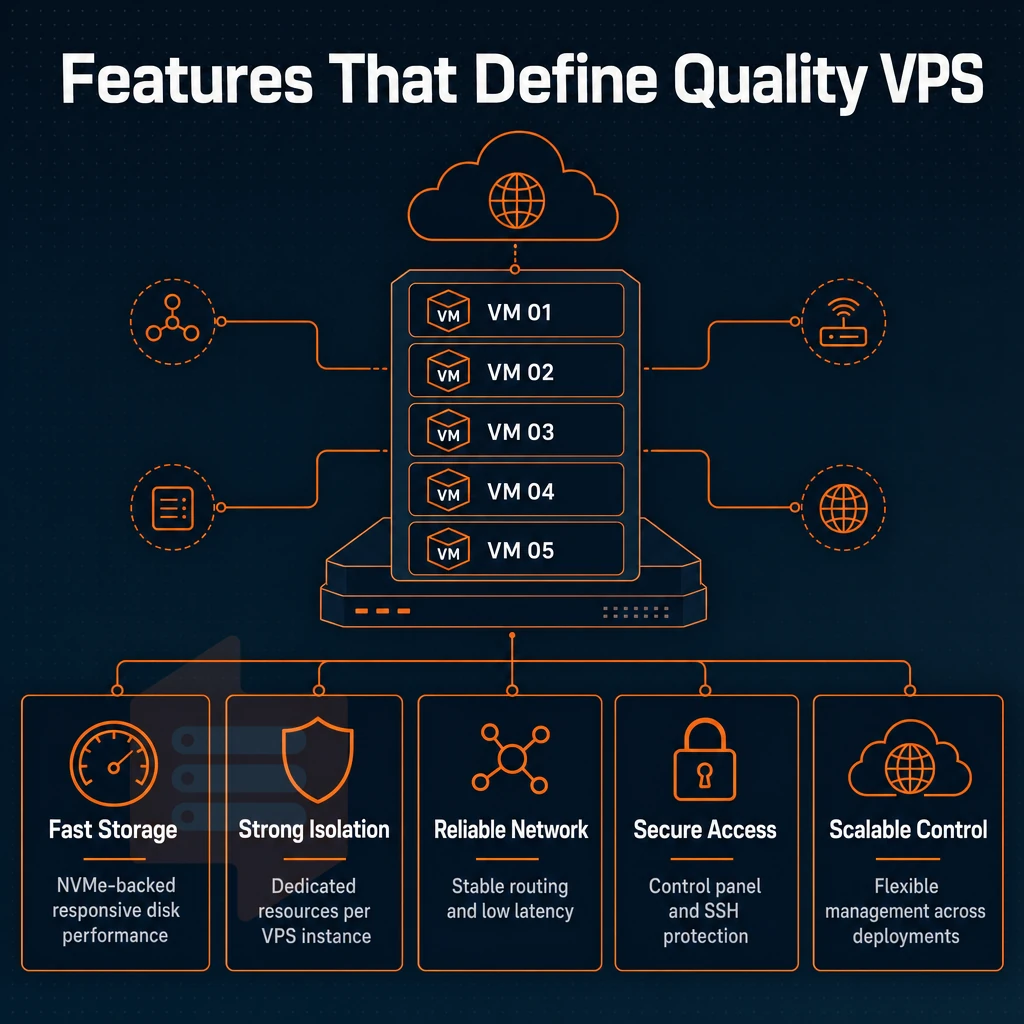
Evaluating a US VPS hosting provider for your needs involves evaluating the hardware, network and control-plane features of the provider. One weak point such as slow storage, over-allocated RAM or no IPv6 support will impact all higher features. Review this checklist before you commit to a VPS hosting provider.
Hardware resources and storage
When selecting storage and RAM, prioritize NVMe SSDs over traditional SSDs. When evaluating providers, examine the key features that directly impact application performance and long-term scalability of your infrastructure. Ensure your provider allocates sufficient cpu ram to handle peak workloads without throttling or swapping to disk.
Providers that deliver high performance typically combine NVMe storage with modern CPU architectures and enforce strict resource isolation to prevent noisy neighbor interference. Modern VPS solutions that prioritize performance engineering typically provision dedicated NVMe storage per instance rather than relying on shared SAN arrays that introduce latency.
Hard memory caps and low node density are non-negotiables.
We enforce caps as part of our standard service and strive to ensure consistent levels of service even under high levels of real system usage.
Network and DDoS protection
Dual-stack IPv4 + IPv6 by default (not optional). DDoS protection is an integral part of edge services, not an after-thought. Providers should also support flexible network configurations, allowing you to request additional ips when scaling multi-site deployments or implementing SSL certificates across distinct domains.
Control plane and root access
For dev/test environments, Full Root Access is required. Responsive 24/7 technical support (real human engineers, not bots) is required to close the loop when automation is not enough. Developers rely on isolated VPS instances as testing environments where they can safely experiment with new configurations, software versions, and deployment strategies before pushing changes to production systems.
| Feature | Minimum acceptable | BuyVPS standard |
|---|---|---|
| Storage | SATA SSD | NVMe RAID10, PCIe direct |
| RAM | DDR4 | DDR4 ECC / DDR5 ECC |
| Uptime SLA | 99.5% | 99.8% |
| Virtualization | Shared kernel | KVM, separate kernel per VPS |
| Upgrades | Migration required | In-place, no IP rotation |
This defines the minimum requirements for the floor.
Shared hosting vs VPS hosting: why more resources matter
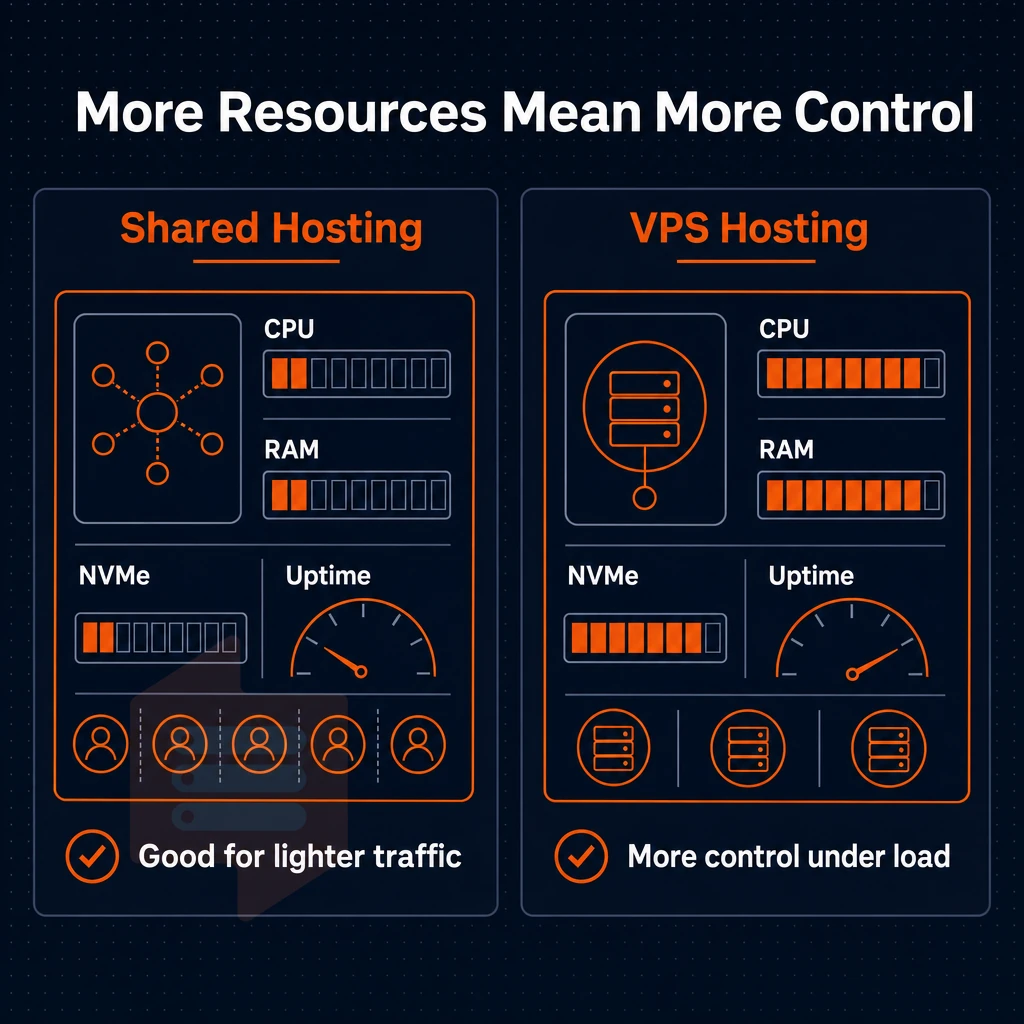
Typical web hosting sets up your website on a shared server with dozens to hundreds of other websites. As long as you don’t get too much traffic, it works fine. But as your site grows, the shared server can become a huge bottleneck. VPS hosting, on the other hand, allocates a fixed amount of server resources, including disk space, to each of its tenants.
This isolation ensures that your site's performance depends solely on the hardware resources allocated to your VPS, not on the unpredictable behavior of neighboring sites. Unlike regular hosting where resource contention is common, VPS environments guarantee that CPU cycles and memory remain available even when neighboring tenants experience load spikes. When evaluating VPS plans, verify that the provider guarantees minimum cpu ram thresholds rather than offering burstable or shared allocations that degrade under load.
Recognizing when you need an isolated environment
- Audit your current usage and see how you have been utilizing your resources i.e. CPU and RAM for the past 30 days. Consistent usage above 80% on a regular basis will indicate that the shared pool of resources is getting over utilized by your applications.
- Determine the trigger scenario for when to upgrade. If you have high-traffic projects, online stores that have lots of concurrent checkouts, or development environments, you need more power than what a shared plan can provide. If that is your scenario, then an upgrade is long over due.
Making the switch to a dedicated environment
- Select a suitable plan for your web projects and relate the peak RAM and CPU usage to an appropriate VPS offer. While the Standard CPU offer is suitable for most content and commerce web sites, the Dedicated CPU offer is more suitable for latency critical web sites.
- Migrate and consolidate. A VPS lets you host multiple websites under one account with isolated configurations per site. Consolidating here also simplifies SSL management and deployment pipelines. Note: hosting websites on a single VPS still requires proper resource partitioning, running everything under one user defeats the isolation benefit.
- Verify dedicated resources are online. Perform a simple benchmark for memory and CPU after provisioning the server. Hard memory caps per node on BuyVPS mean what you read during sign up is what you get, no contention with other neighbors.
The real question with guaranteed resources is what you can run on them.
VPS use cases: what can you run on a US virtual server?
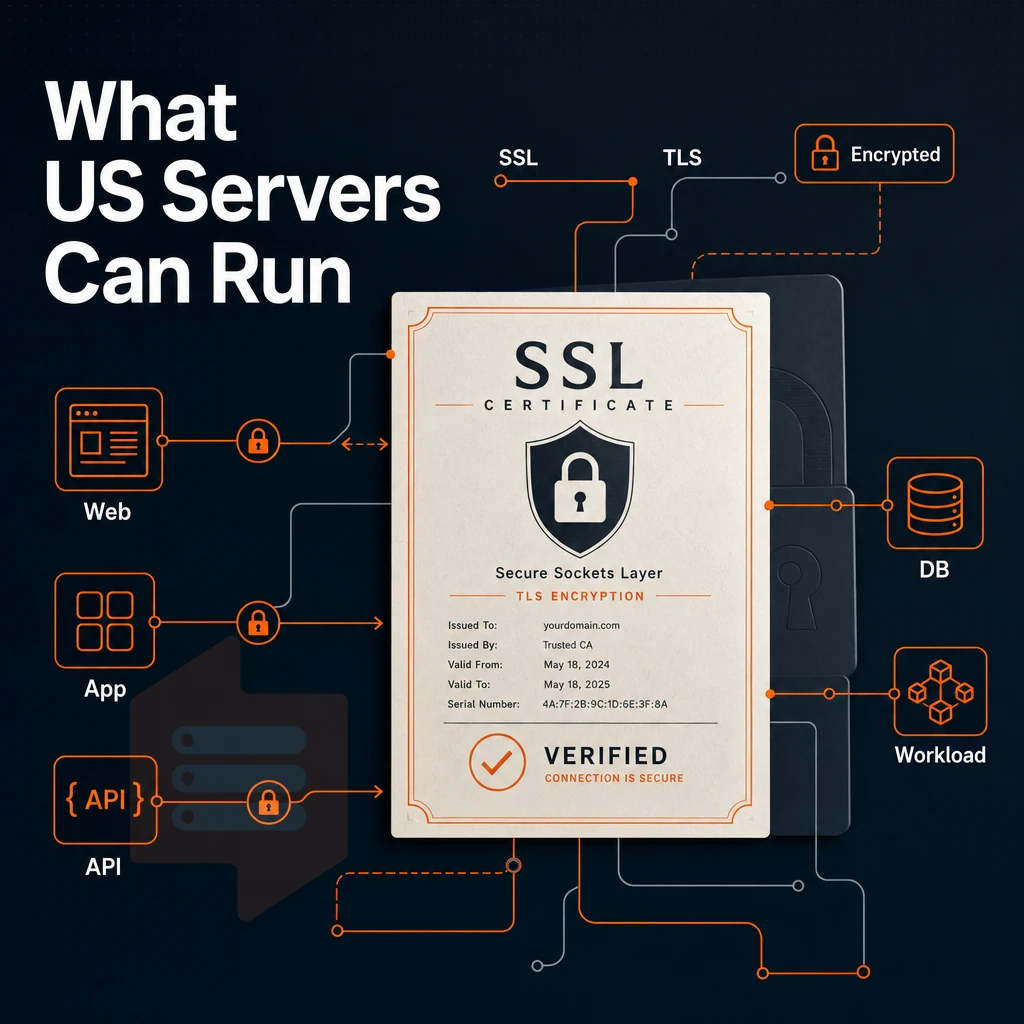
A American VPS is suitable for a wide range of production as well as development workloads. Root access is provided to the user, enabling them to install any desired stack, without restriction to runtime, language or framework.
Web hosting and application hosting
Instead of running web applications on shared hosting accounts, you can run them on your very own VPS and fully control the web server, the caching layer, and the process manager as well. This allows for much more fine-grained tuning: NGINX worker connections, PHP-FPM pool size, or even a full-fledged Node.js cluster. These optimizations enable high performance configurations that can handle thousands of concurrent connections while maintaining sub-second response times across all application endpoints.
Isolation also benefits online stores, which receive dedicated resources that are never taken from checkout processes during traffic spikes.
Load balancer and unlimited traffic distribution
A VPS makes a cost-efficient load balancing node.

Development, testing, and internal services
For staging environments, most people use isolated VPS servers to mirror their production configurations, run tests that could otherwise harm production, and throw away the resulting snapshots without ever having touched their live systems. Developers rely on these isolated VPS instances as dedicated testing environments where they can validate code changes, perform load simulations, and verify deployment scripts before pushing updates to production.
Internal services (e.g.
At BuyVPS, our VPS solutions come with KVM isolation and even a separate kernel for each VPS instance. This means that a misbehaving test scenario will not affect other VPS users.
BuyVPS offers VPS services in New York and Amsterdam. With these servers a US-based team can work with low-latency East Coast servers and have an EU failover server. An important decision to make here is where to host your server.
When comparing different VPS offers, evaluate not only the hardware specifications but also the geographic distribution of data centers to match your audience location. Many customers request additional ips when deploying multi-site configurations or running services that require distinct IP addresses for SSL certificates or application isolation.
How server location affects low latency for US and european audiences
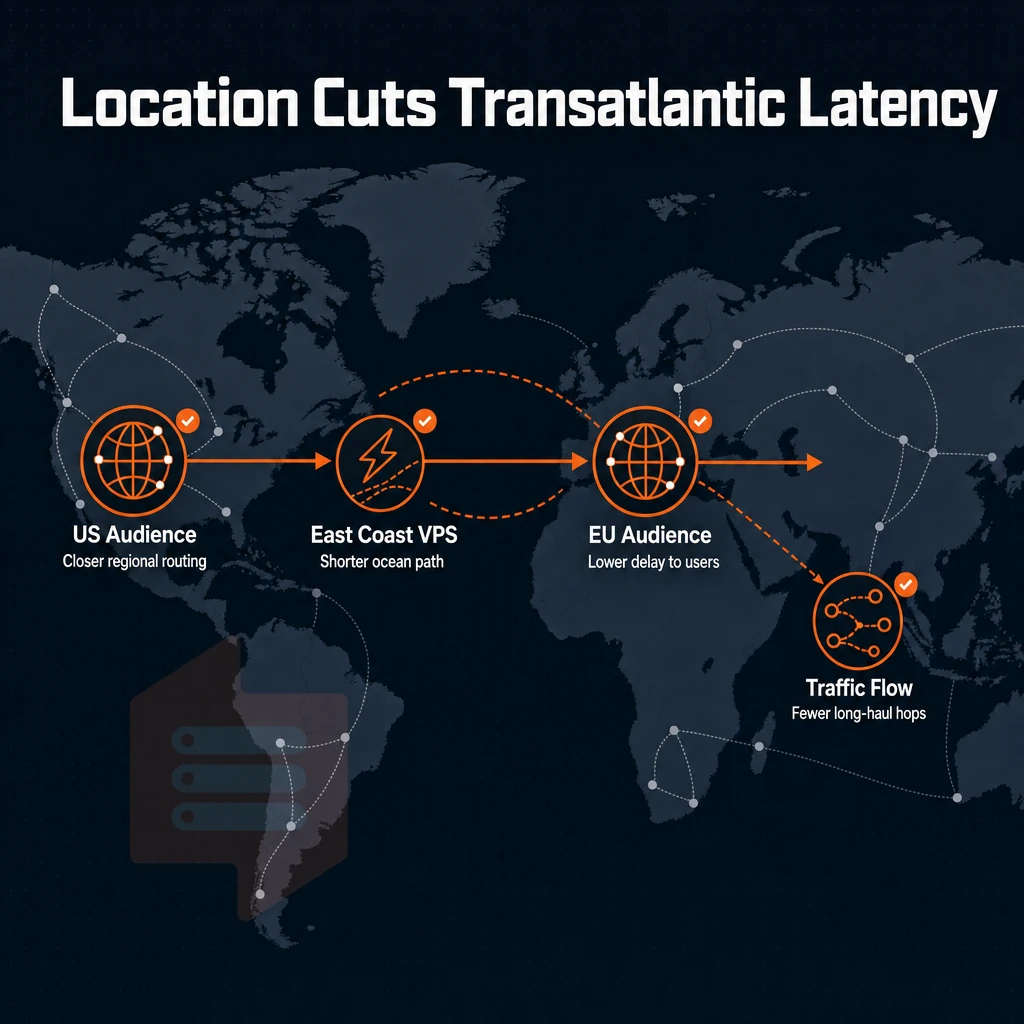
The location of your server has a huge impact on the perceived performance by your users. Choosing a server geographically closer to your primary user base can reduce latency by 50-200ms, directly improving page load times and user experience. Lower latency translates directly into faster page rendering and a seamless user experience that keeps visitors engaged and reduces bounce rates.
Data center geography and why it matters
Physics sets the floor. The latency to hit a server in a different state than where the visitor is located is ~40 ms for the first byte of application logic to start running.
We serve two regions: New York for US East Coast users and Amsterdam for European users.
Low latency for US audiences with a VPS USA deployment
Deploying a VPS USA in New York places your server just 5-15ms from the East Coast, closest to the country's biggest population centers.
Our VPS USA servers come with the same NVMe RAID10 storage and KVM isolation as our Amsterdam servers. No compromise on the infrastructure for choosing to host in the US region.
Reliable performance across both regions
For teams operating across both continents, deployment of a USA VPS in New York for US traffic and a separate node in Amsterdam for EU traffic will suffice. Both regions offer a 99.8% uptime SLA.
We've built a dual-region VPS setup for simple, high-quality VPS hosting, managed via a single workflow across two continents with identical hardware and control planes.
Dedicated CPU vs shared vcpu: choosing the right VPS for optimal performance
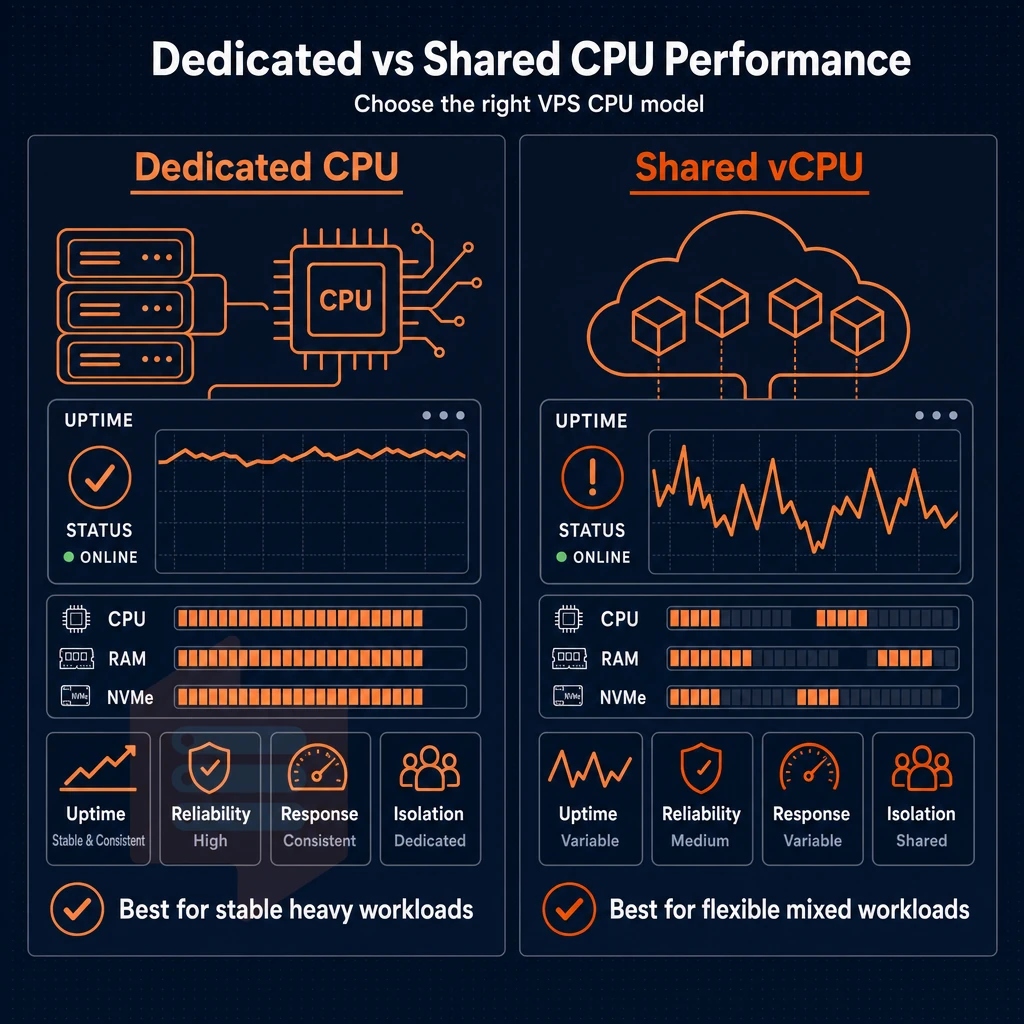
Not every workload needs the same CPU architecture.
High performance with dedicated cores
The Dedicated CPU tier is powered by AMD EPYC Genoa processors with dedicated VPS CPU cores pinned exclusively for your use. None of your fellow tenants will be competing with you for these CPU cycles which is paramount for real-time API. Game server and other high volume database applications which demand consistent performance under sustained loads and hence low latency.
In dedicated hardware environments, CPU-bound tasks always run at fixed speeds because physical hardware never gets time-sliced between neighbors. This means you never have to worry about so-called “noisy neighbors” that could affect performance on shared servers.
Standard tier: shared vcpu for bursty workloads
The Standard CPU tier is powered by AMD EPYC Milan processors with shared vCPUs. Neighboring VPS servers are tapped for burst capacity when idle, so this is suitable for dev environments, staging servers, moderate web loads, and batch-type processing that does not require constant dedicated resources.
Choosing the right tier for your virtual server environment
| Dimension | Standard CPU (shared vCPU) | Dedicated CPU (pinned cores) |
|---|---|---|
| Processor | AMD EPYC Milan | AMD EPYC Genoa |
| Core allocation | Shared vCPU, burst available | Pinned, exclusive to your VPS |
| Best for | Dev, staging, moderate traffic | Databases, APIs, real-time apps |
| Uptime SLA | 99.8% | 99.8% |
| Cost profile | Cost-effective entry point | Higher, justified by isolation |
Choose the Dedicated CPU tier for any US-based VPS host where CPU contention would degrade user experience.
Both CPU tiers are offered from the same physical server clusters in Amsterdam and New York, where BuyVPS offers dedicated servers.
Storage, network, and backup options for US VPS hosting
Evaluating United States VPS hosting involves looking at three key layers to your hosting: storage performance, network architecture and backup performance. Getting any of these wrong can lead to problems such as data loss or downtime. For more context, see Wikipedia:Village pump (technical)/Archive 223.
Storage and network configuration
- We confirm that NVMe RAID10 on PCIe directly connected storage measures 122,959 4K read IOPS under fio, a real benchmark, not marketing speak. Such high NVMe SSD storage is ideal for very high load projects (e.g. database intensive, high traffic) that are I/O bound.
- Verify that you get to pick dual-stack IP addresses for your server (i.e. that every BuyVPS plan comes with IPv4 + IPv6 and not with IPv6 only). With IPv6-only problems in mixed environments, such gaps in provision can cause all sorts of incompatibility issues.
- Add VLAN access for a private network and keep your back-end servers separate from your public interfaces to minimize attack surface. VLAN is available on request and you need to confirm with our support team once you place the order for provisioning.
- Review your network configurations for adequate DDoS protection. Basic functionality would include multi-homed uplinks and sufficient edge filtering. Unlimited traffic / bandwidth is generally advertised by people who cannot deliver on such claims. They should be willing to back up such claims with a reasonable published uptime SLA (99.8% for BuyVPS).
Backup planning
- It’s very important to have snapshot support and off-server backup support. Snapshots allow you to revert changes before they cause problems. Off-server or external storage copies of backups allow you to recover from node failures. Look for daily frequency of backups or greater.
- Check backup frequency / retention. Most hosters now offer daily automatic backups. What’s the retention period like? Are restores self service or do they need a ticket?
Note: Never rely on a single on-disk snapshot as your only recovery point.
How to set up and manage your US VPS in just a few minutes
Set up a VPS in minutes, not hours of back-and-forth with a sales person.
Choosing your region and OS for optimal performance
First choose between the New York region and the Amsterdam region. Next, choose an Operating System from Ubuntu, Debian, AlmaLinux, Rocky Linux, CentOS Stream, Fedora or upload your own custom ISO image.
Accessing and managing your virtual private server
Full root access to your instances is immediately available after provisioning.
As a result, you can use it within a fully isolated virtual environment, or even have your team use it, and then be able to script all the actions that you would typically perform in control panels for automated deployments. With root access you have full control over the OS, networking and all applications installed on your instances from the very first boot.
Backup options and in-place upgrades
Upgrade your server in-place when it needs more resources.
In-place upgrades preserve your IP addresses and running config. No re-provisioning of devices is required. No changes to DNS, etc. are required and therefore no downtime window for cutover is required.
Provisioning is easy.
Why choose BuyVPS for US VPS hosting
BuyVPS delivers reliable VPS hosting built for teams that need consistent performance and no surprises. Our domestic VPS hosting runs from a New York data center on AMD EPYC hardware, the same specs and pricing we operate in Amsterdam. Every virtual server is KVM-isolated with a separate kernel, so your dedicated environment stays yours alone.
- No-oversell guarantee: Hard memory caps and low node density mean your CPU and RAM are never quietly stolen by neighbors on the same physical server.
- Pinned cores on the Dedicated tier: Predictable latency for high-traffic projects, online stores, and production web applications.
- Proven NVMe RAID10 storage: PCIe-direct NVMe SSD delivers 122,959 4K read IOPS (fio median), published benchmarks, not marketing claims.
- Full superuser access and custom ISO: Install any operating system, configure network settings, and host multiple websites without restrictions.
- In-place upgrades: Scale your virtual private server with more resources, no migration, no IP rotation, no downtime window.
- Founder-run since 2002: A dedicated support team of engineers, not chatbots, backs every VPS solution we provide.
Ready to buy VPS USA infrastructure that holds up under real load? Reach out to our technical support team at support@buyvps.com or compare our USA VPS hosting plans at BuyVPS.com.
Frequently asked questions
What are the best VPS USA solutions available with intuitive control panels?
The best USA VPS depends on your workload, but the strongest choice combines dedicated CPU resources, NVMe storage, and a no-oversell policy. BuyVPS operates a New York data center on AMD EPYC hardware with KVM isolation, hard memory caps per node, and in-place upgrades that never rotate your IP. That combination makes it a reliable pick for production workloads that need consistent, predictable performance on the US East Coast.
Which top 5 VPS providers offer reliable solutions with user-friendly control panels?
A strong shortlist includes providers that offer KVM virtualization, NVMe storage, dedicated or pinned CPU options, intuitive control panels, transparent pricing with no renewal hikes, and reliable support services. BuyVPS stands out with AMD EPYC Dedicated CPU VPS, NVMe RAID10 storage measuring over 122,000 4K read IOPS, and locations in New York and Amsterdam.
What are the top 10 best VPS solutions with reliable control panels for hosting services?
The best VPS services share a core set of traits: KVM or comparable hypervisor isolation, NVMe or SSD storage, IPv4 and IPv6 dual-stack, full administrative access, and engineer-led support. BuyVPS qualifies on every point, founder-run since 2002, with published benchmarks, no-oversell architecture, and full privileged access across all plans. Beyond BuyVPS, evaluate providers on uptime SLA, CPU generation, unlimited traffic policies, node density policy, and whether upgrades require IP rotation, since those factors separate reliable hosts from overcrowded ones.
Can i find a $5 virtual server?
Very low-cost VPS plans exist, but they typically run on older hardware, shared and heavily oversubscribed nodes, with no meaningful SLA or support. The tradeoff is unpredictable CPU and memory performance under real load. If your workload is production-grade, the cost of downtime or degraded performance quickly outweighs any savings, and in the web hosting world a properly resourced VPS with hard memory caps and NVMe storage is the more cost-effective choice over time.
What operating systems can i run on a US VPS?
Most reputable VPS providers support the major Linux distributions out of the box. BuyVPS's online store supports Ubuntu, Debian, AlmaLinux, Rocky Linux, CentOS Stream, and Fedora, offers popular control panels, and also allows custom ISO uploads if you need a different OS or a specific version. Full administrator-level access is included on every plan, so you have complete control over the OS configuration from the moment the server boots.
How is a virtual server different from a dedicated server?
A dedicated server gives you exclusive use of an entire physical machine, while a VPS runs as an isolated virtual machine on shared hardware. With KVM virtualization, each VPS gets its own kernel and guaranteed resource allocation, and on a no-oversell web hosting provider like BuyVPS, hard memory caps and low node density mean your neighbors cannot starve your instance.
Dedicated servers cost significantly more and suit workloads that require raw single-tenant hardware, but for most web projects, a well-configured Dedicated CPU VPS closes most of that performance gap at a fraction of the footprint.
stateside VPS hosting offers dedicated resources, full system access and the low latency connectivity that shared hosting just can’t deliver. With NVMe storage, no-oversell memory and a network that can serve both US East Coast and European audiences equally well, choose from the best US virtual private server hosting providers.
Location is just as important as the hardware itself. Our VPS in New York helps reducing latency for users in the US and our VPS in Amsterdam serves Europe. We run identical hardware and network infrastructure in both locations. You can set up a VPS in either location, or in both locations. Your IP addresses will not change and you won’t have to change any plans when upgrading.
Ready to move beyond shared hosting? Explore BuyVPS Standard, Dedicated CPU, and High Memory VPS plans at BuyVPS.com and pick the configuration that fits your workload.