

cPanel VPS hosting is the typical choice for developers who want to have root access to their server but cannot work with a command line interface. On the one hand, a VPS provides the user with dedicated resources and full access to the operating system. On the other hand, cPanel offers convenient point-and-click management of domains, email accounts and databases.
The biggest problem when choosing a web hosting provider is the huge difference in server hardware, virtualization, and network stability. On top of that, expensive cPanel licensing fees per virtual server have recently driven up total hosting costs, something you can't ignore when choosing a host.
This guide cuts through the noise around choosing a cPanel VPS.
Our guide is geared towards those looking to move a shared hosting account to a VPS, helping to consolidate multiple client sites onto a single control panel. Alternatively, Even simply setting up a management interface for a small team of users. First up is a primer on what a cPanel VPS is and what it can do for you.
Understanding your specific requirements and growth trajectory will point you in the right direction when evaluating whether a VPS solution matches your operational needs. Setting up a custom environment often requires pointing your domain to the new server and configuring DNS records to ensure seamless traffic routing.
What is VPS hosting with cPanel and how does it work?
We bundle VPS hosting with cPanel control panels within a managed hosting environment. So, you get to enjoy the isolation and power of a VPS backed by nvme ssd storage, and also benefit from the graphical control panel that makes life a whole lot easier than having to live in the command line!
First month $1
Then the normal monthly price. One per customer. No setup fee, and a 30-day performance guarantee on your first order.
See the plans“Excellent service! Thank you for providing the server so quickly. The service was fast, reliable, and exactly what I needed. Highly recommended!”
What a cPanel VPS gives you
A cpanel VPS is a KVM virtualization setup where we carve up dedicated CPU, RAM and NVMe storage at the hardware level. Each VPS gets it’s own kernel, so there’s no risk of noisy neighbors or shared memory pools. For more context, see cPanel.
cPanel is a layer on top of the Operating System to make the daily tasks that most administrators do.
- File management and FTP account creation.
- DNS zone editing and subdomain setup.
- MySQL/MariaDB database provisioning.
- Email accounts, forwarders, and spam filters.
- SSL certificate installation.
WHM (Web Host Manager) extends this for multi-account server management .
cPanel VPS web hosting vs. Shared hosting
Shared hosting vs virtual private server
cPanel is bundled in a pre-configured bundle which you cannot change at the OS level. This is not cpanel VPS hosting. Here you own the cpanel license and the root account on the VPS. You can tune PHP versions per domain and much more. Each site you host can be assigned its own unique domain, allowing you to manage multiple client projects under separate identities while maintaining centralized control.
Can i use cPanel on my VPS?
cPanel installs on top of AlmaLinux and Rocky Linux distributions supported by BuyVPS. You purchase the cPanel license separately from hosting services and run the installer from SSH terminal on your server. For small to medium-sized websites, a typical cpanel hosting setup runs just fine on a standard VPS hosting plan with 2 vCPU cores and 4 GB of RAM.
Many hosting providers offer bundled packages that include the license fee alongside core infrastructure services, simplifying billing and reducing administrative overhead for customers managing multiple domains.
For larger website management workloads, BuyVPS hosting supports in-place upgrades that let you scale up server settings without IP rotation or complicated migrations, unlike dedicated servers, where nvme ssd storage and other hardware upgrades require full server migration.
This post introduces the cPanel VPS, so now we’ll take a closer look at the two layers and explore how they interact once you have a VPS up and running.
How cPanel works with VPS solutions
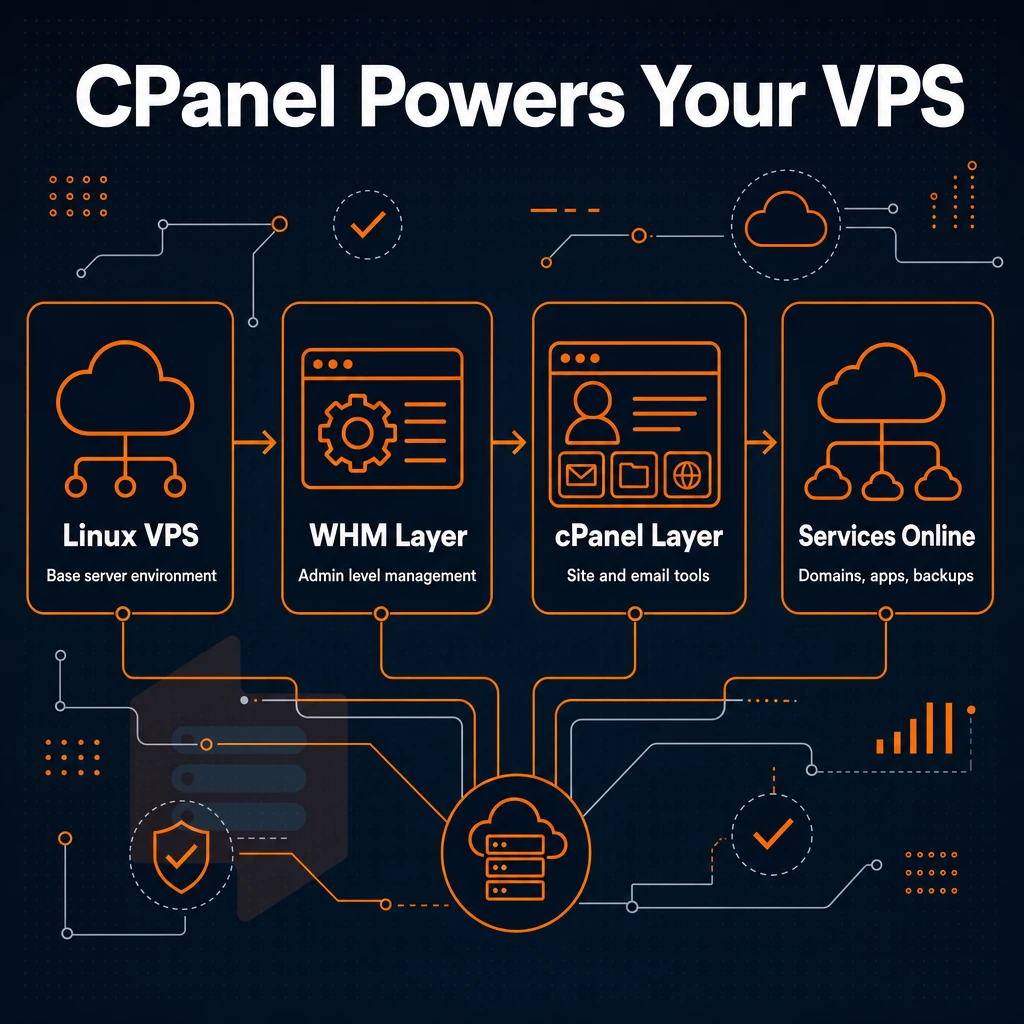
The two layer management tool cPanel/WHM is running on top of a Linux VPS. This page explains how the layers interact and what your VPS needs to function properly. These management tools provide a graphical interface that simplifies complex server administration tasks for users who prefer visual workflows over command-line operations.
Operating system and the install cPanel process
cPanel is typically installed on top of a supported Linux distribution such as AlmaLinux, Rocky Linux or CentOS Stream.
Whm vs. cPanel interface on a dedicated server
At the server level, WHM is where server administration takes place.
What are the cheapest VPS hosting plans with cPanel?
The cheapest way to get a VPS with cPanel would be to get an unmanaged VPS with root access and install cPanel yourself. The BuyVPS Standard CPU VPS plans come with full root access, with AlmaLinux and Rocky Linux supported as operating systems, as well as KVM isolation.
This means you can run WHM and cPanel on them too, giving you full server management without paying for a managed VPS with cPanel pre-installed, helping keep costs low and preventing lock-in on the control panel side.
Now that you understand how a cPanel VPS works, it's time to see how it compares to shared hosting, the environment most websites are migrating from.
cPanel VPS vs shared hosting plans: key differences
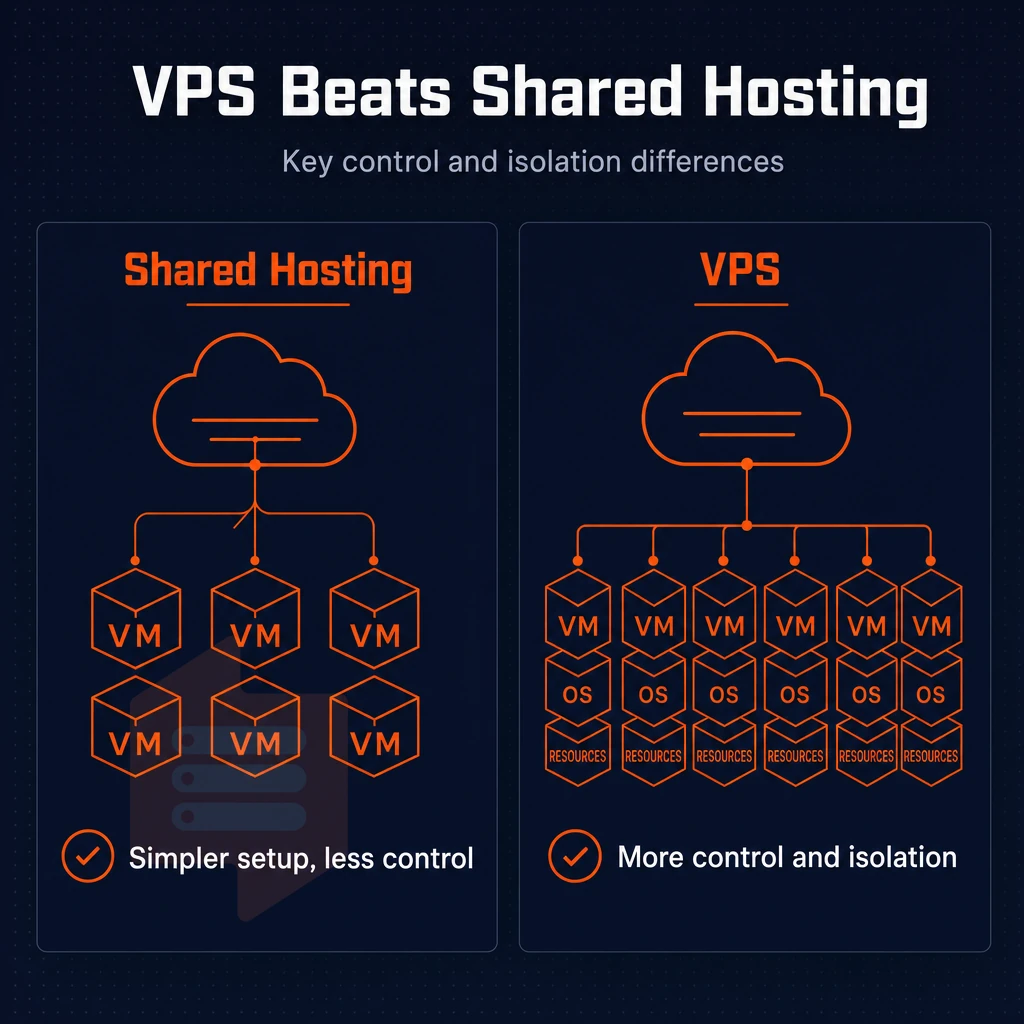
Shared hosting and cPanel VPS hosting are at opposite ends of the control spectrum. Understanding this gap will help you decide whether you need to move to a different hosting environment before you are forced to by your current hosting. Moving to a VPS environment gives website owners more control over their hosting infrastructure and the ability to customize server configurations that shared hosting simply cannot provide.
Core virtual private server differences
Shared hosting has dozens of other users on the very same server(s) as you. With shared hosting plans, a single massive spike in traffic from another user on the same server can greatly slow down your site. cPanel is pre-installed on shared hosting accounts to support your web presence, but you can only change what your host allows you to change and you have no access to the server-level settings.
cPanel VPS hosting offers isolated server environments with dedicated server resources. You purchase the cPanel license and can configure the software stack to your needs. With a cPanel VPS you have full root access to the server operating system. Security is better than with shared hosting environments because your processes run in complete isolation from those of other users. This isolation extends to databases, which remain protected from query load or corruption issues originating in neighboring accounts.
Dedicated server scalability and upgrade path
In contrast to shared hosting that does not scale well and typically is upgraded by moving to a new fully controlled account with limited resources. VPS hosting allows for vertical scaling by adding RAM, CPU or storage while keeping the same IP and location of data. In-place upgrades between tiers are available to the VPS accounts running the cpanel control panel, allowing for growth on the same physical server without having to move to a totally different account.
This approach ensures continuity of service and eliminates the risk of losing critical configuration settings or customer data during infrastructure transitions. When traffic patterns shift or application demands increase, the ability to upgrade RAM or CPU cores on demand ensures your hosting infrastructure can adapt without service interruption.
How much does cPanel VPS hosting cost?
The pricing of VPS with cPanel will differ from host to host and even between different plans offered by a host. Selecting the right VPS plan involves evaluating not only the monthly fee but also the included bandwidth, disk space, and whether the provider charges separately for software licenses.
Some hosts include a free domain registration with annual VPS plans, which can reduce initial setup expenses for new projects. Comparing the total cost across multiple providers requires examining not only the base VPS fee but also how each host prices add-on services such as automated backups, managed support, and additional IP addresses.
Although the initial cost of a VPS with cPanel will be more than a typical shared hosting account.
Note: cPanel charges a per-server license fee. Factor that into your monthly budget when comparing shared hosting (where the provider absorbs the license) against self-managed VPS.
| Feature | Shared hosting | cPanel VPS hosting |
|---|---|---|
| Root access | None | Full root access |
| Resource isolation | Shared with other users | Dedicated, isolated |
| Server configuration control | Provider-managed only | Full control |
| cPanel license ownership | Provider-owned | User-owned |
| Scalability | Limited | In-place upgrades |
| Typical use case | Small personal sites | Growing apps, agencies, SaaS |
This brings us back to license ownership, and how cPanel charges by the server. This aspect of their pricing model is often overlooked when online stores or other businesses are deciding to move to a VPS.
Understanding the cPanel license cost
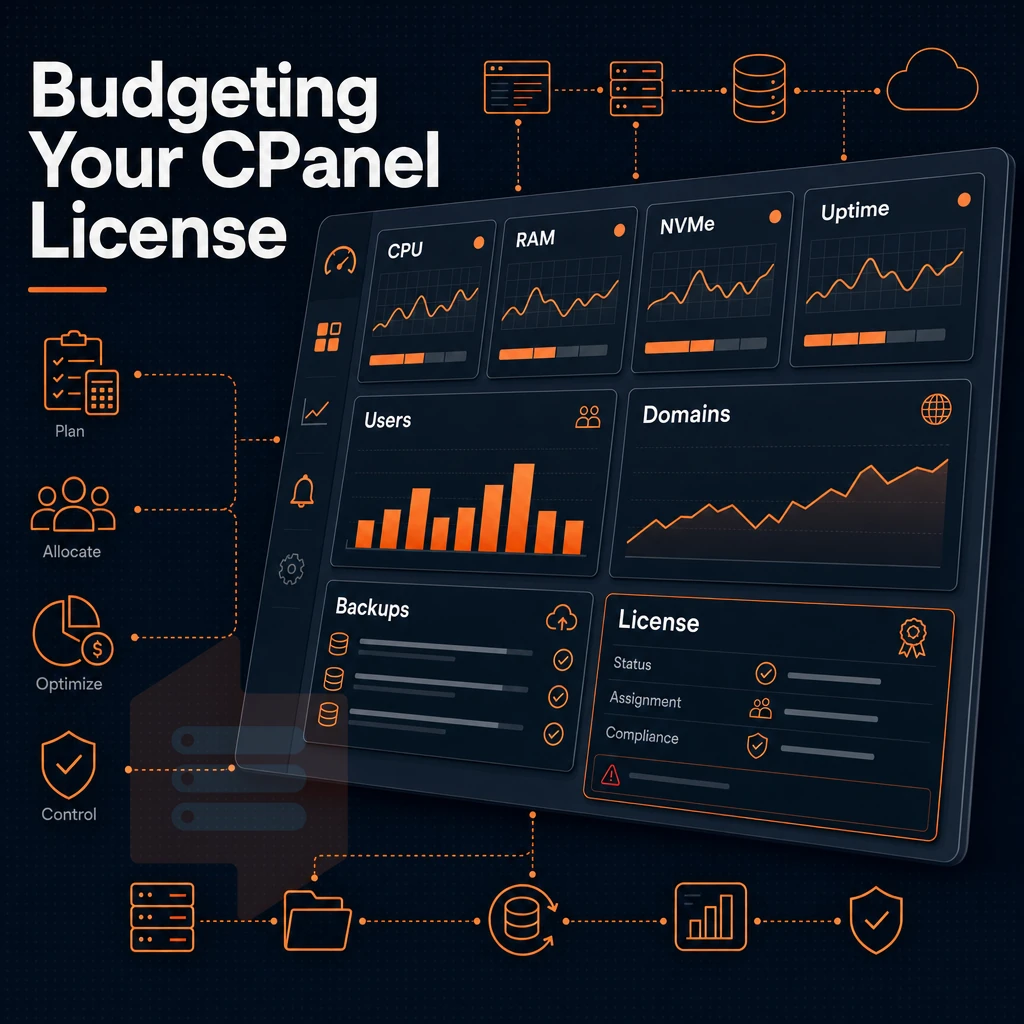
cPanel is a third-party product that runs on your virtual servers. cPanel is licensed by and paid for by the customer separately from the VPS itself. This is probably the single biggest misunderstandings about cost in VPS hosting plans.
How the cPanel license model works
cPanel charges on a tier per number of hosting accounts.

The cPanel subscription is a line item in your total cost of ownership for cpanel hosting and not a footnote. Most operators underestimate the cost of cpanel hosting at scale.
Bundled vs. Self-managed licensing
Some providers include the cost of the license in their pricing for their hosting services, so you only pay one monthly fee and cPanel is included. Other VPS providers offer a completely Bare VPS and you have to obtain a license for cPanel yourself and set it up via the cPanel website.
Bundling licenses can make billing easier, but hides the true cost of software. With self-managed licensing you have complete control of the software, including what tier you are on and when it needs to be renewed.
Which hosting provider offers the best cPanel plans?
The best VPS hosting provider for you depends on your specific use case. If you need reliable server management and avoid noisy neighbors, then look for dedicated CPU resources, fast NVMe storage, and clearly stated licensing terms.
BuyVPS is another good option. For cPanel, it provides KVM isolation, pinned cores on the Dedicated CPU tier, and high-performance NVMe RAID10 storage. It’s based in Amsterdam and New York, and features engineer-led support. Therefore, licensing and configuration issues with your VPS plan will be dealt with by someone who actually knows how to sort them out.
The other half is to establish whether cPanel on a VPS is the right tool for your particular work load.
How to install cPanel on a VPS: step-by-step overview
First, you need to ensure that you have full root access to your VPS and that you are running a supported operating system. From there, installing cPanel is a pretty straightforward process.
Prerequisites and control panel OS selection
cPanel is officially supported on AlmaLinux, Rocky Linux and CentOS Stream. All of these Operating Systems are available as images on BuyVPS. cPanel does not support Ubuntu. A minimal install on bare metal is not required. cPanel will run fine on a VPS with its own kernel (given by KVM isolation). Installation time is significantly reduced with NVMe SSD storage and your web applications will run more smoothly under load.
Virtual private server installation steps
| Step | Action | Key detail |
|---|---|---|
| 1 | SSH in as root | Root access is mandatory, shared hosts block this |
| 2 | Run the cPanel script | cd /home && curl -o latest -L https://securedownloads.cpanel.net/latest && sh latest |
| 3 | Complete WHM wizard | Set hostname, nameservers, and contact email |
| 4 | Configure DNS zones | Point A records; enable DKIM/SPF for email accounts |
| 5 | Harden the server | Enable CSF/LFD in WHM for enhanced security |
Dedicated server management, storage and performance
BuyVPS as a hosting provider delivers NVMe storage with 4K read IOPS well above that of any spinning disk or standard SSD storage, particularly during the initial cPanel compile phase as well as ongoing MySQL and mail queue performance. With a 99.8% uptime SLA across our hosting plans, we ensure that you can rely on us through the inevitable DNS propagation and account setup periods when highest connectivity is needed.
Once cPanel is installed and running, the bigger question is will your VPS be able to handle it?
Why choose BuyVPS for your cPanel VPS hosting
BuyVPS gives you the right foundation for cPanel VPS hosting: full root access on every plan, a compatible Linux operating system, and the isolated server environment cPanel requires. No bundled license, you install cPanel your way, with total control from day one.
- True KVM isolation. Each virtual private server runs a separate kernel. Other users on the node cannot affect your server resources or stability.
- NVMe RAID10 storage. Measured at 122,959 4K read IOPS, our NVMe storage keeps loading times fast for every cPanel-managed website.
- Dedicated-core D-tier VPS. Pinned AMD EPYC cores deliver predictable performance, no shared-CPU contention under real cPanel workloads.
- No-oversell policy. Hard memory caps per node mean your VPS hosting plan gets the server resources it was sold.
- In-place upgrades. Scale your VPS plan without IP rotation or data migration, your DNS zones and hosting accounts stay intact.
- Amsterdam and New York data centers. Serve European and North American audiences from the same control panel, same pricing, same hardware.
Reach our engineering team at support@buyvps.com to discuss which VPS hosting plan fits your cPanel setup.
A VPS with cPanel gives you the control of a dedicated environment without the complexity of managing everything from the command line. The jump from shared hosting is significant: dedicated resources, full server access, and no noisy neighbors affecting your performance. The cPanel software license adds to your monthly cost beyond the physical hardware, but for teams managing multiple sites or client accounts, the time saved on administration more than justifies it.
The right fit is someone who needs a familiar, GUI-driven control panel backed by real dedicated resources, a developer, agency, or growing business that has outgrown shared hosting but wants to keep cPanel workflows intact.
BuyVPS runs KVM VPS on AMD EPYC hardware with NVMe RAID10 storage across Amsterdam and New York. Full superuser access means you set up cPanel on your terms. Explore the plans at BuyVPS.com and pick the tier that fits your workload.