


Most off-the-shelf hosting plans don't match your actual needs.
The generic plan is usually not very predictable.
Customizing the config up front for an entire physical server and then being able to tweak it within the existing setup (without having to migrate) fundamentally changes how you would architect and run such a system.
This guide explains what to look for when choosing a VPS and configuring it to run your workloads. It covers five key areas of server management: choosing the right CPU tier, setting memory to cores, picking the right storage for the job, choosing the network stack, and the operational controls you need when running at scale.
Along the way, we identify key characteristics of serious providers, including no-oversell policies, in-place upgrades, and engineer-led support. We begin with the basics of what bespoke VPS hosting actually is. Responsive, knowledgeable assistance from the support team becomes essential when troubleshooting complex configuration issues or planning infrastructure changes that affect production workloads.
What is custom managed VPS hosting?
VPS hosting customised to your workload.
First month $1
Then the normal monthly price. One per customer. No setup fee, and a 30-day performance guarantee on your first order.
See the plans“Sjoerd helped me with the setup of my VPS, super helpful team, smooth onboarding, and overall a great experience, thanks again”

What a virtual private server is versus a dedicated server
Virtualization technology allows you to carve up a single physical server into numerous isolated Virtual Servers. Each Virtual Server has its own kernel, memory and storage, and runs completely separate from other tenants on the same server. Modern virtualization technology has evolved to provide near-native performance through hardware-assisted features like Intel VT-x and AMD-V, eliminating most of the overhead traditionally associated with running virtual machines.
This is what makes VPS hosting different from shared hosting. While on shared hosting accounts are competing for CPU and RAM on one server, a VPS comes with its own dedicated CPU and RAM allocation, which will not fluctuate with your neighbors’ high traffic periods. This guaranteed resource allocation ensures consistent performance even during traffic spikes, allowing website visitors to experience fast page loads regardless of activity on neighboring accounts.
How customization works in practice
Virtual private server (VPS) hosting allows you to select an operating system (Ubuntu, Debian, AlmaLinux, Rocky Linux, etc.) and configure the software stack to best match your application. For example, a game server operator would require low-latency networking and locked CPU’s to name a few examples. Online retailers running ecommerce sites benefit from this flexibility by optimizing their stack for payment processing, inventory management, and high-traffic checkout flows. Organizations deploying an email server on a VPS can leverage this configurability to optimize mail transfer agents, spam filtering rules, and DKIM signing processes for their specific volume and security requirements.
This same flexibility makes VPS an excellent platform for hosting websites that require specific PHP versions, custom caching layers, or specialized content delivery configurations. Developers managing multiple websites often consolidate them onto a single VPS, using virtual hosts or containerization to isolate each site while sharing the underlying infrastructure efficiently. Game server operators hosting multiplayer online games particularly value the ability to fine-tune network buffers, adjust tick rates, and allocate dedicated CPU threads to minimize latency spikes during peak player activity.
We run all BuyVPS servers on KVM virtualization with a separate kernel for each Virtual Server.
Where a virtual private server sits relative to a dedicated server
A dedicated server is a single physical server. A VPS hosting setup gives you similar control over a virtual server, with less server resources wasted. Additionally, Is ideal when you need root access but don’t want to have to set up a whole server.
- Full root access on every plan.
- IPv4 + IPv6 dual-stack included.
- In-place upgrades with no IP rotation.
configurable VPS hosting is defined by a set of parameters, but to fine-tune these, you need to understand how it functions in more detail.
How custom VPS servers work
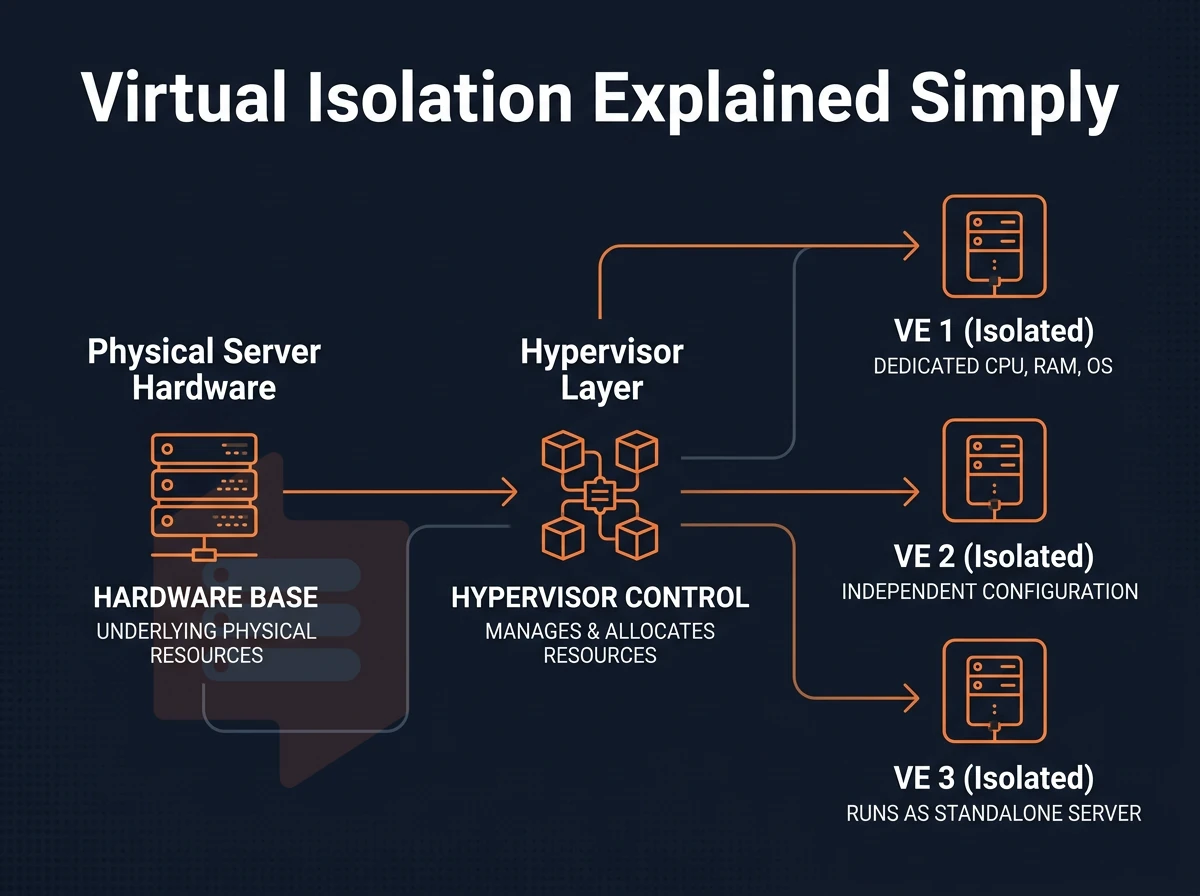
Personalised VPS hosting uses a hypervisor to divide a physical server into Virtual Environments (VEs), each configured to run as a standalone machine.
How VPS servers partition physical hardware
A hypervisor (KVM in our case) splits up the host machine into virtual machines. Each virtual machine will have its own set of CPU cores, its own disk space and memory. All of these resources are allocated to the virtual machine in question and not shared with other virtual machines on the same physical server. Modern hypervisors typically provision nvme ssd storage to each virtual machine, ensuring low-latency disk operations and consistent I/O performance for demanding applications.
The biggest difference between shared hosting and VPS hosting is that with a shared hosting account, all other accounts on the same server use the same resources as you.
Your own virtual server and dedicated operating system
Each of the VPSes offered by BuyVPS is fully isolated from the others. Therefore, you can select the operating system for your VPS and use it as you see fit. Geographic distribution matters when selecting a provider, as data centers located closer to your end users reduce latency and improve application responsiveness. Providers should also offer unmetered or high-volume data transfer allowances to ensure your applications can scale without unexpected bandwidth charges.
Install custom software with full root access
Full root access on a server means you have the ability to install any software, modify configuration files, tweak kernel parameters. This level of administrative privilege grants you complete control over every aspect of your server environment, from network configuration to security policies. Experienced administrators leverage this access to optimize server settings for specific workloads, adjusting resource limits, firewall rules, and service configurations to match their exact requirements.
Control panel flexibility with dedicated resources
We don’t impose a control panel on you, you have root access to choose your own, or to manage your server without any control panel at all, via CLI or API.
Now that you understand made-to-order VPS hosting, how does it compare to the rest of the hosting world?
Custom VPS vs. Shared hosting vs. Dedicated server hosting
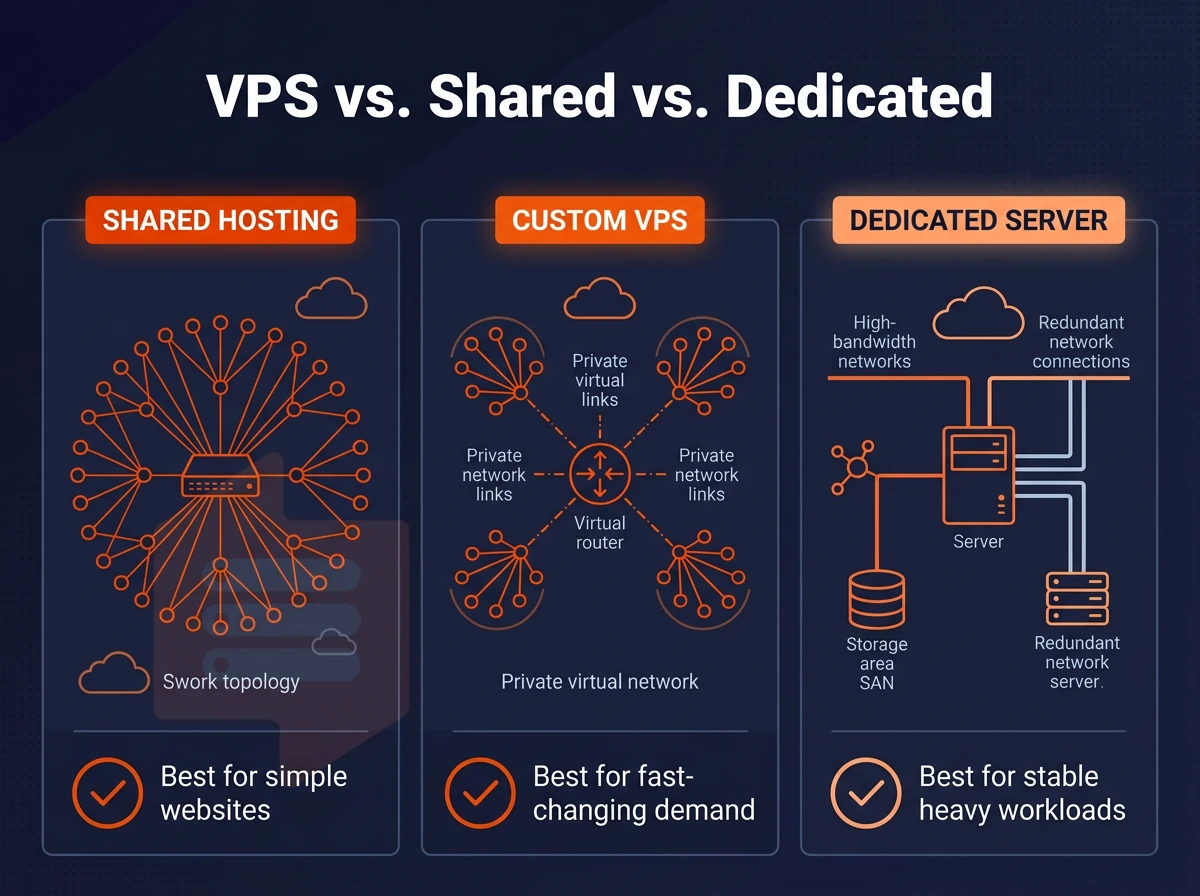
The choice between shared, VPS, and dedicated hosting comes down to the degree of isolation, control, and hardware responsibility your workloads need, each sits at a different point along that spectrum.
Understanding the three tiers of server management
With shared hosting many customers will be running on the same physical server and using up the same server resources. You have no root access and virtually no ability to configure your account. This shared resource model means performance can degrade unpredictably when multiple users on the server experience traffic spikes simultaneously. Resource contention becomes especially problematic during peak hours when other users launch resource-intensive processes or experience sudden traffic surges that consume available CPU cycles and memory.
As opposed to shared hosting, a VPS provides you with a completely isolated virtual machine. You have full control over the Operating System and also the software stack. With a VPS hosting provider like BuyVPS, you can be sure that your Virtual Server is set up with KVM virtualization and a hard memory cap to prevent your neighbors from “stealing” your allocation.
Dedicated hosting is rented as a single physical server.
Virtual private server side-by-side comparison
| Factor | Shared hosting | Custom VPS | Dedicated hosting |
|---|---|---|---|
| Resource isolation | None, pooled | Hard caps per VM | Complete |
| Root / admin access | No | Yes | Yes |
| Customization level | Minimal | High | Maximum |
| Typical use case | Brochure sites | Apps, APIs, staging | High-compliance workloads |
| Hardware management burden | None | Low | High |
When to choose each tier
Most growing teams will find that shared and dedicated hosting sit at opposite extremes, with custom VPSes as the sensible middle ground between overly expensive dedicated servers and too little isolation on shared servers.
Note: If your compliance requirements mandate physical separation, dedicated is the right call. Otherwise, a well-configured VPS covers the vast majority of production workloads.
After you decide that VPS is the right level of web hosting for you, you need to determine which features you require from a hosting plan, as not all VPS services are created equal.
Key features to look for in a custom VPS plan
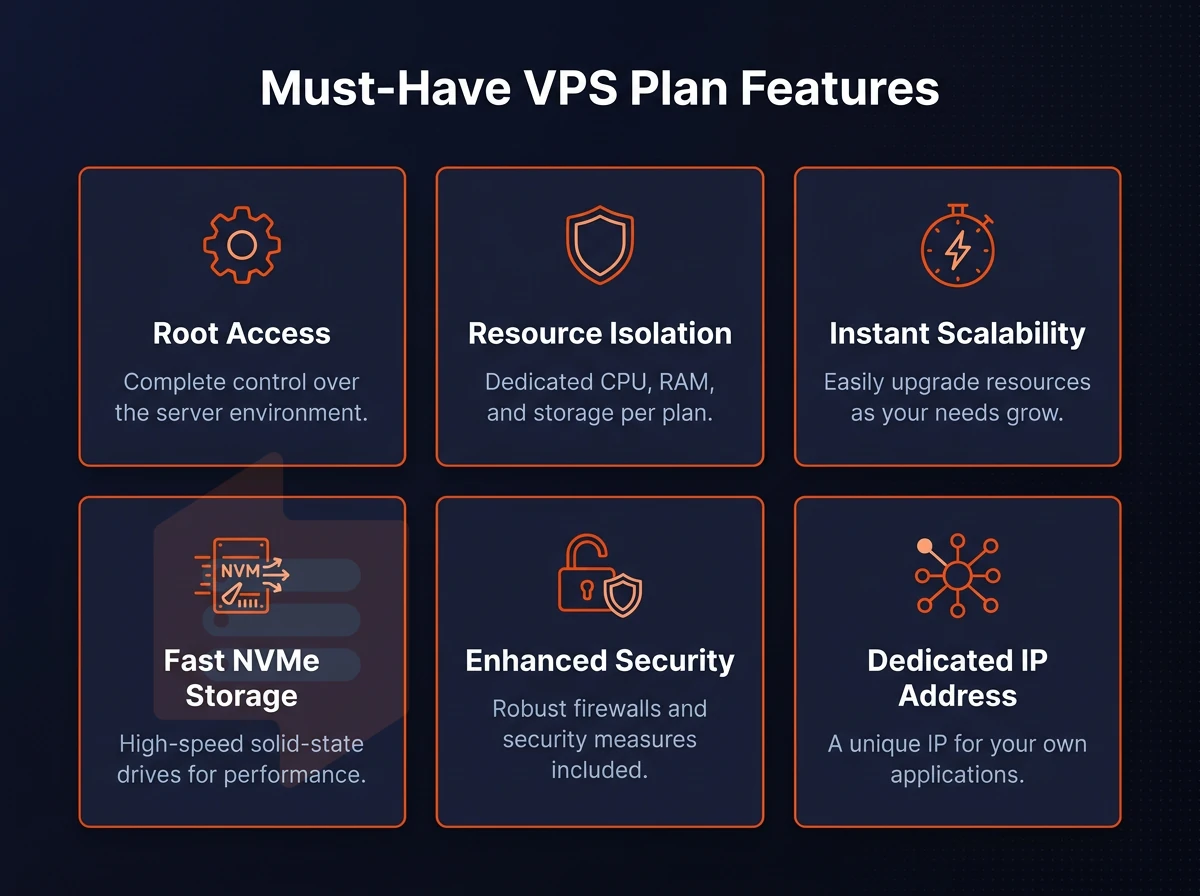
Not all VPS hosting plans are created to be flexible. Here are the key features that distinguish highly customizable VPS solutions from commodity instances that you will have to re-architecture later.
OS choice and root access
You have full root access to tweak and modify every layer, including the kernel parameters, server configuration, software packages and additional daemons as required.
Custom ISO upload builds on this, the OS you need probably isn't one your hosting provider has pre-installed for their typical offerings.
Control plane and networking
An API-accessible control panel can be scripted into your cloud infrastructure pipeline. An in-browser VNC console is useful for out-of-band access when your web server box is unreachable via SSH and you need to do some kernel-level debug as you don't have access to a physical console.
Dual IPv4 + IPv6 stack is a requirement for modern hosting environments.
Storage and the managed vs. Unmanaged trade-off
NVMe SSDs remove the I/O bottleneck for database-intensive workloads.
Unmanaged VPS hosting gives you full control over your VPS resources and server. Managed VPS hosting on the other hand gives you all the administration work done by your VPS provider. The main trade-off is between control and time.
If you run a Linux server and have experience with administration then unmanaged VPS hosting is probably the best option for you. However if you want the provider to sort out the OS for you then managed VPS hosting is probably better.
Knowing what features to look for in a web hosting platform is one thing, but understanding how those features translate into real performance within your specific server environment and workloads is something else entirely.
Common use cases for custom VPS hosting
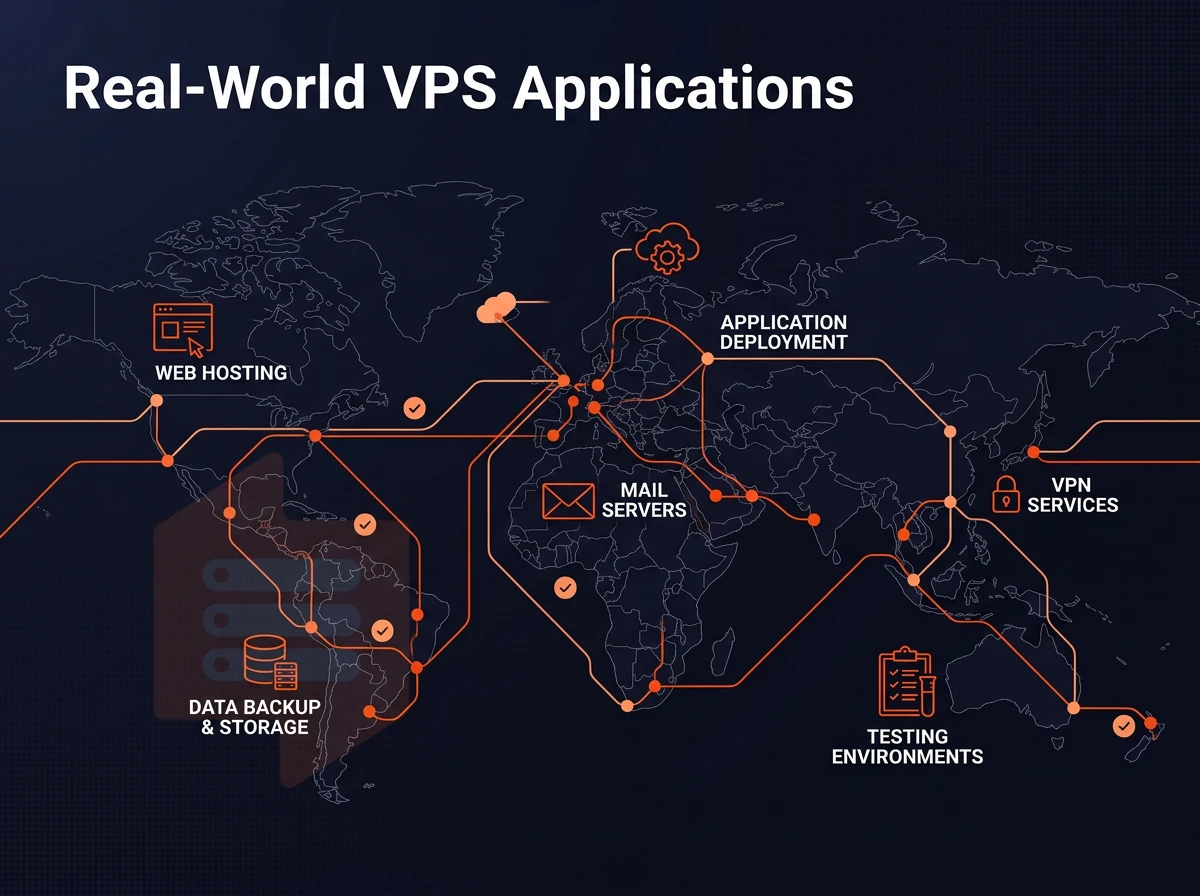
flexible VPS hosting can be particularly powerful for certain workloads. Because VPS hosting offers a completely customizable and controllable server environment, many applications can’t be properly hosted in shared hosting environments.
When to choose VPS hosting for web apps and ecommerce sites
High-traffic web apps and online stores need consistent performance under load.
A typical ecommerce setup benefits from:
- Full root privileges to tune web server stack (PHP-FPM, Nginx, Redis).
- NVMe storage for fast catalog queries and session reads.
- IPv4 + IPv6 dual-stack for broad customer reach.
We measure 4K read IOPS on our AMD EPYC nodes with NVMe RAID10 storage at 122,959 IOPS on those workloads from Amsterdam and New York at BuyVPS.
Game servers and resource-intensive applications
Dedicated game servers like for Palworld need low latency, pinned compute and the possibility to upload custom binaries. Besides that also other resource intensive applications which are too heavy for web hosting, such as CI/CD pipelines, ML inference workloads and video transcoding.
Our Dedicated CPU tier locks specific CPU cores to ensure that noisy neighbors do not interfere with your peak usage sessions.
Dedicated server hosting for saas and dev environments
Dedicated hosting vs virtual private server
-Grade isolation on a VPS budget is ideal for multi-tenant SaaS applications and for staging. Isolate your test environments, mirror your production configurations and upload your own custom ISOs for Windows Server or Linux deployments. Run parallel test environments for your teams.
Unlike a shared hosting solution, we can do in-place upgrades to your VPS without IP rotation, which is important to many SaaS companies who cannot afford DNS changes in the middle of a deployment.
Beyond use case fit, decide on managed or unmanaged VPS hosting before choosing a specific plan.
Managed vs. Unmanaged custom VPS: which is right for you?
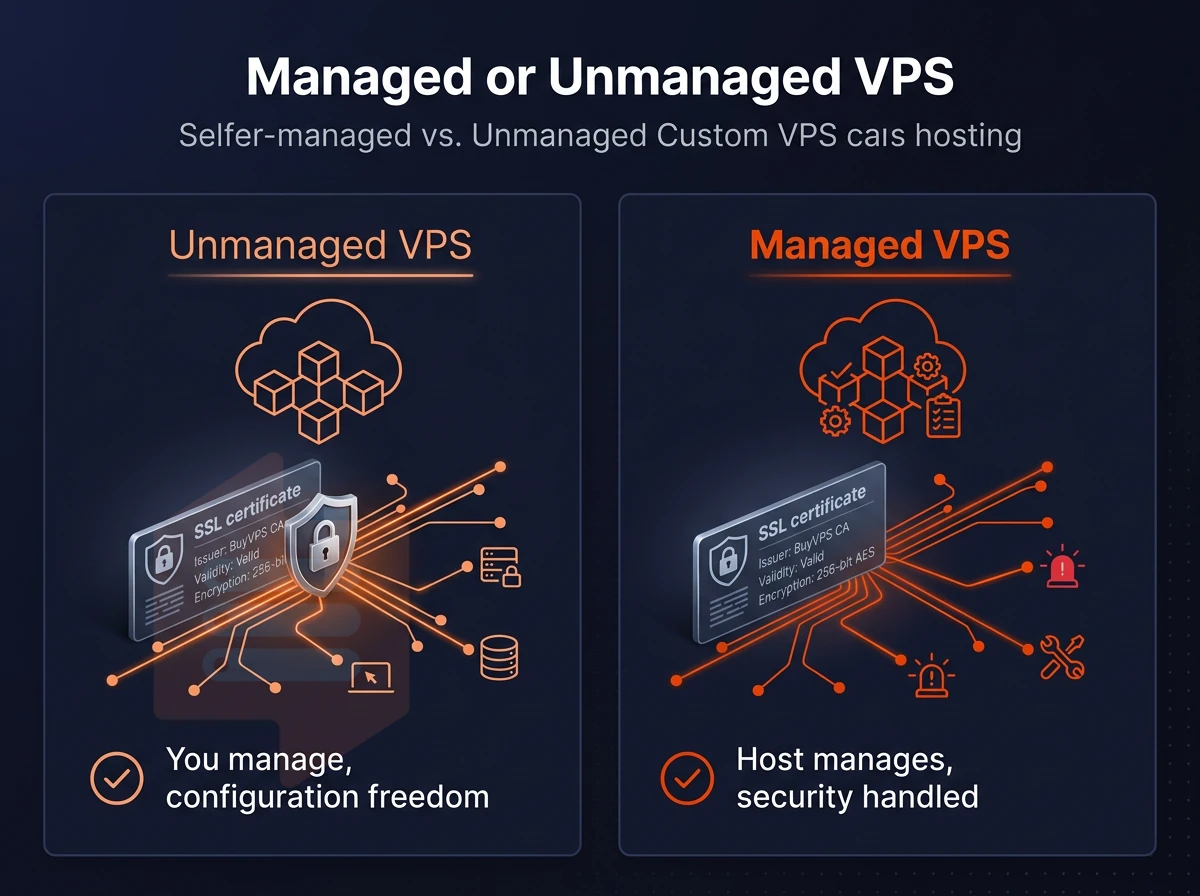
When choosing between managed and unmanaged dedicated VPS hosting, there is one critical factor to consider: who will manage the server as a part of their workload?
Unmanaged VPS hosting: full control, your responsibility
An unmanaged VPS provides you with full superuser access to the server operating system.
Unmanaged VPS hosting is typically offered on top of unmanaged shared hosting, letting you utilize the full OS on the node(s) without sharing with other tenants.
Managed virtual private server VPS: less overhead, less flexibility
VPS hosting managed by your provider means they handle OS updates, patches and monitoring. But with this type of web hosting you have less control over the server: you may not be able to choose the kernel version, to upload custom modules, or get direct SSH access to individual physical nodes.
How BuyVPS fits technically capable teams
We run all of our plans unmanaged on KVM with full administrative control. The key support offering from these VPS hosting providers is that very experienced engineers reply questions directly (no first-tier chatbot), so technically able customers get good quality help without the expense of unmanaged tiers.
| Dimension | Managed VPS | Unmanaged VPS (BuyVPS) |
|---|---|---|
| OS control | Provider-managed; restricted | Full root; any supported distro |
| Security patching | Handled by provider | Owner's responsibility |
| Support quality | Varies; often tiered | Engineer-staffed, direct replies |
| Uptime SLA | Varies by provider | 99.8% guaranteed |
| Best for | Teams without ops staff | Developers and sysadmins |
If your team can manage a Linux server then the unmanaged route gives you more control, more flexibility and lower total cost of ownership. However if your team cannot manage a Linux server then the managed option is a safer bet. Just check what restrictions your hosting provider places on your server before you buy.
So you’ve decided to go with unmanaged VPS for your team.
Why choose BuyVPS for custom VPS hosting
Specialised VPS hosting demands real isolation, predictable resources, and freedom to run any stack.
- True KVM isolation. Each virtual private server runs its own kernel. No container bleed, no noisy neighbors consuming your CPU cores or disk space.
- Full root access + custom ISO. Install custom software, configure your own operating system, or boot a custom ISO on any VPS plan, Standard CPU, Dedicated CPU, or High Memory.
- NVMe RAID10 PCIe-direct storage. Measured at 122,959 4K read IOPS (fio median). Your web apps, email server, and online stores get consistent performance under real load.
- No-oversell, hard memory caps. VPS resources are reserved, not shared with whoever else landed on the same physical server.
- In-place upgrades. Scale your virtual server up without migration or IP rotation, just a few clicks in the control panel.
- Data centers in Amsterdam and New York. Identical hardware, identical network, identical VPS hosting plan pricing in both locations.
We've been founder-run since 2002, and engineers, not bots, handle support. If you're ready to compare VPS plans or discuss a tailored virtual private server hosting setup, reach out to our team at support@buyvps.com.
Those two data center locations, Amsterdam and New York, deserve a closer look.
Amsterdam and new york: BuyVPS data center locations
BuyVPS has 2 fully active data centers, Amsterdam in the EU and New York in the US East Coast. Both locations are customized for the specific needs of configured VPS hosting and are provisioned with identical hardware, control plane and pricing.
Strategic value of each data centers location
Amsterdam serves your European audience.
New York is a key location for anchoring US East Coast coverage. Applications serving users in the NE US, financial services workloads, and web applications or virtual private server hosting serving users in the US from outside the country benefit from sub-10 ms latency to key population centers in the Eastern Seaboard.
Identical infrastructure across both regions
We run the same AMD EPYC hardware, NVMe RAID10 storage, KVM isolation and separate kernel for each environment in Amsterdam and New York. Therefore, every VPS has the same number of CPU cores, amount of RAM and storage type, and thus the same performance.
All nodes share the control plane.
Multi-region use cases
With VPS solutions, you can create test environments in different regions and have them mirror your production environment in full detail (machine type, OS images, APIs, etc.).
A website operator using a virtual private server VPS with many different audiences can have each of his deployments running in the region closest to his users, without having to deal with separate billing or hardware profiles for these.
After you have decided on a location, the actual launch of your instances follows.
Getting started with a custom VPS: what to expect
Instantly create and launch your own virtual machine. Simply choose from a range of VPS hosting plans (Standard, Dedicated, High Memory) and datacenter locations (Amsterdam, New York). Select a Linux OS (or upload a custom ISO) and immediately access root via our intuitive control panel or in-browser VNC console.
Our VPS instance environment scales with your needs. We can perform in-place upgrades of CPU cores, disk space, and RAM without having to migrate servers or change IP addresses.
The level of resources that can be allocated to a custom virtual private server hosting package makes it an ideal solution for most production workloads. A VPS offers the user the full benefits of dedicated resources, yet without the high overheads associated with a fully managed bare metal server.
In addition to the resources allocated, users also have full root access to the server, giving them far more control than is possible with a shared hosting environment. In web server hosting, pinned cores are ideal for latency critical applications, high memory VPS's are perfect for in-memory databases and NVMe storage is ideal for I/O intensive applications and stacks.
There are many different ways to build a VPS. Things like hard memory caps, no-oversell, and KVM isolation with a separate kernel per VPS, for example, are server administration decisions that can make for a great website hosting experience or a noisy-neighbor's playground.
If you're ready to move beyond generic hosting, explore BuyVPS's Standard, Dedicated, and High Memory VPS plans, available in Amsterdam and New York, and find the configuration that fits your stack at buyvps.com.