

Comparing cheap KVM VPS hosting offers seems to be an easy task on the surface.
Yet once you start comparing individual offers, their scope of included services, and whether they back claims with a day money back guarantee, most 'cheap' solutions will turn out to be oversold nodes cramming multiple virtual machines onto shared kernels and to have support contact dominated by bot responses. Here we are looking for serious, cost-efficient KVM VPS hosting solutions that still deliver sufficient isolation, performance and root access to your applications.
KVM creates a unique kernel for each VPS. This type of hardware virtualization is far from the typical container with shared OSes that most people associate with virtualization. However, many providers use the term KVM as a marketing term to pitch over crowded servers with dozens of other tenants on them. Selecting a reputable VPS provider requires evaluating not just the virtualization technology advertised, but the actual density ratios and resource allocation policies enforced at the hypervisor level.
This buyer’s guide is designed to cut through the many online reviews of web hosting services. We will examine the key features you should check for when purchasing a VPS hosting account. We will also highlight several warning signs of an oversold hosting infrastructure and see where a number of quality hosting providers, including BuyVPS, deliver the best web server performance for your dollar under production-like loads. We will begin with the basics and explore what KVM virtualization does.
What is cheap KVM VPS hosting and how does KVM virtualization work?
A KVM VPS is a virtual private server, made up of slices of physical servers, fully isolated, rootable and running your own Linux kernel. Cheap KVM hosting thus is very different from cheap shared hosting, which is also offered on virtual servers, but where all clients share the same physical server and its resources instead.
First month $1
Then the normal monthly price. One per customer. No setup fee, and a 30-day performance guarantee on your first order.
See the plans“Excellent service! Thank you for providing the server so quickly. The service was fast, reliable, and exactly what I needed. Highly recommended!”
What a virtual private server actually is
KVM virtualization makes software-defined machines possible. A virtual private server (VPS) is simply another word for a software-defined machine (SDM) that is carved out of a physical host. Each VPS runs its own kernel, for example. The hypervisor allocates a dedicated portion of the physical server's CPU, memory, and storage to each instance, ensuring true hardware-level isolation.
https://www.youtube.com/watch?v=FQWso88Lo30&pp=ygUVY2hlYXAga3ZtIHZwcyBob3N0aW5n
Each VPS runs as completely separate machines. Full root access is provided along with your own firewall and a host of OS choices including Ubuntu, Debian, AlmaLinux, Rocky Linux and a host of other ISO files supported by our platform. This flexibility makes KVM VPS ideal for hosting multiple websites under a single account while maintaining complete isolation and dedicated resources for each domain.
How a KVM VPS server provisions your resources
When deploying a KVM VPS, the hypervisor will pin the VPS’s RAM and storage at the kernel level. In contrast to borrowed resources from neighboring VPSes, KVM VPS resources are reserved for you. This is in contrast to how container-based alternatives function.
- RAM is allocated exclusively to guests, no memory ballooning between them.
- NVMe storage is mapped directly to files and not put into a shared filesystem storage pool.
- Network I/O goes through a virtual NIC with its own queue.
Why isolation matters on a cheap KVM virtual server
When you are buying cheap KVM hosting, the real feature you are paying for is isolation. A properly configured kvm VPS server delivers predictable performance because the hypervisor enforces strict resource boundaries that prevent noisy neighbor interference. Strict resource boundaries at the hypervisor level ensure maximum performance remains consistent regardless of activity on neighboring instances.
This design holds for Amsterdam as for New York. After you have established what KVM can guarantee you on a linux VPS, the next natural question is then, how does this compare to shared hosting, and why does this matter more than most people expect.
KVM VPS vs shared hosting: why dedicated servers change everything
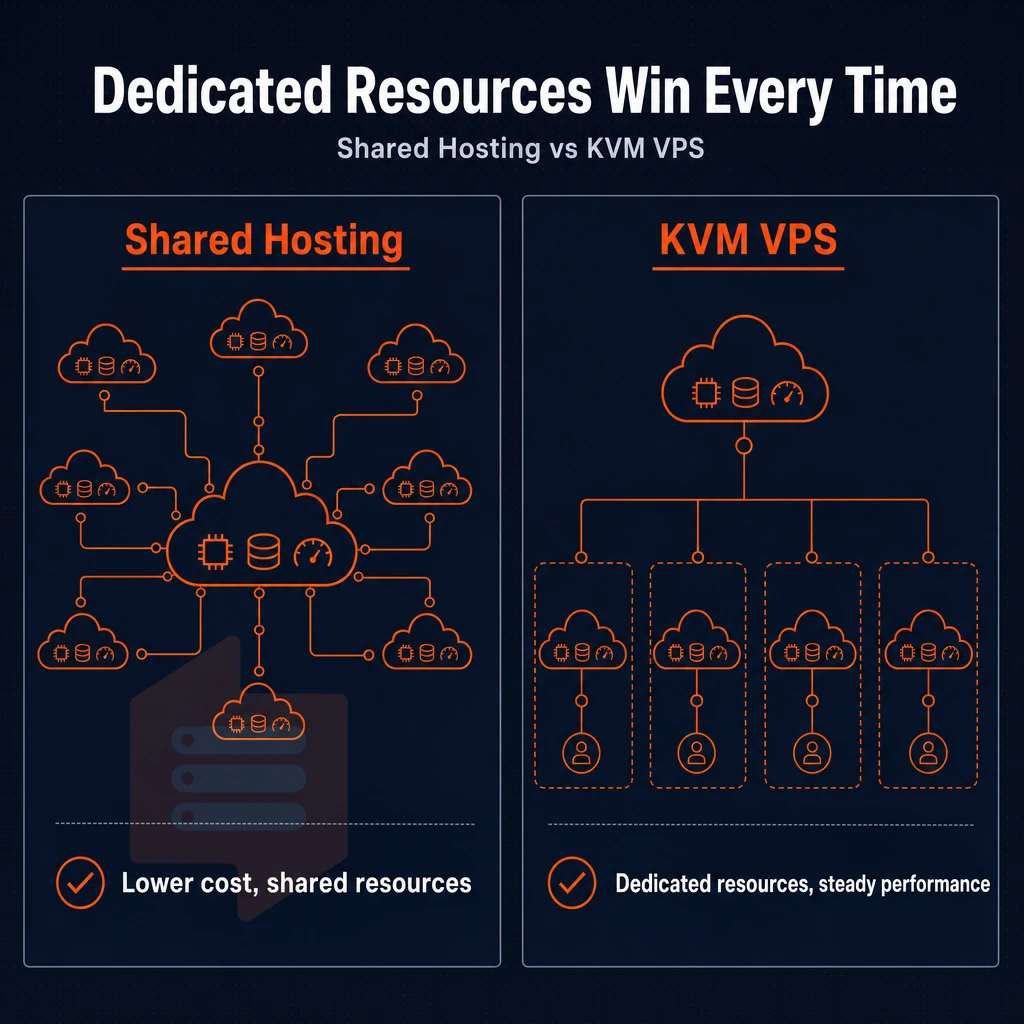
Deciding between a shared hosting plan and a KVM VPS hosting plan really comes down to one question: Do you need dedicated resources guaranteed to always be there for you or are you fine sharing them and thereby compromising on issues like uptime. Choosing the perfect VPS means evaluating whether your application requires guaranteed resource allocation or can tolerate the performance variability inherent in multi-tenant environments.
Resource allocation and performance consistency
For a shared account on a node, all accounts compete for CPU cycles, RAM and I/O. KVM VPSes run isolated at the hypervisor level: You have allocated resources which are capped hard and never get affected by other accounts on the same node.
Plans typically include generous bandwidth allocations to ensure data transfer needs are met without throttling during peak traffic periods. Understanding how kvm VPS resources are allocated at the hypervisor level helps explain why performance remains stable even when neighboring accounts experience traffic spikes.
This isolation translates into consistent performance. A KVM VPS running on NVMe RAID10 storage delivers consistent IOPS under load. Monitoring disk space usage becomes critical when running I/O-intensive applications, as exhausting available storage can trigger performance degradation even before CPU or memory limits are reached.
Control, OS flexibility, and scalability
Full root access is the big divide here. With full root access you can install any package, compile custom kernels, and in general set up the server to exactly match your needs for your application stack. This level of full control enables system administrators to optimize security configurations, manage user permissions at the kernel level, and deploy custom monitoring solutions tailored to specific compliance requirements.
Our KVM VPS servers offer you full choice of OS (Ubuntu, Debian, AlmaLinux, Rocky Linux, Fedora and many more as well as a custom ISO of your choice). Upgrading a VPS is a matter of scaling RAM, storage or VCPUs as required, all without moving data or changing IP addresses. The ability to load a custom ISO means you can deploy any operating system that supports KVM virtualization, including specialized distributions for security testing or legacy application compatibility.
This on-demand flexibility means scalable resources adapt to growing application demands without service interruption or complex migration procedures. Scaling storage capacity ensures adequate disk space remains available as databases grow and application logs accumulate over time.
Side-by-side operating system comparison
| Feature | Shared hosting | KVM VPS |
|---|---|---|
| Full root access | No | Yes |
| Dedicated resources | No, pooled | Yes, hard-capped per node |
| OS flexibility | Provider-defined only | Multiple distros + custom ISO |
| Performance consistency | Variable, neighbor-dependent | Consistent, isolated at hypervisor |
| Disk type | Typically SATA SSD or HDD | NVMe RAID10, PCIe direct |
| Scalability | Limited, plan tiers only | In-place upgrades, no IP rotation |
When it comes to KVM VPS hosting most providers offer some form of 99.9% uptime SLA but sadly shared hosting does not have the same level of structural restrictions on resource contention that VPS does. BuyVPS offer a 99.9% uptime SLA and back it up with strict memory limits and low density of VPS on each of the Amsterdam and New York nodes. Strict resource isolation at the hypervisor level ensures minimal downtime by preventing resource exhaustion scenarios that commonly affect multi-tenant environments.
BuyVPS reinforces this commitment with a money back guarantee that lets customers test the infrastructure risk-free before committing long-term. Customers experiencing issues can open a support ticket through the control panel to receive technical assistance from the infrastructure team within minutes. The intuitive control panel interface simplifies server management tasks such as reboots, OS reinstalls, and monitoring resource utilization in real time.
If your particular workload requires a custom daemon or kernel, or even just IOPS at 3am, VPS is where you want to be. Shared hosting is suitable for static sites with very little traffic. Anything above that you should put on a KVM VPS. But shared hosting isn’t the only alternative that’s worth comparing to VPS, though. Cloud hosting has a different set of trade-offs that you should consider before you commit.
KVM VPS vs cloud hosting: choosing the right virtual server environment
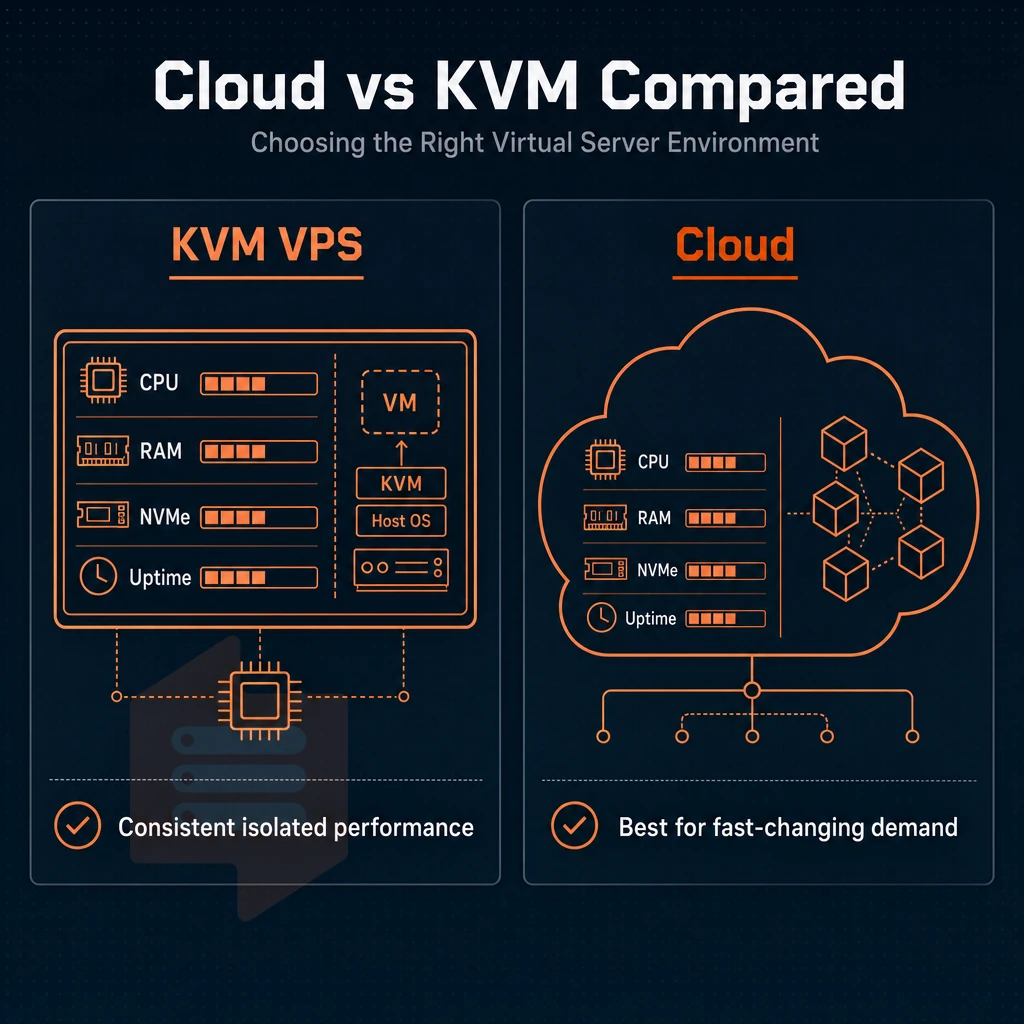
Not all virtual environments are equal. We can offer you Cloud hosting as well as KVM VPS hosting.
Understanding the virtual machine models
Cloud hosting spread the load of your work over many servers in different locations and scale as needed.
A kernel-based virtual machine (KVM) provides each tenant with a fixed slice of hardware. The VPS is allocated with a fixed amount of CPU power, RAM and even fixed-size NVMe storage when provisioning the VPS. Provisioning includes guaranteed disk space that remains exclusively available to your instance, preventing storage contention that can degrade database performance.
- Map your workload to the appropriate type. Steady state applications like databases, email servers, and internal applications generally do not need to scale. KVM VPS solutions like ours are perfect for these types of workloads.
- Compare billing models. Cloud servers bill per second of usage. A VPS bills monthly at a fixed rate. For workloads running 24/7, the monthly model almost always costs less. Note: Cloud egress fees can quietly double your bill, factor them in before comparing.
- First, verify the minimum OS required for your application and ensure the chosen VPS supports Windows as an OS option if required. The KVM hypervisor natively supports both Linux and Windows guest OSes.
Affordable KVM VPS for steady-state workloads
KVM VPS hosting from affordable providers can deliver similar performance to cloud infrastructure for the kind of workload that runs 24/7. That means no tax on elasticity, no overhead from per-request decision making and no contention with other tenants sharing the same linux VPS that eats into your allocated headroom.
Businesses seeking predictable costs appreciate affordable pricing models that eliminate surprise charges common with usage-based billing systems. For startups and small businesses, a budget friendly VPS with KVM isolation offers enterprise-grade reliability without the premium price tag of managed solutions.
- Run a benchmark load test before you commit to a specific plan offering. Published fio and Geekbench 6 benchmark results for each plan offering are published on this page.
- Size your plan to start at the appropriate Tier for your initial baseline. Upgrades from within a Tier can be performed in-place without IP rotation, allowing for scaling up later without risk of migration.
When cloud web hosting still wins
Elastic workloads such as batch processing, seasonal traffic peaks, and dynamically scaling web applications greatly benefit from cloud computing environments like windows VPS solutions offered by modern hosting providers. Unlike a fixed virtual server environment, additional cloud servers can be quickly scaled up for a short period of time and then released.
- Determine the burst pattern(s). If peak demand is greater than 3 times average demand (the ‘baseline’), then auto-scaling a cloud is likely to be more cost-effective than provisionning a VPS with excessive resources.
- A good approach might be to run your persistent services on a KVM VPS in Amsterdam or New York and then burst to cloud for short-lived tasks. This way you have predictable costs for your persistent services, and sufficient elasticity for the tasks where you need it.
After deciding on a hosting model, it is necessary to match your specific use case with the best possible configuration.
Common use cases: from Linux VPS development to forex trading servers
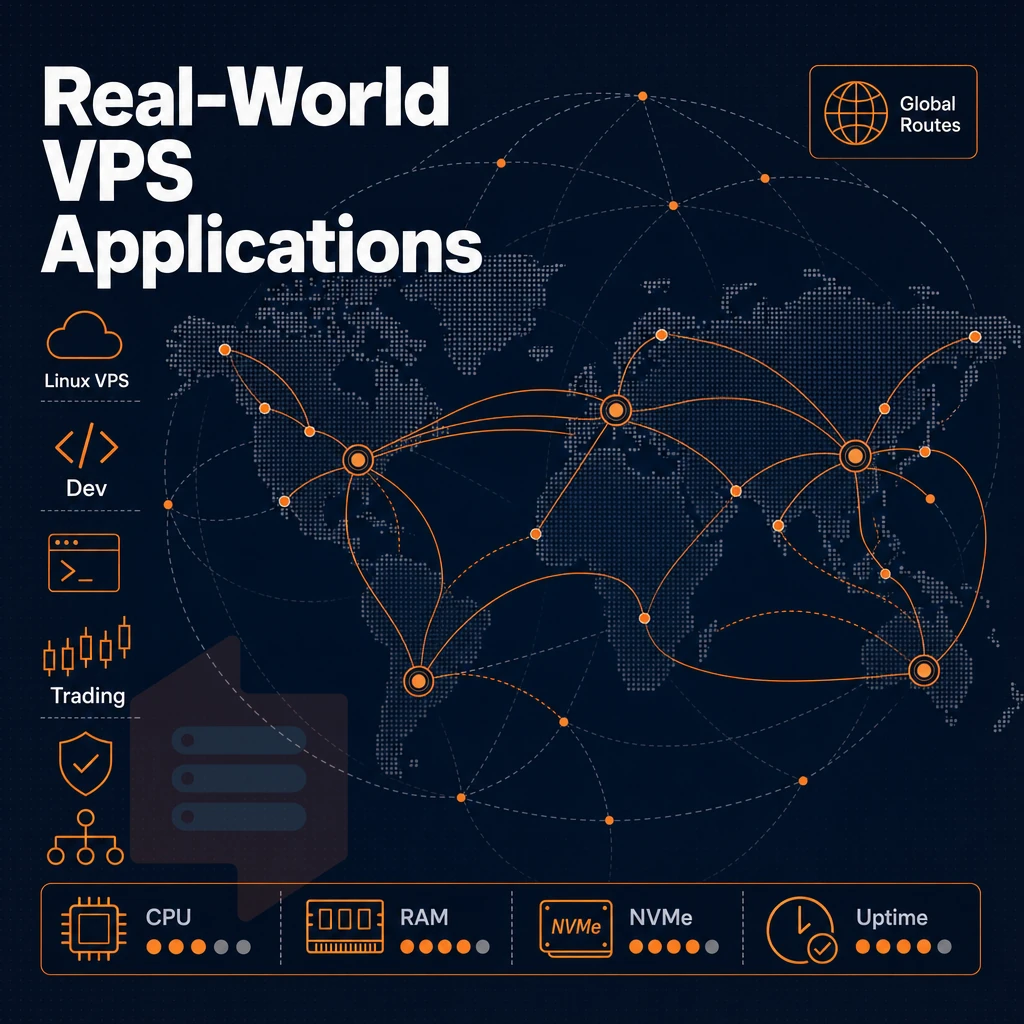
KVM VPS hosting can cover many types of workloads, from fastly spawning a new staging area for development work to 24×7 algorithmic trading. A linux VPS with KVM isolation provides the consistent performance needed for database servers, containerized microservices, and continuous integration pipelines that demand reliable resource allocation.
Web development, staging, and web hosting environments
KVM VPS servers are used by developers to create a perfect mirror of their production environment. They have full administrator access to the kernel, to choose the runtime versions and to tweak the network stack as needed. scalable resources allow for growth without having to move to a different node.
Nginx reverse proxies are trivial to set up on a single VPS and, given that you’ve got the sites split off into individual guests on your VPS. The fact that each guest gets 100% of the resources allocated to it (as opposed to shared hosting where your site gets starved by your noisy neighbors) means that running multiple sites on a single VPS is a no-brainer.
Forex trading VPS operating system guide
When running algorithmic trading bots, it’s critical to keep them running 24/7 with no downtime and strict execution times. Unlike vCPUs which get scheduled on shared CPUs and thus suffer from jitter, BuyVPS’s Dedicated CPU VPSes use the physical EPYC Genoa cores pinned to your VPS. As a result, Your processes never get to share the CPU.
NVMe RAID10 storage for reduced order-log write latency, 99.8% uptime SLA, and dual-stack IPv4/IPv6 connectivity, designed for always-on trading applications.
For Forex traders, nothing but the best infrastructure. That’s why they most often complain about the execution jitter and pinned cores + fast local storage solves both problems.
Game dedicated servers and private VPN
Game servers like Minecraft, FiveM, Palworld also benefit from KVM isolation. This is because each VPS runs its own kernel.
KVM servers offer private VPNs and proxies complete control over the network stack. Unlike managed services or proxy accounts that come preconfigured with software.
Many VPN providers advertise 'unlimited bandwidth', but be sure to read the fine print and verify a provider's fair use policies before purchasing a hosting plan that meets your specific use case needs. Beyond knowing your use case, it is equally as important to know what provider criteria actually matter when it comes to distinguishing a good, reliable kvm VPS server with solid resources and infrastructure from very cheap-looking plans that will ultimately fail under load.
What to look for in affordable KVM VPS web hosting providers
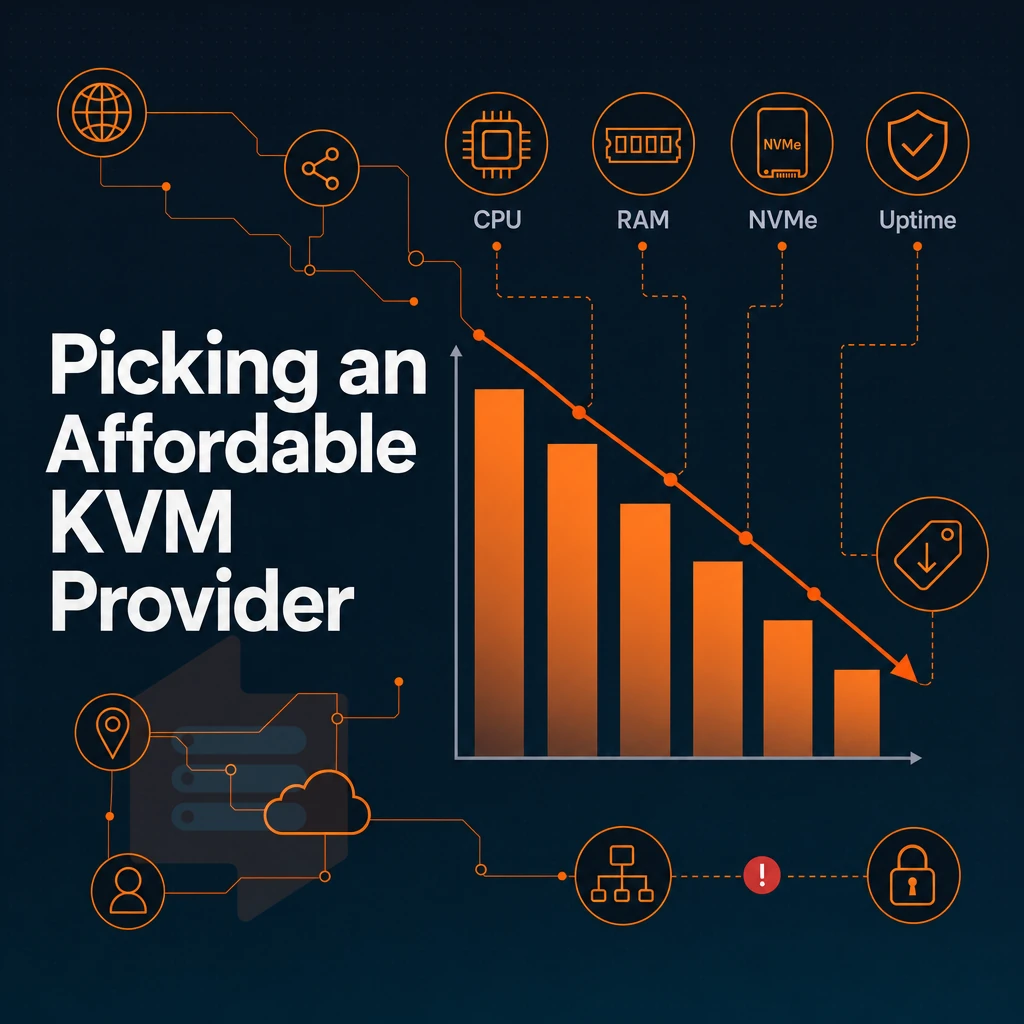
Cheap KVM VPS hosting is not always the same and there are a number of key decisions that a host makes prior to your sign up that can mean the difference between a good and a bad host. We outline the key things to look out for when choosing a VPS hosting plan.
Storage, CPU, and virtualization quality
NVMe SSD storage is not optional, it is required. The older generation of SATA ssd storage drives can only deliver a small fraction of the IOPS that NVMe provides under real server management workloads like database queries, compile operations, and highly trafficked web applications.
And don’t forget dedicated vCPU, which is equally important. Shared hosting is a pool of CPU time that you share with other users, so the chance of a noisy neighbor impacting your site exists. However, with a dedicated-core VPS, the CPU time is dedicated to your virtual server instance and you get the consistent latency you need regardless of what other guests are doing on the server.
The KVM hypervisor isolation of your guest instance means that your guest instance is running its own kernel. This is what KVM hypervisor isolation means and what makes full root access on your guest instances so powerful: You can load kernel modules. Run Docker containers and upload arbitrary ISO images, for example.
Network, security, and IP configuration
As a bare minimum for any serious consideration of a VPS offer, all plans must support IPv4 + IPv6 dual-stack. Likewise edge DDoS protection of any sort must be included by default, not as an afterthought to be sold as an optional add-on.
Edge filtering is enabled by default for all customers at the edge of our Amsterdam and New York locations.
Control panel, API, and renewal transparency
A VPS control panel should allow in-browser access to a VNC console for your VPS, create snapshots of a VPS, and have a documented API.
Check the renewal prices before you purchase as many providers charge low prices for the initial term and then increase sharply for renewal terms.
If you are running your own servers then you probably want to run your own KVM too. Some providers offer a managed VPS tier, where they patch and monitor for you, but this can cost quite a bit more than unmanaged KVM. We recommend looking for a day money back guarantee, it shows that the provider is willing to back the hardware.
KVM VPS hosting plans: standard, dedicated CPU, and high memory tiers explained
Our BuyVPS servers are set up as KVM VPSs, each with their own kernel. So unlike with shared hosting, the computing resources of a VPS are never mixed with those of a noisy neighbor. We have three different types of VPS, optimized for different types of workloads.
NVMe SSD storage and hardware across tiers
We run NVMe RAID10 storage on all three tiers using PCIe direct connection. Our fio benchmarks on the tiers return 122,959 4K read IOPS. That is well above the levels achieved by even the budget cloud servers that ship with SSD storage. In addition to NVMe storage, all tiers include a dedicated IP, IPv4 and IPv6 dual-stack and root access via SSH keys.
| Tier | CPU | RAM | Best for |
|---|---|---|---|
| Standard (S-tier) | Shared vCPU, EPYC Milan | 4 GB, 64 GB DDR4 ECC | Web apps, dev environments, small databases |
| Dedicated CPU (D-tier) | Pinned cores, EPYC Genoa | 4 GB, 32 GB DDR5 ECC | CI/CD, real-time APIs, latency-sensitive workloads |
| High Memory (H-tier) | Shared vCPU, EPYC Milan | 64 GB, 192 GB DDR4 ECC | In-memory databases, large caches, analytics |
Workload fit by tier with money back guarantee
For general usage, S-tier is usually a good starting point. D-tier offers dedicated CPU cores (pinned vCPUs on EPYC Genoa) for prices much closer to dedicated servers than to shared hosting. The 1:8 RAM ratio on H-tier is sufficient for usage that burns up all memory long before CPU power is needed.
What every plan includes
Same features for every tier: custom ISO upload for the OS of your choice (e.g. Ubuntu, Debian, AlmaLinux, Rocky Linux, and many more), in-place upgrades (no IP change) of your running VPS. 99.8% SLA for all tiers in both Amsterdam and New York. There's more to telling you about the hardware in the different tiers than I'm doing here, but the network that connects your Linux VPS to the rest of the world is critical too.
Network quality, DDoS protection, and server locations in amsterdam and new york
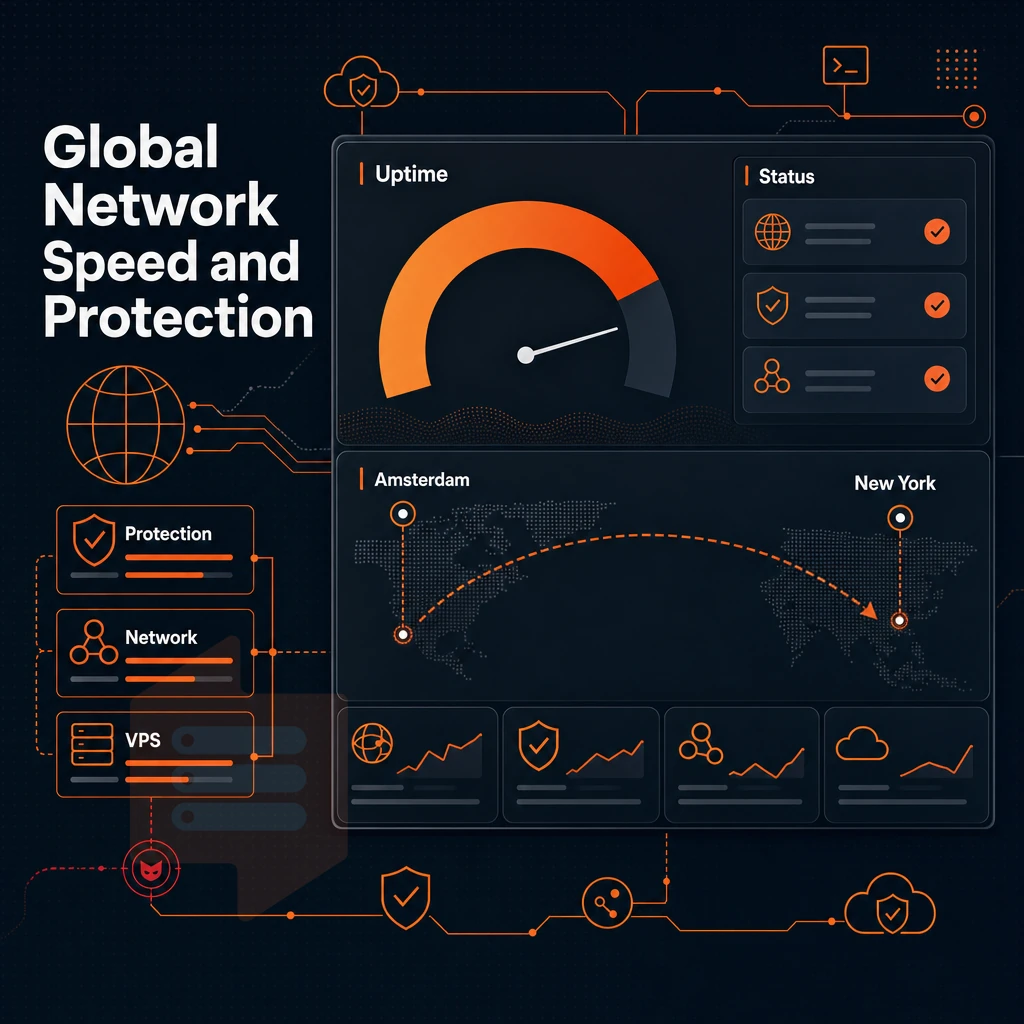
Performance in the real world is better determined by good network quality than by powerful hardware.
What web hosting providers get wrong about network design
Most web hosting systems treat the network as a secondary concern.
By default every VPS comes with IPv4 + IPv6 dual-stack enabled. In addition a dedicated IP is included with all plans.
DDoS protection and edge filtering
Our DDoS protection is configured on the edge of our network, just before traffic hits your servers. Edge filtering for evil packets is one of the many features enabled by default on all of our VPS hosting plans, no charge for this.
- Verify your IP is dual-stack: Run
ip addrafter provisioning. Confirm both an IPv4 and an IPv6 address are assigned. Dual-stack is active by default. - Test peering from your target region: Use
mtrortracerouteto your Amsterdam or New York endpoint. Good peering cuts hop count and reduces latency regardless of geographic distance. - Confirm edge filtering is active: Contact our technical support team if you need filtering rules adjusted for your workload. Engineers respond directly, no first-tier scripts.
Note: Raw distance is not the only latency factor. A well-peered VPS provider in Amsterdam can outperform a closer but poorly connected alternative for EU traffic.
Region selection for cloud web hosting workloads
Amsterdam can deliver superb EU latency by routing through major European exchange points, while New York, regardless of your operating system, provides superb low-latency coverage of the US East Coast and key transatlantic routes.
The 99.8% SLA for uptime is identical for both locations.
Why choose BuyVPS for cheap KVM VPS hosting
BuyVPS delivers affordable KVM VPS hosting without the compromises that make cheap KVM look risky. Every VPS runs on KVM virtualization with a separate kernel, true isolation, not a shared container. Our no-oversell policy enforces hard memory caps and low node density per host, so your allocated resources stay yours under real load.
- Dedicated resources, proven performance. AMD EPYC Milan and Genoa hardware. NVMe RAID10 PCIe direct storage measured at 122,959 4K read IOPS (fio median). Published Geekbench 6 and pgbench results, no guesswork.
- Pinned CPU cores on the Dedicated tier. Dedicated CPU VPS plans get physically pinned cores for consistent, predictable latency.
- Full root access on every plan. Deploy any Linux VPS, upload a custom ISO, manage your own operating system, complete control from day one.
- No renewal hike, ever. Same price in year five as year one. In-place upgrades with no migration and no IP rotation.
- Two regions, identical specs. Amsterdam and New York run the same hardware, control panel, and pricing. IPv4 + IPv6 dual-stack included.
- Engineers answer support tickets. Founder-run since 2002. Real engineers reply, not chatbots.
If you're comparing KVM VPS hosting providers and want a VPS plan backed by published benchmarks and a transparent no-oversell policy. Reach out to our support team at support@buyvps.com or call +31 85 369 6285 to discuss which VPS fits your workload.
How KVM VPS hosting providers differ from other hosting environments
There are three key points where KVM VPS hosting differs from other options. Firstly, it’s not shared hosting, where you’re limited by noisy neighbors and a shared kernel. Instead, your virtual server runs its own operating system, on its own dedicated hardware, giving you full root access to dedicated resources.
As for the comparison between KVM VPS hosting and cloud-based hosting, the former provides a fixed virtualized hosting platform which does not surprise its users with unexpected charges for every resource. In contrast to affordable KVM VPS hosting managed VPS services trade control and dedicated resources for the ability to provide assistance to their users. KVM VPS hosting is better for developers and businesses with real server loads as the advantages mentioned above add up quickly.
Key advantages of affordable KVM VPS hosting for developers and businesses
Our affordable KVM VPS hosting plans are much more cost effective than shared hosting as you have full root access to your virtual private server with dedicated resources. In addition to the KVM virtualization your Linux VPS is hosted on fast NVMe SSD storage.
This makes our cheap KVM VPS solution an ideal virtual machine environment for web applications, forex trading bots. Game servers and many more services, all hosted on a very stable isolated virtual server, without the excessive cost of a dedicated server. Your VPS hosting plan will scale with your requirements.
BuyVPS makes that choice straightforward, offering dedicated kvm VPS resources backed by AMD EPYC hardware, NVMe RAID10 storage, and no-oversell infrastructure in Amsterdam and New York, with your choice of operating system and engineer-led support behind every ticket. Ready to move beyond shared hosting? Explore every affordable KVM VPS plan on our cheap VPS page.
With KVM virtualization you get real resource isolation: you get to choose how much RAM to assign, you can make sure that your VPS gets the I/O as fast as possible for your storage.
Additionally, You get your own kernel for your VPS, all for the price of a very cheap VPS, much less than a full dedicated server. And this makes for a serious upgrade from shared web hosting, giving you a dedicated virtual machine environment that is far more reliable than most so called "elastic" cloud server hosting.
When choosing a provider to host your web applications, the most important information are the type of hypervisor (such as a kernel based virtual machine), storage stack and whether the node is oversold.
BuyVPS runs KVM on AMD EPYC hardware with NVMe RAID10 storage, hard memory caps per node, and no-oversell architecture, across both Amsterdam and New York. If you're ready to move from shared server hosting or want a more consistent environment than a generic cloud instance, explore the plans at BuyVPS.com and find the tier that fits your workload.