

The wrong VPS plan is more expensive than just money. Choosing the wrong web hosting plan costs you the headroom when needed due to peak traffic, the time and hassle to migrate when outgrowing an underpowered server, and your reputation when your application is too slow for real usage. The VPS plans market has grown a lot in the last few years, and most providers offer pretty similar configurations.
Most of the offers are oversold servers with shared resources that are sold as dedicated servers. And the price of a VPS plan increases a lot in the year after the first one. To make a good choice, you need to know which specs of a virtual server plan are important for your application and which are just marketing bull.
So why is there such a massive discrepancy between VPS specs on a comparison page and actual performance in real life? This guide is intended to give readers a practical understanding of the core technical parameters that determine real world performance of a VPS web hosting environment in contrast to the touted specs.
We will examine CPU allocation in web hosting (as vCPUs shared amongst a pool of servers vs pinned physical cores) and its effect on latency. Then we will get to the simple fact that, on a virtual server, storage is far more important than the number of gigabytes of it that you have allocated. Beyond raw capacity, factors like IOPS performance and how efficiently your applications utilize available disk space often matter more than the total allocation itself.
Additionally, how that storage is set up (local disk, SAN, raid, etc). We have three plans that we offer at BuyVPS (all running from Amsterdam and New York data centers), each geared towards different sorts of tasks and use cases. The amount of disk space allocated to your plan determines how much data you can store for applications, databases, and backups before needing to upgrade.
We will start from square one and go through a practical explanation of what a VPS is and how it functions. A virtual private server VPS operates by partitioning a physical machine into multiple isolated instances, each functioning as an independent server with dedicated resources and its own operating system.
What are VPS hosting plans and how do they work?
VPS hosting is positioned in between Shared Hosting and Bare Metal Hosting in the hosting spectrum. With VPS Hosting each user is provided with a completely isolated environment with guaranteed resources. This means that you don’t have to deal with noisy neighbors and there is no shared kernel or resource contention as is the case with Shared Hosting.
First month $1
Then the normal monthly price. One per customer. No setup fee, and a 30-day performance guarantee on your first order.
See the plans“Great experience with BuyVPN! The service is easy to use, the connection has been smooth and reliable, and the overall experience has been really good. The pricing is also reasonable…”
What is a VPS or cloud hosting plan?
Our VPS hosting plans are provisioned as VPS (Virtual Private Server) servers on physical hosts, full KVM virtualization. You receive a fixed slice of a physical host’s CPU power, of its memory and of its storage, which are not shared with any other tenant. The fixed resource allocation ensures that your VPS performance remains consistent regardless of activity from other users on the same physical host.
Unlike traditional shared hosting where resources are abstracted across multiple layers, KVM virtualization provides direct access to physical hardware components, ensuring predictable performance characteristics for your workloads. This architecture effectively creates a private network segment for each tenant, isolating traffic and preventing cross-contamination between virtual instances on the host.
As with a standalone physical server a VPS server is completely administrable like a root-owned machine: you can install and run any operating system. This level of administrative access grants you full control over system configurations, security policies, and software deployments without restrictions imposed by managed hosting providers. Whether you're running a personal blog or a complex application stack, one user or multiple administrators can manage the server with identical root privileges.
Many administrators use open source tools to automate routine maintenance tasks, monitor system health, and deploy updates across their infrastructure efficiently. For those comfortable with command-line operations, a self managed VPS offers maximum flexibility to configure the environment precisely to your application's requirements. Experienced system administrators can fine-tune server settings to optimize resource utilization, adjust kernel parameters, and implement custom security hardening measures that align with their specific operational requirements.
The key difference to standard web hosting is that a virtual private server gives you no shared process space, no shared PHP runtime, no shared anything at the OS level. See Virtual private server on Wikipedia for background.
Where VPS hosting fits for more power on the spectrum
VPS web hosting is a middle ground for servers. Virtual servers (VPS) are like dedicated servers but you don’t have to purchase the server itself. A virtual private server VPS bridges the gap between entry-level hosting and enterprise infrastructure, delivering root access and resource guarantees without the capital expense of purchasing hardware.
- Below VPS: shared environments, one OS, many tenants, no resource guarantees.
- VPS tier: isolated virtual machine, guaranteed RAM and CPU, separate kernel per instance.
- Above VPS: dedicated servers, full hardware ownership, highest cost.
How KVM isolation works at BuyVPS
KVM at BuyVPS is set up to run a separate kernel for every VPS. So each VPS boots its own copy of the Linux kernel, and not a container on top of the host’s kernel as is the case with typical container setups.
All plans on our Amsterdam and New York nodes are set up this way, so running each virtual private server next to other VPSes is a very isolated environment. This kernel-level separation effectively creates a private network boundary for each instance, preventing cross-contamination of processes or memory leaks between tenants.
As a result, a misbehaving neighbor VPS won't be able to crash or otherwise degrade your VPSes. Knowing this, the next logical question is: how does a VPS compare to a "virtual machine" you'd be renting from a cloud platform?
A virtual machine from a cloud provider typically offers more granular scaling and pay-per-use billing, whereas a VPS provides fixed resource allocations with predictable monthly costs. Many businesses evaluate cloud hosting platforms alongside VPS options to determine which infrastructure model aligns best with their scaling requirements and budget constraints.
VPS hosting plans: shared vCPU, dedicated CPU, and high memory
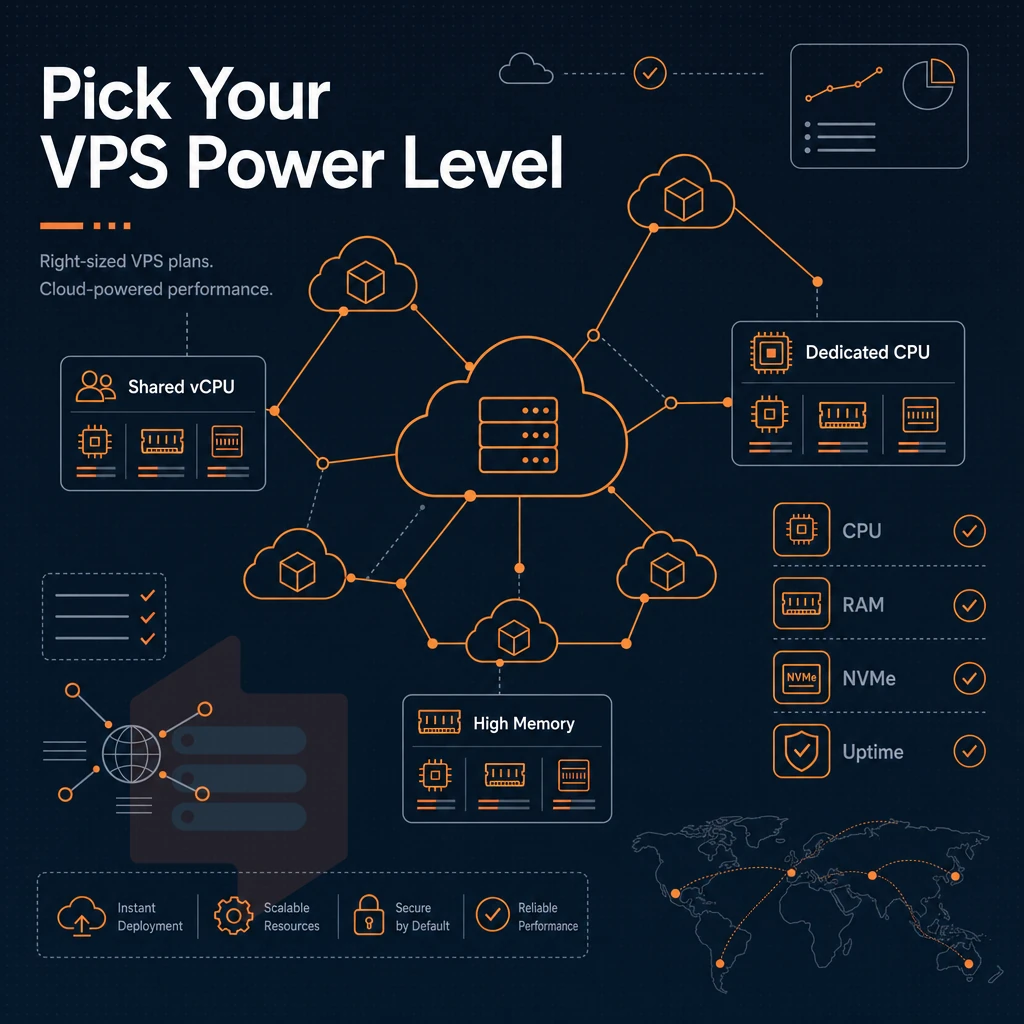
All VPS hosting plans are not created equal. While they all are based on virtual servers, the types of plans can vary depending on the host. Here at BuyVPS we have offered three types of VPS plans for years.
The three plans are for the applications that are CPU intensive and require a lot of dedicated processing power. The plans for applications that are not so processor intensive but instead require a lot of RAM.
By matching the type of web hosting plan to the workload of your applications for your website, you can save a lot of money and have the applications run that much faster. Conversely, the third plan category targets workloads demanding more power through dedicated CPU cores, ensuring consistent performance for compute-heavy tasks.
Standard CPU VPS hosting: shared vCPU for everyday workloads
Our Standard CPU tier is powered by AMD EPYC Milan processors, paired with DDR4 ECC RAM and high performance NVMe storage. This server uses shared vCPU's, which makes it perfect for web applications, staging environments and other workloads that don't require pinned CPU's 24/7. The Standard CPU tier goes well beyond the capabilities of a typical shared web hosting environment, as it provides you with a fully private container that you have root access to.
This tier is for the experienced developer who has their own preferred technology stack but doesn't need a 24/7 dedicated virtual server for compute.
Dedicated servers and VPS hosting with pinned cores for demanding workloads
Dedicated CPU Tier servers are powered by AMD EPYC Genoa processors with DDR5 ECC Memory. All cores are pinned to ensure no other noisy servers can take priority of your CPU's cycles. This configuration is best suited for physical servers and any virtual private server running heavy databases, intense online gaming, and any other workload where spikes in latency are simply unacceptable.
Organizations requiring maximum control and predictable performance often compare this tier to bare metal deployments, where the pinned cores eliminate virtualization overhead that can affect time-sensitive operations. Multiplayer game servers for titles like counter strike demand this level of consistency to prevent lag spikes that ruin competitive gameplay. The pinned core architecture delivers excellent performance for applications where even microsecond-level jitter can impact user experience or transaction processing.
Note: If your app stalls under load on a shared tier, pinned private servers are the fix, not more RAM.
High memory VPS hosting for data-intensive applications
High Memory tier is designed to provide a 1:8 vCPU to RAM ratio on the EPYC Milan processor. Workloads that require more memory than CPU, such as in-memory caches, large data sets, and an online store's analytics layer, are well served by this tier, especially when paired with unlimited traffic, preventing disk thrashing and maintaining high throughput.
What is the cheapest VPS hosting service with more resources?
What is the cheapest VPS service? Many low-cost hosts oversell their servers with way too many accounts per server. Our servers enforce real memory limits and have low numbers of physical servers per datacenter. We offer excellent support 24/7 by email and by phone. Our infrastructure is housed in Tier III certified data centers with redundant power and network connectivity to ensure maximum uptime for your virtual servers.
Our network architecture is designed with high availability in mind, utilizing multiple upstream providers and automatic failover mechanisms to minimize service interruptions. Our network infrastructure includes enterprise-grade ddos protection to safeguard your virtual servers from malicious traffic attacks that could otherwise compromise availability.
Once you determine which of our services is right for you (we recommend starting with a Standard CPU server if your load is light). You can easily move up to a larger server with more resources as needed, without having to get a new IP address each time. When is the time to move up to a higher-tiered server?
Using a load balancer and advanced tools with VPS hosting
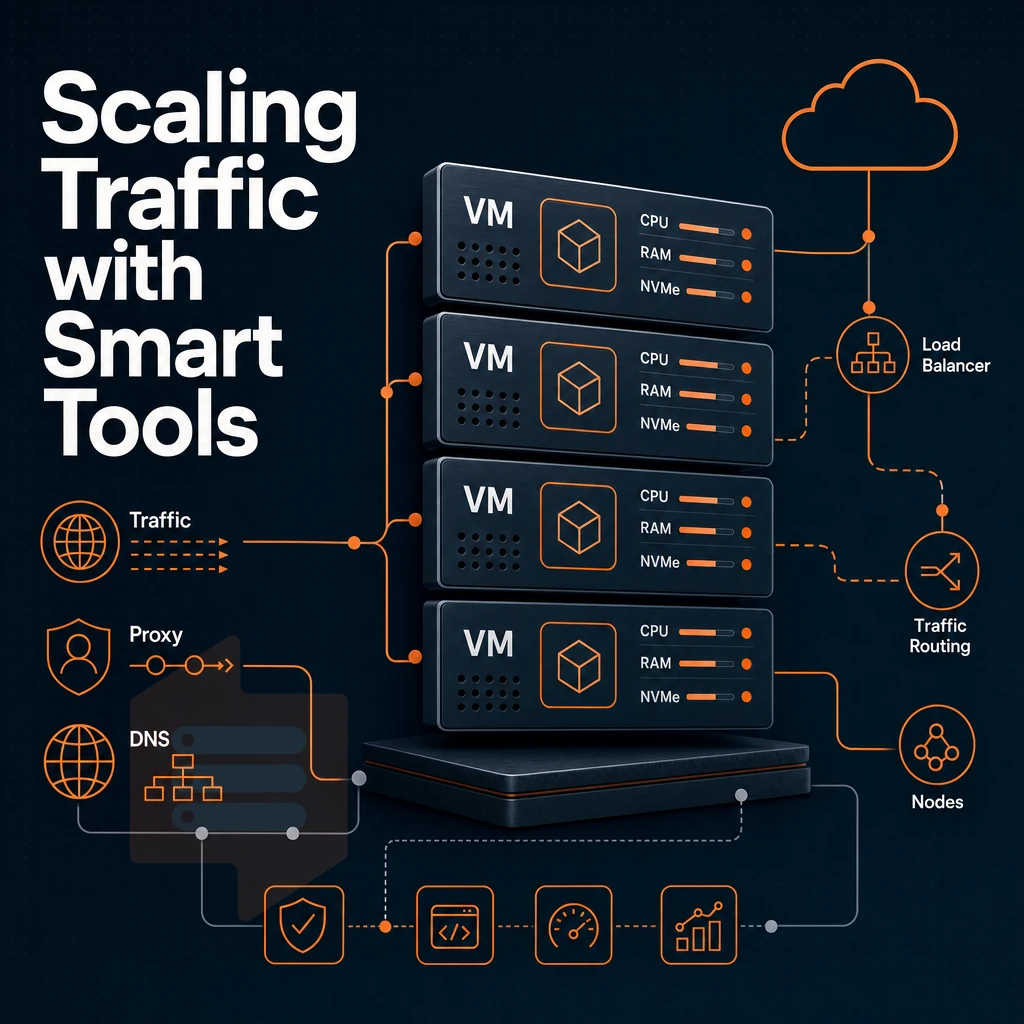
Most modern VPS plans are not meant to be used in isolation. Combine a VPS with infrastructure components like a proxy, a DNS layer, or a traffic distributor and, with the right technical expertise, you can set up a system that performs similarly to a dedicated server setup. Businesses seeking scalable infrastructure often evaluate multiple VPS solutions to determine which combination of tiers and configurations best supports their distributed architecture requirements.
Many organizations migrate from traditional VPS setups to cloud hosting platforms when they need automated scaling and orchestration across dozens of instances simultaneously. Pairing a VPS with upstream ddos protection services ensures that malicious traffic is filtered before it reaches your server, preserving resources for legitimate requests.
VPS hosting load balancer integration with NVMe SSD
Load spread over many servers with VPS instances is only possible with full virtualization on the level of the hypervisor. As BuyVPS runs a full KVM virtualization (each VPS runs on its own separate kernel) every single node is running full standalone host(s). This is the base for powerful and reliable horizontal scaling in web hosting without the noisy-neighbor problem, something our support team can help you architect, which could be triggered by increased load on a single VPS instance.
Our multi-homed uplinks support unlimited traffic distribution to servers in Amsterdam and New York. In practice, teams tend to front-end 2+ virtual private server instances with an open-source proxy such as HAProxy or Nginx to achieve sub-10 ms intra-region latency.
Full root access and self-managed stacks
We grant complete control starting at the Operating System level. Every plan comes with full root access. Install, configure and harden up your server to exactly what your workload requires, without any shared hosting restrictions. Install web applications, custom runtimes, or containerized microservices on your web hosting environment as required, without needing to seek approval from us.
The self-service control panel provides access to an API and to an in-browser VNC console for a server. These VPS solutions allow the virtual server to be provisioned automatically via the API and for a misconfigured instance to be recovered by the user themselves via VNC, without requiring a support ticket.
Running AI tools and open-source software
For Inference workloads and data pipelines (end to end pipeline) it is essential to have a fixed amount of CPU and RAM for the workflow to run smoothly.
BuyVPS Dedicated CPU virtual server plans from our catalog pin down a fixed amount of cores on EPYC Genoa processors, avoiding scheduling variability that can "kill" AI applications relying on steady throughput. Storage for the shared hosting plans is NVMe RAID10 with 122,959 4K read IOPS, which results in model loading times that are also fixed and low.
| Component | Recommended tier | Key enabler |
|---|---|---|
| Traffic distribution | Standard CPU (S-tier) | Multi-homed uplinks, dual-stack IP |
| AI inference / data pipelines | Dedicated CPU (D-tier) | Pinned EPYC Genoa cores, NVMe IOPS |
| Memory-intensive services | High Memory (H-tier) | 1:8 RAM ratio, 480 GB+ NVMe |
Start with the correct tier (compute, memory or throughput) for your bottleneck, and add open-source tools on top.
Common use cases for VPS hosting plans
VPS plans can handle a lot more than shared hosting. Your typical traffic patterns and the operating system and related applications that you require to run on your server.
Choosing your workload, OS, and DDoS protection
- Web hosting and online stores. We at BuyVPS give you opportunity to host your websites on VPS hosting. The advantages of hosting your websites on VPS hosting are that you have dedicated resources allocated for your websites and also you have full root access to the server. For example an online store will require consistent amount of RAM and fast NVMe storage to give best experience to end users. And you get all this on all our plans.
- For video streaming and game servers. The type of traffic (sustained throughput and low latency) for video streaming and online games (even just dedicated game servers) requires pinned CPU’s and consistent performance from BuyVPS Dedicated CPU plans.
- Development environments and business applications. Isolated KVM environments for development, such as staging environments, CI pipelines and internal applications.
Pick the right operating system for your NVMe SSD storage stack
All of the VPS plans allow you to run your own choice of Operating System from a supported list (Ubuntu. Debian, AlmaLinux, Rocky Linux, CentOS Stream and Fedora) and also allow upload of a Custom ISO. Many enterprise based workloads will require the use of Windows Server so you must check first which Operating Systems are supported by your chosen host.
Verify your plan fits the isolated environment workload
- Match the amount of RAM you need to your application. Memory-intensive applications such as databases and streaming services require a lot of RAM. BuyVPS enforced hard memory caps on a per node basis, no overselling.
- Check the network location where Amsterdam serves EU users and New York serves US East Coast users. Serve the region where your audience is closest.
Start on a smaller plan and scale when your workload grows.
Why choose BuyVPS for your VPS plans
BuyVPS has delivered reliable VPS hosting since 2002. Our VPS platform runs on KVM with a separate kernel per virtual private server, genuine isolation, not shared hosting in disguise. Every plan includes full root access, your own operating system, and NVMe RAID10 PCIe-direct storage with measured high-performance IOPS.
- No-oversell policy: Hard memory caps and low node density mean dedicated resources stay yours under real load.
- Pinned cores on the Dedicated tier: Predictable processing power for resource-intensive workloads, no noisy neighbors.
- Proven benchmarks: Published Geekbench 6, fio, and pgbench results back every performance claim.
- In-place upgrades: Scale your virtual server without IP rotation or data migration.
- Two data centers, one standard: Identical hardware and pricing in Amsterdam and New York.
Our support team is engineers, not first-tier scripts. Reach us at info@buyvps.com or +31 85 369 6285 to compare VPS plans and find the right fit.
Choosing the right VPS plan comes down to three decisions: CPU model (shared vCPU for cost-effective workloads like e mail hosting, dedicated cores for latency-sensitive applications on physical servers), RAM allocation matched to your actual working set. Additionally, Storage that won't bottleneck your I/O. NVMe RAID10 with PCIe-direct access, the standard across every BuyVPS plan's physical servers, eliminates the storage ceiling that undermines performance when hosting websites on slower-disk alternatives. In-place upgrades mean you scale without migrating data or rotating IPs.
BuyVPS runs AMD EPYC hardware across Standard, Dedicated CPU, and High Memory tiers from Amsterdam and New York. Full root access, KVM isolation with a separate kernel per VPS, and engineer-led support are included on every plan. Browse the current plan lineup at BuyVPS.com and pick the tier that fits your workload today.