

Deciding between VPS providers looks easy at first. However, actually choosing one turns into a long night of comparing features, control panels, and spreadsheets, while wrestling with the vendor's sometimes conflicting benchmarks, unclear renewal prices, and imprecise Service Level Agreements (SLAs).
If you choose wrong, you're not just wasting money on under-provisioned GB RAM or a full fledged dedicated server, you're wasting time on migrations, potentially damaging your IP, and firefighting instead of doing real work, and that's pulling your engineers away from what matters.
The market can be broadly divided into several camps: the hyperscalers that will charge you enterprise money to perform commodity workloads. The ‘budget host’ that will happily oversell the nodes to keep costs down until performance becomes a problem. Additionally, Then there’s the smaller group of hosts that actually publish. real benchmarks, honor their renewal prices and keep node density low enough to actually matter. It is this last group where the interesting comparisons are made.
We identify the key factors which define a reliable VPS including the hardware, virtualization isolation, network quality, support and the total cost of ownership.
For more context, see Virtual private server .
What is a VPS provider and how does VPS hosting work?
A VPS provider is a company that virtualizes out physical servers to form individual VPS servers. These VPS servers are then rented to customers. Each VPS server is guaranteed to have a set amount of RAM, CPU and disk space that is separate from other customers on the same server.
First month $1
Then the normal monthly price. One per customer. No setup fee, and a 30-day performance guarantee on your first order.
See the plans“Sjoerd helped me with the setup of my VPS, super helpful team, smooth onboarding, and overall a great experience, thanks again”
The allocation of cpu cores is typically fixed per VPS instance, ensuring consistent processing power regardless of activity on neighboring virtual servers. The guaranteed allocation model ensures that each VPS receives its designated cpu ram resources without contention from other tenants on the physical host.
Thus, the customer has a guaranteed amount of resources as opposed to being forced into a shared server with other customers. This makes VPS servers ideal for customers who need more resources than a typical shared server but cannot afford a full dedicated server. Thus, VPS servers are often considered to fall in the middle of shared servers and dedicated servers.
What are VPS services and how do providers work?
A VPS provider is running a hypervisor-based infrastructure (usually KVM) on bare-metal servers. With KVM, one physical server is split into several separate servers, each running its own kernel with root access. Each server is completely independent and not affected by its neighbor on the same host. This hypervisor architecture eliminates the need for complex infrastructure management while still delivering enterprise-grade isolation and performance guarantees. Understanding these technical aspects helps customers evaluate whether a provider's virtualization stack meets their performance and security requirements.
Here at BuyVPS we run all of our KVM VPS servers with separate kernels for each individual VPS.
Have you outgrown shared hosting? VPS vs dedicated hardware
Many customers on one OS instance (no isolation, no control over resources), a noisy neighbor kills performance for others on the same server. When multiple users share the same OS instance without proper isolation, resource contention becomes inevitable and unpredictable.
A Virtual Private Server (VPS) is a virtual environment (or server) that is partitioned and given a fixed amount of allocation to run within. A full dedicated server on the other hand is a full physical machine that can be utilized in its entirety. A Dedicated Server is typically much more expensive than a VPS and also has a longer provisioning time.
VPSes are like the middle child: they have the control of a dedicated server, but the multi-tenant hardware costs to save you money. This is the right platform for most production workloads. When a VPS appears in your infrastructure planning, it typically signals that your application has matured beyond basic hosting needs but doesn't yet justify dedicated hardware costs.
Best VPS hosting providers: what separates them from cloud hosting
Top Rated VPS Hosting providers are transparent and show real benchmark results. They do not over-sell and provide in-place upgrades. The majority of providers that rely on a generic cloud hosting platform with shared control panels to host VPS's sacrifice predictability for elasticity, which is perfect for burst loads but poor for steady-state applications that require a consistent latency.
- Isolation: KVM hypervisor with separate kernel per instance.
- Storage: NVMe RAID10 with PCIe-direct access.
- Network: IPv4 + IPv6 dual-stack, multi-homed uplinks.
- Locations: Amsterdam and New York.
The same criteria we’ve used before to compare different hosting solutions are the same when you are considering moving from shared hosting to a VPS or when you are new to VPS hosting and comparing different solutions. Below we walk through the main differences between the various types of hosting and what you can expect when moving to a VPS.
VPS hosting vs shared hosting: key differences explained
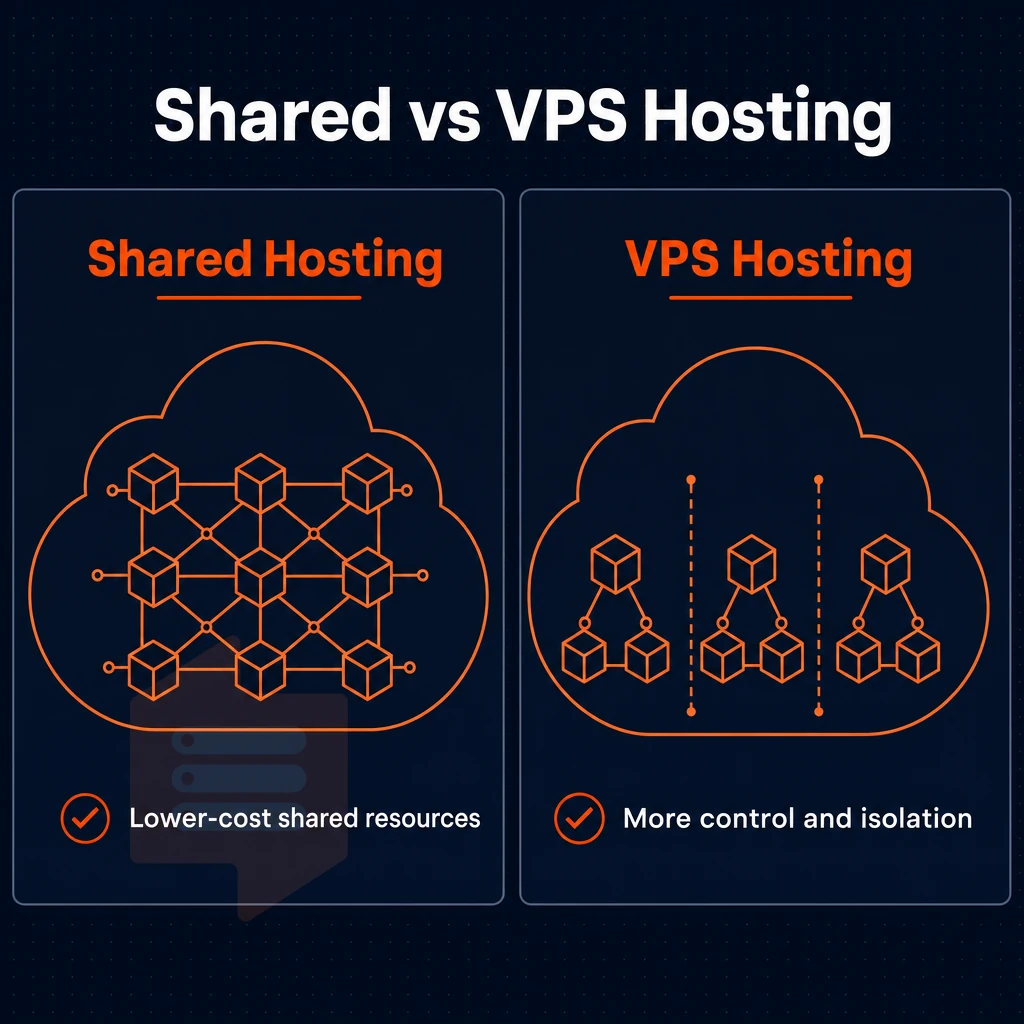
When choosing between shared hosting and VPS hosting the most important thing to consider is the problem that each is designed to solve. Shared hosting is designed to be very cheap to start, to 'entry level' to host your own sites. However, the resources of the server are pooled between all of the tenants, so it is inherently unpredictable.
A VPS on the other hand, gives you a portion of a server, typically with dedicated CPU, RAM and storage, and you get guaranteed, predictable performance. This isolation ensures reliable performance even during traffic spikes, as your allocated resources remain unaffected by neighboring tenants.
Resource allocation and performance
A noisy tenant on a shared hosting account can cause latency for other users on the same server. With a VPS however, you are guaranteed a certain amount of resources and can expect sub-10ms response time under typical load. Unlike shared hosting accounts, where a single server failure brings down all accounts and their control panels on that server, a VPS failure will only result in the failure of your own account.
Typically VPS plans start with 1-2 vCPU, 2-4 GB of RAM and some NVMe storage. This allows to handle thousands of concurrent requests that would be swamped by a shared server hosting account. Modern VPS architectures allocate cpu cores either as shared vCPUs with fair scheduling or as dedicated threads pinned to physical cores for consistent performance. Providers typically guarantee minimum cpu ram allocations through hypervisor-level resource reservations that prevent oversubscription and ensure consistent baseline performance metrics.
Dedicated server control, access, and management
With shared web hosting you are limited to the normal control panels offered, i.e. cPanel and Plesk. A VPS on the other hand gives you full root access to your server, meaning you can install control panels, any runtime you need, set up a custom firewall, run a custom kernel, and more. Of course that also means you are responsible for updating your server, for applying security patches and for configuring the server to your needs.
On a VPS you can host many sites without charges per site.
What's the best VPS provider for small businesses?
Small businesses that have outgrown shared web hosting need predictable, stable web hosting and do not need a full dedicated server. They need a Virtual Private Server (VPS) hosting from a reputable provider that gives them separate resources, root access, and a multi-homed network.
BuyVPS is a hosting company that targets hosting companies. As a B2B hosting provider, BuyVPS focuses on delivering infrastructure that resellers and agencies can white-label for their own client base.
| Factor | Shared hosting | VPS hosting |
|---|---|---|
| Resources | Pooled, shared with all tenants | Isolated allocation per instance |
| Root access | No | Yes, full root access |
| Scalability | Limited by plan tier | In-place upgrades, no IP rotation |
VPS, dedicated or cloud?
Managed VPS vs unmanaged VPS: choosing the right support model
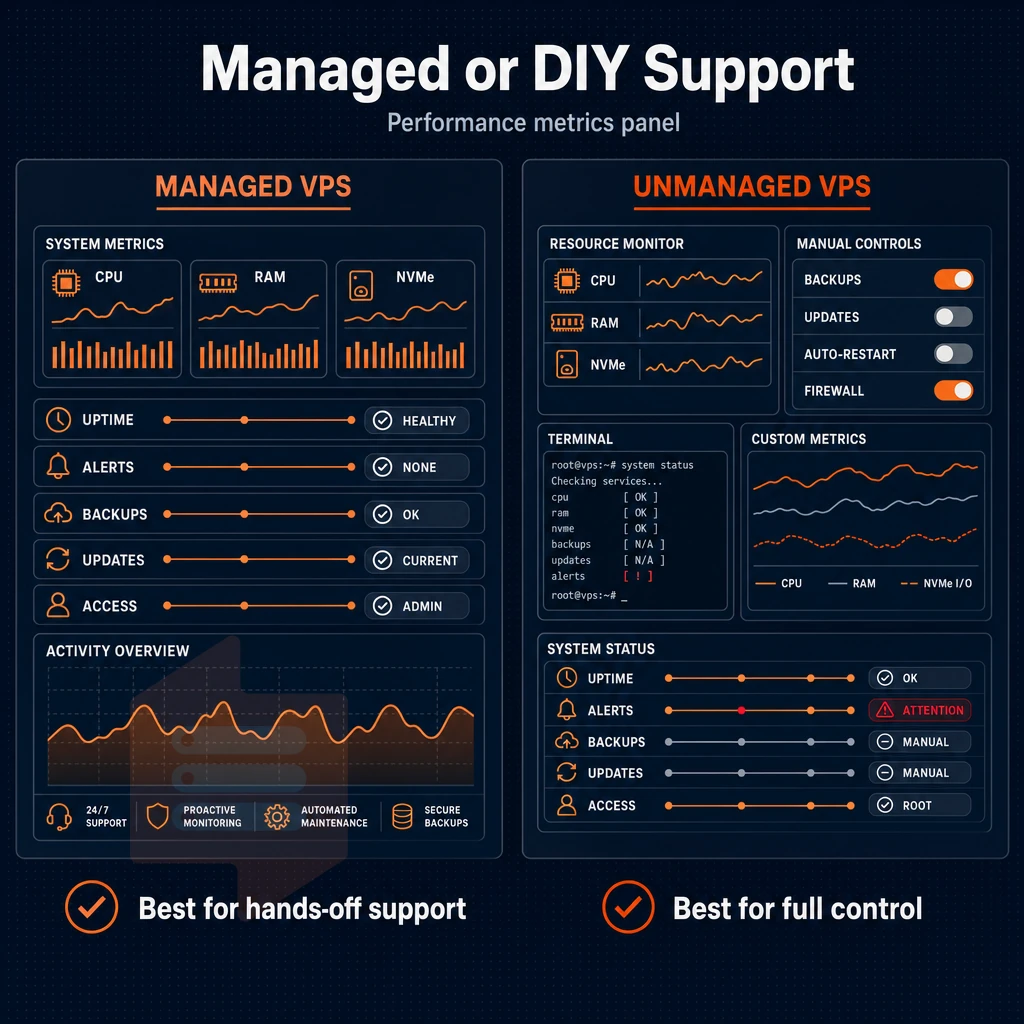
When comparing VPS hosting providers, the support model is one of the most important factors to consider. The support model for VPS hosting can vary greatly from fully managed hosting where the VPS provider handles all the OS updates. Security patches, as well as all of the day to day administration of the server. Reliable providers also implement automated off site backups to protect customer data from hardware failures or catastrophic events at the primary data center.
On the other end of the spectrum, there is the fully DIY VPS instance hosting option where the customer receives root access to the VPS server and is responsible for all updates. Patches, as well as the administration of the server.
Managed VPS plans: what the provider owns
With managed VPS plans, the provider does the updates to the kernel, the firewall, for malware, and even for application-tuning on a layer above. On a managed VPS, you get to use a control panel (cPanel, Plesk, etc) as opposed to a raw SSH login on an self-administered VPS.
This model is well suited for ecommerce sites, for agencies that manage the infrastructure for their clients, and for teams that do not have a dedicated sysadmin on staff.
Unmanaged VPS: full control, full responsibility
An DIY VPS typically ships with a base OS image and root credentials. There is no abstraction in an unmanaged virtual server.
For teams that run containerized applications, custom kernel s or other than standard runtimes the preferred model is to set up each VPS as a fully isolated virtual system. Since BuyVPS uses KVM hypervisors (as opposed to OpenVZ emulators) each VPS has its own real kernel boundary, meaning your config changes are fully isolated, persist between reboots, and remain intact even if another server fails.
What are the top 10 VPS hosting companies?
Instead of a ranking list I describe the main categories of hosting providers. Managed hosting providers focus on the control panel and on managing the server for you. Performance hosting providers focus on performance and offer you dedicated CPU, fast NVMe storage and low density servers.
Budget web hosting providers focus on low entry costs and trade off performance for you.
BuyVPS is performance first. It features AMD EPYC servers with NVMe RAID10 storage for 122,959 4K read IOPS. No overselling on hard memory. All plans come with full root access and engineer led support from two datacenters: Amsterdam and New York. There are no managed add-ons as the target user is a technical team that wants the hardware and network, not hand-holding.
The key deciding factor here is whether your team has the necessary Linux expertise to manage the server stack. If they do, then an un managed VPS (such as a VPS hosting “bare VPS plans” offered by a VPS hosting company) will yield the greatest bang for your buck in terms of performance per dollar spent.
But if they don’t, then a managed VPS hosting tier will allow you to abate risk related to server administration while losing some flexibility to manage the server as you see fit.
The network and the terms of the contract before you sign the contract.
What to look for in VPS hosting providers: a buyer's checklist
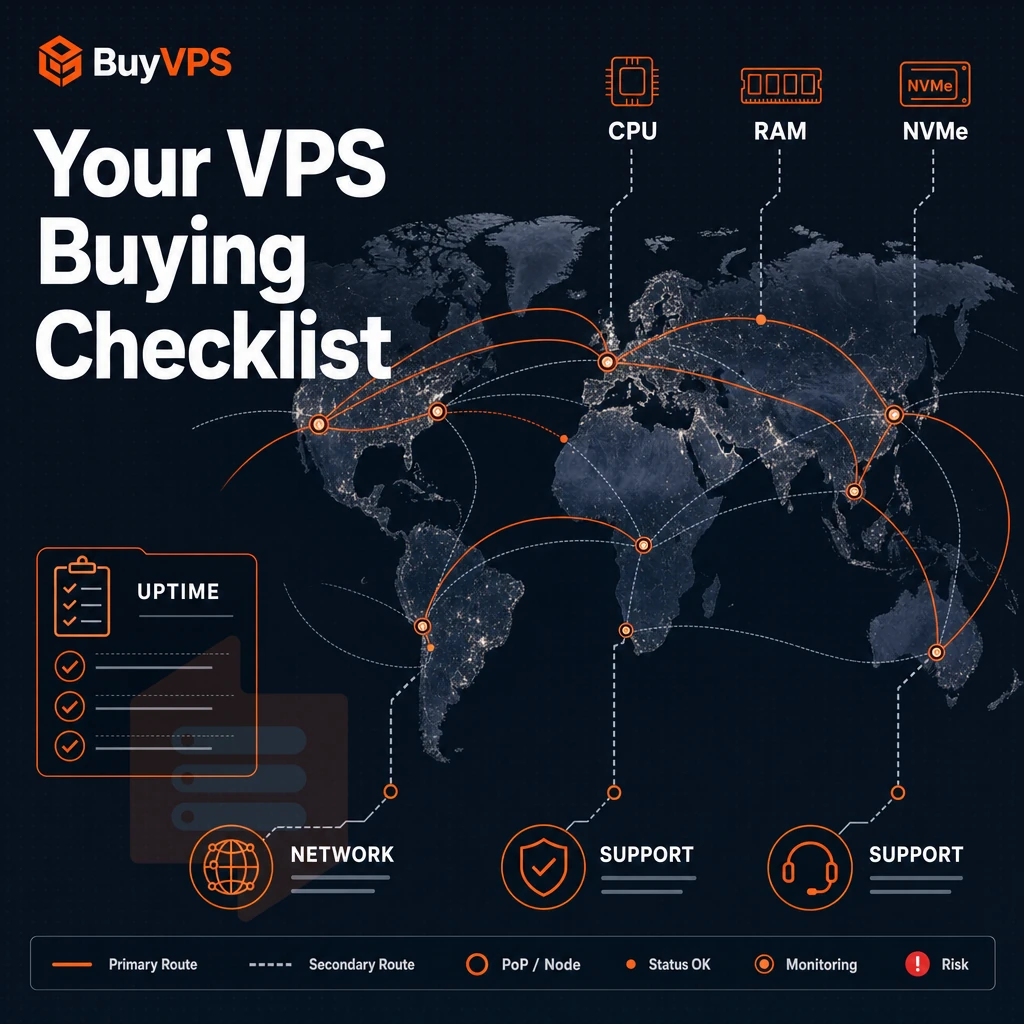
Not all VPS plans are created equal. Run through this checklist before committing to a VPS plan to uncover key shortcomings as your needs scale.
Best VPS providers: what the hardware spec sheet must show
For starters, I would ensure that your servers have the correct amount of CPU Cores and GB of RAM provisioned. I would also confirm if the CPU Cores are shared or pinned to specific servers. Even vCPUs can be very noisy neighbors when under load. Also, make sure that the RAM is set to a hard cap (as opposed to a soft limit).
Storage is as important as RAM. Using NVMe SSD storage in RAID10 to deliver consistent IOPS under load of multiple reads and writes. Published benchmarks not sales propaganda. Storage should grow with RAM as you add more of it.
Data centers, network, and DDoS protection
Server locations matter to your users and two well chosen locations generally beat 6 poorly chosen ones. We run 2 regions, Amsterdam and New York, on identical hardware and network.
Edge DDoS protection and filtering at the network perimeter, before traffic hits your VPS. IPv4/IPv6 dual stack support and ability to request additional IP addresses as required.
What is the difference between managed and unmanaged VPS hosting?
An raw VPS is a VPS which gives you full root access, you install the operating system and apply any patches as required. You will manage all of the software that is installed on the server as required. Unmanaged VPSes cost less to host than a managed VPS and are suitable for a developer who requires full control of a server.
A Managed VPS is a virtualized server where the provider does updates to the Operating System, applies security patches and monitors the server for you.
Cloud provider checklist: upgrades, backups, and support
A scalable VPS is upgraded in place (no migration) and has a different IP address than before (no IP rotation). Offsite backups are stored on a different server than the main storage (no “snapshot” on the same node).
- Instead of sending a support team of people who have been scripted out to be the first tier of response, it is a team of engineers who are on tickets.
- Same rate at renewal time, no surprise price increases.
- Custom ISO upload and API access for automation.
With this checklist in hand, the next thing to figure out is which plan tier your specific workload falls under: standard, dedicated CPU, or high-memory.
Types of VPS plans: standard, dedicated CPU, and high-memory options

Not all VPS plans are created equal. Each of the three architectures (shared vCPU, pinned-core, high-memory) are generally best suited to specific workloads. Using the wrong tier of VPS resources will not get you the results you desire, but using the right tier will provide very real increases in performance.
Standard CPU VPS: shared vCPU for everyday workloads
Standard plans from the hypervisor pool the CPU cores of all tenants, thus the burst capacity is used where needed. The disk space and the RAM are allocated for the plans as configured. The compute however is shared and thus is suitable for small websites, for staging environments or for development tools as the peak requirements are short-lived.
BuyVPS S-tier servers are powered by AMD EPYC Milan processors. Paired with DDR4 ECC memory and NVMe RAID10 storage for a configuration that stands out from many other vendors that still ship servers with SATA SSDs. As you would expect from a server tier aimed at power users. S-tier servers come with full root access and also include a self-service API per server, allowing technical users to manage their servers as they see fit.
Dedicated CPU VPS: pinned cores for predictable latency
A dedicated cpu plan is a vCPU pinning plan. That plan pins your vCPUs to physical cores so none of your neighbor’s jobs can run on those pins and take all your allocated CPU cycles for extended periods of time.
Such a plan is ideal for developers of databases, CI/CD related jobs, as well as latency-sensitive APIs.
In addition to the basic configuration, you can also request additional IP addresses and create VLANs for your services that run on the server.
High-memory VPS: handling ram-heavy workloads with GB RAM
For certain workloads such as in-memory caches, analytics engines, and large Postgres datasets a high RAM-to-CPU ratio is needed. The H-tier machines have up to 192 GB RAM, and have NVMe RAID10 and external storage options available on request.
Unlimited bandwidth and unlimited traffic means there is no cap anxiety. For extremely memory-intensive jobs that also produce extremely large result sets, cap anxiety is a huge problem on other platforms.
How many GB RAM do i need for a VPS?
A practical starting point for RAM is 1-2 GB to run a low-traffic site or development environment. 4-8 GB of RAM is typical for a production web stack that includes a database. 16 GB and above are better suited for tasks like running CI/CD, caching, or analytics workloads.
Remember that the amount of RAM you need to run smoothly is based on the size of your working dataset, not the peak number of requests your site may receive.
| Tier | Core type | Best for | Storage |
|---|---|---|---|
| S-tier (Standard) | Shared vCPU, EPYC Milan | Dev, small sites | NVMe RAID10 |
| D-tier (Dedicated) | Pinned cores, EPYC Genoa | Databases, CI/CD, APIs | NVMe RAID10 |
| H-tier (High Memory) | Shared vCPU, EPYC Milan | Caching, analytics, large datasets | NVMe RAID10 |
Standard plans are generally cost effective for everything in between.
Server management across amsterdam and new york locations
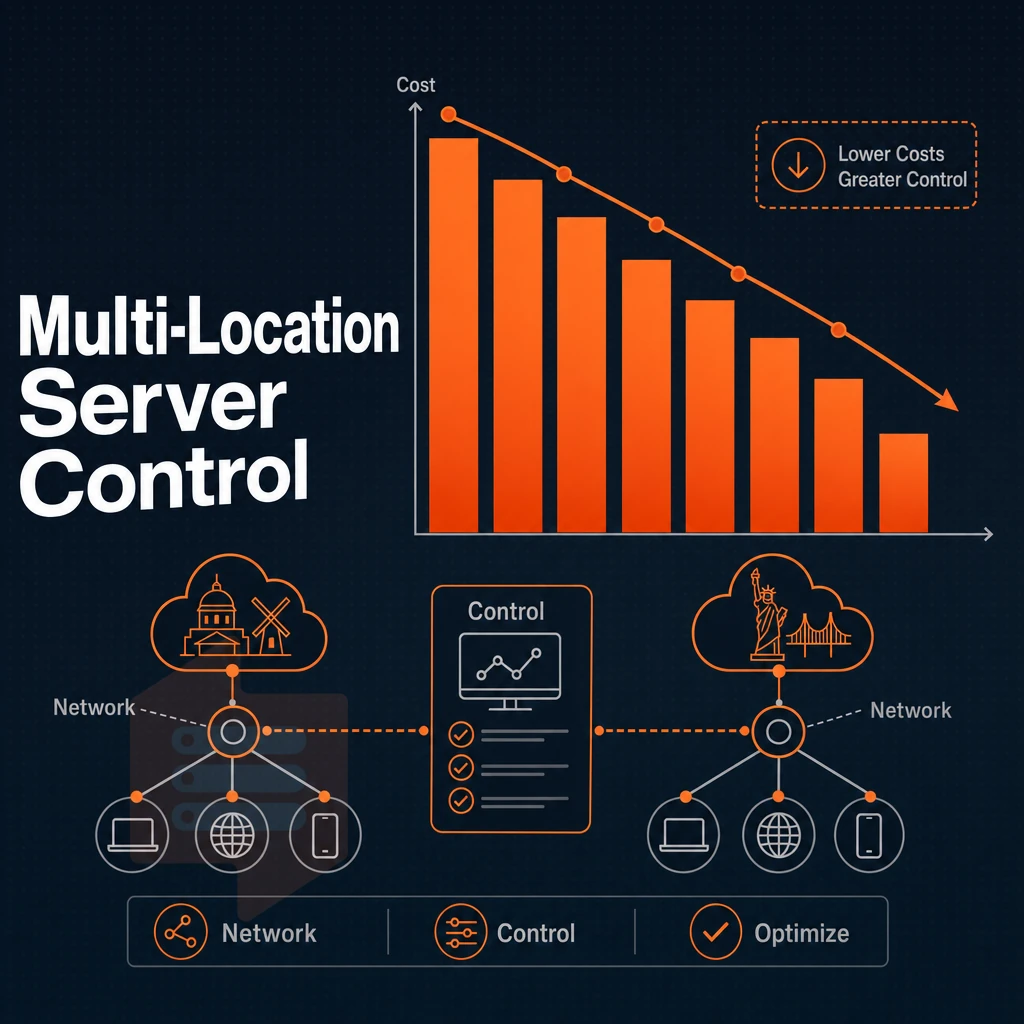
We run two data centers at BuyVPS, Amsterdam for European customers, and New York for US East Coast customers.
Choosing your region and GB RAM configuration
- Match the location of your content to your primary audience. For European users host your content in Amsterdam, for North American users in New York. The physical distance to your visitors is shorter, which means lower round-trip time and better network speed for them.
- We are running identical hardware in both locations. That means identical AMD EPYC processors, identical storage in the form of NVMe over a RAID10 configuration, and identical cloud infrastructure in two different regions. There is no reason to pick one over the other as there is no performance penalty.
Note: Avoid deploying in a region purely because it sounds closer. Run a traceroute from your target audience's location before committing.
Network and security setup
- Turn on dual-stack networking for all your plans. By default, all servers provisioned with PackDev Networks are running IPv4 + IPv6 dual-stack. Assign a dedicated IP address during server provisioning to make sure your server has a fixed IP address for reboots and upgrades.
- Use edge filtering for DDoS protection. Both data centers use abuse-policy-based firewall rules on the network perimeter which provide good performance without the need to configure and manage third-party scrubbing services.
- Verify that multi-homed uplinks are confirmed. We are multi-homed, traffic will route around upstream failures. Server config can then be tweaked for application specific requirements, such as MTU or IPv6 preferences.
Can i host multiple websites on a single VPS plan?
Yes. A single VPS can power many small websites or a few very large applications. To host websites on a VPS, you need to 1) install a web server, 2) set up virtual hosts on that web server. Additionally, 3) set the DNS for the domains to the IP address of your VPS. Since you have root on the VPS, you can manage every process on the box as you wish. So no shared web hosting environment here.
Running cloud servers across both regions
No migration, no IP rotation needed, nothing to go wrong.
Once you have settled on a location and network, the more practical issue is what to run on your new infrastructure, and whether a VPS is the right tool for the job.
VPS use cases: server management workloads that run best on a VPS
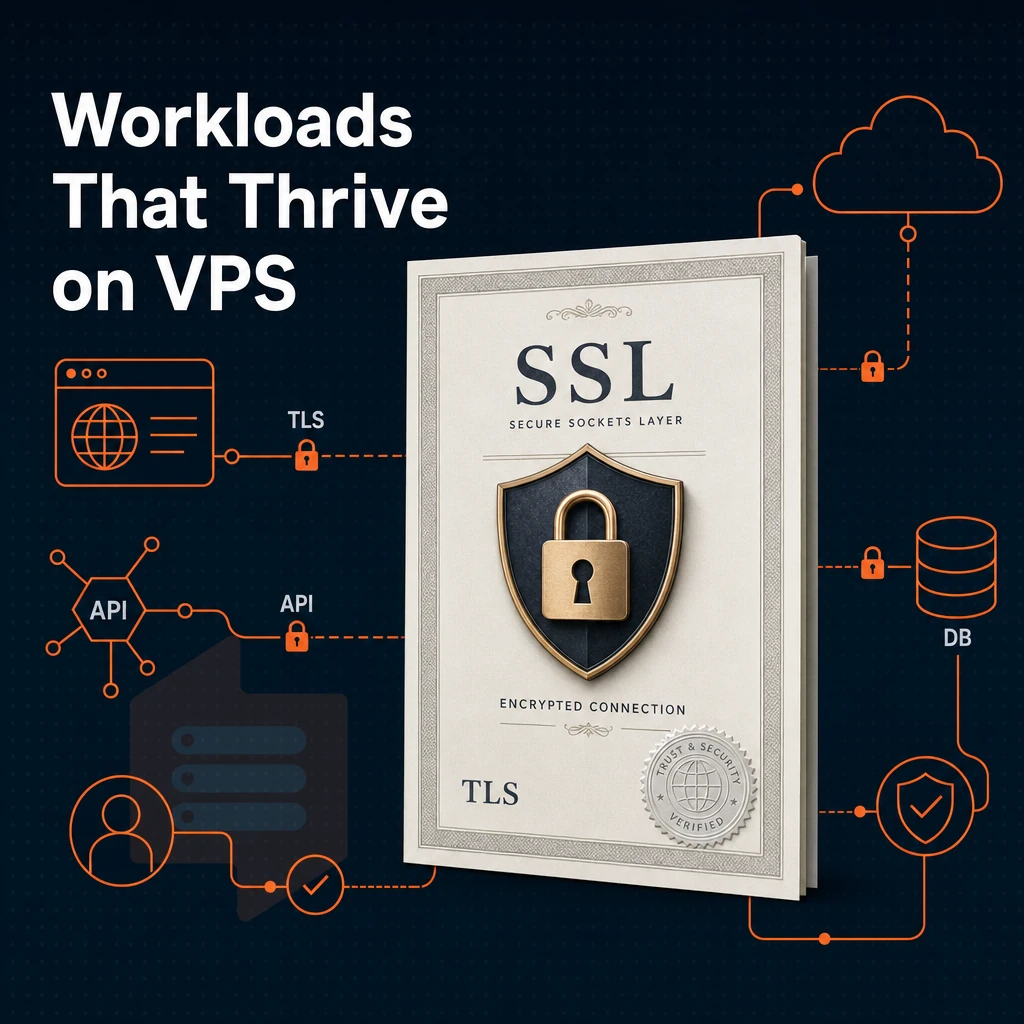
A VPS is able to handle a lot more work than shared account hosting is able to handle on a consistent basis. The main difference between a VPS and a communal hosting account is the amount of resource isolation that is provided to each virtual server. In addition to having a dedicated amount of CPU power, a VPS also has a dedicated amount of RAM and a dedicated amount of storage space.
This is in stark contrast to a shared resource hosting account, whereas a VPS hosting plan gives you a dedicated slice of a server rather than competing with many other accounts for the same limited resources. Because of this, a VPS is able to provide a stable enough platform to serve as the basis of production workloads.
Web hosting for websites and ecommerce stores
Most users start out by setting up multiple domains / sites off of one account.
For online stores, ecommerce environments are particularly demanding. Persistent sessions, integration of payment gateways and fast database access are required for online stores. VPS environments deliver constant response times for such transactions.
Why isolation matters for ecommerce
Payment processors and fraud-detection APIs generally expect a response in sub-seconds.
A VPS on the other hand has a fixed amount of server resources like RAM and CPU that are reserved for your virtual environment and will continue to run without any issues even when other applications are running amok on the host server.
Game servers, application, and hosting websites
Game servers for games like Minecraft, FiveM and Palworld are very demanding in terms of memory and have very strict latency requirements. They have their own software stacks (custom JARs, mods, ) which all need to be configured with full root access on the OS.
Application hosting follows similar principles. Web developers writing applications in Node.js, Python or Go will want control of the application runtime, system libraries and startup scripts. A VPS provides this control without the unnecessary overhead of running inside a VM designed for large enterprise workloads.
Development, staging, and self-hosted tools
A VPS allows you to install any operating system (e.g.
For such applications we support custom ISO uploads on every plan.
Why choose BuyVPS for your VPS hosting needs
Among VPS hosting providers, BuyVPS stands out for what we don't do as much as what we do. We don't oversell nodes, don't hike renewal prices, and don't route your support ticket through a chatbot. Our VPS hosting is built on verifiable specs, not marketing copy, making us one of the best VPS hosting providers for teams that need reliable infrastructure without surprises.
- No-oversell guarantee: Hard memory caps and low node density mean your VPS servers get the dedicated resources you paid for, no noisy-neighbor CPU or RAM contention.
- Dedicated CPU tier: Pinned AMD EPYC Genoa cores deliver predictable latency for databases, CI/CD pipelines, and latency-sensitive workloads. Full administrative access on every VPS plan.
- Proven storage performance: NVMe RAID10 PCIe direct, measured at 122,959 4K read IOPS, a published benchmark, not an estimate.
- Two identical data centers: Amsterdam and New York share the same hardware, control plane, and operating systems lineup. Geo-redundancy without a penalty.
- In-place upgrades: Scale your virtual server without migration or IP rotation. Your server environment stays intact.
- Founder-run since 2002: Engineers answer support, not bots. One of the best VPS providers for teams who need real technical accountability.
If you've outgrown entry-level hosting or need managed VPS alternatives with full control. Reach out to our team at info@buyvps.com or call +31 85 369 6285 to discuss which of our VPS plans fits your workload.
Already on a different provider and ready to move?
How to migrate to a new VPS provider without downtime
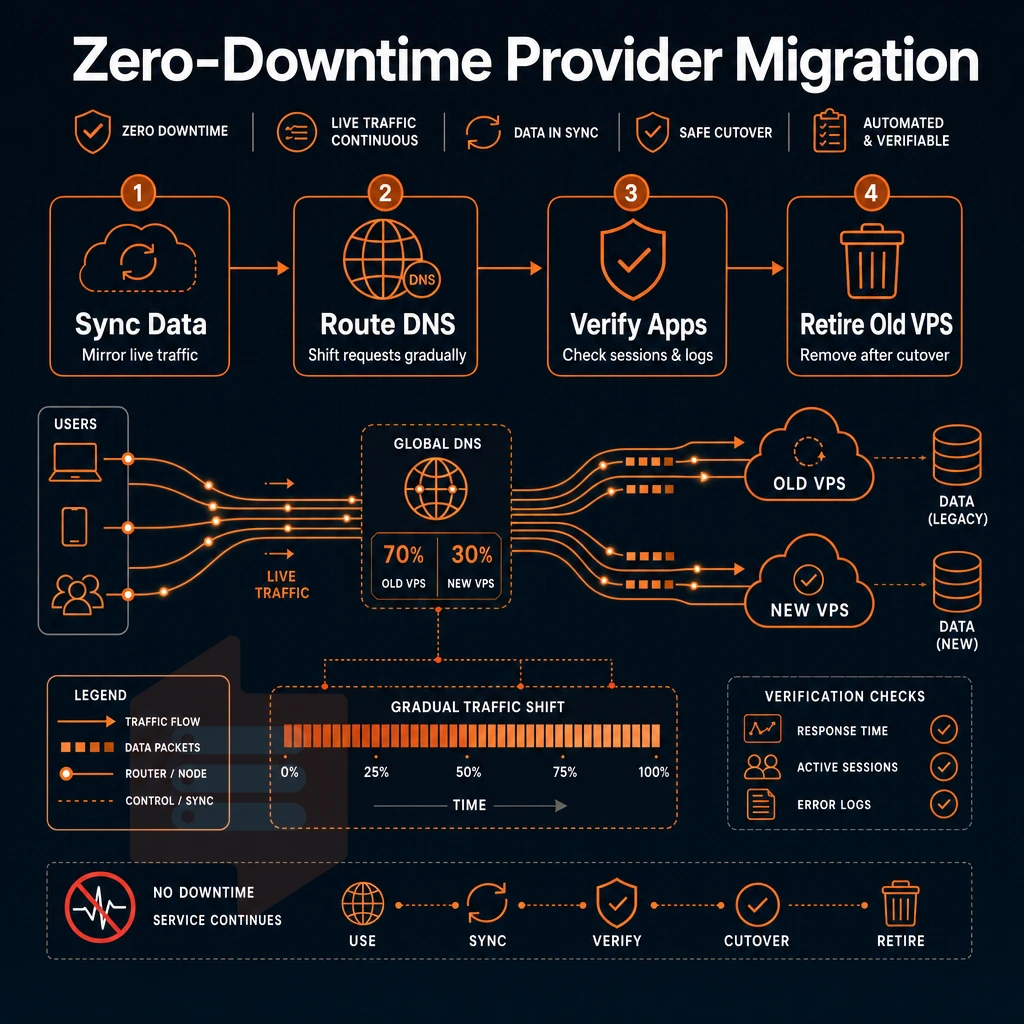
You don’t have to shut down your server while you switch VPS providers. You can move your workloads from one VPS hosting plan to another in a controlled manner, provided you go through the process in the correct order: audit, provision, transfer, test, cut over. Whether you need to move due to a noisy neighbor on your current host or you’ve simply outgrown the amount of resources your current VPS has, the following steps can help.
Audit and prepare before you touch anything
First, create a resource snapshot including CPU, RAM, disk space and bandwidth (outbound traffic) usage over the last 30 days. Create a database export, compress the application files and ensure you have a current offsite backup before provisioning any new resources.
You need to check which operating systems the new provider supports. BuyVPS supports Ubuntu, Debian, AlmaLinux, Rocky Linux, CentOS Stream and Fedora. In addition you can upload your own custom ISO in order to run the exact same stack of software as you did on your previous hosting provider. Full control over the OS means that there will be no forced upgrades of the core OS as you transfer between hosting providers.
Best VPS migration workflow: parallel run and DNS cutover
First we provision our new VPS, deploy our application to it and run both servers in parallel for now.
After that we monitor our new VPS for 24 hours and then decommission the old VPS.
Free website migration of virtual machines offered by some providers as a managed service is also worth noting for teams with limited server resources and administration time, as it eliminates the need for manual rsync and database-dump steps.
When migration is unnecessary
No data migration, no IP rotation, no website management disruption.
| Migration scenario | Recommended approach | Downtime risk |
|---|---|---|
| Scaling up within BuyVPS | In-place upgrade, no migration needed | None |
| Moving from another provider | Parallel run + DNS cutover | Low (minutes at DNS flip) |
| Provider offers free migration | Use managed transfer service | Varies by provider |
The various strategies for migration only make sense if you have chosen the right destination for yourself.
Best VPS providers: how to compare your options
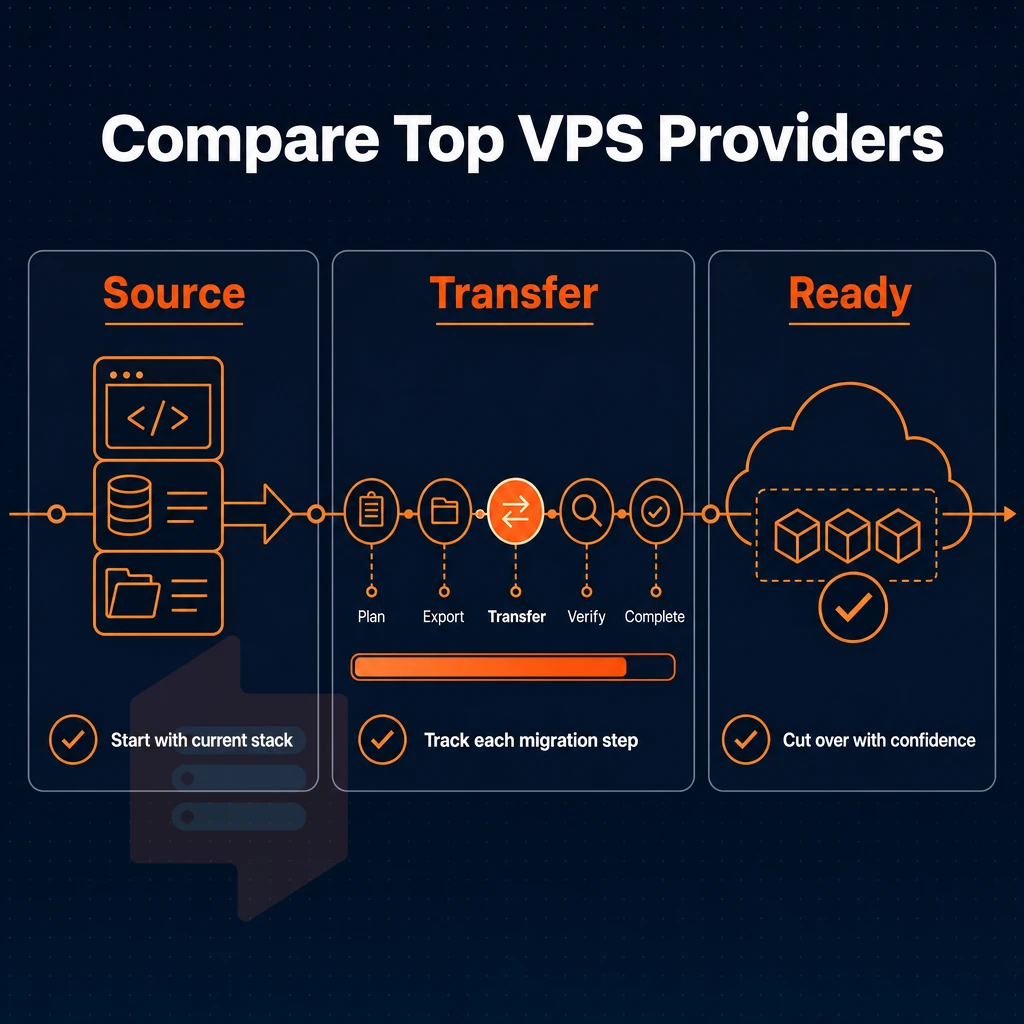
We choose VPS hosting from providers based on 5 criteria: The number of CPU cores and GB of RAM you need for your workload. Fast SSD storage, A good network with DDoS protection, The uptime SLA that you can hold the hosting provider to. Additionally, The support model (managed or unmanaged) that matches your team. Transparent VPS plans that do not have hidden renewal fees are as important as the specs.
The best VPS hosting is one that provides good infrastructure and fair pricing and responds to tickets. BuyVPS, a new VPS hosting provider, uses the best hardware, namely AMD EPYC, combined with the fastest storage (NVMe) in a RAID10 setup to guarantee the highest availability.
In order to prevent oversell, all plans have a hard memory cap. All plans also come with full superuser access. BuyVPS offers VPS hosting from two locations: Amsterdam and New York. We consider BuyVPS to be the best VPS hosting provider, very straight forward and offers good scalable virtual server hosting without any hidden fees.
Key advantages of VPS hosting over other hosting types
A cloud server instance (VPS) is a middle ground solution to server hosting. You get guaranteed resources of dedicated CPU cores, amount of RAM and storage space on a Solid State Drive. Unlike with standard multi-tenant hosting, a ‘noisy neighbor’ can’t bring down your service by using up all of your allocated resources. And, unlike cloud hosting, you won’t be subject to opaque usage meters or unexpected charges.
Full root access
With full administrative superuser access you get to control the OS, use control panels or CLI tools to install the software you need, and even tinker with individual server settings to get the very best from your chosen applications. And with VPS infrastructure you get to upgrade to a larger VPS server plan without having to change hosting provider, move servers or even lose your IP address.
So if you have outgrown shared web hosting and are finding that a dedicated server is too powerful for your needs then virtualized hosting from a reputable private virtual server hosting provider is likely to be the ideal solution. And we list only the best VPS solutions options available online.
Choosing a VPS provider is a matter of three trade-offs: (1) isolation model (KVM vs. container-based virtualization, security and predictability). (2) support structure (unmanaged vs. managed, cost of overhead of additional layer for team with in-depth Linux skills), (3) hardware honesty (published numbers to. compare, hard caps on resources, no-overselling promises vs. hype).
Whether it be increased latency, I/O Contention or CPU Spikes caused by a 'noisy neighbor'.
BuyVPS publishes its benchmark results openly, Geekbench 6, fio, and pgbench, across KVM VPS plans on AMD EPYC hardware in Amsterdam and New York. If you want a provider you can verify before you commit, explore the plans at BuyVPS.com.