
Choosing between the many VPS vendors can be a real challenge.
The wrong choice for you will cost you more than just your money: it will also take away from your performance, cause you extra downtime during a switch and.
What actually differentiates between providers is the hypervisor stack, the memory policy (hard caps vs. soft limits that collapse under load).
These are the variables that determine whether your application will run fine at 3 in the morning on a Tuesday or whether you will be stuck debugging a noisy-neighbor CPU spike on a shared virtual machine because the VPS offers no visibility into it, no additional services to lean on, and no one to call. Evaluating the breadth and quality of managed services offered by a provider can reveal whether they view VPS as a commodity or as a platform they actively support.
A technical and operational comparison of the key criteria for choosing a VPS provider.
What is a VPS and how does a virtual private server work?
A Virtual Private Server (VPS) is between shared hosting and a full dedicated server. You get your own isolated slice of a machine with guaranteed compute, memory and storage. Without paying for a whole server that you don’t need to run full out.
First month $1
Then the normal monthly price. One per customer. No setup fee, and a 30-day performance guarantee on your first order.
See the plans“Excellent service! Thank you for providing the server so quickly. The service was fast, reliable, and exactly what I needed. Highly recommended!”
How virtualization splits one machine into virtual servers
The hypervisor (KVM) is splitting one physical server into a number of independent virtual server “instances” or “tenants” which each can have their own independent operating system / kernel. None of this will leak between tenants; no memory, no I/O, no processes. The infrastructure built on KVM ensures that each tenant operates in complete isolation, preventing resource contention and security vulnerabilities that can arise from shared kernel architectures.
At BuyVPS we use KVM for our VPS. This type of virtualization has its own kernel per VPS. This type of virtualization separates the VPS from other users on the same server on hardware level, unlike containers that are isolated on software level. Therefore, an exploit that manages to escape a container will not be able to escape a KVM guest.
Dedicated server resources unlike shared hosting
On shared hosting servers, all accounts on the server are competing for the same CPU and RAM. One noisy account can bring down performance for everyone else. A VPS gives you your own dedicated allocation of resources, which no other user can use up. Beyond CPU and RAM, VPS plans also provide dedicated bandwidth allocations, ensuring consistent network throughput even when neighboring accounts experience traffic surges.
For example, an e-commerce site on shared hosting will hit CPU throttling during big sales as the site uses all of the available shared hosting resources. On a VPS you can assign a guaranteed core to a workload and thus big traffic spikes for that site will no longer affect other tenants on the shared node or be affected by them. This isolation ensures that websites on your VPS maintain consistent response times regardless of activity on neighboring virtual machines.
Your own isolated environment with a private server and OS
Each VPS boots its own kernel, so you can pick the exact Operating System and install any package. You have root access by default. As a result, you can manage your virtual server as if it were bare metal, but without the typical hardware overhead. You can also request additional ips for running multiple SSL certificates or isolating services across different network interfaces. This level of customization gives you more control over security policies, performance tuning, and software configurations than any shared environment could provide.
Many providers also offer one-click os reinstallation through their control panel, allowing you to quickly switch distributions or restore a clean system state without opening a support ticket. Implementing regular backups is essential for protecting your data and ensuring business continuity in case of hardware failure or accidental deletion. Providers typically bundle management services that include monitoring, security patching, and technical support to help you maintain optimal uptime and system health.
- Install any Linux distribution (Ubuntu, Debian, AlmaLinux, Rocky Linux, etc.).
- Load a custom ISO for specialized workloads.
- Apply appropriate kernel settings, custom firewall rules, and low-level system tuning as necessary.
When you need more power: signs you've outgrown shared hosting
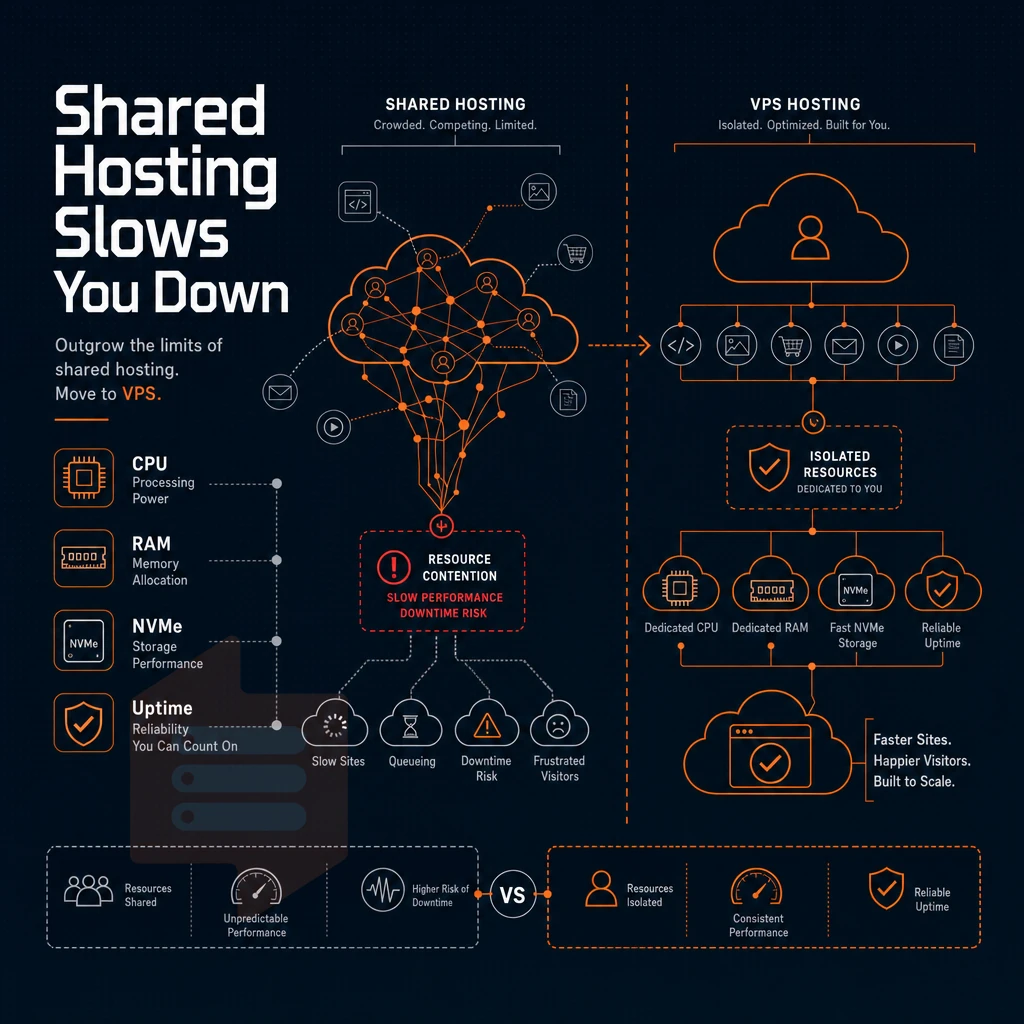
Small websites are often started on a shared hosting plan. They are simple to set up and have a low cost, which makes them a great option for low traffic websites. However, as a business starts to grow rapidly, the problems with shared hosting become apparent very quickly. Many websites begin their journey on budget-friendly plans that provide adequate resources for initial traffic levels but lack the scalability needed for long-term growth.
Slow loading, random outages, and limits on CPU and RAM are just a few of the issues that mean you will need to move to a more powerful hosting platform as your business grows.
Performance degradation under real load
On shared hosting environments, all tenants are competing for the same physical CPU cycles and physical memory. A particularly resource hungry neighbor could cause your responses to go from under 100ms to seconds or more. As opposed to shared hosting, VPS hosting gives each tenant a fixed allocation of resources, no competition for resources, and no unexpected slowdowns as other tenants hit peak usage. VPS plans typically include generous bandwidth allocations that ensure your site can handle traffic surges without throttling or overage fees.
A site that loads in 1.2 seconds for 50 users goes down to 6-8 seconds for 300 users when resources are pooled across many accounts. Insufficient bandwidth allocation compounds this problem, as the network layer becomes saturated when multiple accounts attempt to serve content simultaneously during traffic peaks.
Workloads that demand dedicated capacity
As your ecommerce site grows, it will need a consistent amount of CPU power to handle large checkouts as well as inventory and payment lookups. Running a successful e commerce platform requires predictable performance during high-traffic periods like product launches or seasonal promotions.
And finally, sites with complex infrastructure requirements (custom runtimes, background workers, etc. as well as sites running in containers) need root access to the server as well as a stable kernel. VPS Hosting provides all of these things. Modern websites with dynamic content delivery, API integrations, and real-time user interactions depend on this level of system control to maintain responsiveness and reliability.
VPS resources scale with your needs and workload.
Decision guide: when to move
| Signal | Shared plan impact | VPS fix |
|---|---|---|
| Response time > 2 s under normal load | Neighbor contention, no CPU guarantee | Pinned or reserved vCPU allocation |
| Memory errors or OOM kills | Shared pool exhausted by other accounts | Hard memory cap per instance |
| Need for staging or test environments | No isolation, no root access | Full root, separate kernel per VPS |
| Custom software stack or background workers | Restricted runtime, no daemon control | Full OS control, custom ISO support |
While managed hosting can cater to very large websites, VPS hosting is often better suited to medium to very large sites. Sites of this size require a level of control, flexibility and scalability that managed hosting cannot offer. At BuyVPS we run KVM-based VPS hosting instances on high performance AMD EPYC hardware, in Amsterdam and New York data centers. We offer engineer-led support 24/7 when required.
Types of VPS hosting plans: shared vCPU, dedicated cores, and high memory
Most workloads are not well suited for the same type of VPS hosting plan. The three tiers that most hosting companies market (e.g. shared vCPU, dedicated cores, high memory) each solve a different problem, and selecting the best one for your workload is the first thing to get right. Understanding which services align with your application's resource profile, whether compute-intensive batch processing, memory-heavy databases, or balanced web serving, determines both cost efficiency and performance outcomes.
Shared vCPU: cost-efficient for small websites
- Identify low-burst workloads: In a Shared vCPU plans environment, CPU cycles are pooled from all tenants to service requests from each. This is suitable for very small websites, a developer’s staging environments, a light API etc. While from time to time the power required by your account’s processes may contend with that required by other users on the same host node for access to available CPU cycles. This is expected to occur infrequently.
- Check that your isolated environment holds. Although you are on a shared tier, with KVM each VPS runs its own kernel. Thus memory, storage, network etc. is not shared with other users on the same server. Only the CPU scheduling is shared. This is the reason you won’t have problems with so called “noisy-neighbor” eating up all your memory or performing I/O intensive operations.
- Managed VPS hosting is recommended when you have a team and they don’t have enough Linux ops experience. Managed VPS hosting includes admin tasks such as patching, monitoring, and backups on top of the bare VPS. It costs more, but is suitable for small teams as it greatly reduces the operational load.
Dedicated cores: predictable latency for cpu-intensive tasks
- Pin cores to the workload. A dedicated-core VPS is a VPS with reserved server resources which are not pinable to any other tenant. Unlike shared servers or many VPSes, your CPU cycles are 100% yours to utilize as needed. This is ideal for CI/CD pipelines, game servers, and real-time APIs which cannot tolerate any latency spikes.
- I’d like to clarify what “dedicated” means in the context of VPS. Dedicated resources are vCPUs that are pinned to a physical core on a shared host. So, it’s not a full dedicated server, but rather a slice of a physical server with dedicated resources that are never borrowed by others on that host.
High-memory VPS: scale resources for memory-heavy applications
- Match RAM to your dataset. In-memory databases, big caches and big data analytics engines all require a lot more memory than CPU. High-memory VPS servers have a high RAM-to-cores ratio. Our H-tier VPS (for example) has up to 192 GB RAM on 24 cores of the AMD EPYC Milan processors, with NVMe RAID10 storage.
- Plan ahead of time for new servers. In-place upgrades allow you to add more CPU or more memory without having to migrate to new servers and without rotating IP addresses. Just upgrade the plan and you’re working with the same environment.
Note: Avoid over-provisioning on launch. Start with the tier that fits today's workload and upgrade in place as demand grows.
Key features to evaluate in any server VPS provider
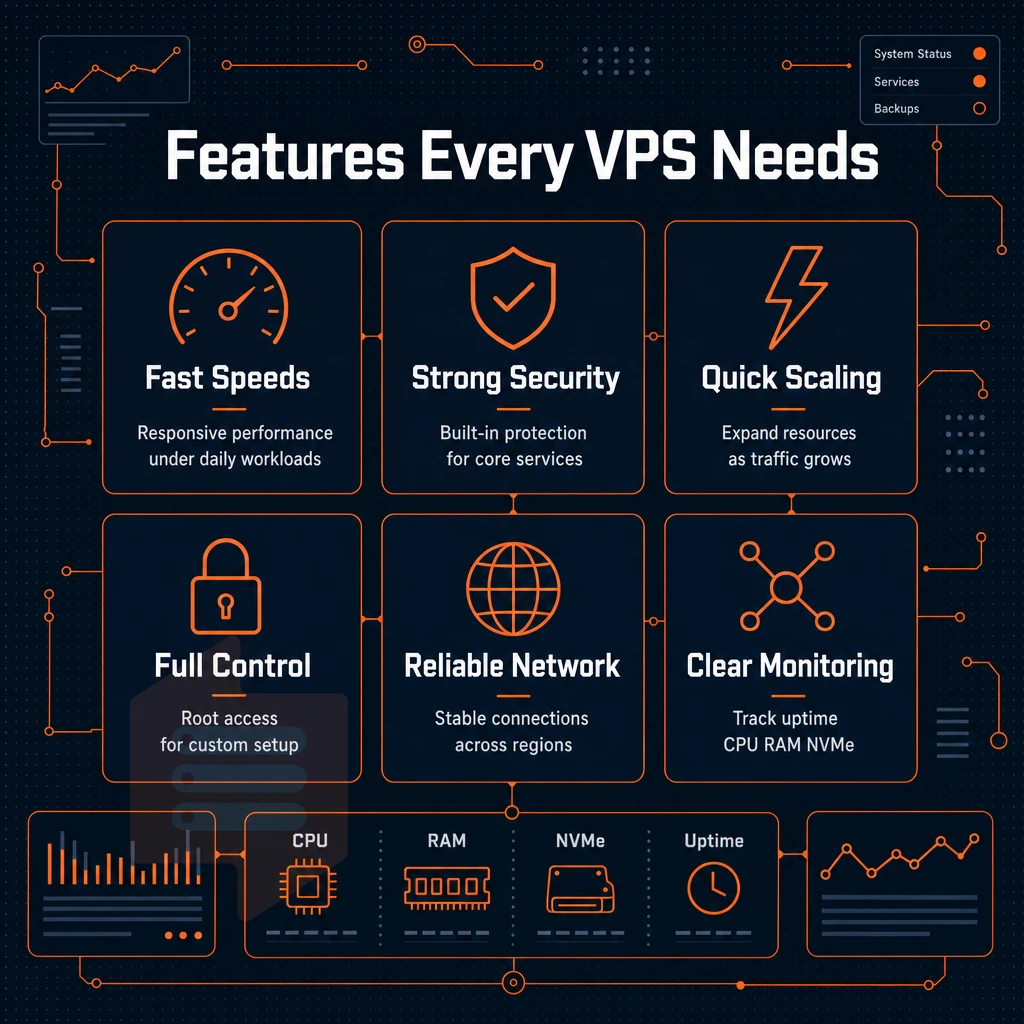
Not all virtual private server providers are created equal. Before you purchase a VPS, make sure you go through a checklist to find a real VPS that can handle real workloads instead of just another over-sold web server (commodity hosting).
The vast majority of budget providers oversell their nodes by packing too many tenants onto each physical machine, leading to resource contention and degraded performance. Reputable providers distinguish themselves by offering transparent resource guarantees, proactive monitoring services, and responsive technical support that can diagnose performance issues before they impact your applications.
Virtualization, storage, and control with unlimited traffic
KVM is the benchmark for isolation. KVM is the only virtualization solution that virtualizes down to the hardware level. Therefore each server VPS running on a KVM host gets its own kernel. This allows for all the normal things that you would install on a normal server, such as kernel modules, custom networking stacks, and low-level tuning for extreme performance. In contrast, both Containers and paravirtualization run in shared kernel space, which has less overhead, but also less control.
NVMe storage is more important than you might read in specs for storage. Legacy SSD storage (like AHF storage) is bound by the SATA or SAS storage bus. NVMe storage over PCIe removes this constraint. Here at BuyVPS we have measured our fio results for 4K read IOPS at 122,959 IOPS which translates well to real world database performance as well as cache performance.
Full root access on a server is what differentiates a VPS from shared hosting. Access to full root access on a server enables you to perform a number of key tasks including: OS re-Installation. Customizing your own kernel parameters, creating your own individualized firewall rules, as well as in-depth daemon configuration.
Without root access, you are essentially just renting space on a server in a shared environment that has been pre-configured by the hosting provider. Additionally, In which you have no ability to make any changes or modifications. With root access, the server functions exactly as if it were a physical piece of hardware that you own.
Operating system choice and API access
A good provider will support a variety of Linux distributions. Premium providers typically offer managed services that include OS installation, security patching, and technical support for multiple distributions.
Automated self-service through a control panel with API access is also important. This allows for the automation of server provisioning, taking of server snapshots, and for forced reboots without needing to go through customer service. For teams that are running infrastructure as code, this is a must. Modern VPS offerings include API-driven services that integrate directly with orchestration tools like Terraform and Ansible for programmatic infrastructure management.
DDoS protection, ips, and SLA
Edge-level DDoS protection should be a standard feature of a provider, not something you have to pay extra for as an additional service. Comprehensive managed services, including proactive monitoring and automated threat mitigation, help ensure your VPS remains secure without requiring constant manual intervention.
Self-managed vs. Managed VPS services
self-managed (you deal with server admin, updates, security hardening etc) versus managed hosting (server admin is handled by your provider).
Network quality, data center location, and low latency strategy
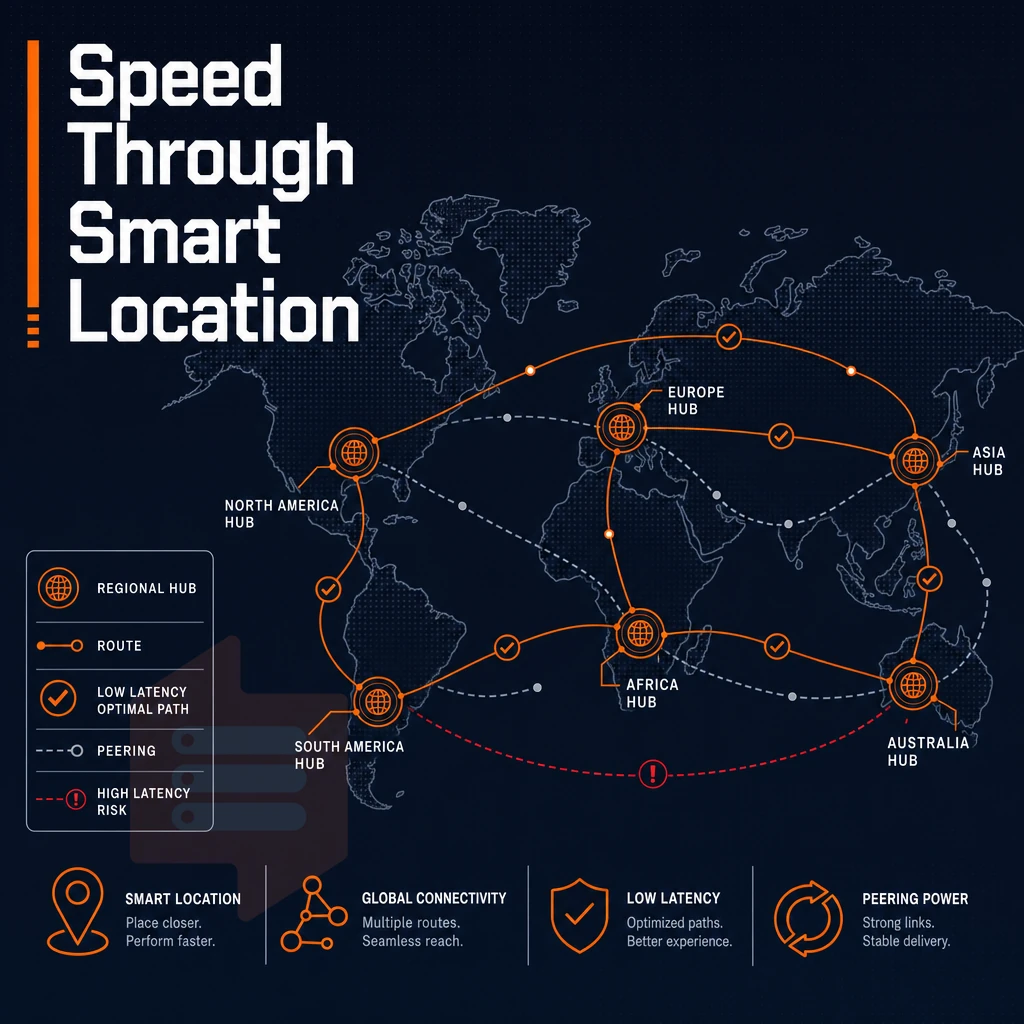
Just looking at the raw specs of the server that your VPS is running on is not enough to get a true sense of the performance of your server. The real key to great performance is where your VPS is located and how the network is put together to serve it up to your users.
We can give you great specs on a server. However, If it’s located in a poor location and the network is not set up to perform well for your users then it doesn’t matter and will not perform well under load.
Data center geography and choosing a specific region
The network latency of a request traveling from Berlin to a New York server before even a single line of your application code is run is roughly 80-100 ms for a round trip. By choosing a data center closest to your target audience you eliminate this overhead right from the start.
We have two locations for our workloads: Amsterdam for EU workloads and New York for US East Coast traffic. For EU users of your SaaS product, most popular software, small projects that need low latency, Amsterdam is the best location for you. For US-first deployments, New York is the best location for you.
Multi-homed uplinks and edge filtering
If one path fails traffic will start to route around the failed path automatically with no intervention from our team and users will not even notice there was a failure.
Edge filtering is put in front of every server. It will block any abusive traffic before it ever hits your VPS, protecting your bandwidth and keeping your latency steady under attack. We’ve built our infrastructure to perform consistently, not just to get you a high benchmark number for a day.
IPv6 and VLAN
All plans are dual-stacked for IPv4 and IPv6.
We can create a network isolation between services on request. The VLAN runs over the same multi-homed network and the same fast NVMe storage.
VPS storage: NVMe raid10, iops, and why it matters for performance
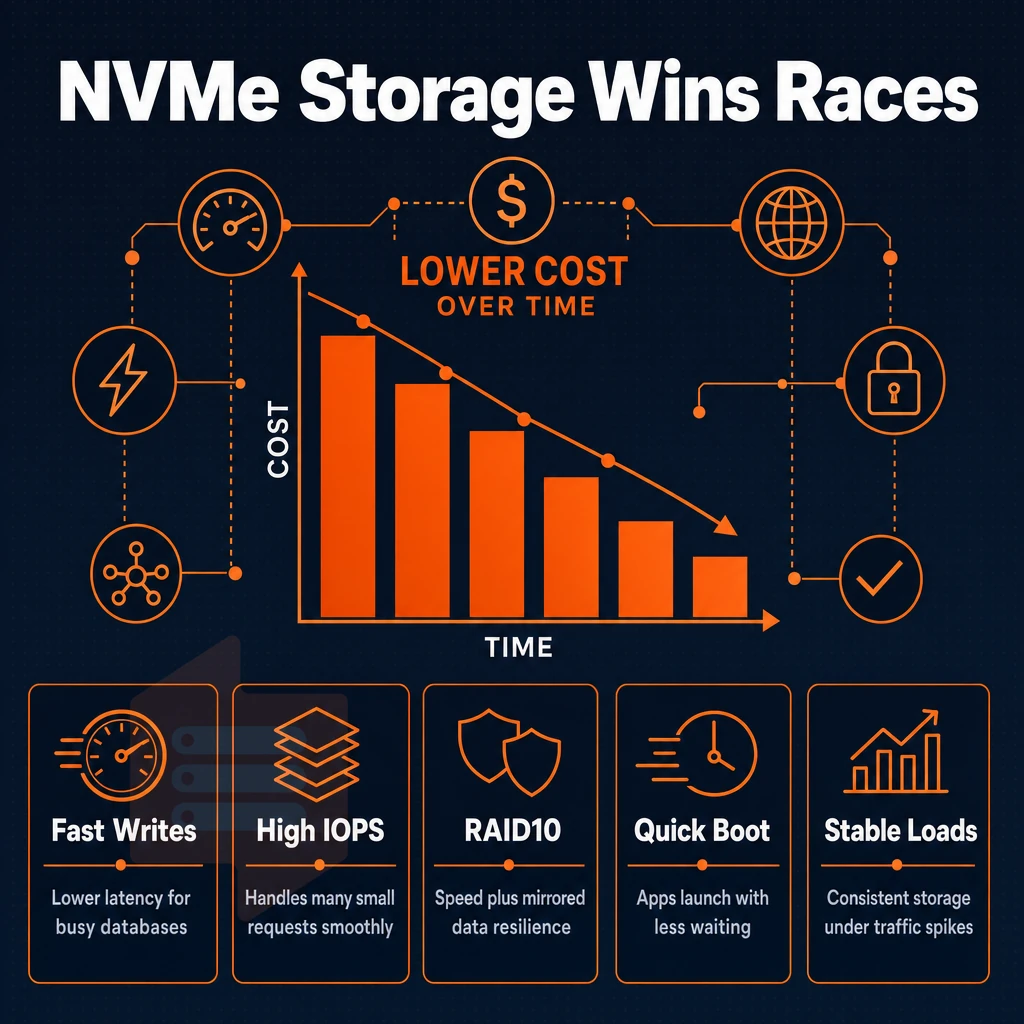
Storage is often the most underappreciated performance factor in VPS hosting. The disk throughput affects how fast a database can write out its commits, how fast a web application can serve cached files, and how accurately test environments mimic production environments. The difference between legacy SSD storage and modern NVMe storage is not incremental, it’s fundamental.
NVMe vs. Legacy SSD: what actually changes
Old SATA SSDs run on a bus designed for disk drives. NVMe storage on the other hand is directly connected to the PCIe bus. This leads to a huge difference in queue latency and IOPS for the same load. For a VPS hosting a PostgreSQL or MySQL server this difference translates into the time a query takes when many are running at the same time.
All VPSes at BuyVPS are running on NVMe RAID10 over PCIe.
Raid10 and what it means for your data
You get nice read performance (similar to normal striped set of drives) PLUS redundancy (like a mirrored set of drives).
A single failed drive does not bring down the server (it will keep running until you replace the failed drive). Virtually ALL VPS providers do not even use RAID, the rest use RAID5 (which trades write performance for extra storage capacity). RAID10 is the most expensive in terms of raw storage cost but is a very predictable solution for a server’s throughput under failure.
| Storage type | Interface | Typical 4K read IOPS | Redundancy |
|---|---|---|---|
| SATA SSD | AHCI / SATA III | ~90,000 | Varies |
| NVMe SSD (shared bus) | PCIe (shared) | ~200,000-400,000 | Varies |
| NVMe RAID10, PCIe-direct (BuyVPS) | PCIe-direct | 122,959 (fio median) | RAID10 mirroring |
When you need more power from your storage layer
Large media pipelines, backup and archive targets are typically better off attached as external storage to the virtual server. VPS plans with API access make it possible to manage these volumes automatically, without manual intervention. Additional IPs can be requested for services running on a server, providing isolated network identities, as well as high-throughput local storage. We support this at BuyVPS.
For databases and high-traffic web sites, look for a VPS that has NVMe storage via PCIe-direct and confirmed RAID10. Published benchmarks are better than published specs. If a provider can’t show you a real fio number, then their storage claims are unverified.
Managed vs. Unmanaged VPS: choosing the right level of server management
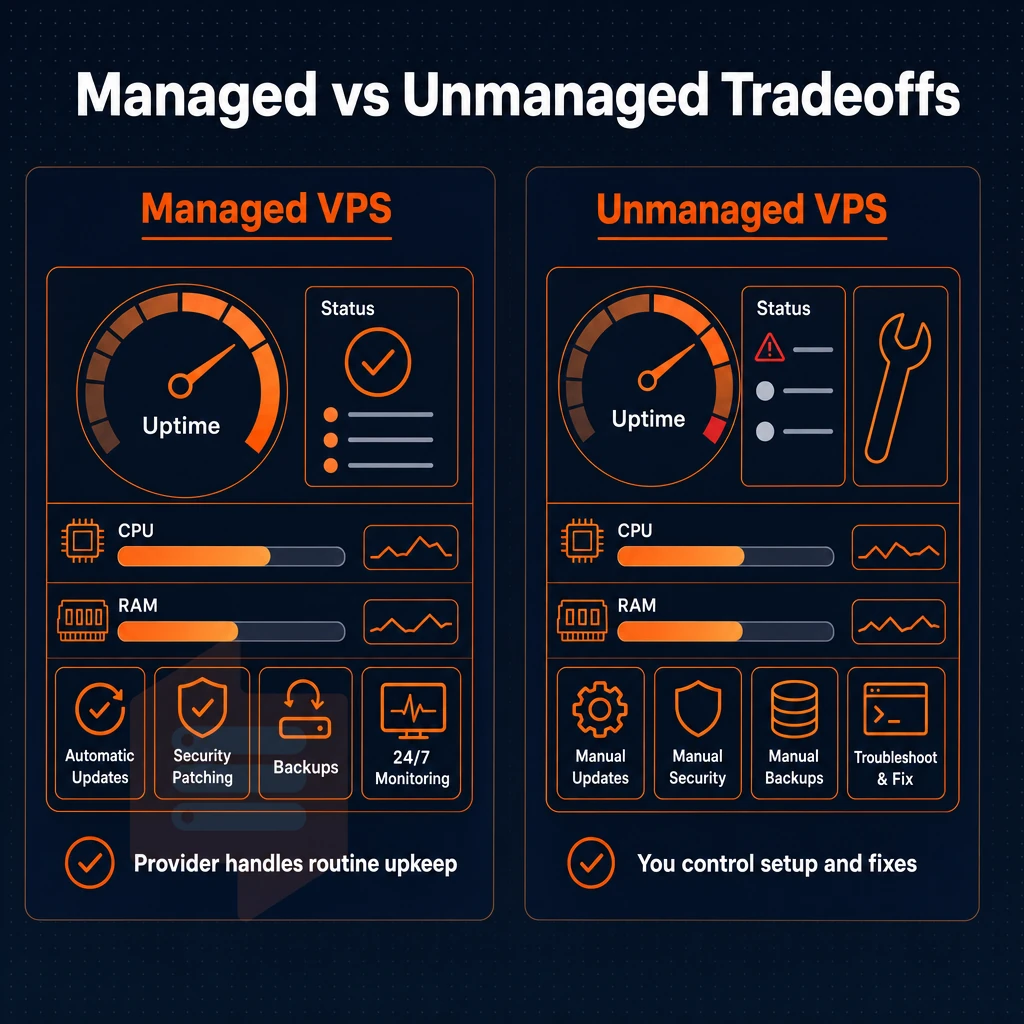
The range of VPS hosting plans extends along a spectrum on which the client can be left to administer the server completely on the one hand. Additionally, Have the server and its administration completely administered by the hosting provider on the other hand.
Knowing where on this spectrum a client is and what he can best handle himself within his virtual environment and what he should have done by his provider to obtain the best possible services from him is essential for choosing the right plan.
Understanding full root access and unmanaged VPS
An unmanaged VPS is an VPS that you manage yourself, as you have full superuser access to the OS. You can install the packages you need, create a firewall, patch the kernel as needed and manage the backups as you see fit. This is great for the developer or sysadmin who wants to have complete control over the layers of the stack.
- Pick your OS at provisioning time with our unmanaged servers plans. You can choose from a selection of distributions such as Ubuntu, Debian, AlmaLinux or Rocky Linux, or even upload your own ISO to install from. Reinstalling your OS is a matter of minutes from our control panel.
- Plan and set up your own backup strategy. Without a managed tier you have no automatic snapshots, but you can create them if you want. Do not forget to set up a cron job or a proper backup tool for your data within the first days. The biggest mistake for an unmanaged VPS is forgetting this step.
- Use the self-service panel and API. BuyVPS self-service control panel and API enables users to reboot, reinstall or resize their servers programmatically without needing to contact support. Many teams that run infrastructure as code rely on these kind of features.
Managed VPS with server administration handled for you
Some VPS hosting companies also offer managed VPS hosting. Here the managed hosting company does patching, monitoring and handles support escalations. They are typically best suited for development companies, design agencies, new start-ups without dedicated IT ops staff. They are also well suited to companies who consider themselves application companies and do not consider the operating system to be part of their core business.
- Control panel add-on expected. Managed hosting plans typically include a control panel for web hosting and are configured for creating databases, managing domains and email accounts etc. Unmanaged hosting plans do not include a control panel by default.
- Make sure you clearly understand the scope of what you are buying before you buy it. Many providers will describe their services as “Managed” but Managed can mean many things to many providers. Make sure you understand what specific tasks are included in the service you are buying, such as OS updates and security patches, or are they purely hardware managed.
Note: BuyVPS plans are unmanaged by design. Engineers are available for infrastructure questions, but OS-level configuration is your responsibility. If your team lacks Linux experience, factor in that learning curve before choosing an unmanaged plan.
Common VPS use cases: from web hosting to complex infrastructure
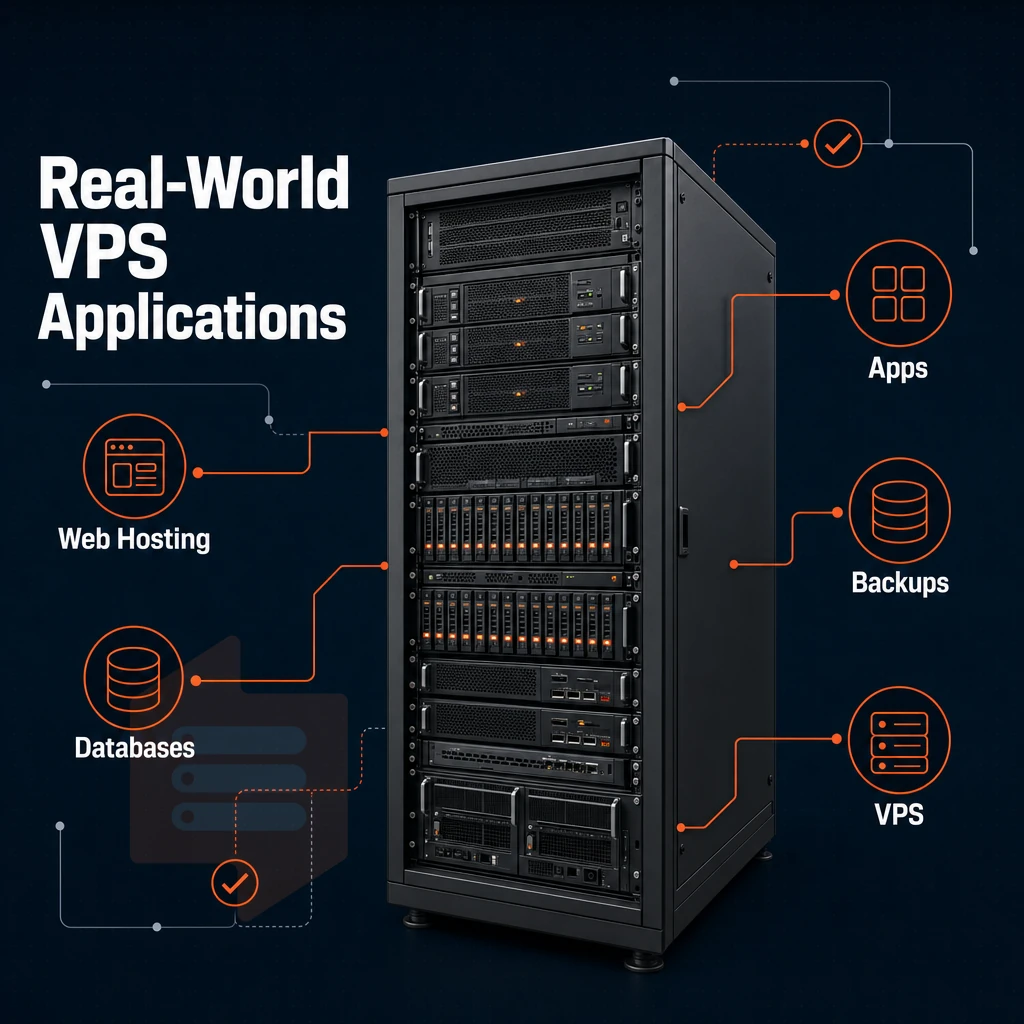
VPS servers are surprisingly powerful and can handle many different types of loads. A single WordPress site can be run on a VPS server, as can a multi-tiered production environment. Isolation, full root privileges and highly-configurable resources make a VPS server the next step up from shared hosting for growing projects.
Hosting websites and online stores
The most common point of entry for the hosting of VPS servers is Web hosting. With a single VPS it is possible to host multiple web sites. These web sites are set up as virtual hosts in the web server software Nginx or Apache.
Each virtual host is set up with its own document root, its own SSL certificate, and its own set of limits for the use of resources. This results in an efficient use of server resources, while there is no loss of isolation between individual web sites.
A normal blog on an ecommerce site is not enough. Ecommerce sites have a lot of bursty I/O from payment processing, session storage, and inventory lookups. BuyVPS's no-oversell architecture with hard memory caps per virtual machine (not averaged across the entire cluster of no-oversell nodes), along with the ability to assign additional ip addresses as needed, is the correct way to host a site like this in order to keep the latency of a checkout consistent under load.
Online stores also benefit from direct kernel access, for example by tuning the TCP stack, fine-tuning PHP-FPM pool sizes and configuring Redis for session caching.
Application servers, game servers, and vpns
For Application servers (Node.js / Python / Java) Pinned CPU is required. For Game servers (Minecraft / Valheim / CS2) a low-latency network path and a fixed amount of RAM is required. BuyVPS’s Dedicated CPU tier allows you to pin cores to your VPS to avoid the noisy-neighbor jitter that can ruin a multiplayer game.
VPN and proxy server access is easy on a VPS. A simple install of WireGuard or OpenVPN within minutes, with full administrative root control to the server. The VPS can be hosted in Amsterdam or New York so that the exit of the VPN or proxy server is close to a large peering exchange.
Development environments and scalable infrastructure
Provision and destroy quickly in your dev and test environments. A single VPS running Docker or LXC can host multiple isolated test stacks, for example, staging, QA, and integration tests all on the same server.
A scalable VPS with in-place upgrades (no migration, no IP rotation) means you can add RAM or CPU as your project grows, all without reconfiguring your DNS or redeploying your certificates. Your path from a small project to advanced infrastructure stays straight as your underlying platform scales with you.
How to compare VPS hosting providers: a side-by-side framework
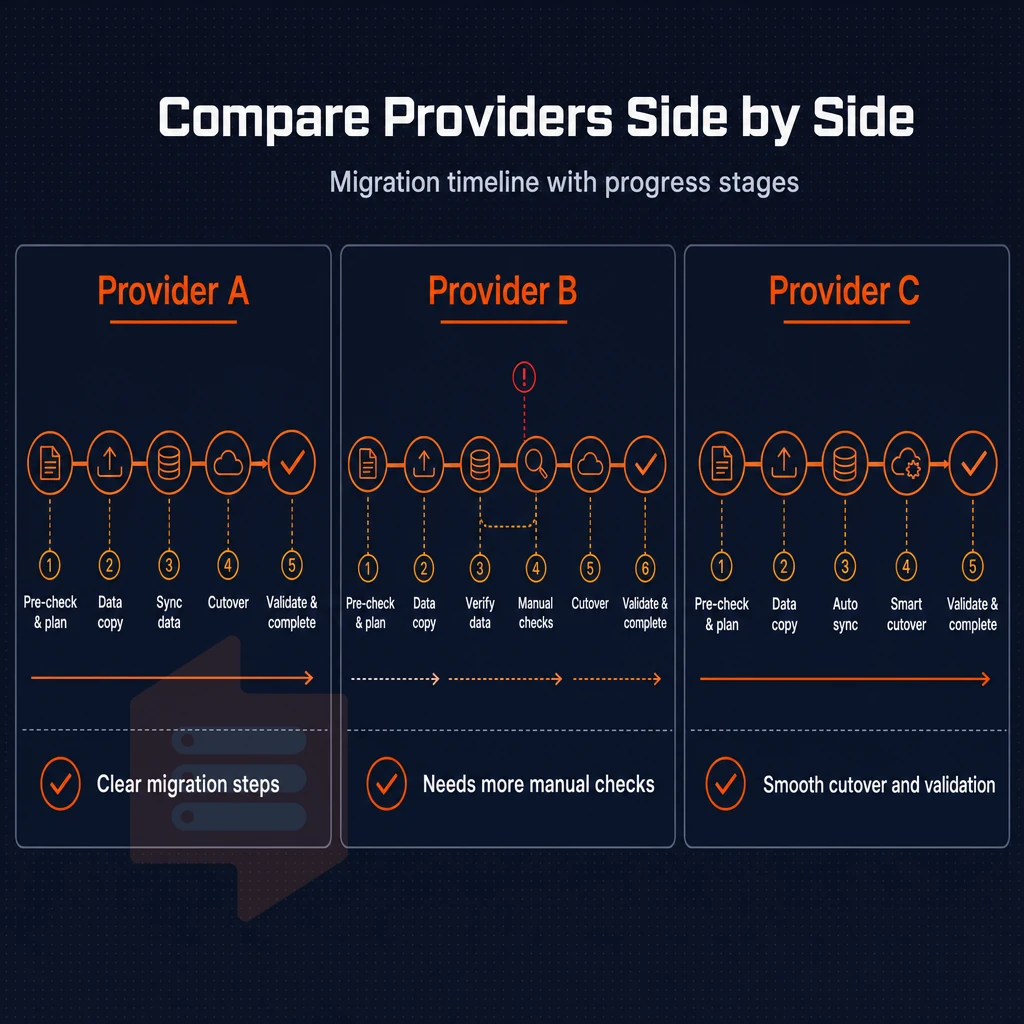
Not all VPS hosts are created equal. Cheaper options can experience huge price increases upon renewal, be over-sold and have poor SLAs in place. Use this guide to find a VPS hosting provider that fits your needs before you part with your hard earned cash.
The core criteria to evaluate
KVM for example gives every VPS its own kernel and hard limits for resources like CPU and RAM.
Therefore, in-place upgrades to provide more CPU power without having to migrate servers is a critical feature.
Take note of the RAM allocation too.
Network, storage, and access
The bare minimum for a worthwhile storage is NVMe on RAID10. Bandwidth policies are wildly variable, with some places advertising “unlimited traffic” but then throttling back in peak hours, so read the fine print for the provider’s fair-use clause.
Full root-level access, a self-service control panel (also with API access) is a requirement for every developer or sysadmin. Without it, you are more or less running multi-tenant hosting. An in-browser VNC console is a vital recovery aid, though.
Unlimited traffic plans comparison table
| Criterion | What to look for | BuyVPS |
|---|---|---|
| Virtualization | KVM preferred over OpenVZ for kernel isolation | KVM, separate kernel per VPS |
| CPU tier | Shared vs. pinned/dedicated cores | Shared (S-tier) and pinned dedicated (D-tier) |
| RAM | Hard caps, no soft-limit overselling | Hard memory caps, low node density |
| Storage | NVMe RAID10, PCIe direct preferred | NVMe RAID10, PCIe direct (122,959 4K read IOPS) |
| Root access | Full root, custom ISO support | Full root access, custom ISO on every plan |
| Control panel | Self-service panel, API, VNC console | Self-service panel with API and in-browser VNC |
| Locations | Match to your users' geography | Amsterdam and New York |
| Renewal pricing | Stable vs. introductory-rate hikes | Transparent flat pricing |
| Support model | Engineers vs. first-tier scripts | Engineer-led support team, no chatbot tier |
Why choose BuyVPS for VPS hosting
BuyVPS has operated as a founder-run hosting provider since 2002. We build VPS hosting on reliable infrastructure, no overselling, no shared resource contention, no surprise fees. Every virtual private server runs under KVM with a separate kernel, giving each virtual machine genuine isolation from other users on the same physical server.
- Three plan families for every workload: Standard CPU (S-tier) for hosting websites and small projects, Dedicated CPU (D-tier, AMD EPYC Genoa with pinned cores) for predictable low latency. Additionally, High Memory (H-tier) for sophisticated infrastructure and multiple websites with heavy memory demands.
- NVMe RAID10 PCIe-direct storage: Our NVMe storage benchmarks at 122,959 4K read IOPS (fio median), published, not estimated.
- Full server control on every plan: Choose your operating system, upload a custom ISO, and take full control of your server instance. Full virtualization means no locked-down control panel restrictions.
- No-oversell with hard memory caps: reserved resources are enforced at the node level. Your VPS resources stay yours.
- Two data centers, identical specs: Amsterdam and New York run the same hardware, same VPS hosting plan pricing, and the same data center standards, pick the specific region closest to your users to reduce latency.
- In-place upgrades, no IP rotation: Scale resources as your business grows without migrating to a new server or losing your IP addresses.
Performance claims are backed by published Geekbench 6, fio, and pgbench results, not marketing copy. Reach our support team at info@buyvps.com or +31 85 369 6285 to discuss which VPS hosting tier fits your workload.
The core differences between VPS tiers and hosting types
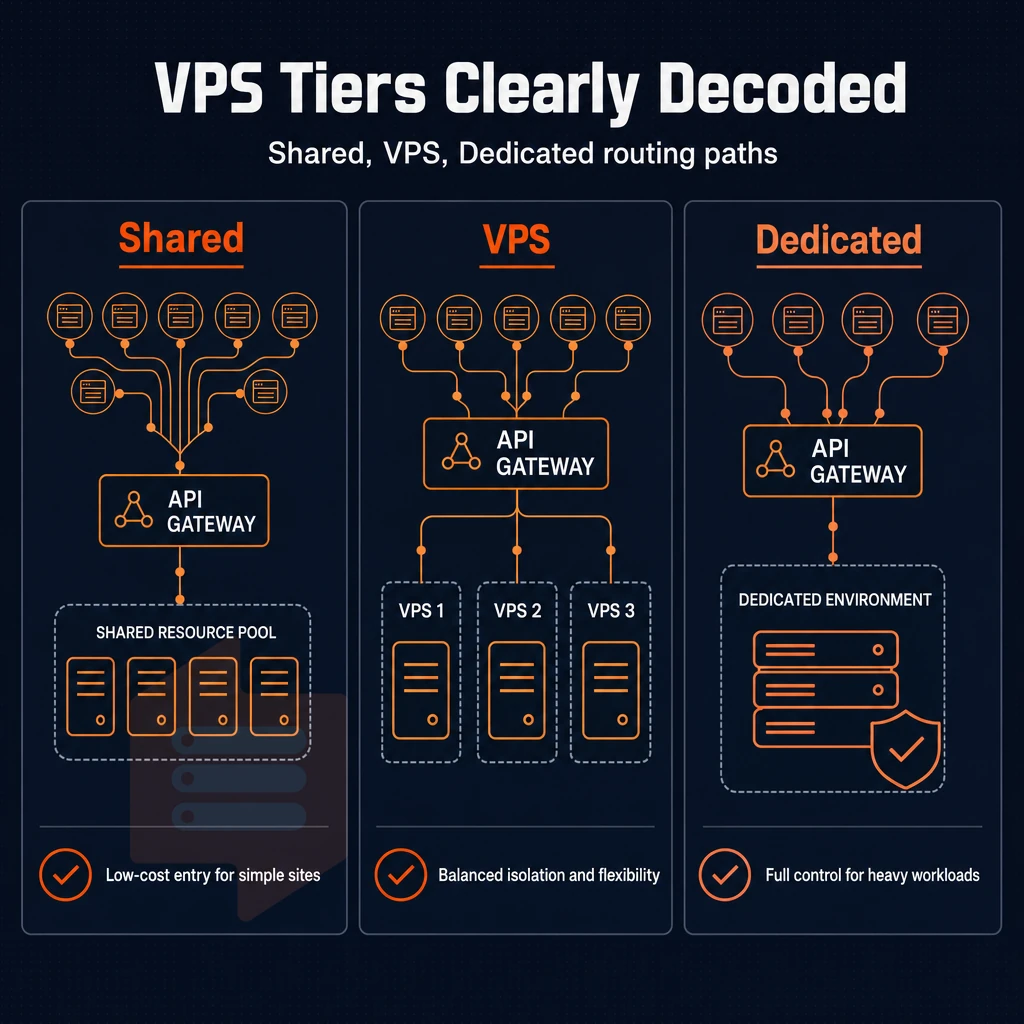
A Virtual Private Server (VPS) is a middle ground between shared web hosting and a full dedicated server. On communal hosting your site will compete with other accounts for the same amount of CPU, RAM and storage on the physical server.
With a VPS however your provider will carve out a portion of the server and allocate you your own, guaranteed resources of CPU, RAM and storage for your site. You’ll have full root user privileges to the VPS and be able to run your own operating system, but without the full cost of a dedicated server.
Most performance differences between VPS hosting come from the internal VPS itself: whether you’re renting a server with shared vCPUs and variable performance or a dedicated core or two pinned to your account for more predictable performance under load. On top of that, your VPS hosting can also be managed for you by the hosting company.
As a result, You can focus on your application and let the hosting company handle the updates, monitoring and other server management for you.
Key advantages of choosing the right VPS hosting provider
When choosing VPS hosting, the infrastructure quality behind the features is more important than the features themselves. So, when choosing the right VPS hosting provider, a virtual server with NVMe drives, KVM full virtualization and hard no-oversell is the only option that is able to provide consistent performance. unrestricted server access, isolated resources and a reliable hosting provider with engineer-led support around the clock means your VPS hosting will grow with your business. No surprises with HostColor.com.
Look for a provider that publishes real benchmarks, offers in-place upgrades, and runs infrastructure in the data center region closest to your users. BuyVPS checks every box, KVM isolation, AMD EPYC hardware, NVMe RAID10 storage, and no-oversell architecture across Amsterdam and New York. Explore BuyVPS VPS hosting plans and find the right virtual server for your workload.
Choosing a VPS web host is a matter of three decisions: the CPU tier for your needs, the network to reach your users with lowest latency possible. Additionally, The provider that does not sell the same server under different names, does not over-sell the hardware, and does not raise the price at renewal.
For loads that are in-memory databases or large datasets, high-memory configurations will not let your server run out of RAM (swap thrashing).
When choosing a data center for your server, the location is not a simple checkbox. The location of the data center affects the round trip time for every request to your web application. That’s why at Packet we pair the best data center locations with KVM isolated servers, NVMe SSDs, and a no-oversell policy to create the best production environment for your needs.
BuyVPS runs AMD EPYC hardware across Amsterdam and New York, with hard memory caps per node and in-place upgrades that preserve your IP address. Browse the plans at BuyVPS.com and match your workload to the right tier.