
Selecting the wrong VPS hosting service can cost you far more than just money, also losing you time, developers’ efforts and customers’ trust. The VPS hosting market has grown significantly lately and choosing a proper service has become a challenging task.
The market now includes a far greater number of service providers. Every other company tries to position their VPS plans and services in higher tiers than before and make pretentious marketing promises while the actual differences between their offerings are mostly non-technical in nature and barely noticeable.
What's the difference between a reliable VPS and an oversold VPS? For us with managed VPS, it's five core things: the CPU (and its cores, and how they're shared or pinned); the RAM caps on your account; ddos protection; and how many other accounts are on the same node as you. Monitoring cpu power allocation ensures your virtual machine receives consistent processing capacity without throttling during traffic spikes.
Low-latency performance becomes especially critical for real-time applications like gaming servers, where even minor delays can degrade user experience and competitive gameplay. Hosting online games demands minimal jitter and packet loss, making VPS infrastructure with proper resource allocation essential for maintaining stable connections across geographically distributed players.
The storage bandwidth under load, the network redundancy on their private servers, and the quality of support you get, is it a real human, or a chatbot. Responsive phone support with knowledgeable technicians can resolve critical issues in minutes, whereas automated systems often leave you troubleshooting alone during outages. Many businesses migrate to private servers specifically to eliminate the unpredictability of shared infrastructure and gain direct oversight of their hosting environment.
This guide explains the various key factors of VPS private servers in more detail with concrete benchmarks and examples of configuration.
Network components are critical for low-latency virtual private server VPS deployments, and they explain how a provider like BuyVPS, running AMD EPYC processors on NVMe RAID10 storage in Amsterdam and New York, can operate a no-oversell service.
At the beginning of this guide, a VPS primer is provided that explains what a VPS is and how the isolation of a VPS works. Choosing the optimal server location between Amsterdam and New York depends on where your primary user base resides, as proximity directly impacts latency and page load times.
What are VPS web hosting services and how do they work
A Virtual Private Server (VPS) is a product that sits in the middle ground between shared hosting and a fully dedicated server. It provides isolated resources as if you had a dedicated server, but without the excessive cost of having your own hardware. Understanding the nature of this isolated environment will provide you with a greater understanding of choosing the correct VPS tier for your own needs.
First month $1
Then the normal monthly price. One per customer. No setup fee, and a 30-day performance guarantee on your first order.
See the plans“Excellent service! Thank you for providing the server so quickly. The service was fast, reliable, and exactly what I needed. Highly recommended!”
Small services that must never sleep, like Discord or Telegram bots, get their own guide: bot hosting on a VPS with systemd and a fixed IPv4. Read the guide.
This makes VPS an ideal solution for hosting websites that require consistent uptime and performance without the unpredictability of shared resource contention. Organizations can save money by choosing VPS infrastructure that scales with actual demand rather than overprovisioning dedicated hardware from the outset. This makes VPS particularly attractive for small businesses that need reliable hosting infrastructure but cannot justify the capital expense of purchasing and maintaining dedicated hardware.
What a virtual private server location actually means
Hypervisors, on the other hand, allow a single physical server to be split into many virtual servers, each server being allocated its own physical CPU(s), RAM and storage. This form of hosting is also known as server virtualization and as resources are allocated on a per server basis only. The problem of noisy neighbors that can affect shared servers so badly in shared hosting does not exist with hypervisor hosted VPS solutions.
Each virtual server receives its own allocation of disk space, ensuring that one tenant cannot consume storage capacity needed by others on the same physical host. The hypervisor manages the operating system layer for each virtual machine, ensuring complete isolation between tenants at the kernel level.
Shared hosting involves hosting hundreds of accounts on a single server with no fixed limits on resources. A single greedy script can soon bring down the performance for all other users on the server. This risk is removed with VPS hosting, where isolation is enforced by the hypervisor and fixed limits are in place.
KVM and separate operating system options across VPS plans
We run KVM virtualization on our servers, with each VPS having its own kernel. So each VPS boots up with a full copy of the OS, completely independent of other users on the node. A kernel panic on one VPS will not affect other VPSes on the node.
It is root access unrestricted.
What you can do with it
With full root access to your VPS you are fully responsible for server management (installation of packages, firewall, cron jobs, ). Like any other VPS provider running data centers, we are responsible for the hypervisor layer, but everything above that layer is completely within your control. This level of access grants you complete control over security policies, software versions, and system-level configurations that would be impossible in shared environments.
Root access also enables you to configure custom e mail server software with specific authentication protocols and spam filtering rules tailored to your domain requirements. This architecture provides full control over every aspect of your server environment, from kernel parameters to network stack tuning, without requiring approval from a hosting provider. Proper configuration of firewall rules and regular security audits help mitigate security breaches that could compromise sensitive data or disrupt service availability.
- Deploy any supported Linux distribution or upload your own ISO for deployment.
- Run databases, application servers, or containerized workloads.
- Scale in-place (no migration or IP rotation for upgrades).
So there are three key things that determine the real world performance of a VPS, the quality of the isolation. The quality of the underlying hardware (or generation of hardware) and the quality of the network reliability. So before we get into the hardware, it’s worth establishing how VPS hosting compares to shared hosting, and why most users are migrating from the latter to the former in the first place.
VPS hosting providers vs shared hosting: key differences
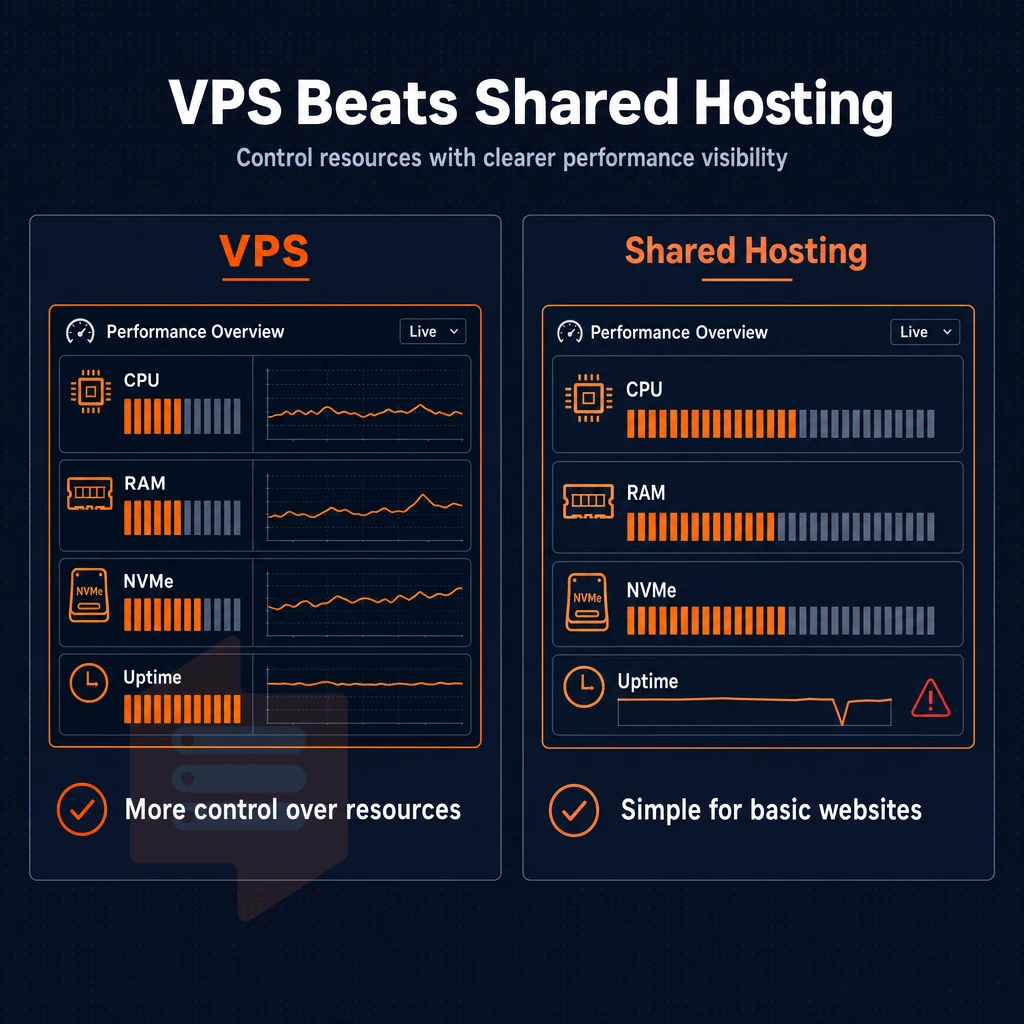
When choosing between VPS web hosting and basic web hosting there is one simple question to ask yourself: Do you want to control the resources of a server or share them with other unknown users. How you answer this question will depend on what you require from your website and how it is likely to grow.
Web hosting resource allocation and performance
With VPS hosting your allocation is isolated and you have dedicated resources to run your workload.
When put under load, a Virtual Private Server will maintain the average response time for your site even during peak usage. A shared server, unlike VPS solutions, will decrease in performance in unpredictable ways as the shared hardware is intentionally oversold.
Web hosting control and more power to configure
Shared hosting plans include a control panel. VPS hosting plans include a root login to a full OS, so you can compile your own kernel modules, run whatever daemons and runtimes you need, etc. That’s the basis for unmanaged VPS hosting. You run the stack 100%.
| Dimension | Shared | VPS |
|---|---|---|
| Resources | Pooled, contended | Isolated per tenant |
| OS control | None | Full (root) |
| Scalability | Hard ceiling, plan migration required | In-place upgrade, no IP change |
When you've outgrown shared web hosting
The typical trigger to move to VPS web hosting is when slowdowns become regular, a deployment fails, or you need to install software that your shared hosting environment blocks. More headroom, more predictable performance, and no risk of other shared tenancies screwing things up for you are all good reasons to upgrade your web hosting plan to a VPS. Scaling to more VPS resources becomes straightforward when you recognize these performance bottlenecks, allowing you to right-size your infrastructure before issues impact end users.
The next thing to consider when comparing VPS plans is how you are going to use the isolation that a VPS affords you and how that isolation will be enforced at the lowest levels of your server hardware.
Private servers, dedicated resources, and why isolation matters
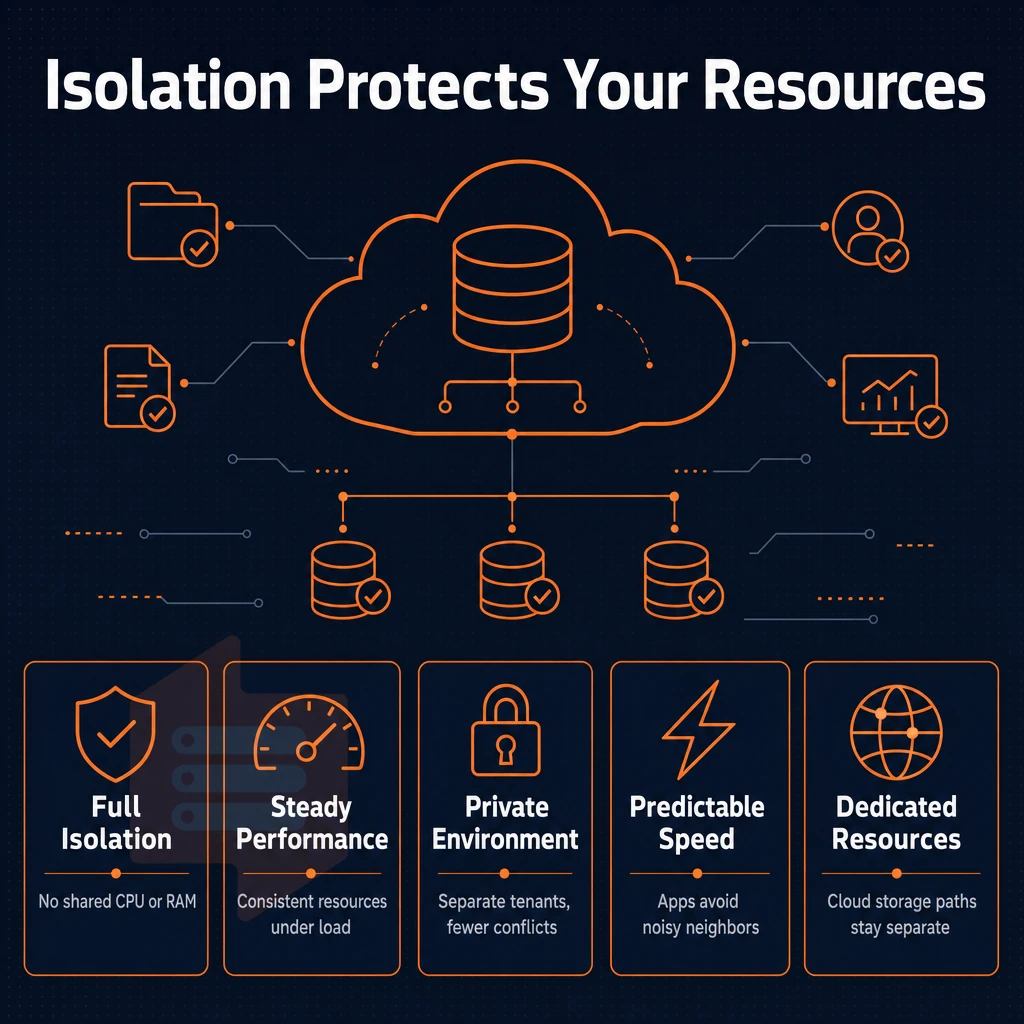
As your application runs on shared servers (i.e. shared infrastructure) it competes with other tenants on the server for CPU cycles and RAM on the server node. Here is how reserved capacity in VPS hosting options translate into predictable performance for your application and what you need to verify before you deploy your application on your dedicated servers.
Virtual private server resources and allocation
Servers created from VPS hosting built on KVM technology have their own operating system and their own kernel for each server. So, there is no neighbor process that can access your server. Selecting the right operating system for your VPS depends on your application stack, familiarity with Linux distributions, and whether you need specific kernel modules or software repositories.
- I’d choose a tier with hard memory caps as opposed to soft limits which allow for burst-and-steal behavior. Hard caps mean the RAM you provision is always yours. This is most important for very resource intensive applications like databases and in-memory caches.
- For latency sensitive workloads it is advisable to pin selected CPU cores. On our D-tier the cores are physically pinned, there is no CPU steal from other virtual servers that are placed next to each other. The latency does not change when loading these virtual servers.
Note: Shared-vCPU plans suit most web workloads. If your profiling shows CPU steal above 5%, that is a signal to move to pinned cores.
Configuring your isolated web hosting environment
Our dedicated environment allows you to configure your server exactly as you need it, without affecting other tenants. You can set kernel parameters, install your own applications, and even load in a custom ISO for your server, all with full root access on every plan.
- Verify the Linux OS choice for your servers at provisioning time. Images for Ubuntu, Debian, AlmaLinux, Rocky Linux, CentOS Stream and Fedora are supported. Linux images for servers unlike Windows servers provision in seconds and come with no licensing charges.
- Confirm your technical expertise level before tuning kernel flags. Misconfigured
vm.swappinessor CPU governor settings can negate the isolation benefits you paid for.
What BuyVPS guarantees across its data centers
Each plan has a 30 day money back guarantee.
Core VPS web hosting plans: shared vCPU, dedicated core, and high memory
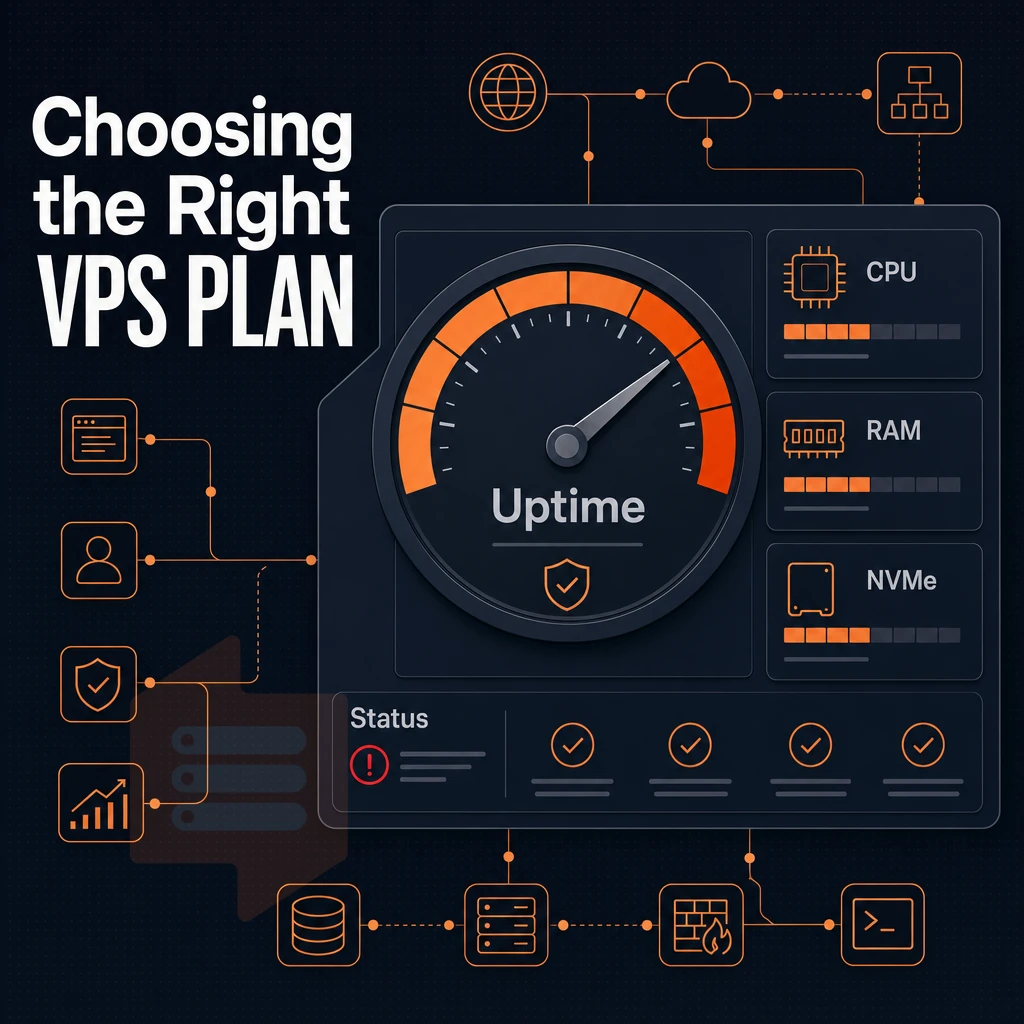
Our VPS plans are organized into three tiers of VPS to help match the correct amount of VPS power to your workload. By understanding what the underlying hardware used in data centers for each tier of VPS does (beyond just specs), anyone who has outgrown shared hosting can make an informed decision as to which tier of VPS is best for them.
Most hosts offer tiered pricing structures that scale resources incrementally, allowing you to upgrade as traffic and computational demands increase over time. A first order carries a 30-day performance guarantee, so you can benchmark against your own workload before committing long-term. Choosing a scalable VPS tier ensures your infrastructure can grow alongside your business without requiring complex migrations or extended downtime.
VPS solutions at a glance
Our Standard CPU (S-tier) private servers are configured to run shared vCPUs on an AMD EPYC Milan processor with DDR4 ECC RAM and NVMe storage. This configuration is suitable for general web applications, staging environments, and development workflows, the kind of setups most VPS hosting providers target, that handle routine server management tasks and occasionally burst but do not require a fixed core to be pinned. It is our entry level web hosting plan for teams moving from shared web hosting.
The Dedicated CPU (D-tier) server is pinning cores on our AMD EPYC Genoa platform with DDR5 ECC RAM. There is no noisy-neighbor contention on this server. For low-latency applications (real-time APIs, CI/CD pipelines, game servers) the dedicated core on your VPS ensures consistent CPU time for you.
High memory tier: in-memory workloads
We don’t believe in overspec’ing CPU for these workloads.
Managed vs. Unmanaged: what BuyVPS provides
All tiers of hosting include Full Root Access, KVM Virtualization, and a self-service control panel (with API access), that is to say, we offer unmanaged hosting by design. So even though we offer VPS hosting, Teams and Businesses can have managed VPS hosting.
All you need to do is layer your own tools on top of the cheap VPS plan, the platform will get out of your way. Unlike managed hosting services, we do not restrict root access to the operating system (or packages, etc), that is what we mean by unmanaged hosting.
All three tiers support Ubuntu, Debian, AlmaLinux, Rocky Linux, CentOS Stream, Fedora and custom ISO uploads. Support for all major operating systems from the get go.
The tier you choose will configure a CPU and RAM profile through your server settings, but then there is the storage and network layer, critical in data centers, to consider in its own right.
Unlimited traffic, NVMe SSD storage, and network performance
Three infrastructure variables that matter for a VPS are storage throughput, network headroom, and uptime guarantees.
NVMe SSD storage and i/o performance
We run NVMe SSDs in RAID10, with direct PCIe attachment (no SATA storage subsystem with shared backplane as in SAS storage systems). Our numbers are based on a “real world” benchmark which averages to 122,959 4K read IOPS (fio).
For workloads heavily based on databases such as PostgreSQL, MySQL. Additionally, for Redis deployments in data centers or on VPS servers backed by a day money back guarantee, the key number is the amount of 4K read IOPS (random read access) delivered in a low-latency fashion in order to maintain predictable query times.
Not all hosts report verified I/O numbers. We do report the verified numbers for the disk space and throughput that your virtual machine will really get as opposed to numbers that someone assumed.
Unlimited traffic and dual-stack networking
All plans include unlimited traffic on your multi-homed uplinks. As your hosting company, our edge filtering will block malicious traffic before it can affect your private server instance and keep your legitimate traffic flowing smoothly.
DDoS protection and uptime SLA
Our edge-level DDoS protection is network-layer and active from both our Amsterdam and New York data centers. We back that infrastructure with redundant hardware and multi-homed uplinks in both regions. We go into some detail on choosing between the two regions for your deployment, below.
Why choose BuyVPS for VPS hosting services
BuyVPS has operated as a founder-run hosting company since 2002. Our virtual private server hosting are built on AMD EPYC processors, NVMe RAID10 PCIe-direct storage, and KVM isolation with a separate kernel per VPS, delivering exceptional performance without shared-resource surprises.
- No-oversell guarantee: hard memory caps and low node density mean your VPS gets the resources it's allocated, every time.
- Full root access on every plan: deploy your own operating system, custom ISO, or open source tools, complete self managed control from day one.
- Pinned cores (Dedicated tier): isolated compute resources that don't fluctuate under load.
- Provable performance: published Geekbench 6, fio, and pgbench benchmarks back every claim.
- Transparent pricing: with in-place upgrades and no IP rotation.
- Data centers in Amsterdam and New York: identical hardware, identical pricing, both regions.
Our support team is engineers, not chatbots.
Ready to compare VPS hosting plans or discuss which tier fits your workload? Reach out and we'll help you find the right fit.
VPS hosting sits in the sweet spot between shared server hosting's limitations and the cost of a full dedicated server. Pair that with NVMe SSD storage and a no-oversell policy, and the gap between a well-chosen VPS and bare metal narrows considerably.
Pinned dedicated cores eliminate noisy-neighbor latency.
If you're ready to move past multi-tenant hosting into true VPS web hosting, or to replace an oversold VPS with a provider that publishes real benchmarks, explore BuyVPS's Standard, Dedicated.