
Slow storage is one of the main causes of poor application performance. Before you can even begin to troubleshoot and assign blame to your code, slow storage can already cause significant problems. SSD-backed VPS hosting alleviates these kinds of problems found in traditional spinning-disk hosting environments by providing NVMe-class performance for your databases and other applications.
This fast storage allows for quick deployments, fast query times for databases, and generally allows for faster application performance. It also means that cms platforms and other applications that previously required over-provisioned hardware for I/O intensive workloads can now run just fine on a single, correctly sized VPS instance. The improvements to performance are felt throughout the entire technology stack, with every virtual private server and application booting up faster, reducing query time for databases, and generally providing a better user experience.
There’s a huge variation in quality between different types of solid-state VPS hosting. A consumer-grade SATA SSD will sit in an entirely different maximum performance 'tier' than an enterprise NVMe SSD on a shared RAID array. Additionally, Entirely in its own tier from a high-performance PCIe direct-attached NVMe SSD running in RAID10. This article explains the real meanings behind all the common storage specifications.
How to actually test and measure storage performance for a VPS hosting service, what applications are best suited for different levels of storage performance. Additionally, what to look for from a host, including how cpu ram is allocated, before you sign up, so you avoid a service that will be slow for latency-sensitive applications.
What is SSD and how a virtual private server works
SSD VPS hosting provides the same isolation of a VPS, but with the added benefit of fast solid-state storage. Unlike with shared hosting, you can be sure of the performance that your server will provide. Learning a little bit about the technology behind your hosting can also help you choose the correct package for your needs.
First month $1
Then the normal monthly price. One per customer. No setup fee, and a 30-day performance guarantee on your first order.
See the plans“Excellent service! Thank you for providing the server so quickly. The service was fast, reliable, and exactly what I needed. Highly recommended!”
What is SSD VPS hosting on virtual servers?
A VPS hosting environment can be set up on a physical server to host virtual private servers (VPS) that are each their own virtual machine (VM). Each VPS will have dedicated resources for the CPU, RAM and the storage for that VPS. This makes a VPS environment very different from a shared hosting environment where all accounts are on the same server and share the resources for all accounts. Unlike bare metal servers where a single tenant occupies the entire hardware, VPS hosting allows multiple isolated instances to coexist efficiently on the same underlying infrastructure.
This architecture makes VPS solutions cost effective for businesses that need isolation and guaranteed resources without investing in entire physical servers. Proper allocation of cpu ram ensures each virtual machine maintains consistent response times under load, preventing resource starvation that could impact application availability. Each virtual machine operates with its own dedicated vCPU allocation, ensuring predictable compute capacity for applications that require consistent processing power. Organizations requiring strict data isolation often deploy VPS instances within private networks to segment traffic and enforce access controls between different application tiers.
When we refer to “SSD” in the past it usually referred to storage using flash in a SATA drive bay. This is the traditional storage that most people know about and that spins at high speed to provide fast access to data.
Modern storage now uses NVMe (Non-Volatile Memory express) which connects directly to a PCIe slot on a server to remove any potential bottleneck that SATA may have introduced. Our NVMe RAID10 array at BuyVPS has recently been tested using fio and achieved 122,959 4K read IOPS for our virtual servers, a figure simply not achievable using traditional spinning disk or legacy storage using flash and SATA.
How virtualization splits one machine into private servers
KVM (Kernel-based Virtual Machine), the Hypervisor used by serious VPS hosting providers around the world. A VPS server is given its own kernel, thus if one VPS server instance crashes or is configured incorrectly it will not affect any other VPS server instances. This isolation architecture is fundamental to achieving high availability, as failures are contained within individual instances rather than cascading across the entire host system. This approach has been validated and adopted by industry leaders who require enterprise-grade reliability for mission-critical workloads.
As with a Dedicated Server, you will have root access to the server and be able to install your own OS. Unlike a Dedicated Server though, you won't have to manage the whole box, just your own portion of it.
What VPS hosting providers should guarantee
This means there is no “overselling” and you won’t have to deal with the problem of a “noisy neighbor” slowing down your VPS. Isolation ensures that resource-intensive processes initiated by other users cannot degrade your instance's CPU or memory availability, maintaining predictable application behavior.
Additionally, the process of upgrading your VPS in BuyVPS is completed in place, meaning your IP(s) will not change. The next thing to consider is the storage interface used to back your VPS and what it will really mean for your VPS’s performance.
NVMe vs SSD storage: why type defines high performance VPS
Fast storage is not all created equal. SATA SSDs and NVMe storage devices use different interfaces to access data, and within any data center running VPS instances, the differences in access patterns between the two create very real differences in how instances actually perform.
Sata SSD vs NVMe on private servers: the interface gap
This huge difference is especially noticeable with so called data processing, such as database queries or log files.
| Metric | SATA SSD | NVMe SSD |
|---|---|---|
| Sequential read | ~550 MB/s | 3,500+ MB/s |
| Random 4K read IOPS | ~80,000 | 500,000+ |
| Latency | ~100 µs | <20 µs |
| Interface | SATA III | PCIe direct |
Is NVMe better than SSD for VPS hosting?
We do use storage headroom for any workload where storage latency impacts response time. Storage can be a bottleneck for workloads such as databases, compiled builds, and high traffic web sites.
The storage limit for all workloads running on a physical host (as opposed to in a virtual host) is the limit for SATA SSD storage before it hits the limit for NVMe storage. On a shared host, the headroom for a given workload is further reduced as IOPS contention for storage by all tenants on the host increases linearly with the number of tenants.
Why raid10 matters alongside raw speed
IOPS is a raw measurement and ultimately meaningless in the face of a drive failure and loss of storage space. RAID10 provides the highest level of redundancy, mirroring data across drives while also providing striping for increased performance. Our NVMe RAID10 arrays here at BuyVPS have been measured at 122,959 4K read IOPS (fio median), we publish the full methodology and numbers for your perusal. Additionally, Our support team can point you in the right direction should you need it.
The same hardware configuration is offered in Amsterdam and New York data centers by BuyVPS. After you choose the storage tier that's right for you, you'll find out how you can operate your servers in a data center environment in practice after deploying them. This geographic distribution across worldwide locations enables businesses to deploy closer to their end users, reducing latency for international audiences.
Instant deployment and full control: what to expect from a VPS
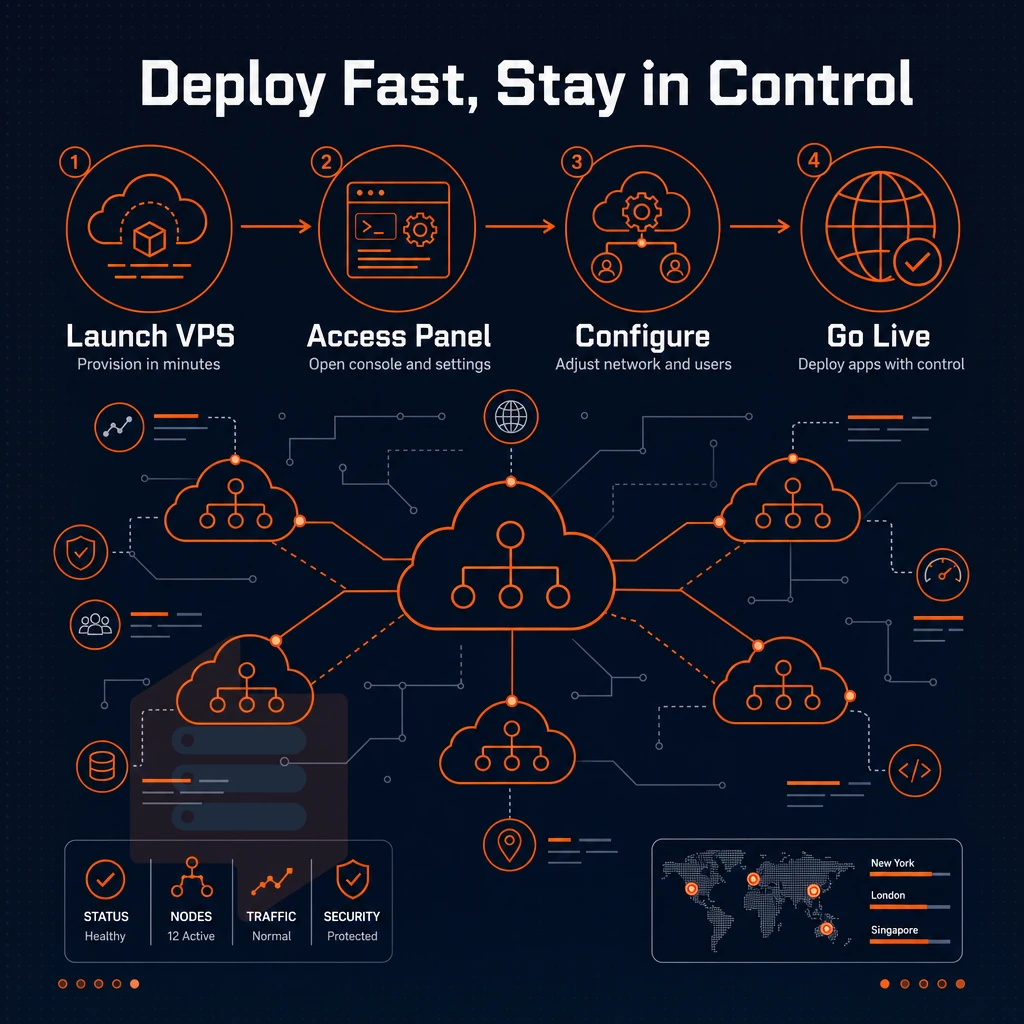
Setting up an SSD VPS is nothing like placing an order for a dedicated server. In minutes instead of days you get to start your administrative work after a simple login with complete root access. We explain you step by step what you can expect during the usage of your SSD VPS. The streamlined setup process eliminates the traditional provisioning delays associated with physical hardware, allowing you to configure networking, install software packages, and deploy applications within the same session.
Instant deployment: from order to live virtual private server
- Choose your VPS plan with the right amount of power for your tasks, pick the region you need (Amsterdam or New York) and a tier that fits your needs (Standard, Dedicated CPU or High Memory). Your chosen setup will be clearly displayed in the control panel before you complete the purchase.
- First receive your login details and then boot up your new server. The automated provisioning will then kick off as soon as your payment has cleared. In a matter of minutes your VPS will be up and running, unlike dedicated servers which can take hours or even days to rack and set up.
- Access the instance by connecting via SSH or VNC. If accessing a headless instance, you can use your preferred SSH client. If the instance becomes unreachable, access the in-browser VNC console for direct keyboard-and-screen access to the OS without requiring a support ticket.
Note: Do not skip setting a strong root password and disabling password-based SSH login immediately after first boot. This is the most common security gap on freshly provisioned servers. Exposed SSH ports are frequent targets for automated brute-force attempts and ddos attacks, making immediate hardening essential for any internet-facing server.
Data center operating systems and full root access
Each VPS hosting plan comes with your choice of several operating systems to get you going. Each VPS comes with full root access so you can do as you like with your server, no managed hosting restrictions here. The flexibility to switch between operating systems without reinstallation fees allows you to test different distributions and find the optimal environment for your specific workload requirements.
On developer/sysadmin managed VPS hosting you can install any runtime, compile your own kernel, manage your own ip addresses, and configure firewall rules without any permission from the hosting provider. This is in stark contrast to Managed Shared Hosting where you have no control at all.
Managed hosting environments typically offer less control, restricting users from modifying system-level configurations or installing custom software packages. This level of autonomy gives technical users more control over their hosting environment, enabling custom configurations that would be impossible in restricted platforms.
Control panel and virtual private server management
The self-service control panel covers the full lifecycle of a server. Reboot, reinstall, resize or monitor your servers without ever having to raise a support ticket. All actions are available through a REST API as well, to script your server management or to use it for your infrastructure-as-code workflows.
The API enables programmatic configuration changes across multiple instances simultaneously, streamlining infrastructure management for teams running complex deployments. Automation capabilities extend to provisioning new virtual servers on demand, allowing teams to scale infrastructure dynamically in response to traffic spikes or deployment schedules.
In-place upgrades allow you to upgrade to a larger VPS plan without any IP rotation or data migration.
Who has the best VPS web hosting?
BuyVPS can be used by teams that require provable performance. They utilize AMD EPYC processors paired with NVMe RAID10 storage. They publish benchmarks for said storage. All of their VPS’ are configured with no-oversell and include hard memory caps.
Their team of engineers can assist with any questions or issues you have with your server, whether you're hosting websites in their Amsterdam or New York location. Both locations utilize identical hardware and configurations to deliver the same performance for your stack. As opposed to shared hosting, BuyVPS offers VPS hosting which is where many teams start when looking into a transition from shared hosting.
Shared hosting vs SSD VPS hosting: key differences explained
The main difference between Shared and VPS Hosting is that in Shared Hosting you share your resources, whereas in VPS Hosting you own your resources.
The same physical machine problem with virtual servers
A typical shared hosting server has dozens to hundreds of sites on one server (physical machine). They are all competing for the exact same resources: CPU time, RAM, disk I/O, etc. One PHP intensive site becomes your site’s slow performer until you contact support. As a shared hosting client, the virtualized (hypervisor) layer does not provide any isolation from the other sites on the same physical server.
VPS hosting uses kernel-level virtualization, such as KVM for example. This type of hosting carves up the physical server to create individual virtual machines (VMs) to host individual users and their workloads. This means each VPS has its own memory allocation, its own CPU time and its own NVMe I/O queue for example. What another user or users are doing on an adjacent VM for example will have no effect on your workload.
Full control, guaranteed resources, and worldwide locations
VPS resources are provisioned on the Hypervisor level, which means you have root access, your own dedicated kernel, and you can tweak the OS, firewall, and the runtime stack as you see fit. As you can probably tell, these scalable resources are a complete opposite to what you can expect from a shared hosting environment, and something that shared hosting simply can't offer by design.
The result is very measurable and repeatable performance, for example: 122,959 4K read IOPS on our NVMe RAID10. Your performance is not going to take a hit due to your neighbor’s traffic.
How much does VPS hosting usually cost?
The price for a VPS can vary quite a bit depending on what resources the VPS has. On the lower end of the spectrum there are the shared vCPU plans, designed for multiple users running web applications or development and testing environments, though they do come with limited disk space.
Lock down physical cores to your VM to eliminate the effects of the scheduler, making latency a non-issue for latency-sensitive web hosting applications, such as databases and high traffic APIs. Last but not least there are the high-memory plans designed for in-memory caches and analytics. All of these plans at BuyVPS include enhanced security through DDoS protection, and are available for a monthly, 1 year, or 2 year billing term. Check the current prices on the plans at BuyVPS.com.
Price and resource guarantees are important for VPS users. But for a publicly accessible server, the network behind it must be able to withstand an attack as well. That's where security comes in.
DDoS attacks and network security on SSD VPS hosting
Public-facing workloads such as web apps, game servers, APIs are subject to volumetric attacks and thus require solid network security. For flash storage VPS hosting network security is not optional but rather the basic requirement to keep your services online.
Edge filtering and our firewall layer
We have multi-homed uplinks running edge filtering on the network perimeter, meaning any malicious traffic is dropped before it can even reach your private servers or VPS. Our abuse-policy-based firewall runs a second layer of enforcement protecting virtual servers across our global data centers, specifically blocking known attack patterns at the infrastructure level as part of our abuse policy.
This architecture provides DDoS protection without the need for manual configuration. In the case of a UDP flood, game server hosting options that include upstream scrubbing of packets will instantly benefit your instance before traffic even reaches it.
What is the difference between shared hosting and VPS hosting?
shared web hosting packs many customers on a single server with no restrictions on resources. Private servers, like VPS instances, are provisioned with dedicated CPU, RAM and storage allocations for each tenant. You get the best performance and a more secure hosting platform at competitive pricing, since resources like disk space cannot be consumed by a neighbor and the kernel is not exposed to their vulnerabilities.
With a VPS, you are guaranteed to get the processing power that you are paying for. In contrast, a traffic spike on a shared server hosting account from one account can impact all other accounts on the server.
IP addresses and virtual private server networks
All BuyVPS plans are delivered IPv4 + IPv6 dual-stack ready from the very start.
KVM virtualization, in the context of VPS, requires a separate kernel for each instance. Now that we have covered the network and security layer, including ddos protection capabilities, we can map these to specific workloads that require them.
SSD VPS web hosting use cases: from web apps to dev environments
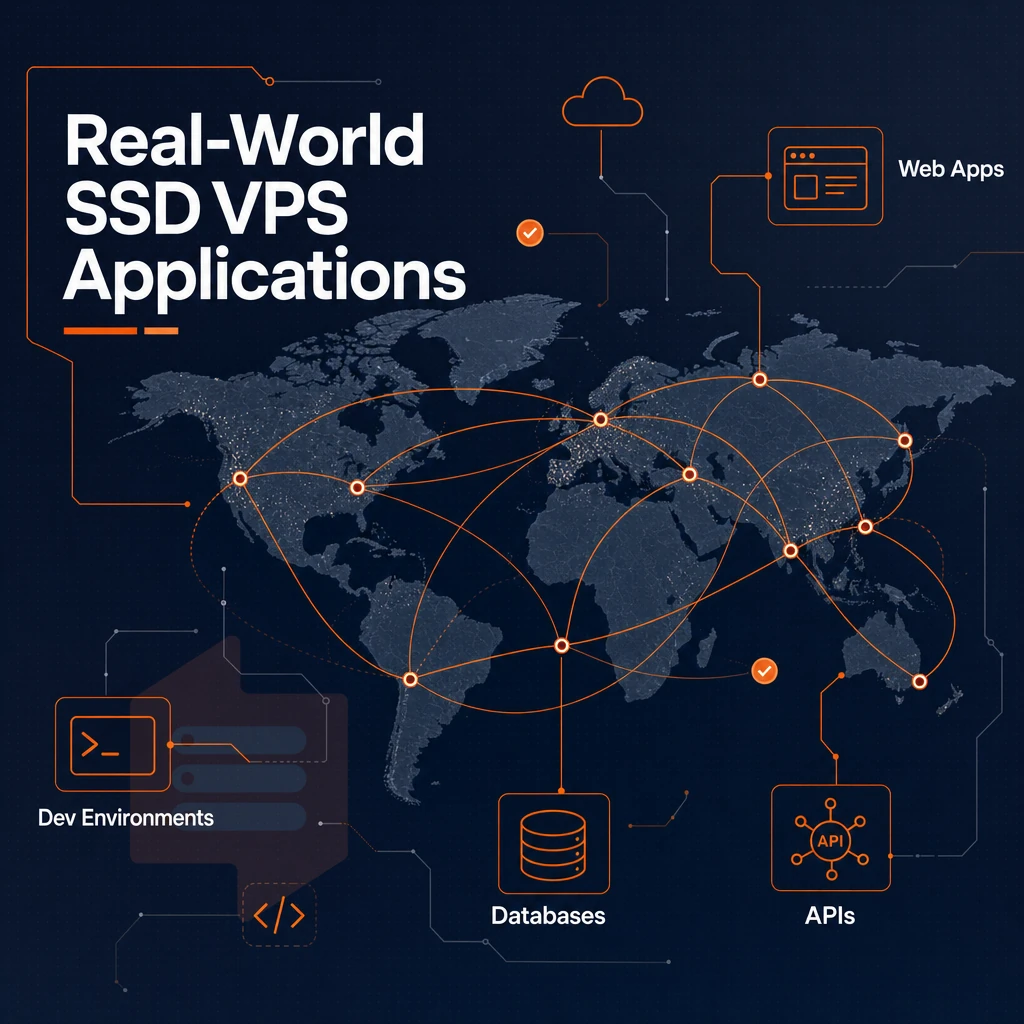
Our SSD virtual server hosting is suitable for a wide range of applications, be it for small projects or for larger production environments that require a constant stream of I/O.
Core use cases and why NVMe matters
Reads from disk storage are typically required for websites and dynamic online applications that are hosted on servers. Our NVMe RAID10 storage system is built for this type of web hosting workload, delivering over 122,000 4K read IOPS in our benchmarks, far exceeding the capabilities of storage systems that use SSDs or HDDs.
Database hosting store benefit equally.
A CMS platform like WordPress or Drupal is I/O-sensitive, but a single VPS with dedicated resources can handle a large number of concurrent requests. Such a VPS is far from being overwhelmed by the number of requests that would already overwhelm a shared web hosting setup, even without the full resources of a bare-metal deployment.
| Use case | Key resource driver | BuyVPS tier fit |
|---|---|---|
| Web apps / web hosting | High IOPS, low latency | Standard or Dedicated CPU |
| Database workloads | Pinned cores, DDR5 ECC RAM | Dedicated CPU |
| CMS / content sites | Burst I/O, RAM headroom | Standard CPU |
| Development environments | Full root, custom ISO | Standard CPU |
| Game servers | Low-latency network, pinned cores | Dedicated CPU |
Dedicated server scalability without disruption
In-place upgrades are supported at BuyVPS, meaning no migration is required.
Do i get full root access with SSD VPS hosting?
Every BuyVPS plan comes with full root access, an in-browser VNC console and API access to your control panel. You can select from a range of supported Operating Systems for your private networks, such as Ubuntu, Debian, AlmaLinux, Rocky Linux, CentOS Stream and Fedora.
Knowing which workload tier you need is half the decision, the other half is choosing the correct hosting options and plan configuration before you deploy.
Why choose BuyVPS for SSD VPS hosting
BuyVPS delivers solid-state drive VPS hosting built on AMD EPYC processors, NVMe RAID10 PCIe-direct storage. Additionally, KVM isolation, each virtual private server runs a separate kernel, so noisy neighbors on the same physical machine never affect your workload. We operate from two data centers: Amsterdam and New York, with identical hardware and pricing at both.
- No-oversell policy: Hard memory caps and low node density mean your dedicated resources stay yours, no contention from other users.
- Pinned cores on Dedicated-tier VPS: Predictable CPU performance without the variance common in shared virtual servers.
- Published benchmarks: Geekbench 6, fio, and pgbench results are public, performance is provable, not a marketing claim.
- Full root access + custom ISO: Every VPS plan ships with complete control over operating systems, configuration, and server management.
- Transparent pricing: No hidden fees. In-place upgrades with no migration and no IP rotation.
Founder-run since 2002, our support team is staffed by engineers, not first-tier scripts. If you're evaluating VPS hosting providers and want high-performance private servers backed by transparent specs, reach out to compare options. Those differentiators are worth keeping in mind as you weigh SSD virtual private server hosting against the broader range of alternatives.
Getting started with SSD VPS hosting: next steps
When choosing an SSD VPS service package, there are three things to consider: choosing the correct amount of server power for your needs. Choosing the right data center at the right location for your users and deploying it.
With VPS hosting you have total control over your server environment, without the overhead of having to manage a real server. You have your own CPU's, amount of RAM and your own SSD storage space, as opposed to shared-server setup where you are stuck with a part of a server and can't do anything about it.
BuyVPS delivers instant deployment, full superuser access, and no-lock-in billing on every VPS package. There are no hidden fees and no forced migrations. When you're ready to move from evaluation to production, explore BuyVPS VPS hosting plans here.
Don’t downplay the importance of storage type to your application’s performance. NVMe over PCIe delivers IOPS orders of magnitude higher than traditional shared server hosting or legacy SATA-based storage solutions. Additionally, unlike many hosting providers, our edge-filtered DDoS solution and dual-stack network mean the resulting infrastructure, along with its allocated disk space, is able to sustain performance under real-world load.
If you are ready to move beyond entry-level multi-tenant hosting, BuyVPS runs KVM virtual machines on AMD EPYC hardware with NVMe RAID10 storage, no overselling, no hidden fees, and in-place upgrades that keep your IP address intact. Deployments are available in Amsterdam and New York. Browse the plans at BuyVPS.com and pick the tier that fits your workload.