

Storage bottlenecks are among the fastest ways to kill application performance, and a SSD-backed VPS is often the fix.
Not all SSD VPS plans are created equal. While a SATA SSD shared among many users on a very packed server may deliver low IOPS in real world usage. A PCIe-attached NVMe SSD in a very underutilized server can deliver an order of magnitude in IOPS in real world usage. This makes a huge difference for high traffic web applications such as databases, CI/CD builds, and e-commerce sites where every millisecond of latency impacts conversion rates.
This article covers what to look for in an SSD VPS server. It explains how storage architectures affect workloads and reveals what configurations deliver real performance as opposed to numbers on a data sheet. This is the basics article for SSD VPS storage.
What is an SSD VPS server with control panels?
Virtual Private Servers (VPS) occupy a space in between shared server environment and fully managed dedicated servers. On the one hand, a VPS is its own isolated virtual server, complete with guaranteed resources such as processing power, memory and storage. On the other hand, you don’t have to pay for an entire physical server, which is what makes a modern VPS setup different from older hosting concepts.
First month $1
Then the normal monthly price. One per customer. No setup fee, and a 30-day performance guarantee on your first order.
See the plans“Excellent experience from start to finish! The server was delivered promptly, and the service was reliable and efficient. I m very happy with the results and would definitely recommend them.”
What is an SSD VPS server with control panels?
Virtual private servers are created on a server using hypervisor software such as KVM. Each of these virtual servers is allocated dedicated resources (CPU, RAM and storage) and will not be affected by other tenants using the same server, as they are completely independent. For community perspectives, see Virtual Private Server (VPS) Discussions.
Instead of hosting your VPS on a spinning disk, we offer SSD VPS hosting which uses solid-state drives. In tests, a typical HDD can achieve 100-200 random read IOPS. Our NVMe RAID10 storage configuration achieves 122,959 4K read IOPS as reported by fio. This large performance gap affects database queries, startup time and overall system performance.
How virtual private servers differ from shared hosting
multi-tenant hosting has dozens of sites competing for the same resources. A busy site can negatively impact other sites on the server. In contrast, VPS servers set hard limits per tenant. Your allocated resources will never be impacted by other sites on the server, regardless of how much traffic they receive.
This isolation model gives administrators more control over resource allocation and ensures predictable application behavior under varying load conditions. Organizations migrating from multi-tenant environments to VPS hosting often report immediate improvements in application responsiveness and uptime reliability. Customers can upgrade their resource allocations at any time through the management portal without service interruption or data migration.
When to ask our support team about operating systems
To choose between the Standard, Dedicated CPU and High Memory tiers, you must first establish what your work load requires.
This introduces the concept of a VPS, and leads on to the question of why one storage architecture is faster than another.
How SSD storage powers modern virtual servers
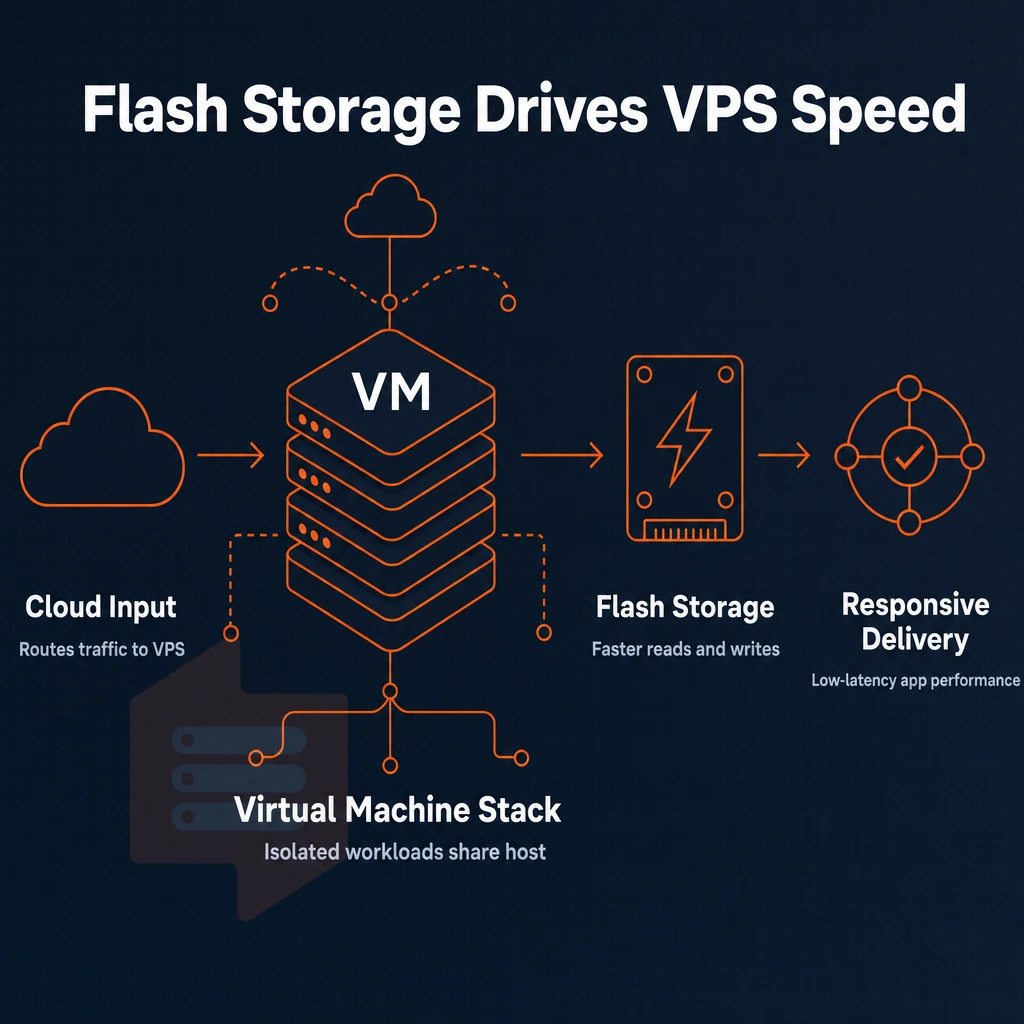
Of all the variables that affect performance in a VPS, storage technology is by far the most important. The difference between a hard disk drive, a Solid State Drive (SSD) and a High-Performance NVMe drive on a PCIe bus directly connected to the server is huge. In fact, it is of a completely different generation. Know the difference to choose the right VPS for your needs.
Sata SSD vs. NVMe: what the numbers mean
SATA SSDs have a max sequential output of around 600MB/s.
We have published benchmark numbers for our NVMe RAID10 array on BuyVPS: 122,959 4K read IOPS (fio median) as one example number. But RAID10 has another huge advantage: high availability. Our web hosting configuration uses mirroring, which allows for full uptime even in case of a drive failure, without compromising the read performance enabled by PCIe direct I/O.
Beyond uptime resilience, our RAID10 mirroring enables daily backups to run without impacting production workloads, ensuring data protection remains seamless. Administrators can customize the RAID configuration through our management interface to balance redundancy requirements against available capacity for specific workload profiles. Administrators can schedule automated restore points before applying system updates or configuration changes, providing a safety net for rapid rollback if issues arise.
Can you use SSD storage in a VPS server?
On modern private servers NVMe is now the standard facility which customers should expect. All BuyVPS servers, regardless of operating systems deployed, are configured with NVMe RAID10 storage on PCIe directly connected controllers to deliver the best possible performance without the adverse effects of slow storage I/O. Whether you deploy CentOS, Debian, or ubuntu, the underlying NVMe infrastructure remains consistent across all distributions. Administrators running Linux distributions or Windows Server environments benefit equally from the underlying NVMe architecture, ensuring cross-platform compatibility for diverse application stacks.
Choosing the right DDoS protection tier
| Storage type | Typical 4K IOPS | Best for |
|---|---|---|
| HDD | ~100-200 | Cold archival only |
| SATA SSD | ~50,000-80,000 | General workloads, competitive pricing tiers |
| NVMe PCIe (BuyVPS) | 122,959 measured | Databases, high-traffic apps, low-latency I/O |
Only NVMe RAID10 storage meets low-latency read/write workloads. Traditional HDDs are now unacceptable for production VPS workloads. In raw numbers, performance differences translate into real functional advantages, here are some examples of what that looks like.
Key benefits of choosing SSD VPS hosting over other types
Our SSD VPS servers offer greatly improved performance over traditional hard disk drives. Learn where the performance improvement comes from and see which of our offers is best for your needs.
Performance and full control with virtual servers
- Fast disk I/O for web servers. By running on a VPS with NVMe storage, seek time for disk I/O becomes a non-issue, and so improves the time to render pages, to run queries, and to serve out assets.
- You have root access to your environment. Unlike shared web hosting, you have full control over the software stack. You can install any package, tune any kernel parameter and configure any service to your liking.
- We use KVM isolation to ensure that even if another tenant has a huge workload it cannot affect you in any way. We assign 100% of your CPU, RAM and disk space to you, as opposed to a pooled system.
Note: Shared virtualization layers (OpenVZ-style) let neighbors consume your headroom. KVM with hard memory caps prevents that entirely.
Scalable VPS plan resources vs dedicated servers
- In-place upgrades. Increase vCPUs, RAM or storage without having to move servers and IP addresses. Upgrading scalable resources means upgrading the plan, not the complexity.
- We offer Dedicated vCPU tiers to provide predictable latency. We pin cores to prevent noisy-neighbor problems for CPU-intense work such as e-commerce shopping cart updates and CMS rendering.
What is the difference between NVMe SSD and sata SSD in a VPS?
For SATA SSDs, maximum sequential read speed is around 550 MB/s.
Knowing the benefits is one thing; knowing which specific workloads justify them is another.
SSD VPS use cases: what workloads benefit most?
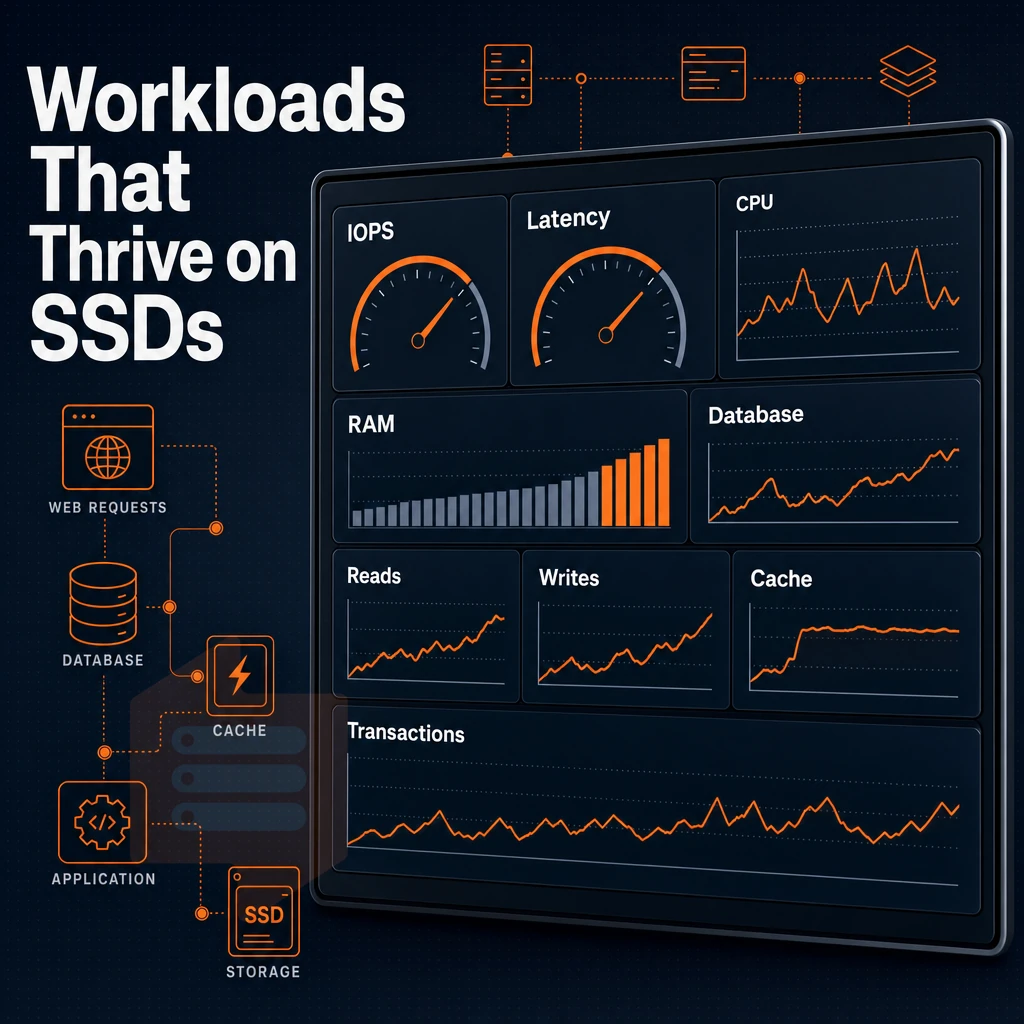
Not all applications put the same stress on storage. For disk-intensive applications like databases, high-read web servers, and transactional online shopping stores running in data centers, every millisecond of I/O wait time counts. With an solid-state VPS you close this performance gap by replacing slower hard disks with ultra fast NVMe storage, delivering hundreds of thousands of IOPS.
For e commerce platforms processing thousands of transactions daily, the ability to handle concurrent database writes and reads without bottlenecks becomes mission-critical to revenue. Many websites running on legacy infrastructure experience slow page loads during traffic spikes, but migrating to NVMe-backed VPS eliminates these bottlenecks entirely.
Which workloads gain the most from NVMe SSD
Database hosting stores (MySQL, PostgreSQL and others) constantly issue random reads. NVMe RAID10 storage helps reduce latency caused by storage for cache misses earlier than query cache tuning can. The access pattern for catalog lookups and session reads for e-commerce sites and web hosting sites with high volumes of traffic is random, small I/O blocks.
Development environments and private network applications have different requirements. While developers can benefit from quickly spinning up virtual machines, running through migrations, and rebuilding containers, fast sequential writes will quickly consume the write bandwidth of a private network application that logs heavily. For more context, see Solid-state drive.
VPS services and ram-heavy workloads
For some workloads, CPU will be maxed out before disk can be fully leveraged. In memory caches and analytics engines as well as services running in JVMs will benefit from having headroom above and beyond what a standard VPS services tier provides. The BuyVPS High Memory VPS ranges scale up to 192GB of RAM without over-provisioning cores.
Who has the best VPS database hosting store for SSD performance?
The answer depends on the specific VPS plan and the particular storage setup behind it.
This number is reproducible because we run every VPS instance on KVM with its own kernel.
The storage performance of a server is one thing, where the server is geographically located has a much greater impact on latency to your users.
Worldwide locations and data centers: why server geography matters
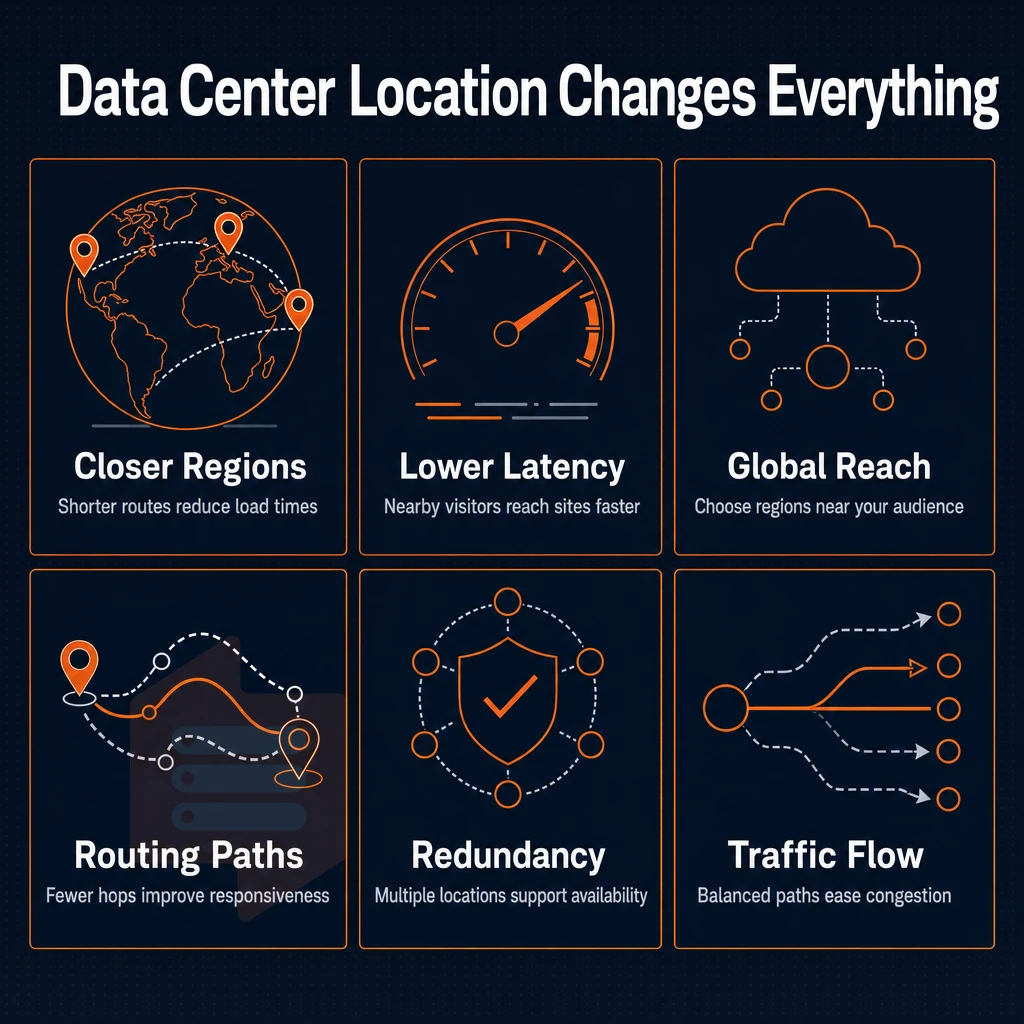
Where your flash storage VPS is physically located will have a huge impact on the time it takes for your site to load for visitors. A server hosted in a location far from your visitors will not only add un-necessary latency to your site but could also create problems with data-residency. Our two locations, Amsterdam (EU) and New York (US East Coast), serve the two most common areas of business traffic on the internet.
For businesses targeting the West Coast market, a los angeles datacenter would reduce latency for California-based users even further than our existing East Coast presence. Businesses running multiple websites across different regions can deploy VPS instances in both Amsterdam and New York to ensure optimal load times for their global user base.
Global data centers: amsterdam and new york
Our Amsterdam node already serves all European customers and fulfills all EU data-residency requirements. Our New York node is located in the US East Coast and serves exactly the same content to the same clients as all other nodes. All nodes run identical hardware, identical control planes and identical network setups. So there is no need to relearn everything when moving to a different region.
Both locations provide identical management interfaces and control panels, ensuring administrators experience the same workflow regardless of which geographic node they choose. Both locations provide identical management interfaces and cpanel compatibility, ensuring administrators experience the same workflow regardless of which geographic node they choose.
Choosing the right node is straightforward: Whether you're migrating from a legacy provider or launching a new project, selecting the optimal hosting location ensures your infrastructure aligns with both user proximity and regulatory compliance.
- European users or GDPR-sensitive workloads, deploy in Amsterdam.
- North American users or US-East latency targets, deploy in New York.
- dev environments, Either region works; pick the one closest to your team.
High performance through proximity, not promises
Placing your servers next to your users cuts round-trip time dramatically.
For instance, virtual private servers on a dedicated vCPU plan in Amsterdam perform better than a shared-core server near Los Angeles for a SaaS product based in Berlin, simply due to physical proximity.
Compliance and continuity across our data centers
Both locations support daily backups as well as in-place upgrades with no IP rotation. Your IP addresses will remain fixed across multiple users and high performance use cases, which matters for DNS TTLs, firewall allowlists, and payment-processor whitelists. Your compliance obligations will not change as long as your IP is stationary. When business requirements expand, you can request an upgrade to higher-tier plans without service interruption or complex migration procedures.
You still need to protect your network perimeter.
Network security and DDoS protection on SSD VPS hosting
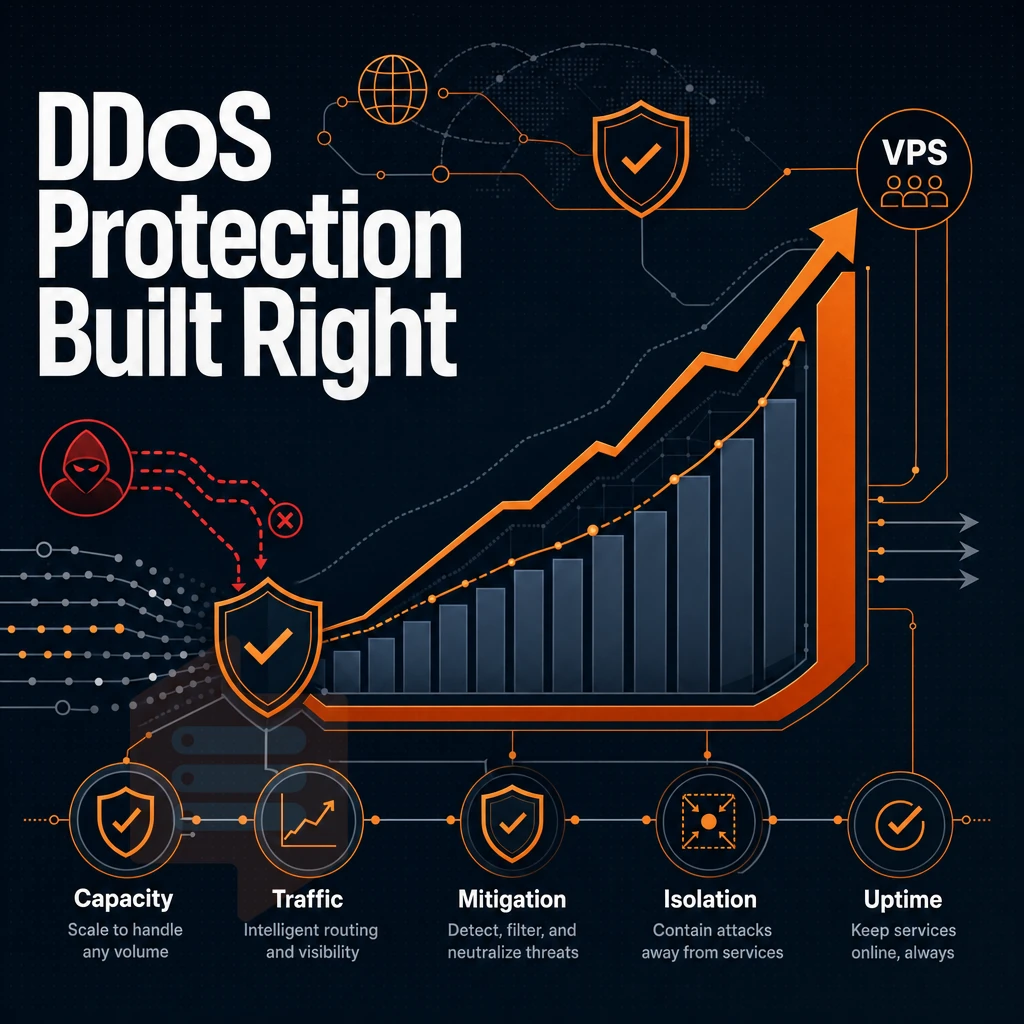
When it comes to network security, infrastructure security and isolation security are interrelated. The physical layer, the hypervisor, and the network edge all must contribute their share to securing a workload on an SSD VPS.
Edge filtering and protection against DDoS attacks
We apply edge filtering at the perimeter of the network before any malicious traffic can reach your VPS. During a DDoS attack the volumetric portion of traffic is absorbed upstream and you are able to connect to your VPS during such events. This protection is standard with BuyVPS and is not an additional cost as part of a tier.
KVM isolation and blast radius with control panels
KVM is a separate kernel for each VPS. So even when many users are sharing the same hardware, a compromised or poorly written VPS will only be able to cause trouble in that single VPS. Additionally, Not in the entire physical host, or other VPSes that are also running on that same box.
IP addressing and DDoS protection via control panels
Every plan includes IPv4 + IPv6 dual-stack, simplifying server management by ensuring your servers run with fully routable IP addresses on both IPv4 and IPv6, right out of the box. In addition to our DDoS protection at the edge of the network, especially valuable for cms platforms requiring reliable performance, your traffic is further managed by an abuse-policy-based firewall at the network level.
APIs, games, websites) then the layered approach that we use to protect the perimeter.
Why choose BuyVPS for your SSD VPS server
BuyVPS delivers high performance SSD VPS hosting built on real dedicated resources, no overselling, no surprises. Our virtual private servers run on AMD EPYC silicon with NVMe RAID10 storage, measured at 122,959 4K read IOPS. Every VPS plan includes full root access, KVM isolation with a separate kernel per VPS instance, and IPv4+IPv6 dual-stack IP addresses.
- No-oversell guarantee: Hard memory caps per node mean your VPS resources stay consistent, regardless of other users on the same physical machine.
- Dedicated vCPU tier: Pinned cores on EPYC Genoa with DDR5 ECC for high availability workloads that demand consistent performance.
- In-place upgrades: Scale your VPS plan without IP rotation or data migration.
- Two data centers: Amsterdam and New York, identical hardware, identical configuration.
- Engineer-led support team: Real engineers reply, not chatbots. Founder-run since 2002.
Compare our SSD VPS tiers or reach out to our support team to find the right fit for your workload.
SSD storage isn't a premium add-on, it's the baseline for any VPS that needs to perform under real load. The gap between NVMe-backed infrastructure and legacy spinning disk shows up immediately in database query times, application boot speeds across operating systems, and sustained I/O throughput. Pair that storage performance and full root access with the right server location, Amsterdam for EU-facing workloads, New York for US East Coast traffic, and latency stops being a variable you work around.
BuyVPS runs NVMe RAID10 storage across every plan tier, with KVM isolation and hard memory caps that keep your resources predictable. If you're ready to move a workload onto infrastructure built for consistent performance, explore the Standard, Dedicated, and High Memory VPS plans at BuyVPS.com and pick the configuration that fits.