
In infrastructure decisions, there is always the same pressure: get compute online quickly and don’t throw away your money for hardware that you might not need in 6 months.
Renting a VPS gives you the same server resources (CPU, RAM, NVMe storage, IP address) faster than physical hardware and for a fraction of the price. VPS hosting works because virtualization splits a bare-metal server into individual servers, each with its own kernel, full root access, and network stack.
Shared-vCPU servers on old SATA hardware are still VPSes, after all. For more context, see VPS rental cost varies by resource tier, contract length, and provider. Shared-vCPU plans.
In this guide, we'll cover what actually matters when distinguishing capable VPS solutions from commodity VPS hosting, virtualization, CPU, storage, networking, data centers, and support. Read on to find the right hosting for your work.
What does it mean to rent a VPS?
When you rent a VPS you get a slice of a physical server with dedicated resources. This kind of hosting sits in the middle ground between shared hosting and full bare metal servers, offering the cost-effective side of shared hosting with the control of a full server and backed by helpful customer service.
First month $1
Then the normal monthly price. One per customer. No setup fee, and a 30-day performance guarantee on your first order.
See the plans“Very satisfied with the service. The server was provided quickly, and everything worked perfectly. Fast response, reliable service, and great overal experience!”
What a virtual server VPS actually is
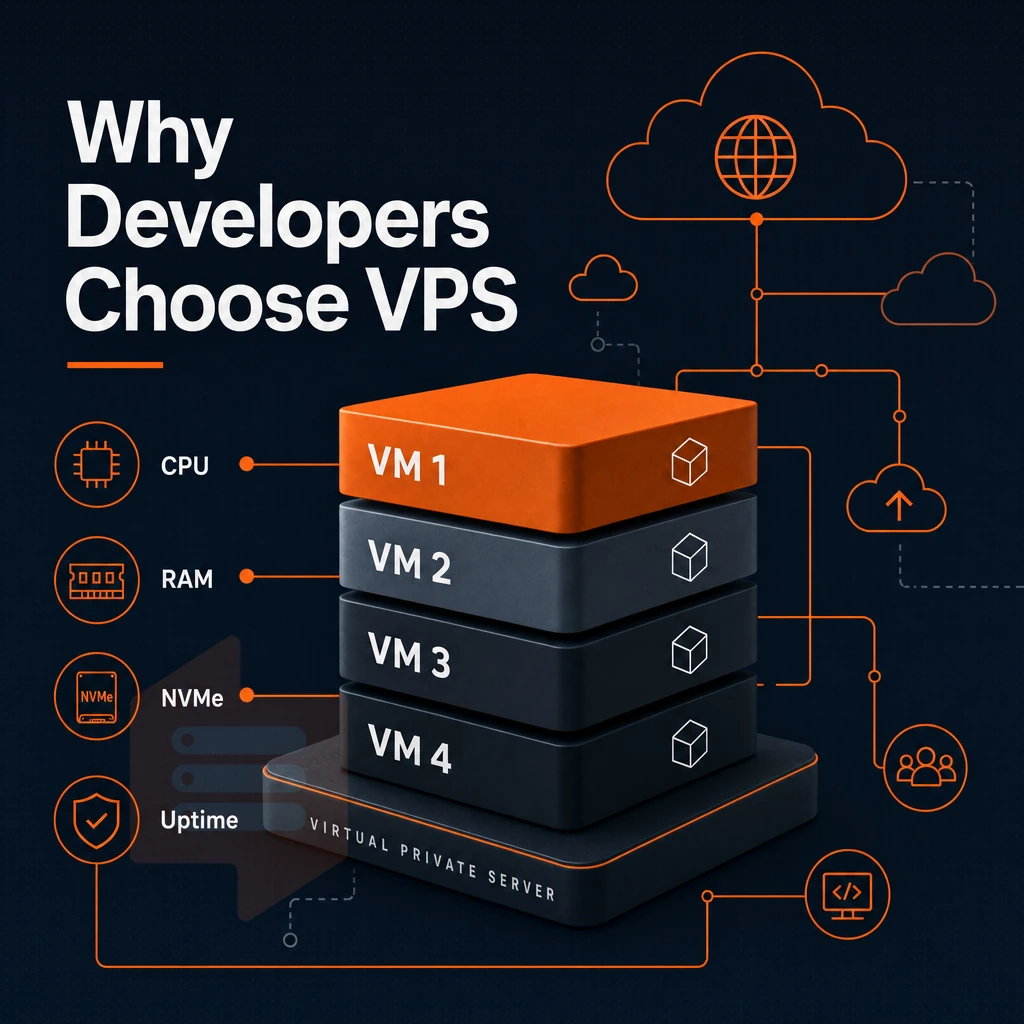
A hypervisor is software that runs on a physical server to split it into multiple virtual servers. Each virtual server runs completely isolated from the other servers. This means that each server can have its own allocation of CPU power, RAM and storage. Other users or tenants will not be able to use up your resources or access your environment. For more context, see Web hosting service.
KVM virtualization takes this further by assigning a kernel to each virtual server instance, adding kernel-level isolation on top of process isolation. That's why BuyVPS runs all our virtual server plans on KVM.
Your own operating system, your own control
Shared hosting accounts all run on top of the same OS as hundreds of other accounts. VPS accounts on the other hand give you full root access and allow you to run whatever OS you require. You can install packages, reconfigure the kernel and even upload your own custom ISO to create your own environment. Selecting the right operating system for your VPS depends on your application stack, security requirements, and familiarity with different distributions.
What a VPS server replaces vs a dedicated server
Renting replaces the capital cost of owning private servers. No need to purchase hardware, rent space in a data center, or pay for maintenance contracts. You can provision servers in minutes and scale as needed. You can then return the servers when you no longer need them.
Most providers also include a money back guarantee period, allowing you to evaluate server performance and compatibility with your workload before making a long-term commitment. Organizations migrating from on-premises infrastructure find that transitioning to private servers in the cloud eliminates upfront hardware investments while maintaining control over their hosting environment.
- Dedicated resources, not shared with neighbors.
- Isolated environment, separate kernel via KVM.
- Full root access, install any software stack.
- No hardware ownership, predictable monthly cost.
How VPS web hosting works under the hood
Isolation, root access, and dedicated resources are core virtualization principles. However, they can only be fully realized if the underlying infrastructure is properly set up. This is how hypervisors, storage, and networks are implemented in practice.
How the hypervisor layer works
BuyVPS runs all virtual servers on KVM (kernel-based virtual machine) virtualisation, so each VPS runs its own kernel and is completely isolated from every other server on the same physical machine, no noisy neighbor can consume your RAM or CPU.
Shared vCPU plans like our S-tier share processing power with other customers.
Storage, network, and uptime
All plans use NVMe RAID10 storage over PCIe direct. For disk space, we measure 122,959 4K read IOPS with fio.
| Dimension | Shared vCPU (S-tier) | Dedicated vCPU (D-tier) |
|---|---|---|
| Core allocation | Shared pool, burstable | Pinned cores, no contention |
| Memory enforcement | Hard cap per node | Hard cap per node |
| Storage | NVMe RAID10, PCIe direct | NVMe RAID10, PCIe direct |
| Best for | Web apps, dev environments | Databases, low-latency APIs |
Control panel and cancel anytime policy
Our control panels, accessible across our data centers, include a Self Service Interface with API access, a browser-based VNC console, and options to reboot, reinstall, or snapshot your VPS without needing to contact support, and you can cancel anytime. We also offer a 1 day money back guarantee on all VPS deployments so you can test performance before committing. These self managed capabilities reduce reliance on communication tools like email tickets, giving technical teams full autonomy over configuration and maintenance without vendor lock-in.
In-place upgrades allow for scaling without any need for migration or IP reassignment.
VPS, shared, and dedicated server hosting compared
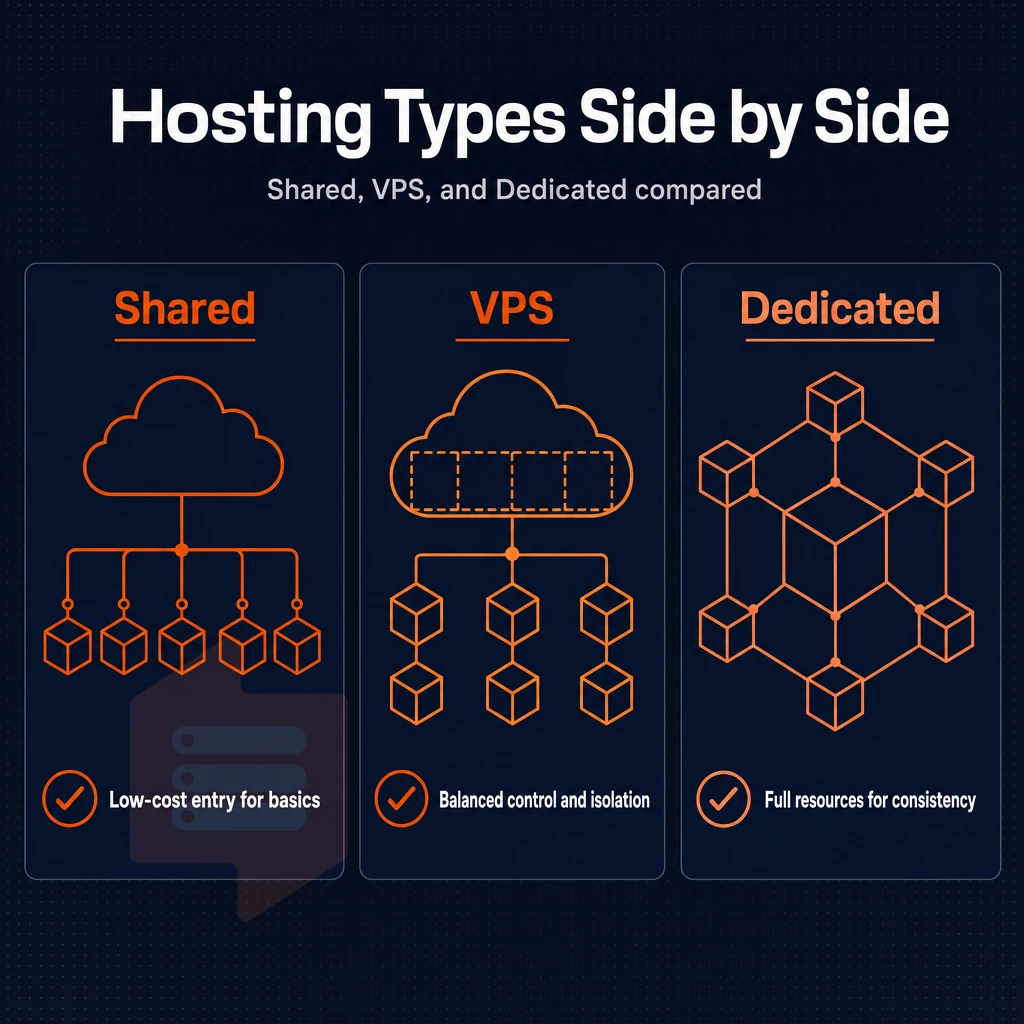
Understanding the internal architecture of a VPS helps to make a decision on a hosting tier much easier. Shared hosting, VPS hosting and dedicated servers all occupy different positions on this spectrum and the differences are larger than most customers realize.
Understanding what shared hosting lacks
Shared web hosting refers to the type of web hosting where your website is located on the same physical server as dozens or even hundreds of other websites. Your single website account will share the server’s CPU, RAM and disk I/O with all of the other websites on the same server. There is no physical separation or virtualization of your accounts from the other websites on the server.
- Identify the noisy-neighbour risk. A noisy neighbour is another account on the same server that from time to time can spike CPU or memory and cause your site to slow down. Unfortunately, you have no way to prevent or even recover from such events.
- Make sure to check for access restrictions. Shared web hosting typically comes with a control panel, not a shell. You won’t have root access, be able to install software, or fine-tune the OS for your specific needs.
Note: If your web hosting plan requires a specific PHP version, a custom module, or a background process, shared hosting will block you at the first step.
VPS web hosting as the middle ground
A VPS (Virtual Private Server) is a mid-point between shared hosting and dedicated servers. It’s rented from a powerful server (host), but is allocated its own ‘slice’ of the machine to run, containing it’s own CPU, RAM and storage. Typically each VPS is also separated from other VPSs hosted on the same server using a Hypervisor. Each VPS receives a guaranteed allocation of disk space that cannot be consumed by neighboring virtual machines on the host.
- You get full root access on your VPS hosting server. Since VPS hosting servers are set up as complete OS environments (just like you would get with dedicated servers), you can install packages, reconfigure the kernel. Additionally, Run your own daemons as you would on your own dedicated server of hardware.
- Noisy-neighbour exposure eliminated. Hard memory caps per node and low node density mean neighboring workloads will not steal your allocation at BuyVPS.
When a dedicated server makes sense
A dedicated server is a single physical server which you can lease, as opposed to a shared hypervisor filled with other tenants. The cost and time to provision such a server are substantial, however, so you’ll want to make sure you have hit the ceiling of what’s possible with a VPS.
- Determine whether you have reached the ceiling with your current workload. While most workloads will function adequately on a properly configured VPS, high-traffic applications and databases typically require dedicated hardware. Verify the need with benchmarks before moving to dedicated servers.
Common use cases: what people rent a VPS for
A variety of technical workloads are needed in cloud hosting environments, and understanding which workloads fit best with different configurations will help you avoid over-provisioning your VPS and ensure that your production environments are properly resourced.
Web hosting for applications and development environments
Most teams use a VPS to host web applications or run isolated development environments. Unlike shared hosting, a VPS gives users full root access, a dedicated IP, and the ability to mirror a production system 100% in a test environment.
Most web projects that outgrow shared hosting need persistent processes, custom runtimes or background workers. A VPS provides all of these without the overhead of a full dedicated server.
Upgrading in place is great for dev and staging environments. At BuyVPS we don’t rotate your IP or move your data so you can be confident that upgrading a plan will not affect existing customers’ DNS and deployment processes.
Game private servers and database hosting
Latency is critical for game servers. Online games are sensitive to high latency and require a consistent tick rate. As such, predictable CPU scheduling and low jitter are more critical than raw throughput. We recommend using our dedicated CPU tiers with pinned cores. Pinned cores ensure maximum performance by eliminating CPU contention and providing consistent clock cycles for time-sensitive game logic. Players connecting to online games hosted on VPS infrastructure benefit from the stable network conditions and geographic distribution that modern virtualization platforms provide.
A database hosting store running PostgreSQL, MySQL, or Redis requires consistent RAM and fast storage I/O. BuyVPS's NVMe RAID10 PCIe-connected storage delivers the IOPS these transactional workloads demand. High write volumes especially benefit from nvme ssd storage, which provides sub-millisecond latency and sustained throughput that spinning disks cannot match.
Video streaming, vpns, and communication infrastructure
Video streaming workloads need high bandwidth and low packet loss to function well. A multi-homed network with IPv4 and IPv6 dual-stack is able to deliver live as well as on-demand video streams reliably.
Setting up a VPN or proxy for example requires a clean IP and full kernel control. Also SIP servers, XMPP daemons, and game servers are typically deployed by teams on such platforms, as KVM-based server hosting provides clean IP and full kernel control by default.
BuyVPS offers stock images of the major Linux distributions and also allows custom ISO images to be uploaded, so each virtual private server remains flexible and is not locked into a single OS vendor. Windows Server is not offered.
Plesk web hosting and control panel options on a VPS
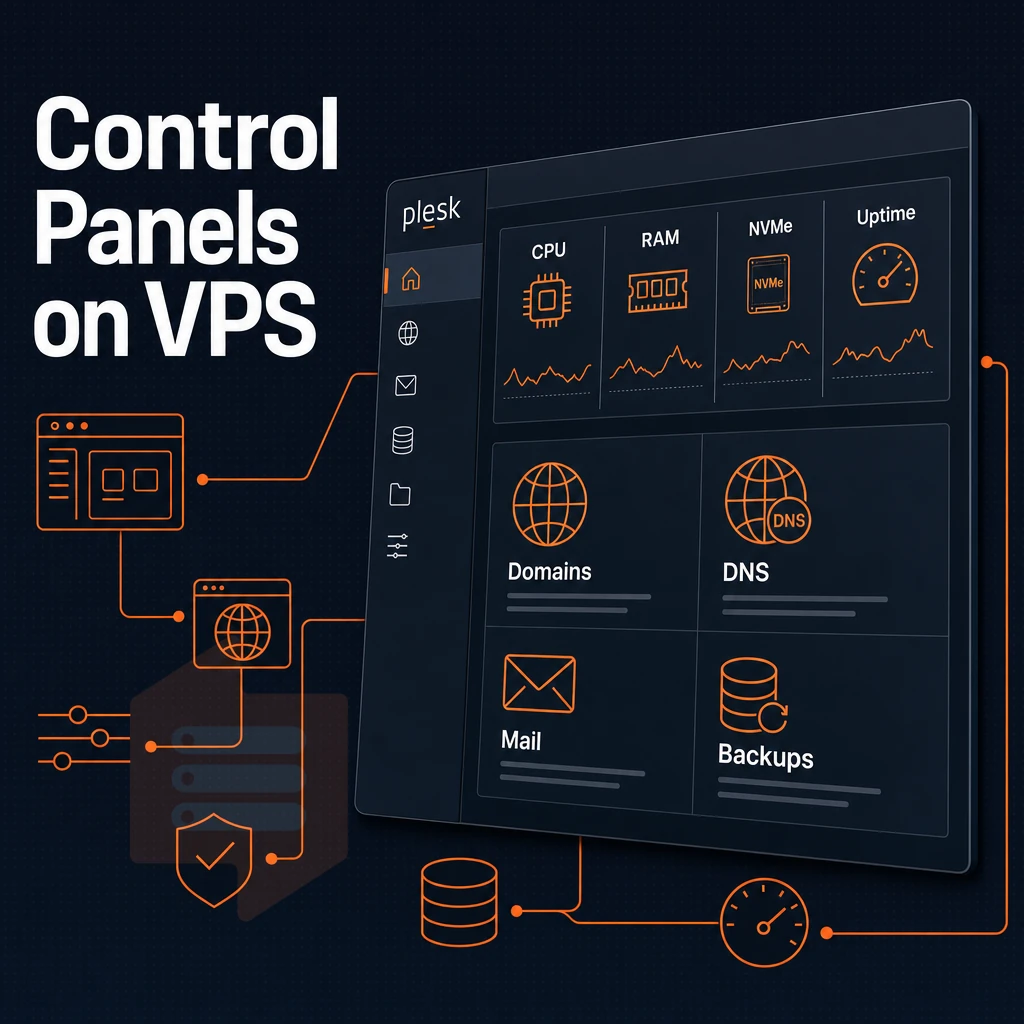
Whichever use case you pick, the advantages remain the same: you control the software stack of your choice. The big difference between renting a VPS and using managed shared hosting is that with managed shared hosting you are stuck with the software provided by the panel, and you cannot get root access.
Plesk web hosting panels and your control panel choices
Every plan includes full root access, so you can install any control panel you want, Plesk, cPanel, DirectAdmin, or a custom LEMP stack. With shared hosting you're locked into one pre-installed control panel with no flexibility.
PHP version can be isolated per domain and malicious inbound traffic blocked at the application firewall level, no support ticket required.
Full control over your OS and server stack
The choice of the operating system is very important. In addition to Ubuntu, Debian, AlmaLinux, Rocky Linux, CentOS Stream and Fedora we also support all other distributions. Simply upload the desired ISO file and boot from it.
We keep server management with you. Our self-service panel comes with full API access and an in-browser VNC console. This is particularly handy if a misconfigured network rule prohibits access via SSH.
High performance infrastructure backing every deployment
Our high performance AMD EPYC nodes with NVMe RAID10 storage for the control panel layer ensure that it never becomes a bottleneck. When you need help we have helpful customer service, provided by real technical engineers, not automated first-tier responses.
Choosing the right VPS plan: shared vcpu, dedicated core, or high memory
The VPS plan you choose needs to match the CPU intensive nature, memory to CPU ratio, and your workload’s profile.
Plan tiers at a glance
| Tier | CPU | Memory | Storage | Best for |
|---|---|---|---|---|
| Standard CPU (S-tier) | Shared vCPU, EPYC Milan | DDR4 ECC | NVMe RAID10 | Hosting websites, dev environments, light APIs |
| Dedicated CPU (D-tier) | Pinned cores, EPYC Genoa | DDR5 ECC | NVMe RAID10 | CI/CD, game servers, latency-sensitive apps |
| High Memory (H-tier) | Shared vCPU, EPYC Milan | 1:8 RAM ratio, DDR4 ECC | NVMe RAID10 | In-memory databases, large caches, analytics |
Workload fit
The S-tier VPS hosting plan suits burst workloads like cloud servers, staging servers, and normal web traffic. Shared vCPU on EPYC Milan servers delivers solid baseline performance at an entry-level price.
They also suit workloads that cannot tolerate noisy neighbors and require reproducibility of benchmarks on dedicated resources.
The 1:8 RAM ratio handles large in-memory workloads well.
Scaling without disruption
All tiers support in-place upgrades, so you get scalable resources without a migration window. Your IP address never changes, critical for DNS-dependent hosting services and production databases where downtime is costly.
Decision guide
Start on S-tier for general workloads, move up to D-tier when CPU predictability is no longer good enough, and go with H-tier when RAM is your primary constraint. All of these upgrades are within the same VPS plan family, so you won’t have to rebuild a VPS.
Network performance, DDoS protection, and low latency
Additionally, Edge filtering of malicious traffic to ensure it is stopped before it ever reaches your work.
Configure your IP addressing
- Claim your own IP addresses at provisioning time. All plans are already shipped with a /29 of IPv4 and a /64 of IPv6 as default. That means you instantly get to decide and control your very own IP addresses, without you ever having to deal with shared IP addresses, unknown pools or hidden NAT layers.
- We need to assign you additional IP addresses should you need them for your work load. Often multi-site installations as well as applications with large amounts of SSL configurations require more than one IP address. Simply open a support ticket and we’ll take care of assigning them for you.
- We enable VLAN segmentation on a per-customer request basis. By isolating the various services you have running within your account, we reduce your surface area for attack and keep bandwidth sent over your public interface to an absolute minimum. Please contact support to have a VLAN set up for your account.
Activate protection against DDoS attacks
- We rely on edge filtering as our primary DDoS defense. Our abuse-policy-based firewall filters DDoS traffic at the network edge. Large volumetric floods are denied at the edge before they can consume VPS resources.
- Before Go Live verify DDoS protection is enabled. Verify edge filtering is enabled for the node from the control panel. No further configuration is required as protection is enabled by default.
Note: Edge filtering handles volumetric threats, but application-layer hardening, rate limiting, WAF rules, remains your responsibility at the OS level.
Optimize for game servers and web applications
- Choose a region that is closest to your players or users. The Amsterdam region covers Europe, while the New York region covers the US East Coast. Closest region reduces round-trip time and ensures reliable performance under load.
- Dedicated CPU workloads, such as game server s, benefit most from being pinned to a Dedicated CPU. With no other workloads competing for use of the CPU, the frame-tick timing for games is consistent with no noisy-neighbor CPU contention.
Server locations: amsterdam and new york explained
We operate two data centers of equal quality in Amsterdam and New York.
Data centers: identical by design
Both facilities are fully on par with each other.
The aforementioned symmetry is very important to us from an operational perspective. When you move a workload from one Amsterdam server to a New York server, you don’t need to relearn how to do things, you won’t need to retool. Additionally, You won’t be charged more for the solution you use in other regions. VPS solutions you use in one region work exactly the same in other regions.
Each VPS is carved from a physical server with hard memory caps and low node density, so we reserve capacity for you instead of oversubscribing resources unpredictably across other VPSes on the same server.
Latency strategy for your audience
European users in Amsterdam benefit from very low latency to all Western European ISPs of 20 ms and below. In the US, New York is an ideal location to serve the East Coast with low latency to Financial Services, Media and Cloud/SaaS customers.
Deploying one VPS per location across different data centers to run your team's applications on Windows Server allows for geographic redundancy with consistent ddos protection, without the hassle of managing two separate providers and two separate architectures for physical machines.
Pricing parity and competitive pricing
We offer a money back guarantee, so you can test drive a region and get your money back if you don’t like it.
The upshot is that, when choosing between Amsterdam and New York for example, you’d pick the location where your users are primarily based, not on a cost / hardware scenario.
Self-managed VPS: what technical expertise do you need?
The amount of technical expertise required to manage a self-managed server is real but clearly defined.
Linux or Windows: choosing your OS
Most VPS workloads run Linux.
- Ubuntu / Debian, Great package support, huge community. Good for web applications and development environments.
- AlmaLinux / Rocky Linux, RHEL-compatible, preferred for enterprise applications and long-term stability.
- CentOS Stream / Fedora: rolling-release, good for teams that are tracking upstream.
You work in a terminal with a Linux operating system. Here, package management, user rights and web server configuration are controlled.
Core management tasks
You are fully responsible for all tasks related to the management of your self-managed VPS.
- OS and package updates (unattended-upgrades or manual
apt/dnfruns). - Firewall rules,
ufw,firewalld, ornftables. - SSH hardening: key-only auth, non-default port, fail2ban.
- Service monitoring and log review.
For example, a video streaming service may require low latency and sufficient compute resources to stream well. This is primarily a function of kernel network parameters that administrators can configure, as well as disable unnecessary services to free up system resources.
Where our support team fits in
Our support team is comprised entirely of engineers, who you can talk directly to (no first-tier chatbots).
Why choose BuyVPS to rent a VPS
Self-management gives you full control, and the provider you choose determines how solid the foundation underneath that control actually is. When you lease a VPS, the provider's infrastructure decisions follow you for years.
BuyVPS is a founder-run operation since 2002, built around a no-oversell policy with hard memory caps and low node density, your reserved resources stay yours under real load. Every virtual private server runs on KVM with a separate kernel, so your isolated environment is genuine, not shared-kernel theater.
- High-performance hardware: AMD EPYC processors, NVMe SSD storage on RAID10 PCIe direct, we've measured 122,959 4K read IOPS (fio median). Dedicated-tier plans add pinned cores for predictable latency on high performance workloads.
- Full superuser access on every plan: Choose Linux or bring a custom ISO. You control the operating system, server settings, and software stack entirely.
- Two data centers, identical specs: Amsterdam and New York run the same hardware, control plane, and competitive pricing, pick the region closest to your users.
- Monthly billing, cancel anytime: No setup fee. In-place upgrades mean no migration and no IP rotation.
- Engineer-led support: Real engineers reply, not first-tier chatbots, when you need to contact support.
Ready to find the right VPS hosting plan? Compare our VPS plans or reach out to our support team to match a plan to your workload.
Key takeaways: renting a VPS vs other hosting services
VPS hosting sits between shared hosting and dedicated servers. Unlike shared web hosting, where multiple users share the same physical machine, a virtual private server gives you exclusive resources, full administrative privileges, and an isolated environment. You control the operating system, server settings, and every layer of the stack. That makes VPS solutions the practical choice for serious web projects, web applications, and game servers that demand reliable performance.
Choosing the right VPS plan comes down to workload type. KVM isolation, NVMe SSD storage, and DDoS protection ensure high availability without the cost of an entire server, delivered across BuyVPS's Amsterdam and New York data centers, with in-place upgrades, engineer-led support, and no setup fee.
Frequently asked questions
What does it cost to rent one of these cloud hosting virtual private servers?
VPS rental cost varies by resource tier, contract length, and provider. Shared-vCPU plans are the most affordable entry point; dedicated-core and high-memory plans sit higher. Committing to a one- or two-year term typically cuts the monthly rate versus month-to-month. Check each provider's pricing page directly, since rates shift frequently.
What is the typical cost of virtual private game servers?
Dedicated-core VPS plans cost more but deliver predictable, consistent performance.
Can i get a free virtual private server VPS?
BuyVPS does not offer a free tier; it focuses on reliable, no-oversell infrastructure instead.
What is the cheapest VPS cloud hosting?
The cheapest VPS plans use shared vCPUs and minimal RAM, which is fine for low-traffic sites, staging environments, or lightweight applications. The real cost question is total cost of ownership: cheap private servers that lack ddos protection, require frequent migrations across data centers, or suffer noisy-neighbor slowdowns cost more in engineering time than a slightly pricier no-oversell plan.
BuyVPS's Standard CPU (S-tier) VPS hosting plans start at the affordable end of the market while running on AMD EPYC Milan hardware with NVMe RAID10 storage across our data centers, and whether you need Linux or Windows Server, they support both with no compromises on the underlying infrastructure.
What is the difference between a VPS and shared hosting?
Shared hosting puts dozens or hundreds of websites on one server with no resource isolation, a traffic spike on one site can slow everyone else down.
You can install any software, configure the kernel, and run background processes, none of which are possible on shared hosting. VPS is the right step up when you need reliability, control, or performance that shared server hosting cannot guarantee.
Do i need technical expertise to manage a rented VPS?
Full unrestricted server access means you are responsible for OS updates and security hardening, which requires some sysadmin knowledge.
If you are new to server management, a control panel like Plesk or cPanel reduces the learning curve significantly. BuyVPS provides an in-browser VNC console and engineer-led support, so you have a real technical resource to fall back on when you hit a wall.
Can i install Plesk or other control panels on a rented VPS?
Yes. Because a rented VPS gives you full privileged access, you can install Plesk, cPanel, DirectAdmin, Webmin, or any other control panel that runs on your chosen Linux distribution. BuyVPS supports Ubuntu, Debian, AlmaLinux, Rocky Linux, CentOS Stream, and Fedora, all common targets for major control panel installers. You can also upload a custom ISO if you need a specific OS image not in the standard list.
When you deploy a VPS you get a slice of a server with isolated resources, full admin rights and full control over the environment. This is in contrast to bare metal servers which require a large upfront investment and a long-term commitment. There is a large gap between multi-tenant hosting services and a Windows Server VPS, where you get predictable performance, dedicated memory, and the ability to install any stack or control panel you like, including Plesk.
The use case determines all.
BuyVPS runs KVM-based VPS infrastructure on AMD EPYC hardware across Amsterdam and New York, with no-oversell policies and in-place upgrades that keep your IP address intact. Browse the plans at BuyVPS.com and find the tier that fits your workload.