
While there is considerable variation in price among VPS hosting services, upgrading from the cheapest plan to one with sufficient gb ram and resources for the buyer's actual needs can far exceed any initial cost savings. By learning about the various factors that influence pricing for VPS hosting services, potential buyers can find a suitable service to meet their needs and their budget.
At its core, a comparison of cloud services consists of the following variables: CPU (shared vs. dedicated cores), RAM, storage and network. In addition to these core variables, the billing structure, limit enforcement, the inclusion or absence of ddos protection, and the ability to upgrade when hosting websites on a VPS platform (without an IP change or server move) are all hidden cost factors.
In this article we take a look at each tier of VPS hosting and what you can expect from them.
We break down what matters when it comes to the value of your VPS hosting, helping you better compare plans to find the real value in a particular service.
What determines VPS hosting price?
The main reason why VPS hosting is more expensive than shared hosting is because with VPS hosting you are getting isolated resources on a real virtual server. As opposed to a share of a crowded pool of shares. Knowing what to look for when choosing a VPS hosting plan will save you from getting stuck in a hosting plan that’s too expensive. This isolated environment ensures your applications run without interference from neighboring accounts, providing predictable performance for mission-critical workloads.
First month $1
Then the normal monthly price. One per customer. No setup fee, and a 30-day performance guarantee on your first order.
See the plans“Sjoerd helped me with the setup of my VPS, super helpful team, smooth onboarding, and overall a great experience, thanks again”
Vcpu type and GB RAM allocation
When deciding on vCPUs pricing, the biggest pricing lever is whether vCPUs are shared or pinned. Shared vCPUs run on cores that other tenants use as well, usually for low traffic websites and applications. Pinned (or dedicated) cores are reserved only for the tenant and related instances, and every plan comes with a day money back guarantee, which is why the Dedicated CPU tier is priced higher than the rest.
RAM is typically sold in Gigabytes (GB). 4GB of RAM is good enough to support a small database or very busy web site.
NVMe SSD storage, bandwidth, and operating system
Storage type matters, especially with NVMe SSDs on PCIe slots.
Most web hosting services, as part of their server management tasks, have a parameter for bandwidth allowance (the traffic of your site in a given time frame) and there is a given allowance for each web hosting service in a given time frame (like per month). It can be greater in other plans (and thus costs more).
What a virtual server costs vs. Shared hosting
When considering VPS hosting versus shared hosting, VPS hosting provides full root access, a dedicated kernel, and hard memory caps. So instead of competing with your neighbors for CPU bursts (as you would with shared hosting), you get to have isolation of your processes. Because of this VPS hosting is typically more expensive than shared hosting, and for good reason. It provides a solid base for your production workloads. Here’s where that increased cost will show up under increased traffic.
Shared hosting vs VPS hosting: understanding the price gap
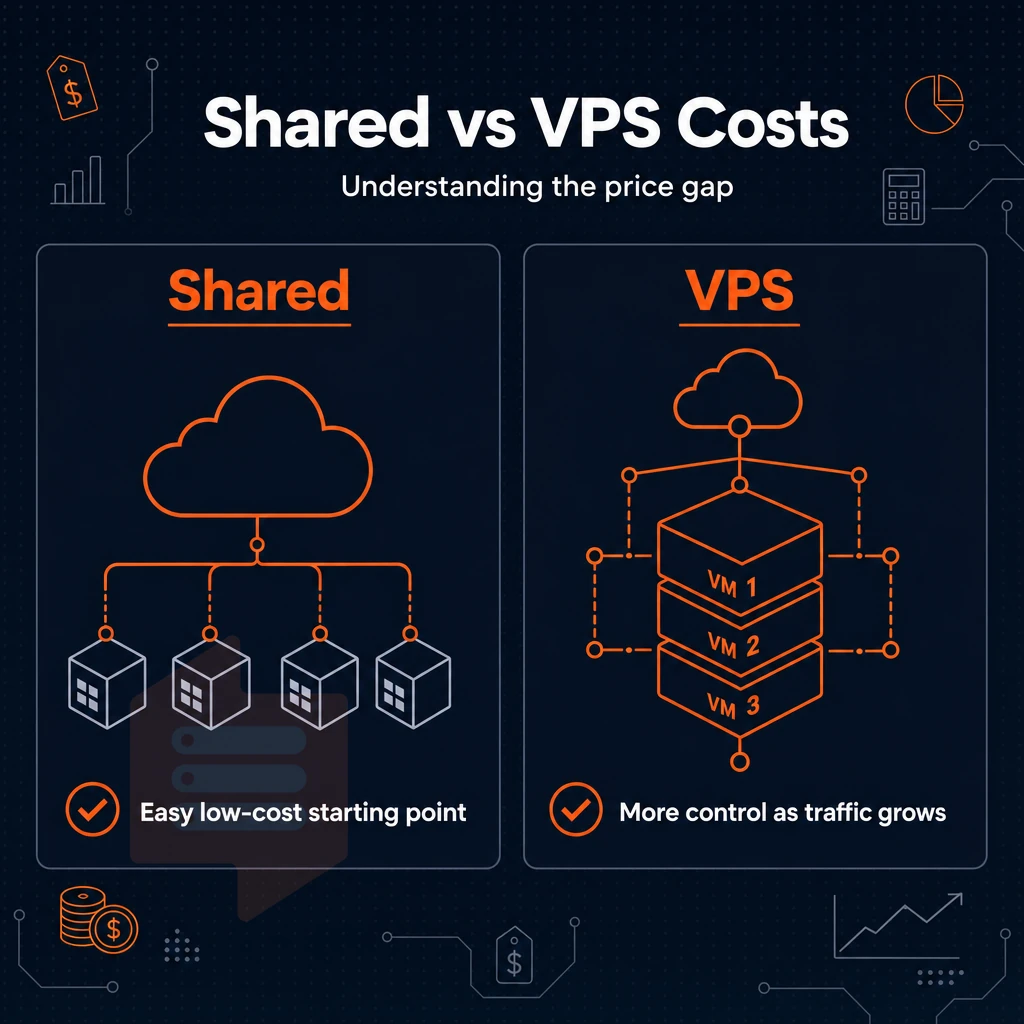
For new sites, the lowest-friction way to get started is typically on a shared hosting plan. But growth will expose the ceiling to contentions, to surprise traffic spikes, to restrictions on custom apps and services. Eventually, a growing site will migrate to VPS hosting where the fundamentally different architecture will help it grow further.
Performance under real load
Consequently, Traffic Spikes on Other Sites Can Also Affect Others running on the Same Server.
VPS Hosting plans instead allocate a Fixed Number of Physical CPU Cycles and Amount of RAM to each Instance. For example, your VPS Hosting instance would come with 4GB of RAM that is reserved specifically for your use, and would not be part of a Shared RAM Pool. This allocation model ensures that your instance receives guaranteed resources from the underlying physical hardware, eliminating the performance variability common in oversold environments.
When you look at latency between well-provisioned VPS servers and shared hosting environments, you can see large differences in performance. Shared hosting environments, unlike a dedicated VPS provider, will often spike to 200ms or greater when the hosting server is under load, which can be problematic for e-commerce sites and APIs that require fast and reliable response times.
Well-provisioned VPS servers can deliver sub-10 ms response times under sustained loads. This performance gap becomes especially critical for online games where even minor latency increases can degrade player experience and cause connection drops.
Dedicated server control over OS and server environment
VPS Hosting is far removed from the Shared Hosting environment you’re used to. Here, with root access to a fully isolated server environment (or ‘Virtual Server’), you can select the appropriate Operating System (Ubuntu. Debian, AlmaLinux, Rocky Linux and many more) and install whatever you require to run your web application. No restriction to a shared PHP version, no restriction from cPanel and no waiting for your host to enable a kernel module for you.
BuyVPS offers KVM-based VPS hosting, with a separate kernel installed for each virtual server. All plans allow custom ISOs to be uploaded.
When to move on from shared plans
| Dimension | Shared plan | VPS (BuyVPS) | Dedicated server |
|---|---|---|---|
| CPU allocation | Shared, no guarantee | Fixed vCPU, pinned on D-tier | Full socket, no sharing |
| RAM | Shared pool | Hard cap per node, no oversell | Full board |
| Root access | No | Yes, full root | Yes |
| Uptime SLA | Varies | 99.8% | Varies |
| Cloud servers / scalability | None | In-place upgrades, no IP rotation | Hardware swap required |
If your website gets consistent amounts of traffic, runs custom daemons, or needs more consistent performance than a shared server can guarantee, then VPS hosting is the next step up from shared hosting. But then there’s the question of whether to manage the server or have your hosting provider do it for you.
Modern VPS platforms increasingly support containerized deployments and AI tools that require stable compute resources for machine learning workloads. VPS hosting becomes particularly valuable for high traffic sites that demand predictable resource allocation and minimal latency during peak usage periods.
Managed vs unmanaged VPS hosting: which price tier is right for you?
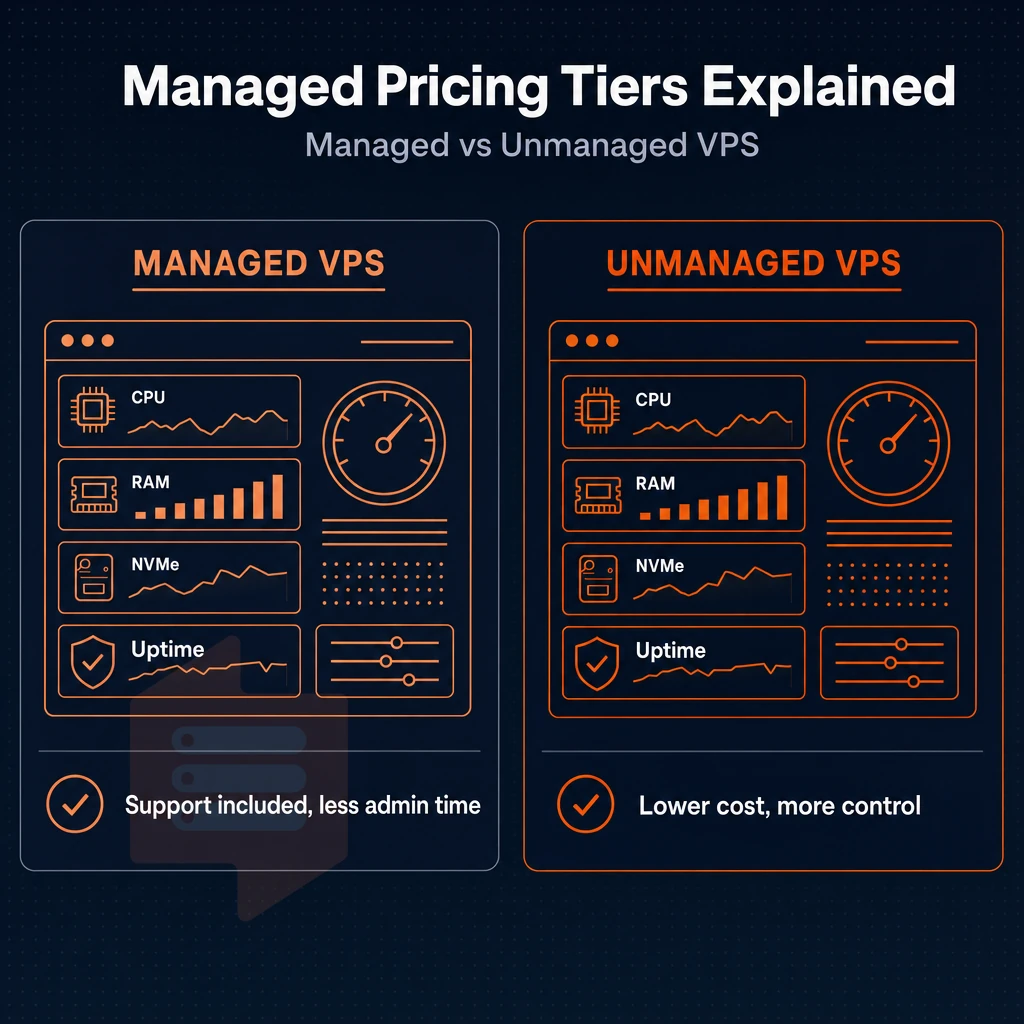
Deciding between managed and unmanaged VPS hosting can affect both your monthly expenditure and your time. Knowing what you get with each model will help you decide which is best for you.
Understand what each model covers
Managed VPS hosting includes server management such as OS updates, security, software upgrades and support for incidents. This type of hosting can cost a bit more as you are paying for someone to handle the operational aspects. With self-managed hosting, you are responsible for all levels of server administration including kernel updates and firewall rules. Many managed plans also include automated ssl certificate provisioning and renewal, reducing the administrative burden of maintaining secure connections for your applications.
A virtualized server running unmanaged gives full root access and complete control. In other words, there is nothing abstracted for you, which in turn gives you a lot of power. But using this power safely requires a lot of skill. This level of autonomy appeals to experienced system administrators who need more control over security configurations, custom software stacks, and performance tuning parameters.
Choose VPS hosting based on your skill level
- Can you as a user configure a firewall or even harden SSH? And in case of problems with services can you even identify and fix problems 24/7 like at 2 in the morning? Then of course self-managed VPS hosting options are a natural choice for you, because this way you keep costs down.
- Map your team’s capacity. A solo developer with no ops support to manage a cluster of servers is a very different situation to a team of developers with a dedicated sysadmin. Managed tiers are for when your internal capacity is thin.
- Choose a model to fit to your workload. Some workloads are better served with a managed amount of overhead (compliance-sensitive, high-traffic production), while others (dev, staging, internal tooling) are not.
Note: Managed add-ons from some providers renew at significantly higher rates than the base plan. Always check what the management tier covers, incident response only, or proactive monitoring too.
Where BuyVPS fits for web applications
Our self-managed platform is ideal for Linux-savvy users who require full root access, KVM isolation, and hands-on support from our experienced engineers.
Now that we’ve covered managed vs. unmanaged, we can explore the various plans and their corresponding tiers to find the best solution for your specific needs.
VPS plans compared: standard, dedicated CPU, and high-memory VPS solutions
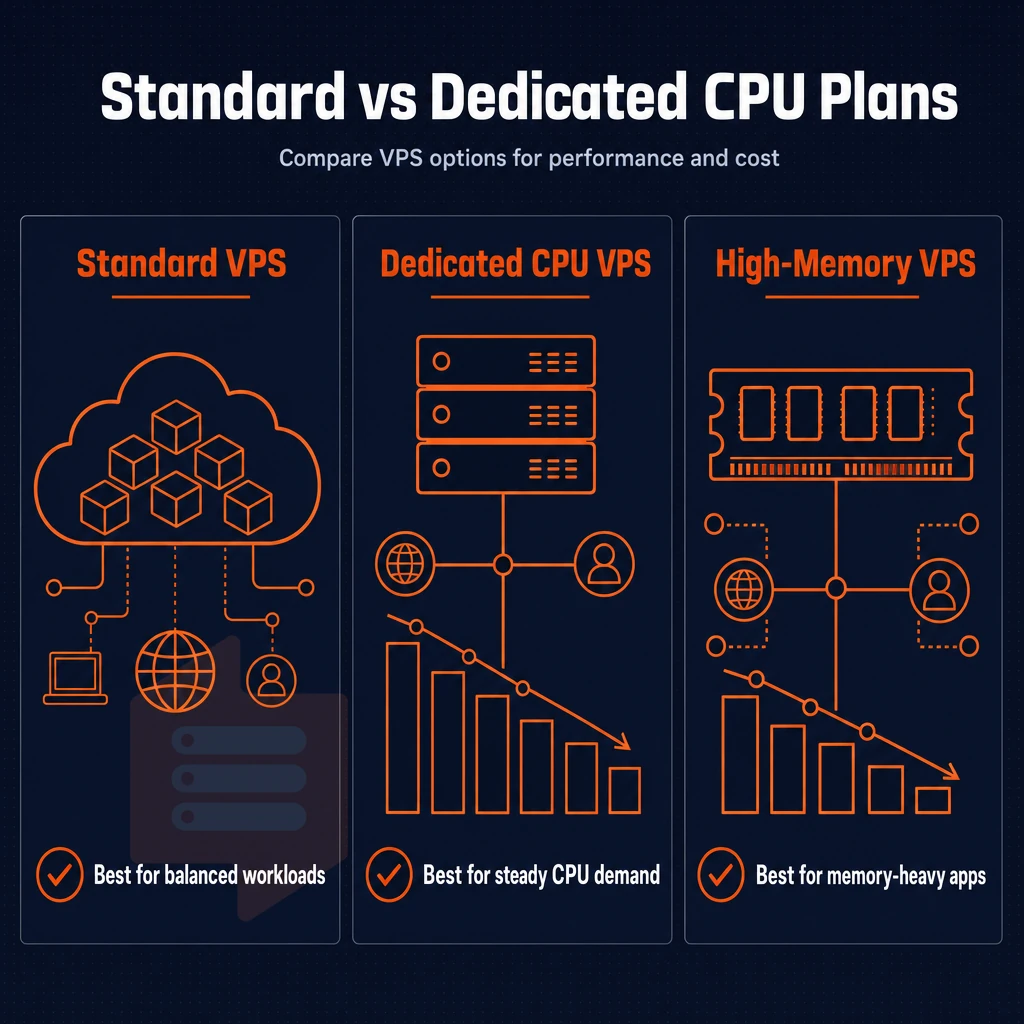
Not all workloads are created equal and not all VPS hosting plans are created equal either. We at BuyVPS have carefully crafted our line-up of VPS hosting plans into 3 tiers: Standard CPU, Dedicated CPU and High Memory plans. Each plan is carefully designed to match the amount of compute resources a specific workload needs.
Standard CPU VPS (s-tier): shared vCPU for everyday workloads
S-tier is powered by latest generation AMD EPYC 7000 series processors (Milan) based on shared vCPUs and comes with standard DDR4 ECC RAM as well as NVMe SSD storage on a RAID10 array. This offering is targeted at teams that have outgrown shared hosting and now require root access. S-tier offers KVM isolation with a separate kernel per VPS, without the typical costs associated with pinned cores.
Typical fits for this configuration: VPS web hosting, staging environments, lightweight APIs, and small databases. Here burst headroom is more important than sustain single-thread performance.
Dedicated CPU VPS (d-tier): pinned cores for predictable latency
D-tier VPS solutions are built with AMD EPYC Genoa processors with physically pinned cores and DDR5 ECC RAM. The lack of core sharing means no noisy-neighbor CPU contention, and flat latency under load, with every gb ram dedicated and uncontested, making it perfect for the most resource intensive applications, such as real-time data pipelines, CI/CD runners, and transactional databases.
Every D-tier node has fixed memory hard caps and low node density. Your money buys you the cores you need, and that’s it.
High memory VPS (h-tier): 1:8 cpu-to-gb RAM ratio for in-memory workloads
The 1:8 ratio, meaning up to 192 GB of RAM per VPS.
The 3 tiers all share the same features: no overselling, KVM-based VPSs (each with a separate kernel), IPv4+IPv6 dual-stack support, in-place upgrades with zero IP address change, and full control over server management tasks.
The money back guarantee of 30 days allows you to check out which tier is suitable for your setup of servers, whether that means running on minimal gb ram or more, and verify within that time frame whether an upgrade will end up being suitable for you as well.
VPS pricing for high traffic websites and resource-intensive workloads
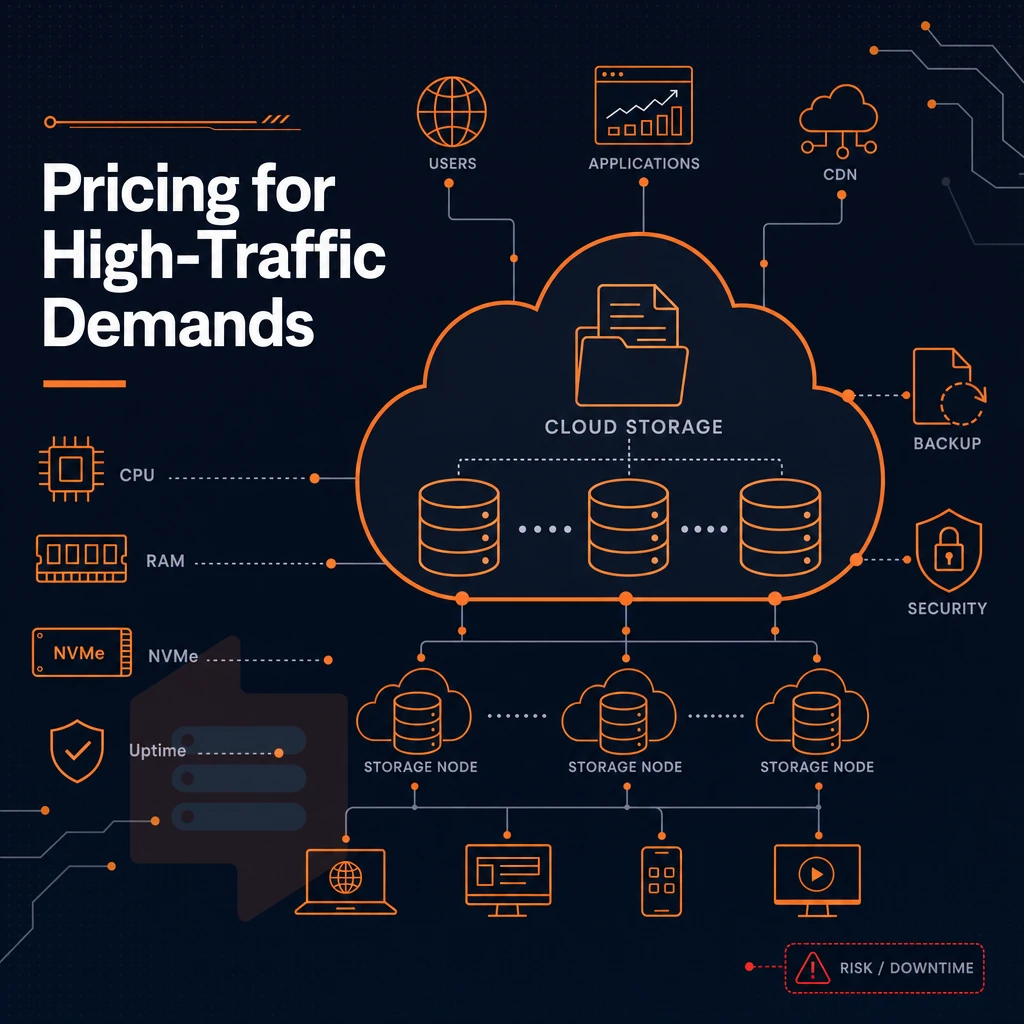
The true cost of underpowered hosting is exposed by high traffic websites and very demanding applications.
VPS plans for traffic spikes and ecommerce sites
Typically these work well under normal loads, but during high traffic spikes each hosted account's workloads compete more aggressively for available processor time cycles on the game server, creating proportionate escalations in latency while pages-per-view-per-minute plummet accordingly.
As ecommerce sites, you can’t afford to have your checkout page stall during a sale.
Our Dedicated CPU tier ensures that each core is assigned to a single VPS.
Hard memory caps and low node density
Low node density ensures that noisy-neighbor affects reliable performance on oversold infrastructure, affecting no tenant.
Server resources remain predictable.
When to consider a managed VPS or physical server
Machine Learning Inference and Video Encoding workloads may require a GPU Server in addition to general purpose VPS compute. For teams without dedicated Ops staff, managed VPS provides Server Management (patching, monitoring, config management) as a service provided by your VPS provider.
- Dedicated CPU tier: best for ecommerce, high-traffic CMS, and latency-sensitive APIs.
- The High Memory tier is designed for large in-memory datasets and for high volume analytics workloads.
- The Standard CPU tier is recommended for sites with moderate traffic that have a predictable steady load.
Network features bundled into a plan have a direct impact on total cost, as well as on how an application functions under load.
Load balancer, DDoS protection, and network features included in VPS pricing
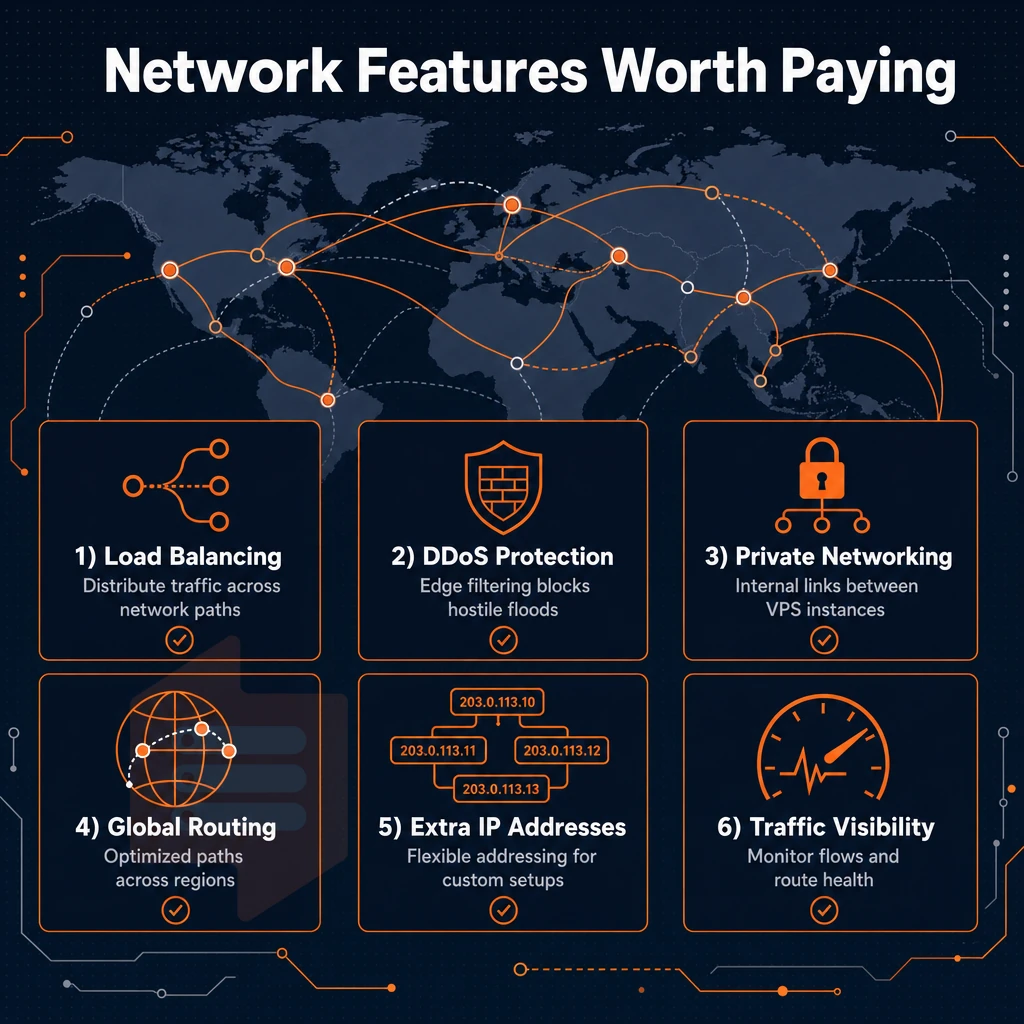
By charging extra for things like edge filtering, additional ip addresses, and private networking in a separately priced add-on, providers can inflate the published rate for the basic VPS plan with hidden fees.
What network features should be included by default
A well-specified VPS should include IPv4 + IPv6 dual-stack, DDoS protection at the network edge, and multi-homed uplinks, as standard, without additional charges. These are not premium add-ons, they are basic requirements to run and manage ecommerce sites, APIs, etc. reliably online.
Additional IP addresses and a private network (available on request at BuyVPS) form the next tier of features. If a provider charges for these separately, the costs can quickly add up for users running multiple websites or microservices from a single node.
How BuyVPS bundles network value
Dedicated CPU and High Memory) and a 99.8% uptime SLA is in place for all network devices in both Amsterdam and New York.
Pinned cores on Dedicated CPU tier ensure that your application performs consistently under high traffic loads. A load balancer in front of multiple VPS nodes works perfectly, since in-place upgrades, even when scaling from 2 gb ram to a larger tier, do not change the server's IP address, so no reconfiguration is required.
Decision guide: what to verify before buying
Ask every provider these 4 questions: 1) Does edge filtering come standard or is it an add-on? 2) Are additional IP addresses metered? 3) Is VLAN access self-service? 4) Is there a money back guarantee for the plan?
| Feature | Included at BuyVPS | Common add-on elsewhere |
|---|---|---|
| IPv4 + IPv6 dual-stack | Yes, all plans | IPv6 often extra |
| Edge filtering / DDoS protection | Yes, all plans | Frequently a paid tier |
| Multi-homed uplinks | Yes, all plans | Single uplink standard |
| VLAN / private network | On request | Separate contract or tier |
| Uptime SLA | 99.8% | Varies; often unguaranteed |
Data center geography becomes a practical decision factor here.
Server location and latency: amsterdam and new york data centers
The geographical location of your Virtual Private Server (VPS) greatly affects the round-trip time that your website visitors experience. Our data centers are set up in Amsterdam and New York. Both our data centers are fully set up with identical hardware, control plane and web hosting infrastructure. Thus, the geographical location is the only deciding factor.
Choosing the right dedicated server location
- So first map out your audience, see where the majority of your users are based and go from there. So for European visitors it would make sense to host them on servers based in Amsterdam. And for North American visitors based on the US East Coast (NY, MA etc) hosting on servers in New York would yield significant improvements in latency as the server is physically ‘close’.
- Run a latency test before you commit to hosting. Use a Ping test to measure the latency from your target region. The difference in latency across the Atlantic typically ranges from 40ms to 80ms. Note that lower latency translates into better end user experience (faster response time for web applications) as well as better time-to-first-byte.
- When choosing a location, you’ll need to match this to the corresponding compliance needs. For example, EU-based businesses with local websites serving European customers typically opt for a location in Amsterdam (for data-residency purposes), whereas US-based teams often default to New York for their websites.
Note: Both locations use the same AMD EPYC hardware and NVMe RAID10 storage. Choosing one over the other does not involve any performance trade-off, only geography changes.
Deploying your virtual private server hosting machine
- We will select the region for you at the time of the checkout. We will select Amsterdam or New York for the first time when you sign up for the account. The control panel, the API and the in-browser VNC console are identical in both regions.
- Avoid managed hosting assumptions. BuyVPS offers full root access. The rest is up to you to configure the server to best suit your needs. Choose the location that has the least latency for your purposes and go from there.
- Upgrades are always applied and when later scaling up the Instance(s) does not change the IP(s) / Move the Instance(s). The selected Location stays fixed for the complete lifetime of a Server.
In addition to the location, your plan also comes with the standard management tooling, OS options and access privileges, which we will cover in the next section.
What's included in VPS hosting price: control panel, OS, and root access
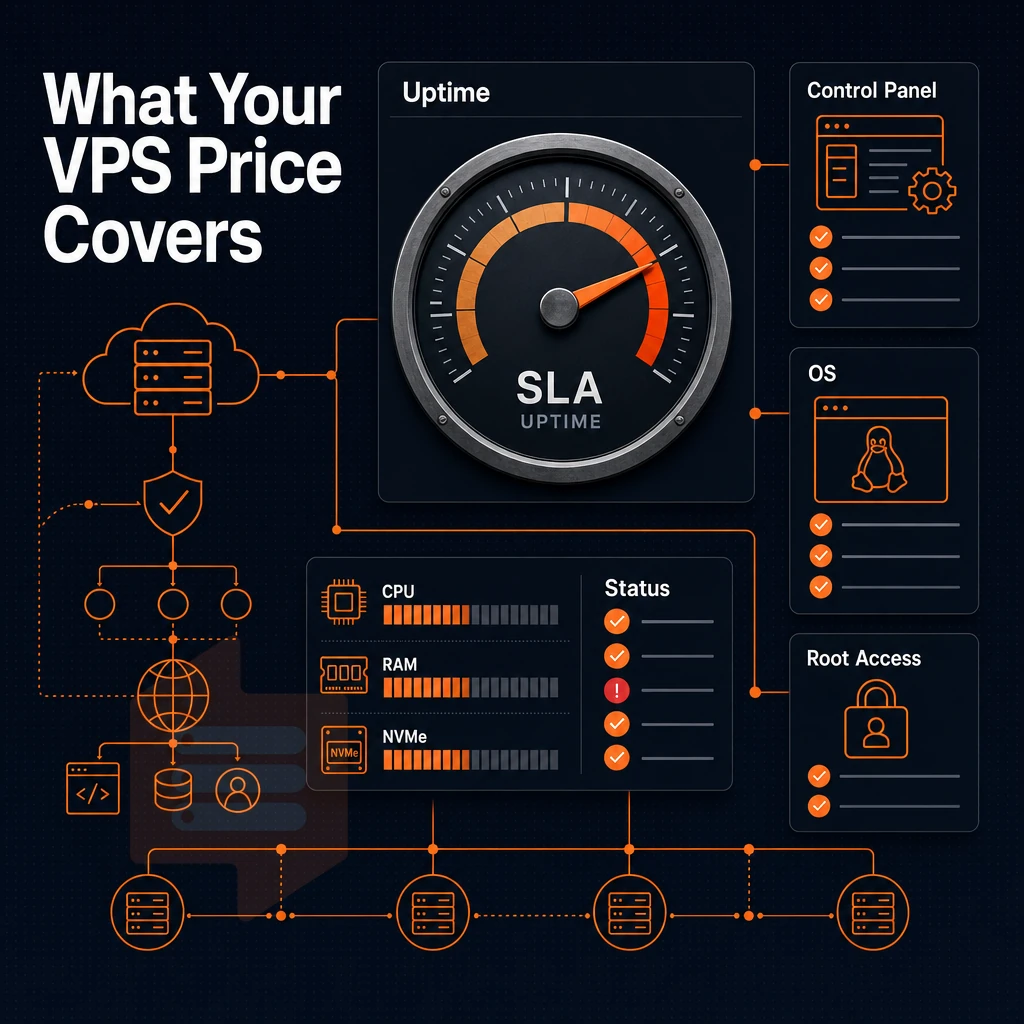
The price of VPS hosting typically doesn’t just equal the amount of raw compute power you’re purchasing. These capabilities grant you varying degrees of full control over the VPS from the get-go.
Self-service panel, API, and vnc console
All plans come with a self-service control panel, something many web hosting providers charge extra for, as an add-on. Alternatively, Even bundle a costly, third-party licensed control panel into the price of a hosting package, increasing the total monthly cost to you.
In addition, the in-browser VNC console allows direct access to server settings, whether managing a game server or handling pre-boot configuration, without the need for an SSH tunnel or external KVM-over-IP hardware.
The primary value of VNC access is to allow for recovery from a misconfigured network rule that prevents access to SSH for example. With direct console access to the virtual machine, one can recover from such a situation in minutes as opposed to waiting for support to get back to you and fix the problem.
Custom software and OS choice
BuyVPS delivers Ubuntu, Debian, AlmaLinux, Rocky Linux, CentOS Stream and Fedora as one-click install options. Additionally, BuyVPS allows upload of custom ISO images to create any distribution or appliance image and run it without restrictions.
Unmanaged VPS: The Complete Software Stack. You manage it all, and unlike shared hosting plans where you are locked into your host’s approved packages, you can install anything on your VPS. All our VPSes have full root access, all plans, no additional upgrades required.
Unlimited traffic and physical server hardware transparency
For traffic, BuyVPS plans have unlimited traffic within the Monthly Allotment (stated for each plan).
KVM virtualization for example runs each VPS with its own kernel.
However, You have complete control over your slice and there is no noisy-neighbor interference to affect your work. This is the core of our pricing and is bundled with the bundled tooling, your choice of operating system, a day money back guarantee, transparent hardware costs and no hidden fees that underpins our overall pricing for the services we offer at BuyVPS.
Why choose BuyVPS for transparent VPS hosting price
Choosing a VPS hosting provider on price alone is risky when renewal hikes, overselling, and hidden fees erode the value you thought you were buying. BuyVPS is built around the opposite approach: every rate is published up front and there is no setup fee.
- No hidden fees. Our VPS hosting plans are published up front, with no setup fee, no surprise fees and no bait-and-switch.
- No-oversell architecture. Hard memory caps per node and low node density mean your virtual private server gets the dedicated resources it was sold with, unlike traditional shared hosting, where other users consume your headroom.
- Full root access on every plan. Install any operating system, custom software, or control panel, complete control over your server environment without managed-tier licensing fees.
- KVM isolation with NVMe RAID10 storage. Each virtual machine runs a separate kernel. Measured at 122,959 4K read IOPS (fio median), our NVMe SSD storage delivers consistent performance under real load.
- In-place upgrades. Scale your VPS plan without migration or IP rotation, no downtime surprises.
- Amsterdam and New York data centers. Identical hardware and VPS hosting infrastructure in both regions, so your server location choice never costs extra.
When you're ready to choose VPS hosting with transparent, predictable costs, reach out to our engineering team at info@buyvps.com or compare our VPS hosting options at BuyVPS.com.
Key factors to review before choosing a VPS hosting plan
A VPS allows root-level access, a dedicated operating system and SSD storage, all things that multi-tenant hosting cannot offer.
You need to check which network features a VPS offers as standard and which need to be added for an extra fee. Also, check where the servers are located and check the VPS hosting plans for renewal fees that may be hidden in the small print.
It’s worth checking out the operating system options for any host, as well as seeing if they offer any sort of money back guarantee for their VPS solutions.
The best of these will ensure that you have the right amount of resources, whether a gpu server or a standard VPS, at the right location, with the right support model for the traffic you actually have.
The core value of VPS hosting price: performance over cost alone
Pricing for virtual private server (VPS) hosting doesn’t mean much until you know what you’re comparing. While the cheapest number on a pricing page might be appealing, virtual private server VPS hosting is valuable because of the NVMe SSD storage, dedicated resources and isolated server environment that real hosting provides. What really matters is consistent performance under load, as opposed to cheap plans that collapse under increased traffic.
Evaluate every hosting provider on what the infrastructure actually delivers: guaranteed GB RAM, full superuser access, and maximum performance when your workload demands it. For a full breakdown of BuyVPS plans across Amsterdam and New York, visit the VPS hosting page.
When you compare VPS prices you really need to consider three factors, the initial resource allocation, the subsequent CPU commitment and the inherent management overhead.
A dedicated CPU plan removes the noisy-neighbor risk entirely, a gpu server handles compute-intensive rendering, and high-memory plans cope with in-memory databases and large analytics workloads without swapping to disk.
Look for providers who do in-place upgrades and have hard memory caps, and charges that do not increase at renewal time and are included in the contract from the start.
BuyVPS offers Standard, Dedicated CPU, and High Memory VPS plans from data centers in Amsterdam and New York. Browse the plans at BuyVPS.com and find the configuration your workload actually needs.