

When deciding between cloud hosting, VPS (Virtual Private Server) hosting, and dedicated hosting, the choice may seem obvious at first.
Even within the 'shared cloud' model, a single instance with allocated resources in the cloud will perform very differently under high load than a VPS with pinned cores, or a bare metal server with no neighbors.
Here we explore the pros and cons of each type of web hosting offered by a hosting provider, along with some real-world examples of workloads and their related decision-making criteria, in order to help you match the hosting to your needs. Selecting the right infrastructure requires evaluating how different hosting solutions align with your application's resource requirements, budget constraints, and performance expectations.
What is a VPS and how does VPS hosting work?
A Virtual Private Server (VPS) is in the middle of shared hosting and a full dedicated server. You get isolated compute resources, full root access, and your own dedicated OS, all for the price of a shared hosting plan. But in order to understand why VPS hosting performs so differently from shared hosting, you have to understand the virtualization that’s used to create the VPS in the first place.
First month $1
Then the normal monthly price. One per customer. No setup fee, and a 30-day performance guarantee on your first order.
See the plans“Good support, fast VPS. Thanks!”
The key difference lies in how resources are allocated: shared hosting distributes available capacity dynamically among all users, while VPS guarantees specific resources to each isolated environment. This resource guarantee becomes especially important when multiple users share the underlying hardware, as VPS isolation prevents one tenant's workload from degrading another's performance.
How virtualization splits a dedicated server into isolated environments
A hypervisor makes best use of one physical server and runs multiple virtual servers on it.
KVM (Kernel-based Virtual Machine) is the hypervisor we use here at BuyVPS. It runs a separate kernel per VPS, making each virtual machine a fully isolated OS-level instance. Thus a noisy tenant on the same physical server will not affect your performance.
What a virtual private server gives you vs a dedicated server
All of our virtual servers are running their own OS. You will receive root access immediately upon deployment of your server. This level of control provides direct access to system configurations, allowing you to install custom software and modify security settings without restrictions.
This root-level control grants exclusive access to all server resources, enabling administrators to optimize performance parameters and security protocols according to specific application requirements. Choosing the right operating system for your virtual server depends on your application stack requirements, with popular distributions including Ubuntu, Debian, CentOS, and Windows Server editions.
How this differs from shared hosting
On a shared account, CPU and RAM are allocated from a shared pool. On a physical server with VPS hosting accounts. On a VPS or dedicated server, each account has a fixed amount of CPU and RAM which are allocated in advance by the Hypervisor and cannot be shared with other accounts on the same server. The only alternative to this model is dedicated hosting where you have an entire server to yourself, with no sharing of physical host whatever.
What is dedicated server hosting and how does it work?
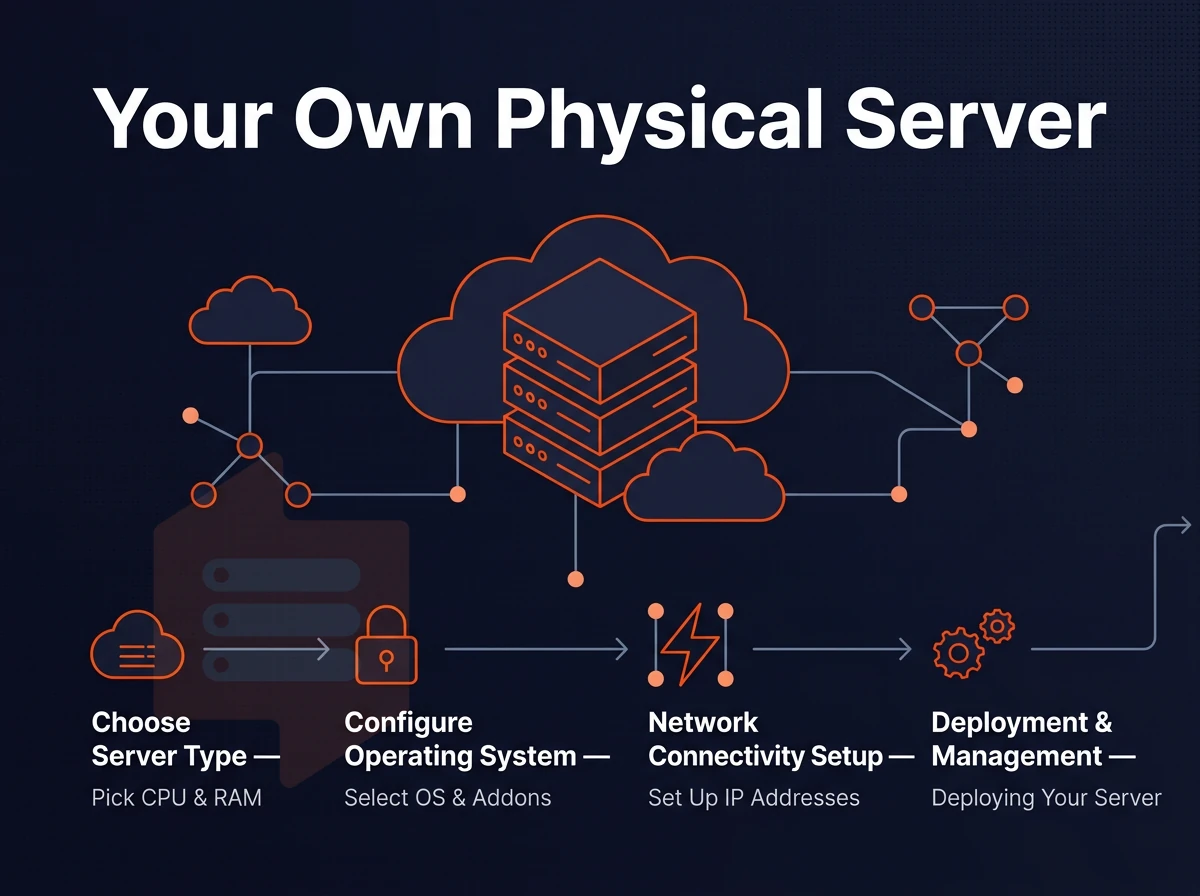
Dedicated server hosting refers to the hosting of one customer on a single physical server. In contrast to shared or virtualized hosting. Unlike shared hosting where multiple tenants share the same server in physical or virtual space, dedicated infrastructure means the customer gets to use the entire server for raw compute power, without sharing with anyone else. This exclusive allocation ensures that server performance remains unaffected by resource demands from multiple clients sharing infrastructure in other hosting models.
Dedicated server vs a virtual private server virtual machine
A dedicated server means that all of a server’s CPU cores, RAM and NVMe storage are dedicated to one single workload and are not shared with other instances via a hypervisor. This results in lower latency, greater bandwidth and a 100% guaranteed I/O performance. Enterprises requiring maximum performance for latency-sensitive applications often choose this architecture to eliminate virtualization overhead and ensure exclusive access to all hardware resources.
Typical configurations for a dedicated server start at 16 cores / 64 GB and go up from there, depending on the specific needs of the respective compute-intensive applications. Organizations with fluctuating workloads may provision additional computing capacity during peak periods, then scale back to baseline configurations when demand subsides. Enterprises evaluating their infrastructure needs should assess whether their workloads genuinely require dedicated computing power or if virtualized resources with pinned cores can meet performance targets at lower cost.
When evaluating infrastructure options, cost effectiveness becomes a primary consideration as virtualized solutions with resource guarantees often deliver comparable performance at a fraction of the expense. Budget-conscious organizations often find that low cost virtualized infrastructure with guaranteed resources provides sufficient performance for most production workloads without requiring bare-metal investment. As workloads grow, teams must decide whether to allocate more resources within their current tier or migrate to a higher-performance hosting model entirely.
Dedicated hosting vs VPS hosting
In VPS hosting a physical server is divided into virtual servers.
| Dimension | Dedicated server | VPS |
|---|---|---|
| Hardware isolation | Complete, entire physical server | Shared physical machine |
| Hypervisor overhead | None | Present (minimal on KVM) |
| Noisy-neighbor risk | Zero | Low to moderate |
| Typical latency | <1 ms disk I/O | 1-3 ms disk I/O |
| Cost model | Higher, fixed | Lower, scalable |
Dedicated resources: when full control matters
In web hosting contexts, workloads needing dedicated resources include high frequency databases, real time rendering, and compliance environments requiring provable hardware tenancy.
Dedicated CPU VPS plans from BuyVPS suit those needing strong isolation but unable to afford a dedicated server, with workloads pinned to physical CPU cores on AMD EPYC Genoa based servers.
What is cloud computing and how do cloud servers work?
Cloud computing is on-demand computing over the web.
What cloud computing actually means
A cloud server is often a virtual machine running on shared servers in multiple data centers. As opposed to hosting a single application or service on a whole physical server, the physical servers are pooled together and divided up among tenants to create virtual servers. Alternatively, Cloud servers, using a hypervisor to allow each tenant to have their own virtual CPU, RAM and storage.
Cloud services are delivered through an abstraction layer managed via API or control panel, with the provider handling physical hardware assignment within that layer.
How elasticity and scaling work
- Baseline provisioning: You define a starting resource profile, cores, RAM, storage. The platform reserves those resources from the pool immediately.
- Automatic scale-out during traffic spikes: Orchestration software detects load thresholds and spins up additional instances within seconds. No manual intervention is required.
- Scale-in after demand drops: Idle instances are terminated and resources return to the pool. You pay only for active compute time.
The trade-off to understand before choosing
cloud hosting’s greatest value is its elasticity. Many unpredictable computing loads can take advantage of on-demand computing. However, the resource pools of multi-tenant systems, including disk space, memory, and CPU, are variable and can be severely impacted by a "noisy neighbor" that may adversely affect a user's operating system and computing instance without warning.
Scaling horizontally by provisioning additional servers can mitigate some noisy-neighbor risk, but it introduces complexity in load balancing and session management. Organizations requiring highly scalable infrastructure often implement auto-scaling policies that automatically provision resources during traffic spikes, though this approach requires careful architecture planning to maintain application state consistency.
Note: "Cloud VPS" marketed by some providers is simply a VPS hosted on cloud infrastructure. It adds snapshot and resize convenience but does not automatically scale under load the way a true auto-scaling cloud deployment does.
Now that all three models are defined, it is easy to compare and contrast them to see the trade-offs of each.
Cloud vs VPS vs dedicated server: side-by-side comparison
There are three tiers of infrastructure that modern hosting is based around.
| Dimension | Cloud hosting | VPS | Dedicated |
|---|---|---|---|
| Resource model | Pooled, elastic | Partitioned, shared node, isolated slice | All the resources on one physical machine |
| Performance consistency | Variable, noisy-neighbour risk | Good; pinned cores eliminate contention | Highest, no neighbours at all |
| Scalability | Instant horizontal scale | In-place vertical upgrades | Limited to server's hardware ceiling |
| Technical knowledge required | Low to medium | Medium, needs server knowledge | High, full stack ownership |
| Hardware maintenance | Provider-managed | Provider-managed | Provider-managed (co-lo) or self (on-prem) |
| Control level | API-driven, limited OS access | Full root, custom ISO | Full root, BIOS-level access |
| Typical use cases | Burst workloads, microservices | Web apps, databases, dev environments | High-compliance, raw processing power workloads |
Cloud server vs virtual private server: elasticity over consistency
A cloud server is a server which draws from a shared pool of resources. It is typically very fast to spin up and to scale horizontally. But it suffers from noisy-neighbour variance, i.e. your workload will share the same physical servers as all other workloads running on that cloud server.
VPS: the practical middle ground
A VPS is typically set up as a partition on a physical host, using KVM or similar virtualization software. As with a dedicated server, you get root access and can expect consistent performance, but without the overhead of a full physical server. For cost-efficiency, VPS beats dedicated, for isolation dedicated beats VPS.
Dedicated server: full isolation, full responsibility
Dedicated hosting gives you a full server to yourself with no neighbors.
Thus, you will get the same level of isolation as with a Dedicated server hosting but without the overhead of a physical server. Whether a VPS or a bare-metal hosting is best for you. Depends on whether your projects require a guarantee for full isolation or if you are just looking for powerful VPS solutions with low contentions. We have outlined the concrete advantages and disadvantages for you.
Pros and cons of each hosting solution
Different hosting models have different risk/reward profiles.
VPS hosting solutions: pros and cons
VPS hosting is created by carving out isolated virtual machines from physical servers on which other clients are also hosted. However, each virtual machine is capped at a specific share of the entire physical server's resources (such as CPU, memory, etc.) to ensure proper isolation between individual workloads.
- Pro: Full root access and a private hosting environment at a fraction of bare-metal cost.
- Pro: Scalable within the node, upgrade RAM or storage in-place without IP rotation.
- Pro: KVM isolation means a separate kernel per VPS, not just a container.
- Con: Node ceiling, you can only claim more resources up to what the physical host allows.
- Con: Noisy-neighbor risk exists unless the provider enforces hard memory caps.
Dedicated server pros and cons
A dedicated server is handed to you complete with all processing power of the server. Such applications as high-frequency databases and real-time 3D rendering need lot of computing power and thus run on a dedicated server.
- Pro: Complete access to every CPU cycle, byte of RAM, and storage IOPS.
- Pro: Predictable, consistent performance in a true dedicated environment.
- Con: Higher cost and longer provisioning times.
- Con: Less elastic, scaling up means ordering new hardware.
- Con: Hardware maintenance and failure response require technical knowledge or a managed contract.
Cloud hosting: pros and cons
Cloud platforms deliver virtual IT resources in real time over distributed computing resources.
- Pro: Spin capacity up or down in minutes, ideal for unpredictable traffic spikes.
- Pro: No upfront hardware commitment.
- Con: Variable performance, shared hypervisors introduce latency jitter under load.
- Con: Costs compound quickly at scale; egress fees accelerate the bill.
Knowing the strengths and weaknesses of individual models is only half the work.
How to choose between cloud, VPS, and dedicated server hosting
Three simple questions that determine your hosting requirements.
Assess your traffic and control needs
- How variable is your traffic load? If very variable then cloud-based virtual servers are more suitable as they can scale up/down in real time. If however load is steady then a VPS or dedicated server would be more cost-effective as you pay for dedicated resources which provide constant performance.
- Complete hardware control? That's a physical server dedicated to your needs. If you need to operate because of compliance issues, need to run custom firmware or simply need the highest bare-metal performance then a physical dedicated server is your only option. VPS and cloud servers share the same physical servers as other users.
- What is your level of technical expertise? The VPS web hosting solution we have described is of interest to users who are familiar with the use of Linux but who do not wish to manage servers at the physical level. Dedicated hosting solutions have greater operational complexity.
Match your scaling model
- Do you need to scale horizontally? Cloud providers are very good at rapidly provisioning many instances. In contrast, a VPS from a good hosting provider can provide vertical scaling of CPU and RAM without having to move or rotate IP addresses.
- Outsource hardware maintenance or not? Cloud and VPS hosting abstract from physical maintenance, while single-tenant server hosting either takes care of the tasks or the data center provider does.
The key difference that should make the call
- Answer the questions and match them to a tier: unpredictable traffic = cloud; predictable load with root access and no hardware overhead = VPS; compliance or raw performance with full physical ownership = dedicated.
Note: Teams often over-provision by defaulting to dedicated when a no-oversell VPS, with hard memory caps and pinned cores, delivers equivalent performance at lower operational complexity. Check the comparison table above before committing.
After picking the correct tier for your application, you need to choose a provider to run it on.
Why choose BuyVPS for VPS and dedicated-core hosting
BuyVPS sits at the intersection of VPS hosting and dedicated server performance. Our three-tier lineup covers every workload: Standard CPU VPS (shared vCPU on AMD EPYC Milan). Dedicated CPU VPS (pinned cores on EPYC Genoa with DDR5 ECC, the closest a virtual private server gets to a physical server's predictability). Additionally, High Memory VPS for RAM-intensive workloads.
- No-oversell guarantee: hard memory caps and low node density mean your allocated resources stay yours under real load.
- NVMe RAID10 storage: 122,959 4K read IOPS measured, published benchmarks, not marketing estimates.
- KVM isolation: every virtual machine runs a separate kernel, so noisy neighbors on the same physical server cannot touch your workload.
- In-place upgrades: scale to more resources without IP rotation or migration downtime.
- Amsterdam and New York: identical hardware, identical pricing, pick the region closest to your users.
- Stable pricing, full control: same price in year five, full root access, and custom ISO on every plan.
Founder-run since 2002, we back every server with engineer-led support, not chatbots. Reach us at support@buyvps.com to compare tiers or discuss which hosting solution fits your workload.
Frequently asked questions
Which offers better server resources: a virtual private server or a dedicated server?
A dedicated server gives you exclusive physical hardware, no shared CPU, RAM, or storage with other tenants.
For most workloads, web apps, databases, APIs, game servers , a well-configured VPS is the better choice.
Does VPS offer better server resources than a dedicated server?
For predictable workloads, a VPS is almost always better value than cloud hosting.
What are the four hosting types, including dedicated server options?
The four main hosting types are shared hosting, VPS hosting, cloud hosting, and physical server hosting. Shared hosting puts many websites on one server with no resource isolation. VPS hosting carves a physical server into isolated virtual machines, each with guaranteed CPU, RAM, and storage. Cloud hosting distributes workloads across a pool of servers and bills by consumption. Dedicated hosting gives you an entire physical machine to yourself.
Is Aws a VPS or more like a dedicated server?
AWS is a cloud platform, not a VPS provider. Its compute instances (EC2) are virtualized and superficially similar to a VPS or traditional web hosting, but the underlying model is different: hardware resources are pooled, pricing is consumption-based, and the environment is designed for elastic horizontal scaling.
A VPS gives you a fixed, dedicated allocation on a known physical host with predictable billing. AWS suits teams that need auto-scaling and a broad managed-service ecosystem; a VPS web hosting plan suits teams that want consistent performance and straightforward monthly costs without the complexity of a cloud billing model.
When it comes to picking the right infrastructure for your workloads, don’t let a provider’s defaults decide for you.
Among available hosting solutions, a KVM VPS is usually the best compromise between isolation and performance for development teams, SaaS products, high traffic websites, and business critical applications.
BuyVPS runs each cloud server on AMD EPYC hardware across Amsterdam and New York, with hard memory caps per node, NVMe RAID10 storage, and in-place upgrades that never rotate your IP. If your workload fits a VPS, explore the Standard, Dedicated CPU, and High Memory plans at BuyVPS.com to find the right tier.