

For many developers, shared hosting lacks the power their applications need, while dedicated servers are too expensive for a single project. Understanding how VPS hosting work can fill that gap and help you choose better infrastructure.
VPS hosting are created by subdividing a physical server into Virtual Servers (also called VPS, Private Virtual Servers, Virtual Dedicated Servers) by using a KVM (Kernel-based Virtual Machine) hypervisor. Each tenant gets his own share of server resources, a kernel and root access, all without having to buy the underlying servers themselves. This partitioning is accomplished through virtualization software that creates the isolated environments where each VPS operates independently.
The mechanics behind VPS hosting services, including the underlying operating system, determine a multitude of factors down the line such as performance, security, upgradability and even how your stack will behave under load. In this article we'll be exploring the virtualization layer that sets VPS apart from dedicated hosting, going into further detail about how CPU, RAM and storage are allocated within a VPS and where overselling can secretly destroy performance, all of which directly impacts VPS hosting cost.
We’ll also explore what makes a well-engineered VPS solution and a commodity solution differ. Additionally, Provide readers with a solid technical foundation to better evaluate their current hosting solution, whether it be shared hosting.
For a complete overview, explore our how does a VPS work guide.
How does a VPS work? The core concept explained
A Virtual Private Server (VPS) is a virtual server that behaves exactly like a real server.
First month $1
Then the normal monthly price. One per customer. No setup fee, and a 30-day performance guarantee on your first order.
See the plans“Sjoerd helped me with the setup of my VPS, super helpful team, smooth onboarding, and overall a great experience, thanks again”
How the hypervisor splits the machine
A hypervisor is a software layer that sits between the guest server(s) and the physical server's hardware. This virtualization technology creates the abstraction layer that lets multiple independent operating systems run simultaneously on shared hardware.
KVM is the hypervisor used across all servers hosting BuyVPS Virtual Private Servers.
Resource allocation and what it means for you
As your VPS hosting provider, our approach to resource allocation takes the raw power of your hardware and delivers fixed, predictable quantities of CPU, RAM, storage and bandwidth to each VPS. This means each virtual machine receives its own isolated allocation of cpu ram and storage, ensuring consistent performance regardless of activity on neighboring instances. With managed plans, the hosting provider takes care of system updates and security patches, allowing you to focus on your application rather than server maintenance.
Choosing between managed hosting and self-administered options depends on your team's technical capacity and the time you can dedicate to server administration. This isolation extends to server configuration, where each VPS maintains its own settings independent of other virtual machines on the host. Each tenant retains full control over server settings, from kernel parameters to application-level configurations, within their isolated virtual environment.
- CPU: shared vCPU (Standard) or pinned cores (Dedicated).
- RAM: hard-capped per node, no oversell.
- Storage: NVMe RAID10, PCIe direct.
- Network: IPv4 + IPv6 dual-stack on every plan.
Why isolation matters on the same physical server
In a shared server environment, multiple tenants share the same server hardware. A VPS, on the other hand, is fully isolated from other tenants on the same server. The only instance where this could cause a problem is with a very ‘noisy’ neighbor but even then. A VPS is isolated from their impact, they cannot use up all your RAM or crash your OS.
In KVM environments, a separate kernel is assigned to each VPS which means that even a kernel panic on a VPS will not affect other VPSs on the same server. In this way, a VPS offers a lot of the benefits of a dedicated hosting environment without the high price tag, making it an interesting comparison to shared hosting.
VPS hosting vs shared hosting: what actually changes
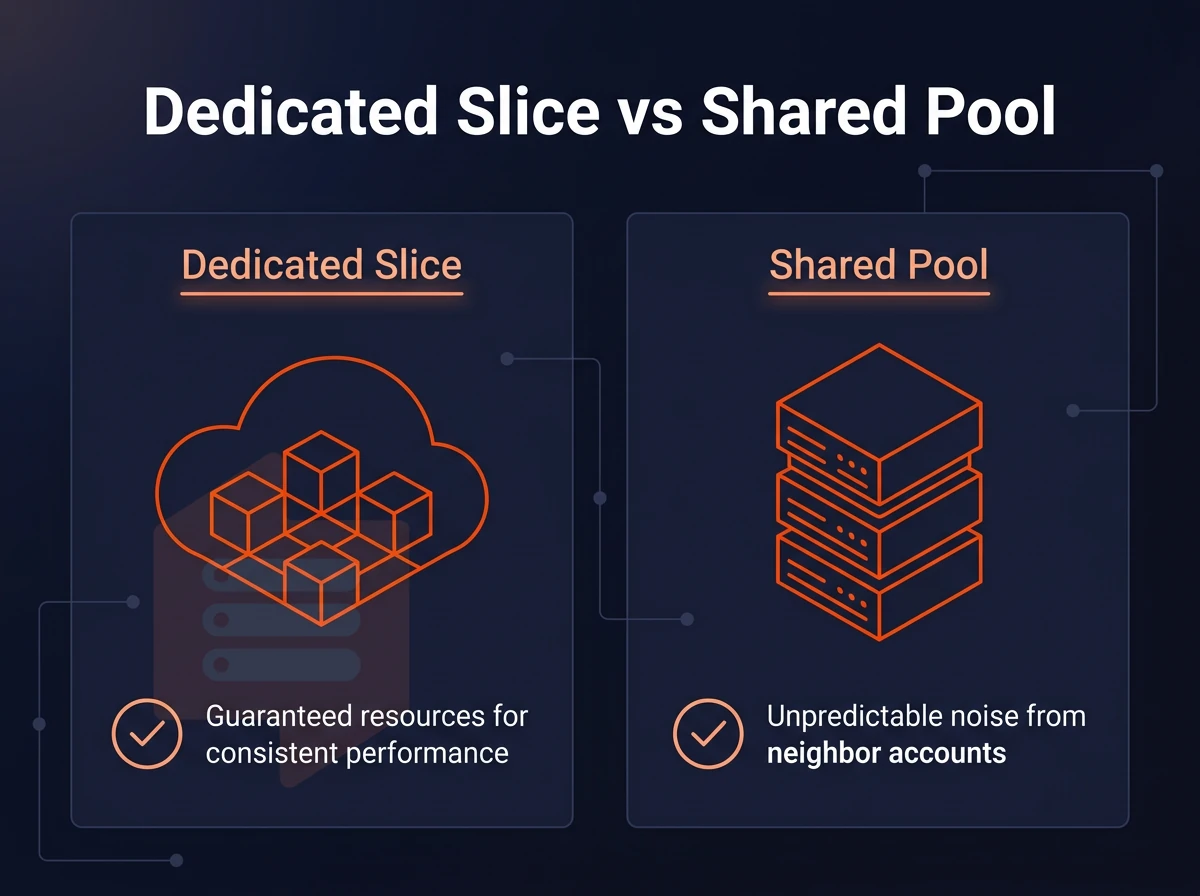
Hunderten Accounts werden auf dem Shared Server mit einem Betriebssystem und einer CPU- /RAM-Pool geladen. Das bedeutet: Ein unleckt großer Datenverkehr versorgt jetzt alle anderen Accounts auf dem Server. Mit einem VPS Hosting-Plan bewirtet man den ganzen Physischen Server als einen großen Rechenpark, der in isolierte Virtual Machines aufgeteilt wird. Jede VM hat fest vergebenene Ressourcen.
Shared hosting plan limitations vs VPS hosting
A typical shared hosting account does not come with any guaranteed resources. Your account shares CPU power and RAM with other accounts in real time. Unlike dedicated hosting, you cannot obtain root access to your account, have very limited choices when it comes to software that you can install, and a very malfunctioning account can impact the performance of the entire server.
When you outgrow a shared hosting plan, migrating to VPS becomes necessary to gain predictable resource allocation and administrative control. This contrasts sharply with traditional shared hosting, where resource contention and lack of isolation remain fundamental limitations.
What changes with your own operating system
Each tenant on a VPS has their own full operating system installation. Resources for a tenant on a VPS are capped at the levels for which they signed up, and are never impacted by behavior of other tenants on the same server.
This isolation ensures that each tenant operates with own dedicated resources that remain unaffected by the resource consumption patterns of neighboring virtual machines. Unlike shared hosting where hundreds of accounts run on the same operating system, VPS tenants benefit from complete isolation at the kernel level.
When you've outgrown shared hosting for VPS hosting
The resources, superuser access and 99.8% uptime SLA you get from a VPS hosting package far exceeds that available from shared hosting. VPS hosting is the only type of hosting that will scale with your growing application, unlike shared hosting. At BuyVPS we specialize in VPS hosting and have developed a range of powerful plans to host your growing applications across our Amsterdam and New York data centers.
All of which come complete with KVM isolation and NVMe RAID10 storage. This makes VPS hosting particularly suitable for developers and agencies looking to host multiple websites under a single, scalable infrastructure. This infrastructure is designed to host websites that demand both reliability and room to grow as traffic increases. Selecting the right VPS hosting company means evaluating not just the technical specifications but also the provider's track record with uptime and support responsiveness.
| Factor | Shared hosting | VPS |
|---|---|---|
| Resource isolation | None, shared pool | Hard caps per tenant |
| Root access | No | Full |
| Noisy-neighbour risk | High | Eliminated by hypervisor |
| Uptime SLA | Typically none | 99.8% (BuyVPS) |
After you move past shared hosting, the question becomes whether a VPS is sufficient for you or if you need a dedicated server.
VPS hosting vs dedicated hosting: choosing the right fit
The choice between VPS hosting and dedicated servers comes down to one question: how much of a physical server do you need? Knowing the full range your hosting provider offers, from shared hosting through VPS to dedicated servers, helps you avoid overspending or underbuying.
Understanding the VPS hosting spectrum by hosting company
- Start here with shared hosting. The cheapest way to get hosting, but you get the least control too. The “noisy neighbors” of other sites sharing the same resources for you can affect your site’s performance.
- Move to VPS hosting. Virtual servers are created by a hypervisor on a single server and each VPS is allocated fixed amounts of RAM, CPU’s and storage. You have administrator privileges but it is not your server!
- Dedicated hosting has some key pros to consider. First, all the physical server resources are dedicated to one tenant. This means that the tenant has a complete physical server with no other neighbors or shared kernel for example, using up all the physical servers resources to deliver maximum raw I/O throughput for example. The big trade-off for these advantages is of course cost and increased management complexity.
Matching VPS hosting tiers to your workload
- Track your real resource usage. Most web applications (including APIs and databases under average load) don’t need to run on mid-range servers. Once you’ve moved from shared hosting to a VPS, you don’t need a full dedicated host either.
- Assessing VPS hosting cost to value, VPS hosting delivers nearly dedicated performance for a fraction of the cost of a dedicated server. To the majority of users, VPS hosting is far superior to shared hosting and a dedicated server.
- Reserve dedicated for extreme cases. High-frequency trading, GPU rendering, and other compliance restricted workloads that prohibit multi-tenancy are true dedicated workloads. Everything else runs fine on a well-provisioned VPS.
Note: Don't conflate "dedicated resources" with "dedicated server." On BuyVPS Dedicated CPU plans, pinned cores give you predictable, isolated compute on a shared physical host, without the cost and complexity of owning an entire machine.
The Dedicated vs. VPS debate centers on scale and tenancy, but VPS vs. cloud hosting raises a different set of architectural questions, fixed resources vs. elastic infrastructure.
VPS hosting vs cloud hosting: understanding the difference
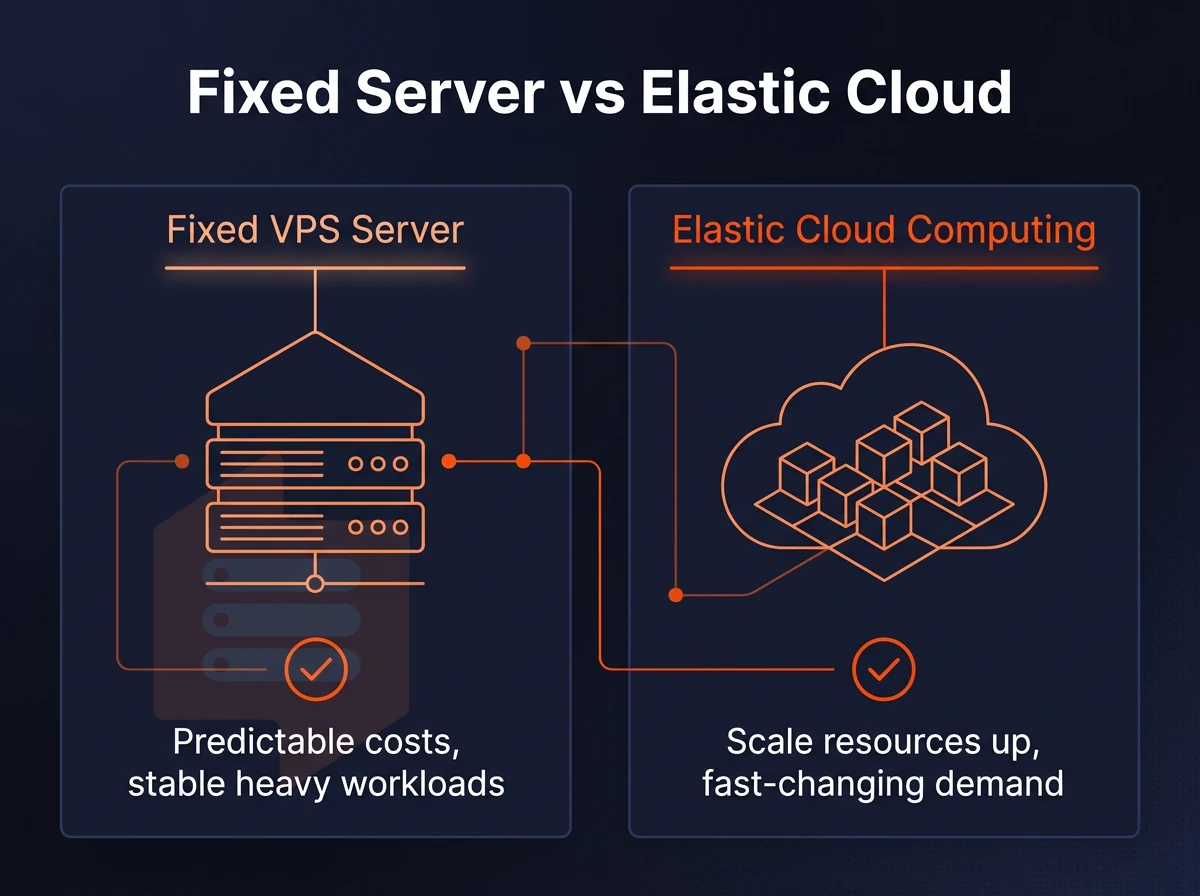
VPS hosting and elastic hosting are two of the most popular ways to run your workloads in a shared infrastructure environment. Understanding the basic architecture of both will help you pick the right hosting platform for the job.
How VPS hosting operates independently
A VPS is running on a powerful physical server that is partitioned by a hypervisor. A virtual server running on a VPS gets a fixed amount of CPU power, RAM and NVMe storage on the physical server. This virtual server acts as a dedicated server and has its own kernel which it boots from. It has its own IP address and is unaffected by activity on other virtual servers on the same bare-metal server.
By defining resources at provisioning time, we can guarantee predictable performance.
Cloud hosting vs VPS hosting: the elastic alternative
On top of that abstract layer, elastic models treat the underlying hardware as abstract as well, allowing workloads to span across multiple nodes. Horizontal scaling of workloads across many nodes, each running its own operating system instance, is typical for an elastic hosting plan and does well with bursty traffic but causes variable latency and makes hourly cost unpredictable. This distributed architecture relies on multiple servers working in concert to handle workload distribution and failover scenarios.
Similarly, information about the server environment, such as which physical hosts your containers run on, is typically not exposed.
Choosing the right VPS hosting model
VPS hosting is ideal for databases, continuous integration / continuous deployment (CI/CD) pipelines, and other latency-sensitive web applications. Elastic multi-node servers are best for stateless web applications that can absorb sudden traffic peaks. VPS hosting is consistent and easy to manage while elastic infrastructure is better for burst situations. In conclusion VPS hosting offers a balanced approach for workloads requiring stable resource allocation and low-latency performance without the overhead of managing distributed systems.
When evaluating a VPS hosting plan for your VPS servers, ensure that your hosting provider has implemented hard memory caps per node as opposed to soft limits on memory to guarantee true isolation between the partitions on your servers. This question is separate from who manages the server on an ongoing basis.
Managed VPS hosting vs unmanaged VPS: which should you choose
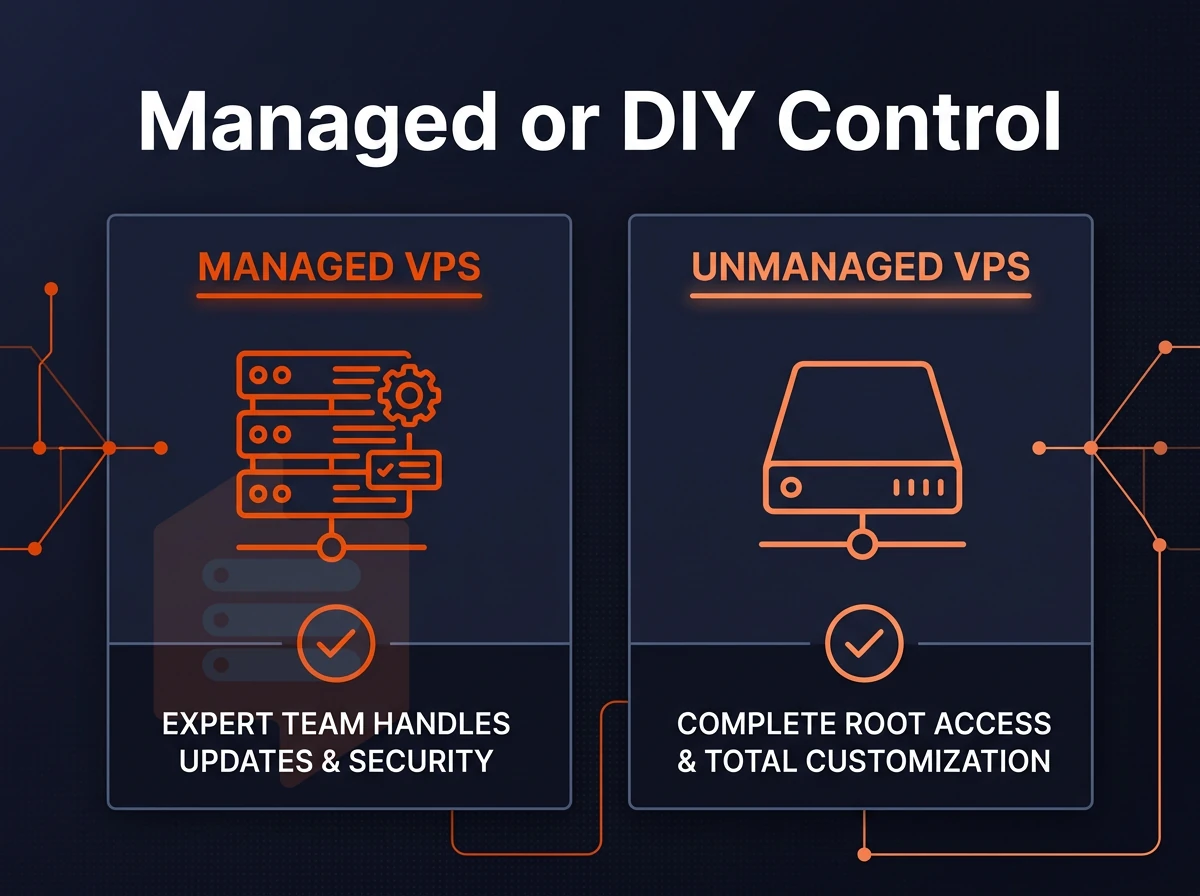
The only question when choosing between managed servers and unmanaged servers is: who is managing the server?
Managed VPS: your hosting provider handles all operations
A managed VPS is a VPS where the hosting provider does OS updates, security patches and general server administration. This allows you to focus on your application. The main difference with a normal VPS is that you have less control on the server settings and that it generally costs more than a normal VPS.
This model is ideal for teams without dedicated Linux experts. Small businesses, agencies and developers can ship their code without having to work with a shared server environment or learn system administration.
Unmanaged VPS hosting: full control, full ownership
Unmanaged VPS are provided with full system access and full control to the stack.
This is especially suitable for web developers, sysadmins and DevOps engineers who need to fine tune their systems.
Where BuyVPS fits in VPS hosting
We provide privileged access and custom ISO upload on all plans. Our hosting platform is designed for the technical user, allowing them to configure software as desired.
Key benefits of VPS hosting for website owners and developers
A VPS is positioned between the typical shared hosting service and a full dedicated server. While a VPS is running on shared hardware with other VPS instances, it has its own dedicated CPU, RAM and disk space. For website owners and developers who have outgrown the typical hosting space but cannot afford a full dedicated server, a VPS fills the gap.
Benefits of VPS hosting for resource isolation and performance
In contrast to shared hosting, a VPS server has a fixed amount of CPU power, RAM and storage space. Other users on the same host machine do not use up your resources. Isolation is key to a server’s performance staying where you need it during peak usage.
The hard limits enforced by the hypervisor are at the kernel level.
Your own server environment to host multiple websites
Every VPS runs its own completely independent Operating Systems.
KVM virtualization at BuyVPS means every VPS has its own kernel.
Scalability and network capabilities across multiple websites
In-place upgrades let you scale to a larger plan without moving data or losing your IP addresses.
All BuyVPS servers are supplied with IPv4 and IPv6 address space on a fully dual-stacked network.
Why choose BuyVPS for your VPS hosting plan
BuyVPS has been a founder-run VPS hosting provider since 2002, operating data centers in Amsterdam and New York with identical hardware and pricing. Every virtual private server runs on KVM with a separate kernel, so your VPS hosting plan gets genuine isolation, not a shared hosting environment dressed up as dedicated resources.
- No-oversell policy: Hard memory caps per node and low node density mean your dedicated resources stay yours, other users never crowd you out.
- NVMe RAID10 storage: PCIe-direct drives measured at 122,959 4K read IOPS under real fio benchmarks.
- Three tiers, one full server control standard: Standard CPU (shared vCPU), Dedicated CPU (pinned cores on EPYC Genoa), and High Memory VPS, every plan includes full root-level access and custom ISO support.
- In-place upgrades: Scale your VPS hosting without migration or IP rotation.
- Stable pricing: Same cost in year five, no renewal hike, no surprise fees.
If you have outgrown shared hosting and need a VPS hosting solution with predictable performance, contact our engineers to compare plans.
Frequently asked questions
What does a VPS web hosting plan actually mean?
VPS stands for Virtual Private Server. A dedicated hardware is partitioned into isolated virtual machines using a hypervisor, each VPS gets its own dedicated RAM, CPU allocation, and storage. With a quality VPS hosting provider, you get full complete server access and an independent operating system, so your environment behaves like a private server even though the underlying hardware is shared. It sits between shared hosting (no isolation, no root) and a bare-metal dedicated server (no virtualization layer).
Which web hosting providers offer a VPS hosting plan?
Many hosting providers offer VPS plans, from large cloud platforms to specialist hosts, with significant variation in CPU type, storage, network, and support. BuyVPS offers KVM-based VPS and dedicated hosting, where each instance runs its own operating system, on AMD EPYC hardware with NVMe RAID10 storage, in Amsterdam and New York, with engineer-led support and a no-oversell policy backed by hard memory caps per node.
What is VPS hosting vs VPN?
A VPS is a virtual server you rent to host applications, websites, or services, it runs 24/7 and has its own IP address, OS, and resources.
The two are unrelated technologies, though you can install VPN software on a VPS if you want to self-host one.
Is it possible to get VPS hosting for free?
Free VPS hosting offers exist on some platforms, but they come with strict resource caps, limited uptime guarantees, and terms that can change or disappear without notice.
What is the difference between managed and unmanaged VPS hosting?
With an unmanaged VPS, the provider handles the physical hardware, network, and hypervisor, everything above the OS is your responsibility: updates, security hardening, software installation, and troubleshooting. With a managed VPS, the provider takes on some or all of those OS-level tasks, typically for a higher fee. Unmanaged is the right choice for developers and sysadmins who want full control and don't want to pay for services they can handle themselves. Managed plans suit teams without dedicated Linux administration resources.
Do i need root access with VPS hosting?
full administrative access lets you install any software, modify system configuration, manage users, and control every aspect of the server instance. Without it, you are limited to whatever the provider pre-installs, which is closer to shared hosting than a true VPS.
How does VPS hosting differ from cloud hosting?
A VPS hosting offers a fixed virtual machine with defined resources, a set number of vCPUs, a specific amount of RAM, and allocated storage, running on a single physical host. Cloud hosting typically abstracts resources across a distributed infrastructure, allowing on-demand scaling and pay-per-use billing.
VPS plans offer predictable, consistent performance and straightforward pricing with no surprise usage bills. Cloud platforms add flexibility but introduce variable costs and, in some configurations, noisy-neighbor effects that a properly provisioned VPS hosting plan running multiple virtual servers avoids through hard resource caps.
Virtual Private Servers (VPS) provide dedicated resources, kernel-level isolation and full superuser access, on the cheap of a underlying hardware. The main trade-off between VPSes and shared hosting is cost vs. predictability.
You pay more for the former, but then your sites get to run on consistently good hardware with all your allocated RAM and CPU reserved for your use. Managed vs. self-managed VPS then comes down to one question: do you want to run a server or just run sites on servers?
The VPS hosting offers behind these promises are backed by hardware you can check out, AMD EPYC processors, NVMe RAID10 storage and a no-oversell policy with hard memory caps per node. The KVM-based VPS infrastructure is hosted in Amsterdam and New York and is run by a team of engineers 24/7.