

The point at which a cPanel VPS server is useful is when you need the familiar tools of cPanel but shared hosting is too slow for your needs and a bare-metal dedicated server too expensive.
Choosing a cPanel hosting plan involves more than simply choosing a plan. You need to investigate the underlying Hypervisor, Storage performance, Network and the physical hosting environment’s ability to support a cPanel hosted environment under load. A VPS with soft memory limits and over-sold physical nodes will fail to deliver reliable cPanel hosting regardless of the specs promulgated. Evaluating the quality of physical hardware components, such as CPU generation and memory type, helps ensure your VPS node can sustain consistent performance over time.
Learn what matters for your cPanel VPS hosting, including suitable hardware, KVM vs. container-based virtualization, storage I/O, and matching your sites, online stores, or your clients with suitable VPS plans. We provide you with the knowledge to choose suitable VPS hosting services and avoid basic mistakes that can soon render an attractive offer nearly useless. First, we explain what cPanel VPS hosting actually means and how it works in detail.

What is a cPanel interface and how to install cPanel on a VPS
A cPanel VPS server is a Virtual Private Server with cPanel control panel access.
First month $1
Then the normal monthly price. One per customer. No setup fee, and a 30-day performance guarantee on your first order.
See the plans“Great experience with BuyVPN! The service is easy to use, the connection has been smooth and reliable, and the overall experience has been really good. The pricing is also reasonable…”
How KVM virtualization creates your hosting environment
KVM hypervisor technology lets you follow a step by step guide to partition a single machine into full virtual private servers (instances). Each virtual private server has its own kernel, guaranteed RAM and guaranteed high-performance NVMe storage. This is in stark contrast to shared hosting where other users on the same server can consume 100% of your allocated resources such as CPU bursts and memory allocations.
cPanel hosting on a VPS vs. A dedicated server
A dedicated server is an entire machine, whereas a cPanel VPS offers you guaranteed, pinned resources at a lower level of commitment than a dedicated server. This is ideal for you when you require root access to your server and full control of the OS, but do not wish to have to provision a bare metal dedicated server.
What hosting resellers typically include
Many cPanel VPS hosting plans come with WHM (Web Host Manager) to manage your resellers, and also include root SSH access and a choice of Linux distributions. Here at BuyVPS we layer on top of this KVM isolation and NVMe RAID10 storage to ensure the VPS hosting performance is consistent under load. We have compared cPanel VPS hosting to other alternatives for you. Root SSH access also enables advanced web server tuning, letting you optimize Apache or NGINX configurations to handle traffic spikes more efficiently.
cPanel VPS hosting vs shared hosting plan vs dedicated server
When it comes to the hosting market there are essentially three tiers to choose from, and each will suit a particular workload, budget and degree of control over the server(s). Most hosting providers structure their offerings around shared, VPS, and dedicated tiers to match different technical requirements and price points.
Understanding which tier aligns with your business goals helps ensure your hosting infrastructure scales efficiently as your company grows. The key difference lies in resource allocation: shared hosting pools CPU and memory across many users, VPS guarantees dedicated resources, and dedicated servers provide exclusive hardware access.
Side-by-side operating system comparison
| Dimension | Shared hosting | cPanel VPS hosting | Dedicated server |
|---|---|---|---|
| Isolation | Shared OS, shared server resources | Isolated virtual server, hypervisor-enforced limits | Entire physical server, no neighbors |
| Root access | None | Full root access via SSH and WHM | Full |
| Resources | Capped, shared pool | Dedicated resources, guaranteed RAM and vCPU | All cores and RAM exclusively yours |
| Uptime SLA | Varies by provider | 99.8% (BuyVPS) | Varies by provider |
| Cost | Lowest | Mid-range | Highest |
cPanel license on a VPS: the middle ground
Shared hosting suits low-traffic websites that don't need custom software, but for higher traffic or custom PHP builds, you'll outgrow a shared hosting plan fast.
A VPS plan gives you the isolation and control of a dedicated server without the high cost of a bare-metal server. We run KVM virtual private servers with hard memory caps to prevent noisy neighbors from using up all of your allocation.
When to step up to a dedicated operating system
A dedicated server is best suited for workloads with a lot of core hours and/or special compliance requirements.
Key benefits of a control panel for cPanel VPS hosting
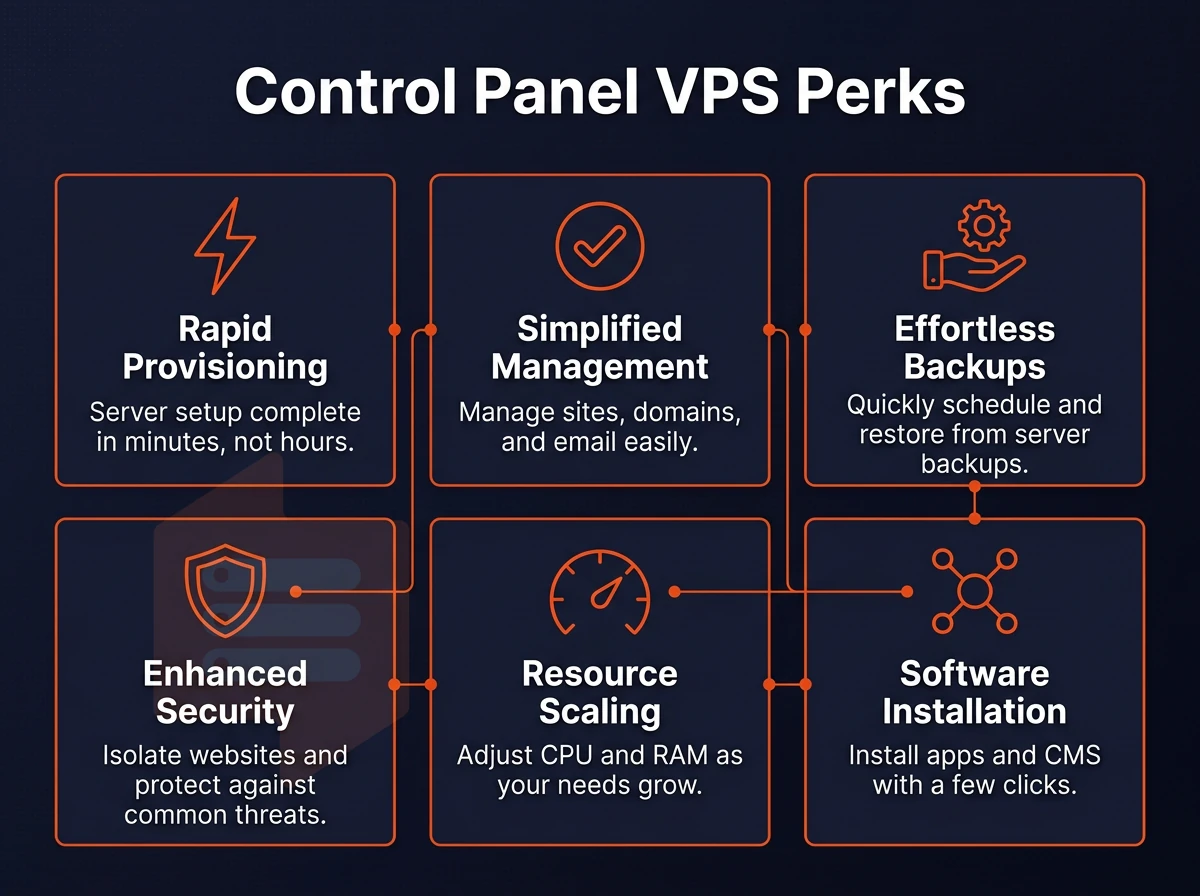
cPanel hosting on a VPS offers the ease of use of a graphical interface on a VPS with isolated resources, making it easier to manage your server without compromising on control and reliability.
Virtual server setup and management
- Launch WHM to create and manage cpanel hosted accounts for multiple domains from one interface. This is the primary tool of a hosting reseller as it enables account provisioning for clients without needing to resort to the command line.
- Set up your DNS zones and email accounts in cpanel. Easy to use control cpanel that allows you to set up MX records, mailboxes and subdomains all from one page.
- One Click Install for WordPress and other web applications. You can have a full WordPress Stack installed within 2 minutes using the Softaculous installer. No need to manually set up a database.
Reliability and isolation through server management
- Take full advantage of your isolated resources. Unlike shared web hosting, a VPS grants a website its own dedicated RAM and CPU. This means that a noisy neighbor can’t ruin things for you.
- Scale resources without migrating them. Add more disk space or RAM without moving them. Your IP addresses and configurations will remain unchanged.
Note: Always verify your cPanel license covers the number of domains you plan to host before provisioning additional accounts, license tiers are tied to account limits. With those benefits in mind, here is how to get cPanel running on your VPS from scratch. Most providers allow you to install cPanel through their control panel or via command line immediately after your VPS is provisioned and accessible.
Most installations complete within 15 to 30 minutes, and the initial setup wizard guides you through license activation and basic server configuration steps. License tiers typically range from solo (up to 5 domains) through admin tiers supporting hundreds of domains, so matching your tier to your hosting scale prevents costly mid-term upgrades.
cPanel add-ons and extensions worth knowing
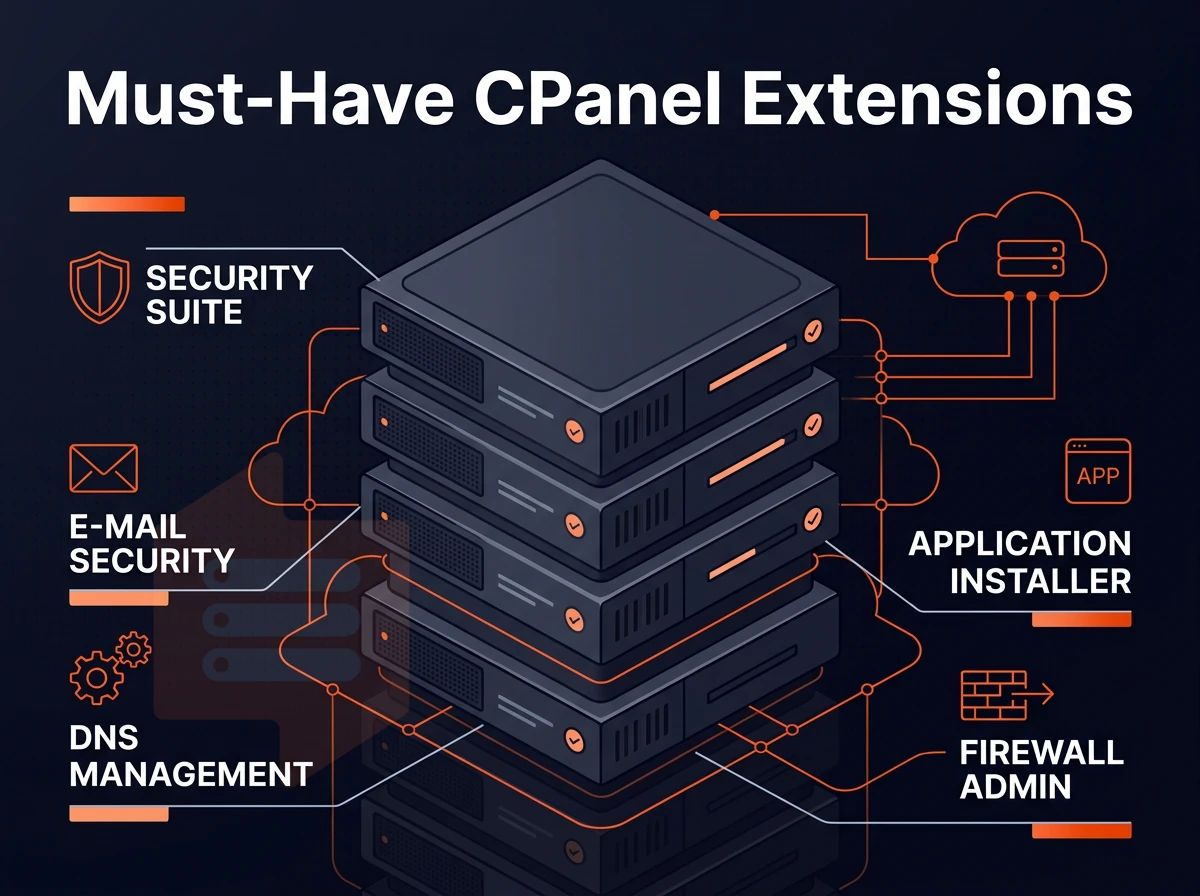
The value that cPanel provides can increase greatly when you layer the proper add-ons on top of it. Many of the cPanel extensions are designed to fill a specific gap (security, installs, billing, backups) and typically cost on top of the cPanel license itself. Selecting the right add ons depends on your specific hosting needs, whether you prioritize automated backups, enhanced security layers, or streamlined client management tools.
Choosing extensions that align with your hosting environment ensures compatibility and reduces conflicts between cPanel core functions and third-party modules. Most extensions require a separate subscription or one-time purchase at extra cost, so budget accordingly when planning your hosting infrastructure.
Essential add-ons for most VPS operators
The Softaculous installer is the most used add-on for WordPress users and beyond, making it easy to install scripts, e-commerce applications, and many more. Install in seconds with 1 click installation and no database setup required. Many hosting providers also bundle one click staging environments, allowing developers to test updates safely before pushing changes to production sites.
The installer supports over 450 web applications across categories including content management systems, forums, and customer portals, ensuring compatibility with most modern hosting stacks. Beyond WordPress, the installer streamlines deployment of Joomla, Drupal, and Magento stores, reducing manual configuration time for developers managing multiple client projects. The installer automatically configures databases and user credentials during deployment, eliminating manual MySQL setup steps that often cause configuration errors for less experienced administrators.
Imunify360 is a security add-on which contains real-time malware scanning and intrusion detection scanning on the physical machine server edge. This can be particularly useful when other users are on the same node as you or when your website visitors upload content and you need to secure that.
Add ons for hosting providers and resellers
Automate client billing, account provisioning and domain management as a reseller with WHMCS. Use cPanel’s WHM interface to limit resources per account, including disk space quotas, without having to use the command line. Many resellers also leverage a partner program to offer white-labeled hosting services and earn recurring commissions on client accounts. This approach simplifies onboarding new users by automating account creation workflows and ensuring consistent resource allocation across all client environments.
The WHM interface also provides granular control over email routing, DNS zone templates, and package inheritance, streamlining multi-account management for resellers. Resellers can also create separate MySQL databases for each client account, ensuring data isolation and simplifying backup workflows across multiple hosting environments. Resellers can configure custom nameservers and manage DNS zones for multiple domains through a single WHM dashboard, simplifying infrastructure management across client portfolios.
With wp squared hosting, JetBackup automatically schedules incremental backups, and you can restore individual files or even entire accounts as needed. This feature proves especially valuable for agencies managing multiple client sites, since restoring a single WordPress database or plugin folder takes seconds without rolling back unrelated accounts. JetBackup also supports remote storage destinations and retention policies, ensuring your databases remain protected even if the primary VPS experiences hardware failure.
Plesk as a control panel alternative for any operating system
Plesk does similar things, but for a different price. Many of our customers use it to administer Windows VPS servers, or to manage Git repositories with a single click. We run Plesk cleanly on top of your BuyVPS KVM servers in Amsterdam and New York. And, as with any control panel, the underlying infrastructure matters almost as much as the panel itself. What we bring to the table is outlined below.
Why choose BuyVPS for your cPanel VPS server
BuyVPS gives you a clean, high-performance virtual private server you control completely, install cPanel yourself with full root access and manage every account without restrictions. Root access grants total control over system configurations, allowing you to customize kernel parameters, install custom modules, and optimize performance for your specific workload requirements.
- True KVM isolation. A separate kernel per VPS means cPanel accounts on your server stay unaffected by other users on the node.
- NVMe RAID10 storage. Fast disk I/O keeps database-heavy cPanel environments responsive under real load.
- No-oversell policy. Hard memory caps guarantee your dedicated resources are genuinely yours, not shared with neighbors.
- Full root access on every plan. deploy cPanel, configure WHM, and set resource limits exactly as your setup requires.
- In-place upgrades. Scale up cPanel accounts without IP rotation or server migration.
- Amsterdam and New York data centers. Serve EU and US East Coast audiences from the same control plane.
Compare plans or reach out to our team at support@buyvps.com to find the right VPS hosting solution for your cPanel environment. Our team works directly with each company to assess current hosting requirements and recommend configurations that align with growth projections and budget constraints.
A cPanel VPS server gives you the control of a dedicated environment with the familiar management interface most hosting professionals already know. The real advantage over shared hosting is resource isolation, your workloads run on guaranteed CPU and RAM, not a pool shared with hundreds of neighbors. Pair that with root access and you can install, configure, and extend cPanel exactly how your stack demands.
Installation is straightforward on a clean Linux VPS, and the ecosystem of add-ons means you rarely hit a ceiling on functionality. The bottleneck is almost always the underlying hardware in the data centers, which is where your choice of VPS provider matters most.
BuyVPS runs cPanel deployments on AMD EPYC hardware with NVMe RAID10 storage across Amsterdam and New York. Browse the plans and pick the tier that fits your workload.